The way professionals work has fundamentally shifted in 2026. AI tools are no longer experimental add-ons — they are the operating system of modern knowledge work. Every major platform from Google Workspace to Microsoft 365 has shipped significant AI productivity tool updates in 2026, and entirely new categories like autonomous AI agents have emerged that simply did not exist eighteen months ago.
This mega-guide is your complete, updated roadmap to the AI productivity ecosystem in 2026. We cover the major updates to every platform, break down the top tools across eleven critical categories, and give you concrete role-based recommendations whether you are a solo freelancer or an enterprise team lead. If you want the short version, the answer to every productivity problem starts with identifying your biggest bottleneck and deploying the single best tool for that one job. This guide shows you exactly which tool that is.
If you want the immediate high-ROI stack in 2026: Fathom for zero-cost meeting notes, Cursor + Claude 3.5 for developer velocity, Superhuman / Shortwave for email triage, Reclaim AI / Motion for automated calendar planning, Google NotebookLM + Obsidian for knowledge synthesis, and n8n Community for autonomous background workflows.
📋 What This Guide Covers
This pillar guide covers all major AI productivity tool categories: general assistants, meeting transcription, task management, email, scheduling, note-taking, AI agents, workflow automation, time tracking, document creation, and team collaboration. Every section includes 2026-specific updates, honest pricing, and links to our deep-dive comparison articles.
What's New: Major AI Productivity Tool Updates in 2026
Before diving into categories, here is what actually changed across the major platforms in 2026 — the updates that matter for your daily workflow.
🔄 Major Platform Updates in 2026
ChatGPT: The GPT-5.6 model family (Sol, Terra, Luna) reached ChatGPT on July 9, 2026, alongside ChatGPT Work, a new autonomous agent that completes multi-step tasks like spreadsheets, reports, and slides across your connected apps. GPT-5.5 Instant remains the fast default on most tiers. Native computer use, direct Excel integration, and cross-session memory carried over from earlier in the year, and free and Go tier users still see ads in chat.
Google Gemini in Workspace: Gemini is now embedded across Gmail, Docs, Sheets, Slides, and Calendar by default. Summarises your top threads, drafts contextual replies, and suggests meeting times across shared calendars. Available on Workspace Business and Enterprise plans.
Notion AI: Enterprise Search now queries across Notion, Slack, Google Drive, GitHub, Jira, Teams, SharePoint, OneDrive, and Linear from a single natural-language prompt, and Notion Agent can execute multi-step tasks inside your workspace on its own. Since May 2026, the separate Custom Agents feature runs on metered credits rather than being included free. Full AI access is Business-plan only now — the old standalone $10/month AI add-on for Free and Plus users has been discontinued.
Microsoft Copilot: Copilot Pages allow real-time collaborative AI-generated documents. Copilot Studio lets non-technical users build custom AI agents without code. Now included in Microsoft 365 Business Standard at no additional cost.
Slack AI: Conversation summaries now work across channels and DMs automatically when you return from absence. Thread-level AI search. Available on Pro plan and above.
Zapier AI: Natural-language Zap builder allows you to describe a workflow in plain English and it is built automatically. Zapier Agents can now act autonomously across connected apps.
Fireflies.ai AskFred: Upgraded with Perplexity AI, now enables cross-meeting intelligence across your entire call history. Described as a "Global Brain" for your pipeline.
Motion: Expanded from calendar/task management to include AI Docs, a meeting recorder, and "AI Employees" — configurable virtual teammates that draft content, chase follow-ups, and execute multi-step work under human oversight — evolving toward an all-in-one productivity suite.
Fathom: Maintains its 5.0/5 G2 rating from 6,000+ reviews. Still the only tool in the meeting category offering unlimited free recordings with no monthly cap.
Superhuman: Acquired by Grammarly for roughly $825 million in mid-2025 and rebuilt into the "Superhuman Suite," bundling Grammarly's writing AI and the Coda workspace alongside the email client. Full AI features now sit on the $33/month Business plan rather than the old $30 flat price. Its closest rival, Shortwave, quietly removed its permanent free plan the same year and shipped an autonomous workflow agent called Tasklet in January 2026.
Google NotebookLM: No longer purely free. Google restructured it into four tiers after I/O 2026, adding Plus ($7.99/mo), Pro ($19.99/mo, $9.99 for students), and Ultra ($99.99+/mo) alongside a still-generous free plan. The June 2026 update also gave it agentic web sourcing and secure code execution on uploaded datasets.
The State of AI Productivity Tools in 2026
The software industry has moved decisively past the novelty phase of artificial intelligence. We are no longer simply chatting with an interface to generate text. In 2026, professionals are deploying autonomous agents that manage schedules, organise knowledge bases, and execute multi-step workflows across dozens of applications simultaneously.
To make sense of this massive ecosystem, comprehensive lists of AI tools often categorize them by use case, separating image generation and writing from pure workflow automation. This categorization is crucial. A tool built to draft sales emails requires a completely different architecture than a tool built to balance a software engineering team's sprint workload.
McKinsey Research estimates AI could contribute $4.4 trillion in annual productivity gains globally, with the largest gains occurring in knowledge-intensive, screen-based professions. The professionals seeing the biggest returns are not necessarily the ones with the most tools — they are the ones who have deployed the right tool for each specific bottleneck and resisted the temptation to over-engineer their stack.
How AI is Reshaping Modern Workflows
The most significant change in modern workflows is the shift from active management to passive review. You no longer need to actively track your time, actively take meeting notes, or actively schedule your focus blocks. The software handles the execution; you handle the strategy.
Foundational AI models like ChatGPT and Claude are frequently used as everyday assistance tools, powering many secondary productivity applications through their APIs. This means that whether you are using a dedicated task manager, a smart calendar, or an email client, you are likely interacting with the reasoning capabilities of these core models, optimised for a highly specific workflow.
The true value of these tools lies in ecosystem compatibility. Users on productivity forums actively seek out AI tools that integrate seamlessly with Google Workspace to enhance existing workflows without switching apps. The fewer windows you have to copy and paste between, the more productive you actually become.
AI Productivity by the Numbers: 2026 Research Data
Metric | Data Point | Source / Context |
|---|---|---|
Weekly time saved (full adopters) | 4–6 hours/week | Industry consensus across multiple 2026 studies |
Global productivity gain potential | $4.4 trillion/year | McKinsey Global Institute |
Professionals using AI daily | 61%+ of knowledge workers | Enterprise adoption surveys, 2025–2026 |
Time spent on email (without AI) | ~2.5 hours/day | Consistent across multiple workforce studies |
Meeting time that produces no action items | ~43% of meetings | Corporate productivity research |
ROI on AI tool spend (conservative) | 10–20× cost | $50–100/month saves 15–20 hrs/week for most |
Top AI Productivity Tools: 2026 Comparison Matrix
Evaluating the best AI productivity tools in 2026 requires looking at how they fit into your broader tech stack. We have categorised the leading applications by their primary function to help you identify exactly where you can automate your day.
Tool Name | Primary Category | Best For | Free Tier | Paid Starting Price |
|---|---|---|---|---|
ChatGPT (GPT-5.6 / GPT-5.5) | General AI Assistant | All-purpose productivity baseline | ✅ Yes (with ads) | $8/mo (Go plan) |
Claude (Anthropic) | General AI Assistant | Long-form writing, analysis, coding | ✅ Yes | $20/mo (Pro) |
Meeting & Transcription | Researchers & Teams | ✅ 300 min/mo | $8.33/mo (annual) | |
Meeting & Transcription | Enterprise CRM Syncing | ✅ 800 min/mo | $10/mo/user (annual) | |
Meeting & Transcription | Solo Freelancers & Consultants | ✅ Unlimited forever | $15/mo (Team) | |
Task & Project Management | Solopreneurs & Agencies | ❌ No | $19/mo (Individual) | |
Task & Project Management | Complex Team Projects | ✅ Limited | $7/mo/user (annual) | |
Email & Inbox | Executives & Founders | ❌ No | $25/mo (Starter, annual) | |
Scheduling & Calendar | Team Workload Defense | ✅ Yes | $8/mo (Starter) | |
Note-Taking & Knowledge | All-in-One Workspaces | ✅ Trial only | $20/mo/user (Business, full AI) | |
Workflow & Automation | Non-Technical Users | ✅ Yes | $19.99/mo (Starter) | |
Time Tracking | Agencies & Freelancers | ❌ No | $11/mo/user (annual) | |
Document Creation | Enterprise M365 Workspaces | ✅ Yes (basic) | Included in M365 Business Standard | |
Team Collaboration | Remote Asynchronous Teams | ❌ No (Pro+ only) | $7.25/mo/user (Pro, annual) |
Evaluating Paid Plans vs. Free Tiers
Deep dive: Check our comprehensive guide on the Best AI for Writing Professional Reports in 2026 for executive frameworks and templates.
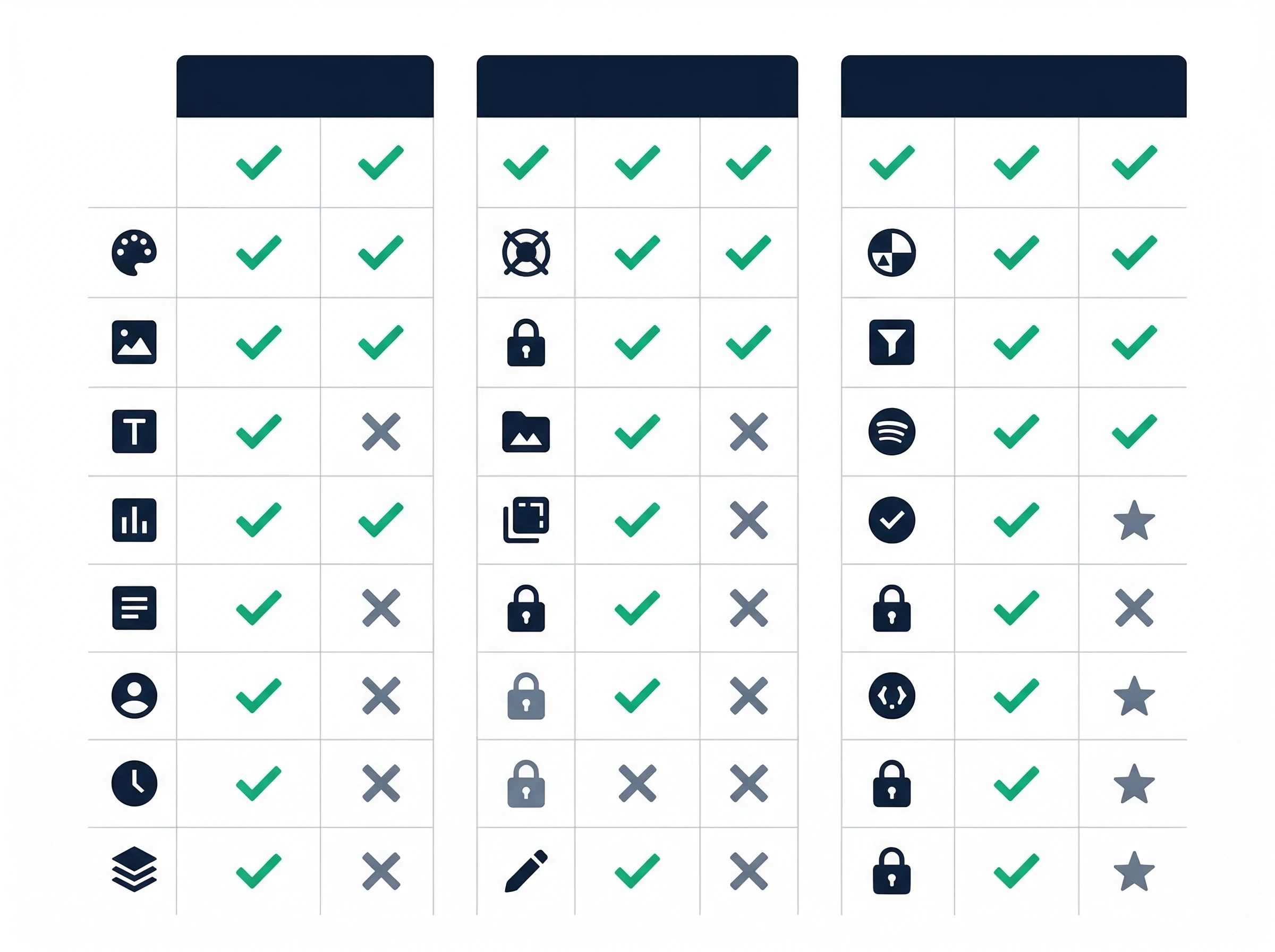
AI Tools Tier Comparison
The software market relies heavily on product-led growth, meaning you can usually test a tool before pulling out your credit card. When evaluating AI tools, users must weigh the benefits of a generous free tier against the advanced features unlocked when plans start at a premium price. A free tier might give you basic meeting transcriptions but limit your monthly usage. A premium plan unlocks custom vocabulary, automated CRM routing, and unlimited storage. Community discussions highlight a strong preference for AI tools that offer robust free plans before requiring users to commit to a paid subscription. Start with the free version to ensure the interface matches your working style, then upgrade when you hit real limits.
General AI Assistants: The Foundation Layer of Every Stack
Before deploying specialised tools for meetings, email, or scheduling, most professionals need a general-purpose AI assistant they can use for drafting, thinking through problems, analysing documents, and handling research. These tools form the backbone of any AI productivity stack in 2026, and the four platforms below represent the distinct approaches that have proven most useful for knowledge workers.
ChatGPT (GPT-5.6) — The Most-Used AI Productivity Tool

ChatGPT remains the most widely deployed AI productivity tool globally, and for good reason. As of July 9, 2026, paid tiers began rolling out the GPT-5.6 model family — Sol, Terra, and Luna — with GPT-5.5 Instant staying on as the fast, everyday default across every plan including Free. Between the two model generations, ChatGPT now handles an enormous range of tasks: drafting emails, writing code, explaining concepts, summarising documents, and working through complex reasoning problems, with native computer use and direct Excel integration for data analysis that requires no coding skill.
The free tier, while supported by ads, remains the most accessible entry point to AI-assisted work. Go, the budget tier, runs $8/month and raises the message and upload caps without unlocking the flagship model. Plus at $20/month is the plan most working professionals want, adding Deep Research, Sora video, and Agent Mode. Pro splits into two tiers — $100/month for roughly 5x the usage of Plus, and $200/month adding unlimited Sora video and the Operator browser agent. Separately, the newly launched ChatGPT Work agent completes multi-step tasks like spreadsheets, reports, and slides autonomously across your connected apps. The key limitation of ChatGPT is unchanged: generic prompts produce generic outputs, and the real investment is learning to write specific, detailed prompts.
⚠️ 2026 Update: ChatGPT Free Tier Now Shows Ads
As of February 2026, free and Go tier ChatGPT users see ads in their conversation interface, with self-serve ad buying opening to advertisers in May 2026. This is a notable change from 2025. The Plus, Pro, and Business plans remain ad-free. If ads create friction in your workflow, the Plus plan upgrade resolves it.
Claude (Anthropic) — Best for Long Documents and Nuanced Analysis
Claude has emerged as the preferred general AI assistant for professionals who regularly work with long documents, complex analysis, or nuanced writing tasks. Claude's context window — the amount of text it can process in a single session — remains among the largest available, making it ideal for feeding entire research reports, legal documents, or codebases into a single conversation without losing context.
For writers, Claude produces prose that feels less formulaic than generic AI output. For analysts, Claude handles detailed financial models, competitive research, and strategic frameworks with more precision than tools optimised for conversational brevity. The Pro plan at $20/month provides access to Claude Sonnet 5 and higher-tier Opus models, along with Claude Code and Cowork for delegating multi-step work. Heavier users can step up to the Max plan, available at $100/month (5x the usage of Pro) or $200/month (20x), for longer, uninterrupted sessions and higher output limits.
Google Gemini in Workspace — The Best Upgrade for Google Users
If your professional life runs on Google Workspace, the 2026 Gemini update is the most impactful AI productivity upgrade available without adopting any new tools. Running on Gemini 3, Gemini now sits natively inside Gmail, Google Docs, Sheets, Slides, and Calendar. You can summarise your entire inbox thread with one click, generate a first draft of a document directly in Docs, build a complete multi-slide presentation from a single prompt in Slides, create a structured spreadsheet from a text description in Sheets, and get meeting time suggestions based on shared availability across your entire team. A newer addition, Ask Gemini in Drive, adds a dedicated side panel for high-context, multi-turn conversations grounded in your actual files rather than the open web — useful for digging through a shared drive without opening a dozen tabs.
The critical advantage of Gemini in Workspace is zero context-switching. The AI lives where your work already happens. The limitation is that it performs best when you stay entirely within the Google ecosystem — professionals who also use Slack, Notion, or Microsoft tools will find the value is diluted by the need to copy and paste between environments.
Perplexity AI — Best for Research That Needs to Be Accurate
Perplexity occupies a specific and extremely valuable position in the AI productivity stack: it is the AI tool you use when accuracy and verifiability matter more than speed of generation. Unlike ChatGPT or Claude, which draw on training data, Perplexity performs live web searches and returns answers with source citations embedded directly in the response.
For research tasks where you cannot afford to cite a hallucinated statistic — market analysis, competitive intelligence, regulatory compliance, academic work — Perplexity adds a layer of trustworthiness that general chatbots cannot match. The free tier is highly capable. Perplexity Pro at $20/month adds access to more advanced models and more daily searches.
Best AI Meeting & Transcription Tools
Looking for an in-depth breakdown? Read our comprehensive comparison on 12 Best AI Meeting Note Takers in 2026 and our step-by-step tutorial on How to Auto-Summarise Every Meeting with AI.
If you only implement one category of AI automation this year, start here. AI meeting transcription tools are consistently ranked among the highest ROI applications for remote workers, saving hours of manual note-taking. The days of frantically typing while someone speaks are over. Modern AI meeting note takers join your calls silently, transcribe the conversation with near-perfect accuracy regardless of accents, and instantly generate a formatted summary the moment the call ends.
Otter.ai remains a dominant force, particularly for researchers and teams who need highly accurate transcriptions and easy ways to search past conversations. Fireflies.ai excels in the enterprise space, pushing meeting data directly into CRMs like Salesforce or HubSpot so sales teams never have to log call notes manually. Fathom has carved out a massive audience among solo freelancers and small agencies with its genuinely unlimited free plan — the only tool in this category that offers truly unlimited free recordings.
For users concerned about cloud privacy, tools like Jamie and Twinmind offer offline recording capabilities, processing audio locally on your device. Meanwhile, enterprise giants have built this functionality natively — Zoom AI Companion and Microsoft Copilot for Meetings now offer robust transcription and summarisation without requiring third-party bots to join the call. Notta and Avoma round out the category with strong multi-language support and specialised workflows for customer success teams.
⚠️ 2026 Update: Google Meet Now Flags Third-Party Bots
As of March 2026, Google Meet flags third-party recording bots including OtterPilot, Fireflies Notetaker, and Fathom Notetaker as "potential risk" by default. This has changed how external meeting participants perceive bot-based recorders. If bot-free recording is a hard requirement, evaluate Jamie, Krisp Note, or Bluedot instead.
Top Picks for Automated Meeting Summaries
Mastering AI meeting transcription requires understanding which tool fits your specific meeting style. Explore our deep dives to find your perfect match:
13 Best AI Meeting Note-Takers in 2026 (Ranked, Tested & Honestly Compared)
Otter.ai vs Fireflies.ai vs Fathom — Which AI Meeting Tool Wins in 2026?
Best Free AI Meeting Transcription Tools in 2026 (No Credit Card)
Top AI Task & Project Management Software
Standard to-do lists rely on you to decide what to do next. That manual prioritisation is a massive drain on cognitive energy. Task management workflows are being revolutionised by AI that can auto-schedule and prioritise tasks based on upcoming deadlines and user habits. Modern AI task management tools act as autonomous project managers: you input tasks, estimated duration, and hard deadlines, and the software builds your daily schedule by scanning your calendar for open time blocks.
Motion is currently the leader in this predictive scheduling space, favoured heavily by solopreneurs and agency owners who juggle multiple client projects. The 2026 update added AI Docs and a built-in meeting recorder, making Motion closer to an all-in-one hub. ClickUp AI takes a different approach, embedding generative text and summarisation directly into complex project hierarchies, making it ideal for large engineering or marketing teams.
Asana AI helps project managers identify bottlenecks before they happen by analysing team workload trends. Todoist AI simplifies task creation with natural language processing, allowing you to brain-dump your thoughts while the software categorises and dates them. Notion AI, Linear AI, Monday.com AI, and Basecamp AI have all integrated smart features that summarise project updates, draft status reports, and auto-assign tickets based on team capacity.
Smart Task Prioritisation for Teams and Solopreneurs
Choosing the right AI project management tools depends entirely on the size of your team and the complexity of your deliverables. Dive into our specific guides:
10 Best AI Task Management Tools in 2026 — Ranked by Real Productivity
Motion vs ClickUp AI vs Todoist — The AI Task Manager Showdown
9 Best AI Project Management Tools for Small Teams in 2026 (Tested)
AI Email & Inbox Management Solutions
Email remains the single largest time sink for modern professionals. Spending two hours a day sorting through newsletters, internal updates, and client requests leaves little room for deep, focused work. Video reviews of AI productivity tools emphasise that inbox management AIs can drastically reduce the time spent sorting and replying to daily emails. The AI email management category is split into three distinct approaches: AI email clients, AI inbox organisers, and AI writing assistants.
Superhuman represents the premium client approach, and its pricing story changed meaningfully after Grammarly acquired the company for roughly $825 million in 2025. It now ships as the "Superhuman Suite," bundling the email client with Grammarly's writing AI and the Coda workspace, and full AI features — including Auto Drafts, which detects unanswered sent emails and writes a follow-up in your tone for review — sit on the $33/month Business plan rather than the old flat $30 most reviews still quote. About 90% of these drafts reportedly require no editing. If you do sales or manage partnerships from your inbox, this remains among the highest-ROI features in the entire AI productivity ecosystem. Shortwave offers a similarly AI-first experience built around natural-language search across your entire inbox history, though it quietly removed its permanent free plan in 2025 — new users now get a 14-day trial before choosing a paid tier — and added an autonomous workflow agent called Tasklet in January 2026 that handles multi-step email tasks without manual triggering.
If you prefer to stay in Gmail or Outlook, tools like SaneBox act as organisers. They sit in the background, learning which emails you actually read and moving the rest into deferred folders, ensuring your primary inbox only contains urgent messages. For outbound communication, SalesHandy, Mailbutler, and Mixmax leverage AI to optimise send times, track engagement, and draft highly personalised cold outreach sequences.
💡 2026 Update: Gmail AI and Outlook Copilot Are Now Genuinely Useful
Google's Gemini update in Gmail and Microsoft Copilot in Outlook now provide summarisation, smart reply drafting, and thread digest capabilities that rival standalone tools. Before subscribing to a third-party email AI client, verify whether your existing Gmail or Outlook plan already includes these features — many professionals are paying for tools that duplicate features they already have.
Achieving Inbox Zero with AI Assistants
Finding a reliable free AI email writer or investing in a premium client can buy back hours of your week. Learn exactly how to deploy these tools:
Best Free AI Email Writers in 2026 — No Subscription Required
Superhuman vs Shortwave vs SaneBox (2026): Honest Comparison
Smart AI Scheduling & Calendar Apps
Discover how algorithmic calendar engines protect deep work in our workflow guide on How to Let AI Plan Your Entire Day.
Your calendar is your most valuable asset, yet most professionals leave it completely undefended. Traditional calendars simply show when you are busy; AI scheduling tools actively protect when you should be working. Many AI scheduling tools now include features that automatically defend focus time and resolve calendar conflicts without human intervention. Instead of playing email ping-pong to find a meeting time, these tools negotiate on your behalf.
Reclaim.ai is a standout for teams. You tell it you need two hours to write a report this week, and it will find the optimal slot. If a colleague books over that slot, Reclaim automatically moves your focus block to the next best available time. Clockwise operates similarly, focusing heavily on creating contiguous blocks of uninterrupted time for engineering and product teams. Motion bridges the gap between task management and calendar management, physically placing your to-do list onto your calendar timeline. Cal.ai and Calendly AI have revolutionised external booking by allowing clients to book time with you through natural language requests.
Defending Your Focus Time Automatically
Proper AI calendar management requires setting strict rules and letting the software enforce them. Optimise your schedule with our deep-dive resources:
AI Note-Taking & Knowledge Management
To build a persistent knowledge system, consult our complete blueprint on How to Build a Second Brain with AI Tools in 2026.
Information is useless if you cannot retrieve it when you need it. The traditional file-and-folder system is dead. Knowledge workers frequently use AI note-taking apps as a 'second brain' to synthesise research and organise complex project data. An AI note-taking app does not just store text — it actively connects ideas across your entire knowledge base.
Notion AI is the undisputed heavyweight in this space, offering an all-in-one workspace where AI can generate text, summarise databases, and translate documents seamlessly. The 2026 Business plan update added Enterprise Search — the ability to query across Notion, Slack, Google Drive, GitHub, Jira, Teams, SharePoint, OneDrive, and Linear from a single natural-language prompt. This is a genuine capability that no standalone AI tool replicates at this price point. Obsidian takes a different approach, appealing to power users who want a highly customisable, locally hosted network of interlinked thoughts.
Mem.ai is built entirely around the AI-first philosophy — it has no folders. You simply search for a concept, and its AI retrieves every relevant note you have ever taken. Google NotebookLM has emerged as a groundbreaking research tool, allowing you to upload dozens of PDFs and interact with them as a single, cohesive knowledge base, and a June 2026 update gave it the ability to source its own material from the web and run code against uploaded datasets. Its free plan — 100 notebooks, 50 sources each — is still genuinely capable, but it is no longer purely free: Google restructured NotebookLM into four tiers after I/O 2026, with Plus at $7.99/month, Pro at $19.99/month ($9.99 for students), and Ultra starting at $99.99/month for the Veo 3-powered Cinematic Video Overviews. For most individual research use, the free tier still covers real work.
💡 2026 Update: Notion AI Enterprise Search Is Now the Most Powerful Feature in the Category
Notion AI's Enterprise Search now queries across Notion, Slack, Google Drive, GitHub, Jira, Teams, SharePoint, OneDrive, and Linear from a single natural-language question. For teams with information scattered across multiple tools, this alone is the most cited reason for upgrading to the Business plan. Available on Business ($100/month for 5 users, i.e. $20/user) and Enterprise plans — full AI access no longer comes as a cheaper standalone add-on.
Building an AI-Powered Second Brain
Building a reliable second brain with AI tools ensures you never lose a good idea again. Master personal knowledge management with our specialised guides:
10 Best AI Note-Taking Apps in 2026 (Ranked by Knowledge Workers)
Notion AI vs Obsidian vs Mem.ai — Best AI Note App for 2026?
Google NotebookLM Review 2026: Pricing, Features & Honest Verdict
2026 Focus: Developer Tools & AI Chief of Staff Workflows
Two high-velocity sub-categories dominated 2026 enterprise productivity shifts:
AI Agents & Autonomous Workflows: The Defining 2026 Development
If any single development defines AI productivity tool updates in 2026, it is the emergence of genuinely useful autonomous AI agents. Unlike previous AI features that required you to prompt and respond, AI agents can now receive a goal, break it down into sub-tasks, execute those tasks across multiple applications, and return a finished result — without requiring you to manage every intermediate step.
This is not a future capability. It is available today across several platforms, and it is changing what "productivity automation" means for organisations willing to configure it.
What AI Agents Can Do in 2026
AI agents in 2026 are capable of multi-step autonomous execution. A well-configured agent can: monitor your inbox for specific trigger words, extract relevant information from those emails, add it to a spreadsheet or CRM record, generate a draft response based on rules you have set, and send you a notification for review — all without any manual involvement. Zapier Agents now handle this type of cross-application workflow through natural language configuration. Microsoft Copilot Studio allows non-technical users to build custom agents for specific business processes using a visual drag-and-drop interface.
🤖 AI Agent Platforms Available in 2026
Zapier Agents: Natural-language agent builder. Connects to 9,000+ apps. Best for non-technical automation at scale. Pricing: from $19.99/month (Starter).
Microsoft Copilot Studio: Visual agent builder for enterprise workflows. Deeply integrated with the Microsoft 365 ecosystem. Included in certain Microsoft 365 enterprise plans.
Make.com Scenarios: Complex visual logic builder that acts as a structured agent framework. Better than Zapier for multi-branching workflows. From $9/month.
Relay.app: Human-in-the-loop agent platform — pauses for human approval at defined checkpoints. Best for sensitive or approval-gated workflows.
ChatGPT Operator & ChatGPT Work: OpenAI's browser-control and task-completion agents. Operator interacts with web interfaces autonomously for research, form filling, and data retrieval; ChatGPT Work, launched July 2026, completes multi-step deliverables like spreadsheets, reports, and slide decks across your connected apps.
Claude Projects: Persistent agent-like environment where Claude retains context across sessions within a defined project scope. Best for long-running research or writing workflows.
Motion AI Employees: Configurable virtual teammates inside Motion that execute a defined role — drafting content, chasing follow-ups, updating project status — under human oversight, rather than responding to one prompt at a time.
Notion Agent: Executes multi-step tasks directly inside your workspace — restructuring databases, drafting linked pages, updating project trackers — on the Business plan. The separate Custom Agents builder runs on metered credits rather than being included free.
AI Agents for Business Workflows: Real Examples
The most practical current use cases for AI agents in 2026 include automated lead research (agent pulls prospect data from LinkedIn, website, and news, synthesises it, and populates your CRM), automated report generation (agent collects data from analytics tools weekly, formats it into a standardised report, and sends it to stakeholders), and intelligent meeting follow-up (agent reviews meeting transcript, generates tasks, assigns them in your task manager, and sends a summary email to participants).
The important caveat: AI agents still require careful configuration and oversight. They are not set-and-forget. The most reliable deployments combine automated execution with human review checkpoints for actions that carry real-world consequences.
AI Workflow & Automation Platforms
If task managers are the brain of your productivity system, AI workflow automation tools are the nervous system. They connect disparate applications, allowing data to flow freely without manual entry. Today, you simply describe what you want in plain English: "When I receive an email with an invoice, extract the total amount, log it in my accounting software, and send a Slack message to my assistant." The AI builds the entire integration.
Zapier remains the most accessible entry point for non-technical users, offering 9,000+ app connections and a highly intuitive visual builder. The 2026 update added Zapier Agents and a natural-language Zap builder — you can now describe a workflow in plain English and Zapier builds it. Make.com appeals to visual thinkers who want to build complex, multi-step routing logic. n8n caters to developers and power users who prefer self-hosted solutions and deep API access.
Relay.app is gaining traction by incorporating "human-in-the-loop" steps — pausing automations until a person approves a specific action before it executes. Bardeen and Magical bring automation directly to your browser, allowing you to scrape web data and fill forms instantly. Parabola and Workato serve the data-heavy and enterprise markets, handling massive datasets with ease.
Connecting Your Apps with Zero Coding
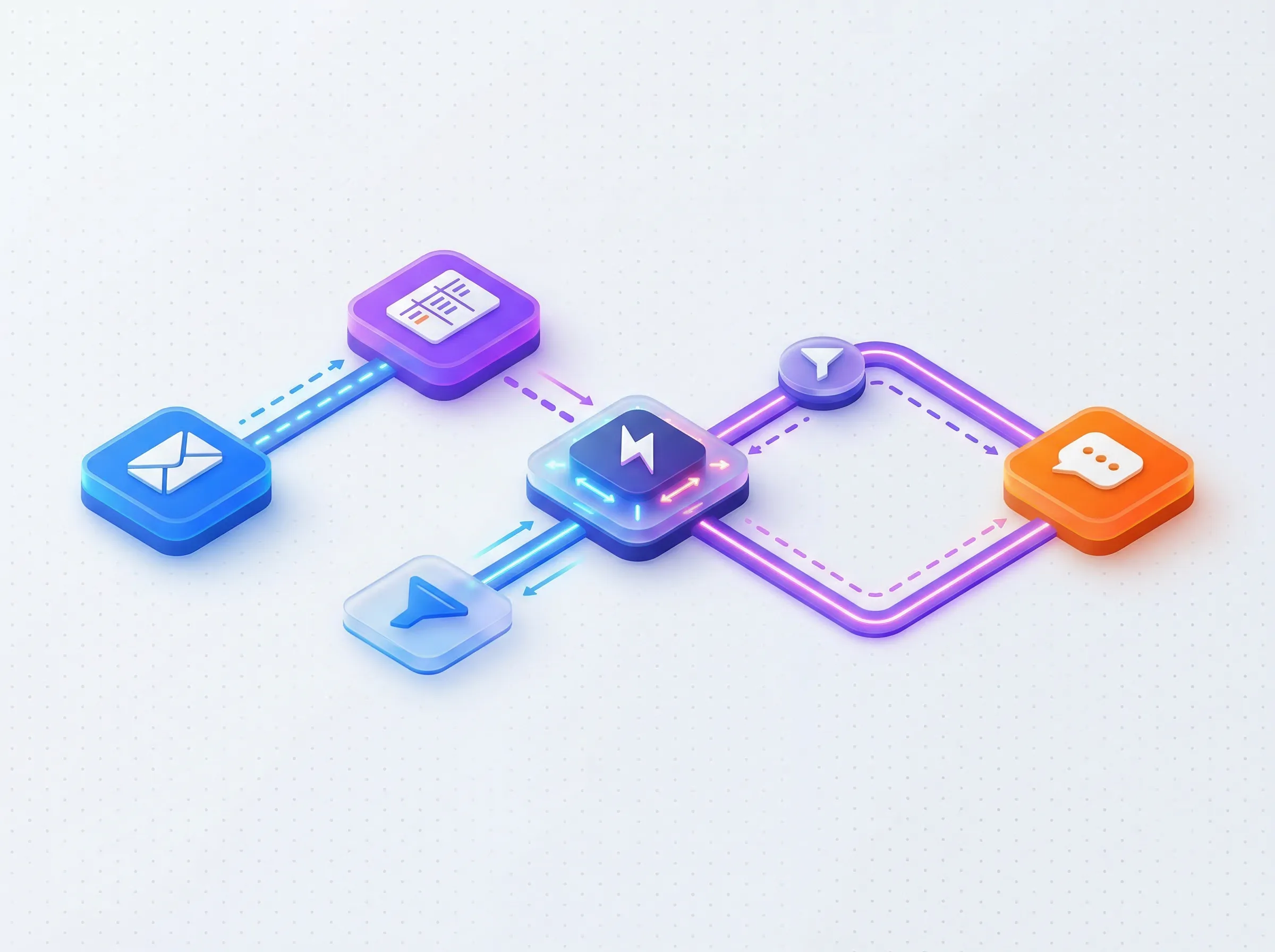
AI Workflow Automation Flow
10 Best AI Workflow Automation Tools in 2026 (Ranked & Tested)
Zapier vs Make vs n8n (2026): Pricing Math, AI Agents & Who Actually Wins?
Zapier vs Make vs n8n Pricing 2026: Every Plan, Feature & Hidden Cost Compared
Automated AI Time Tracking Tools
Billing clients and analysing productivity requires accurate data. Unfortunately, humans are terrible at remembering to start and stop timers. Automated time tracking tools powered by AI eliminate the need for manual timers, providing more accurate data for billing and productivity analysis. These applications run silently in the background of your computer. They monitor which applications you use, which documents you edit, and which websites you browse. At the end of the day, the AI time tracking software presents a visual timeline of your activity.
Timely is the pioneer in this space, offering a beautifully designed interface that learns your habits over time. Toggl AI and Clockify have added smart suggestions to their traditional timer models, bridging the gap for users who want some manual control. RescueTime focuses less on billing and more on personal productivity, categorising your digital behaviour to show you exactly how much time you lose to social media or unfocused browsing. Time Doctor, Harvest, Memtime, and Timeular offer robust reporting features tailored for agencies generating accurate client invoices.
Tracking Every Minute Without Manual Entry
8 Best AI Time Tracking Tools in 2026 — Track Every Minute Automatically
Timely vs RescueTime vs Toggl — Best AI Time Tracker in 2026?
AI Document Creation & Writing Assistants
Staring at a blank page is the biggest hurdle in content generation. Whether you are drafting a quarterly report, a standard operating procedure, or a client proposal, starting from scratch is inefficient. Content creation and document generation are among the most heavily utilised features in modern AI productivity suites.
Microsoft Copilot and Google Docs AI bring this power natively to the enterprise suites you already use. You can ask Copilot to turn a Word document into a PowerPoint presentation, and it will generate the slides, complete with speaker notes, in seconds. The 2026 Copilot Pages update enables real-time collaborative AI-generated documents that multiple team members can contribute to simultaneously.
Notion AI, Coda AI, and Quip AI embed writing assistants directly into collaborative workspaces. For visual presentations, Gamma and Beautiful.ai have completely disrupted traditional slide design — you type an outline and these tools generate brand-aligned presentations that would take a human designer hours. Slite AI rounds out the category with a strong focus on building company wikis and onboarding materials.
Generating Professional Reports and Presentations
AI Team Collaboration & Communication
The shift to remote and hybrid work created a massive volume of digital chatter. Team members are constantly pinging each other across different time zones, leading to fragmented communication and lost context. Enterprise teams are increasingly adopting AI collaboration tools to summarise long chat threads and async video messages.
Slack AI is transforming how we use chat. When you return from vacation, you no longer need to read hundreds of messages — you simply ask the AI to summarise what you missed in a specific channel. The 2026 update extended this to automatic cross-channel summaries and thread-level AI search on the Pro plan and above. Microsoft Teams AI offers similar functionality, deeply integrated with the Microsoft 365 ecosystem.
Zoom AI and Loom AI are tackling video. Loom AI automatically generates chapters, transcripts, and action items for every screen recording you create, allowing colleagues to skim a five-minute video in thirty seconds. Miro AI brings intelligence to digital whiteboarding, clustering sticky notes by theme and generating wireframes from text prompts. Confluence AI, Guru, and Tettra ensure that all this team knowledge is captured, verified, and easily accessible through natural language search.
Enhancing Remote Work with Smart Chat and Video
10 Best AI Team Collaboration Tools in 2026 (Remote-First Edition)
Slack AI vs Microsoft Teams AI — Which Team Chat Is Smarter in 2026?
AI Productivity by Job Role: Quick Reference Guide
Explore role-specific tool combinations in our deep-dive guides: Best AI Productivity Tools for Different Job Roles and AI Productivity Tools for Solopreneurs & Freelancers.
The best AI productivity stack for a solo freelance designer is almost entirely different from the best stack for a VP of Sales at a 200-person company. Here is a quick reference breakdown by role — each recommendation is based on the category guides above.
Job Role | Biggest Bottleneck | Top 3 Tool Recommendations | Est. Monthly Cost |
|---|---|---|---|
Solo Freelancer / Consultant | Client communication, note-taking, invoicing | Fathom (free), Claude Pro, Timely | ~$31/mo |
B2B Sales Rep | CRM data entry, follow-up emails, pipeline visibility | Fireflies.ai, Superhuman, Reclaim.ai | ~$51/mo |
Marketing Manager | Content production, meeting recaps, campaign reporting | ChatGPT Plus, Notion AI, Fathom | ~$40/mo |
Software Developer | Code review, documentation, focus time | Claude Pro, Clockwise, n8n | ~$26/mo |
Project / Operations Manager | Status updates, team coordination, task tracking | Motion, Slack AI, Zapier | ~$46/mo |
Researcher / Journalist | Interview transcription, source organisation, writing | Otter.ai Pro, NotebookLM (free), Perplexity | ~$28/mo |
Executive / Founder | Inbox volume, decision-making context, strategic writing | Superhuman, Fireflies.ai, Claude Pro | ~$63/mo |
Best Free AI Productivity Tools in 2026: Full Guide
Eliminate SaaS fees entirely with our tested zero-dollar blueprint: Free AI Productivity Tools That Replace $200+/Month of Software.
Not every team has the budget to run a full AI productivity stack from day one. The good news: in 2026, the best free tiers in AI productivity are genuinely powerful — not crippled trial versions. Here is the authoritative breakdown of what you can do entirely for free.
✅ Genuinely Useful Free AI Productivity Tools in 2026
Fathom: Unlimited meeting recordings and transcriptions forever. No credit card required. The most generous free tier in the entire AI productivity category.
Google NotebookLM: The free plan covers 100 notebooks with up to 50 sources each (PDFs, documents, URLs) and lets you interact with them as a unified knowledge base — genuinely useful before you'd ever need the paid Plus, Pro, or Ultra tiers introduced in 2026. Ideal for researchers and students.
ChatGPT (free tier): Access to GPT-5.5 Instant with usage limits. Now supported by ads. Handles the majority of daily writing, summarisation, and brainstorming tasks for most users.
Claude (free tier): Access to Claude Sonnet with daily message limits. Best free tool for long-document analysis and nuanced writing.
Perplexity AI (free): 5 Pro searches per day, unlimited standard searches. Best free option when you need cited, real-time web research.
Reclaim.ai (free): Free plan includes smart scheduling for up to 3 habits and 1 task type. Enough to meaningfully protect focus time for individual users.
Clockify (free): Unlimited time tracking for unlimited users. Best free time tracking tool available — no hard limits on any core feature.
Zapier (free): 100 tasks/month across 2-step Zaps. Enough to test automation concepts and build simple single-trigger workflows.
Fireflies.ai (free): 800 minutes/month recording — roughly 13 hours. Note: transcripts are deleted after 3 months on the free plan.
Notion (free): Core workspace is free for individuals. AI is no longer sold as a standalone add-on — full AI access now requires the $20/user/month Business plan — but the base Notion workspace remains genuinely powerful without it.
How to Build Your Ultimate AI Productivity Stack
For a battle-tested 6-tool system with end-to-end integration, check our complete walkthrough on The Best AI Productivity Stack in 2026.
No single application can do everything perfectly. The best AI productivity setups involve stacking multiple specialised tools rather than relying on a single all-in-one platform. But more tools is not the goal — the highest-performing stacks use three to five tools, not fifteen. The principle: one general assistant, one meeting tool, one scheduling tool, and one automation layer. Everything else is optional until proven necessary.
Building an effective AI productivity stack requires identifying your primary bottlenecks. Do you spend too much time in your inbox? Start with an email assistant. Do you drop the ball on client follow-ups? Implement an automated meeting tool with CRM sync. The architecture of your stack depends entirely on your role. An enterprise marketing manager might rely heavily on Microsoft Copilot, Slack AI, and Fireflies.ai to manage team communication and generate reports. A freelance software developer might combine n8n for workflow automation, Obsidian for local knowledge management, and Clockwise to defend deep coding time.
The key is integration. Your meeting note-taker must talk to your task manager. Your task manager must talk to your calendar. When these systems communicate seamlessly, you transition from managing software to directing outcomes.
Three Recommended Starter Stacks
🆓 The $0 Stack
✅ Fathom (unlimited meetings)
✅ Claude Free (writing & analysis)
✅ NotebookLM (research)
✅ Reclaim.ai Free (focus time)
✅ Clockify (time tracking)
Total: $0/month
⚡ The Solo Professional Stack (~$39/mo)
✅ Claude Pro $20/mo
✅ Fathom Free (unlimited)
✅ Motion $19/mo
✅ Zapier Free (100 tasks)
✅ Perplexity Free
Total: ~$39/month
🏢 The Sales Team Stack (~$91/mo/user)
✅ ChatGPT Plus $20/mo
✅ Fireflies.ai Pro $10/mo
✅ Superhuman Business $33/mo
✅ Reclaim.ai Starter $8/mo
✅ Zapier Starter $20/mo
Total: ~$91/month per user
Systems for Solopreneurs, Freelancers, and Teams
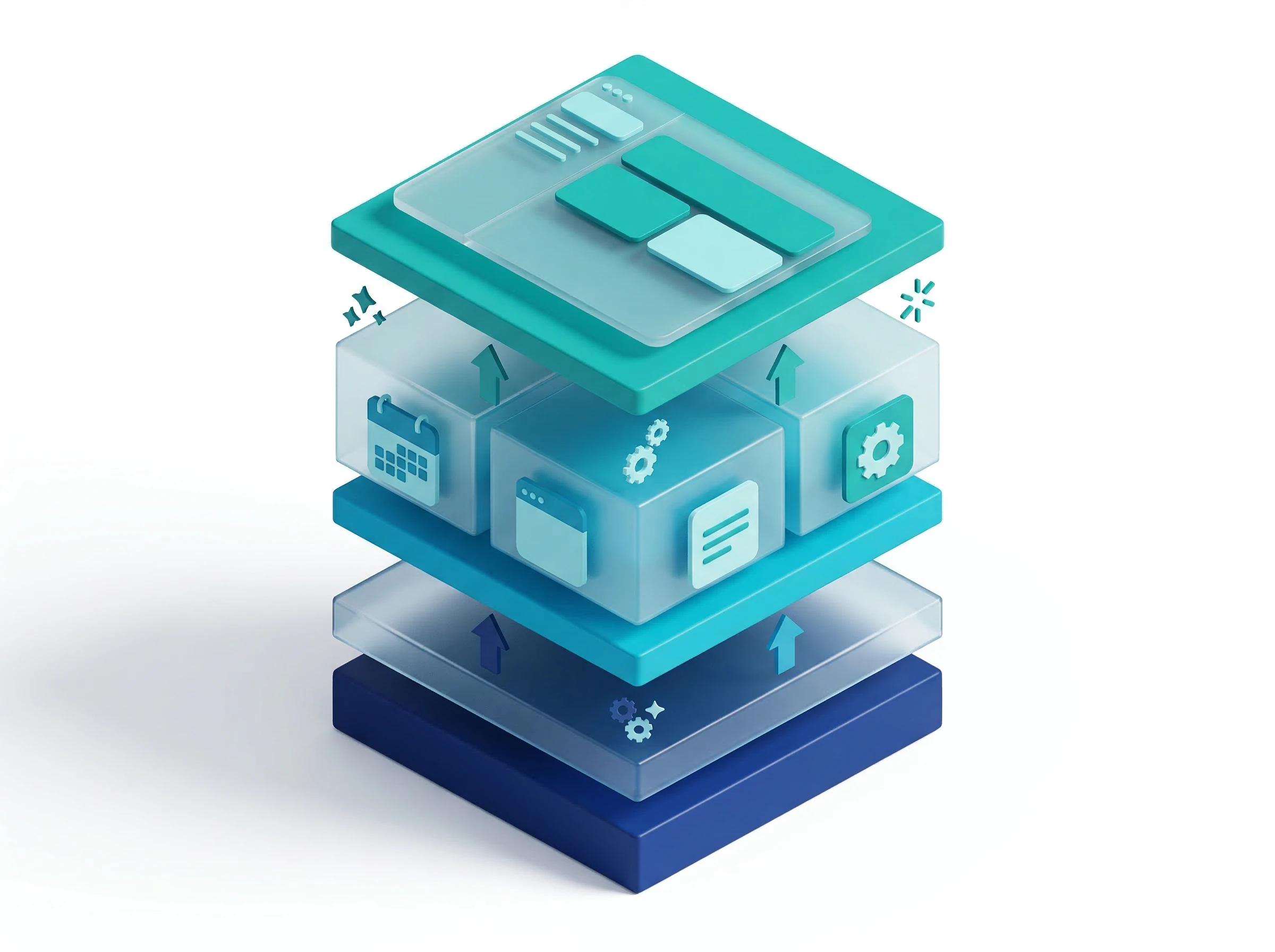
AI Tech Stack Architecture
How to Evaluate an AI Productivity Tool Before Committing
The sheer volume of tools available in 2026 makes evaluation itself a productivity problem. Most tools offer free trials precisely because they know that hands-on use converts better than any marketing copy. Here is a five-criteria framework for evaluating any AI productivity tool before you commit your workflow to it.
# | Criterion | What to Assess | Red Flag |
|---|---|---|---|
1 | Workflow Fit | Does it work where you already work, or require a new app? | Requires constant context-switching to use |
2 | Time to Value | Does it save you time in the first week of use? | Needs 2+ weeks of setup before delivering value |
3 | Real Cost | What does it cost with all paid add-ons included? | Hidden credit systems, feature-gated tiers, per-seat pricing that compounds fast |
4 | Data Privacy | Is your data used to train the model? Where is it stored? | Free plan uses your data for model training without clear opt-out |
5 | Measurable Output | Can you quantify time saved, errors reduced, or output improved? | No clear before/after metric; adds novelty but not results |
The most common mistake when building an AI productivity stack is adding tools before removing inefficiencies. AI layered on top of a broken process just automates the broken process faster. The professionals seeing the biggest gains in 2026 are those who first clarified their workflows, then deployed AI to accelerate the parts that were already working.
Frequently Asked Questions About AI Productivity Tools in 2026
These are the questions professionals ask most often when adopting or evaluating AI productivity tools — answered honestly based on real testing and current 2026 data.
What are the best AI productivity tools for 2026?
The best AI productivity tools in 2026 depend entirely on your role and biggest time sink. For general use, ChatGPT Plus and Claude Pro form the strongest foundation. For meeting transcription, Fathom (free) wins for solo users and Fireflies.ai wins for enterprise CRM teams. For scheduling, Motion and Reclaim.ai lead the category. For automation, Zapier is the most accessible entry point. The key principle: start with one tool that solves your largest bottleneck, master it for 30 days, then add a second tool.
What's new in AI productivity tools in 2026 compared to 2025?
The most significant 2026 AI productivity tool updates include: the GPT-5.6 model family reaching ChatGPT in July alongside the new autonomous ChatGPT Work agent; Google Gemini moving to the Gemini 3 model and becoming the default assistant across all Workspace apps; Notion AI's Enterprise Search querying across 9 connected platforms simultaneously, alongside a new Notion Agent for in-workspace task execution; Grammarly's roughly $825 million acquisition of Superhuman and its move to bundled, tiered pricing; Google NotebookLM moving from a single free plan to four tiers; Microsoft Copilot now included in M365 Business Standard at no extra cost; Zapier's natural-language agent builder; and the broader emergence of autonomous AI agents that can complete multi-step tasks across multiple applications without human intervention for each step.
Are free AI productivity tools safe for company data?
Data privacy depends entirely on the tool's terms of service and your plan tier. Generally, consumer-grade free plans may use your inputted data to train their underlying models. Enterprise paid plans operate under different rules — your data is contractually ring-fenced and not used for model training. Always read the data processing agreements before inputting sensitive client information into any free tier application, and consult your IT or legal team before enterprise deployment.
How much time do AI productivity tools actually save?
Professionals who fully adopt an AI stack across their meetings, emails, and task management consistently report saving between 4 to 6 hours per week. These savings come from eliminating manual note-taking after calls, reducing inbox triage time, automating CRM data entry, and removing scheduling back-and-forth. Over a five-day workweek, these micro-efficiencies compound to give back an entire afternoon of focused strategic work.
Which is better for Zoom: Otter.ai or Fathom?
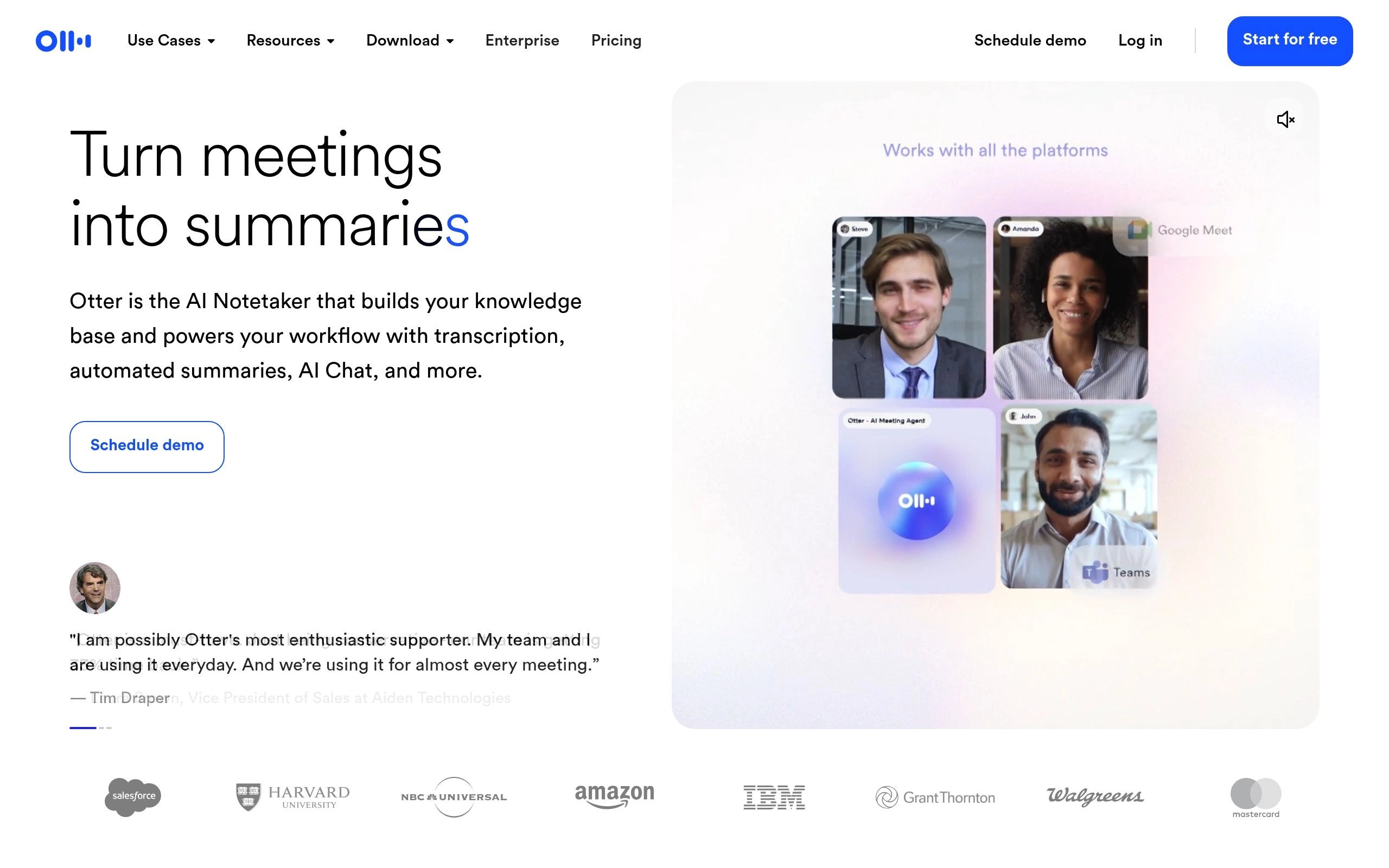
Fathom is the better choice for Zoom-specific workflows. It was originally built as a Zoom-native tool, integrates directly into the Zoom interface, delivers summaries in approximately 30 seconds, and its free tier is unlimited. Otter.ai works on Zoom but caps free users at 300 minutes per month with a 30-minute per-conversation limit. For Zoom-based freelancers and consultants, Fathom is the clear recommendation. For researchers who also record offline audio files, Otter's file import capability makes it worth the paid plan.
What is the best free AI meeting transcription tool in 2026?
Fathom is the best free AI meeting transcription tool in 2026, offering unlimited recordings, unlimited transcription, and unlimited storage with no monthly cap, no per-minute limit, and no credit card required. This is a genuinely sustainable free tier — not a trial — that multiple thousands of freelancers and consultants use as their permanent primary tool. The only meaningful free competitor, Fireflies.ai at 800 minutes per month, deletes transcripts after three months on its free plan, which limits long-term usefulness.
Does Fireflies.ai automatically join every meeting?
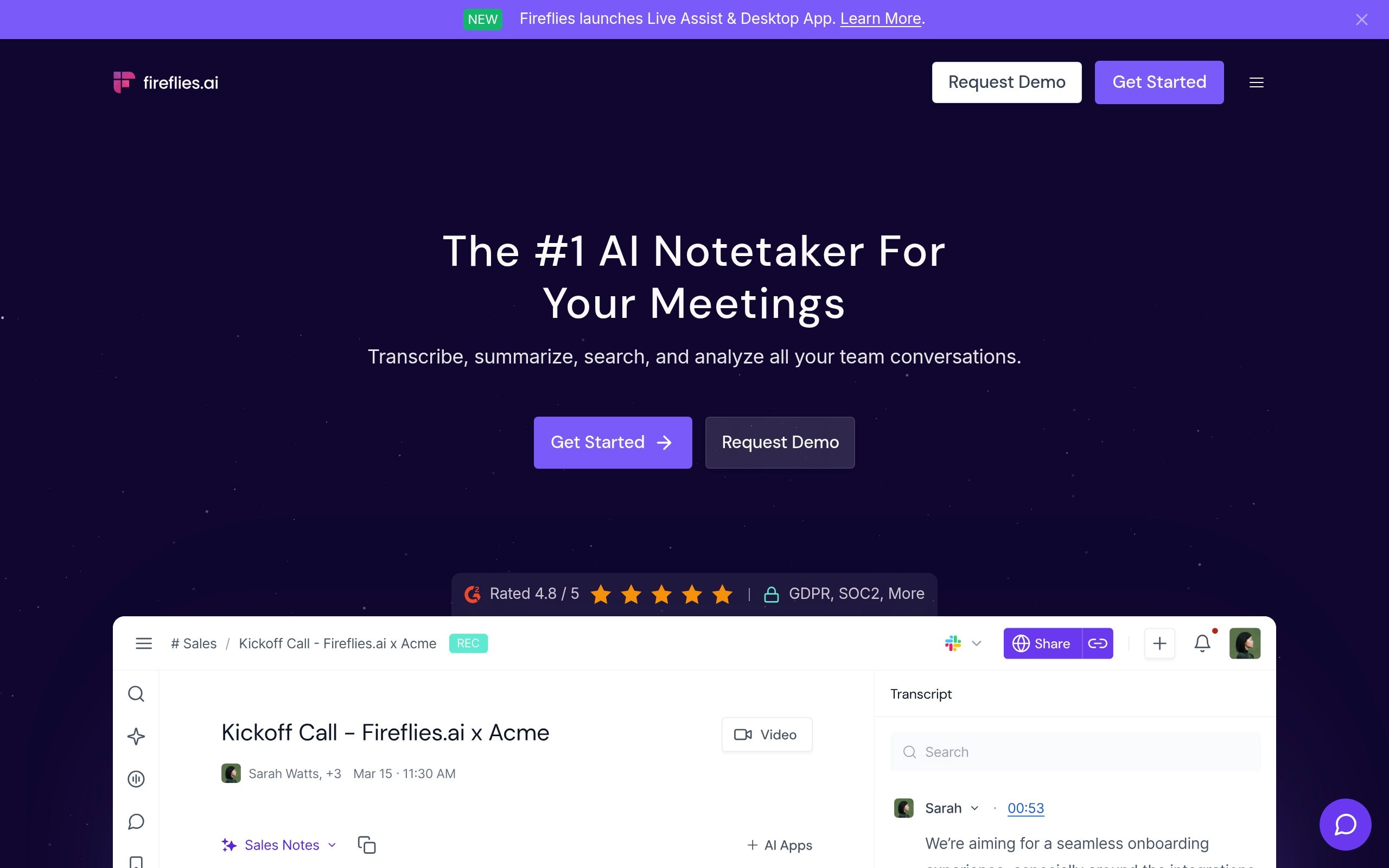
Yes, by default Fireflies is configured to auto-join every meeting in your calendar that contains a video conferencing link, including meetings you did not intend to record. Configure this setting immediately after signup — set the bot to only join meetings you host, or meetings where you are the organiser, before your first day of active use. Sensitive HR meetings, confidential internal calls, or personal events will otherwise be recorded.
What is the best AI tool for task management in 2026?
Motion leads the category for individual professionals and small teams who want AI to schedule their tasks automatically on their calendar. ClickUp AI is better suited to large teams managing complex multi-department projects. Todoist AI balances simplicity and power for individuals who want AI-assisted task creation without the full complexity of a project management suite. The choice depends on whether you want the AI to fully control your schedule (Motion) or support a system you still control manually (Todoist, ClickUp).
What are AI agents and how are they used for productivity in 2026?
AI agents are autonomous software programs that receive a goal, break it into sub-tasks, and execute those tasks across multiple applications without requiring a prompt for every step. In 2026, practical productivity agent use cases include automated lead research (pulling prospect data and populating CRM fields), intelligent email triage (automatically categorising and drafting replies to specific email types), and meeting follow-up (reviewing transcripts, creating tasks in your project manager, and sending summary emails to participants). The most accessible agent platforms for non-technical users are Zapier Agents and Microsoft Copilot Studio.
Which AI productivity tool is best for sales teams?
Fireflies.ai is the best AI productivity tool for sales teams specifically, because of its CRM integration depth. It automatically logs call transcripts, summaries, and action items to the correct Salesforce, HubSpot, or Pipedrive contact or deal record without any manual step from the rep. The AskFred feature — upgraded with Perplexity AI in 2026 — allows revenue leaders to query patterns across their entire meeting history, answering questions like "what objections came up across our last 20 discovery calls?" Pair Fireflies with Superhuman for email and Reclaim.ai for calendar protection to build a complete sales productivity stack.
What AI tools does Google Workspace include in 2026?
Google Workspace now includes Gemini AI, running on the Gemini 3 model, across Gmail, Google Docs, Sheets, Slides, Calendar, and Drive as part of the Business and Enterprise plans. In Gmail, Gemini summarises email threads, drafts contextual replies, and tracks orders. In Docs, it generates first drafts and summarises long documents. In Slides, it can generate a full multi-slide deck from a single prompt. In Sheets, it creates structured spreadsheets from text descriptions and helps with formula suggestions. In Calendar, it suggests meeting times based on shared team availability, and Ask Gemini in Drive adds a dedicated panel for multi-turn questions grounded in your own files. Workspace Starter plans have limited Gemini access — Business Standard and above unlocks the full feature set.
How do I choose between ChatGPT, Claude, and Gemini for daily work?
Use ChatGPT for the broadest task variety and the largest integration ecosystem. Use Claude for long-document analysis, nuanced writing, and tasks where context depth matters — Claude's context window and precision on complex tasks consistently outperforms ChatGPT for professionals who feed it entire documents. Use Gemini if your work primarily happens in Google Workspace — it provides the least friction because it lives inside your existing tools. Most power users maintain at least two of these three, using each for the tasks where it excels.
What are the most impactful AI productivity tools released in 2026?
The most impactful 2026 releases include Cursor Composer and Windsurf Cascade for agentic coding, Shortwave AI and Superhuman for email triage, and Perplexity Deep Research for autonomous web investigations.