![12 Best AI Email Management Tools in 2026 [Tested for Inbox Zero]](https://res.cloudinary.com/dfhb6cyat/image/upload/w_1200,c_limit,f_auto,q_auto/v1791707579/ai-tools-resources/blog/10-best-ai-email-management-tools-in-2026-free-paid-hero.webp)
Why Your Inbox Still Feels Broken in 2026
You open your inbox planning to spend ten minutes on it. Forty-five minutes later, you've replied to three things that didn't matter, archived a dozen newsletters, and still haven't touched the client proposal sitting at the top. This isn't a discipline problem. According to McKinsey research on workplace time use, knowledge workers spend roughly 28% of their workweek on email — more than a full working day, every single week, just managing messages.
That number is why "best AI email management tools" has become one of the most searched topics in productivity software. The shift from manually triaging every message to letting AI pre-sort, pre-draft, and in some cases fully act on your behalf is one of the clearer wins to come out of the current wave of AI tools — and it's a core piece of the broader AI productivity stack most professionals are now assembling.
What's changed since last year isn't just better drafting. A new category has fully matured in 2026: AI agents that don't just suggest a reply, but triage your inbox, draft in your voice, and follow up on stalled threads without you opening the app. We've rebuilt this guide from the ground up to reflect that shift, with updated pricing, an honest look at what each category of tool actually does, and a comparison table you can scan in under a minute.
The best AI email management tools eliminate the cognitive drain of manual inbox triage and repetitive correspondence:
- ✓ Best for Lightning Speed & High-Volume Triage: Superhuman — The gold standard for keyboard-first inbox clearance, instant split inboxes, and contextual 1-line auto-drafts.
- ✓ Best AI-Native Gmail Client: Shortwave — Natural-language conversational search across your entire email history with thread-level summaries.
- ✓ Best for Privacy & Server-Level Sorting: SaneBox — Works across any email client (Apple Mail, Outlook, Thunderbird) by analyzing header metadata without reading message bodies.
- ✓ Best Autonomous Inbox Agent: Lindy — Proactively drafts responses in your voice, triages incoming leads, and updates connected CRMs before you open your inbox.
The Two Problems Every Inbox Tool Is Actually Solving
Strip away the marketing, and AI email tools exist to fix exactly two things. The first is decision fatigue — every email you open forces a tiny judgment call (urgent? ignorable? does this need a reply today or can it wait?), and those micro-decisions add up to real cognitive load before you've done any actual work. The second is the blank-page problem: knowing what you want to say but losing ten minutes finding the right words and tone.
Some tools fix the first problem. Some fix the second. A small number now fix both, plus a third thing nobody asked for explicitly but everyone wants once they see it: an inbox that acts on its own without you babysitting every step.
Comparison Table: 12 Best AI Email Tools in 2026
✉️ Head-to-Head Shootout: Compare top triage clients in our honest showdown: Superhuman vs Shortwave vs SaneBox (2026).
Here's the full lineup at a glance — what each tool actually is, which platforms it supports, and what it costs as of mid-2026. Pricing on AI products shifts often, so treat this as a strong starting point and confirm current numbers on each vendor's site before you commit.
| Tool | Category | Platforms | Free Tier? | Starting Price |
|---|---|---|---|---|
| Lindy | AI Email Agent | Gmail, Outlook | 7-day trial | $49.99/mo |
| alfred_ | AI Email Agent | Gmail, Outlook | Free trial | $29.99/mo |
| Superhuman | AI Email Client | Gmail, Outlook, iOS, Android | No | $25/mo (annual) |
| Shortwave | AI Email Client | Gmail only (web, iOS, Android) | No — 14-day trial | ~$14/mo (Pro) |
| SaneBox | AI Inbox Organizer | Any IMAP/Exchange client | 14-day trial | $3.49/mo (annual) |
| Mailbutler | AI Inbox Organizer | Apple Mail, Gmail, Outlook | No | Paid plans only |
| Clean Email | AI Inbox Organizer | Any IMAP | Trial (1,000 emails) | Paid plans only |
| SalesHandy | AI Email Writer | Web, Gmail, Outlook | No | Paid plans only |
| Mixmax | AI Email Writer | Gmail | Yes, basic | Paid plans for full features |
| MailMaestro | AI Email Writer | Gmail, Outlook (web, desktop, mobile) | Yes, 3 credits/week | $12/mo |
| Gemini in Gmail | Native AI Email Tool | Web, iOS, Android | Included with Workspace | From $6/user/mo (Workspace) |
| Copilot in Outlook | Native AI Email Tool | Windows, Mac, Web | No | ~$20–30/user/mo add-on |
Pricing verified against vendor sites and G2 listings as of August 2026. AI software pricing changes frequently — always confirm on the official page before purchasing.
The 4 Categories of AI Email Tools in 2026

Categories of Email AI
People searching for "the best AI for email" usually have no idea these are actually four distinct product categories solving four different problems. Pick the wrong category and even a genuinely good tool will feel like the wrong fit. Here's the breakdown that matters before you look at a single product:
AI Email Writers live in your compose window. They don't touch your folders, your filters, or your inbox structure — they help you turn a rough thought into a finished message. If your problem is staring at a blank reply box, start here.
AI Inbox Organizers work in the background on what's coming in, not what you're sending. They learn which senders matter, quietly route the rest out of your main view, and leave your actual email client untouched. If your problem is volume and noise, start here.
AI Email Clients replace your inbox interface outright. Faster search, AI summaries, smarter triage, and drafting are all built into a new UI you switch to. If you're willing to change how email looks and feels in exchange for real speed, start here.
AI Email Agents are the category that's matured most in the past year. Instead of waiting for you to ask, an agent reads your inbox proactively, drafts replies in your voice, chases people who've gone quiet, and can take action across connected tools like your calendar or CRM — usually with a review step before anything sends. If you want email handled rather than assisted, this is the newest and fastest-growing category.
Best AI Email Agents: The Category That Changed in 2026
This is the section that didn't exist in most "best AI email tool" guides a year ago, and it's arguably the most important one now. The distinction from a writer or client is simple: an agent doesn't wait for you to open an email and ask for help. It works the inbox proactively, the way a sharp executive assistant would, and only surfaces what genuinely needs your judgment. Two tools currently define this category, and they're built for different scopes of "handled" — one broad, one deliberately narrow.
1. Lindy: Best for Hands-Off Inbox Management
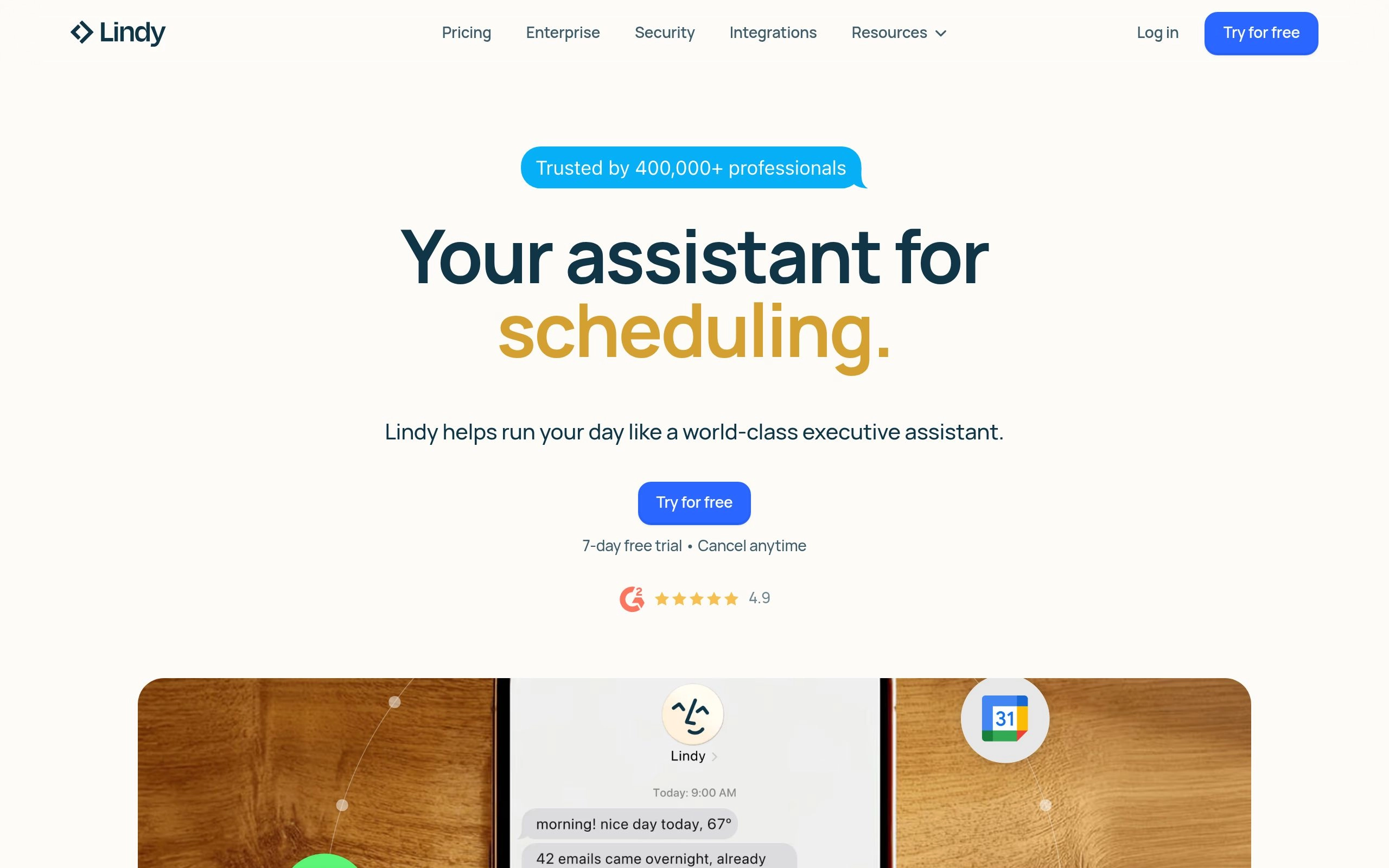
Lindy doesn't sit inside your inbox waiting to be asked — it runs ahead of you. Connect your Gmail or Outlook account, and Lindy starts triaging incoming mail automatically: surfacing what actually needs you, pre-drafting replies that sound like you wrote them, and quietly handling the rest. You give it instructions in plain English rather than building a workflow with toggles and conditions, which is the main thing that separates it from older rule-based automation.
The part that tends to surprise people the first time they use it is the research step. Before drafting a reply to someone new, Lindy looks the sender up and pulls relevant context into the draft, so the response doesn't read like a generic AI output. It extends past email too — Lindy can update CRM records, schedule meetings, and coordinate with other connected tools, which makes it less "email assistant" and more "the admin work disappears" in practice.
The tradeoff is price and learning curve. At $49.99/month, Lindy costs more than most single-purpose email tools, and because it's broader than email alone, the first week involves some setup to get its instructions tuned to how you actually work. For a founder, executive, or sales lead drowning in correspondence across multiple tools, that setup cost pays back fast. For someone who just wants faster drafts inside Gmail, it's more horsepower than the job needs.
Best for: Founders, executives, and sales professionals who want email, scheduling, and CRM hygiene handled together, not managed one tool at a time.
Pricing: 7-day free trial, then from $49.99/month. Confirm current tiers on Lindy's official site.
2. alfred_: Best for a Narrower, Lower-Cost Agent
Where Lindy tries to absorb your whole admin workload, alfred_ stays deliberately in its lane: email, calendar, and tasks, and nothing else. It works overnight — the inbox is triaged and a short morning briefing is waiting for you before you sit down, rather than requiring you to open the app and ask it to get started. For a solo operator whose main problem is a wall of unread mail at 8am, that batch-overnight approach solves the actual pain point without paying for CRM and cross-tool features you'd never touch.
The tradeoff is scope. alfred_ doesn't reach into a CRM or coordinate across a broader tool stack the way Lindy does, and everything happens inside its own app rather than layering onto Gmail or Outlook's native interface. It also defaults to asking approval before every send — good for trust, less useful if your goal is fully hands-off automation. At $20/month less than Lindy, it's the more affordable entry point into the agent category, and the more sensible pick if your bottleneck is genuinely just email, calendar, and follow-ups rather than a wider web of connected tools.
Best for: Solo founders, consultants, and freelancers who want inbox triage and calendar handled without paying for a broader cross-tool platform.
Pricing: Free trial, then $29.99/month. Confirm current pricing on alfred_'s official site — it has shifted before.
Category 1: Best AI Email Writers
If the problem is the blank compose window — not your inbox structure, not incoming volume, just the friction of finding the right words — an AI email writer is the most direct fix. These tools don't reorganize anything. They sit inside your draft and turn rough intent into a finished message.
3. SalesHandy: Best for Cold Outreach
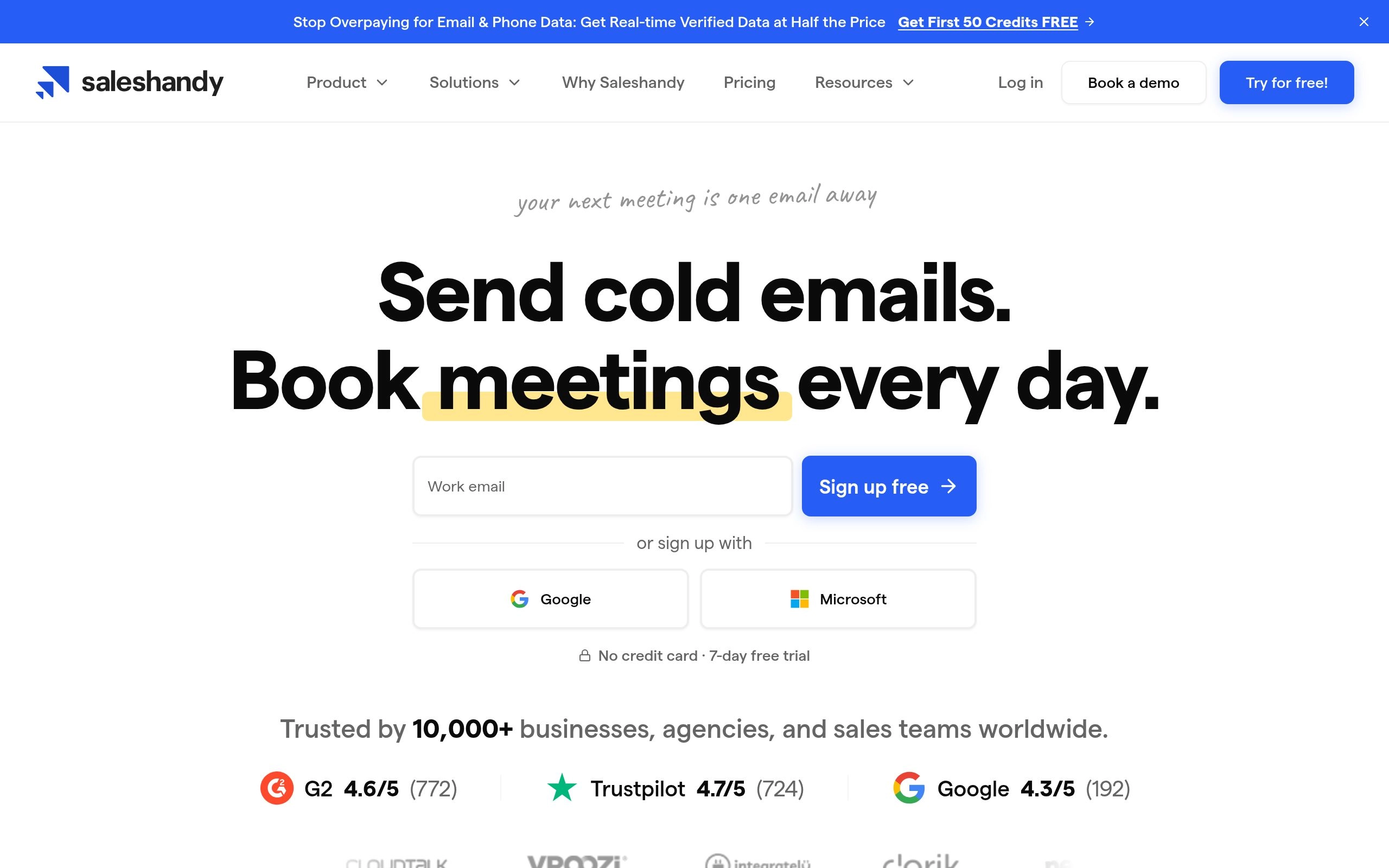
Cold outreach has different demands than everyday email. You're not replying to one person — you're managing sequences across hundreds of prospects, tracking who opened what, and following up without sounding like a robot did it. SalesHandy is built around that specific workload rather than general inbox help.
The AI here is trained on patterns that actually convert in cold outreach: subject lines that avoid spam triggers, body copy that reads as personal even at scale, and automated follow-up sequences that adjust based on whether a prospect opened or clicked. It removes the manual job of checking who's gone quiet and nudging them — the sequence handles that on a schedule you set. For solo SDRs and small sales teams running serious outbound volume, this is the more specialized choice over a general writer.
Best for: Sales reps and SDRs running cold outreach at volume who need automated, behavior-based follow-up.
4. Mixmax: Best Free Option for Revenue Teams
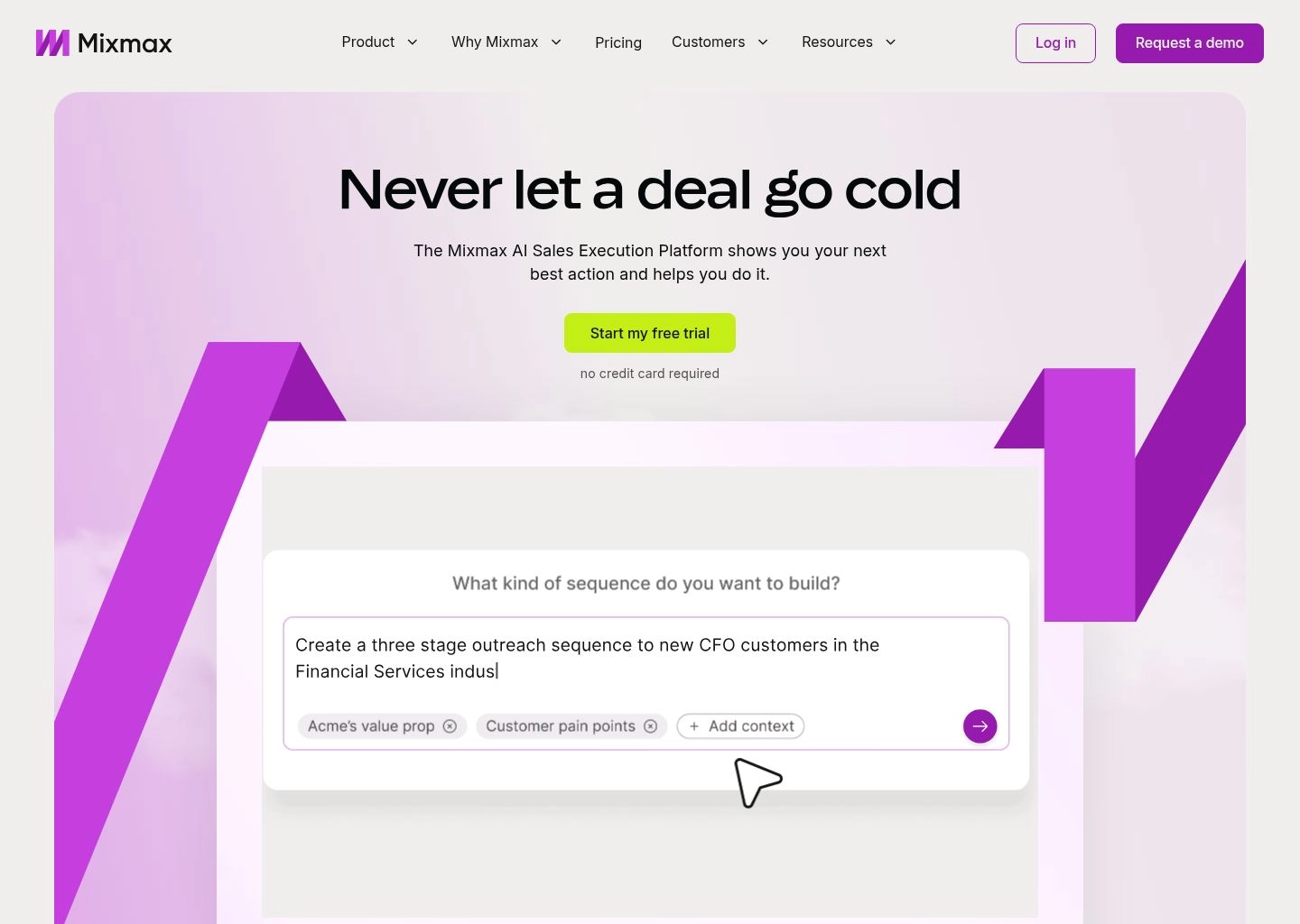
Mixmax takes a Gmail inbox and turns it into something closer to a sales engagement platform — tracking, scheduling, one-click polling, and AI drafting all layered into the interface you already use. It's aimed less at cold outreach and more at managing live deals: the back-and-forth with prospects who are already in conversation with you.
The one-click polling feature alone removes a surprising amount of friction. Instead of the usual "does Tuesday or Wednesday work better?" email thread, you embed a clickable poll directly in the message, the recipient taps their answer, and Mixmax logs it. The AI drafting tool is genuinely useful for account executives turning a quick call into a polished follow-up — feed it the rough details and it produces something close to send-ready. A usable free tier makes this the lower-risk way to test whether sales engagement tooling is worth paying for.
Best for: Account executives and revenue teams managing active deal conversations in Gmail.
5. MailMaestro: Best for Outlook and Regulated Industries
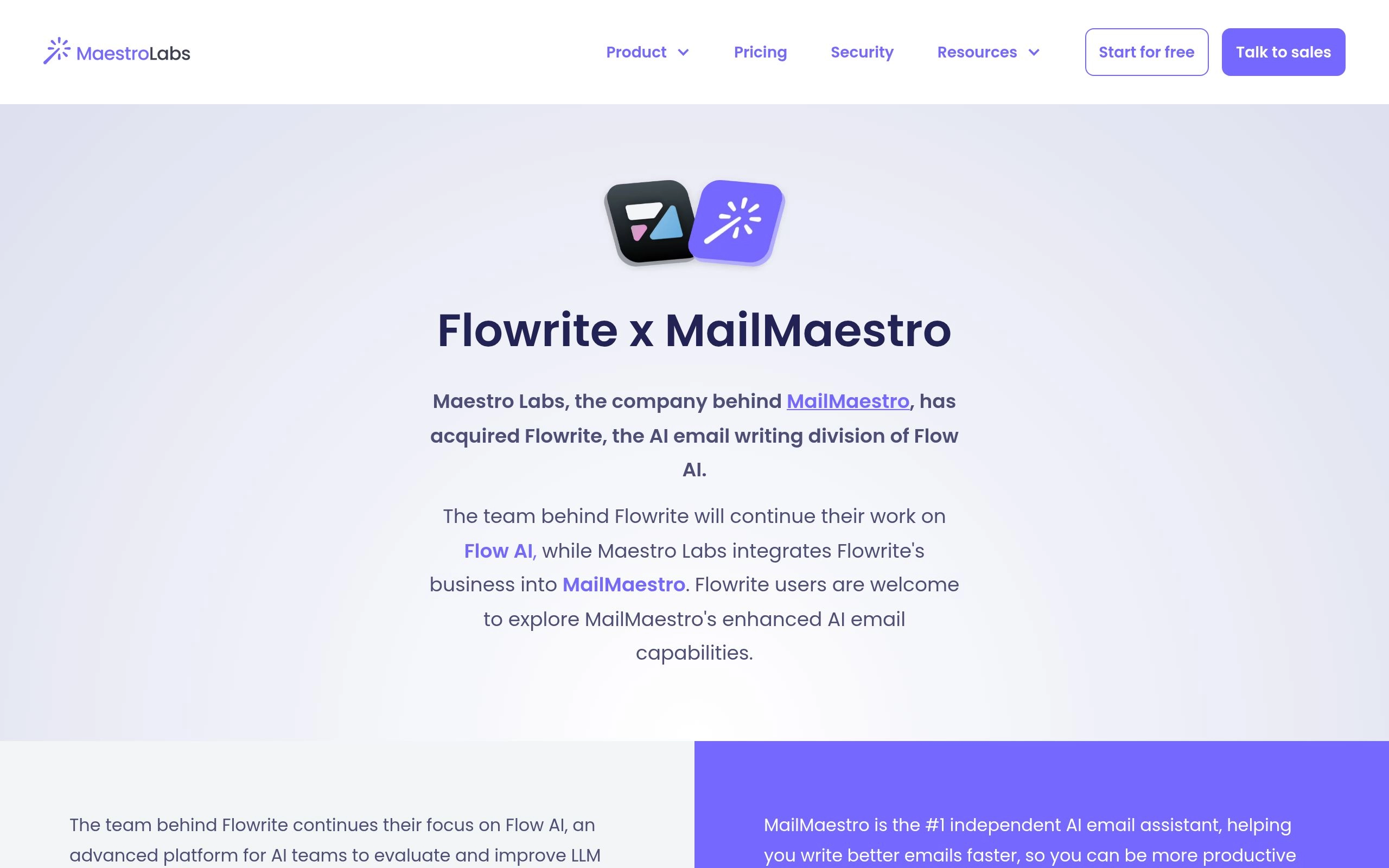
One quick note before this entry: you may have seen this tool referred to elsewhere as Flowrite. That was its original name and original product before a 2023 rebrand under Maestro Labs shifted the focus toward enterprise use and deeper Microsoft 365 integration. If you're researching this space and run into "Flowrite," know that MailMaestro is its current form — worth flagging since outdated naming is a common source of confusion in this category.
MailMaestro plugs into Gmail and Outlook and handles the core writer use cases — drafting from bullet points, summarizing long threads and attachments, rewriting drafts in a different tone or length — using a blend of GPT-4, Claude, and Google's models under the hood. What sets it apart from most writers in this list is a feature aimed squarely at regulated industries: it anonymizes personally identifiable information before anything is sent to an AI model for processing. If you're drafting emails that touch contracts, NDAs, or client financials, that's a meaningfully different risk profile than a generic AI writer.
It doesn't learn your personal voice the way some newer tools do — output reads as solidly professional rather than distinctly "you," so expect to edit drafts rather than send them untouched. And it's a plugin, not a standalone client, so it depends entirely on the email setup you already have. For Microsoft 365 teams specifically, though, the Outlook integration is about as native as a third-party tool gets.
Best for: Outlook-based teams, and anyone in legal, finance, or healthcare who needs PII protection built into the drafting process.
Pricing: Free tier (3 credits/week), Pro from $12/month. 14-day full-feature trial, no credit card required.
Category 2: Best AI Inbox Organizers
If drafting isn't your bottleneck but incoming volume is — your inbox is the problem, not your outbox — an organizer is the right category. These tools don't change how you write or where you read email. They run quietly in the background, deciding what deserves your primary view and what doesn't.
6. SaneBox: Best for Privacy-Conscious Filtering

SaneBox has been doing this longer than almost anyone — it predates "AI email" as a marketing category entirely — and its core approach hasn't needed to change much, because it was right from the start. It sits between you and your inbox, learns which senders you actually engage with, and quietly routes everything else into a SaneLater folder for batch review later.
The privacy approach is the detail worth knowing. SaneBox makes its filtering decisions by analyzing email headers — sender, subject line, timestamps, your past interaction patterns — without reading the body text of your messages. For anyone in a compliance-sensitive role wary of a third party processing message content, that's a real differentiator from generative AI tools that need to read everything to function. You train it the same way you'd train a smart filter: move one email to the right folder once, and it learns the pattern. There's no permanent free tier, but the 14-day trial is enough to see whether the SaneLater habit actually changes how your mornings feel.
Best for: Anyone who wants aggressive inbox filtering without an AI reading the actual content of their messages.
7. Mailbutler: Best for Apple Mail and Outlook Desktop
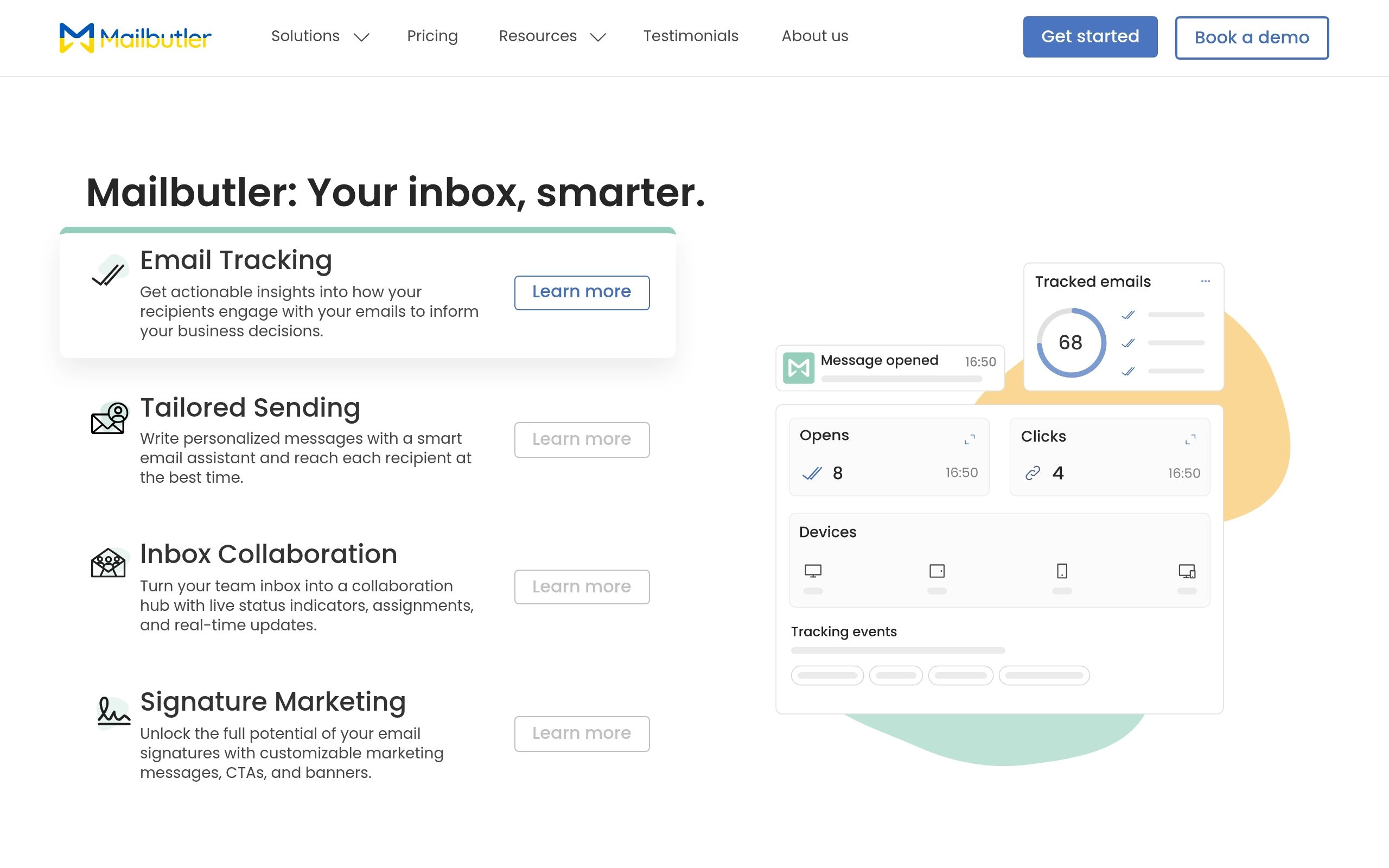
Most AI email tools assume you live in a browser. Mailbutler doesn't — it builds directly into native desktop clients, which makes it one of the few genuinely solid options for Apple Mail users and Outlook desktop holdouts who have no interest in switching to a web-based workflow.
It adds a sidebar to your existing client rather than replacing it, offering AI drafting, thread summarization, and a task-extraction feature that turns commitments you make in an email ("I'll send that over by Friday") into actual tracked tasks. One small but practical detail: it can pull contact information straight out of email signatures and update your address book automatically, which quietly removes one of those tedious data-entry habits nobody enjoys doing manually.
Best for: Apple Mail and Outlook desktop users who don't want to leave their native client for AI features.
8. Clean Email: Best for Rescuing a Neglected Inbox
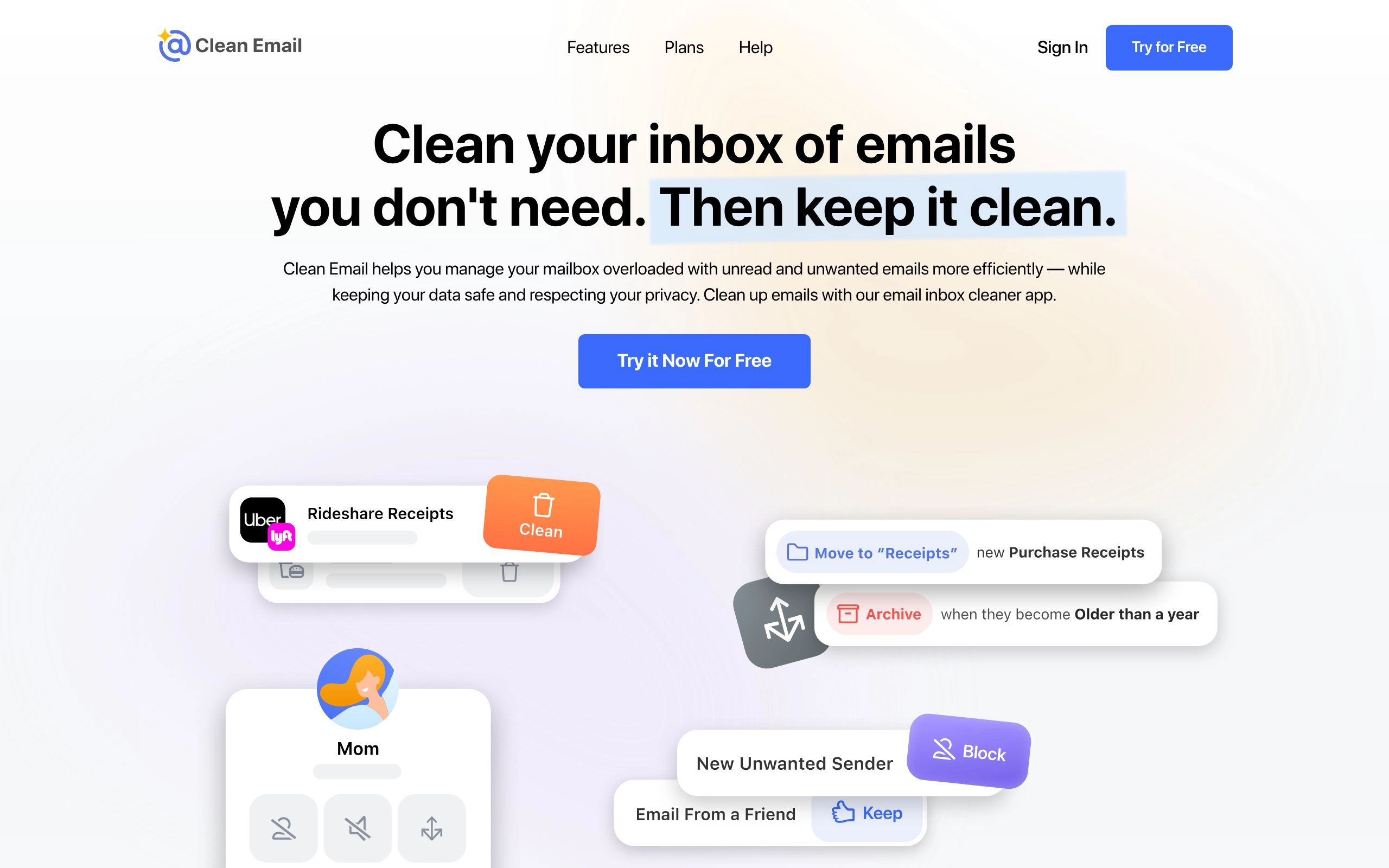
Some inboxes don't need a filter going forward — they need a cleanup of everything that already piled up. Clean Email is built specifically for that rescue job. It groups similar clutter (old notifications, promotional blasts, automated alerts) into batches so you can clear hundreds of messages in a handful of clicks instead of scrolling and deleting one at a time.
The bulk unsubscribe feature is the standout — it identifies subscriptions you've stopped opening and sends opt-out requests automatically, including for senders that make unsubscribing deliberately difficult. The free trial lets you clean up to 1,000 emails using its smart categorization, which is usually enough to deal with the worst of a years-neglected inbox before deciding whether ongoing maintenance is worth paying for.
Best for: Anyone facing thousands of unread messages who needs a one-time cleanup, not just ongoing filtering.
Category 3: Best AI Email Clients
For people who want the fastest possible inbox experience, a sidebar or background filter isn't enough. AI email clients replace your interface entirely, rebuilding the experience around speed, AI-native search, and drafting that's baked into the core product rather than bolted on.
9. Superhuman: Best for Speed and High-Volume Power Users

Superhuman has built a genuine following among founders and executives who treat their inbox as a primary operating system, and the entire product is built around that mindset. Every interaction is keyboard-driven — you can move through dozens of emails without touching a mouse once you've learned the shortcuts.
The AI layer is woven into that speed-first design rather than sitting on top of it. Incoming mail is automatically split into VIPs, team, and external noise, so you're triaging like-with-like instead of bouncing between a client thread and a billing notification. The feature that consistently gets singled out by users is auto-drafted follow-ups: Superhuman detects when you've sent an email and never heard back, resurfaces the thread, and drafts a follow-up for you automatically. For anyone doing sales or partnership work from their inbox, that single feature alone is doing the job you'd otherwise pay an assistant to do.
None of this comes free, and the price has shifted since Grammarly's 2025 acquisition of Superhuman: full AI features now sit on the Business plan, which runs $33/month billed annually (or $40/month month-to-month) rather than the flat $30/month many older reviews still quote. New users also go through a mandatory onboarding call to actually learn the shortcut system — which is either a thoughtful touch or a sign of how steep the learning curve is, depending on your patience for that kind of thing.
Best for: Executives and high-volume professionals willing to invest in onboarding for long-term speed gains.
Pricing: From $25/month (Starter, annual); $33/month (Business, annual) for full AI features. No free tier.
10. Shortwave: Best AI-Native Gmail Replacement

If Superhuman is built for raw speed, Shortwave is built by people who clearly understood Gmail's architecture from the inside — the team includes former Google engineers — and it shows in how smoothly the AI layer sits on top of the underlying product. It bundles related threads together, summarizes long conversations into a few lines, and lets you ask plain-language questions about your own inbox history.
That last part is the feature worth highlighting: you can ask something like "what did Sarah say the Q3 budget was?" and Shortwave will retrieve and summarize the answer instead of making you search and re-read the thread yourself. It's a meaningfully different experience from keyword search. One thing to know going in: Shortwave discontinued its permanent free plan in 2025. It's now a 14-day trial (no credit card required) before you land on a paid tier, so budget for that rather than expecting an always-free option. The hard limit is platform: it's Gmail-only, so Outlook and mixed-environment teams need to look elsewhere.
Best for: Gmail-only users who want AI-native search and summarization and don't mind starting on a trial rather than a free plan.
Pricing: 14-day free trial (permanent free plan discontinued in 2025). Paid plans from approximately $14/month (Pro).
Built-In and Native: Tools You May Already Be Paying For
Before evaluating any third-party tool, it's worth checking whether your existing software license already includes a capable AI email assistant. Google and Microsoft have both pushed hard into this space, and if your organization already pays for Workspace or Microsoft 365, you may be one settings toggle away from a meaningfully better inbox at no extra cost.
11. Gemini in Gmail: Best Native Option for Google Workspace
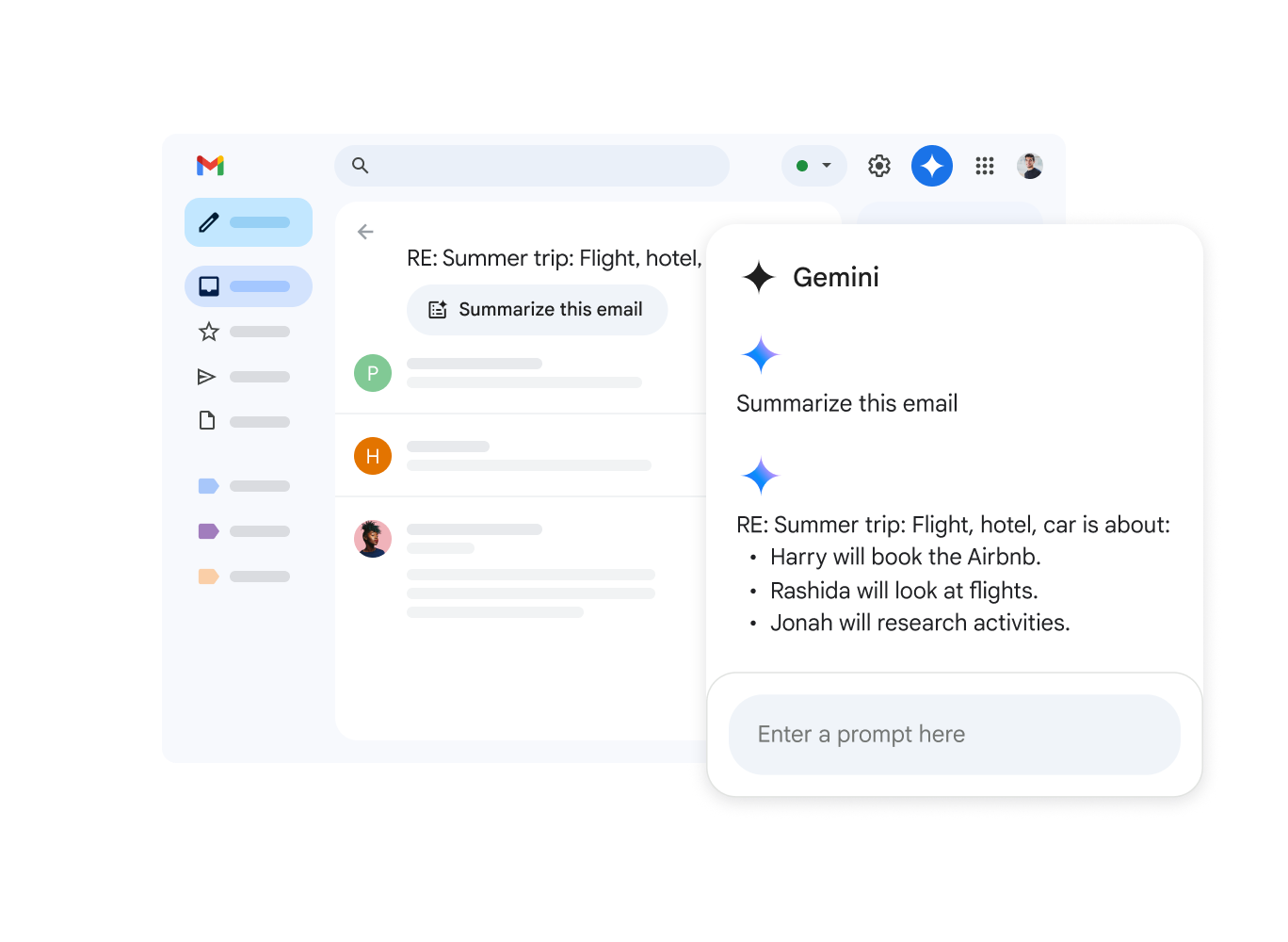
Google has been steadily folding Gemini directly into Gmail rather than treating it as a bolt-on feature. The "Help me write" tool sits ready in your compose window — ask it to draft a formal proposal, soften a rejection, or summarize a long forwarded chain, and it works without leaving the interface you already know. Google has also rolled out automatic summary cards on long threads, surfacing the gist of a conversation before you even open it.
Because it's built by Google rather than bolted on by a third party, there's nothing to install and no separate permissions screen to navigate — it works the same on desktop web and the native mobile app. The catch is licensing tiers: basic Gemini access comes with Workspace Business Starter, but the deeper integration across Gmail, Docs, Sheets, and Meet requires Business Standard or above. If your company already pays for Workspace, check your current tier before assuming you need a separate tool entirely.
Best for: Google Workspace users who want AI drafting and summarization with zero new software to install.
Pricing: Included from Workspace Business Starter (~$6/user/month); full feature set requires Business Standard or above.
12. Microsoft Copilot for Outlook: Best for Enterprise Microsoft 365 Teams
For organizations running on Microsoft 365, adopting a third-party AI tool is often less a productivity question and more a compliance one — new vendors mean new data agreements, new security reviews, new IT headaches. Copilot sidesteps all of that by bringing enterprise-grade AI directly into the Outlook environment your IT team already manages.
Where Copilot pulls ahead of most native assistants is attachment handling. It can read a 40-page PDF report someone emailed you and draft a relevant, specific reply based on what's actually in the document — not just the email text around it. It also reaches into the rest of the Microsoft 365 suite, pulling data from Excel or Word directly into an Outlook draft. For large corporate environments where deep integration and a single vendor relationship matter more than picking the flashiest standalone tool, Copilot remains the default choice. Pricing varies meaningfully by licensing bundle — expect somewhere in the $20–30/user/month range layered on top of an existing Microsoft 365 subscription, and confirm the exact figure for your organization's plan directly with Microsoft.
Best for: Enterprise teams already standardized on Microsoft 365 who need AI without adding a new vendor to manage.
How to Choose the Right Tool for Your Inbox
Start with the bottleneck, not the feature list. If you're typing too slowly, an AI writer like MailMaestro or SalesHandy solves that directly — an inbox organizer won't help you draft faster, and a full client replacement is overkill for that one problem. If important messages are getting buried under volume, an organizer like SaneBox is the lighter-weight fix; you keep your existing client and just stop seeing the noise. If you want to fundamentally change how fast you move through email, a client like Superhuman or Shortwave is worth the switching cost. And if your actual goal is "I don't want to think about email at all," that's specifically what the agent category is built to deliver — Lindy if you want it to reach across your whole tool stack, alfred_ if you'd rather keep it contained to email, calendar, and tasks at a lower price.
Platform compatibility narrows the list fast, too. A Gmail-only tool like Shortwave or Mixmax is a non-starter if your company runs Microsoft Exchange. Always confirm platform support on the vendor's site before evaluating anything else — it's the fastest filter you have.
Can AI Read My Emails? Security and Privacy by Category

Email AI Privacy Methods
This is the most common hesitation people raise about this entire category, and the honest answer depends on which type of tool you're looking at. Writers and clients — MailMaestro, Copilot, Shortwave, Gemini — have to process the actual body text of your messages to draft replies or generate summaries. Reputable vendors in this category state clearly that they don't use private business data to train their public models, but the software is still reading the content to function. That's simply how the feature works.
Organizers are a different story. SaneBox, as covered above, makes its sorting decisions almost entirely from headers — sender, subject, timestamps, and your past behavior — without needing to read message bodies at all. If your industry has strict compliance requirements (HIPAA, FINRA, or similar), that distinction between "reads everything" and "reads metadata only" is worth checking carefully before you grant access to any tool. And for agents like Lindy that can take action on your behalf, look specifically for a review-before-send step — the best agentic tools draft and queue actions for your approval rather than firing them off autonomously.
Outlook vs. Gmail AI Triage & Autonomous Agent Consensus (2026)
One of the most frequent dilemmas knowledge workers face is choosing between client-level triage extensions, native suite copilots (Google Gemini vs. Microsoft Copilot), and autonomous inbox agents. The breakdown below details compatibility, security posture, and triage capabilities across enterprise environments.
| Platform / Tool | Primary Ecosystem | Triage Method | Privacy & Data Training | Key Strength |
|---|---|---|---|---|
| Microsoft Copilot | Outlook / Microsoft 365 | Native In-App Assist | Enterprise Protected (No Training) | Deep PDF attachment analysis & Word/Excel cross-linking |
| Gemini in Gmail | Google Workspace | Native In-App Assist | Workspace Protected | Zero-install thread summaries & mobile compose assist |
| Superhuman | Gmail & Outlook | Dedicated Desktop & Mobile UI | SOC 2 Type II Certified | Sub-100ms keyboard navigation & VIP auto-filtering |
| Shortwave | Gmail Dedicated | AI-Native Web & Mobile Client | Private AI Infrastructure | Conversational natural-language search over years of email |
| SaneBox | Universal IMAP / Exchange | Background Server Folders | Metadata / Header Only (Zero Body Read) | Works in any legacy email app without changing user interface |
| Lindy | Gmail & Outlook | Autonomous AI Agent | Draft-First Human-in-the-Loop | Follows up on stalled deals and routes CRM updates autonomously |
The Bottom Line
There's no single "best" tool in this category, because the category itself isn't one thing — it's four different products solving four different problems wearing the same "AI email" label. If your blank compose window is the bottleneck, start with a writer like MailMaestro. If volume and noise are the issue, SaneBox or Mailbutler fix that without touching how you write. If you want a faster interface entirely, Superhuman or Shortwave are the strongest dedicated clients available. And if your honest goal is to stop thinking about your inbox altogether, Lindy and alfred_ are the two clearest examples of where this category is heading next — one broad and cross-tool, one narrow and cheaper.
Whichever you choose, email automation works best as one piece of a larger system rather than an isolated fix. Pair it with the rest of your stack and the time savings compound.
The Ultimate Guide to AI Productivity Tools in 2026 — see how email automation fits into your full stack
12 Best AI Meeting Note-Takers in 2026 — automate the conversations that turn into email follow-ups
8 Best AI Scheduling Tools in 2026 — stop the calendar back-and-forth that clogs your inbox
Browse all AI Email & Inbox Management tools — full category directory
Frequently Asked Questions About AI Email Management
What is the best AI tool to reach Inbox Zero automatically?
SaneBox is the most effortless tool for reaching Inbox Zero because it automatically moves non-urgent newsletters and notifications into a secondary @SaneLater folder on the server without changing your email client. If you prefer active triaging, Superhuman and Shortwave provide blazing-fast keyboard shortcuts, split inboxes, and AI thread summaries to clear 100+ emails in minutes.
What's the difference between an AI email writer, organizer, client, and agent?
An AI Email Writer (MailMaestro, SalesHandy) lives in your compose box to help draft responses. An AI Inbox Organizer (SaneBox, Mailbutler) works quietly in the background sorting incoming messages into folders. An AI Email Client (Superhuman, Shortwave) replaces your email interface with an AI-native workspace. An AI Email Agent (Lindy, alfred_) proactively drafts replies in your voice, chases stalled contacts, and updates external tools like CRMs with human-in-the-loop review.
What is the best AI email assistant for Outlook specifically?
Microsoft Copilot for Outlook is the premier native choice for Microsoft 365 organizations, featuring enterprise data security and deep PDF/attachment parsing. For third-party power users seeking PII redaction and multi-account speed, MailMaestro and Superhuman for Outlook offer outstanding dedicated workflows.
What is the best AI email assistant for Gmail specifically?
Gemini in Gmail provides instant, zero-install drafting and summary cards directly within Google Workspace. For power users seeking conversational AI search across years of email history, Shortwave delivers the most advanced AI-native Gmail client.
Is it safe to give an AI tool access to my corporate email?
Yes, provided you choose vendors with SOC 2 Type II compliance, GDPR adherence, and explicit policies guaranteeing your email data is never used to train public LLMs. For high-compliance industries (finance, healthcare, legal), tools like SaneBox only inspect message header metadata without reading email body text.
Can AI send emails automatically without my review?
Most enterprise-grade AI email tools operate on a "human-in-the-loop" model where drafts are queued for your 1-click approval. While autonomous agents like Lindy can be configured for automatic sending on low-risk transactional workflows, keeping review steps enabled ensures brand tone and factual accuracy.
How much time can an AI email management tool actually save?
Knowledge workers spend roughly 28% of their workweek on email (over 11 hours). By offloading triage, newsletter sorting, and initial draft generation, active users typically save between 45 to 90 minutes every working day.
Explore Related AI Productivity Guides
- The Ultimate Guide to AI Productivity Tools in 2026 — Discover how AI email triage fits into your complete productivity stack.
- 13 Best AI Meeting Note Takers in 2026 — Automate the conversations and action items that turn into follow-up emails.
- 10 Best AI Task Management Tools in 2026 — Convert triaged emails into actionable project tasks and Kanban boards.
- 8 Best AI Scheduling Tools in 2026 — Stop the calendar back-and-forth emails with auto-scheduled meeting links.
- 8 Best AI Time Tracking Tools in 2026 — Accurately measure the hours spent across client correspondence and deep work.