The AI Calendar Battle: Motion vs Reclaim.ai vs Clockwise

If you manage a busy schedule, you already know that traditional calendars are broken. You block out two hours for focused project work, but an urgent client call overrides it. Your carefully planned day collapses, and you spend the next twenty minutes manually dragging colored blocks around your screen to figure out when you can actually finish your work. This static approach to time management forces you to constantly play Tetris with your schedule, draining the mental energy you should be applying to your actual tasks.
The solution lies in the broader ecosystem of AI productivity tools, specifically those designed to make your calendar dynamic rather than static. When evaluating motion vs reclaim ai vs clockwise, you are looking at the three heavyweights that dominate this space. Each tool promises to automate your schedule, protect your time, and eliminate the administrative burden of calendar management.
The Quick Answer: Reclaim.ai is the best overall smart calendar tool for most individuals and managers, protecting recurring habits (lunch, gym, deep work) and auto-optimizing 1:1 meetings at an affordable price ($8/mo). Motion is the power pick for busy executives who want an autonomous AI to completely replace their task manager and dynamically time-block their entire day. Clockwise remains the gold standard for engineering and cross-functional teams seeking to defend Focus Time across entire organizations.
However, they approach the problem from completely different angles. One acts as a ruthless taskmaster, another serves as a balanced team coordinator, and the third operates as a defensive shield for your deep work. Choosing the right platform depends entirely on how you and your team actually operate on a daily basis.
Why AI Scheduling is Replacing Traditional Calendars
The shift toward AI scheduling tools is fundamentally about moving from passive planning to active optimization. A traditional calendar only knows what you tell it. It does not understand priorities, deadlines, or the difference between a flexible internal catch-up and an immovable client presentation. When a conflict occurs, a standard calendar simply double-books you and expects you to resolve the issue manually.
AI scheduling platforms change this dynamic entirely. Instead of statically placing events, these systems ingest your tasks, meeting preferences, working hours, and deadlines. They continuously monitor your schedule in the background. If a meeting runs long or an urgent request comes in, the AI automatically recalculates your entire week, shifting flexible tasks and meetings to ensure your most critical work still gets done on time.
This continuous, automated rescheduling eliminates the daily friction of calendar maintenance. It guarantees that your schedule reflects reality, rather than a hopeful plan you made on Monday morning that fell apart by Tuesday afternoon.
Motion: The Deep Work Powerhouse

If you view your calendar primarily as a place to execute specific tasks and hit deadlines, the motion ai app is designed specifically for you. Motion does not just sit on top of your existing calendar; it attempts to replace your entire productivity stack.
Unlike standard scheduling tools that simply manage meeting times, Motion combines project management, task tracking, and calendar scheduling into a single unified application. You input your projects, break them down into individual tasks, assign durations, and set hard deadlines. Motion then takes over, building your daily schedule minute by minute. It treats your calendar as a strict itinerary for getting things done, ensuring that high-priority tasks are placed exactly where they fit before their due dates expire.
How the Motion AI App Works for Task Auto-Scheduling
Task Auto-Scheduling Process
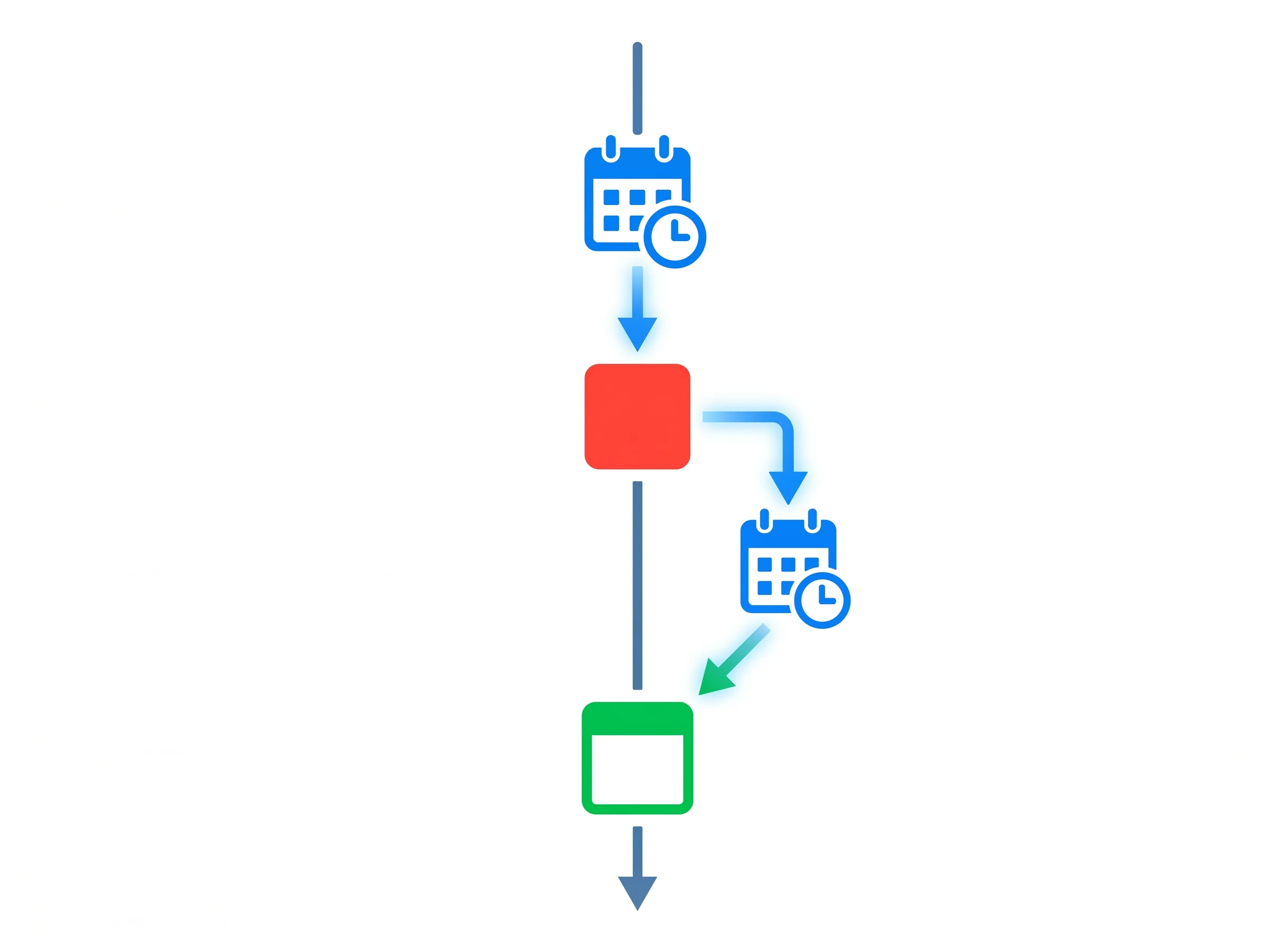
Understanding how does the motion ai app work requires looking at its core algorithm. When you add a task to Motion, you give it parameters: how long it will take, whether it can be split into smaller chunks, when it is due, and its priority level. You do not tell Motion when to do the task.
The software scans your existing meetings and available working hours, then automatically places the task into an optimal slot. But the real power becomes apparent when things go wrong. Motion uses an AI algorithm to automatically reschedule tasks if you miss them or if a meeting runs over.
If you ignore a scheduled task block to handle an emergency, you do not need to manually drag that task to tomorrow. Motion instantly recalculates your entire week, shuffling lower-priority items backward to ensure the missed high-priority task still gets completed before its deadline. This automated triage ensures that nothing falls through the cracks, even during chaotic weeks.
Motion's Ideal User
Because of its strict, task-first approach, the motion ai ideal user is highly specific. Motion is often preferred by freelancers and agencies who need strict deadline management and auto-scheduling.
Independent contractors, agency owners, and solo consultants juggle multiple client projects simultaneously. They cannot afford to miss hard deadlines, but they also cannot afford to spend hours manually planning their weeks. Motion acts as an automated project manager for these users. It dictates exactly what they should work on at any given moment to ensure all client deliverables are met. If you need a tool that strictly enforces your to-do list and keeps you aggressively on track, Motion is the clear choice.
Reclaim.ai: The Team & Habit Optimizer
While Motion focuses on strict task execution, Reclaim takes a more balanced, holistic approach to time management. When comparing reclaim vs motion, you will notice that Reclaim is deeply focused on helping you balance your personal routines with your professional obligations.
Reclaim operates on the philosophy that your calendar should reflect everything you need to do, not just your work tasks. It recognizes that taking a lunch break, catching up on industry reading, or reviewing weekly metrics are just as important as client meetings. To facilitate this, Reclaim.ai integrates directly with Google Tasks and Asana to pull to-dos into your calendar, allowing you to keep your existing project management tools while letting Reclaim handle the scheduling logistics.
Smart 1:1s and Habit Tracking
Smart Habits Scheduling
The core of the reclaim ai app revolves around two standout features: Habits and Smart 1:1s.
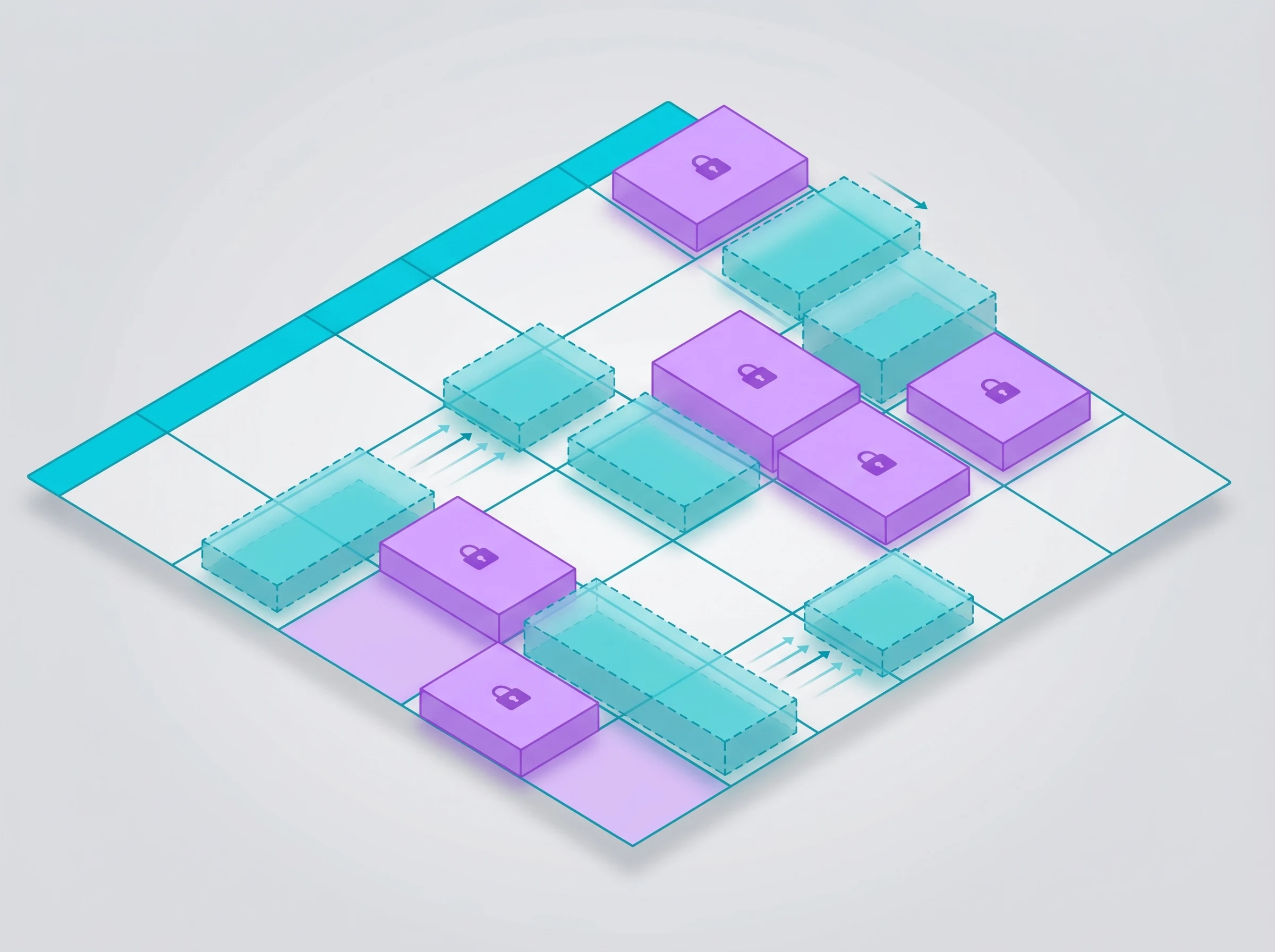
First, Reclaim AI allows users to set up 'Habits' that automatically find time in the calendar for recurring routines. You can tell Reclaim that you want to spend three hours a week coding, take a 45-minute lunch every day, and spend two hours on Friday planning for the next week. Reclaim places these blocks on your calendar dynamically. If an urgent team meeting gets scheduled over your lunch break, Reclaim automatically moves your lunch to the next available slot.
Second, Reclaim addresses one of the biggest headaches for managers. Reclaim.ai offers a 'Smart 1:1s' feature that automatically reschedules one-on-one meetings if a conflict arises. If you or your direct report take a sick day or have an urgent client call, Reclaim finds the next mutually available time and moves the meeting automatically, eliminating the tedious back-and-forth email chain.
Reclaim's Ideal User
The reclaim ai ideal user is typically a manager, a team leader, or an employee within a highly collaborative organization. These users spend a significant portion of their week in meetings, but they still need to protect time for individual work and personal routines.
Reclaim excels for people who need flexibility. If you want a tool that defends your daily habits but gracefully yields to important team meetings when necessary, Reclaim provides the perfect middle ground. It ensures your personal routines and team check-ins actually happen, without making your calendar so rigid that nobody can book time with you.
Clockwise: The Calendar Defense System
Clockwise operates on a completely different premise than both Motion and Reclaim. If you are wondering what does clockwise ai do, the answer is surprisingly simple: it moves meetings.
Clockwise does not care about your granular to-do list. It does not try to be a project manager. Instead, it acts as a defensive shield for your calendar. Its primary goal is to solve the problem of "Swiss cheese" schedules—those terrible days where you have a 30-minute meeting, a 15-minute break, a 45-minute meeting, and a 20-minute break. In that scenario, you have plenty of free time on paper, but zero usable time to actually get deep work done. Clockwise fixes this by rearranging your schedule to consolidate your free time into large, uninterrupted blocks.
Creating Uninterrupted Focus Time
The core mechanism of Clockwise is its meeting-moving algorithm. Clockwise focuses heavily on creating uninterrupted blocks of 'Focus Time' by automatically moving flexible meetings.
When your team uses Clockwise, you designate certain internal meetings as "flexible." You give the software parameters, such as "this meeting must happen this week, ideally in the afternoon." Clockwise analyzes the calendars of everyone invited and automatically shifts these flexible meetings to adjacent slots. By shuffling these events, it creates massive, continuous blocks of Focus Time for everyone involved.
Furthermore, Clockwise protects this time actively. Clockwise integrates directly with Slack to sync calendar status and mute notifications during Focus Time. When you enter a focused block, Clockwise automatically updates your Slack status to let your team know you are deep in thought, and it pauses incoming pings so you can work without distraction.
Clockwise's Ideal User
Because its true power relies on moving multi-person meetings, the clockwise ideal user is rarely a solo operator. Clockwise is designed primarily for enterprise and team calendar optimization rather than individual granular task management.
The platform shines in engineering departments, product teams, and large corporate environments where meeting overload is a systemic issue. If your organization suffers from constant context switching and employees complain that they have no time to actually do their jobs, Clockwise is the necessary intervention. It is built for companies that want to systematically manufacture focus time across entire departments without forcing employees to adopt a new task management methodology.
Feature-by-Feature Comparison
When comparing reclaim vs motion and Clockwise, the differences become stark when you look at how they handle specific functional areas. They are all labeled as AI calendars, but their core mechanics dictate entirely different daily workflows.
Task Management vs Event Management
The biggest dividing line between these platforms is their approach to ai task management versus event management.
Motion is fundamentally a task manager that uses a calendar as its display interface. It requires you to input every single thing you need to do. If you do not feed tasks into Motion, the tool provides very little value. It wants to control your execution down to the minute.
Clockwise sits on the exact opposite end of the spectrum. It is purely an event manager. Clockwise does not know what you are working on during your Focus Time, and it does not care. It does not manage deadlines or track project completion. Its only job is to move meetings around so that you have the time to do your work, leaving the actual task management up to you and your preferred external tools.
Reclaim sits comfortably in the middle. It handles event management by auto-scheduling habits and 1:1s, but it also handles task management by pulling in items from external tools like Asana and Google Tasks. It gives you time blocks to complete your external tasks without forcing you to abandon your existing project management software.
Is Motion Better Than Google Calendar?
A common question from professionals looking to upgrade their workflow is: is motion better than google calendar? The answer depends entirely on what you expect your calendar to do.
Google Calendar is a static whiteboard. It reliably displays exactly what you tell it to display, but it does absolutely no thinking for you. If a meeting runs late, Google Calendar does not care that your next task is now impossible to complete.
Motion is actively better than Google Calendar if you want a system that manages your time actively. If you struggle with prioritization, constantly miss deadlines, or spend hours every week manually adjusting your schedule, Motion is a massive upgrade. It takes the administrative burden of time-blocking off your plate entirely. However, if you simply want a place to log your upcoming meetings and prefer to manage your tasks on a separate notepad, upgrading to Motion will likely feel overwhelming and unnecessary.
Motion vs Reclaim vs Clockwise: Pricing Grid
Pricing Tier Comparison
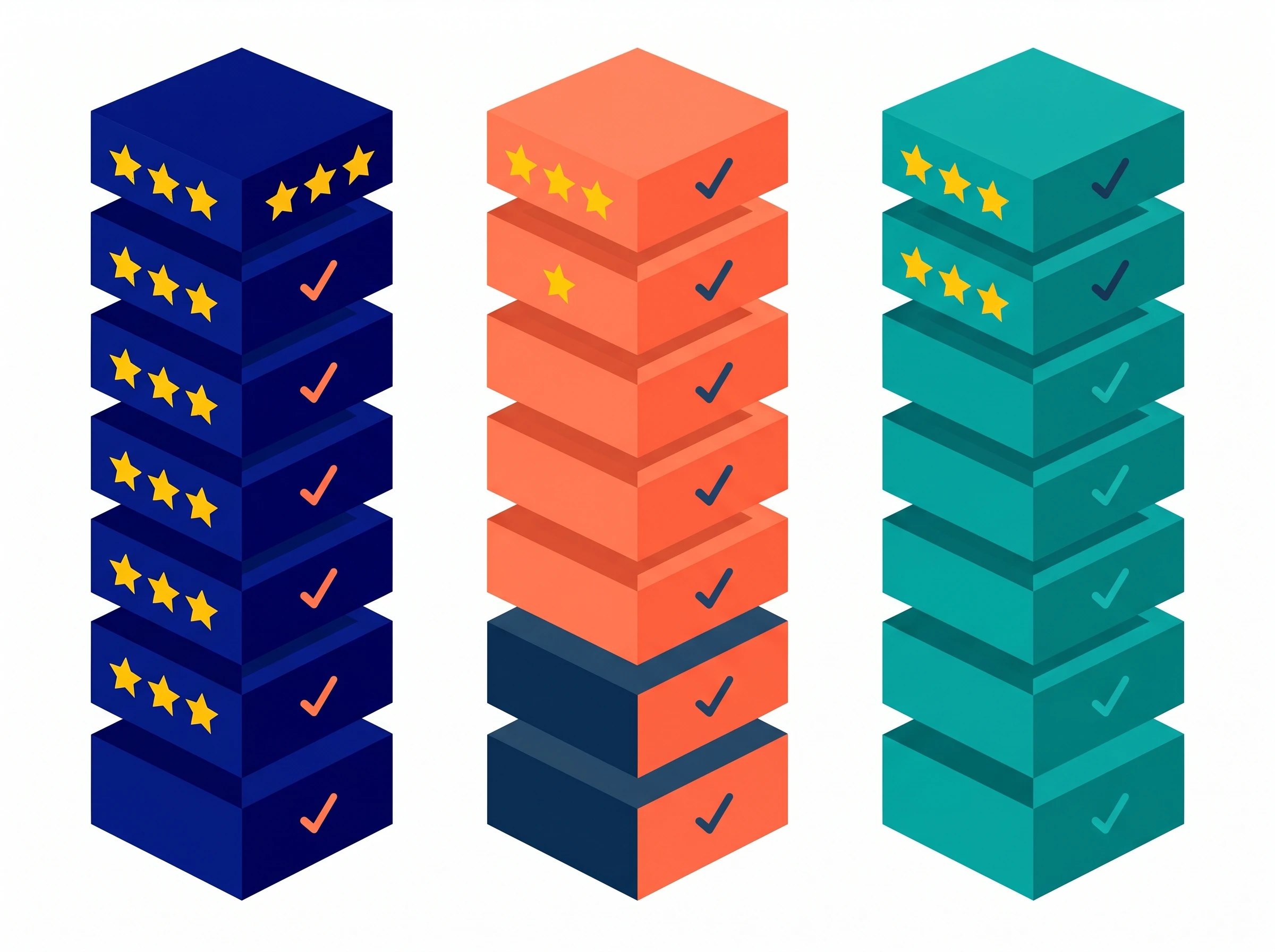
Budget is a critical factor when evaluating motion vs reclaim ai vs clockwise pricing. Because these tools target different user bases, their pricing models reflect their intended audiences. Below is a breakdown of how the costs compare based on the available data.
Motion Pricing:
Reclaim.ai Pricing:
Individual: Offers a free 'Lite' tier for basic individual use.
Clockwise Pricing:
Individual: Clockwise is free for basic individual use, with team plans starting at $6.75/user/month.
Team: Starts at $6.75/user/month for core team features.
Which Tool Offers the Best Value?
When analyzing ai calendar pricing, value is determined by the specific problem you are solving.
Motion is undeniably the most expensive option on the board, and its lack of a free tier means you must commit to its methodology financially. However, for a freelancer or agency owner billing at a high hourly rate, the $19/month cost is negligible if the tool prevents a single missed deadline or saves two hours of manual scheduling per week.
Reclaim offers excellent value for small to mid-sized teams. At $8/user/month, giving managers the ability to auto-schedule Smart 1:1s and protect employee routines yields an immediate return on investment by reducing administrative friction. The free Lite tier also makes it incredibly easy for individuals to test the habit-tracking features without risk.
Clockwise presents the strongest enterprise value proposition. At $6.75/user/month, it is the most affordable team option. More importantly, the return on investment is highly measurable. Clockwise reports saving teams an average of 2 hours of focus time per week per employee. For a team of 50 engineers, manufacturing 100 extra hours of deep work per week for roughly $337 a month is an exceptional operational upgrade.
Final Verdict: Which AI Calendar Should You Choose?
Choosing the right tool requires an honest assessment of why your current schedule is failing. Are you dropping the ball on tasks? Are your personal habits getting crushed by work? Or are your days simply fragmented by too many meetings?
What is Better Than Motion AI for Your Needs?
If you are asking what is better than motion ai, you must first define your workflow. There is no single "best" tool, only the right tool for your specific operational style.
Choose Motion if: You are a freelancer, solo consultant, or agency professional who lives and dies by strict deadlines. If you want a unified tool that forces you to execute tasks in priority order and automatically fixes your schedule when things go wrong, Motion is unmatched. It is a heavy-duty taskmaster that will keep you rigorously on track.
Choose Reclaim.ai if: You are a manager, team leader, or professional trying to balance collaborative work with personal routines. If you already use tools like Asana or Google Tasks and want a calendar that seamlessly pulls those tasks in while fiercely defending your daily habits and auto-scheduling your 1:1s, Reclaim is the perfect fit.
Choose Clockwise if: You operate within a large team or enterprise organization suffering from severe meeting fragmentation. If your primary goal is not task management, but rather defending your calendar from the chaos of internal scheduling, Clockwise is the ultimate defense system. It will quietly work in the background to move meetings, mute your Slack notifications, and carve out the large blocks of focus time you need to actually do your job.
Recommended Related Deep Dives:
- 8 Best AI Scheduling Tools in 2026 — see how smart calendars compare against dedicated AI schedulers
- 10 Best AI Task Management Tools in 2026 — connect task backlogs to your smart calendar
- The Ultimate Guide to AI Productivity Tools in 2026 — full productivity software stack architecture
- Browse All AI Calendar & Scheduling Tools — full directory
Frequently Asked Questions
Which AI calendar tool is best for automatic daily scheduling?
Motion is best for aggressive autonomous auto-scheduling of tasks and projects, while Reclaim AI is superior for defending recurring habits and flexible 1:1 meetings.
How does Clockwise compare to Reclaim.ai for engineering teams?
Clockwise is built for team-wide calendar optimization—it coordinates schedules across 50+ engineers to create synchronized 2-hour Focus Time blocks and moves flexible meetings automatically. Reclaim is more customizable for individual task and habit tracking.
Can Motion replace Calendly and Google Calendar completely?
Yes. Motion includes full booking link capabilities (like Calendly) and overlays directly onto Google Calendar and Microsoft Outlook, eliminating the need for standalone scheduling link software.
Is Reclaim.ai free to use?
Yes. Reclaim offers a free plan supporting 2 connected calendars, 3 habits, and 1 smart 1:1 meeting, making it the most accessible starting point for personal schedule automation.
What is the best alternative to Clockwise for Google Calendar users?
Reclaim.ai is the closest alternative, offering deeper task integration with Asana, Todoist, and Linear alongside smart habit time-blocking.