![8 Best Free AI Email Writers in 2026 [No Subscriptions]](https://res.cloudinary.com/dfhb6cyat/image/upload/w_1200,c_limit,f_auto,q_auto/v1791715078/ai-tools-resources/blog/best-free-ai-email-writers-in-2026-no-subscription-required-hero.webp)
Why "Free AI Email Writer" Is One of the Most Misleading Searches You Can Make
Type "free AI email writer" into Google and you'll get a hundred tools claiming to be exactly that. Open three of them. The first wants a credit card "just to verify your identity." The second gives you five emails, then locks you out until you upgrade. The third actually works — but only for emails under 100 words, which covers approximately none of the emails you actually need to write.
The market is flooded with tools that are free in name only. Finding the ones that are genuinely usable at zero cost — not trial-limited, not word-capped at 200 per day, not credit-card-required — takes more time than it should. That's what this guide did for you.
The Quick Answer: You do not need a paid $30/month subscription to generate polished, high-converting professional emails. Shortwave (Free) and Mailbutler (Free) are the best browser-integrated options for drafting replies directly inside Gmail and Outlook. For cold outreach and marketing templates, Copy.ai and Rytr offer capable free tiers. For complex, context-heavy email negotiations where you want full control without credit cards or logins, ChatGPT and Claude Web deliver the best unmetered output.
📬 Premium vs Free: Compare commercial triage powerhouses in our Superhuman vs Shortwave vs SaneBox 2026 Shootout.
We tested eight tools across Gmail, Outlook, and browser-based workflows over two weeks: drafting sales follow-ups, client status updates, cold outreach, and internal communications. The tools below represent what's actually worth your time in 2026. If you want the broader picture of how AI email writing fits into a complete productivity system, start with our Ultimate Guide to AI Productivity Tools. And if you're evaluating paid options too, our full breakdown of AI email management tools covers the complete category.
📋 How We Evaluated These Tools
Every tool on this list was tested on its free plan only — no paid upgrades, no trial credits. Evaluation criteria: Is sign-up actually free (no credit card)? What are the real daily/monthly limits? Does the output need significant editing or is it close to send-ready? Does it work inside Gmail or Outlook, or require a separate tab? How does it handle tone variation?
The "Truly Free" vs "Freemium" Distinction You Need to Understand First
Before comparing any tools, know this: in the AI email writing market, "free" falls into three very different categories, and conflating them is how you end up frustrated.
Truly free tools let you generate emails indefinitely with no account, no credit card, and no countdown timer. They may be less powerful, but they never cut you off. QuillBot's email writer and WriteMail.ai's web tool work this way.
Freemium tools give you a permanent free plan with real limits — a certain number of emails per day or month, or a restricted feature set. You can use them long-term but will hit walls at some point. Grammarly, ChatGPT's free tier, and MailMaestro operate this way.
Free trials are time-limited access to a paid product. After the trial ends, you either pay or lose access. These are not "free tools" in any meaningful sense for someone looking to keep costs at zero.
The list below includes only the first two categories. If a tool requires a credit card or automatically converts to a paid plan after a set number of days, it is not on this list.
Free AI Email Writers: 2026 Comparison at a Glance
| Tool | Free Tier Type | Credit Card? | Works Inside Gmail/Outlook? | Best For |
|---|---|---|---|---|
| Grammarly | Freemium (permanent free plan) | No ✅ | Yes — browser extension | Everyday drafting + proofreading |
| QuillBot Email Writer | Truly free (no account needed) | No ✅ | No — web tool only | Occasional emails, zero commitment |
| Gemini in Gmail | Included with Google Workspace | Requires Workspace plan | Yes — native in Gmail | Google Workspace users |
| ChatGPT (free tier) | Freemium (daily limits apply) | No ✅ | No — separate tab | Versatile drafting, any format |
| MailMaestro | Freemium (3 AI credits/week free) | No ✅ | Yes — Gmail + Outlook plugin | Outlook users, PII-sensitive drafts |
| Shortwave | Freemium (90-day search history) | No ✅ | Yes — Gmail only | High inbox volume + drafting |
| WriteMail.ai | Free daily usage (no signup) | No ✅ | Chrome extension available | Purpose-built email drafts |
| Copilot (web) | Free web interface (limited) | No ✅ | Native only on paid M365 | Professional tone, Microsoft users |
Pricing and tier details verified July 2026. Free tiers change frequently — check each tool's official pricing page before making a final decision.
The 8 Best Free AI Email Writers in 2026
1. Grammarly — Best Free AI Email Writer for Everyday Use
If there's one free AI email writing tool that professional reviewers and everyday users consistently put at the top of their lists in 2026, it's Grammarly — and it's not especially close. Over 50 million daily active users rely on it, which gives you a sense of the trust the free product has built.
What makes Grammarly different from a standalone AI email generator is that it doesn't just draft from scratch — it works on text you've already started. You write a rough sentence or two, and Grammarly's free plan catches grammar errors, flags passive voice overuse, and suggests clearer phrasing in real time. The free tier's AI drafting capabilities are more limited than the paid plan, but the proofreading and clarity suggestions alone are enough to meaningfully improve every email you send.
The browser extension is the key practical advantage. Install it once and Grammarly works everywhere you type — Gmail, Outlook on the web, LinkedIn messages, Slack, your company CRM. You never have to switch tabs or copy-paste. The free tier doesn't have the full "Write with AI" generative drafting that the paid plan offers, but you can still use the "Improve it" suggestions to refine drafts you've started yourself, and access basic generative features for shorter messages.
The honest limitation of Grammarly free is that it's more of a "make my draft better" tool than a "write this email for me from scratch" tool. If you stare at a blank compose window and need the AI to produce the first sentence, QuillBot or ChatGPT will be more useful. If you have a rough draft already and want it to sound sharper and more professional before you hit send, Grammarly free is the best option in this entire list.
Free tier reality: Permanent. No credit card. No expiry. Core grammar and tone suggestions are free forever. Generative AI drafting for longer emails requires the Pro plan at $12/month (annual). The free tier alone is more useful for email than most people expect.
Best for: Anyone who already writes their own emails but wants AI to catch errors and improve clarity before sending.
Platform compatibility: Works anywhere in a browser — Gmail, Outlook web, Slack, LinkedIn, CRM text fields. Desktop apps also available.
2. QuillBot Email Writer — Best Truly Free Tool With No Account Required
QuillBot built its reputation on paraphrasing tools and grammar checkers, and its AI email writer carries the same philosophy: give you a genuinely useful product at zero cost, no strings attached. You don't create an account. You don't enter a credit card. You go to the QuillBot email writer page, type what you want to say, and get a draft back. That's it.
In practice, this makes QuillBot the right choice for anyone who needs occasional email help and genuinely doesn't want another app subscription or login to manage. Open it, draft the email, close the tab. The tool handles formal business emails, friendly follow-ups, cold outreach openers, and apologies with equal competence. Multi-language support is included — English, Spanish, French, German, and others — which the purely-English free tiers of some competitors can't match.
The limitations are real but specific. QuillBot's free email writer is a web tool, not an inbox integration. You'll be copying and pasting the output into Gmail or Outlook yourself. And while it drafts a coherent, professional email from a prompt, it can't reference previous thread context the way a native inbox tool can — you have to feed it that context in your prompt. For occasional email needs, neither of these is a problem. For someone drafting 20 emails a day inside Gmail, Shortwave or Grammarly will be more efficient.
Free tier reality: Fully unlimited, no account required. Generates as many emails as you need at no cost.
Best for: Occasional email drafters who want zero subscription commitment and don't need inbox integration.
Platform compatibility: Web-based only. Copy and paste output into any email client.
3. Gemini in Gmail — Best Native Free Tool for Google Workspace Users
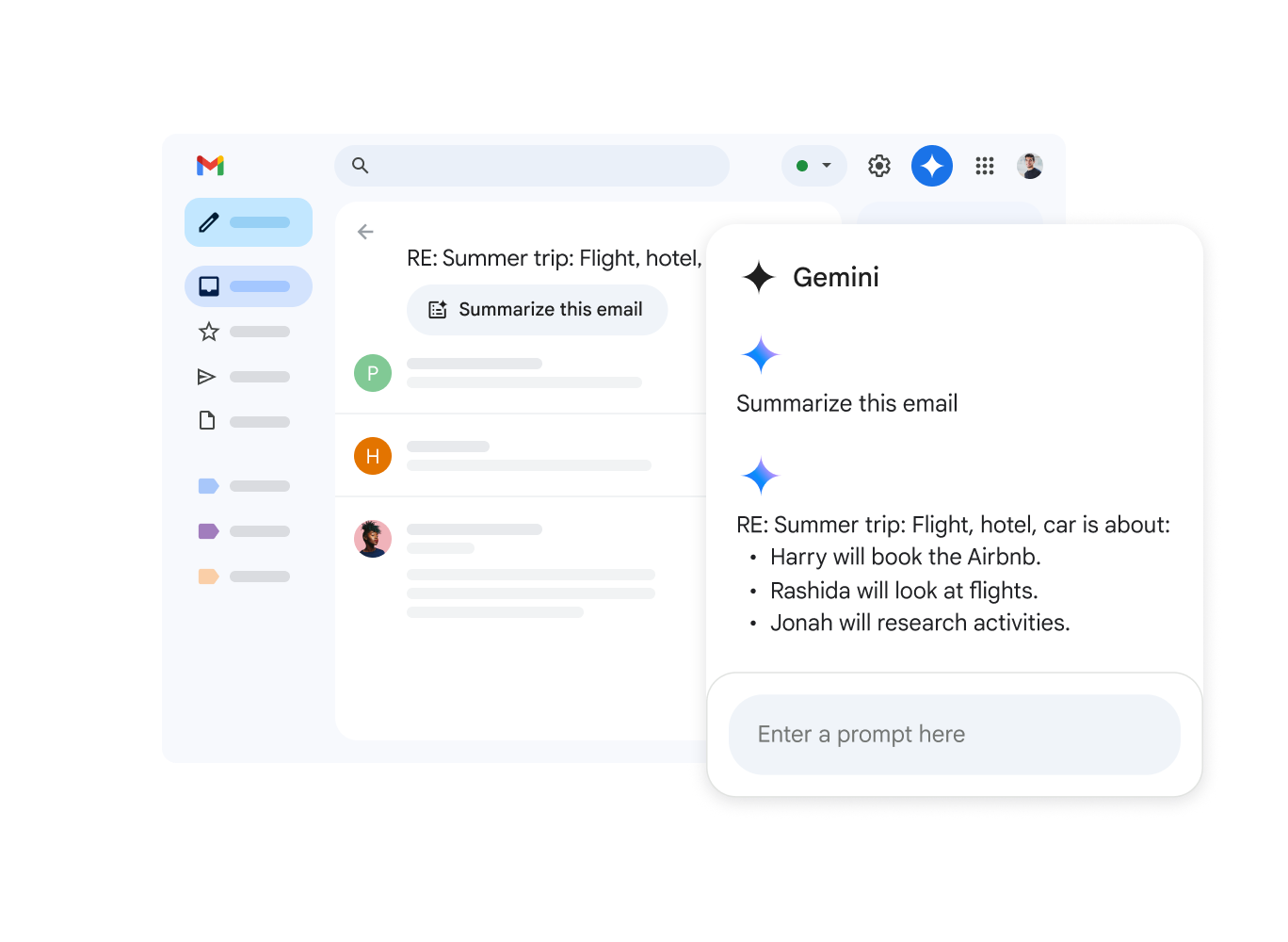
If your professional life runs on Gmail, Gemini is the closest thing to a free AI email writer that requires genuinely zero friction to use. There's no extension to install, no new tab to open, no copy-pasting. You're in your compose window, you click "Help me write," and Gemini drafts the email inside Gmail itself based on the prompt you type.
The 2026 update made this considerably more useful. Gemini can now summarize entire email threads before you reply, suggest follow-up actions based on what's in your inbox, and adapt draft length and tone based on your instructions. It handles common professional scenarios — meeting requests, status updates, client check-ins, polite follow-ups — well enough that most output needs only minor edits before sending.
The technical footnote: Gemini AI features are included with Google Workspace plans (Business Starter at $6/user/month and above), not the personal Gmail free account. If your company pays for any Workspace plan, you already have access. If you're on personal Gmail at gmail.com with no Workspace subscription, the full Gemini drafting feature isn't available in your compose window the same way. The free personal Gmail tier has more limited Gemini access than the paid Workspace tiers. Check your current account type before assuming it's there — but if your company pays for Workspace, it's the lowest-friction AI email tool available.
Free tier reality: Included with Google Workspace Business Starter (~$6/user/month). Full "Help me write" drafting available on Business Standard and above. Personal Gmail has limited access.
Best for: Google Workspace users wanting native in-Gmail AI drafting with no additional software.
Platform compatibility: Gmail web, iOS, Android. No extension needed.
4. ChatGPT Free Tier — Best All-Purpose Email Drafting Assistant

ChatGPT deserves a place on this list not because it's the most convenient email writing tool, but because it's the most capable free AI assistant available — and it can write an email from a detailed prompt better than most dedicated email tools can.
The practical approach is straightforward: open a ChatGPT conversation, describe the email you need (recipient context, goal, tone, length), and ask for a draft. The output typically needs less editing than most specialized email generators produce, especially for nuanced situations — difficult conversations, negotiation emails, apologies, or messages where the tone needs to be carefully calibrated. ChatGPT's ability to handle instructions like "make it firm but not aggressive" or "keep it under 80 words and end with a single question" produces more useful results than many purpose-built email generators.
The trade-off is the workflow. ChatGPT is a separate tab. There's no inbox integration on the free tier, no thread context awareness, and no way to have it pull from your previous sent emails to learn your writing style. It's a blank-slate drafting assistant, not an embedded inbox tool. The free tier also has usage caps — on busy days with high demand, free users hit rate limits. For someone who needs to draft five emails a week, this is irrelevant. For high-volume users, it becomes a genuine constraint.
Free tier reality: Free access to GPT-4o with daily usage limits. No credit card required. Limits apply at peak usage times.
Best for: Emails that require nuanced tone control — difficult conversations, negotiations, complex multi-point messages where a dedicated email tool would oversimplify.
Platform compatibility: Web, iOS, Android. No inbox integration on free tier — draft in ChatGPT, paste into your email client.
5. MailMaestro — Best Free Plugin for Gmail and Outlook Desktop
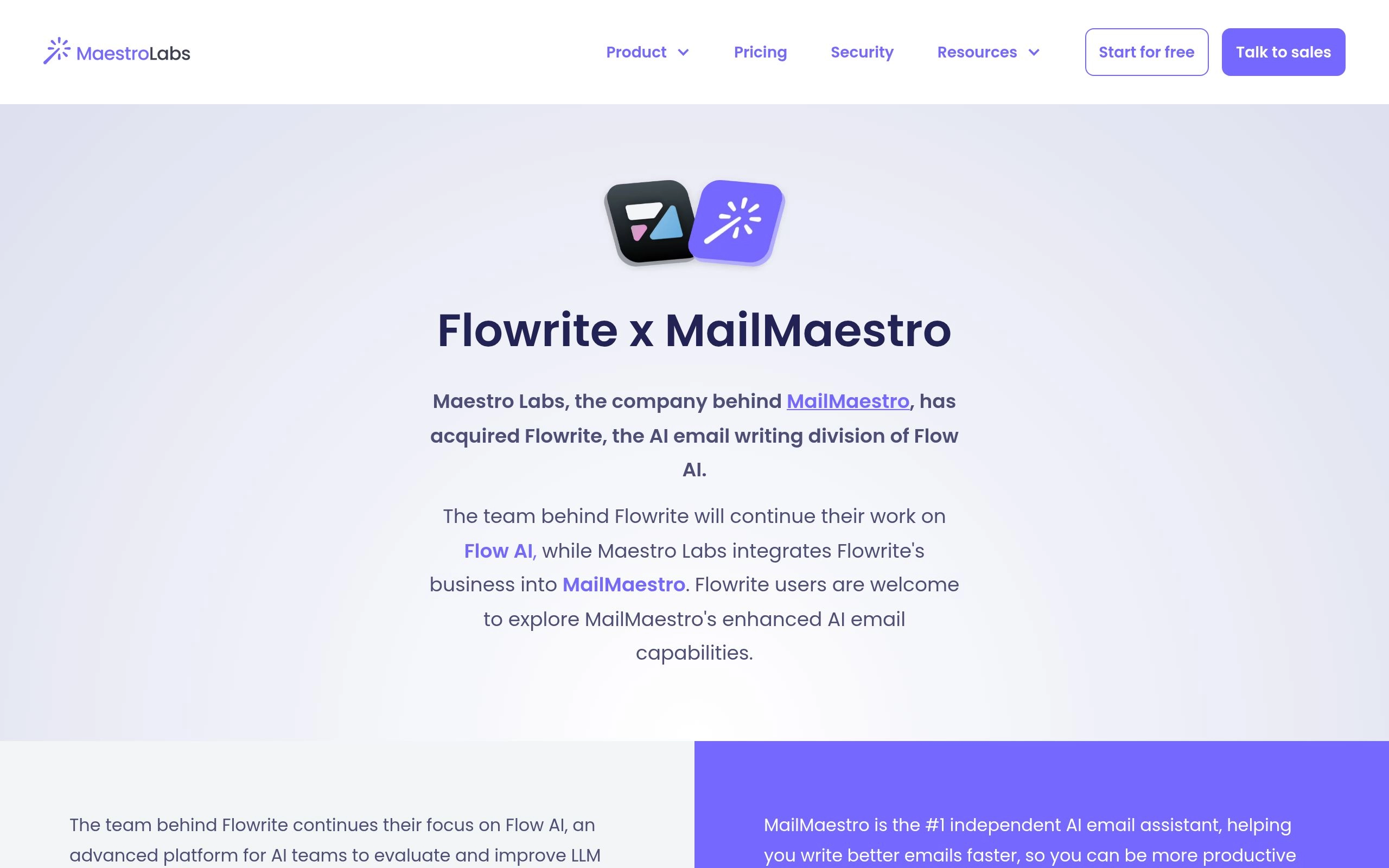
MailMaestro is what used to be called Flowrite before Maestro Labs rebranded and refocused it on professional inbox workflows. That distinction matters because the original Flowrite marketing described a simpler "bullet points to email" concept, while MailMaestro has expanded meaningfully — it now handles thread summarization, attachment analysis, and tone-specific rewriting across both Gmail and Outlook desktop.
The free plan gives you three AI credits per week. That number sounds low, but in practice, three credits covers three complete email drafts — and for someone who only needs AI help on their most important or difficult emails each week, this is a genuinely sustainable free workflow. You're not going to use MailMaestro free to clear your entire inbox. You're going to use it on the Friday afternoon email to a difficult client, the follow-up to a stalled deal, and the sensitive HR message you need to word carefully.
The standout free-tier feature is PII anonymization before the content reaches an AI model — which means sensitive client names, contract details, and financial figures get stripped before the AI processes the text. Most AI email writers send everything to the model as-is. For professionals in legal, finance, or healthcare who still want AI drafting assistance, this matters. A 14-day full-feature trial is also available without a credit card, which is worth running before settling on the free tier's three-credit limit.
Free tier reality: 3 AI credits per week permanently. 14-day full trial available, no credit card required. Paid plans from $12/month.
Best for: Outlook users (rare for this category), professionals in regulated industries who need PII protection, and anyone who needs AI help on a few key emails per week rather than daily drafting volume.
Platform compatibility: Gmail (web and mobile), Outlook (web, desktop, mobile). The best platform compatibility of any tool on this list.
6. Shortwave — Best Free Tool for High-Volume Inboxes

Shortwave takes a different angle from most tools on this list. It isn't primarily an email writer — it's an AI-native email client built by former Google engineers that reimagines Gmail's interface from the ground up, with AI drafting built into the core product rather than layered on top.
The reason it belongs on a free email writing list is the combination of capabilities available at no cost. The free plan includes AI thread summarization (which means you understand what you're replying to before you write a word), AI-assisted drafting inside the inbox interface, and a natural language search across your email history ("what did the client say about the Q3 budget?"). Most tools give you one of these on a free plan. Shortwave gives you all three.
The trade-off is commitment. Shortwave replaces your Gmail interface, not supplements it. Some users find this the most efficient way to process email they've ever used. Others dislike the departure from standard Gmail enough that they go back within a week. The 90-day email history search limit on the free plan is the concrete usage wall — search goes back only three months. Paid plans (from ~$9/month) remove this limit. If you receive 100+ emails a day and spend too much time context-switching between reading and drafting, Shortwave's free plan is worth a serious two-week trial before committing to any other tool.
Free tier reality: AI drafting, thread summaries, and email search included free. 90-day search history limit. No credit card required.
Best for: High-volume Gmail users who want both AI drafting and AI-organized inbox management in one free tool, and are willing to switch their Gmail interface to get it.
Platform compatibility: Gmail only (web, iOS, Android). Not compatible with Outlook or other email providers.
7. WriteMail.ai — Best Dedicated Free Tool Purpose-Built for Email
Unlike general AI assistants that can write emails among many other things, WriteMail.ai is built exclusively for email. That specialization shows in the output. Where ChatGPT or Claude generates an email the same way it generates a recipe or a Python script — by treating the request as generic text — WriteMail.ai's model is specifically trained on professional email patterns, including proper salutations, business-appropriate sign-offs, and the structural conventions of different email types.
The free daily tier doesn't require sign-up. You pick your email type (cold outreach, follow-up, apology, introduction, decline, etc.), select a tone (professional, friendly, formal, casual), write a brief description, and get a draft. The output is typically closer to send-ready for routine professional emails than a general-purpose AI produces from the same prompt. Over 500,000 users have run enough emails through it to validate the claim.
The limitation is volume — daily free credits are capped, which means it works for intermittent email help but won't scale if you need to draft dozens per day. The Chrome extension expands on this by working directly inside Gmail, reducing the copy-paste step. For users who need a purpose-built email AI at zero cost for occasional drafting, WriteMail.ai is the cleanest purpose-built option that doesn't require an account.
Free tier reality: Free daily usage without sign-up. Chrome extension available. Paid plans unlock unlimited usage and advanced features.
Best for: Professionals who want an email-specific AI trained on email conventions, not a repurposed general chatbot.
Platform compatibility: Web-based. Chrome extension for inline Gmail use. Not native to Outlook.
8. Microsoft Copilot (Free Web Version) — Best for Microsoft Users Without a Paid Plan
Microsoft Copilot's deepest capabilities live inside Microsoft 365 — the native Outlook integration that reads your inbox context, references attached files, and drafts in your established communication style. That version requires a paid Microsoft 365 subscription with a Copilot add-on license.
What most people don't realize is that the free Copilot Chat interface at copilot.microsoft.com is a genuinely useful email drafting tool without any subscription at all. Open it with a Microsoft account (free to create), describe the email you need, and get a business-appropriate draft. The output defaults to a professional, formal tone that works well for most business scenarios without requiring any tone adjustment.
The practical workflow: draft in Copilot Chat, copy to Outlook or Gmail. This adds a copy-paste step that the native paid integration eliminates, but for users in the Microsoft ecosystem who don't currently pay for Copilot's inbox features, the free web version is a meaningful upgrade over starting from a blank compose window. If your company eventually buys a Copilot license, the transition to the fully native experience is seamless.
Free tier reality: Free at copilot.microsoft.com with a Microsoft account. Native Outlook integration requires paid Microsoft 365 + Copilot license (~$20–30/user/month).
Best for: Microsoft ecosystem users who want a professional-tone AI email writer without paying for a subscription.
Platform compatibility: Web-based free version works with any email client via copy-paste. Native Outlook integration is paid only.
What You Actually Give Up on Free Tiers (Honest Assessment)

Free vs Paid AI Email Limits
Every tool on this list provides genuine value at zero cost. That's the honest truth. But "free" isn't the same as "no trade-offs." Here's what you're actually giving up — not the marketing version, the real version.
Daily and Monthly Volume Limits
Free tiers exist because AI processing costs money. Every email your prompt generates consumes server compute that the company pays for. The business model requires capping free users so the product doesn't lose money at scale. Grammarly's free plan restricts how many AI-generated drafts you can produce per month. ChatGPT's free tier hits rate limits during peak hours. MailMaestro's three credits per week is explicit about the ceiling.
If you draft fewer than ten emails per week that genuinely benefit from AI help, none of these limits will affect you. If you're trying to use AI to process 50 outreach emails per day, no tool on this list will support that volume for free — and it's worth knowing that going in rather than discovering it three days into your workflow.
Personal Voice Training
Paid plans on tools like Grammarly, MailMaestro, and Shortwave can learn your writing style over time — mimicking your signature phrases, your typical sentence length, your preferred sign-off. Free tiers don't do this. The output sounds like competent, generic professional English, not like you specifically.
For most everyday emails, this is irrelevant — you'll edit the draft anyway. For client relationships where a very particular, personal voice matters, plan to edit more heavily than you would on a paid plan. The practical fix is giving the AI more context in your prompt: "Write this in a casual, direct tone — short sentences, no corporate language, signed with 'Thanks' not 'Best regards'" produces significantly more personal-sounding output than a bare prompt.
CRM Integration and Workflow Automation
None of the free tools on this list will push a drafted email directly to your CRM, auto-populate deal fields from what the email contains, or trigger a follow-up sequence after you send. Those capabilities live entirely in paid plans on tools like Lindy, SalesHandy, or Mixmax. If CRM automation is what you're trying to solve, a free AI email writer isn't the right category of tool to be evaluating.
How to Actually Get Good Output from a Free AI Email Writer

AI Email Prompt Process Flow
The single biggest variable between a useful AI-drafted email and a generic, unusable one isn't the tool — it's the quality of the prompt. Most people type "write a follow-up email to a client" and get a generic follow-up email. Here's how to do it better.
Give the AI the Context It Can't Guess
An AI has no idea who you're writing to, what your relationship with them is, or what you've discussed before. It will fill those gaps with generic professional filler unless you tell it otherwise. A better prompt format: "Write a follow-up email to Sarah, the COO of a mid-size logistics company. We met last Tuesday to discuss her supply chain software needs. She seemed interested in our inventory tracking feature but concerned about implementation time. Keep it under 120 words, friendly but professional, and end with a specific question about her timeline." That prompt produces something genuinely useful. "Write a follow-up email" does not.
Use Subject Line Generation to Preserve Your Quota
On tools with usage limits, burn your credits on the hardest parts of email writing — not the parts you can do quickly yourself. Most professionals can write a decent email body once they've started. What's harder is the subject line, which determines whether the email gets opened at all. Use free credits specifically to generate five subject line options for your most important emails, pick the strongest one, and write the body yourself. This strategy stretches a three-credit-per-week limit significantly further than using all three credits on complete email drafts.
Treat the Output as a First Draft, Not a Final Product
AI email output needs human review — always, without exception. The AI doesn't know that you normally avoid the phrase "as per my last email" because a specific client finds it passive-aggressive. It doesn't know that the meeting you're referencing actually ran over by 20 minutes and ended awkwardly. It will confidently state things that are slightly off, occasionally hallucinate a detail you didn't mention, and default to a tone that's slightly more formal or slightly less warm than your actual relationship with the recipient warrants.
The professional way to use these tools: AI drafts, you review and edit, you send. The AI removes the blank-page friction. You add the judgment and accuracy that AI lacks. Together you produce email faster than either one would alone.
Which Free AI Email Writer Is Right for You?
🎯 Quick Recommendation by Situation
- You need AI to proofread and improve emails you've already drafted: Grammarly free. Install the extension once and forget it — it works everywhere.
- You need a complete draft from scratch and don't want any account or commitment: QuillBot email writer. Go to the page, describe the email, copy the output, done.
- You're on Google Workspace and want zero new software: Gemini in Gmail. It's already in your compose window if your company pays for Workspace.
- You write a few critical, nuanced emails per week and need AI for those specifically: MailMaestro free (3 credits/week). Works natively in both Gmail and Outlook — the best platform coverage of any free option.
- Your inbox volume is high and you spend as much time reading as writing: Shortwave free. Thread summaries + AI drafting in one Gmail-native client that replaces your standard inbox view.
- You need the most capable AI for complex, tone-sensitive emails: ChatGPT free tier. More work per email (separate tab, detailed prompt required), better output for genuinely difficult correspondence.
- You're a Microsoft 365 user without a Copilot license: Copilot web (copilot.microsoft.com). Drafts in a professional business tone, copy into Outlook, no subscription needed.
For most people evaluating this category, the practical recommendation is to start with Grammarly's browser extension (install it and use it passively) alongside either ChatGPT or QuillBot for generating full drafts when you need them. That combination covers most email writing needs at zero cost and requires no single tool to do more than it's built for.
If you eventually outgrow these free options and need deeper inbox integration, CRM automation, or volume that free tiers can't support, our full guide to AI email management tools covers every paid and freemium option worth considering — including which tools offer the best value at each price point. For the complete AI productivity context, the Ultimate Guide to AI Productivity Tools in 2026 shows where email automation fits relative to meeting tools, scheduling assistants, and workflow automation.
Recommended Related Deep Dives:
- 10 Best AI Email Management Tools in 2026 — see full ranked comparison of free and paid email suites
- The Ultimate Guide to AI Productivity Tools in 2026 — how email AI integrates with your broader workflow
- 8 Best AI Scheduling Tools in 2026 — automate the meeting links you send in your emails
- Browse All AI Email & Productivity Tools — comprehensive directory
Frequently Asked Questions
What is the best 100% free AI email writer extension in 2026?
Mailbutler (free tier) and Shortwave (free tier) are the top browser extensions for drafting AI replies directly within Gmail and Outlook without entering a credit card.
Can I generate cold outreach sales emails using free AI tools?
Yes. Tools like Copy.ai, Rytr, and ChatGPT can generate persuasive cold pitch drafts and follow-up templates. For automated sequence sending and inbox rotation at scale, dedicated outreach platforms like SalesHandy are recommended.
What is the best free AI tool for generating catchy email subject lines?
ChatGPT and QuillBot are great for generating 10+ subject line variations across distinct psychological angles (urgency, curiosity, benefit-driven, concise) in seconds.
Are free AI email writers safe for sensitive client conversations?
Most consumer free tiers use prompt data to train public models unless you explicitly opt out in privacy settings. If handling sensitive medical, legal, or financial communications, use enterprise-tier plans with zero-data-retention agreements or local LLMs.
How do free AI email tools compare to paid options like Superhuman?
Free tools handle text generation admirably, but paid clients like Superhuman ($30/mo) offer sub-100ms keyboard navigation, automated split-inboxes, read receipts, and instantaneous context-aware drafting that saves 4–6 hours per week for high-volume executives.