


Choosing the right AI meeting assistant often feels like a guessing game. You sign up for a tool, connect your calendar, and hope the transcript actually captures what your client said. But not all meeting assistants handle audio the same way — or handle the moments after the recording the same way.
After running all three tools simultaneously across 30+ real meetings over three weeks — sales calls, internal standups, client discovery sessions, and multi-speaker product discussions — a clear picture emerged. The differences in transcription quality between Otter.ai, Fireflies.ai, and Fathom are smaller than most people expect. The differences in pricing, hidden limitations, and post-meeting workflows are much larger than most reviews admit.
The Quick Answer: Fathom AI is the undisputed champion for solo professionals, consultants, and agencies thanks to its 100% free unlimited recording tier and native bot-free desktop stealth recording. Fireflies.ai wins for sales organizations and revenue teams requiring deep CRM two-way sync (HubSpot, Salesforce) and multi-language support across 60+ languages. Otter.ai remains best for live real-time closed captioning and offline mobile audio capture.
This guide breaks all of that down honestly. Real pricing, real accuracy numbers, real limitations, and a clear final verdict on which tool wins for which type of user in 2026. If you want a broader view of how these tools fit into a complete productivity stack, our guide to the 12 best AI meeting note-takers covers the full market.
🧪 How We Tested These Three Tools
All three tools were run simultaneously across 30+ real meetings over three weeks — not cherry-picked demos. Test scenarios included: single-speaker solo calls, 4-person sales discovery calls, 8-person team standups, calls with non-native English speakers, and calls in coffee shop-level background noise. Transcription accuracy was compared by reviewing the same meeting across all three tools and counting attribution errors and missed words. Pricing was verified directly on each tool's official pricing page in May 2026.
Quick Verdict: Fathom vs Otter.ai vs Fireflies.ai at a Glance
If you're short on time, this table covers the decision for most people. Detailed breakdowns for each tool and every head-to-head matchup are below.
— | |||
|---|---|---|---|
Best for | Solo freelancers, consultants, individuals | Sales teams, CRM-connected enterprises | Researchers, journalists, in-person recording |
Free plan | ✅ Unlimited forever | ✅ 800 min/mo (3-mo storage) | ⚠️ 300 min/mo, 30 min/session cap |
Paid starts at | $15/user/mo (Team) | $10/user/mo (Pro) | $8.33/user/mo (annual) |
Transcription accuracy | 92–95% (clean audio) | 90–93% (clean audio) | 93–95% (clean audio) |
Live real-time transcript | ❌ Post-call only | ❌ Post-call only | ✅ Live during meeting |
CRM integration | ⚠️ Basic (paid only) | ✅ Best-in-class | ⚠️ Salesforce only |
Summary speed | ✅ ~30 seconds (fastest) | ⚠️ 2–5 minutes | ⚠️ 2–5 minutes |
Upload pre-recorded audio | ❌ No | ✅ Yes | ✅ Yes (3 free lifetime) |
Languages | Primarily English | ✅ 60+ languages | Primarily English |
G2 rating (2026) | ⭐ 5.0/5 (6,000+ reviews) | ⭐ 4.8/5 (700+ reviews) | ⭐ 4.3/5 (500+ reviews) |
Our rating | 4.8/5 | 4.7/5 | 4.3/5 |
⚠️ 2026 Update: All Three Tools Send a Visible Bot Into Your Meeting
A critical fact most comparison articles gloss over: none of these three tools are bot-free. "Fathom Notetaker," "Fireflies.ai Notetaker," and "OtterPilot" all appear in the participant list and are visible to every attendee. As of March 2026, Google Meet flags third-party bots as "potential risk" by default. If bot-free recording is a hard requirement, look instead at Jamie, Krisp Note, or Bluedot.
The One Question That Determines Your Answer
Before comparing any feature or pricing tier, answer this honestly: what do you need the tool to do after the meeting ends?
Every tool on this list produces a transcript. The real differences appear in what happens next. Otter.ai produces a collaborative transcript you can interact with in real time and search later. Fireflies.ai routes that transcript into your CRM, fills custom deal fields, and pushes call highlights to your Slack channels automatically. Fathom delivers a clean, structured summary in approximately 30 seconds and sends it to your inbox — and that is largely where it stops.
Your answer to the post-meeting workflow question will determine your shortlist before you read a single feature comparison. Keep it in mind throughout this guide.
Which Tool Should I Use? Decision Guide by Scenario
Skip straight to the cell that matches your situation.
Your situation | Best pick | Why |
|---|---|---|
Freelancer or solo consultant wanting unlimited free recording | Fathom | Only tool with truly unlimited free plan — no minutes cap, no credit card |
Sales team needing CRM auto-logging after every call | Fireflies.ai | Deepest Salesforce, HubSpot, Pipedrive native sync of the three |
Researcher or journalist transcribing recorded interviews | Otter.ai | Only tool that processes pre-recorded file uploads with speaker ID on free plan |
Accessibility requirement: live captions during the call | Otter.ai | Only tool in this comparison with real-time live transcription on screen |
Multilingual team, 60+ country operations | Fireflies.ai | 60+ language support vs primarily-English coverage of Fathom and Otter |
Revenue leader wanting cross-call analytics and coaching | Fireflies.ai | AskFred, topic trackers, competitor mention detection, talk-time ratios |
In-person meetings via mobile app | Otter.ai | Only tool with a mobile app specifically designed for in-person audio capture |
Need fastest possible post-call summary for client follow-up | Fathom | ~30-second summary delivery vs 2–5 min for Fireflies and Otter |
Regulated industry needing enterprise data governance | Fireflies.ai (Enterprise) | SOC 2 Type II, HIPAA compliance, no AI training on your data at Enterprise tier |
Team budget under $15/user/mo with CRM needs | Fireflies.ai Pro | $10/user/mo Pro is cheapest meaningful paid team plan of the three |
Full Side-by-Side Feature Comparison (2026)
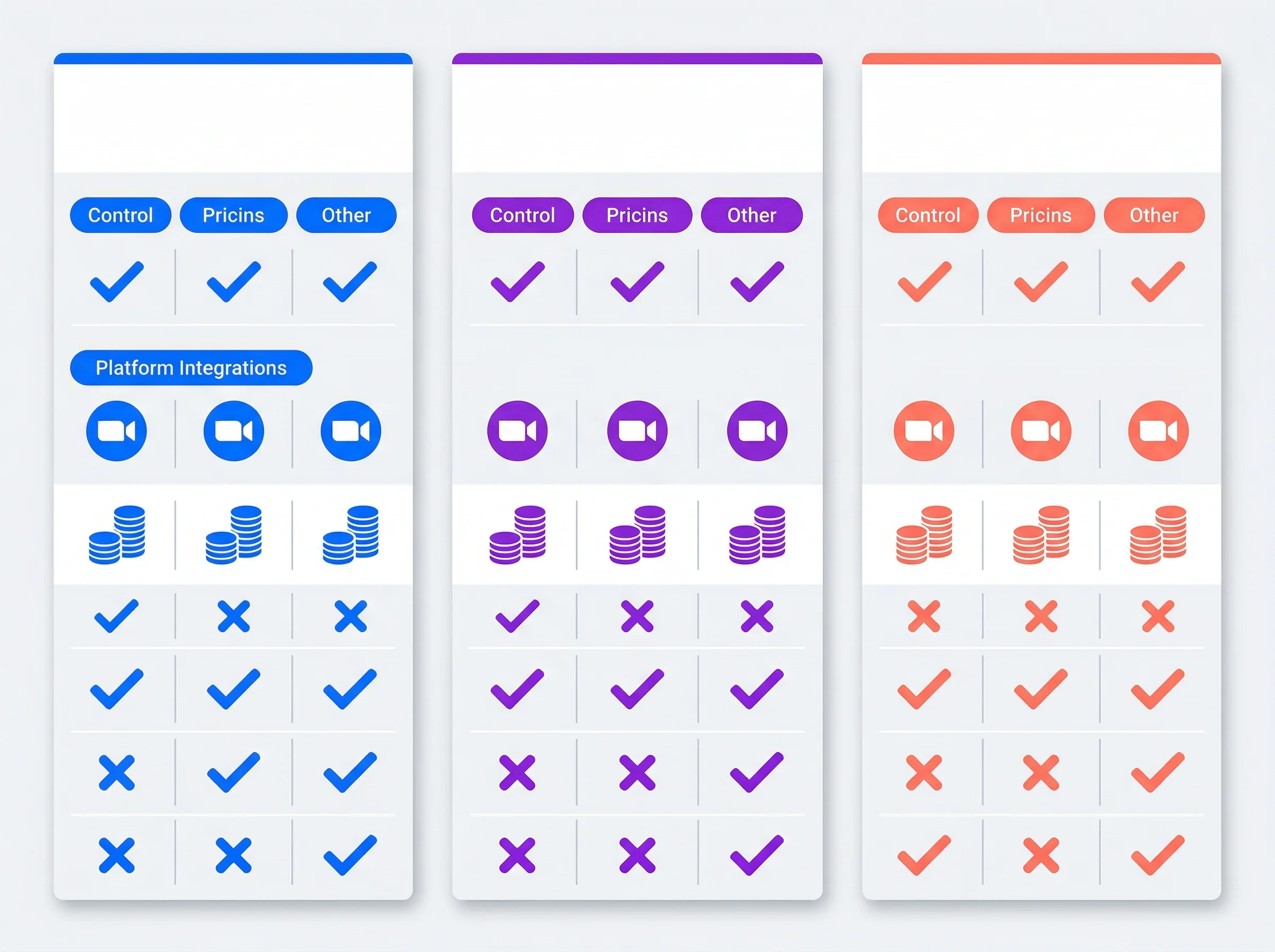
Otter AI vs Fireflies AI vs Fathom — Side-by-Side Feature Comparison
Feature / Metric | Fathom | Fireflies.ai | Otter.ai |
|---|---|---|---|
Free Plan | ✅ Unlimited recordings forever | ✅ 800 min/mo (3-month storage only) | ✅ 300 min/mo, 30 min/conversation cap |
Paid Plan (starting) | $15/user/month (Team) | $10/user/month (Pro) | $8.33/user/month (Pro, annual) |
Bot Visible in Meeting? | ✅ Yes ("Fathom Notetaker") | ✅ Yes (auto-joins by default) | ✅ Yes ("OtterPilot") |
Real-Time Transcription | ❌ Post-call only | ❌ Post-call only | ✅ Yes — live during the meeting |
CRM Integration Depth | ⚠️ Basic (paid plan only) | ✅ Best-in-class (Salesforce, HubSpot) | ⚠️ Basic Salesforce only |
Languages Supported | Limited (primarily English) | 60+ languages | Limited (primarily English) |
Cross-Meeting AI Search | ❌ No | ✅ Yes — AskFred (AI credits) | ✅ Yes — keyword search |
Import Pre-Recorded Audio | ❌ No | ✅ Yes | ✅ Yes (3 lifetime uploads on free) |
Post-Call Summary Speed | ✅ ~30 seconds (fastest) | ⚠️ 2–5 minutes | ⚠️ 2–5 minutes |
Conversation Analytics | ❌ No | ✅ Talk ratios, sentiment, topic tracking | ⚠️ Basic |
G2 Rating (2026) | ⭐ 5.0/5 (6,000+ reviews) | ⭐ 4.8/5 (700+ reviews) | ⭐ 4.3/5 (500+ reviews) |
Fathom: The Best Free Option for Solo Users and Consultants
If you work independently or run a small client-facing operation, your software needs are fundamentally different from those of a 50-person sales organization. Solo consultants, freelance designers, and independent contractors rarely need complex CRM field routing or team-wide conversation analytics. You need a reliable way to record client calls, capture requirements accurately, and receive a clean summary without adding another expensive subscription to your overhead.
Fathom was built for exactly this user. It strips away the enterprise complexity and focuses entirely on one thing: making the post-call summary appear in your inbox before you have even opened your notes document.
Fathom's Free Plan Is Genuinely Unlimited — Not a Trial
The biggest obstacle for freelancers evaluating new software is subscription fatigue. When you already pay for design tools, hosting, scheduling software, and accounting platforms, a paid meeting assistant is a hard sell. Fathom built its massive user base — and its 5.0/5 G2 rating from over 6,000 verified reviews, the highest in the category — by eliminating this objection entirely.
Fathom's free plan provides unlimited recordings, unlimited transcription, and unlimited storage with no monthly cap, no per-minute limit, and no credit card required. This is not a trial. It is a genuinely sustainable free tier that marketing teams and consultants report using for months without hitting any meaningful constraint.
The contrast with competitors is sharp. Fireflies' free tier provides 800 minutes per month but stores transcripts for only three months before deleting them permanently. Otter's free plan caps you at 300 minutes per month with a hard 30-minute limit per individual conversation. For a solo user taking five to ten client calls a week, Otter's free plan runs out in roughly a week of active use.
Post-Call Summary in ~30 Seconds
Fathom's most distinctive technical advantage is summary speed. After a call ends, Fathom delivers a structured summary — organized into key points, decisions, and action items — in approximately 30 seconds. Fireflies and Otter both take two to five minutes. In practice, the difference matters: a Fathom summary is waiting before you've closed your laptop, meaning you can send a follow-up email to the client with accurate context while the conversation is still fresh.
✅ Fathom Pros
Unlimited free recordings — genuinely sustainable, not a trial
Fastest post-call summary (~30 seconds) of any tool tested
Highest G2 rating in category (5.0/5 from 6,000+ reviews)
Clean, structured summaries with minimal padding or filler
Extremely simple setup — running in under five minutes
One-click moment highlighting during calls
❌ Fathom Cons
"Fathom Notetaker" bot is visible to all participants
Primarily Zoom-optimized — Google Meet and Teams less polished
No CRM integration on the free plan
No cross-meeting AI search or memory
No real-time live transcript during the meeting
Team collaboration features require paid plan
💰 Pricing: Free — unlimited recordings and transcripts forever. Team — $15/user/month. Team Plus — $19/user/month. Enterprise — $28/user/month. No credit card required for free tier.
👤 Best for: Solo freelancers, independent consultants, individual contributors on Zoom who want the best possible free AI meeting note-taker with zero friction.
❌ Not the right choice if: Your meetings primarily happen on Google Meet or Teams, you need CRM push without paying, or you need real-time transcription during the call.
🔀 Explore alternatives: See the best Fathom alternatives
⭐ Our rating: 4.8/5
Fireflies.ai: The Enterprise Choice for CRM-Driven Sales Teams
While Fathom wins the individual category, it lacks the organizational infrastructure required by large revenue teams. When you have fifty sales reps, a customer success department, and executive leadership all trying to turn call conversations into pipeline data, you need a completely different class of software.
Fireflies.ai was built from the ground up for organizational knowledge sharing at scale. In early 2026, the company significantly upgraded its AI layer with AskFred powered by Perplexity AI — what the company now calls a "Global Brain" for your meeting history. These capabilities have no equivalent in Fathom or Otter.
AskFred and Cross-Meeting Intelligence
AskFred is the tool's AI conversational search interface. You can ask questions like "what objections came up across my last 10 discovery calls?" or "which deals had competitors mentioned in the last 30 days?" and receive a synthesized answer sourced from your actual meeting history — not a search results list, but a coherent summary drawn from the transcripts of every relevant call.
This cross-meeting intelligence is a genuine differentiator. No amount of searching through Fathom's individual summaries or Otter's keyword search delivers the same analytical depth. For a Head of Revenue reviewing pipeline health or a VP of Sales building coaching programs from call patterns, AskFred justifies the team subscription on its own. Note: AskFred usage consumes AI credits that are billed separately from the base subscription, so heavy use means the real cost of the Pro plan is higher than the $10/user/month sticker price.
Deep CRM Integrations and Automated Data Entry
Fireflies' second major advantage is CRM integration depth. The platform connects natively to Salesforce, HubSpot, Pipedrive, and most major CRMs — automatically logging call summaries, action items, and transcripts to the correct contact or deal record the moment a call ends. Custom fields can be auto-populated based on conversation content, meaning your Salesforce deal fields update without a rep touching them. For sales organizations where reps consistently fail to log call notes manually, this automation is the single most valuable capability in this entire comparison.
The Hidden Costs: AI Credits and Default Bot Aggressiveness
Fireflies defaults to auto-joining every meeting in your calendar, including meetings you did not intend to record. The bot appears in unexpected calls until settings are explicitly adjusted. Disabling auto-join requires navigating the settings menu, which is not immediately obvious. If you have sensitive HR meetings or personal calls in your calendar, configure bot permissions before your first day of active use — this is one of the most consistent complaints in user reviews.
✅ Fireflies.ai Pros
Best-in-class CRM integration (Salesforce, HubSpot, Pipedrive)
AskFred AI search — query patterns across your entire meeting history
60+ language support for multilingual global teams
Team analytics — talk ratios, topic frequency, rep performance
Most comprehensive integration library of the three tools
Free tier includes 800 min/month (most generous of the three)
❌ Fireflies.ai Cons
AI Credits system — AskFred usage costs extra beyond Pro subscription
Bot auto-joins every calendar event by default — configure this immediately
Free tier transcripts deleted after 3 months — not truly persistent
Interface is complex — took 2+ days to navigate confidently in testing
Summary quality less consistent than Fathom's per-call output
AI training on your data unless you are on Enterprise tier
💰 Pricing: Free — 800 min/month (transcripts deleted after 3 months). Pro — $10/user/month (annual) or $18/month. Business — $19/user/month (annual) or $29/month. Enterprise — $39/user/month. Note: AskFred AI credits are separate from your subscription.
👤 Best for: B2B sales teams, customer success teams, revenue operations, and any organization where the primary value of a meeting note-taker is automatic CRM data entry and cross-call conversation intelligence.
❌ Not the right choice if: You want simple, clean per-call summaries without a learning curve, or need a truly free unlimited tool.
🔀 Explore alternatives: See the best Fireflies.ai alternatives
⭐ Our rating: 4.7/5
Otter.ai: The Champion for Real-Time Captions and Offline Audio
Otter.ai has built its core identity around one capability the other two cannot match: real-time live transcription. It also serves a user segment Fathom and Fireflies effectively ignore: researchers, journalists, academics, and anyone who records conversations offline using hardware or mobile devices.
Real-Time Transcription: The One Thing Only Otter Does
The live transcript appears on screen as speakers talk, in near real time with minimal lag. For accessibility purposes — participants who are hard of hearing, or who need to catch up on a discussion they joined midway through — this live text layer is genuinely irreplaceable. Fathom and Fireflies both operate in post-call mode only; Otter is the only tool in this comparison that allows substantive interaction with the content while the meeting is still running, including collaborative highlighting and threaded comments mid-call.
Importing Pre-Recorded Audio
For academics, documentary researchers, podcast hosts, and journalists who record interviews on dedicated hardware — a Sony PCM recorder, a phone voice memo app, or a field recorder — Otter provides a workflow that Fathom simply cannot deliver at all. You upload the audio file, Otter processes it, performs speaker diarization (identifying who said what), and delivers a searchable, timestamped transcript you can annotate and share.
Otter's Free Plan: The Critical Hidden Constraints
The most important honest assessment of Otter in 2026 is that its free plan has fallen badly behind the competition. The constraints are significant and not prominently disclosed: 300 minutes per month (five hours total), a hard 30-minute limit per individual conversation, and only three lifetime file uploads for pre-recorded audio. Not three per month — three lifetime, permanently, across your entire account. For a team attending multiple hour-long meetings per day, the free plan exhausts within the first week of real use.
✅ Otter.ai Pros
Only tool with real-time live transcription during the meeting
Collaborative highlighting and commenting while meeting is active
Pre-recorded audio file import — unique capability vs. Fathom
In-person meeting recording via mobile app
Speaker diarization for offline audio files
Most affordable paid plan at $8.33/user/month (annual)
❌ Otter.ai Cons
Free plan: 300 min/month and 30-min/conversation cap — very restrictive
Free plan: only 3 lifetime audio file uploads total (not per month — ever)
"OtterPilot" bot is visible to all participants
Accuracy drops more sharply with accents and background noise
CRM integration limited to basic Salesforce only (no HubSpot)
Feature development has slowed relative to Fireflies and Fathom in 2026
💰 Pricing: Free — 300 min/month, 30 min/conversation, 3 lifetime file uploads. Pro — $8.33/user/month (billed annually) or $16.99/month. Business — $20/user/month (annual). Enterprise — custom pricing.
👤 Best for: Academics, journalists, qualitative researchers, and teams that need real-time live transcription during calls or need to process offline audio recordings from field interviews.
❌ Not the right choice if: You're a freelancer needing unlimited free recording (Fathom wins), or a sales team needing CRM automation (Fireflies wins).
🔀 Explore alternatives: See the best Otter.ai alternatives
⭐ Our rating: 4.3/5
Fathom vs Otter.ai: Direct Head-to-Head
This is the matchup most people are trying to resolve. Both serve individual users well, but they make very different trade-offs.
Category | Fathom | Otter.ai | Winner |
|---|---|---|---|
Free plan generosity | Unlimited forever | 300 min/mo, 30-min cap | Fathom |
Transcription accuracy | 92–95% (clean audio) | 93–95% (clean audio) | Otter (slight edge) |
Summary speed | ~30 seconds | 2–5 minutes | Fathom |
Real-time captions | No | Yes — live during meeting | Otter |
Pre-recorded audio upload | No | Yes (3 free, unlimited paid) | Otter |
Summary quality | Consistently clean, low filler | Good, occasionally misses key points | Fathom |
Zoom integration | Native, originally Zoom-built | Works, less native | Fathom |
In-person recording | No | Yes — mobile app | Otter |
Fathom vs Otter verdict: Choose Fathom if your primary concern is free, unlimited Zoom meeting coverage and fast summaries. Choose Otter if you need real-time captions during the meeting, need to capture in-person conversations on mobile, or regularly upload pre-recorded interview audio for transcription.
Fathom vs Fireflies.ai: Direct Head-to-Head
Fathom and Fireflies serve adjacent but distinctly different users. The gap between them widens significantly as your team grows.
Category | Fathom | Fireflies.ai | Winner |
|---|---|---|---|
Free plan | Unlimited forever (individual) | 800 min/mo, 3-month expiry | Fathom |
Summary speed | ~30 seconds | 2–5 minutes | Fathom |
CRM integration | Basic (paid only) | Native Salesforce, HubSpot, Pipedrive | Fireflies |
Cross-meeting search | No | AskFred AI search | Fireflies |
Team analytics | No | Talk ratios, sentiment, competitor tracking | Fireflies |
Ease of use | Simple — set up in 5 minutes | Complex — 2+ days to navigate fully | Fathom |
Paid starting price | $15/user/mo (Team) | $10/user/mo (Pro) | Fireflies (on paid) |
Languages | Primarily English | 60+ languages | Fireflies |
Fathom vs Fireflies verdict: If you're an individual or a very small team, Fathom's unlimited free plan wins comfortably. As soon as CRM automation, cross-call intelligence, or team coaching features enter the picture, Fireflies is the right choice — budget for AI credits beyond the base subscription cost.
Fireflies.ai vs Otter.ai: Direct Head-to-Head
These two tools are often compared because they're the most popular paid options in the category. They address quite different problems.
Category | Fireflies.ai | Otter.ai | Winner |
|---|---|---|---|
Free tier minutes | 800 min/mo | 300 min/mo | Fireflies |
Transcription accuracy | 90–93% | 93–95% | Otter |
CRM integration | Native Salesforce, HubSpot, Pipedrive | Basic Salesforce only | Fireflies |
Real-time captions | No | Yes | Otter |
Languages | 60+ | Primarily English | Fireflies |
Paid Pro price | $10/user/mo (annual) | $8.33/user/mo (annual) | Otter (slightly) |
Team analytics | Strong | Basic | Fireflies |
Pre-recorded audio upload | Yes | Yes (3 free) | Tie |
Fireflies vs Otter verdict: Fireflies wins for any team-level or CRM-connected workflow, multilingual use, and pure free tier volume. Otter wins for the specific capabilities Fireflies simply doesn't offer: real-time captions during the meeting, in-person recording via mobile, and marginally higher transcription accuracy in clean-audio English conditions.
Bot vs Bot-Free Recording: The 2026 Issue Everyone Shares
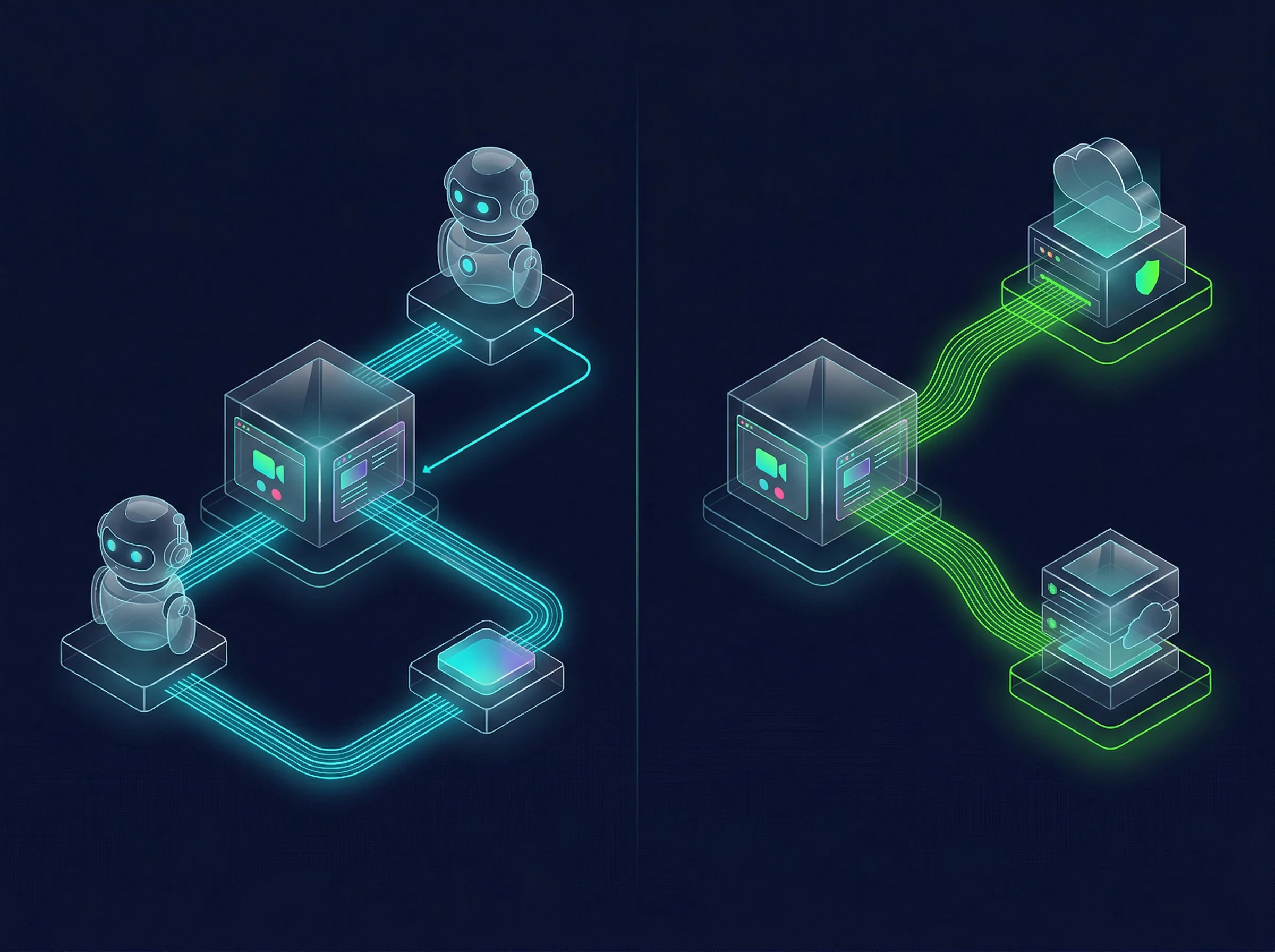
Bot vs Bot-Free Meeting Recording Architecture — 2026
When you use Otter, Fireflies, or Fathom, a named virtual participant joins your meeting. "OtterPilot," "Fireflies.ai Notetaker," and "Fathom Notetaker" each appear in the participant list and are visible to every person in the room. As of March 2026, Google Meet flags third-party recording bots as "potential risk" by default — a change that has meaningfully shifted how external participants perceive these tools in client-facing meetings. Some participants self-censor knowing a bot is logging every word.
Bot-free recording — where the tool captures audio directly through your computer's system audio without joining as a participant — has become significantly more important as a result. Tools like Jamie, Krisp Note, and Bluedot operate without a visible bot, working invisibly across any conferencing platform. If bot-free is a hard requirement, none of the three tools in this comparison solve that problem. Our full ranking of 12 AI meeting note-takers covers the complete bot-free category in detail.
Privacy Controls: How Each Tool Governs the Bot
Among the three, Fireflies provides the most granular administrative controls for governing exactly when and where the bot records. Enterprise teams can configure organization-wide policies defining which meeting types are captured, which require explicit host consent, and which are excluded entirely. This governance depth is important for regulated industries, HR departments, and organizations that need meeting recording to comply with corporate data policies — but only at the Enterprise tier, where the policy preventing AI training on your data also applies. Pro and Business plans don't carry that protection.
Otter's admin controls are solid for general office use but lack enterprise policy depth. Fathom's team governance features are newer and less mature than both competitors. For strict compliance environments, Fireflies Enterprise is the correct choice of the three, but verify the specific tier requirements before purchasing.
Transcription Accuracy: What the Numbers Actually Mean in Practice
Published accuracy numbers are close across all three: Otter at approximately 93–95%, Fathom at 92–95%, and Fireflies at 90–93% under clean audio conditions with standard English accents. In practice, this difference is smaller than it sounds for typical professional meetings in reasonable conditions.
Where the tools diverge is under challenging conditions — heavy accents, multiple speakers talking over each other, background noise, or technical jargon. Under these conditions, accuracy drops across all three. Fathom's clean audio processing maintains higher accuracy under moderate noise. Otter's speaker diarization performs better than Fireflies in dense multi-speaker scenarios where distinguishing voices matters. Fireflies' accuracy is most sensitive to audio quality, which explains why the platform works best in controlled sales call environments where audio is managed.
The practical implication: if your meetings regularly involve heavy accents or significant background noise, test each tool on recordings of your actual meetings — not cherry-picked demos — before committing. Published accuracy numbers are measured under optimal conditions.
What About MeetGeek and tl;dv? Brief Comparison
Two other tools appear frequently in this comparison space and are worth a brief mention for searchers wondering how they stack up.
MeetGeek adds a layer of meeting analytics that Fathom and Otter don't offer: tracking meeting frequency, talk-time ratios, and topic trends across meetings over time. It's the strongest option if team performance analytics across many meetings matters more than deep CRM sync. The free plan is limited to 5 meetings per month — the most restrictive free tier of any comparable tool — which makes it impractical to test without paying. Paid plans start from ~$15/user/month.
tl;dv ("too long; didn't view") focuses on video clip sharing: you timestamp key moments during a call, then share a link to that exact moment rather than the full recording. Its free tier provides unlimited recordings and transcripts with no monthly cap — making it the only alternative that matches Fathom's unlimited free offering. The AI summary quality is less consistent than Fathom's. tl;dv also offers both a bot mode and a native desktop app that captures audio without joining the meeting, giving it flexibility that Fathom, Otter, and Fireflies don't match on the bot-free front.
If you're choosing between Otter and tl;dv specifically: tl;dv wins on free tier volume (unlimited vs 300 min/mo), Otter wins on real-time captions and in-person audio capture. Neither has deep CRM sync without paying.
The Final Verdict: Which AI Meeting Tool Wins in 2026?
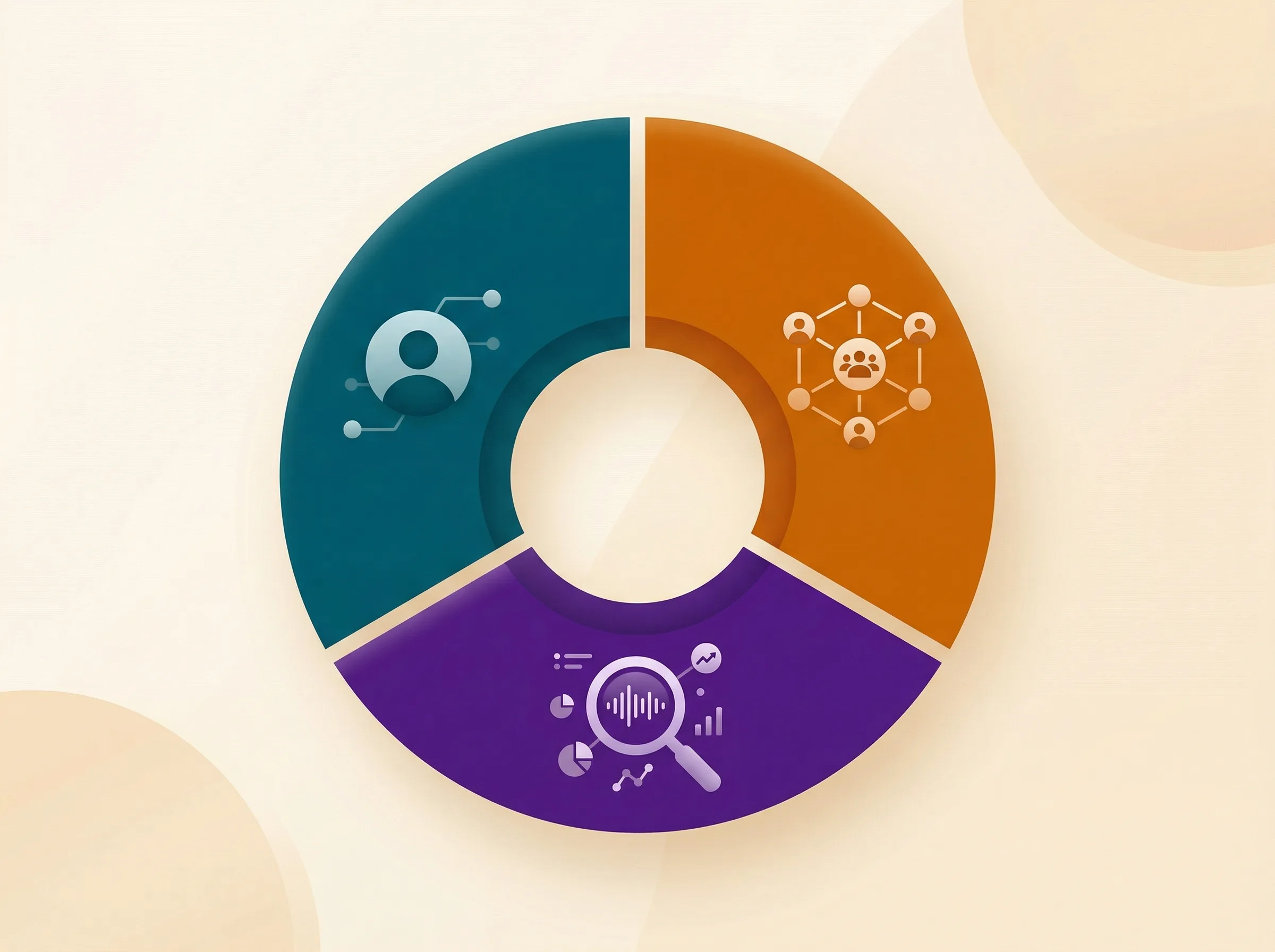
Which AI Meeting Tool Wins By Use Case — 2026
The AI meeting assistant space has fragmented into specialized use cases. There is no single objective winner because a solo graphic designer and a VP of Sales have completely different requirements and would find the opposing tool nearly useless.
🏆 Final Verdict by Use Case
Fathom wins for solo freelancers and consultants: Unlimited free recording, 30-second summaries, and zero learning curve. If you work independently on Zoom and want the best free AI note-taker, Fathom is the clear answer. The 5.0/5 G2 rating from 6,000+ users is the highest in the category for a reason.
Fireflies.ai wins for enterprise and CRM-driven sales teams: Automatic CRM logging, AskFred cross-meeting intelligence, 60+ language support, and team analytics make Fireflies the only reasonable choice for organizations where meeting data needs to flow into a pipeline automatically. Budget for AI credits beyond the base subscription.
Otter.ai wins for researchers, journalists, and hybrid teams: Real-time live transcription and pre-recorded audio file import are capabilities neither Fathom nor Fireflies offer. For academics, journalists, and anyone capturing offline conversations, Otter is the purpose-built choice.
None of them win if you need bot-free recording: All three send a visible bot into your meeting. For calls where a recording bot changes dynamics or is professionally inappropriate, evaluate Jamie, Krisp Note, or Bluedot instead.
The Recommended Starting Point
For most people reading this, start with Fathom's free plan. It takes five minutes to set up, costs nothing, and immediately demonstrates what modern AI note-taking can do without any financial commitment. If you outgrow it because you need CRM automation or cross-meeting analytics, evaluate Fireflies. If your workflow genuinely requires real-time transcription or offline audio processing, add Otter to your shortlist. Whichever you choose, the broader AI productivity stack matters as much as the individual tool.
Recommended Related Deep Dives:
- 12 Best AI Meeting Note Takers in 2026 — comprehensive ranked guide across all 12 tools
- The Ultimate Guide to AI Productivity Tools in 2026 — see how meeting AI fits into your broader stack
- 8 Best AI Scheduling Tools in 2026 — automate meeting booking before the recording starts
- Browse All AI Meeting & Productivity Tools — full directory
Frequently Asked Questions
Which AI meeting recorder is completely bot-free?
Fathom offers native bot-free recording through its lightweight Mac and Windows desktop companion apps, recording system audio without sending a visible AI attendee into your call. Fireflies offers a bot-free Chrome extension for Google Meet, while Otter generally requires a visible bot participant.
What is AskFred in Fireflies and how does it work?
AskFred is Fireflies' AI conversational assistant that queries your entire historical meeting repository in natural language (e.g., "What pricing objections arose across all client demos this month?"). Note that heavy AskFred usage consumes separate AI credits.
How do Fathom, Otter, and Fireflies compare on transcription accuracy?
Under clean audio conditions, Otter leads slightly at ~94–95%, Fathom achieves ~93–95%, and Fireflies scores ~91–93%. Fathom handles background noise exceptionally well, while Otter excels at multi-speaker diarization.
Fathom vs Otter.ai vs Fireflies: which is cheapest for a team?
For solo users, Fathom is the best value with 100% free unlimited recording. For paid team deployments, Fireflies Pro ($10/user/mo) provides the best price-to-performance ratio for CRM sync, compared to Fathom Team ($15/user/mo) and Otter Business ($20/user/mo).
Can I use Otter.ai to transcribe in-person meetings?
Yes. Otter.ai has the strongest mobile app for live in-person field recording and allows pre-recorded audio file uploads. Fathom is built exclusively for web conference platforms (Zoom, Google Meet, Teams).
Which tool is best for automatic Salesforce and HubSpot activity logging?
Fireflies.ai and Fathom Team both excel at CRM integration. Fireflies automatically maps action items and call snippets to custom CRM fields, while Fathom provides 1-click sync to contacts, deals, and accounts.



