Choosing a knowledge management system used to mean deciding between a physical notebook and a basic digital document. Now, the decision is much more complex. The market has splintered into highly specialized ecosystems, each demanding a different way of thinking about your data, your workflow, and your privacy.
If you are evaluating the notion ai vs obsidian vs mem ai debate, you are actually choosing between three distinct philosophies of work. Do you want to build a structured database, maintain a private web of local files, or let artificial intelligence organize everything for you?
The Quick Answer: Notion AI is the top choice for teams and structured operators requiring relational database wikis, multi-user project sprints, and cross-tool enterprise search. Obsidian (+ Smart Connections) is the undisputed champion for privacy-first researchers and developers demanding 100% local markdown file ownership and visual graph linking. Mem.ai wins for fast-paced solopreneurs who want a self-organizing digital second brain with zero manual folders or tagging.
📄 Need Executive Templates? Check our guide on the Best AI for Writing Professional Reports in 2026.
Understanding how these tools operate at their core is the only way to build a system you will actually stick with.
The Evolution of AI Note-Taking in 2026
The way we capture and process information has fundamentally changed. We are no longer just storing text; we are building interconnected systems that actively help us think.
When evaluating AI productivity tools, you quickly realize that the best AI note-taking app is not the one with the most features. It is the one that removes the most friction from your specific daily routine. The market has matured past basic text generation, forcing developers to rethink how knowledge is actually retrieved and utilized during deep work.
Why the Modern 'Second Brain' Needs AI
The concept of a "second brain" originally relied heavily on manual organization. You had to tag every entry, sort it into the correct folder, and remember where you put it. That approach simply does not scale. As our digital inputs multiply across emails, meetings, and research, manual sorting becomes a massive bottleneck.
Today, modern note-taking workflows in 2026 prioritize rapid information retrieval and AI-assisted synthesis over manual formatting. Professionals need systems that can surface a specific insight from a meeting notes document created six months ago, without requiring them to remember the exact title of the file. This is particularly crucial when considering AI note-taking for students and researchers, who must synthesize vast amounts of disorganized information into coherent outputs.
The Dominant Philosophies
The search for the best AI note taker ultimately comes down to three distinct paradigms:
The All-in-One Workspace (Notion): Everything lives in one cloud-based, highly structured environment. You build the architecture, and AI helps you process the data within it.
The Local & Private Network (Obsidian): Your data belongs to you. It lives on your hard drive in universally readable formats. You connect ideas manually, and you carefully curate any AI you invite into the system.
The AI-First Workspace (Mem.ai): You abandon folders entirely. You dump information into the system, and artificial intelligence connects, tags, and surfaces it exactly when you need it.
Notion AI: The All-in-One Workspace Philosophy

Notion built its reputation on extreme flexibility. It gives you digital Lego blocks—text, databases, kanban boards, calendars—and lets you build your exact ideal workspace.
With the introduction of Notion AI, the platform did not change its core philosophy. Instead, it integrated artificial intelligence directly into the blocks you were already using. Notion remains heavily discussed in 2026 as users weigh its comprehensive database features against newer, faster AI-native alternatives.
How Notion AI Enhances Databases
Notion's approach to AI is highly structural. The AI does not float around your workspace organizing things on its own. Instead, you command it to perform specific tasks within the architecture you have built.
When evaluating Notion AI features, the true power lies in its database integrations. Notion AI allows users to generate summaries, action items, and translations directly within the block editor. For example, if you have a database of customer interview transcripts, you can add an AI column that automatically reads the transcript and extracts the three main pain points.
You maintain complete control over the structure. The AI simply acts as a high-speed assistant, filling in the blanks and processing text faster than a human could.
The Cost of Cloud Convenience
This level of integrated, collaborative power comes with specific trade-offs. Notion is inherently cloud-based. If your internet connection drops, your access to your second brain is severely limited. Furthermore, the platform's AI capabilities are not entirely native to the base product.
When considering Notion AI pricing, users must factor in ongoing costs. Notion AI requires an additional monthly subscription fee per user, which is billed on top of the standard workspace plan. Visit Notion's official website for their current pricing tiers. This per-user model makes sense for enterprise teams leveraging the tool for massive productivity gains, but it requires individual users to carefully consider if the integrated AI is worth the continuous investment.
Obsidian: The Local & Private Second Brain
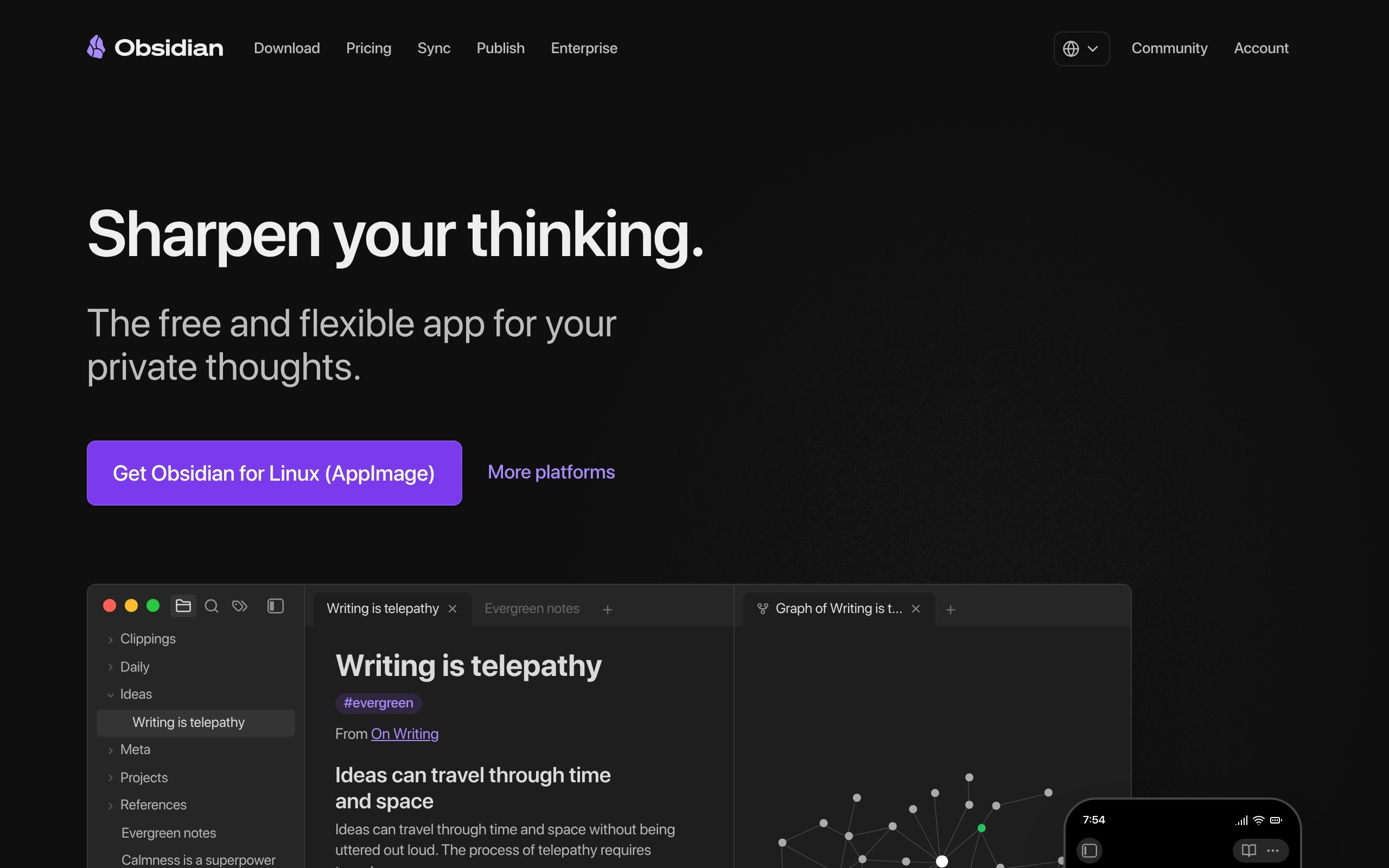
Obsidian represents a complete rejection of the cloud-first, subscription-heavy model. It is designed for users who view their notes as a lifelong asset that must be protected from corporate pivots, server outages, and internet connectivity issues.
When comparing Obsidian vs Notion for second brain setups, Obsidian wins the longevity argument entirely. It is a tool built for the decades, not just the next fiscal quarter.
Markdown, Privacy, and Data Ownership
The foundation of Obsidian is remarkably simple: it is just a folder of text files on your computer. It uses local markdown files to format text, which means your notes can be opened by virtually any basic text editor created in the last thirty years.
Because Obsidian stores files as local plain text Markdown, users are protected against platform lock-in and server outages. If Obsidian the company disappears tomorrow, your files remain perfectly intact on your hard drive. Furthermore, Obsidian's local-first architecture ensures complete data privacy, making it a favorite for users concerned about cloud AI data usage. Your thoughts are not being used to train a massive corporate language model unless you explicitly choose to connect one.
Adding AI to Obsidian via Plugins
Because Obsidian prioritizes local storage and privacy, it does not have a massive, cloud-based AI engine built into the core software. Instead, it relies on a highly active developer community.
To achieve AI functionality in Obsidian, users must install and configure third-party community plugins rather than using native features. This means you have to be comfortable browsing the Obsidian AI plugins directory, generating API keys from providers like OpenAI or Anthropic, and configuring the settings yourself.
This technical barrier to entry is a feature, not a bug. It gives you granular control over exactly which AI models process your data, how much you spend on API calls, and what information leaves your computer.
Mem.ai: The AI-First Self-Organizing Workspace
While Notion requires you to build the structure, and Obsidian requires you to manage the files, Mem.ai asks you to do neither. It is built on the premise that organizing information is a waste of human energy.
Mem.ai is designed to be an extension of your memory. You simply capture information as fast as possible, and the system figures out what to do with it.
Zero-Organization Knowledge Management
If you open Mem.ai looking for a place to create folders, you will be disappointed. The platform actively discourages manual sorting. Instead, Mem.ai utilizes AI to automatically tag and connect notes, eliminating the need for manual folder structures.
This AI auto-organization completely changes how you interact with your notes. You stop worrying about where a note should "live" and focus entirely on what the note says. Mem.ai is optimized for frictionless quick capture, encouraging users to write first and let the AI organize later. This makes it incredibly powerful for fast-paced professionals who are constantly switching contexts between meetings, emails, and deep work.
Mem X and Contextual Retrieval
The true value of Mem.ai becomes apparent when you need to retrieve information. The best AI note-taking apps in 2026 feature advanced semantic search, allowing users to find concepts rather than just exact keywords. Mem.ai excels at this. You can search for "that marketing idea about the podcast from last month," and the system will understand the context and find the note, even if you never used the words "marketing" or "podcast" in the text itself.
This capability is supercharged by Mem X features. Mem X is Mem.ai's premium AI feature that proactively surfaces relevant past notes based on the user's current writing context. If you start drafting an email about a specific client, Mem X will silently pull up your past meeting notes, preferences, and project updates related to that client in a sidebar. It is not just storing your knowledge; it is actively handing it back to you exactly when you need it. Check the official Mem.ai website for current pricing on the Mem X tier.
Notion AI vs Obsidian: Head-to-Head
Pitting Notion against Obsidian is the most common comparison in the productivity space. It represents a fundamental clash between modern cloud collaboration and traditional data sovereignty.
If you are deciding between Notion vs Obsidian 2026, you must honestly evaluate how often you work with others versus how much you value absolute control over your digital environment.
Cloud Collaboration vs Local Privacy
Notion is built for the internet. You can share a page with a colleague via a simple link, collaborate in real-time, and publish databases directly to the web. This makes it an undisputed champion for team environments.
However, a major point of debate among note-takers is the trade-off between Notion's cloud-sync convenience and Obsidian's offline reliability. If you are on a flight without Wi-Fi, your Notion workspace is largely inaccessible. Obsidian, conversely, runs flawlessly offline. Every file is instantly available, and you never experience loading screens. When weighing Notion vs Obsidian privacy, Obsidian guarantees that sensitive client data or personal journals never sit on a third-party server.
Project Management vs Knowledge Graph

Project Management vs Knowledge Graph
These tools also process information differently. Notion's structured database approach makes it significantly better for team project management compared to Mem.ai or Obsidian. You can view the same data as a calendar, a list, or a Kanban board, making it easy to track deadlines, assign tasks, and monitor progress across a company.
Obsidian is not a project manager; it is a thinking environment. Obsidian's graph view provides a visual map of interconnected thoughts, which is highly valued by 'second brain' practitioners. Instead of putting a note into a rigid database, you link it to other relevant notes. Over time, the Obsidian graph view organically visualizes how your ideas connect, revealing patterns and relationships you might have otherwise missed.
Notion AI vs Mem.ai: Structure vs Flow
When looking at the difference between Notion AI and MEM AI, you are comparing an architect's drafting table to a rapid-fire brainstorming session. Both use AI, but they apply it to entirely different workflows.
Manual Databases vs AI Auto-Tagging
Notion requires upfront architectural planning. Before you can effectively use it, you must decide how your workspace will be structured. You have to create the databases, define the properties, and set up the templates. Once built, Notion vs Mem organization becomes a study in contrasts.
Mem.ai asks for zero upfront planning. You just start typing. The AI handles the categorization behind the scenes. If your workflow involves highly structured, repeatable processes—like tracking a content calendar or managing a sales pipeline—Notion's rigid databases are vastly superior. If your workflow involves capturing chaotic, unpredictable information—like researching a new market or taking rapid meeting notes—Mem.ai's fluid, auto-tagging system will save you hours of administrative work.
Team Workspaces vs Individual Brains
While both tools offer sharing capabilities, their core competencies differ drastically when scaled to a group setting. Mem ai for teams exists, allowing organizations to share a collective knowledge base, but it lacks the strict permissions and structured task management required for complex operations.
Notion was fundamentally designed to replace multiple workplace tools. Its ability to create nested pages, assign granular permissions, and roll up data across different departments makes it the clear winner for company-wide implementation. Mem.ai is better suited as a personal knowledge assistant that occasionally shares insights with others.
Obsidian vs Mem.ai: The Ultimate Contrast
Comparing Obsidian vs Mem ai is fascinating because both tools are predominantly used by individuals building personal "second brains." Yet, they represent opposite ends of the technological spectrum.
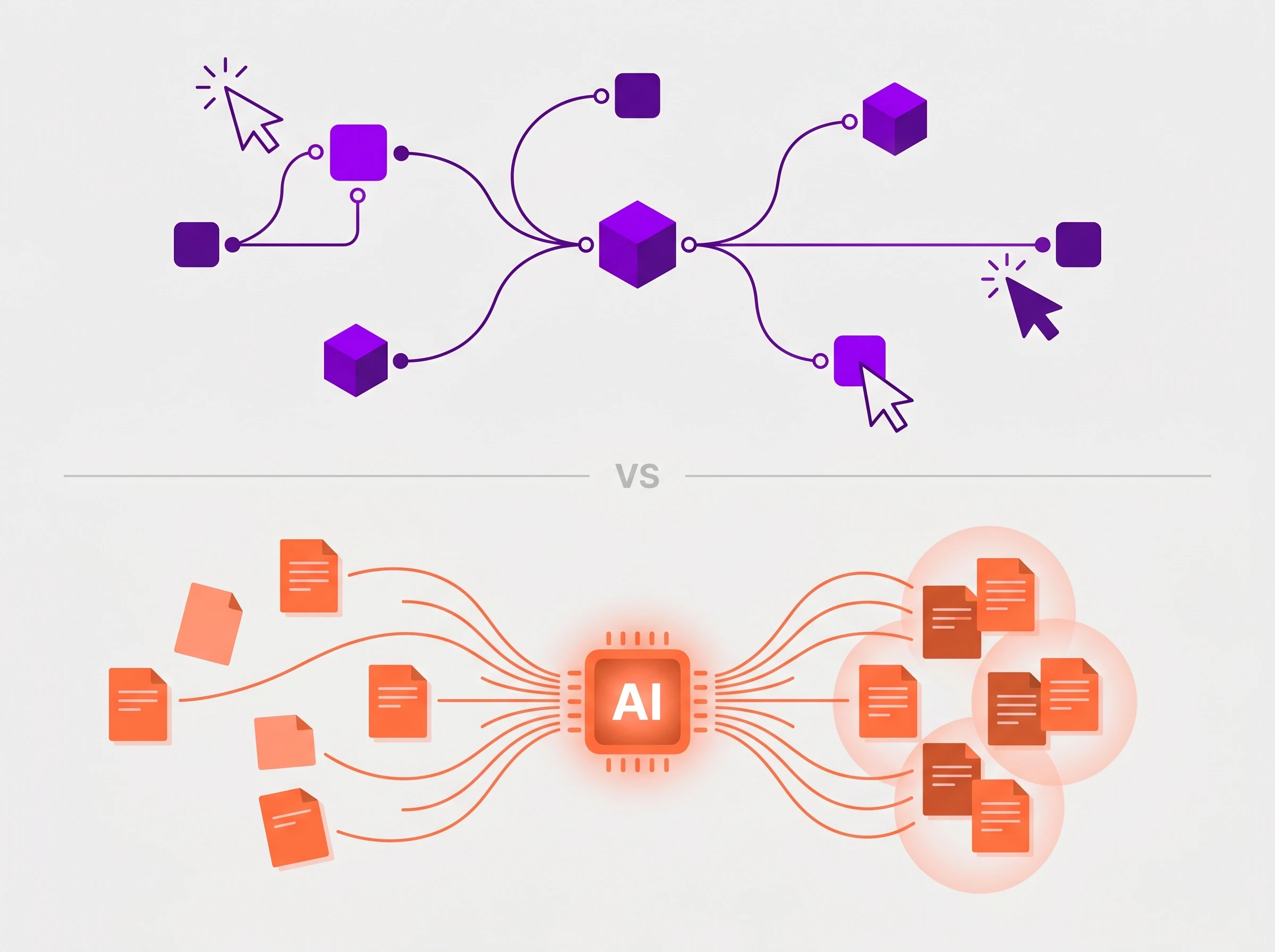
One tool demands that you do all the connecting manually; the other demands that you let the AI do everything.
Total Control vs Total Automation
Manual Linking vs AI Automation
Obsidian requires discipline. If you do not actively link your notes, tag your files, and maintain your system, your vault will quickly become a disorganized mess of text files. You must curate your AI knowledge management by hand-picking community plugins and configuring API settings. The reward for this effort is absolute control and a system tailored exactly to how your specific brain works.
Mem.ai requires surrender. You have to trust that the semantic search and contextual surfacing will find what you need. You cannot force notes into specific folders because folders do not exist. For users who suffer from "organization paralysis"—spending more time color-coding folders than actually writing—Mem.ai is the perfect cure. It forces you to focus on the content and delegates the organization to the machine.
Matching the Tool to Your User Type
There is no objectively superior application here. The best AI note app is simply the one that aligns with your specific professional requirements, technical comfort level, and daily workflow.
Best for Teams and Project Managers
If you operate in a collaborative environment, manage complex projects, or need to track structured data, Notion AI is the definitive choice.
Using Notion for project management allows you to build custom dashboards that track every moving piece of your business. The AI acts as a powerful assistant within that structure, summarizing massive documents and generating action items for your team. It replaces the need for separate task managers, document editors, and company wikis.
Best for Researchers and Privacy Advocates
If you are an academic, a deep-dive researcher, or someone handling highly sensitive information, Obsidian is your best option.
Obsidian for researchers provides the peace of mind that comes with local markdown files. Your data will never be held hostage by a subscription fee or lost in a cloud server migration. The visual graph view helps you organically connect disparate pieces of research, and the community plugins allow you to add exactly the AI functionality you need without compromising your privacy.
Best for Fast-Paced Creatives and Executives
If your days are a blur of meetings, phone calls, and sudden ideas, and you simply do not have the time to organize your digital life, Mem.ai is the solution.
Mem ai for executives and creatives removes the friction of knowledge management. You can dump raw thoughts, meeting transcripts, and web clippings into the system, trusting that Mem X will surface them exactly when you sit down to write a proposal or send an email. It acts as a proactive digital assistant, keeping you focused on output rather than organization.
Final Verdict: The Best AI Note App for 2026?
The note-taking market has matured beyond simple document editors. We are now choosing between comprehensive knowledge systems.
AI note-taking tools are shifting from basic text generation to acting as proactive knowledge assistants that connect disparate ideas. Whether you want to build that system yourself, maintain it privately, or let an algorithm run it for you is the only question that matters.
Choosing Your Knowledge Philosophy
The future of AI note taking is highly personalized.
If you value structure, collaboration, and having every aspect of your business in one place, invest the time to build your workspace in Notion.
If you value privacy, longevity, and the tactile process of manually connecting your thoughts, start building your local vault in Obsidian.
And if you want to eliminate the administrative burden of organizing files so you can focus entirely on capturing and creating, let Mem.ai become your self-organizing digital brain.
Choose the philosophy that matches your workflow, and stick with it. The true power of any second brain comes not from the software itself, but from your consistency in using it.
Recommended Related Deep Dives:
- 10 Best AI Note-Taking Apps in 2026 — see full ranked guide of all knowledge management tools
- The Ultimate Guide to AI Productivity Tools in 2026 — how note-taking fits into your broader AI ecosystem
- Best AI Document Creation Tools in 2026 — transform raw notes into polished client proposals
- Browse All AI Knowledge & Productivity Tools — comprehensive directory
Frequently Asked Questions
How does Mem AI compare to Notion for knowledge management in 2026?
Mem AI is best for individuals who want zero-folder autonomous knowledge graphs where notes self-organize via AI. Notion AI is superior for teams requiring relational database tables, sprint roadmaps, and connected search across Slack and Google Drive.
Is Obsidian truly private compared to Notion AI and Mem?
Yes. Obsidian stores all notes as plain Markdown (.md) files on your local drive with zero telemetry. While Notion and Mem process vector embeddings on cloud servers, Obsidian lets you run local LLMs (via Ollama or Local AI plugins) completely offline.
How does Mem AI organize notes without folders?
Mem uses high-dimensional vector embeddings and semantic graph analysis to dynamically cluster related notes, meetings, and ideas together, surfacing relevant context automatically when drafting new documents.
What is the learning curve of Obsidian vs Notion AI?
Notion has a gentle learning curve for basic text editing but moderate complexity for relational databases. Obsidian has a higher initial learning curve due to markdown syntax, community plugin configuration, and graph link management.
Can Notion AI search across third-party tools like Slack and Google Drive?
Yes. Notion AI includes enterprise Q&A search connectors that index your Slack messages, Google Docs, and GitHub repositories directly within the Notion interface.