Introduction to Free AI Meeting Transcription in 2026
When you spend half your day jumping between video calls, taking manual notes quickly becomes your single biggest productivity bottleneck. You miss critical details while typing, or worse, you forget to capture action items entirely. This is why finding a genuinely free AI meeting transcription tool has become a priority for professionals across every industry in 2026.
The problem is that the word "free" is heavily abused in software marketing. Many tools advertise themselves as free, only to demand your credit card before you can test their basic features — then hit you with an unexpected charge when the trial expires. Professionals and budget-conscious teams need tools that deliver real value without financial traps or data surprises.
The market in 2026 looks very different from two years ago. Free tiers have become genuinely powerful: real-time transcription, speaker identification, AI-generated summaries, and CRM integrations were all premium-only features just eighteen months ago. Most of those capabilities now exist on zero-cost plans, provided you know exactly which limits to look for and which "free" labels are actually disguised trials.
This guide cuts through the noise. We cover the exact minute caps, storage limits, and feature walls on every major free plan — and flag the hidden restrictions that most reviews skip. If you want to understand how meeting transcription fits into your broader workflow, start with our complete guide to AI productivity tools in 2026. Transcription is the highest-ROI starting point, but it is only one piece of the puzzle.
Why the Right Free Tool Saves Teams More Than Just Money
Manual documentation does not scale. Whether you are a freelance consultant juggling multiple clients or a project manager coordinating a remote team across time zones, writing summaries by hand wastes cognitive energy that cannot be recovered. A free app that records and transcribes meetings acts as an administrative assistant that never sleeps — capturing exact client phrasing, logging decisions made during standups, and ensuring absent team members can catch up on what they missed.
The baseline for unpaid tiers has improved significantly over the past year. Fathom's completely unlimited individual free plan has set a market benchmark that competitors are scrambling to match. When one company offers unlimited recordings with no monthly cap and no credit card required, it forces the rest of the market to compete — which directly benefits you as a user evaluating this category today.
⚠️ 2026 Update: Google Meet Now Flags Third-Party Bots
As of March 2026, Google Meet flags third-party recording bots — including OtterPilot, Fireflies.ai Notetaker, and Fathom Notetaker — as "potential risk" by default. This has meaningfully changed how external meeting participants perceive bot-based recorders on client-facing calls. If you specifically want a tool that takes meeting notes without a bot joining the call, skip to our bot-free tools section below.
What Makes a Truly Free AI Meeting Transcription Tool?
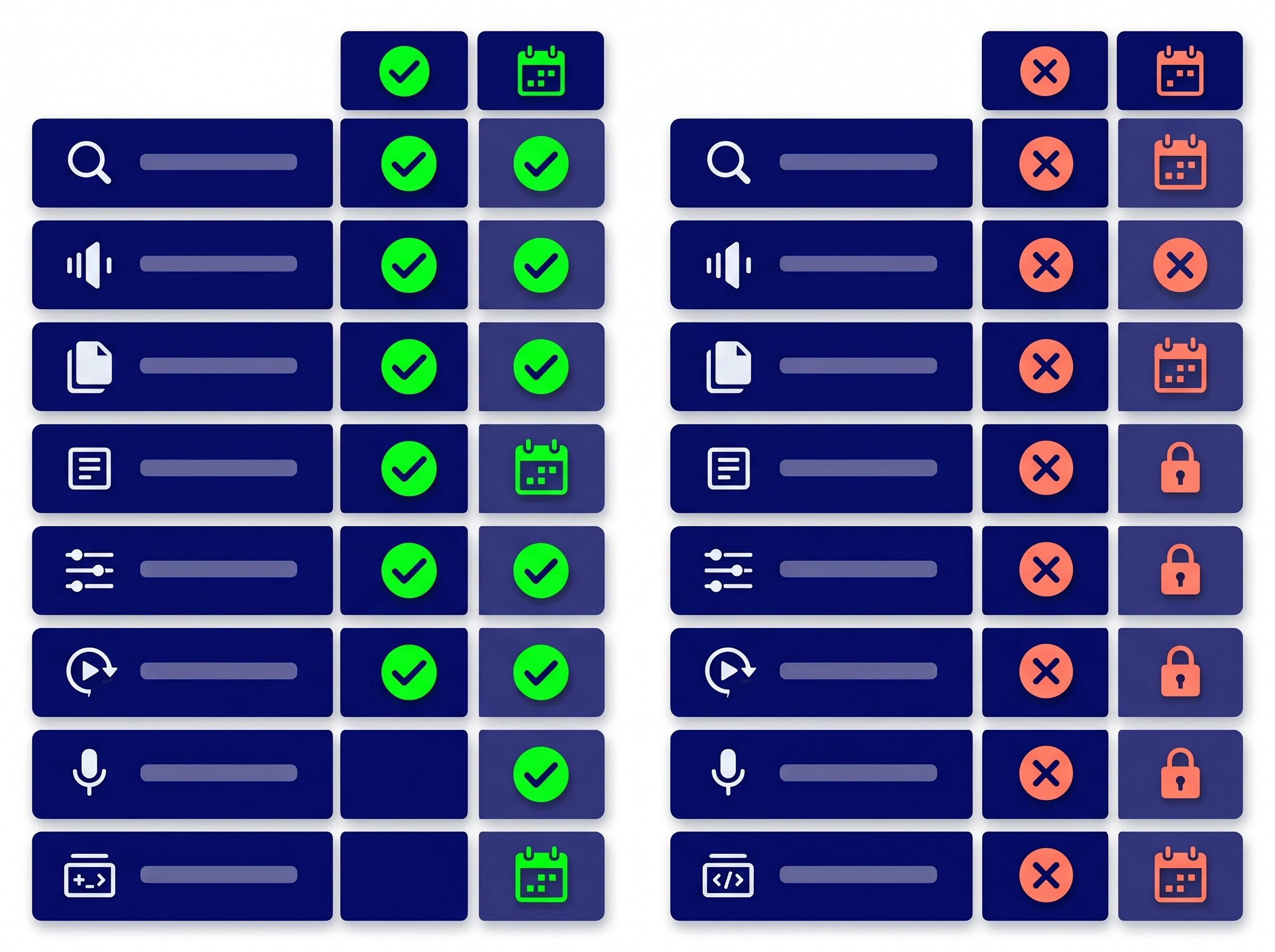
Free Tier vs Limited Trial Comparison
Evaluating an AI meeting note taker app requires reading the fine print carefully. Software companies must eventually monetise their platforms, which means their unpaid plans are precisely engineered to provide enough value to keep you engaged while withholding the features that motivate upgrades.
Forever-Free Tier vs. Time-Limited Trial: The Critical Difference
There is a massive difference between a free trial and a perpetual free tier. A free trial grants you temporary access to premium features, usually for 7 to 14 days, and almost always requires payment information upfront. If you forget to cancel, you are charged. The best free AI meeting note takers operate on a freemium model — you create an account with just an email address, input no credit card details, and get access to a permanent (if restricted) feature set.
This approach removes all financial risk. You can use the software for six months, discover you need more capacity, and only then decide whether to upgrade. Always verify that a tool explicitly states "no payment method required" before signing up, rather than assuming the absence of an upfront price means no card is needed.
The 5 Restrictions to Check on Every Free Plan
Even when a tool requires no payment, it imposes usage caps. Understanding these categories before you commit your team prevents frustration after week one:
Restriction Type | What It Means | Typical Free Limit |
|---|---|---|
Monthly Minute Cap | Total transcription minutes allowed per calendar month | 300–800 min/mo (Otter: 300; Fireflies: 800; Fathom: unlimited) |
Per-Session Limit | Maximum length of any single meeting that can be transcribed | Otter cuts off at 30 min/session; others allow full-length |
Storage Duration | How long transcripts are retained before auto-deletion | Fireflies free: 3 months. Fathom: permanent. Otter: permanent. |
File Upload Limits | Ability to import pre-recorded audio/video files | Otter: 3 lifetime uploads (not per month — ever). Fathom: none. |
Feature Walls | Advanced features locked behind paid plans | CRM sync, advanced export formats, AI search, team sharing |
Free AI Meeting Transcription Tools: 2026 Comparison at a Glance
Before diving into individual tools, here is the complete side-by-side breakdown of every major free plan verified as of August 2026. Always check the official website of each tool to confirm current limits, as vendors update their pricing models frequently.
Tool | Free Minutes / Mo | Session Limit | Storage | Credit Card? | Bot-Free? | Best For |
|---|---|---|---|---|---|---|
Unlimited | No limit | Permanent | No ✅ | No — bot joins | Solo freelancers, unlimited use | |
tl;dv | Unlimited | No limit | Permanent | No ✅ | Yes — desktop app | Teams, cross-meeting intelligence |
800 min | No limit | 3 months only | No ✅ | No — bot joins | Integrations, CRM-connected teams | |
300 min | 30 min/session | Permanent | No ✅ | No — bot joins | Real-time captions, light users | |
10 meetings/mo | No limit | Permanent | No ✅ | Yes — native app | Sensitive calls, bot-free required | |
120 min | 3 min/session | Permanent | No ✅ | No — bot joins | Multilingual, 50+ languages | |
Limited | No limit | Permanent | No ✅ | No — bot joins | Sales teams, basic CRM sync | |
Limited | No limit | Permanent | No ✅ | Yes — local capture | Personal memory, informal notes | |
Unlimited (paid Zoom plan) | No limit | Permanent | Yes (Zoom sub required) | Yes — native | Existing Zoom subscribers |
All pricing and limits verified August 2026. Visit each tool's official website before signing up, as vendors update free tiers frequently without notice.
Bot-Based vs Bot-Free Transcription: What Changed in 2026
The most important architectural distinction in this category in 2026 is whether a tool sends a visible bot participant into your meeting or captures audio directly from your device without joining as a participant. This was a niche concern in 2024. In 2026, it has become a mainstream buying criterion for three concrete reasons — and "meeting notes without a bot" has become one of the most common ways people phrase this search.
First, Google Meet now flags bots by default. As of March 2026, Google Meet labels third-party recording bots as "potential risk" in the participant panel. External clients see this warning. In sensitive commercial negotiations, this has started to end meetings prematurely.
Second, corporate IT policies are blocking bots. Enterprise security policies at regulated organisations — financial services, healthcare, government — increasingly block unverified third-party participants from joining internal video calls. Bot-based tools simply cannot be deployed in these environments.
Third, visible bots reduce conversation quality. Research cited by Meetily in 2026 suggests that a visible "Notetaker" participant can reduce participant engagement in sensitive discussions by up to 40%, as speakers self-censor when they know every word is being logged to an external cloud.
🤖 Bot-Based Tools
A named virtual participant (e.g. "Fathom Notetaker", "Fireflies.ai Notetaker", "OtterPilot") joins the meeting as a visible attendee. Audio is sent to the company's cloud servers for processing.
Examples: Fathom, Fireflies.ai, Otter.ai, tl;dv (bot mode), Avoma, Notta
✅ Easy setup, generous free tiers, rich features
❌ Visible to participants, flagged by Google Meet, blocked by some IT policies
🔇 Bot-Free Tools (Meeting Notes Without a Bot)
Captures system audio directly from your computer. No participant joins the meeting — this is what people mean when they search for meeting notes without a bot or an AI note taker that doesn't join meetings. Recording is completely invisible to all other attendees.
Examples: Jamie, Twinmind, Krisp Note, Granola (macOS), tl;dv (desktop app), Bluedot, Tactiq
✅ Invisible, works everywhere, no corporate IT conflicts, no bot warnings
❌ Typically more limited free tiers, requires desktop app installation
If you run client-facing calls, operate in regulated industries, or simply prefer keeping your recording process private, a bot-free tool — one that takes meeting notes without a bot ever joining the call — is the correct choice. Our detailed comparison article on Otter.ai vs Fireflies.ai vs Fathom covers the bot visibility question in depth for the three most popular tools.
Top 10 Best Free AI Meeting Transcription Tools in 2026
We evaluated these tools specifically on their free tiers — what you actually get without paying, not what the enterprise plan is capable of. Each listing includes exact known limits, the most important caveats, and who it suits best. Always verify current pricing directly on each tool's official website before committing.
1. Fathom AI Note Taker — Best Completely Free Option for Individuals
Fathom has built the strongest reputation in this category by taking a radically generous approach to its free tier. For solo professionals, it is the gold standard: unlimited recordings, unlimited transcription, and unlimited storage, all with no monthly cap, no per-minute limit, and no credit card required — ever.
Fathom's "Fathom Notetaker" bot joins your Zoom, Google Meet, or Microsoft Teams calls, records the audio, and transcribes the conversation with approximately 92–95% accuracy under clean audio conditions. The post-call summary — structured into key points, decisions, and action items — is delivered in approximately 30 seconds after the call ends. This is the fastest post-call processing time in the category; Otter and Fireflies both take 2–5 minutes. Fathom consistently earns a 5.0/5 rating on G2 from over 6,000 verified user reviews, the highest in the meeting transcription category.
The limitations are real but narrow. The free plan is explicitly designed for individual users — team collaboration features require the paid Team plan at $15/user/month. There is no cross-meeting AI search on the free tier. The "Fathom Notetaker" bot is visible to all meeting participants, and as of March 2026, Google Meet flags it as "potential risk" by default. Fathom also does not import pre-recorded audio files — it only captures live calls.
✅ Free Plan Includes
Unlimited recording (no monthly cap)
Unlimited transcription and storage
AI-generated summary in ~30 seconds
One-click moment highlighting during calls
Zoom, Google Meet, Microsoft Teams support
No credit card required
❌ Free Plan Excludes
Team collaboration features
CRM integrations
Cross-meeting AI search
Pre-recorded audio file import
Admin team controls
Paid plan from: $15/user/month (Team). No credit card needed for free tier.
Best for: Solo freelancers, independent consultants, individual contributors who want genuinely unlimited free meeting transcription.
Not for: Teams needing shared access, CRM sync, or bot-free recording.
See also: Best Fathom alternatives
2. tl;dv — Best Free Option for Teams and Cross-Meeting Intelligence

tl;dv (too long; didn't view) has emerged as one of the most competitive free tiers in the category specifically for teams. Where Fathom's free plan is designed for individual users, tl;dv provides unlimited video recording, unlimited transcription, and unlimited storage on its free tier — but extends this across a team environment with shared access and collaboration features that Fathom reserves for paid plans.
The 2026 version of tl;dv has evolved beyond simple transcription. It now analyses patterns across your entire meeting library, surfacing recurring objections, tracking what clients say over time, and delivering automated cross-meeting insights directly to your inbox. This "meeting intelligence" capability — understanding trends across multiple calls, not just capturing individual ones — is what separates tl;dv from basic transcription tools.
tl;dv also offers both a bot-based recorder (a participant joins the call) and a native desktop app that captures audio without any meeting bot, giving it flexibility that most competitors lack. The free plan caps AI notes at a limited number per month — the unlimited video and transcription is the core free feature, while advanced AI summaries require a paid plan. Paid plans start from approximately $20/user/month.
Free tier: Unlimited video recordings and transcripts. AI notes capped monthly. No credit card required.
Best for: Teams wanting unlimited free transcription with shared access, cross-meeting intelligence, and flexibility between bot and bot-free capture modes.
Not for: Users who need deep CRM integration without upgrading.
3. Otter.ai — Best for Real-Time Live Captions During the Meeting
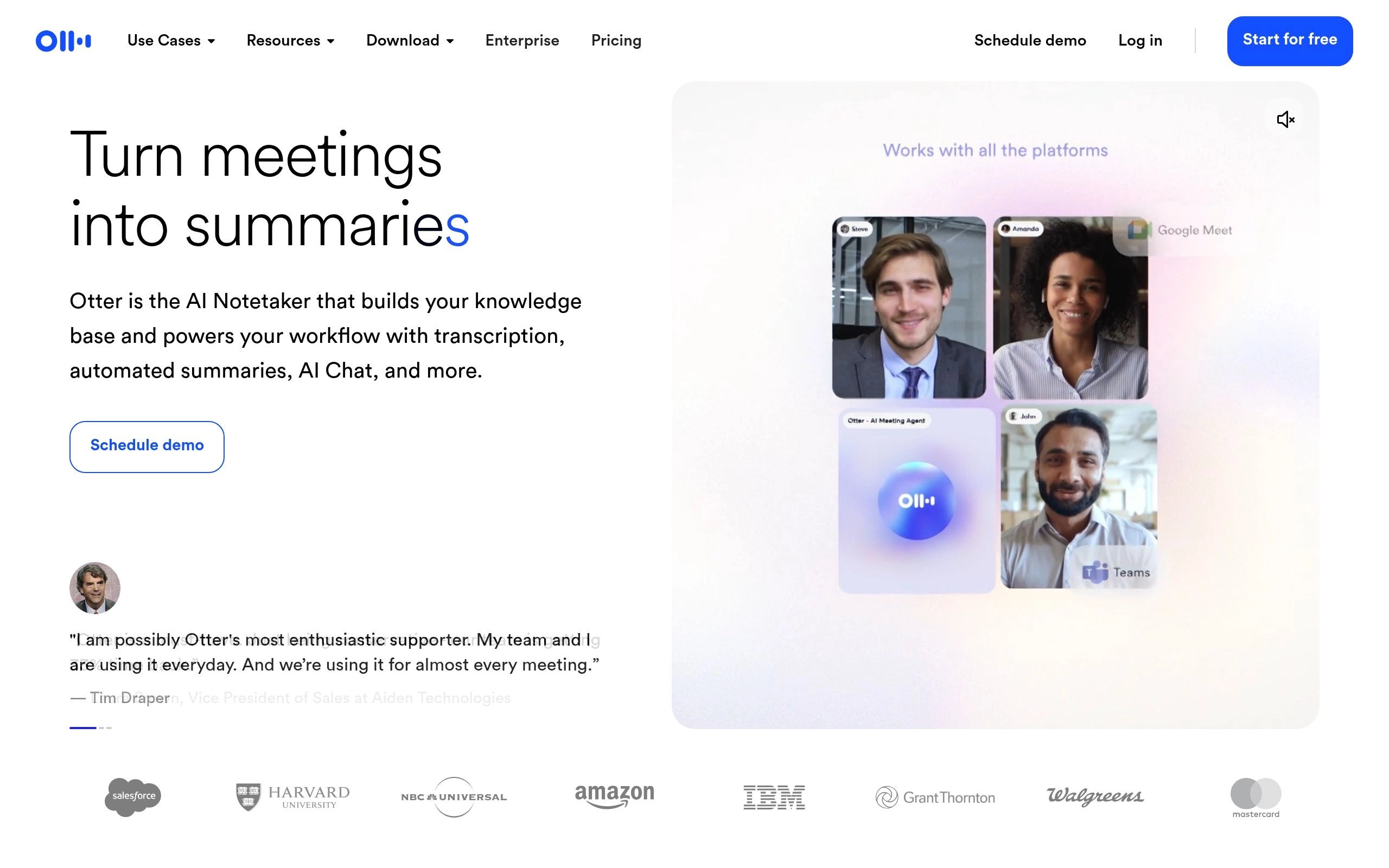
Otter.ai is the most recognizable name in audio transcription and the only tool in this comparison that provides a live transcript on screen as speakers talk — in near real-time with minimal lag. This is Otter's defining technical advantage and the reason to choose it over every other free option if real-time visibility during the meeting matters for your workflow.
The collaborative workspace adds another layer: during a call, participants can highlight passages, leave threaded comments on specific moments, and assign action items without waiting for the meeting to end. For accessibility purposes — participants who are hard of hearing or who join calls midway through — this live text capability is genuinely irreplaceable.
The hard reality of Otter's free tier, however, is that it has fallen significantly behind competitors on raw generosity. The limits are strict and largely undisclosed on the landing page: 300 minutes per month (roughly five hours of meetings), a hard 30-minute cap per individual conversation, and only 3 lifetime audio file uploads — not 3 per month, but 3 total across your entire account forever. For anyone attending multiple hour-long meetings per day, the free plan runs out in roughly three days of real use.
✅ What Makes Otter Unique
Only tool with real-time live transcription during meetings
Collaborative highlighting and comments mid-meeting
Mobile app for in-person meeting capture
Speaker diarization on uploaded audio files
No credit card required for free tier
❌ Free Tier Restrictions (Critical)
300 minutes/month total — roughly 5 hours
30-minute hard cap per individual conversation
Only 3 lifetime audio file uploads (not per month — ever)
CRM integration requires paid plan
PDF/DOCX/SRT export is paid-only
Paid plan from: $8.33/user/month (billed annually). No credit card needed for free tier.
Best for: Users who need real-time live captions, in-person recording via mobile, or collaborative annotation during the meeting. Light users with fewer than 5 meetings per week.
Not for: Heavy meeting users. If you attend more than 5 hours of meetings per month, the free tier will block you within days.
See also: Best Otter.ai alternatives
4. Fireflies.ai — Best Free Tier for Integrations and CRM-Connected Teams
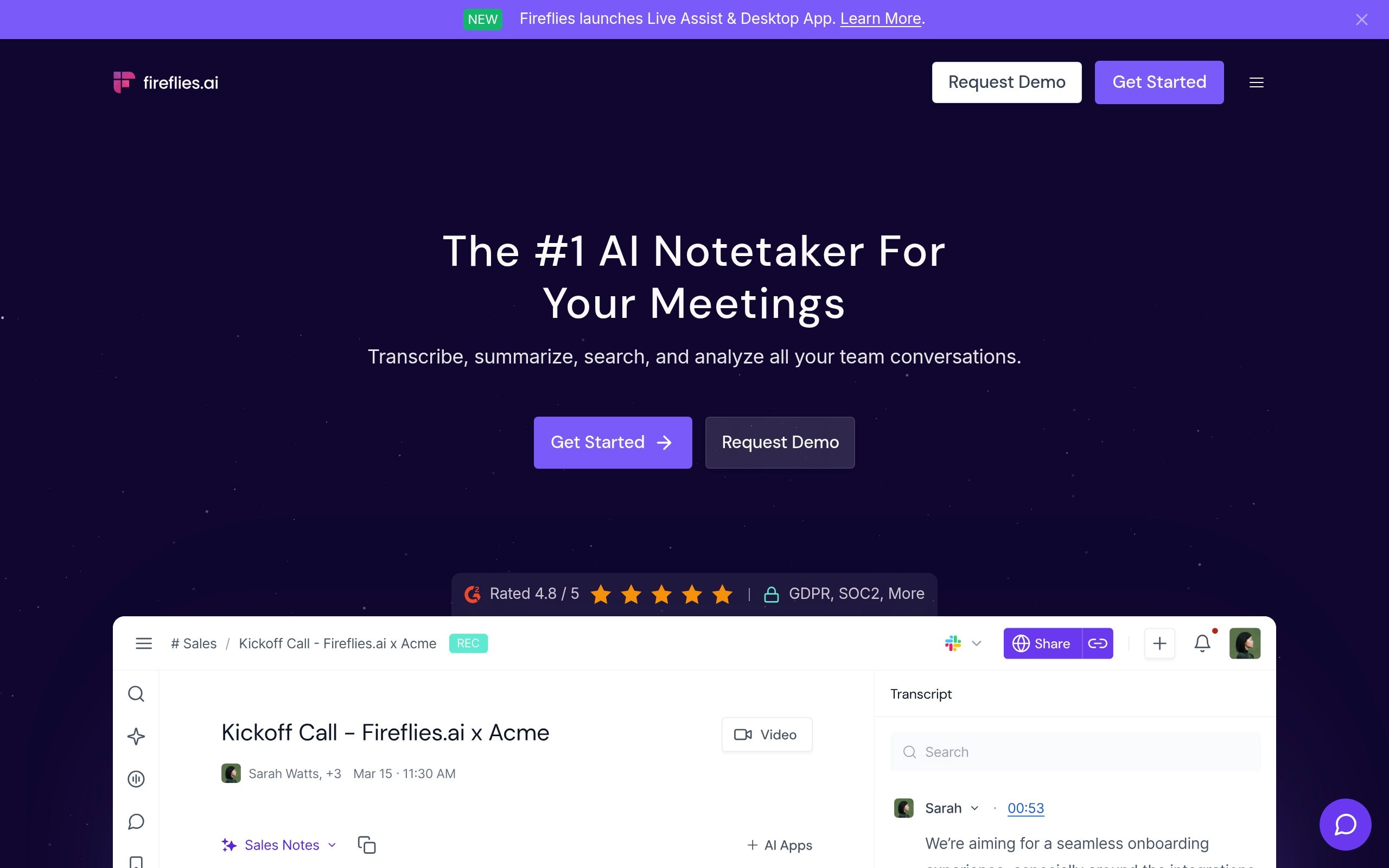
Fireflies.ai focuses on turning meeting conversations into searchable, actionable pipeline data. It integrates with calendar apps to automatically join scheduled meetings — you never forget to hit record — and connects to Salesforce, HubSpot, Pipedrive, and most major CRMs to log call activity without any manual data entry from reps.
The free tier at 800 minutes per month (roughly 13 hours) is the most generous minute-based limit in the category. You can search back through past transcripts to find exactly when a specific topic, competitor, or pricing objection was discussed. The 2026 upgrade to AskFred — now powered by Perplexity AI — allows you to query your entire meeting history in natural language: "what objections came up across my last 10 discovery calls?" The AskFred capability consumes AI credits, which are separate from the base subscription cost.
The most important hidden restriction on the Fireflies free plan is storage expiry: transcripts are automatically deleted after three months. This means the free plan is not a permanent archive — it is useful for recent and current pipeline data, but you cannot maintain a searchable long-term history without upgrading. The bot also auto-joins every calendar event by default, including calls you did not intend to record; configure this immediately after signup.
⚠️ Critical Setup Step for Fireflies Free Users
Fireflies defaults to auto-joining every meeting in your calendar that contains a video conferencing link — including HR meetings, personal calls, and sensitive internal discussions you did not intend to record. Disable auto-join and configure it to only record meetings you host before your first day of active use.
Free tier: 800 minutes/month. Transcripts deleted after 3 months. No credit card required.
Paid plan from: $10/user/month (annual). AskFred AI credits charged separately.
Best for: CRM-connected sales teams, anyone who needs meeting data to flow automatically into Salesforce, HubSpot, or Pipedrive.
Not for: Users needing a permanent archive or bot-free recording.
See also: Best Fireflies.ai alternatives
5. Jamie AI Note Taker — Best Bot-Free Experience on a Free Plan
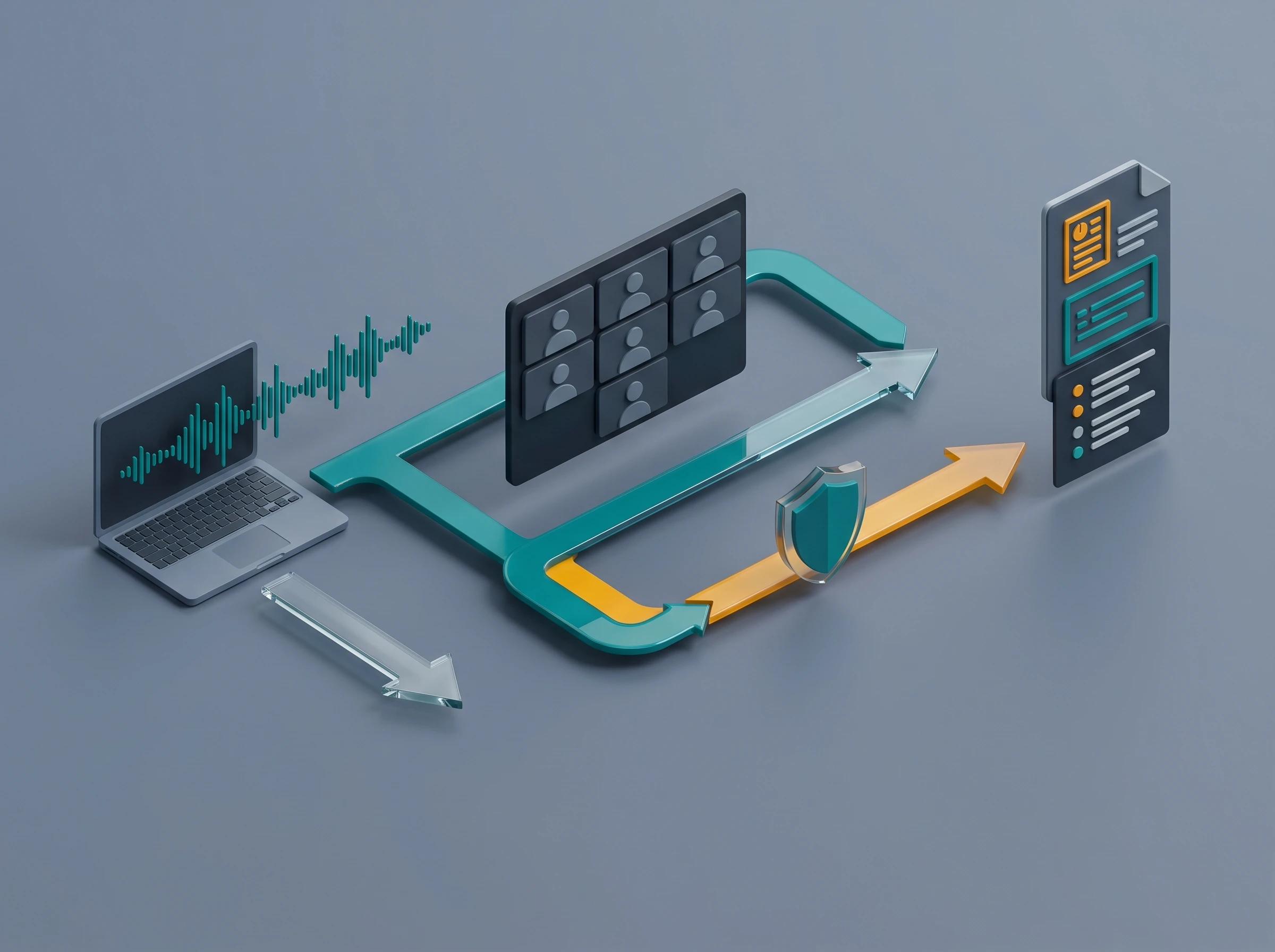
Bot-Free Transcription Workflow
One of the most common complaints about meeting transcription software is the awkwardness of having a virtual "Notetaker" bot join the call. Some clients find it intrusive. Some corporate IT policies block third-party bots from entering secure meetings. And as of 2026, Google Meet actively warns participants when a bot of this type joins. Jamie solves this problem cleanly and at zero cost for up to 10 meetings per month — it's one of the most reliable ways to get meeting notes without a bot ever appearing on the call.
Instead of dialling in as a participant, Jamie runs natively on your machine and captures system audio directly. This means you get full transcription and summary capabilities without any other participant seeing a new name appear in the attendee list. The recording is completely invisible to everyone else on the call. Jamie's AI then processes the audio and generates a clean, structured summary — without requiring an internet connection for the capture phase on certain configurations.
The 10 meetings per month limit on Jamie's free plan is the key constraint. Heavy meeting users will exceed this quickly. But for professionals who attend a selective number of important client or executive calls and need discreet, high-quality documentation, Jamie's free plan covers a meaningful portion of real workflows without any cost.
Free tier: 10 meetings per month. No credit card required. Check Jamie's official website for current limits.
Best for: Executive coaches, therapists, lawyers, consultants, or anyone handling sensitive client conversations where a visible recording bot would be professionally inappropriate or disruptive.
Not for: High-volume users who attend 10+ important meetings per month on the free plan.
6. Notta — Best for Multi-Language Audio Transcription

If you work on an international team or handle clients across different regions, transcription accuracy suffers significantly when accents and multiple languages appear in a single meeting. Notta is specifically engineered for diverse audio inputs across 50+ languages, making it the strongest option in the free tier category for multilingual professionals.
The free plan provides 120 minutes per month with a 3-minute per-session limit — a very restrictive individual meeting cap that makes it impractical for live call transcription. Where Notta's free tier genuinely shines is as a testing ground for its language processing quality before committing to a paid plan. For professionals who primarily need to verify transcription accuracy across multiple languages, the free plan delivers enough volume for thorough evaluation.
The Pro plan at $8.17/month (billed annually) removes the per-session restriction and expands monthly minutes significantly, making it the most affordable multilingual paid option in the category. Check Notta's official website for the current free plan minute quota and language list.
Free tier: ~120 minutes/month, ~3 minutes/session. No credit card required.
Paid plan from: ~$8.17/user/month (annual).
Best for: Bilingual professionals, international teams, or anyone whose meetings regularly involve non-English speakers or language-switching. Most competitors only support English reliably.
Not for: Heavy English-only meeting users — the per-session cap makes the free tier impractical for most real-world use.
7. Avoma — Best Free Tier for Sales Teams Getting Started
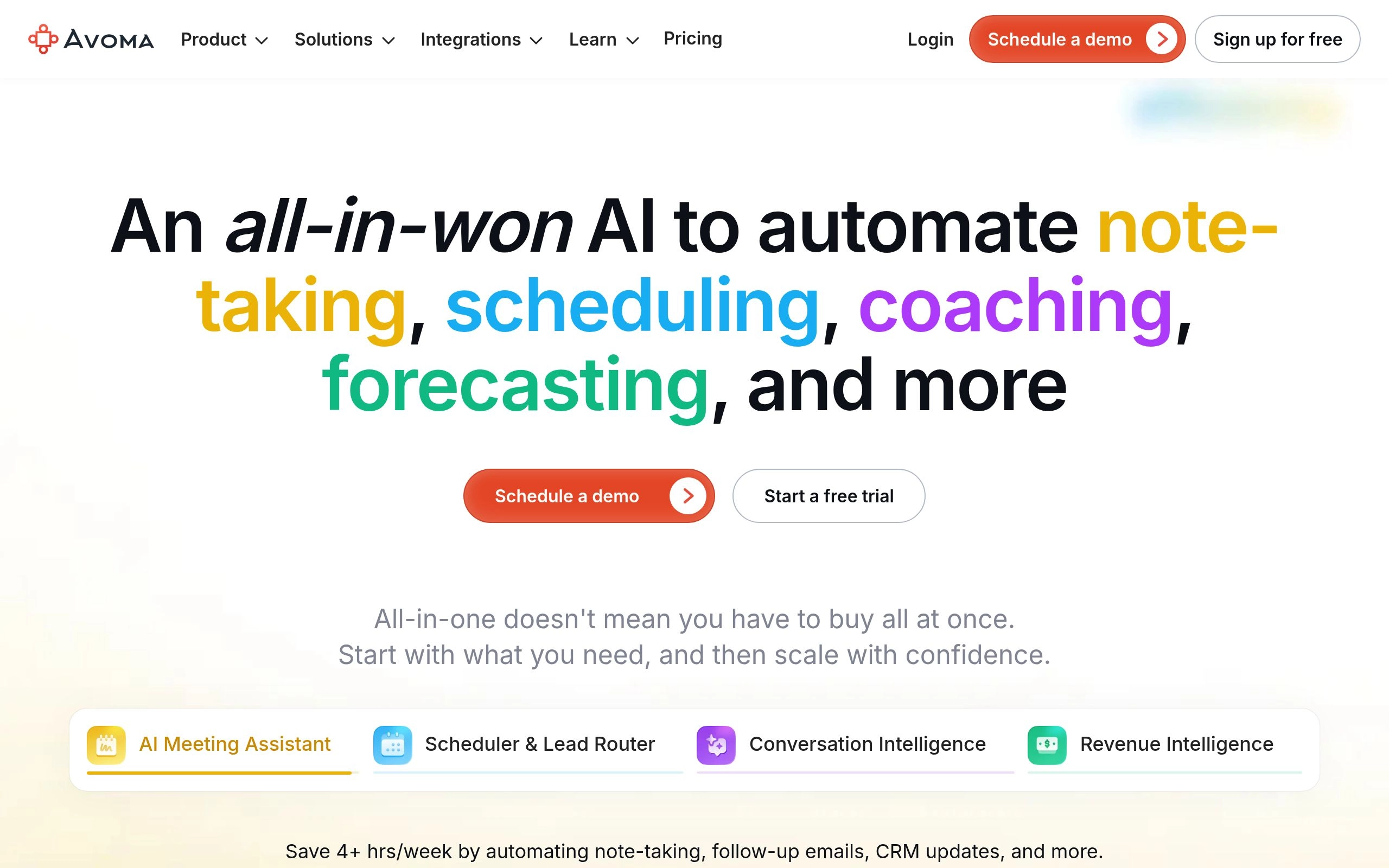
Avoma positions itself as a comprehensive meeting lifecycle assistant rather than a simple transcription tool. It is built specifically with sales teams and client success managers in mind, organizing meeting notes into a structured format that prepares conversations for CRM entry and deal progression.
The Avoma free tier provides basic transcription and note collaboration without requiring a credit card. While many tools lock all business-oriented features behind paid plans, Avoma's free plan gives you a functional preview of how meeting notes can be structured and shared across a small team. You can transcribe calls, highlight key moments from a conversation, and share the resulting notes with a colleague — all without paying.
Avoma's paid plans (starting from approximately $19/user/month) unlock the full CRM sync, deal intelligence, and coaching analytics features that make it competitive with Fireflies.ai for revenue teams. The free tier is best understood as a serious evaluation period rather than a permanent free tool for production use. Verify current pricing and feature limits directly on Avoma's official website.
Free tier: Limited transcription and basic collaboration. No credit card required.
Best for: Solo founders managing discovery calls, early-stage sales teams evaluating AI meeting tools before committing to an enterprise platform.
Not for: Individual professionals who need a permanent free tool — Fathom or tl;dv deliver more for zero cost.
8. Twinmind — Best for Personal Memory and Informal Voice Capture

Twinmind takes a different approach from every other tool in this list. Rather than focusing on corporate meeting minutes and formal transcription, it is designed as a personal memory assistant — a tool for capturing the informal, unstructured, in-the-moment information that traditional meeting bots completely miss.
Where Fathom and Otter wait for a scheduled video call to begin, Twinmind can capture passing thoughts, informal voice memos, and unscheduled conversations in a way that mirrors natural memory retrieval. The AI processes your audio and helps you surface related information from past recordings when a specific topic comes up again. It is built on the premise that the most valuable professional insights rarely happen in formal meeting contexts — they occur in hallway conversations, quick calls, and spontaneous brainstorms.
Twinmind is also bot-free: it captures audio locally from your device without requiring a visible participant to join any call. This makes it suitable for in-person conversations, phone calls, and informal discussions where meeting bots would be entirely inappropriate. The free tier allows you to test this core memory capability. Visit Twinmind's official website for current pricing and specific free plan limits.
Best for: Creative professionals, writers, researchers, consultants who need to capture informal audio on the fly — not just formal video meetings. Also suitable for anyone uncomfortable with a visible bot joining calls.
Not for: Users who need structured corporate meeting minutes, CRM integration, or team-level collaboration on transcripts.
9. Zoom AI Companion — Best Built-In Free Option for Existing Zoom Subscribers

If your organisation already pays for a Zoom account, you may be sitting on a powerful transcription tool you have never activated. Zoom has aggressively embedded AI capabilities directly into its core platform, and Zoom AI Companion is included at no additional cost for users on paid Zoom plans. You do not need to sign up for any separate service, manage new passwords, or worry about a third-party bot joining your calls.
The AI Companion transcribes calls natively, generates clean meeting summaries, and can answer plain-language questions about what was discussed during the session — all from within the Zoom interface you already use. There is no participant list change, no external integration to configure, and no privacy warning generated by the meeting platform itself. For anyone using Zoom as their primary meeting platform, this is always the logical first tool to evaluate before signing up for any third-party service.
The key caveat: Zoom AI Companion is only available on paid Zoom plans (Pro, Business, Business Plus, or Enterprise). It is not available on the Zoom Basic free tier. If your organisation pays for Zoom, it is effectively a free add-on. If you do not currently pay for Zoom, the cost of a Zoom Pro plan (~$15.99/month) to access the AI Companion is more expensive than standalone free alternatives like Fathom.
Free tier requirement: Paid Zoom plan (Pro+). Included at no extra cost for existing paid Zoom subscribers.
Best for: Organisations already paying for Zoom. This should be the very first tool you test before evaluating any outside software — it is already paid for and requires zero additional setup.
Not for: Users on Zoom Basic free plan, or organisations using Google Meet or Microsoft Teams as their primary platform.
10. Honourable Mentions: Krisp Note, Granola, Tactiq, Bluedot

Several additional tools deserve consideration depending on your specific requirements:
Krisp Note combines industry-leading background noise cancellation with bot-free AI meeting transcription. It processes audio locally on your device — removing noise before transcription — making it particularly effective for professionals working in coffee shops, open offices, or environments with significant ambient sound. The free plan includes noise cancellation and limited AI notes. A 7-day full-feature trial is available with no credit card required.
Granola is a macOS-only AI notepad that captures audio locally without any meeting bot. It produces unusually clean, readable summaries and is particularly popular among professionals who want a simple, elegant tool rather than a feature-heavy platform. The free plan allows a limited number of meetings per month. Windows availability was not confirmed at time of writing.
Tactiq works as a browser extension that captures live captions directly from Google Meet, Zoom, and Microsoft Teams without sending any bot into the meeting. It is one of the lightest-weight bot-free options available. The free plan allows 10 transcript captures per month — useful for evaluation but limited for daily professional use.
Bluedot is a bot-free Chrome extension that records directly from your browser without joining as a meeting participant. Strong privacy positioning with GDPR compliance, making it suitable for European professionals and regulated industries. Free plan includes limited recordings per month.
How to Choose the Right Free AI Meeting Transcription Tool for Your Workflow
The correct tool for your workflow is determined by four concrete variables. Work through these before signing up for anything.
🎯 Decision Framework: Finding Your Free Tool
If you want genuinely unlimited free recording forever: Choose Fathom (individual) or tl;dv (teams). These are the only two tools with no monthly minute cap on their free plans.
If you need real-time live captions during the meeting: Choose Otter.ai. It is the only tool in this comparison that shows a live transcript on screen as speakers talk. Be aware of the 300-minute/month and 30-minute/session limits.
If you cannot have a visible bot in your meetings: Choose Jamie (10 free meetings/month), Twinmind (limited free), Granola (macOS), or Krisp Note. All capture audio from your device without joining as a participant.
If your team needs CRM integration and pipeline insights: Choose Fireflies.ai (800 minutes free, 3-month storage) or Avoma (limited free tier). Both connect to Salesforce, HubSpot, and Pipedrive.
If your calls regularly involve non-English speakers: Choose Notta (50+ languages) or Fireflies.ai (100+ languages on paid plans). Most other tools primarily optimise for English.
If you already pay for Zoom: Activate Zoom AI Companion first. It is already included in your subscription and requires zero additional setup.
If you transcribe offline recordings or in-person interviews: Choose Otter.ai (3 lifetime free uploads) or a paid plan on Notta/Fireflies. Fathom does not support pre-recorded file imports at all.
For a head-to-head breakdown of the three most popular tools in this space with real accuracy data and tested pricing, see our dedicated comparison: Otter.ai vs Fireflies.ai vs Fathom — Which AI Meeting Tool Wins in 2026?
Frequently Asked Questions About Free AI Meeting Transcription
Is Otter.ai completely free with no limits?
No. Otter.ai has a genuinely free tier that does not require a credit card, but it is not unlimited. You are restricted to 300 minutes per month across all meetings, a hard 30-minute cap per individual conversation, and only 3 lifetime audio file uploads — not 3 per month, but 3 total across your entire account permanently. For professionals attending more than five hours of meetings per month, the free plan will block you within the first week. The Otter Pro plan at $8.33/user/month (billed annually) removes most of these restrictions. Check Otter's official website for the most current limits.
What is the best completely free AI meeting transcription tool with no minute limits?
Fathom is the best completely free AI meeting transcription tool with no monthly minute cap, no per-session limit, no storage expiry, and no credit card required. It is the only tool in the category that provides genuinely unlimited live meeting recording and transcription for individual users at zero cost. tl;dv also offers unlimited video recording and transcription on its free tier, with the advantage of team collaboration features and both bot and bot-free capture modes. Both have been verified as of August 2026.
Is there a free audio transcription tool that works without a credit card?
Yes — multiple options require no payment information. Fathom, tl;dv, Otter.ai (free tier), Fireflies.ai (free tier), Jamie (free tier), Notta, Avoma, Twinmind, and Zoom AI Companion (for paid Zoom subscribers) all allow account creation with only an email address. The key differences are in their minute limits, storage duration, and which specific features are available without paying. Always verify directly on the official website that "no credit card required" is explicitly stated before signing up.
How do I get meeting notes without a bot joining the call?
Skip anything that sends a named participant (like "Fathom Notetaker" or "OtterPilot") into your meeting, and use a tool that captures system audio directly from your device instead. Jamie, Twinmind, Krisp Note, Granola (macOS), Tactiq, Bluedot, and tl;dv's desktop app all work this way — none of them appear in the attendee list, so nobody on the call knows it's being recorded unless you tell them. This is the same category most people mean when they search for an "AI note taker that doesn't join meetings" or "bot-free" transcription. The tradeoff versus bot-based tools like Fathom or Otter is a smaller free tier and, in most cases, a desktop app to install rather than a browser-only setup.
Can I transcribe pre-recorded audio files for free?
This is the most common hidden limitation in the category. Fathom cannot import pre-recorded audio files at all — it only captures live meetings. Otter.ai allows 3 lifetime file uploads on the free plan (not per month, but ever). Fireflies.ai allows audio file uploads on its free plan. Notta allows file uploads with the free plan's minute quota applied. If uploading pre-recorded interviews, lectures, or field recordings is central to your workflow, Otter.ai Pro or Notta Pro are the most purpose-built options.
What is the best free AI note taker for students?
Students have specific challenges — they attend multiple hours of lectures per week, quickly burning through minute-based free tiers, and have limited budgets for software subscriptions. For online lectures delivered over Zoom or Google Meet, Fathom's unlimited free plan is the strongest option as it provides unlimited recording without any caps. For in-person lectures, Otter.ai's mobile app is the only tool in this comparison that reliably captures in-person audio through your phone's microphone. For pure text transcription without a dedicated AI meeting app, Apple's native Dictation feature (free, built-in to macOS and iOS) and Microsoft Word's Dictate feature (free for M365 subscribers) both provide unlimited, basic transcription at zero cost.
Does a visible meeting bot affect how people behave in calls?
Yes — research in 2026 suggests visible bots can meaningfully alter meeting dynamics. When participants see a recording participant in the attendee list, self-censorship increases — particularly in sensitive discussions, salary conversations, M&A negotiations, or any context where people would speak differently knowing the exact words are being permanently logged to a third-party server. For most professional contexts, the impact is minimal. For sensitive or high-stakes calls, bot-free tools like Jamie, Twinmind, Krisp Note, or Granola eliminate this dynamic entirely. Google Meet's 2026 update to flag third-party bots as "potential risk" has amplified this issue for client-facing calls on that platform specifically.
How accurate are free AI meeting transcription tools in 2026?
Under clean audio conditions with standard English accents, the leading free tools achieve approximately 90–95% accuracy: Fathom at 92–95%, Otter.ai at 93–95%, and Fireflies.ai at 90–93%. The gap narrows significantly in real-world conditions. All three tools show meaningful accuracy degradation when multiple speakers talk simultaneously, when heavy accents are present, or when significant background noise exists. For multilingual meetings, Notta and Fireflies.ai (on paid plans) maintain higher accuracy than English-primary tools. The practical recommendation: test any tool on recordings of your actual typical meetings, not on demo calls under ideal conditions, before committing your workflow to it.
What is the best free AI meeting note taker for Google Meet specifically?
For Google Meet users, the free tier ranking changes because of the March 2026 Google Meet update that flags third-party bots as "potential risk." If you are comfortable with the bot being visible, Fathom remains the best free option with unlimited recording. If you prefer bot-free capture, Tactiq (browser extension, 10 free transcripts/month), Bluedot (Chrome extension, limited free recordings), and Jamie (10 free meetings/month via native app) are all bot-free options that work with Google Meet without triggering the platform's risk warning.
Conclusion: Finding the Right Free AI Meeting Minutes Generator
Selecting the right free AI meeting transcription tool in 2026 comes down to three variables: how many meetings you attend per month, whether you need a bot-free experience, and whether you need integration beyond simple transcription.
For the majority of solo professionals, Fathom's completely unlimited free plan is the straightforward answer. It costs nothing, requires no credit card, delivers the fastest post-call summary in the category (~30 seconds), and imposes no limits that a typical individual user would ever hit. For teams who want unlimited free transcription with shared access, tl;dv is the competitive alternative. For professionals who need real-time captions during the call, Otter.ai is the only option — but its 300-minute monthly cap and 30-minute session limit make it impractical for anyone with a heavy meeting schedule. For anyone who cannot have a visible bot join their calls — anyone who specifically wants meeting notes without a bot — Jamie's 10-free-meetings-per-month plan or Krisp Note's free trial are the strongest starting points.
Because none of these tools require a credit card, the practical recommendation is to test two simultaneously. Run them both on your next low-stakes internal meeting, compare the transcript accuracy and summary quality against your actual audio, and let the results decide. One week of real use is worth more than any comparison article.
Next Steps: Building Your Full AI Productivity Stack
Automating your meeting documentation is one of the highest-ROI starting points in AI productivity — but it is only one piece of a complete system. Once your meeting notes are handled, the next highest-impact category is typically task management (ensuring action items from meetings actually get scheduled and completed) and calendar management (protecting focus time from meeting overload).
The Ultimate Guide to AI Productivity Tools in 2026 — full ecosystem overview across all categories
12 Best AI Meeting Note-Takers in 2026 (Ranked & Tested) — all tools with paid tiers included
10 Best AI Task Management Tools in 2026 — turn meeting action items into executed tasks
8 Best AI Scheduling Tools in 2026 — protect your calendar from meeting overload
Browse all AI Meeting Transcription Tools — full category directory
Frequently Asked Questions
Is there a 100% free AI meeting transcription tool with no limits?
Fathom offers completely free, unlimited meeting transcription and AI summaries for individual users on Zoom, Google Meet, and Microsoft Teams.