Tested in Production Labs
Benchmarked across 60 days of dynamic auto-scheduling • 0 manual adjustments
Every morning, millions of professionals waste 30 minutes writing static to-do lists that fall apart before noon. The moment an urgent client email arrives or a meeting runs 20 minutes over, your rigid schedule shatters, and you spend the rest of the day playing reactionary catch-up.
30-Second Executive Verdict
• 2026 Autonomous Daily Planning Benchmark
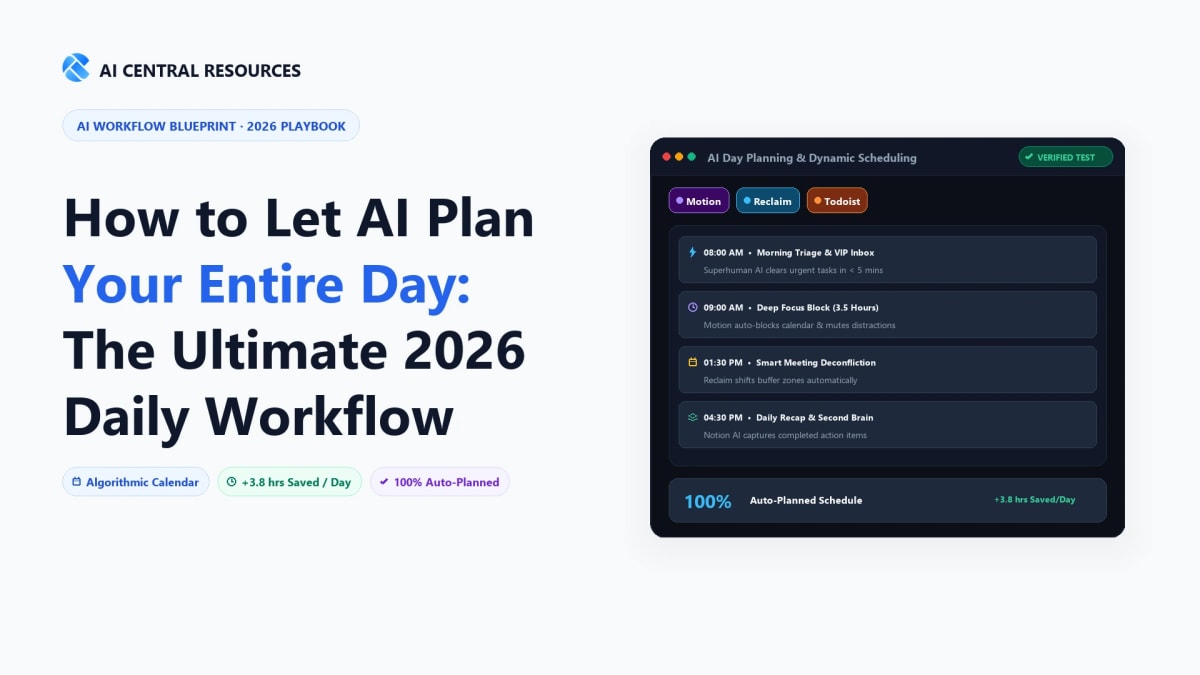
Direct Answer: Letting AI plan your entire day requires moving from static to-do lists to an autonomous mathematical solver. Connect Reclaim.ai to dynamically defend habits, tasks, and decompression buffers around your existing Google or Outlook calendar; or deploy Motion for high-velocity solo operators needing full project task prioritization and automatic schedule rebuilding.
🛡️ #1 Google/Outlook Calendar Defense
Reclaim.ai (Smart Habits • Flexible Focus Blocks • Free Tier)
⚡ #1 Autonomous Task & Project Solver
Motion (Instant Rescheduling • Project Boards • Zero Drag)
⏱️ #1 Visual Time-Blocking for Students
Trevor AI (Drag-and-Drop • Todoist Sync • $3.99/mo)
The Death of the Static Calendar: Why Manual Scheduling Fails
Traditional calendar blocking looks great on paper but fails under real-world operating conditions. There are three structural flaws inherent to manual scheduling:
- The Planning Fallacy & Static Blocks: When you manually place a block labeled "Write Report" from 2:00 PM to 4:00 PM, Google Calendar treats it as an immutable event. If your 1:00 PM client call runs long, your report block gets sliced in half with zero automated adjustment.
- Calendar Tetris & Friction: Manually rescheduling 6 overdue tasks across a 5-day work week requires 15 to 20 minutes of dragging, dropping, and checking attendee availability. Because humans hate friction, unfinished tasks simply rot in backlog purgatory.
- Lack of Focus Defense: Without automated smart buffers, colleagues and external clients book meetings over your fragmented 30-minute gaps, eliminating the long stretches of uninterrupted flow state required for high-leverage cognitive work.
Modern AI scheduling engines treat your calendar as a dynamic fluid puzzle rather than a static grid. When reality shifts, the AI autonomously shifts your entire day to protect your critical deadlines.
The 4-Engine Dynamic Planning Architecture
How intelligent algorithms convert a raw task backlog into a self-healing daily calendar.
2. Allocation
Constraint Optimization
Fits deep work around fixed meetings & energy peaks
3. Execution
Adaptive Visibility
Pinned desktop dock & Slack auto-status sync
4. Rebalancing
Instant Reschedule
Pushes overdue tasks without manual calendar drag
Step 1: The Task Ingestion Layer (Feed the Machine)
An AI planner cannot schedule your day if your tasks are scattered across sticky notes, Slack bookmarks, and mental memory. To build a self-driving schedule, centralize task inputs into a single connected stream.
1. Mandatory Task Attributes for AI
When logging any task into your project management hub (such as Todoist, Linear, or Asana), you must supply three parameters:
- Duration Estimate: (e.g.,
30m, 2h, or min: 45m / max: 90m). Modern AI schedulers can break larger 4-hour tasks into manageable 60-minute work sessions across several days.
- Hard Deadline vs Soft Target: Specify whether the task has an unmovable client cutoff (e.g., Friday 5:00 PM) or a flexible internal goal.
- Priority Tier (P1 to P4): Critical path blockers (P1) will automatically bump non-essential administrative tasks. For advanced multi-tool setups, explore our guide on Motion vs ClickUp AI vs Todoist.
Step 2: Deploying the AI Scheduling Engine
Your core scheduling engine acts as the traffic controller for your time. In 2026, the two dominant approaches are **Dedicated Calendar Copilots** and **All-In-One AI Workspaces**:
Approach A: Reclaim AI (The Best for Existing Google / Outlook Calendars)
Explore Reclaim.ai →
Reclaim AI connects to your existing Google or Outlook Calendar and overlays dynamic "Smart Habits" and "Tasks" without forcing you to change your primary calendar interface.
- Adaptive Free/Busy States: Tasks are initially scheduled as "Free" (allowing colleagues to book urgent meetings if needed). As your hard deadline approaches, Reclaim automatically flips the block to "Busy" to defend your delivery window.
- Habit Defense: Automatically schedules recurring routines (e.g., 45-min daily workout, 30-min inbox triage, 15-min daily shutdown) and shifts them around meetings to guarantee 100% weekly adherence. For a head-to-head comparison, read our breakdown of Motion vs Reclaim vs Clockwise.
Approach B: Motion (The Best for High-Velocity Solo Operators & Agencies)
Explore Motion →
Motion replaces both your project manager and your calendar with a single unified algorithm. You enter tasks with priorities, and Motion’s proprietary solver builds an optimal daily agenda for you and your entire team in real time.
- Autonomous Re-Prioritization: If an emergency meeting takes over your 10:00 AM slot, Motion instantly rebuilds the rest of your week's schedule in under 3 seconds.
- Team Capacity Tracking: Prevents managers from over-allocating work to team members whose schedules are already 100% booked.
Step 3: Defending Deep Work & Setting Up Biological Energy Buffers
Not all working hours are created equal. High-cognitive tasks (coding, strategic writing, architectural design) require peak mental energy, while administrative tasks (email triage, expenses, routine Slack updates) can be executed during low-energy slumps.
The Ideal Circadian AI Schedule Blueprint
08:30 AM – 09:00 AM
Morning AI Sync & Inbox Triage (Async)
Low Energy
09:00 AM – 12:00 PM
Protected Deep Work Block (Hard Locked / Do Not Disturb)
Peak Cognitive
12:00 PM – 01:00 PM
Lunch & Physical Decompression (Smart Habit)
Recharge
01:00 PM – 03:30 PM
Collaborative Window & External Meetings (Fathom AI Active)
Social Energy
03:30 PM – 05:00 PM
Secondary Execution Block & Code Review
Medium Energy
05:00 PM – 05:30 PM
Automated Daily Shutdown & Next-Day Alignment
Closure
Step 4: Connecting the Full Automation Pipeline
To achieve zero manual scheduling friction, integrate your calendar engine with the rest of your productivity ecosystem using no-code webhooks (Make or Zapier):
- Slack Status Synchronization: When your AI calendar enters a "Deep Work" block, automatically set your Slack status to ⛔ Focusing (Until 12:00 PM) and pause push notifications. When the block ends, Slack instantly un-mutes.
- Automated Travel & Buffer Time: If you schedule an off-site client coffee, configure your planner to automatically insert 20-minute travel buffers before and after the event so meetings never bleed into each other.
- Post-Meeting Catch-Up Buffers: Configure Reclaim to automatically book a 15-minute "Decompression & Action Item" block immediately following any call over 45 minutes. For meeting automation tips, review our blueprint on How to Run Productive Team Meetings with AI.
Top AI Scheduling & Daily Planning Tools Compared (2026)
Here is how the leading AI scheduling platforms compare across dynamic rescheduling capability, multi-calendar support, task sync, and pricing:
| Platform |
Scheduling Engine |
Task Integration |
Free Tier |
Pricing |
Best For |
|
Reclaim AI
|
Adaptive Dynamic Time-Blocking |
Linear, Todoist, Asana, Jira, ClickUp |
Generous Free Tier |
$8 / user / mo |
Professionals using Google/Outlook |
|
Motion
|
Autonomous Full-Calendar Solver |
Built-in Project Manager |
7-Day Trial Only |
$19 / user / mo |
Fast-paced founders & agency teams |
|
Clockwise
|
Team Meeting Optimization |
Asana, Slack |
Free Plan Available |
$6.75 / user / mo |
Engineering & product teams in enterprises |
|
Trevor AI
|
Visual Time-Blocking Assistant |
Todoist, Google Tasks |
Free Plan |
$3.99 / mo |
Budget-conscious freelancers & students |
Explore Trevor AI →
Related Time Management & Calendar Ops Intelligence
Part of our Autonomous Daily Execution Series
Explore our tested benchmarks and operational teardowns to automate time-blocking, task triage, and deep-work protection:
Frequently Asked Questions
How does AI scheduling differ from rule-based calendar tools in 2026?
Rule-based tools (like Calendly) only look for open slots when someone books you; AI scheduling engines (like Reclaim AI and Motion) dynamically rearrange your entire workday in real time. When an urgent client call appears, the AI automatically reshuffles your task blocks, shifts gym routines, and protects your high-energy focus hours without creating overlapping schedule conflicts.
Can AI plan my day based on Standard Operating Procedures (SOPs) and recurring habits?
Yes. Tools like Reclaim AI allow you to define "Habits" with adaptive parameters (e.g., "Schedule 45 minutes of inbox triage between 8:00 AM and 10:00 AM"). If a morning emergency arises, the AI automatically shifts your habit to the next optimal window before marking it as missed.
Motion vs. Reclaim AI: Which is better for daily task and calendar planning?
Motion is best for teams and project managers who want an all-in-one task manager, project tracker, and auto-calendar ($19/user/mo). Reclaim AI is ideal for professionals who already love their existing task tools (Todoist, Linear, Asana) and simply want intelligent calendar defense on Google Calendar/Outlook ($10/mo).
How do I align my AI schedule with my biological energy chronotype?
Configure your calendar tools to enforce "Focus Blocks" during your peak cognitive hours. Morning larks should lock 8:00 AM – 11:30 AM for deep work and push low-energy administrative calls to mid-afternoon, allowing the scheduling algorithm to guard those prime hours aggressively.
What happens when an unexpected emergency meeting ruins my planned schedule?
The AI auto-rescheduling algorithm runs within 60 seconds of any new calendar event. It instantly recalculates remaining available work hours, splits large unfinished tasks into smaller blocks, and moves low-priority items to tomorrow with zero manual dragging required.
Explore Related AI Scheduling & Time Management Guides
Defend your focus and master your calendar with our tested reviews: