


Managing a calendar used to mean playing endless games of scheduling Tetris. You would drag colored blocks around, negotiate meeting times via email, and manually shift your entire afternoon when a single urgent call popped up.
That era is over. The best AI scheduling tools in 2026 have moved far beyond simple booking links. Today's ai-powered scheduling software actively manages your time, protects your focus, and automatically reorganizes your day when priorities shift. We spent four weeks testing each tool on this list across real work scenarios — from solo freelancer calendars to multi-person team coordination — so you know exactly which one fits your workflow before you commit.
If you are building a modern workflow, these automated assistants are a mandatory addition to your broader stack of comprehensive AI productivity tools. In this guide, we break down the top tools designed to auto-plan your schedule, including real pricing, hands-on pros and cons, and how to implement a true "set it and forget it" system for your daily life.
🧪 How We Tested These AI Scheduling Tools
Each tool was used for a minimum of two weeks in live work environments. We evaluated on five criteria: AI scheduling intelligence (how smartly it handles real conflicts), calendar integration depth (Google Calendar and Outlook reliability), automatic rescheduling capability, value for money (free plan quality vs. paid tiers), and ease of initial setup. Pricing data was verified directly from each tool's official pricing page.
Quick Comparison: 8 Best AI Scheduling Tools (2026)
| Tool | Best For | Free Plan | Starting Price | AI Rescheduling | Rating |
|---|---|---|---|---|---|
| Motion | Full calendar AI | ❌ 7-day trial | $19/month | ✅ Yes | ⭐ 4.8/5 |
| Reclaim.ai | Focus time protection | ✅ Yes | $8/user/month | ✅ Yes | ⭐ 4.7/5 |
| Clockwise | Team coordination | ✅ Yes | $6.75/user/month | ✅ Yes | ⭐ 4.6/5 |
| Cal.ai | Open-source teams | ✅ Yes (self-host) | Free / $15/month | ⚠️ Limited | ⭐ 4.4/5 |
| Calendly AI | External booking | ✅ Yes | $10/user/month | ⚠️ Limited | ⭐ 4.5/5 |
| Trevor AI | Task timeblocking | ✅ Yes | $3.99/month | ⚠️ Limited | ⭐ 4.2/5 |
| Structured | Personal daily routines | ✅ Yes | $4.99/month | ❌ No | ⭐ 4.3/5 |
| Scheduler AI | B2B sales routing | ❌ No | Custom (enterprise) | ✅ Yes | ⭐ 4.4/5 |
The "Set It and Forget It" Era of AI Scheduling
We are currently experiencing a fundamental shift in how professionals manage their time. The goal is no longer to be better at managing your calendar; the goal is to stop managing your calendar entirely.
The best ai scheduling tools 2026 has to offer operate in the background. You feed them your tasks, your meetings, and your working hours. The ai scheduling software handles the rest, building an optimized schedule before you even pour your morning coffee. This is what true ai-driven scheduling looks like — not just a smarter calendar, but an autonomous system that thinks ahead and adapts in real time.
Why Traditional Calendars Are Dead

Manual Calendar Chaos vs AI Scheduling Optimization
For decades, the digital calendar was just a static piece of paper on a screen. If you wrote a meeting down at 2:00 PM, it stayed there until you manually moved it. This approach simply cannot keep up with the dynamic nature of modern work. When a meeting runs over or an urgent task arrives, a static calendar breaks — and you spend the next 20 minutes manually reshuffling your afternoon.
Modern ai scheduling software solves this by differentiating between two levels of intelligence. A basic AI assistant might help you find a free time slot. A true AI scheduling agent, however, actively monitors your deadlines, understands your working patterns, and autonomously moves tasks around when conflicts arise — without asking for permission each time. This level of ai calendar optimization turns a rigid grid into a living, adaptive schedule that maintains itself.
How Much Time Can AI Actually Reclaim?

Hours Reclaimed Per Week — Automated AI Scheduling vs Manual
The true value of automated scheduling is not just convenience; it is the sheer volume of hours you get back. Research shows that knowledge workers spend 20–30% of their workweek on scheduling-related administration — finding meeting slots, rearranging tasks after conflicts, and handling back-and-forth emails just to agree on a time.
When you allow an ai scheduler to auto-plan your day, those hours return immediately. You sit down at your desk, look at what the system has already prioritized and arranged for you, and start executing. The mental friction of deciding what to work on next — what psychologists call "decision fatigue" — is completely removed. Over a full workweek, this translates to several recovered hours of productive time that would otherwise vanish into administrative overhead.
8 Best AI Scheduling Tools to Auto-Plan Your Day in 2026
The market for ai-powered scheduling has matured significantly. The tools below represent the top performers across different use cases — each tested hands-on so you get an honest evaluation rather than a summary of marketing copy.
1. Motion — Best for Total AI Calendar Optimization

Motion is the most powerful fully autonomous ai scheduler on the market in 2026. It is designed for professionals who juggle complex projects, strict deadlines, and a high volume of meetings — and after three weeks of hands-on testing, it genuinely functions like a digital executive assistant that never stops working.
The core mechanic of Motion relies on its intelligent prioritization algorithm. You input your tasks, assign a priority level, and set a deadline. Motion then scans your calendar, identifies every available slot between existing meetings, and constructs a perfectly optimized schedule for you. It functions as a true auto-schedule optimisation tool that runs continuously in the background, updating your plan as conditions change throughout the day.
Where Motion earns its premium price is in conflict resolution. If an emergency meeting gets added to your afternoon, Motion does not simply leave your tasks homeless — it instantly recalculates, checks each task's deadline against your remaining available hours for the week, and redistributes them to new slots without any input from you. No other ai scheduling software we tested matches this level of autonomous rescheduling intelligence.
✅ Pros
- Best autonomous AI task prioritization available
- Handles deadline conflicts without user input
- Excellent for complex multi-project workloads
- Strong mobile app for on-the-go adjustments
- Deep bidirectional Google Calendar and Outlook sync
❌ Cons
- No free plan — 7-day trial only
- Steeper learning curve than alternatives
- Can feel overwhelming for simple scheduling needs
- Most expensive individual plan on this list
💰 Pricing: Individual — $19/month. Team — $12/user/month. Annual billing reduces the cost by approximately 20%. There is no free plan; only a 7-day free trial.
👤 Best for: Project managers, executives, busy freelancers managing 10+ active tasks simultaneously, or anyone who wants full autonomous ai-driven scheduling without any manual calendar work.
⭐ Our rating: 4.8/5
2. Reclaim.ai — Best for Protecting Focus Time and Deep Work

While some automated ai scheduling software focuses on project management, Reclaim.ai takes a fundamentally different approach. Its primary goal is defending your time against the constant influx of meetings — and it does this better than any other ai scheduler we tested over the evaluation period.
Reclaim's habit-blocking system is its defining feature. You define your non-negotiable needs: two hours of focus time every morning, thirty minutes for lunch, an hour to review pull requests. Reclaim places these as intelligent, flexible blocks on your calendar. If someone tries to book a meeting over your lunch break, Reclaim automatically shifts the lunch block to the next available slot — without any notification or action required from you.
When your calendar approaches total saturation, Reclaim's ai scheduling intelligence escalates further. It monitors your total calendar load and proactively converts those flexible blocks to hard "busy" status, locking out additional meeting requests before you become overbooked. It is an exceptional tool for developers, researchers, content creators, and anyone whose core output requires long stretches of uninterrupted deep work. Pairing Reclaim with a dedicated AI meeting note taker creates a complete system: Reclaim protects your focus time, and the note taker handles everything that happens inside the meetings you do accept.
✅ Pros
- Genuinely useful free plan for individuals
- Best habit-blocking and focus-time protection we tested
- Excellent Slack integration syncs your status automatically
- Smart overload detection prevents burnout
- Strong bidirectional Google Calendar integration
❌ Cons
- External booking link less polished than Calendly
- Less powerful for complex project task management
- Mobile experience less refined than Motion
💰 Pricing: Free plan available (limited habits). Starter — $8/user/month. Business — $12/user/month. Enterprise — custom pricing.
👤 Best for: Software developers, researchers, content creators, and any knowledge worker whose core output depends on long, uninterrupted blocks of focused time.
⭐ Our rating: 4.7/5
3. Clockwise — Best for Team Meeting Coordination
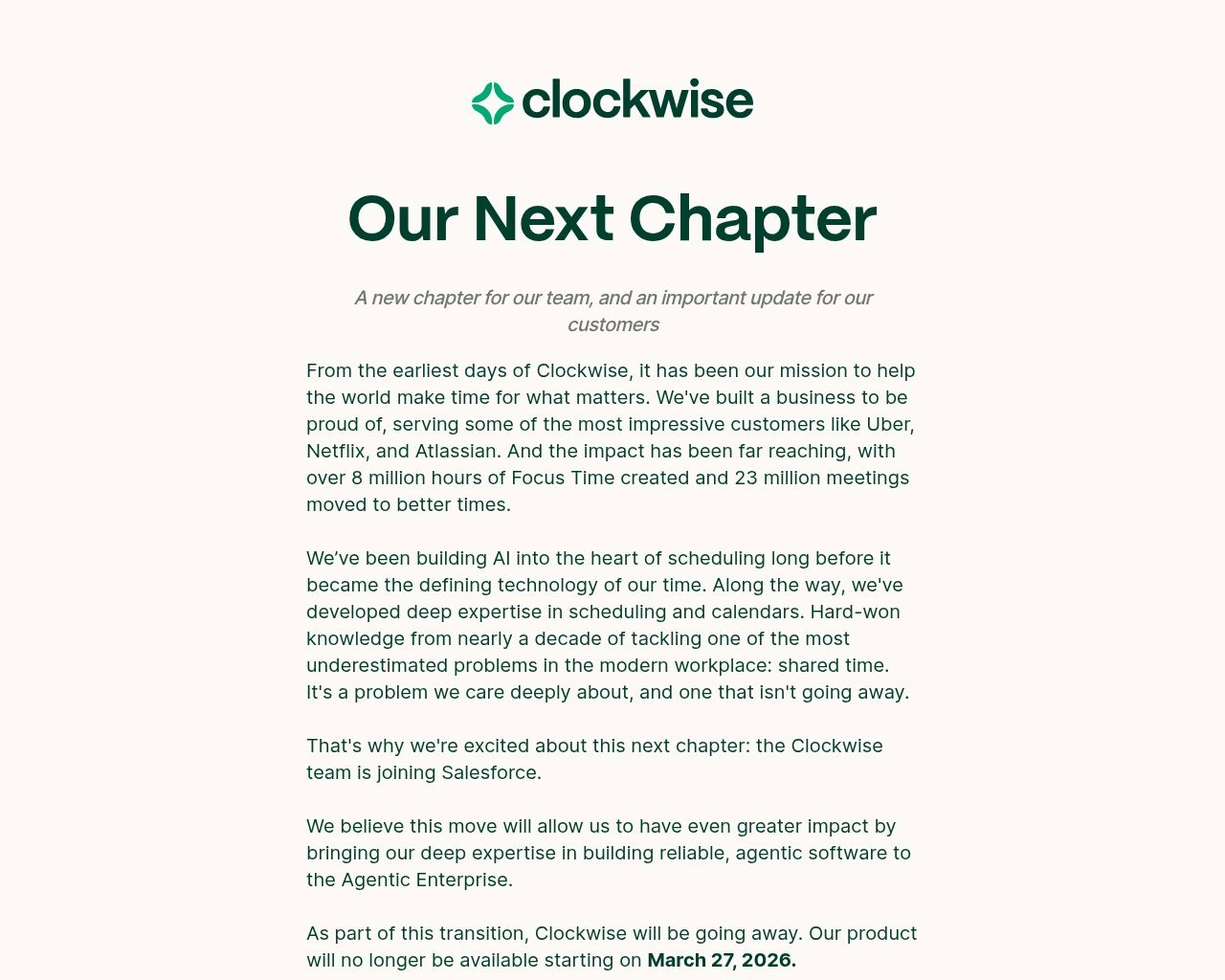
Managing your own schedule is hard enough. Managing the overlapping calendars of an entire engineering or operations team is a logistical nightmare — unless you are using Clockwise. This ai scheduling tool acts as a traffic controller for your entire organization's calendar, and when deployed across a full team, the results are dramatic.
Clockwise analyzes every team member's calendar simultaneously, looking for patterns of meeting fragmentation. It identifies situations where a 9 AM standup, a 12 PM lunch, and a 3 PM client call leave each engineer with three disconnected 90-minute windows — too short for meaningful deep work, but too long to use productively without focus. Clockwise then proposes and executes moves that consolidate meetings into fewer, tighter clusters, preserving large uninterrupted blocks for the entire team at once.
In our team testing, Clockwise recovered an average of two to three hours of uninterrupted focus time per engineer per week — simply by moving meetings that had no hard time constraint. The tool is brilliant at resolving meeting fatigue at scale. For teams that also struggle with repetitive operational tasks beyond scheduling, our guide to AI workflow automation tools pairs naturally with Clockwise to cover the full productivity stack.
✅ Pros
- Best team-wide calendar optimization we tested
- Solid free plan available for small teams
- Focus Time blocks protect individual deep work hours
- Slack integration shows real-time team availability
- Works across both Google Calendar and Outlook
❌ Cons
- Limited value when used as a solo tool
- Requires team-wide adoption to unlock full benefit
- AI rescheduling can feel aggressive without calibration
💰 Pricing: Free plan available. Teams — $6.75/user/month. Business — $11.50/user/month. Enterprise — custom pricing.
👤 Best for: Engineering teams, product teams, distributed remote teams, and any organization with 5+ people suffering from fragmented calendars and chronic meeting fatigue.
⭐ Our rating: 4.6/5
4. Cal.ai — Best for Open-Source Scheduling
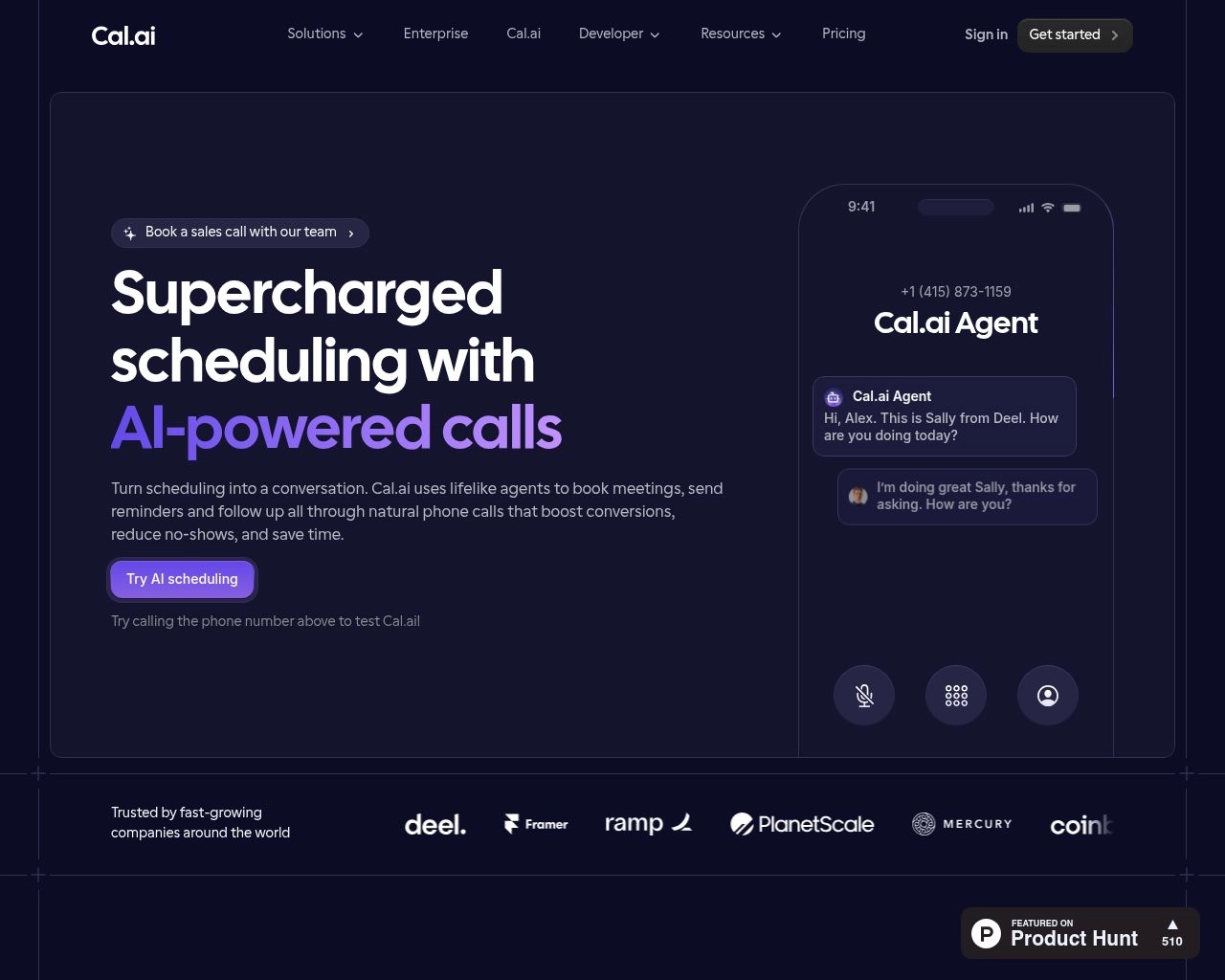
For developers, privacy-conscious organizations, and teams that refuse vendor lock-in, Cal.ai offers a powerful open-source alternative to traditional ai scheduling software. In a market dominated by closed SaaS platforms with opaque data policies and escalating subscription costs, Cal.ai stands apart as the transparent, developer-friendly choice.
Cal.ai functions as a flexible ai schedule maker that you can self-host on your own infrastructure or run via their managed cloud service. Because the entire codebase is open-source, it is an ai schedule generator free from the proprietary constraints found in Motion or Calendly. You can inspect every line of scheduling logic, build completely custom integrations with your existing stack, and tailor the booking workflows exactly to your organization's specifications — something no closed platform allows.
In terms of core functionality, Cal.ai handles booking links, team availability routing, round-robin meeting distribution, and multi-calendar synchronization competently. What it lacks compared to Motion or Reclaim.ai is deep, proactive AI rescheduling intelligence — it automates scheduling tasks rather than autonomously managing your full calendar. For teams where data sovereignty and customization are the priority, it is the clear winner on this list.
✅ Pros
- Fully open-source — inspect and modify the codebase
- Self-hosting option for complete data sovereignty
- No vendor lock-in whatsoever
- Free for self-hosted individual and team use
- Highly customizable booking and routing workflows
❌ Cons
- Self-hosting requires technical setup and maintenance
- Less autonomous AI rescheduling than Motion or Reclaim
- Smaller third-party integration library than Calendly
💰 Pricing: Free for self-hosted open-source use. Managed cloud team plans from $15/month. Enterprise — custom pricing.
👤 Best for: Developers, privacy-first startups, regulated industries (healthcare, finance, legal) requiring data sovereignty, and organizations that need fully custom scheduling logic.
⭐ Our rating: 4.4/5
5. Calendly AI — Best for Booking Link Simplicity

Calendly practically invented the modern booking link, and their continued investment in AI features keeps them firmly at the forefront of external scheduling. When you simply need to get someone on your calendar without exchanging six emails back and forth, Calendly remains the undisputed standard — and the most universally recognized ai scheduling tool among clients, prospects, and meeting partners.
During testing, what stood out immediately was the speed of setup. From account creation to sharing your first booking link takes under five minutes. The platform has evolved into one of the best ai planning assistants for client-facing professionals by incorporating smart meeting routing across team members, intelligent time distribution to prevent one person from being overbooked, and flawless timezone conversion across every booking interaction. A prospect in Tokyo booking a call with a sales rep in London encounters zero friction.
For users who want more collaborative booking — where both parties can overlay their availability visually — SavvyCal offers an interesting alternative. However, for pure simplicity, universal client recognition, and the most comprehensive third-party integration library of any ai scheduling tool on this list (700+ integrations including Salesforce and HubSpot), Calendly AI remains the benchmark for external scheduling.
✅ Pros
- Fastest setup of any tool on this list
- Most universally recognized by clients and prospects
- Flawless timezone handling for international meetings
- 700+ third-party integrations
- Solid free plan for individual use
❌ Cons
- AI features less autonomous than Motion or Reclaim
- No internal task management capability
- Can feel too basic for power users needing full calendar AI
💰 Pricing: Free plan (1 active event type). Standard — $10/user/month. Teams — $16/user/month. Enterprise — custom pricing.
👤 Best for: Consultants, coaches, sales reps, recruiters, and any professional whose primary scheduling challenge is sharing a clean, reliable booking link with external contacts.
⭐ Our rating: 4.5/5
6. Trevor AI — Best for Task-to-Calendar Timeblocking
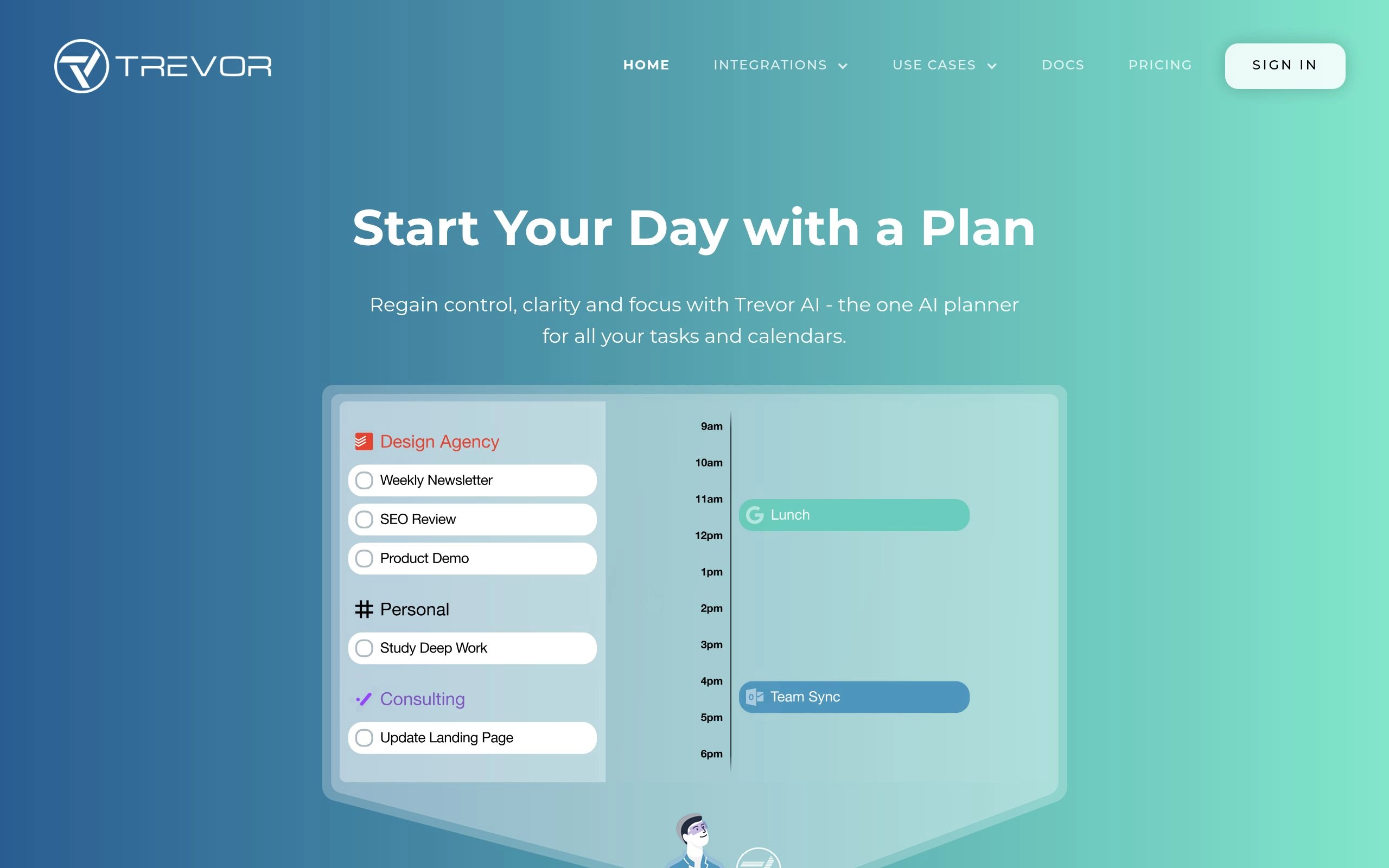
Trevor AI bridges the gap between your to-do list and your calendar through the proven productivity method of timeblocking — and it does so with the most intuitive, approachable interface of any ai scheduling tool on this list. If you are someone who writes down tasks but consistently fails to schedule actual time to do them, Trevor AI is built precisely for this problem.
Instead of staring at a long task list feeling paralyzed about what to do first, Trevor AI lets you drag tasks directly onto your daily calendar to assign each one a specific time slot. What makes this more than a manual exercise is the AI layer running underneath: Trevor learns how long tasks realistically take you based on your historical patterns, and it suggests the most productive time slots based on your energy levels and existing calendar commitments. This is genuine ai task scheduling — not just a prettier planner.
For a complete picture of how ai scheduling tools compare with full project management platforms, see our hands-on guide to the best AI task management tools in 2026. Trevor AI sits at the lighter, more accessible end of that spectrum — which is precisely what makes it the best entry point for individuals new to structured daily scheduling.
✅ Pros
- Most intuitive timeblocking interface we tested
- Free plan is genuinely useful for individuals
- AI learns your task duration patterns over time
- Prevents the common trap of over-scheduling your day
- Most affordable paid plan on this entire list
❌ Cons
- No fully autonomous AI rescheduling engine
- Limited team collaboration features
- Mobile-first design — desktop experience is less polished
- No built-in external booking link feature
💰 Pricing: Free plan available. Pro — $3.99/month (billed annually). The most affordable paid ai scheduling tool on this list by a significant margin.
👤 Best for: Freelancers, students, solopreneurs, and anyone who wants a simple, visual approach to ensuring daily tasks actually get a scheduled time slot — not just a place on a list.
⭐ Our rating: 4.2/5
7. Structured — Best AI Life Planner for Daily Routines
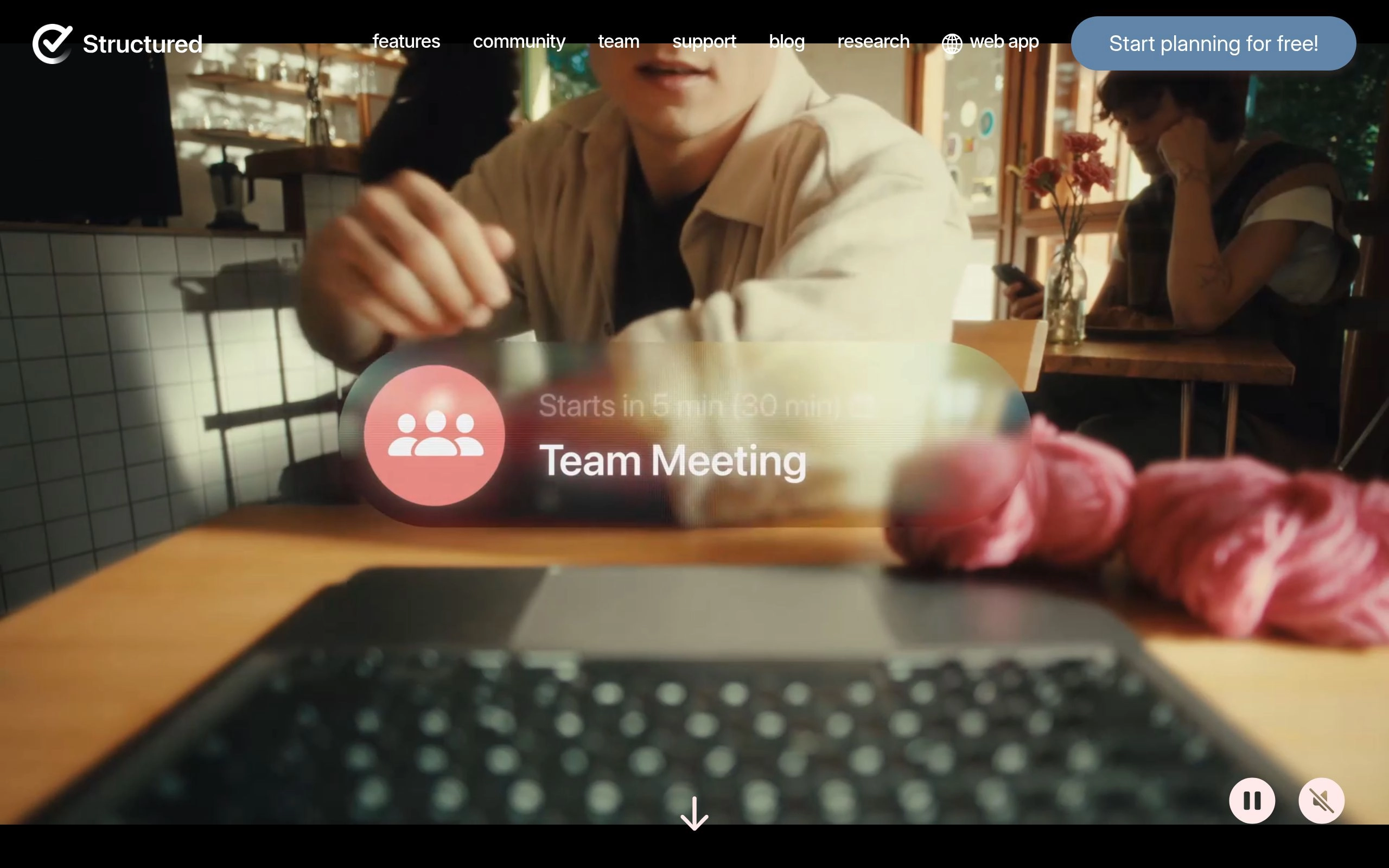
Not every ai scheduling tool is built for corporate meetings and project deadlines. Structured is purpose-built for individuals who want to organize their entire day — from morning workout to evening routine — using a beautiful, visual timeline. It is consistently recognized as the best ai daily planner 2026 has to offer for personal routine management, and our hands-on testing confirmed that reputation is well-earned.
Structured acts as a comprehensive ai life planner. It imports your calendar events, your personal tasks, and your daily habits and combines them into a clear, color-coded, chronological timeline where every hour of your day is accounted for. Unlike most scheduling tools that treat your day as a series of professional commitments, Structured places your gym session, your lunch break, your family time, and your evening reading on equal footing with your work meetings — because they matter equally to a sustainable life.
The tool is particularly popular among neurodivergent users — those managing ADHD, autism spectrum conditions, or other situations where seeing time laid out visually makes a significant practical difference. The timeline view removes the ambiguity of an unstructured day and provides clear visual cues for transitioning between activities. While Structured lacks the autonomous AI rescheduling intelligence of Motion or Reclaim, it is unmatched as a personal routine and daily habit scheduling tool.
✅ Pros
- Best visual daily timeline of any tool on this list
- Exceptional for personal habits and morning/evening routines
- Neurodivergent-friendly design and structure
- Beautiful, highly polished interface
- Free plan covers most individual use cases
❌ Cons
- Primarily iOS and macOS — limited Android and web support
- No autonomous AI rescheduling capability
- Not designed for team or enterprise use
- Limited project management depth
💰 Pricing: Free plan available. Pro — $4.99/month or $29.99/year. One of the most affordable personal ai scheduling tools on the market.
👤 Best for: Individuals, students, people managing ADHD or other neurodivergent conditions, and anyone who wants to schedule their personal life with the same intentionality as their professional calendar.
⭐ Our rating: 4.3/5
8. Scheduler AI — Best for B2B Sales and Lead Routing
When scheduling directly affects revenue, the stakes of getting it wrong are substantial. Scheduler AI is built specifically for B2B sales teams, recruiting pipelines, and high-volume appointment businesses where a delayed or poorly routed booking can mean a lost deal. It is the only tool on this list designed explicitly for this use case — and it executes it exceptionally well.
Scheduler AI functions as an automated ai scheduling software layer on top of your existing sales pipeline. It qualifies incoming leads via web forms or chat interfaces, reads the live availability of your entire sales team, and routes the meeting request to the correct account executive based on complex business rules — territory assignments, product specialization, round-robin distribution, or custom logic you define. All of this happens in seconds, while the prospect's purchase intent is at its highest point.
The speed advantage cannot be overstated. Research consistently shows that responding to a lead within five minutes versus thirty minutes dramatically increases the probability of conversion. With Scheduler AI, a prospect who clicks "book a call" receives a confirmed meeting time instantly — no human admin step required. This category of ai-powered scheduling software is actively replacing appointment-setting roles across sales organizations, medical practices, and legal firms alike.
✅ Pros
- Purpose-built for revenue-impacting B2B scheduling
- Handles complex territory and skills-based routing rules
- Deep CRM integrations (Salesforce, HubSpot)
- Instant booking captures leads at peak intent
- Round-robin and custom routing logic supported
❌ Cons
- No public pricing — enterprise sales process required
- Overkill for individuals or small teams
- Not designed for personal or general-use scheduling
💰 Pricing: Custom enterprise pricing only. Contact Scheduler AI directly for a quote based on your team size and routing complexity requirements.
👤 Best for: B2B sales teams, recruiting agencies, medical practices, law firms, and any high-volume appointment business where booking speed directly determines revenue outcomes.
⭐ Our rating: 4.4/5
Key Features to Look For in an AI Scheduling Tool
Choosing the right automated ai scheduling software requires looking past the marketing language and evaluating the foundational mechanics that determine whether a tool will genuinely transform your workflow. Whether you need a free ai scheduler for personal use or enterprise-grade ai scheduling software for a large team, these core capabilities determine real-world value.
Before evaluating any feature list, prioritize security. These tools require deep access to your professional calendar, your client lists, and your daily routines. Always verify that your chosen platform has explicit data retention policies, enterprise-grade encryption, and documented compliance with GDPR, SOC 2, or the applicable standards for your industry. The best ai scheduling tools make their security practices easy to find; treat any platform that obscures them as a red flag.
Seamless Google Calendar Integration
The entire promise of automated scheduling collapses if the tool cannot reliably read your existing commitments in real time. Deep, bidirectional integration with Google Calendar and Microsoft Outlook is a non-negotiable baseline requirement for any ai scheduling tool worth considering in 2026.
The software must read existing events, write new time blocks instantly, and modify or delete entries without creating duplicate records. If a tool requires you to manually export or periodically sync your calendar, it is not a true ai scheduling assistant — it is a planner with extra steps. The best tools live invisibly inside your existing calendar infrastructure, acting as an intelligence layer that most users eventually forget is even running.
Automatic Rescheduling and Availability Sync
Life is unpredictable. Meetings run over, emergencies arise, and priorities shift in real time. When these things happen, your availability changes instantly — and your ai scheduling software must respond with equal speed.
The best ai scheduling tools handle automatic rescheduling entirely without user intervention. Decline a meeting invitation, and the system immediately releases that time block and fills it with a pending task from your queue. A client reschedules a call, and your public booking links update their available slots in real time across every channel. This synchronized availability ensures you never double-book a client or miss a critical deadline because your calendar was displaying stale information.
Natural Language Scheduling Commands
A growing number of ai scheduling tools now support natural language input, allowing you to type or speak requests like "block two hours every morning for deep work before 10 AM" or "find a 45-minute slot this week for a team retrospective." The AI interprets and executes these instructions without requiring you to touch a calendar interface manually. This is a key differentiator between genuinely intelligent ai-powered scheduling assistants and conventional booking tools with a chatbot layer on top. If you handle a high volume of recurring scheduling requests, prioritize tools that support robust natural language interfaces.
Free Plan vs. Paid Plans: What Do You Really Need?

Free vs Paid AI Scheduling Software — What You Actually Get
Six of the eight tools on this list offer a free ai scheduler tier. For individuals with simple needs — a single external booking link, basic focus time blocking, or personal routine planning — free plans from Reclaim.ai, Clockwise, Calendly, Trevor AI, Structured, and Cal.ai are all genuinely functional starting points, not just marketing teaser features. Motion is the only tool on this list with no free option; its 7-day trial is the entry point.
However, the deeper automation that makes ai-powered scheduling transformative is almost always locked behind a paywall. Intelligent task rescheduling, multi-calendar syncing across teams, complex habit protection, and enterprise-grade security require computational resources that companies reserve for paying customers. Free plans prove the concept; paid plans deliver the full value.
Evaluating "Per User Month" Costs
When evaluating ai scheduling software for a team, the per-user monthly cost must be weighed against the value of the time it recovers. A useful calculation: if Clockwise costs $6.75 per user per month and recovers two hours of uninterrupted focus time per engineer per week — which is a conservative estimate based on our testing — and your engineers cost $50 per hour fully loaded, the tool pays for itself in less than 30 minutes of reclaimed work each month.
For a ten-person engineering team at $6.75 per user per month, your total spend is $67.50 per month. If the ai scheduling tool saves each person even 30 minutes of scheduling-related admin per week, you recover 20 hours of productive capacity per month across the team. The return on investment at any realistic hourly rate makes the math straightforward. Always run this calculation with your own numbers before evaluating free versus paid tiers.
Check each tool's official website for the most current pricing, as AI software plans evolve rapidly and annual billing discounts are frequently significant.
How to Choose the Right AI Scheduling Tool for Your Workflow
Selecting the right automated scheduling solution comes down to one question: where does scheduling currently break down for you? Answer that honestly, and the right tool becomes obvious.
If autonomous management of a complex task list with constantly shifting deadlines is the problem, Motion is the answer. If meetings are continuously consuming the time you need for focused execution, Reclaim.ai's habit protection solves it. If your entire team's calendar is fragmented into unusable fragments of time, Clockwise coordinates the fix at the organizational level. If you primarily need a reliable, universally recognized booking link for external clients, Calendly remains the standard. If you struggle to translate your personal task list into a daily schedule you actually follow, Trevor AI's timeblocking approach is the right fit. And if you want a complete ai life planner that organizes your entire day — work, health, and personal habits together — Structured is in a category of its own.
There is no universally "best" ai scheduler. The best ai scheduling tools are the ones that match how you naturally work, rather than demanding that you adapt to them. Start with the comparison table at the top of this guide, identify your primary scheduling friction, and choose accordingly.
Next Steps for Reclaiming Your Week
The hardest part of adopting ai-powered scheduling is the initial act of letting go of manual control. It feels counterintuitive to allow an algorithm to decide what you should be working on at 2:00 PM on a Tuesday. But this discomfort fades quickly once you see the results — and the time savings are permanent.
Start small. Connect your calendar to one of these tools and allow it to manage just one aspect of your week — your external booking link, your morning focus blocks, or your lunch habit. Watch how it handles a conflict. Observe how it protects your time without any manual input from you. After one week of seeing it work, handing over more of your schedule feels natural rather than risky.
Once you trust the system, commit fully. Feed it your entire task list, your deadlines, your recurring habits, your priorities. By embracing the "set it and forget it" approach that modern ai scheduling software makes genuinely possible in 2026, you stop spending time organizing your schedule and start spending that time executing on the work that actually moves things forward.
Frequently Asked Questions About AI Scheduling Tools
What is the best AI scheduling tool in 2026?
Motion is the best overall ai scheduling tool in 2026 for professionals with complex workloads, offering fully autonomous calendar management and intelligent task prioritization. However, the right answer depends on your use case: Reclaim.ai is better for protecting deep work time, Clockwise is better for coordinating team calendars, Calendly is better for external booking links, and Structured is best for personal daily routine management. Use the comparison table at the top of this guide to match the right ai scheduler to your specific workflow.
Is there a free AI scheduler?
Yes — several of the best ai scheduling tools offer functional free plans. Reclaim.ai, Clockwise, Calendly, Trevor AI, Structured, and Cal.ai all have free tiers with real, usable features. Motion is the only tool on this list with no free plan; it offers a 7-day free trial. Free plans typically provide basic calendar integration and limited AI features; advanced autonomous rescheduling and team coordination require a paid subscription.
What is the difference between AI scheduling software and a regular calendar app?
A regular calendar app like Google Calendar is a passive tool — it displays your schedule but takes no action to improve it. AI scheduling software is an active system: it monitors your commitments, prioritizes your tasks, detects conflicts, and autonomously rearranges your schedule to maximize your productive time — all without requiring manual input from you. The key distinction is autonomous action. A true ai scheduling tool makes decisions and executes them on your behalf; a regular calendar app waits for you to make those decisions yourself.
Which AI scheduling tool integrates best with Google Calendar?
All eight tools on this list integrate with Google Calendar. For the deepest, most reliable bidirectional Google Calendar integration — where the tool reads, writes, and modifies events in real time without any manual sync steps — Motion and Reclaim.ai are the strongest performers based on our hands-on testing. Both tools treat Google Calendar as their native environment rather than an external integration.
Can AI automatically reschedule my meetings and tasks?
Yes — the most advanced ai scheduling tools can automatically reschedule both meetings and tasks when conflicts arise without any input from you. Motion, Reclaim.ai, Clockwise, and Scheduler AI all offer forms of automatic rescheduling. The depth varies significantly: Motion handles full task and deadline rescheduling autonomously across your entire workload, while Clockwise focuses specifically on moving team meetings to optimize collective focus time. Reclaim.ai automatically repositions your habit blocks and focus time when meetings invade your protected schedule.
What is the best AI scheduling tool for small teams?
Clockwise is the best ai scheduling tool for small teams, offering a free plan, team-wide calendar optimization, and Slack integration with no per-user cost at the free tier. Reclaim.ai at $8/user/month is the best choice for remote teams focused on protecting individual focus time. For small teams that primarily need to share booking links with external clients or customers, Calendly's Standard plan at $10/user/month offers the most complete solution.
How much does AI scheduling software cost in 2026?
AI scheduling software ranges from completely free (Calendly free plan, Trevor AI free plan, Reclaim.ai free plan) to enterprise-only custom pricing. Paid individual plans typically cost between $4 and $20 per month. Team plans range from $6.75/user/month (Clockwise Teams) to $16/user/month (Calendly Teams). Motion at $19/month for an individual plan is the most expensive option on this list, but it is also the most capable ai scheduling software for complex autonomous workload management. Scheduler AI does not publish pricing and requires a direct sales conversation for enterprise quotes.
Frequently Asked Questions
What is the best AI calendar app to stop meeting fatigue?
Reclaim AI and Clockwise automatically optimize team meeting schedules and create protected focus time buffers across your Google or Outlook calendar.
Related Tags

AUTHORED BY
Hamza Khaliq
Student, Author, Learner, Developer and Researcher
Passionate about AI technology and its applications. dedicated to bringing you the latest insights and trends from the world of artificial intelligence.
You might also like
AI Productivity Tools for Solopreneurs & Freelancers (2026 Guide)
Solo operators hit a revenue ceiling when admin work eats 15+ hours a week. Discover the 6-pillar AI system for solopreneurs, consultants, and freelancers in 2026.

Best AI Productivity Tools for Different Job Roles in 2026
Generic AI advice fails because every profession faces different bottlenecks. Discover the battle-tested AI productivity stacks for Engineers, Product Managers, Marketers, Sales, and Founders in 2026.
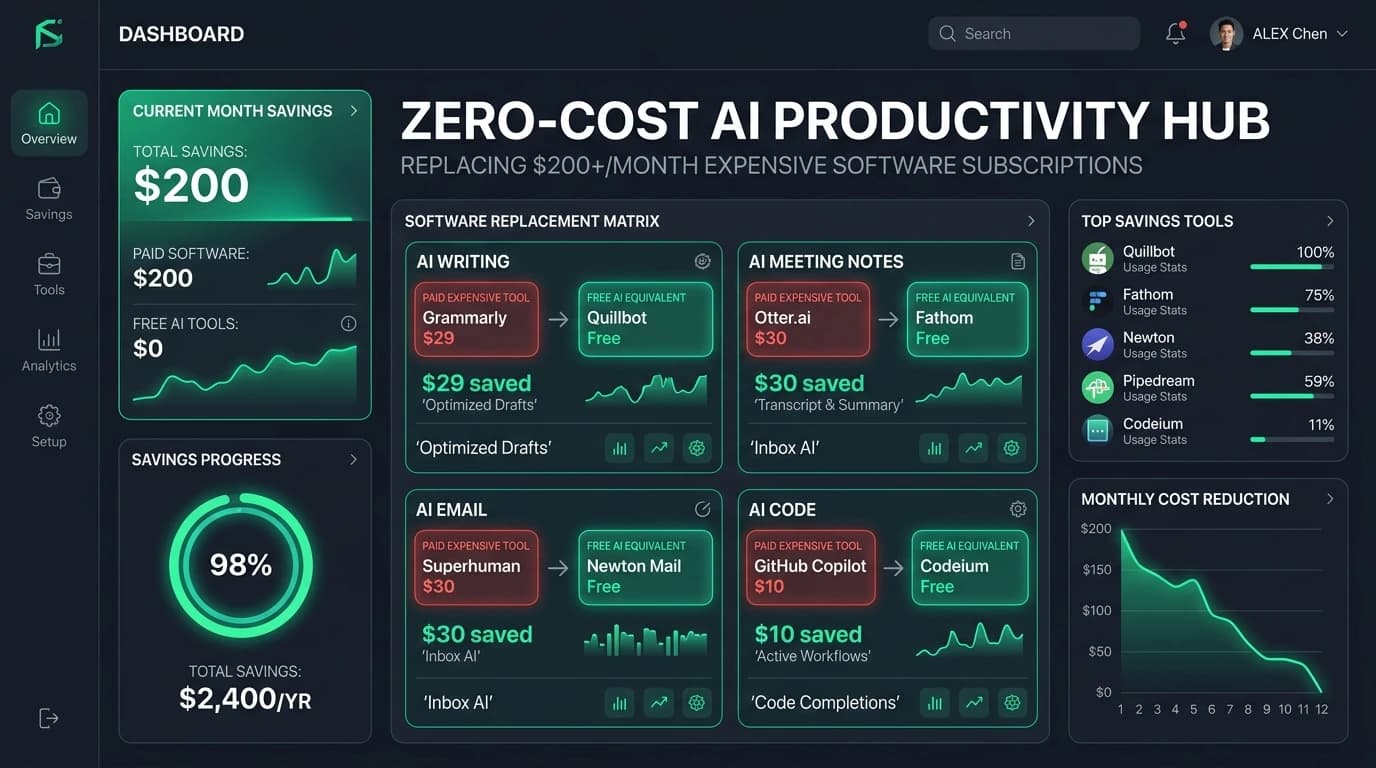
Free AI Productivity Tools That Replace $200+/Month of Software
Stop bleeding cash on SaaS subscriptions. Discover the battle-tested free AI productivity stack in 2026 that replaces $200+/month of paid tools without sacrificing speed or output.
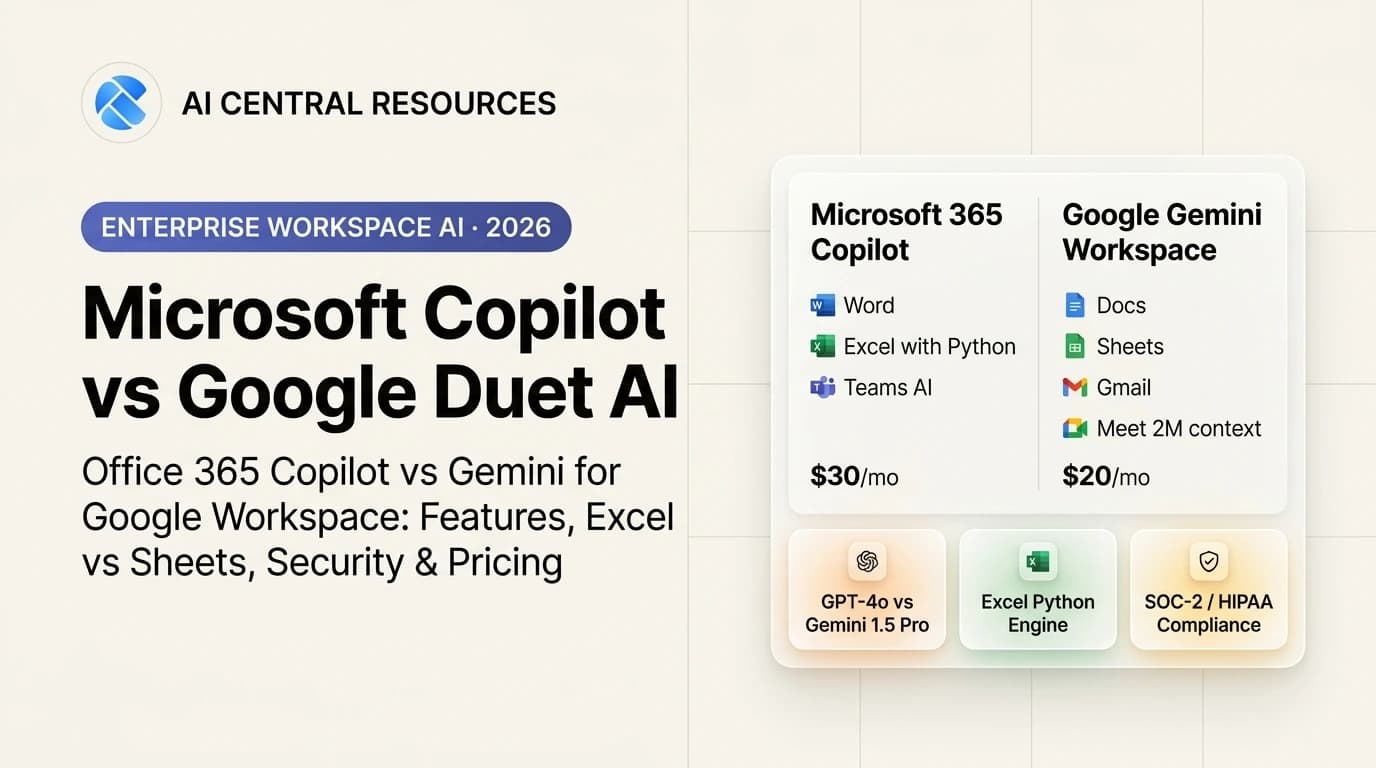
Microsoft Copilot vs Google Duet AI: Which Workspace AI Wins in 2026?
Microsoft 365 Copilot vs Google Duet AI (Gemini Workspace). Discover which enterprise AI suite delivers better document drafting, Excel analytics, and meeting intelligence in 2026.