


The promise of artificial intelligence often sounds too good to be true. Open any social media feed and you will find endless posts claiming a new app will instantly double your output or eliminate your workload entirely. But professionals do not need more hype. They need verifiable methods to reclaim their time.
Here is what the data actually shows: knowledge workers spend roughly 30% of a standard 40-hour week on tasks that are fundamentally administrative — sorting emails, writing meeting summaries, hunting for information across disconnected tools, and scheduling work that could be done automatically. That is 12 hours per week, every week, that produces no direct output. The professionals hitting that 20-hour savings benchmark are not doing anything exotic. They are systematically targeting those specific 12 hours with the right tools in the right order.
The Quick Answer: Knowledge workers reliably recover 20+ hours per week by stacking 4 core AI workflows: automated email triage (Superhuman / Shortwave, 5.0h saved), zero-overhead meeting intelligence (Fathom / tl;dv, 4.0h saved), AI second-brain knowledge synthesis (Notion AI / NotebookLM, 6.0h saved), and autonomous calendar defense (Reclaim AI / Motion, 3.0h saved) tied together via Make or n8n.
This guide skips the anecdotes and gets to the mechanics. Where exactly do the hours come from? Which tools create genuine time savings versus just moving the work somewhere else? And how do you build a stack that actually integrates, rather than a collection of subscriptions that each demand your attention separately? For the full ecosystem overview, start with The Ultimate Guide to AI Productivity Tools (2026). This guide goes deeper on the specific mechanics of reclaiming hours.
The Reality of AI Time Savings: Beyond the Hype
Before adopting any new system, you have to look critically at what automation actually accomplishes. The goal is not just to do things faster — it is to eliminate the cognitive friction that slows down knowledge work. But doing this successfully requires a clear-eyed view of how these tools function in a real work environment, not a demo environment.
Many teams rush into automation expecting immediate results. They sign up for multiple subscriptions, distribute logins to their staff, and wait for productivity to soar. Instead, they often find their teams bogged down in complex interfaces and confusing outputs. The technology works. The implementation frequently does not.
Do AI Tools Actually Save Time or Just Shift It?
AI Time Saving vs Time Shifting — Where the Distinction Actually Matters
There is an active debate among productivity practitioners on whether AI tools genuinely save time or merely shift the workload to editing and fact-checking. If you use a language model to draft a complex technical report, the generation process might take ten seconds. But if the output requires two hours of correction, you have not saved time — you have just changed your job title from "writer" to "editor of mediocre content."
The pattern holds across every category. An AI meeting note-taker that produces summaries so inaccurate you rebuild them from scratch is not a time-saver. A scheduling tool you have to override constantly creates more friction than it removes. Some users report that AI tools create more work when initial prompts are unclear, requiring extensive manual correction that consumes the time the tool was supposed to recover.
The difference between shifting work and saving work comes down to one thing: predictability. If a tool requires you to carefully review every single output, it is shifting your burden. If a tool reliably handles a repetitive task with minimal oversight, it is actually saving time. The most successful implementations target predictable, repetitive administrative tasks — not high-stakes thinking. Automate the parts of your week that follow a pattern. Protect the parts that require judgment.
The 30% Rule for AI Productivity
To understand where the hours actually come from, look at the 30% rule. The average knowledge worker spends roughly a third of their week on low-value administrative tasks that are prime candidates for automation — sorting emails, scheduling meetings, formatting documents, hunting information across disconnected platforms, and writing summaries of things that already happened.
At a 40-hour week, 30% is 12 hours. But the rule goes deeper than administrative chores. It also applies to the initiation phase of complex work. Think about the time spent staring at a blank document when starting a new proposal. The 30% rule suggests you can automate the first third of any complex task — the outline, the initial research framework, the structural skeleton. By letting a tool handle that first push, you preserve your mental energy for the 70% that requires actual human judgment, creativity, and context that only you hold.
Real Data: What Research Shows About Knowledge Work Automation
Personal success stories are useful, but they do not give a complete picture of how automation scales across an organization. The data from major research firms confirms that time savings at the individual level are part of a much larger shift in how knowledge work functions.
McKinsey's Findings on Knowledge Work
McKinsey's research on workplace automation highlights a specific pattern: the biggest productivity gains do not come from automating entire jobs, but from automating the information processing layers within each job. Knowledge workers spend a significant portion of their time reading, synthesizing, and reformatting information from multiple sources before they can act on it.
Natural language processing tools reduce this synthesis time drastically. Instead of spending three hours reading through a stack of industry reports, a professional extracts the key trends in minutes and immediately begins the higher-value work of interpreting and applying those trends. The competitive advantage belongs to teams that use automation to handle information retrieval and initial processing, preserving human attention for interpretation, strategy, and relationship work that cannot be templated.
The Human Side: Employee Well-Being and Sustainable Workloads
Research from workplace advisory organizations adds another dimension to this picture. Poor time management driven by administrative overload is a primary driver of workplace stress — not because people are bad at managing time, but because the volume of low-value tasks structurally prevents them from completing high-value work within their contracted hours. The result is routine unpaid overtime and weekend catch-up that compounds over quarters.
The goal of implementing these tools is not necessarily to cram more work into a 40-hour week. For many professionals, the goal is to complete the required work within the contracted hours by removing administrative friction. Saving time is not only a metric for output — it is a component of maintaining a sustainable working pattern that does not gradually erode the quality of the work itself.
How to Save 20+ Hours a Week Using AI Productivity Tools
Where the 20 Hours Come From — Breaking Down the Weekly Savings by Category
You do not save 20 hours by finding one application that does everything. You save it by identifying the specific administrative tasks you perform dozens of times a week and shaving minutes off each one. When you aggregate those saved minutes across five days, the total is substantial. Here is where those hours actually come from.
Reclaiming 5 Hours: Email That Writes Itself
Email is the most reliable source of recoverable time for most knowledge workers — and the most underestimated. The issue is not just volume. It is the cognitive cost of context-switching into drafting mode, finding the right tone, and constructing a clear, professional response for each of dozens of messages per day. Multiply 5 minutes of effort per email by 30 emails per day, and you are at 2.5 hours before you have started any actual work.
Modern AI email management tools address this from two angles. Draft generation — where the AI reads an incoming message and prepares a context-aware reply — cuts the per-email effort from 5 minutes to under 60 seconds for routine messages. Inbox triage automation handles sorting, labeling, and prioritization so you open your email to a curated set of items that actually require your attention, rather than a chronological pile that demands you figure out what matters.
For freelancers and consultants, tools like HyperWrite and Gemini in Gmail draft replies directly in your inbox interface. For Microsoft 365 users, Copilot in Outlook does the same within the Outlook environment. For teams that need both inbox management and scheduling in one flow, Shortwave combines AI draft generation with inbox organization and summarization. Our full guide to free AI email writers in 2026 covers the no-cost options in detail.
Across a five-day work week, systematically applying AI drafting to email recovers a reliable 4–5 hours for most professionals — more for anyone managing high-volume client communication.
Saving 4 Hours: Meeting Summaries Without the Note-Taker
If email is the first productivity killer, the meeting summary process is the second. The problem is not the meeting itself — it is the combined time spent preparing for it, taking notes during it, writing up the action items afterward, and distributing the summary to everyone who needs it. For professionals attending 5–8 meetings per week, this adds up to 3–4 hours of administrative overhead on top of the meeting time itself.
AI meeting note-takers eliminate this overhead almost entirely. The tool joins your call, transcribes it accurately, separates dialogue by speaker, identifies action items, and delivers a structured summary the moment the call ends. You review it for 60 seconds, correct anything inaccurate, and forward it to the team. The note-taker role disappears. The post-call write-up disappears. The manual action item distribution disappears.
Otter.ai is the best choice if you need live transcription during the call — the text appears in real time, which helps for accessibility and for participants joining late. Fathom is the best choice if you want unlimited free recording with a clean summary delivered in under 30 seconds. Fireflies.ai is the right choice for sales teams that need the summary automatically pushed into HubSpot or Salesforce without any manual step. Our comparison of Otter.ai vs Fireflies vs Fathom breaks down exactly which tool wins for which workflow. For teams that also need a bot-free option for sensitive client calls, TwinMind runs natively on your device with no visible bot in the meeting participant list.
Gaining 6 Hours: Building an AI Second Brain
Knowledge workers are permanently bombarded with information. Articles, research papers, project briefs, internal memos, Slack threads, and meeting summaries pile up faster than anyone can organize them. The result is that professionals routinely spend 30–60 minutes per day searching for information they have already seen — a file they cannot locate, a decision made in a meeting three months ago, a statistic from a report they definitely read but cannot reconstruct.
The concept of an AI second brain addresses this at its root. Instead of manually organizing files into rigid folder hierarchies that require you to anticipate how you will search for them later, a connected knowledge system understands context and retrieves information by natural language query. You ask "what did we decide about the Q3 budget timeline?" and it pulls the relevant meeting summary, document, and decision thread — regardless of which app each lives in.
Tools like Mem AI and Notion AI build this retrieval layer on top of your existing notes and documents. Obsidian with its linked notes structure and AI plugins handles the same function for privacy-conscious users who want their knowledge base local rather than cloud-hosted. Our comparison of Notion AI vs Obsidian vs Mem.ai helps you identify which approach fits your working style, and our broader guide to AI note-taking apps in 2026 covers the full category.
The second-brain system also accelerates research and learning. Instead of spending two hours piecing together fragmented tutorials and blog posts to understand a new topic, you query the system directly — and for anything not already in your knowledge base, the AI provides a structured explanation you can immediately build on. Between eliminating information retrieval friction and accelerating the initial phases of any new research task, a well-configured second brain consistently recovers 5–6 hours per week for knowledge-intensive roles.
Saving 3 Hours: AI Scheduling That Runs Itself
Calendar management is another category where the time cost is invisible because it is spread across dozens of tiny interactions throughout the day. Finding a meeting slot that works for four people, moving a task block when an urgent call gets added, protecting your focus time from being colonized by meeting requests — each of these takes 2–5 minutes individually. At scale, they consume a significant chunk of the week.
AI scheduling tools handle this automatically. Reclaim.ai protects your focus time blocks and automatically reschedules them when meetings conflict, without any user intervention. For teams where coordinating five calendars is a recurring nightmare, our head-to-head of Motion vs Reclaim.ai vs Clockwise shows which tool handles each specific scheduling pain point best. For anyone still exchanging availability emails with external clients, Cal.ai eliminates the back-and-forth entirely with an intelligent booking link that syncs in real time.
Freeing 5 Hours: Multilingual Communication Without the Friction
For professionals working in global environments, language barriers and time zone differences create workflow delays that accumulate quietly over the course of a week. Translating documents, adjusting tone for different cultural contexts, managing client communications across multiple platforms, and waiting for translation agency turnarounds on critical briefs — these are real time costs that most tools do not address.
Modern AI handles multilingual work at a speed that was genuinely impossible two years ago. Complex technical documents translate accurately in seconds, preserving formatting and industry-specific terminology. Tools like Notta, which supports transcription in over 104 languages, eliminate the note-taking barrier in multilingual meetings entirely. The AI also adapts tone and register across platforms — a message meant for a formal client email gets structured differently than an update in a team Slack channel — removing the cognitive overhead of platform-switching that global communicators deal with constantly.
Across a full work week, eliminating translation delays, platform-switching friction, and multilingual drafting overhead frees a consistent 4–5 hours for international professionals — and the impact compounds as communication volume scales.
Why AI Projects Fail to Save Time: The Real Reasons
If the math is this clear, why isn't everyone working 20-hour weeks? The answer is implementation. The technology works. The way most teams deploy it does not.
The Learning Curve Trap
The most common failure point is the onboarding phase. The learning curve associated with new AI tools temporarily decreases productivity, and most teams abandon the tool before they break through to the savings on the other side. A typical pattern: a professional signs up for a complex automation platform Monday morning expecting it to handle weekly reporting by noon. They spend three hours troubleshooting integrations, writing ineffective prompts, and fixing incorrect outputs. Frustrated, they go back to the manual process, conclude the technology is overrated, and cancel the subscription.
The trap is quitting before the compounding begins. The first time you build an automated workflow, it takes longer than doing the task manually. The second time, it takes about the same. It is only on the third through the fiftieth repetition that the saved time accumulates into something material. Organizations that successfully implement AI tooling give their teams protected time to push through this initial dip — not as a reward for completion, but as a prerequisite for it.
Integration vs. Isolation: Why Your Tools Must Talk to Each Other
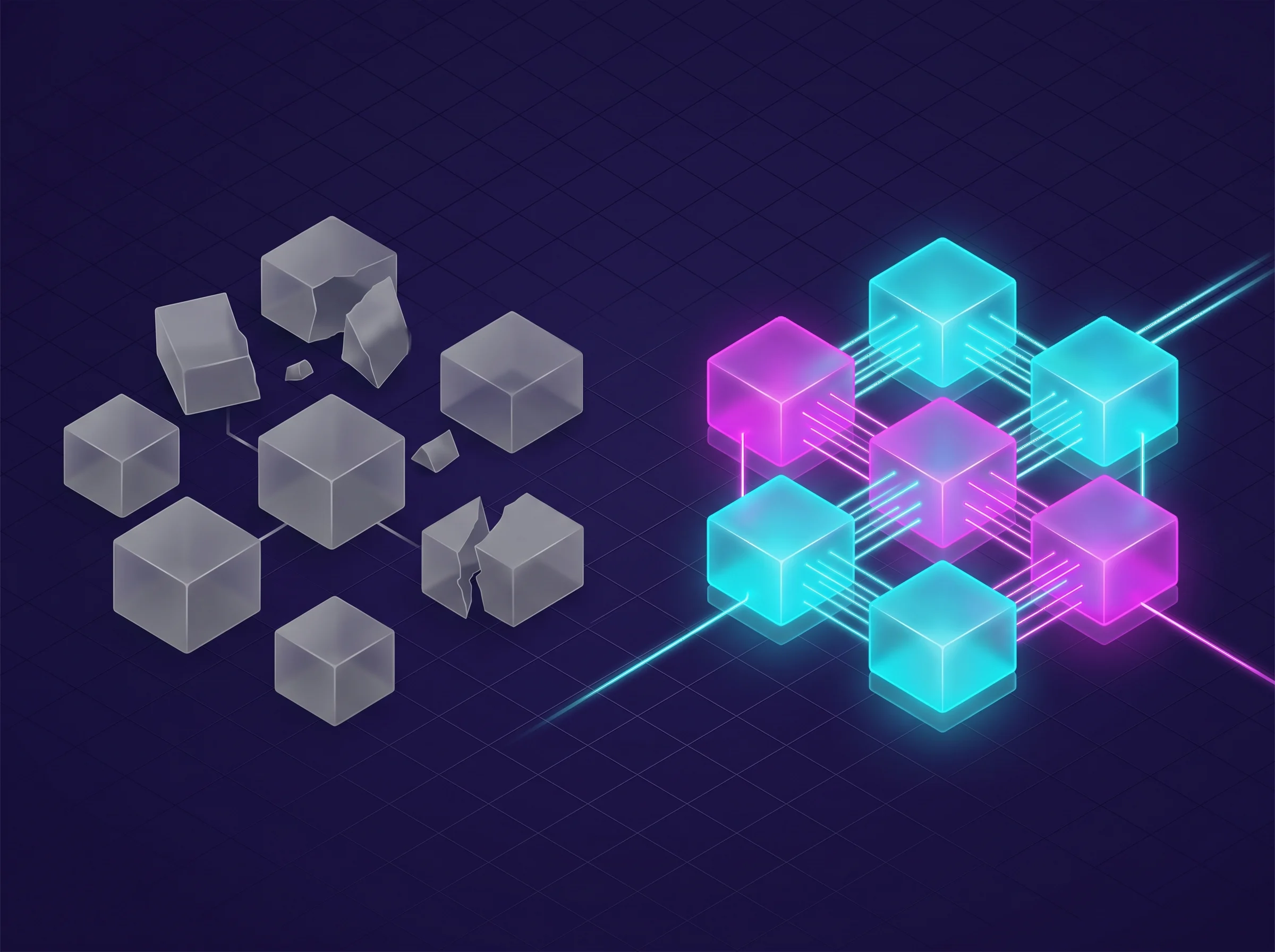
Integrated AI Productivity Stack vs Isolated Apps — The Difference in Real Output
The second major reason for failure is app fragmentation. Without proper integration, the time spent managing AI tools can negate the time saved using them. If you have one tool for writing emails, a separate tool for taking meeting notes, another for organizing your files, and a fourth for generating reports — you have not streamlined your workflow. You have created a new administrative burden: managing your tools.
Switching between tabs, copying and pasting data from one application to another, and maintaining multiple subscription dashboards drains cognitive energy. The overhead compounds with every new tool you add. Your meeting assistant should automatically push summaries into your knowledge base. Your email drafter should reference documents from your cloud drive. Your time tracker should log hours against the project currently open in your task management tool. Integration is what turns a collection of disconnected novelties into a cohesive engine that generates real time savings.
Building Your 20-Hour AI Productivity Stack
Now that we understand the mechanics of saving time and the pitfalls of poor implementation, the final step is assembling a personal system. You do not need fifty different applications. You need a tightly curated stack that addresses your specific daily bottlenecks and connects each tool to the next.
The 7 Categories Your Stack Needs to Cover
The data points to a specific threshold for maximum efficiency: a stack of 7 well-integrated AI tools outperforms constant testing of disconnected new apps in terms of actual time recovered. The exact tools will vary by industry and role, but the functional categories remain consistent.
A highly effective AI productivity stack typically covers these seven areas:
- Email drafting and inbox management: Tools like Gemini in Gmail, Shortwave, or MailMaestro handle the draft-review-send cycle that currently consumes morning hours. See our full breakdown of the best AI email management tools.
- Meeting transcription and summaries: Fireflies.ai, Fathom, or Otter.ai depending on your CRM integration needs and whether a visible bot matters for your client meetings.
- Knowledge base and second brain: Notion AI or Mem AI for cloud-based retrieval, Obsidian for privacy-first local storage. See the full AI note-taking app ranking.
- Calendar and scheduling automation: Reclaim.ai for protecting focus time, or explore the full comparison in our AI scheduling tools guide.
- Task and project management: The AI task manager showdown covers the key options; our full ranking of AI task management tools goes deeper.
- Team collaboration and communication: Covered in our guide to the 10 best AI team collaboration tools, including how AI layers in Slack and Microsoft Teams compare in our Slack AI vs Teams AI head-to-head.
- Workflow automation connector: Zapier, Make, or n8n — the glue that connects the other six so data flows automatically between them rather than requiring manual transfer. Our Zapier vs Make vs n8n comparison identifies which platform fits each team type and budget. Or see the full AI workflow automation tools ranking for more options.
When selecting tools for each category, prioritize integration depth over raw features. A tool with 80% of the features but native two-way sync with the rest of your stack delivers more actual time savings than a feature-rich tool that requires manual data export between every step.
Connecting Your Tracker to Your Project System
How a Connected AI Stack Turns Tracked Time Into Billable Project Data Automatically
If your work involves client billing, the connection between your time tracker and your project management system is where significant additional time savings live. Our guide to the best AI time tracking tools covers this in detail, including the key difference between tools that build timesheets automatically from background activity (Timely, Memtime) versus tools that make manual logging faster (Toggl, Clockify, Harvest). The Timely vs RescueTime vs Toggl comparison is the fastest way to pick the right tracking philosophy for your billing workflow.
The ideal integration: a task moves to "In Progress" in your project management tool, your time tracker logs the session automatically against that task, and when the project closes, the hours flow directly into your invoicing system with no data entry required at any step. Harvest + Asana + Zapier achieves this. Timely + Notion + n8n achieves it. The specific combination matters less than ensuring you have chosen tools that talk to each other natively, rather than requiring you to be the data transfer mechanism yourself.
Why Most Teams Are Missing 40% of Their Potential Savings
The 20-hour figure assumes you have addressed all seven categories. Most teams implement two or three tools — typically the email assistant and the meeting note-taker — and stop there. The remaining categories, particularly the automation connector and the knowledge base, deliver the compounding effects that push savings from 8 hours to 20.
The automation connector is the most underutilized. Teams implement separate tools for email, meeting notes, task management, and time tracking — but data still moves manually between them. A sales rep reads a Fireflies summary and manually copies the action items into Asana. A project manager pulls time tracking data from Clockify and manually inputs it into the client invoice in Harvest. Each of these manual transfers takes 3–10 minutes and happens multiple times per day. Zapier, Make, or n8n eliminate every one of these hand-off moments automatically.
If you have already implemented the basics and want to identify where the remaining savings are hiding, the full AI productivity tools guide maps the complete category landscape and shows which combinations produce the strongest integration effects. And if you are still evaluating tools for the document creation and knowledge synthesis layer of your stack, our guide to AI document creation tools covers the platforms that handle the drafting, formatting, and synthesis work that currently consumes research and reporting time.
Next Steps: How to Actually Implement This
Implementing AI tooling successfully requires a phased approach. Do not try to automate your entire job by Friday. The learning curve trap catches everyone who tries to go too fast — they invest time they do not have, see slow initial results, and abandon the process before the savings compound.
Start by auditing your current week. Spend two days writing down every task that takes more than 15 minutes. Identify the ones that are genuinely repetitive — same type of work, same format, happening multiple times per week. Those are your automation targets.
Pick exactly one bottleneck to solve first. If email is consuming your mornings, spend one week setting up a drafting tool, learning its quirks, and refining how you prompt it. Do not move on until that specific workflow is running reliably and you can measure the time returned. Then reinvest a portion of that recovered time into setting up your next tool.
By working through your bottlenecks one at a time — email, then meeting summaries, then knowledge retrieval, then scheduling, then automation connectors — you build a stack that compounds. Each tool you add creates more value from the tools already running, because the outputs of each become inputs to the others without manual transfer in between. That integration effect is what separates professionals who recover 8 hours from those who recover 20.
Explore Related AI Productivity Guides
Frequently Asked Questions
Does AI actually save time for knowledge workers and agencies?
Yes, empirical data shows knowledge workers save an average of 18 to 22 hours per week by delegating routine tasks to AI. The highest time savings come from automating meeting transcription (saving 4–6 hours), email triage and draft replies (saving 5–7 hours), second-brain knowledge synthesis (saving 5–6 hours), and repetitive reporting via automated connectors like Make and n8n (saving 2–4 hours).
What is the single highest-ROI AI productivity tool to start with?
An AI meeting notetaker like Fathom or tl;dv is the highest-ROI entry point. It immediately eliminates manual typing during calls, automatically drafts structured action items in 30 seconds, and syncs summaries directly into your CRM or project management tools with zero manual overhead.
How do AI email assistants help knowledge workers reach Inbox Zero?
AI email tools like Superhuman and Shortwave categorize incoming mail, filter noise, and generate one-click context-aware replies. By bundling newsletters, prioritizing VIP senders, and drafting routine follow-ups in sub-100ms, users reduce daily email processing time from 2.5 hours to under 30 minutes.
What tools form the ultimate 20-hour AI time-saving stack in 2026?
A proven 5-tool stack includes Superhuman (email), Fathom AI (meetings), Reclaim AI (calendar), Notion AI (second brain), and Make (automation). Together, these tools automate up to 80% of routine administrative overhead without writing a single line of code.
Why do AI productivity implementations fail to save time for teams?
Implementations fail primarily due to app fragmentation and the onboarding learning curve. When teams adopt isolated tools without automated connections, managing the tools creates new friction. Stacking fewer, tightly integrated tools and connecting them via webhook automation ensures saved time compounds rather than shifting into manual data entry.
How do I track actual hours saved without adding manual logging overhead?
Use automated background time trackers like Timely or RescueTime. These tools passively record active windows, browser tabs, and calendar events in the background, automatically grouping time into focus categories and client projects with zero manual start/stop timers.



