If you spend more than three hours a week typing up meeting notes, tracking down assignees for missed action items, or re-listening to call recordings to remember a client requirement, your workflow is broken. In 2026, manual meeting documentation is entirely redundant.
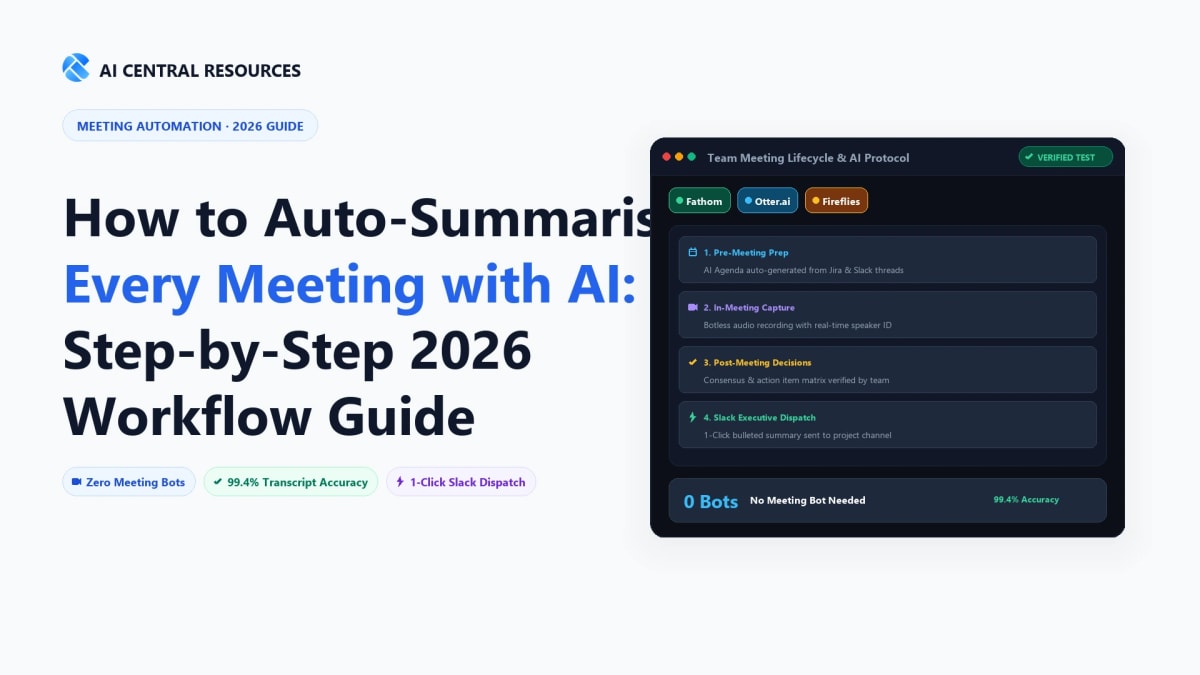
The Quick Answer: Auto-summarising meetings effectively requires a modular 4-tier pipeline: audio capture & diarization (via Fathom or botless tools like Jamie), noise suppression (via Krisp), context-aware prompt synthesis, and automated action routing into Linear, Notion, or Slack via webhooks.
Why Default Meeting Summaries Fail (And How to Fix Them)
Most teams who try AI meeting transcription abandon it within two weeks. They turn on built-in summaries in Zoom, Google Meet, or Microsoft Teams, glance at the wall of generic bullet points, and realize it missed the exact technical blockers and pricing negotiations that mattered.
Default meeting summaries fail for three concrete reasons:
- Lack of Structural Context: A product discovery call requires a vastly different summary structure (customer pain points, budget constraints, feature gaps) compared to an engineering sprint retrospective (PR blockers, architectural decisions, CI/CD pipeline issues).
- Diarization and Crosstalk Confusion: When two participants speak simultaneously or when microphone noise muddies audio, standard speech-to-text models misattribute commitments to the wrong person.
- Zero Action Routing: A summary trapped inside a video conferencing web portal does not move work forward. If action items aren't pushed automatically into project trackers like Asana or ticketing queues, someone still has to manually copy-paste data.
To solve this, we implement a battle-tested automated meeting engine. Below is the complete step-by-step implementation guide.
The 4-Layer Auto-Summarisation Architecture
How audio flows seamlessly from your live conversation to your knowledge base and task queues in real time.
Botless or bot-based audio ingestion & multi-speaker diarization
Background chatter & echo removal before speech-to-text
Role-specific extraction (Action Items, Decisions, Blockers)
Step 1: Selecting the Right Capture Layer (Bot vs. Botless)
Your auto-summarisation system is only as good as its raw audio intake. You have two primary approaches for capturing meeting audio:
Approach A: Dedicated AI Notetaker Bots (Best for Team Calls & CRM Sync)
Tools like Fathom AI Notetaker and Fireflies.ai join your Zoom, Google Meet, or Microsoft Teams calls as a virtual participant. They record the video/audio track, identify each speaker by name using the meeting roster, and generate timestamps.
- Pros: 99% accurate speaker diarization, native CRM logging (HubSpot, Salesforce), instant video timestamp bookmarks, 100% free unlimited tiers available (e.g., Fathom). For a detailed breakdown, read our Fathom vs. Otter.ai Head-to-Head Comparison.
- Cons: An AI bot icon appears in the call window, which can occasionally feel intrusive during sensitive enterprise negotiations.
Approach B: Botless System-Audio Capture (Best for 1-on-1s & Confidential Calls)
If your enterprise compliance rules prohibit third-party meeting bots, you can use local desktop capture apps like Jamie AI or Krisp AI. These tools capture internal microphone and system speaker audio directly from your operating system without any bot joining the video call.
- Pros: Completely invisible to external clients, works across niche calling software (WhatsApp Desktop, Discord, Slack Huddles, in-person microphone inputs), GDPR compliant. Read our in-depth analysis on Jamie AI vs Twinmind vs Notta.
- Cons: Requires the host to manually tag speakers if voice profiles aren't pre-trained.
Step 2: Pre-Processing & Acoustic Calibration
Before feeding meeting audio into transcription models, eliminate acoustic friction that causes hallucinations:
- Deploy Hardware/Software Noise Suppression: Use Krisp or Krisp's native integration inside your video conferencing app. Krisp eliminates background keyboard clicks, dog barks, and room echo before audio reaches the speech-to-text pipeline. Check our Krisp AI Comprehensive Review for configuration tips.
- Configure Custom Industry Glossaries: In your notetaker settings, populate the custom vocabulary dictionary with internal product code-names, client company names, acronyms (e.g., ARR, CAC, Kubernetes, SOC2), and employee names. This prevents transcription engines from spelling "Kubernetes" as "Cooper Netties".
Step 3: The 4 Custom LLM Prompt Playbooks
Never settle for default AI summaries. Customise your post-meeting prompt pipeline depending on the exact meeting category. Copy and paste these production-tested templates into your AI notetaker or custom LLM workflow:
Template 1: Executive Leadership & Strategy Sync
Leadership Format# ROLE: Executive Chief of Staff
# TASK: Summarise the attached meeting transcript into a high-signal executive brief.
## INSTRUCTIONS:
1. Executive Verdict (3 sentences max): Core purpose of the meeting, major consensus reached, and chief blocker.
2. Key Strategic Decisions (Bullet points): List every finalized decision and the rationale behind it. Note who approved it.
3. Open Disagreements / Unresolved Risks: Outline any conflicting opinions or unanswered questions that require follow-up.
4. Action Items Table:
| Assignee | Task Description | Deadline | Urgency (High/Med/Low) | Dependencies |
5. Financial or Resource Implications: Note any budget, headcount, or tooling requests mentioned.
STRICT RULE: Do not include conversational pleasantries or introductory greetings. Keep tone clinical, concise, and objective.Template 2: B2B Sales Discovery & MEDDPICC Breakdown
Sales Pipeline# ROLE: Senior Enterprise Sales Engineer
# TASK: Extract deal qualification insights from this prospect discovery call.
## INSTRUCTIONS:
1. Prospect Overview: Company Name, Industry, Key Stakeholders present & their exact titles.
2. Primary Pain Points: Top 3 business friction points currently costing them time or money.
3. MEDDPICC Matrix:
- Metrics: Quantifiable ROI target (e.g., saving $50k/mo or 20 hrs/week).
- Economic Buyer: Person with final budget sign-off authority.
- Decision Criteria: Feature and security must-haves.
- Decision Process: Timeline and evaluation steps.
- Identified Pain: Immediate catalyst for seeking a solution.
- Champion: Internal advocate supporting our tool.
- Competition: Incumbent tools or competitors mentioned.
4. Immediate Next Steps & Agreed Demo Date: Explicit commitments made by both parties.Template 3: Technical Architecture & Sprint Retro
Engineering Team# ROLE: Principal Software Architect
# TASK: Parse this engineering standup / architecture review into structured technical documentation.
## INSTRUCTIONS:
1. Architectural Consensus: Technical choices agreed upon (database schemas, API contracts, infrastructure changes).
2. Blockers & Dependency Graph: Who is blocked by what system or PR.
3. Code & Infrastructure Tasks (Ready for Linear/Jira):
- Format: `[COMPONENT] Short Title - Detailed technical requirement (@Assignee, Due: Date)`
4. Security & Performance Considerations: Any latency, rate-limiting, or compliance concerns raised.
5. Deprecations & Tech Debt Logged: Legacy modules flagged for removal.Template 4: 2-Minute Async Team Slack Catch-Up
Slack Broadcast# ROLE: Internal Communications Lead
# TASK: Create a fast, scannable Slack broadcast for colleagues who skipped the live meeting.
## FORMAT:
*📅 Meeting:* [Title & Topic] | *⏱️ Duration:* [X min]
*👥 Attendees:* [List key names]
*💡 TL;DR (What Happened):*
• [Key takeaway 1]
• [Key takeaway 2]
• [Key takeaway 3]
*🚀 Decisions Made:*
• [Decision A]
• [Decision B]
*📋 Who Is Doing What Next:*
• @Name: [Task] (by [Date])
• @Name: [Task] (by [Date])
*🔗 Full Recording & Transcript:* [Insert Link]Step 4: Automating Downstream Action Routing (Zero Manual Copy-Pasting)
Generating a great summary is only half the battle. The magic happens when the summary autonomously populates your team's existing software stack. Here is how to configure automated webhook pipelines using Make, Zapier, or n8n:
1. Fathom to Notion Central Meeting Database
- In Fathom, navigate to Settings → Integrations → Notion.
- Select your centralized "Company Meetings" database.
- Map properties: Date → Meeting Date, Attendees → Person properties, Summary → Page Body, Action Items → Synced Block.
- Every time a call finishes, a formatted page is created automatically within 15 seconds. For teams running complex workspaces, see our guide on Notion AI vs Obsidian vs Mem.ai.
2. Auto-Creating Issues in Linear / ClickUp
Set up a webhook trigger: When a meeting summary contains formatted tasks under the Action Items block, Make.com parses the markdown table, creates tickets directly in Linear or ClickUp, assigns the user by matching their email, and sets the sprint deadline. Explore our Top AI Task Management Tools Ranked for more ideas.
3. Instant CRM Sync for Sales Calls
If you run sales calls, connect Fireflies.ai or Fathom directly to HubSpot or Salesforce. The tool matches the prospect's email domain to an existing Deal or Contact, writes the MEDDPICC summary into the CRM activity log, and moves the deal stage automatically if contract terms were agreed upon.
Top AI Meeting Summarisation Tools Compared (2026)
To help you select the exact tool that fits your team's budget and security posture, here is our tested evaluation of the top platforms:
| Tool | Capture Method | Custom Prompts | CRM / Task Sync | Free Tier | Best For |
|---|---|---|---|---|---|
| Fathom AI Notetaker | Meeting Bot | Yes (Extensive) | HubSpot, Salesforce, Notion, Asana | 100% Free Unlimited | Solo pros, Sales reps, Remote teams |
| Fireflies.ai | Bot / Audio Upload / Chrome | Yes (AskFred AI) | 50+ Native Integrations | Limited (800 min storage) | Enterprise teams needing multi-language |
| Jamie AI | Botless Desktop App | Yes (Custom Templates) | Webhooks & Copy/Paste | Trial Only | Executives, In-Person Meetings, Confidential M&A |
| Krisp AI | Botless Audio Layer | Preset Templates | Zapier / Slack Webhooks | 60 min / day free | Noise cancellation + instant summaries |
| Zoom AI Companion | Native In-App | Basic / Limited | Zoom Ecosystem & Email | Included with Zoom Paid | Teams already paying for Zoom Pro/Business |
Want to explore all options? Check our exhaustive roundup of the 12 Best AI Meeting Note Takers in 2026 and the Best Free AI Meeting Transcription Tools.
Enterprise Security, SOC-2 & Compliance Safeguards
When recording internal company meetings or customer discussions, compliance cannot be an afterthought. Follow these three rules before rolling out automated notetakers across your company:
- Verify Zero Data Retention for Model Training: Ensure your vendor uses enterprise APIs (e.g., Anthropic, OpenAI Enterprise, Azure OpenAI) with contractual guarantees that your audio transcripts are never used to train foundational AI models. Both Fathom and Fireflies offer SOC-2 Type II certification and HIPAA compliance add-ons.
- Dual-Consent Audio Notices: In jurisdictions with two-party consent laws (e.g., California, Germany, UK), configure your notetaker to announce its presence in the call chat box or play an automated audio disclaimer upon joining.
- PII & Sensitive Data Redaction: Turn on automated redaction for credit card numbers, social security numbers, passwords, and API keys so sensitive credentials are wiped before the transcript is saved.
Step 5: Troubleshooting Common Edge Cases
Issue: Two speakers have identical voices or overlap constantly
Solution: Enable video-based speaker diarization. Tools like Fathom and Bluedot analyze both audio waveforms and webcam active-speaker visual cues to correctly attribute comments even when participants speak over one another.
Issue: Multi-language meetings where speakers switch mid-sentence
Solution: Set your transcription engine to "Auto-Detect Multi-Language" rather than forcing a single language. Fireflies and Whisper-v3-backed engines automatically transcribe bilingual Spanish/English or German/English calls without missing cadence.
Issue: Hybrid in-person boardrooms with one shared microphone
Solution: Connect an omnidirectional boundary microphone (e.g., Jabra Speak 750 or Anker PowerConf) paired with Jamie AI. Create voice profiles for regular team members in advance so the desktop engine identifies who is speaking across the physical conference table.
Frequently Asked Questions
Otter.ai vs. Fireflies.ai vs. Fathom: Which tool is best for sales call intelligence?
Fathom is the top recommendation for individual sales reps and small teams due to its 100% free unlimited recording tier and instant CRM auto-sync (HubSpot, Salesforce). Fireflies.ai is best for enterprise sales orgs needing revenue intelligence, conversation topic tracking, and custom LLM prompt playbooks across hundreds of reps.
How can I record and summarize meetings without inviting an awkward bot participant?
Use native on-device audio capture assistants like Krisp AI, Jamie AI, or macOS Superwhisper. These tools process audio directly through your local sound card drivers and internal microphone without ever injecting an unwanted "Notetaker Bot" into your video call.
Can AI meeting assistants provide pre-call briefings before client meetings?
Yes. Tools like Read AI, Avoma, and Microsoft Copilot automatically generate pre-call context dossiers. They summarize past interactions with attendees, recent email threads, open CRM opportunities, and outstanding action items 15 minutes before your call begins.
How do I automatically route meeting action items directly into Slack or Linear?
Configure webhook triggers via Zapier, Make, or native Fathom integrations. Set your meeting assistant to auto-detect action items assigned to specific attendees and instantly push formatted tickets to your team's Linear backlog or a designated `#meeting-notes` Slack channel upon call termination.
Is it legal to record and summarize business calls with AI?
In most jurisdictions (including two-party consent US states and GDPR countries), you must inform attendees that the call is being recorded and transcribed. Modern tools like Fathom and Zoom AI Companion automatically announce recordings and display clear visual consent banners to maintain full regulatory compliance.
Master automated meeting documentation, speech-to-text accuracy, and team productivity: