


Managing a small team usually means wearing multiple hats. When you only have a handful of people executing a vision, nobody has the time to act as a full-time traffic cop for tasks, deadlines, and project briefs — and traditional enterprise project management software creates more administrative work than it saves for teams your size.
This is where AI changes the equation, but not in the way most product pages suggest. The AI features that actually save time for small teams are specific: automatic task scheduling based on calendar availability, one-click status reports that don't require you to manually review every subtask, and the ability to type a rough project description and have a structured workspace generated for you. The AI features that don't save time for small teams are just as specific: complex resource forecasting you'll never set up, enterprise governance you don't need, and chatbots that summarize content you just wrote yourself.
The Quick Answer: For small teams wanting a unified all-in-one workspace with native AI documentation and task search, ClickUp Brain is the overall #1 pick. If your biggest bottleneck is daily calendar chaos and shifting deadlines, Motion's autonomous scheduler is unbeatable. For software and product development teams, Linear sets the standard with sub-50ms sprint workflows and automated git triaging.
This guide covers nine tools tested specifically for teams of 2 to 15 people. We focus on what the AI actually does in practice, what it costs with no marketing math, and which tools genuinely serve lean teams versus which ones are enterprise products with a small team marketing page. If you want to see how project management fits into your full software stack, our complete guide to AI productivity tools covers the broader ecosystem.
📋 How We Evaluated These Tools
Every tool was evaluated from the perspective of a 5–12 person team without a dedicated project manager. Key criteria: Can a non-PM set this up in under a day? Do the AI features reduce real daily friction or just look impressive in demos? What does the total cost actually come to per user per month, including AI add-ons? What are the meaningful limitations for small team use?
Quick Comparison: Best AI Project Management Tools for Small Teams
| Tool | Best For | Free Plan? | Starting Price | AI Included? | Setup Time |
|---|---|---|---|---|---|
| Motion | Automated calendar + task scheduling | No | $19/mo individual (annual) | Yes — core feature | Under 1 hour |
| ClickUp | All-in-one team collaboration | Yes (unlimited users) | $7/user/mo + AI (Unlimited plan) | Add-on (Brain²) | 1–2 days (complex) |
| Asana | Goal tracking and status automation | Yes (10 users) | $10.99/user/mo (Starter, annual) | AI on Advanced ($24.99+) | Half a day |
| Todoist | Simple task lists with AI subtask breakdown | Yes (5 projects) | $4/user/mo (Pro, annual) | Yes — included in Pro | Under 30 minutes |
| Notion AI | Document-driven projects and wikis | Yes (limited) | ~$20/seat/mo (Business, AI incl.) | Yes — bundled in Business | 1–2 days |
| Linear | Engineering and product dev teams | Yes | $8/user/mo (Standard, annual) | Yes — included in paid plans | Under 1 hour |
| monday.com AI | Custom visual workflows | Yes (2 seats) | $9/seat/mo (Basic, annual, 3 min) | AI on Standard+ ($12/seat) | Half a day |
| Basecamp | Async communication-first teams | Trial only | $15/user/mo or $299/mo flat | Yes — thread summarization | Under 1 hour |
| Taskade | Remote teams needing AI agents | Yes | $10/mo (Pro, 2 users, annual) | Yes — AI agents core feature | Under 30 minutes |
Pricing verified July 2026. AI software pricing updates frequently — confirm current rates on each vendor's official pricing page before purchasing.
What Changed in 2026: AI Updates That Actually Matter for Small Teams
Most "2026 guide" articles update the year without updating the content. Here are the platform changes from the past twelve months that genuinely affect which tool you should choose for a small team.
🔄 2026 Updates That Change the Picks
- ClickUp Brain²: ClickUp replaced its original AI add-on with Brain², a self-improving AI system that routes to the best model for each task type. It can now complete work — building websites, slides, and running project tasks — not just assist with them. For small teams, the key addition is that it builds entire project plans from a one-sentence prompt and can execute assigned sub-tasks autonomously.
- Notion AI Agents (3.0, Feb 2026): Notion AI Agents can now run multi-step tasks for up to 20 minutes autonomously — drafting docs, building databases, and pulling content from connected tools — without you babysitting each step. The Business plan now bundles AI, Mail, and Calendar together at ~$20/seat/month rather than charging AI as a separate add-on.
- Wrike AI Agents (Feb 2026): Three out-of-the-box AI Agents — Risk Agent, Triage Agent, and Intake Agent — handle specific project management overhead automatically. Risk Agent identifies at-risk tasks before they miss deadlines; Triage Agent routes incoming work requests; Intake Agent structures unformatted project briefs. Genuinely useful, but the platform remains complex for teams under 10 people.
- Asana AI teammates: Asana launched AI teammates that work alongside your human team — taking on specific workflows, routing work, updating statuses, and generating reports without manual triggering. Available on the Advanced plan and above.
- Motion AI Docs: Motion added AI document generation and a meeting recorder in 2026, expanding from pure task/calendar management toward a more complete small team hub.
- Linear AI issues: Linear added AI-powered sub-issue creation, duplicate detection, and intelligent issue triage that understands engineering context — not just generic PM AI.
Why Small Teams Have Specific Requirements
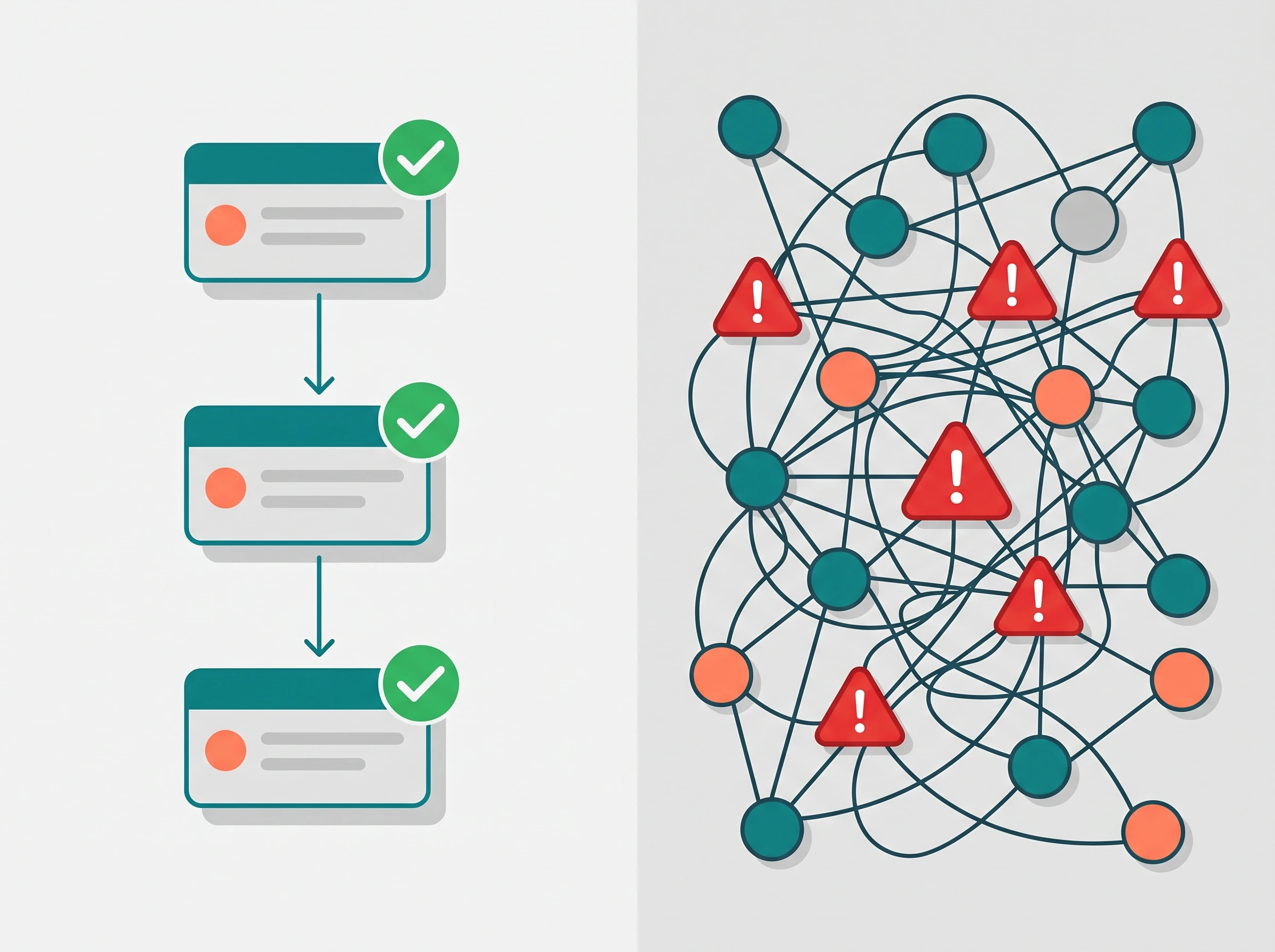
Streamlined Workflow vs Enterprise Bloat
When your company has fewer than fifteen people, agility is your primary advantage. You can make decisions quickly and pivot without board approval. Your project management tools must reflect that same agility — which rules out a significant portion of what most "best PM tools" articles recommend.
Enterprise tools like Smartsheet, Wrike at its full configuration, or MS Project are genuinely powerful. They're also designed for teams with dedicated project management offices, IT departments to handle deployment, and weeks available for configuration and training. Using them with a ten-person startup is like using industrial kitchen equipment to make a weekday dinner — technically possible, practically exhausting.
For teams of 2 to 15 people, the right criteria are different. Can someone without PM training set this up in a single afternoon? Does the AI reduce the most common small team bottlenecks — missed deadlines, forgotten tasks, status update time — without requiring ongoing admin? Is the pricing per-user at a scale that makes sense for 5 seats, not 50? And critically: will your team actually use it, or will they revert to the shared spreadsheet after two weeks?
The tools below were specifically evaluated against those questions. If you want a deeper look at the full AI task and project management tools category including enterprise options, our full category directory covers 26+ tools with pricing and ratings.
The 9 Best AI Project Management Tools for Small Teams in 2026
1. Motion — Best for Automatic Task Scheduling

Motion solves the most specific and persistent small team problem: not knowing when work is actually going to get done. Every other project management tool tells you a task is due on Friday. Motion is the only tool in this comparison that looks at every team member's calendar, finds the actual available time blocks between meetings and commitments, and schedules the task into those specific windows automatically.
The AI scheduling engine is the entire product. You input a task, estimate its duration, set a deadline, and Motion finds the optimal time slot in your schedule without you touching a calendar. If an urgent client request arrives Tuesday afternoon, you add it as high priority and Motion automatically reshuffles your existing scheduled tasks to protect time for the new priority. For a team of 5–8 people with no dedicated PM, this eliminates a significant amount of daily planning overhead.
The 2026 update added AI Docs and a built-in meeting recorder, which positions Motion as something closer to a complete operational hub rather than just a scheduler. The meeting recorder integrates with the task system — action items from calls are automatically added to the relevant project and scheduled into calendars.
The honest limitations: Motion's strength is individual and small team scheduling. It's less suited to complex multi-team projects with detailed dependency tracking. There's also no free plan — you're committing from day one, though the 7-day trial is sufficient to evaluate whether the scheduling approach fits your workflow.
✅ Best Features for Small Teams
- AI calendar scheduling — no manual time blocking
- Auto-rescheduling when priorities change
- Built-in meeting recorder with action item extraction (2026)
- Setup in under an hour with no PM experience needed
- Project timelines visible across the whole team
❌ Limitations
- No free plan
- Limited complex dependency management
- Less suited for teams with highly irregular work patterns
- No built-in invoicing or budget tracking
Pricing: $19/mo individual (annual) · $12/seat/mo team (annual, min 2 seats). No free plan. 7-day trial available.
Best for: Teams of 2–10 where missed deadlines and calendar chaos are the primary bottleneck. Particularly effective for client service teams juggling multiple simultaneous engagements.
2. ClickUp — Best for All-in-One Collaboration

ClickUp has earned its reputation as the most versatile PM tool for small and mid-sized teams, and the 2026 Brain² update makes that claim more substantial. Brain² is not just a chatbot bolted onto the side of your task list — it's a system that routes to the best AI model for each specific task type and can now complete work rather than just assist with it. Ask it to build a project plan from a one-sentence description, draft a client update from your recent task activity, or create a structured workspace from a messy brain dump, and it does the whole job.
For small teams, the genuinely useful day-to-day Brain² features are thread summarization (read a 40-message task comment thread in 30 seconds), one-click status reports (generate a stakeholder update from task completion data without any manual writing), and the AI sub-task generator (break any vague task into concrete action items instantly). These are the features that eliminate real administrative friction, not just the ones that make impressive product demos.
The main honest caveat for small teams: ClickUp's depth is also its danger. The platform can do almost anything, which means there are almost infinite ways to configure it — and misconfiguration leads to confused teams who revert to old habits. Plan to spend at least a day, ideally two, setting up your workspace intentionally before your team touches it. Use AI-generated templates to start rather than building from scratch. ClickUp's free plan for unlimited users is genuinely useful for getting started, and Brain² is the add-on cost on top of paid plans.
Pricing: Free (unlimited users, limited storage). Unlimited plan $7/user/mo (annual). Business plan $12/user/mo. Brain² AI add-on is additional per user per month — verify current rate on ClickUp's pricing page.
Best for: Startups and growing teams that want one tool to replace five — tasks, docs, time tracking, goals, and team collaboration in one place. Worth the setup investment for teams planning to stay together for more than 6 months.
3. Asana — Best for Goal Tracking and Automated Status Updates

Asana has been building toward AI-powered project management longer than most of its competitors, and Asana AI teammates — launched in 2026 — represent the most mature version of that vision. Unlike AI features that respond to prompts, Asana AI teammates function as persistent team members: they monitor project health continuously, update statuses without being asked, route incoming work to the correct assignee, and generate weekly reports from actual task data.
For a small agency or client-facing team that needs to keep stakeholders informed without spending Friday afternoons writing status emails, this is the highest-value AI feature in the category. The AI reads your active tasks, identifies what's on track versus at risk, and drafts a comprehensive report for your review and approval. You edit and send in minutes rather than hours.
The important pricing note: Asana's free plan (up to 10 users) is genuinely functional for basic task management and timelines, but the AI features — including the AI teammates and Asana Intelligence risk detection — require the Advanced plan at $24.99/user/month (annual) or above. This is the highest per-user AI entry point in this comparison. For a team of 8 people, the Advanced plan totals approximately $2,400/year — meaningful for an early-stage team. Evaluate whether the AI status update automation specifically offsets that cost for your situation.
Pricing: Free (10 users, basic features). Starter $10.99/user/mo (annual). Advanced $24.99/user/mo (annual, required for full AI features). Verify current plan structure at asana.com/pricing.
Best for: Client service teams, content agencies, and any small team that spends significant time on status reporting and stakeholder communication. Overkill for internal teams that don't need external reporting cadence.
4. Todoist — Best for Lightweight Task Management With AI

Todoist is the right tool for small teams that don't need complex project management — they just need a fast, reliable, and actually-used task tracking system. Its AI features are deliberately limited but specifically useful: AI sub-task breakdown (type a vague project name and get a logical sequence of concrete action items back), natural language task entry ("send proposal to Mark by next Thursday" creates a correctly dated, correctly assigned task instantly), and AI-generated project templates for common workflows.
The product philosophy matters here. Todoist builds software that removes friction from capturing and tracking work, not software that requires ongoing administration. This is why it has consistently higher adoption rates than heavier tools in teams under 10 — people actually use it because it's fast. You can start a timer on a task, add a comment, and move to the next one in under 30 seconds. ClickUp's equivalent interaction takes longer.
The genuine limitation is the ceiling: Todoist doesn't have Gantt views, resource tracking, built-in docs, or complex dependency management. If your projects are straightforward task lists, that's not a problem. If you need to track dependencies between teams or visualize project timelines, Todoist will leave you wanting more within a few weeks. For deeper comparisons on this, see our Motion vs ClickUp vs Todoist head-to-head.
Pricing: Free (5 active projects, limited collaborators). Pro $4/user/mo (annual) includes AI features. Business $6/user/mo (annual). Most affordable paid option in this comparison by a significant margin.
Best for: Solo operators and small teams whose primary need is reliable task capture and completion tracking, not complex project visualization. Ideal for teams currently running on shared Google Docs or personal to-do apps.
5. Notion AI — Best for Document-Driven Projects

Notion occupies a specific and genuinely valuable position: it's the best tool for teams whose work product is documents. Content agencies, research teams, HR departments, legal teams — any group where the actual output of the project is written material managed better inside Notion than anywhere else on this list.
The 2026 AI update is substantial. Notion AI Agents (Notion 3.0, released February 2026) can run multi-step autonomous tasks for up to 20 minutes — drafting a document, building a supporting database, and pulling relevant content from connected Slack, Google Drive, GitHub, and Jira workspaces in a single instruction. The Enterprise Search feature queries across all of those connected tools from one natural language prompt, which is the most useful cross-tool information retrieval available in any PM tool in this comparison.
The 2026 pricing change makes Notion significantly more straightforward: the Business plan at approximately $20/seat/month now bundles Notion AI together rather than charging it as a separate add-on. Custom Agents, available since Notion 3.3 (February 2026), let you set up recurring automated workflows on a schedule — useful for teams that need weekly digests, status summaries, or regular document generation without manual triggering.
Pricing: Free (limited pages). Plus ~$10/seat/mo (annual). Business ~$20/seat/mo (annual, AI bundled). AI add-on no longer sold separately on Business plan — verify current structure at notion.com/pricing.
Best for: Content teams, research teams, and any organization where project output is primarily written documents, wikis, or knowledge bases. Not the right primary PM tool for teams that need hard deadline tracking, dependency management, or time tracking.
6. Linear — Best for Engineering and Product Teams

If your small team is primarily software developers, product designers, or technical builders, standard project management tools feel wrong — because they were built for project managers, not engineers. Linear was built with a different assumption: that the people using it are technical, move fast, and should never have to slow down to interact with their PM tool.
The core Linear experience is keyboard-first by design. Creating an issue, assigning it, setting a priority, and moving it to a sprint takes under 10 seconds with keyboard shortcuts — a friction reduction that sounds small but compounds significantly across a full workday. Linear's AI features target engineering-specific pain points: duplicate detection (automatically identifies when a new issue describes a problem that already exists), AI-generated issue descriptions from rough notes, intelligent triage that suggests the right labels, assignee, and priority based on issue content, and sub-issue generation that breaks engineering tickets into concrete implementation steps.
The 2026 additions are particularly relevant for AI-native teams: Linear now integrates directly with Claude and other AI coding assistants, allowing AI agents to create, update, and resolve issues as part of automated development workflows. For teams building AI products, this means your CI/CD pipeline can write its own bug reports.
Pricing: Free (limited members, 250 issues). Standard $8/user/mo (annual). Plus $14/user/mo (annual). AI features included on paid plans. No per-seat AI add-on.
Best for: Small engineering teams (2–15 developers and product managers) who want a fast, developer-native PM tool. Not designed for non-technical business workflows — if your team is mixed technical/non-technical, ClickUp or Asana handles both better.
7. Monday.com AI — Best for Custom Visual Workflows

Monday.com's fundamental value is its visual flexibility. Where ClickUp can do almost anything but requires configuration decisions upfront, Monday.com's interface makes complex data relationships immediately visible and manageable — without needing to understand the underlying data model. This makes it particularly strong for operations teams, creative teams, and businesses with highly visual workflows like production tracking, content calendars, or client project pipelines.
The AI features in 2026 target the manual work that visual workflow management creates. Formula generation (describe in plain English what you want to calculate and the AI writes the formula), board generation (describe your ideal workflow and the AI creates columns, status tags, and automation rules), and text columns (AI processes and categorizes incoming text data from forms, emails, or integrations). For an operations team that previously spent hours building and maintaining complex custom dashboards, these capabilities meaningfully reduce administrative overhead.
Monday.com's free plan is restricted to 2 seats, which limits genuine small team evaluation. The Basic plan at $9/seat/month (annual, minimum 3 seats) is the realistic entry point, and full AI features require Standard ($12/seat/month) or above. For a team of 5, budget approximately $60–80/month for the full AI-enabled experience — comparable to ClickUp but with a more visual, less text-driven interface.
Pricing: Free (2 seats, limited). Basic $9/seat/mo (annual, 3-seat min). Standard $12/seat/mo (annual, AI features). Pro $19/seat/mo. Verify at monday.com/pricing.
Best for: Operations, marketing, and creative teams that manage work through highly visual boards and need to build custom workflows without code. Less suited for software development teams where Linear or Asana fits better.
8. Basecamp — Best for Async-First Small Teams

Basecamp is not a feature-maximalist tool, and that's the point. It was built around a specific work philosophy: that constant pinging, real-time chat, and granular task micromanagement create more stress than they eliminate. Basecamp combines message boards, to-do lists, document storage, schedules, and campfire chat into one tool — and actively prevents you from adding more complexity than that.
For small remote teams who have tried heavier tools and found them overwhelming to maintain, Basecamp's simplicity is the AI feature. The actual AI capability is thread summarization: when you return after a day of focus work to a message board with 30 replies, Basecamp can summarize the key decisions and action items without you reading every message. It doesn't generate project plans or auto-schedule tasks — it makes the communication-heavy parts of async work less exhausting to keep up with.
The pricing model is distinctive. Basecamp offers a per-user plan at $15/user/month, but also a flat-rate $299/month plan for unlimited users — which makes it dramatically cheaper than per-seat tools for teams of 20+ and competitive at 15 people. For a 10-person team, the per-user plan ($150/month) is more expensive than ClickUp or Monday.com at equivalent capability. The flat plan makes more sense as you grow.
Pricing: $15/user/mo (pay monthly, no annual discount) OR $299/mo flat for unlimited users. 30-day free trial. No permanently free plan. Verify at basecamp.com/pricing.
Best for: Small remote or distributed teams (5–20 people) that communicate asynchronously and want to consolidate multiple tools (Slack + Notion + task managers) into one simpler system. Not for teams needing detailed task dependencies, time tracking, or complex project reporting.
9. Taskade — Best for AI Agent-Driven Small Teams
Taskade is the newest entrant on this list and the one most people overlooked until recently. What separates it from every other tool here is that AI agents are the architectural foundation of the product, not a feature layer on top of traditional PM software. In Taskade, your projects aren't static task boards that AI occasionally touches — they're live data substrates that AI agents read from and write back to continuously as work progresses.
In practice: when your team updates a task status, adds a comment, or completes a deliverable, connected agents and automations respond to that change immediately without manual triggering. You can build a custom AI agent for your team that monitors your entire project workspace, surfaces stale tasks, writes draft deliverables, and answers questions from team members — all working in the background while your team focuses on output.
The pricing is the most accessible on this list for a team exploring AI-native PM seriously: the Pro plan at $10/month covers 2 users with full AI agent access, and the Business plan at $20/user/month covers larger teams. There's also a functional free plan, which makes it the lowest-barrier entry to genuine AI agent functionality in a PM context. The limitation is maturity — Taskade's ecosystem is less developed than ClickUp or Asana, and some integrations are shallower. But for a small team specifically looking to build AI into how their projects run, rather than simply using AI to write task descriptions faster, Taskade represents the most forward-leaning approach on this list.
Pricing: Free plan available. Pro $10/mo for 2 users (annual). Business $20/user/mo. AI agents included on all paid plans.
Best for: Remote-first and AI-native small teams who want AI agents integrated into project execution from day one, not as an afterthought. Particularly strong for teams already comfortable using AI tools in their work and wanting PM software that matches that approach.
Free Plan Comparison: What You Can Actually Do Without Paying
| Tool | Free Plan? | User Limit | AI on Free? | Key Free Limit |
|---|---|---|---|---|
| ClickUp | ✅ Yes | Unlimited | Limited AI features | 100MB storage; Brain² is paid |
| Asana | ✅ Yes | 10 users | No AI on free | No advanced PM features; AI requires Advanced plan |
| Todoist | ✅ Yes | 1 user (personal) | No AI on free | 5 projects; no team features |
| Notion | ✅ Yes | Limited sharing | Very limited AI | Limited blocks; no team workspace |
| Linear | ✅ Yes | Limited members | Some AI | 250 issue limit; limited integrations |
| Monday.com | 2-seat only | 2 seats max | No AI on free | Too limited for small teams |
| Taskade | ✅ Yes | Unlimited | Basic AI agents free | Limited agent actions and storage |
| Motion | No | N/A | N/A | 7-day trial only |
| Basecamp | No | N/A | N/A | 30-day trial only |
How to Choose the Right Tool for Your Team's Specific Workflow
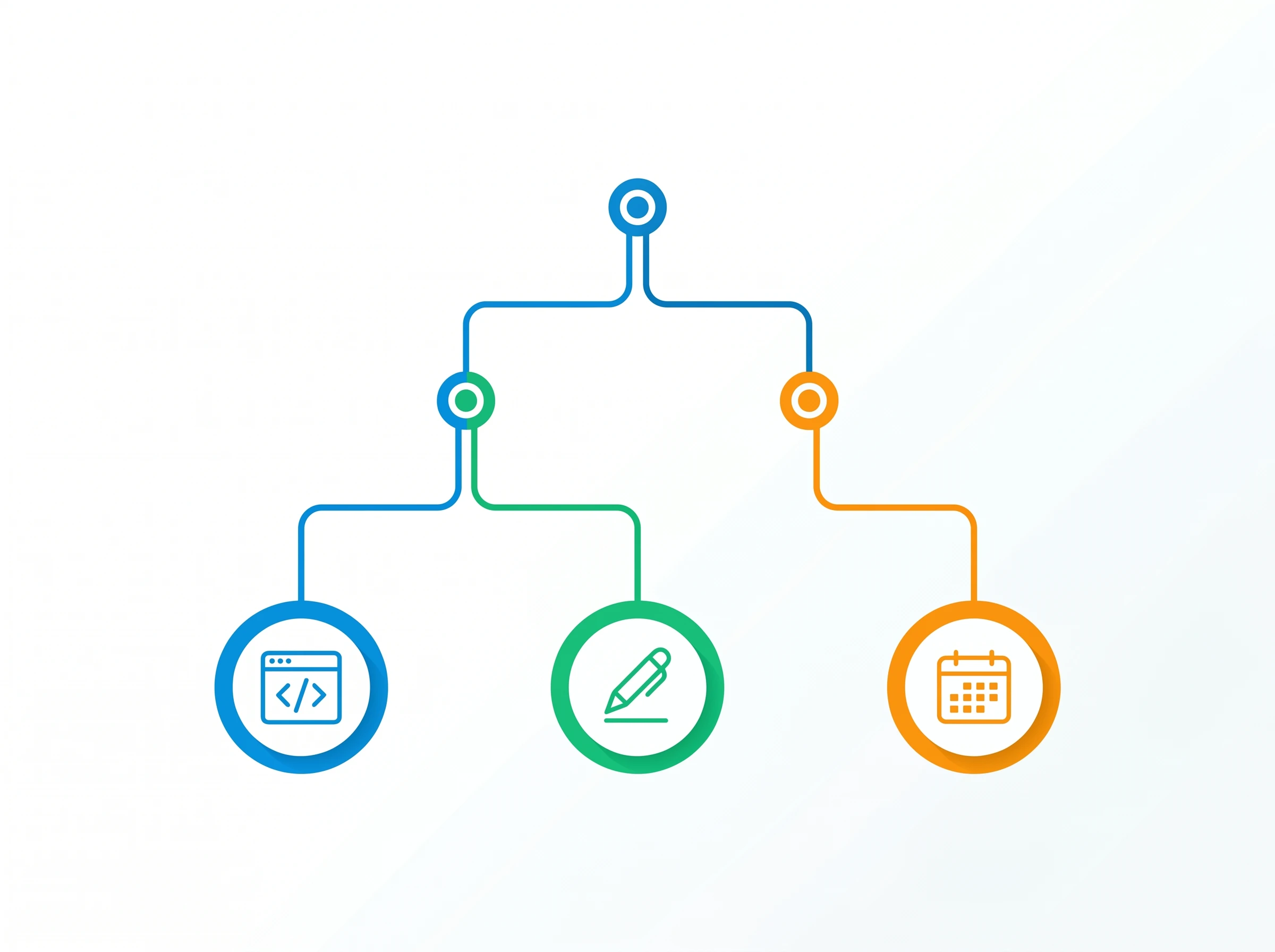
Team Workflow Decision Tree
Analysis paralysis is real in this category. There are too many good options, and the feature lists start to blur together after reading three reviews. The correct decision framework isn't feature comparison — it's bottleneck matching. Identify the single biggest source of dropped balls, missed deadlines, or wasted time in your current workflow, then choose the tool whose AI directly addresses that specific problem.
🎯 Decision Guide: Match Your Problem to the Right Tool
- "We miss deadlines because nobody knows when they'll actually get to work" → Motion. The auto-scheduling AI specifically solves this.
- "Our tasks are scattered across Slack, email, and random docs" → ClickUp or Notion. Both consolidate tasks, docs, and communication.
- "We spend too much time writing status updates for clients/stakeholders" → Asana. AI teammates automate status report generation from real task data.
- "Our team is all developers and standard PM tools feel slow" → Linear. Built specifically for engineering workflows with keyboard-first design.
- "Everything lives in documents and we need to manage projects around them" → Notion AI. Best when your output is written content.
- "Tasks are simple but nobody actually uses the current tool" → Todoist. High adoption rates because it's fast and doesn't demand ongoing admin.
- "We're all remote and struggling with async communication" → Basecamp. Specifically designed for async-first distributed teams.
- "We want to use AI agents as part of how projects actually run" → Taskade. The only tool where AI agents are architectural, not cosmetic.
Test on a Real Project, Not a Demo
Every tool on this list has a free trial or free plan. Don't evaluate it by clicking through a salesperson's demo account — run a real, active project through it for two weeks. Have two or three team members use it for actual work. Track whether the AI features save time during that sprint or add steps. If adoption drops after week one and people go back to old habits, the tool is wrong for your team regardless of what the feature list says.
The AI scheduling tools in this category are particularly worth real-world testing before committing. The way Motion schedules across multiple team members' calendars only becomes clear when you feed it your actual constraints — recurring meetings, timezone overlaps, variable task durations — and see how it responds to a typical week of real work rather than a structured demo scenario.
Tools Worth Mentioning: Additional Options from Your Stack
Several tools worth noting for specific use cases didn't make the primary list but may serve particular small team needs. Reclaim.ai fills a gap between scheduling and project management — it doesn't manage complex projects but intelligently defends team focus time and syncs habits and tasks with Google Calendar, making it a useful complement to any PM tool that doesn't have Motion's scheduling capability. Wrike AI is genuinely powerful, particularly the 2026 AI Agents launch — but it's designed for teams managing complex cross-functional projects and typically belongs in organizations of 20+ with dedicated PM resources. For teams that outgrow the tools on this list as they scale, Wrike is worth revisiting. Slack AI also deserves mention as a complement to any PM tool: the channel summarization and search features reduce the time spent tracking project conversations in team chat, which for many small teams is the communication layer that actually drives daily coordination.
Next Steps
Whichever tool you choose, it works best as part of a coordinated system rather than in isolation. Meeting notes that automatically generate tasks in your PM tool, scheduling tools that protect focus time between project work blocks, and email tools that surface action items from client conversations all multiply the value of a good project management foundation. For the complete picture of how these categories connect, see our Ultimate Guide to AI Productivity Tools and our breakdown of AI scheduling tools that protect the time these PM tools are designed to fill.
Explore Related AI Task & Workflow Guides
- • 10 Best AI Task Management Tools in 2026
- • Motion vs ClickUp AI vs Todoist: The AI Task Manager Showdown
- • 10 Best AI Workflow Automation Tools (Ranked & Tested)
- • How to Save 20+ Hours a Week with AI: 2026 Data Playbook
- • 10 Best AI Team Collaboration Tools (Remote-First Edition)
- • Browse All AI Project Management Tools
Frequently Asked Questions
What is the best free AI project management tool for a small team?
Linear and Taskade offer the most functional free tiers for small teams. Linear provides unlimited members and up to 250 active issues at zero cost with blazing speed, while Taskade includes custom AI agents, mind maps, and task hierarchies on its free plan. ClickUp also offers a robust Free Forever plan for basic task management.
How do AI teammates in Asana and ClickUp reduce project risk?
AI teammates proactively flag bottlenecks, missing dependencies, and overdue milestones before deadlines slip. In Asana and ClickUp, AI drafts automated weekly status summaries, suggests task re-assignments based on team bandwidth, and generates sprint retrospectives from completed work logs.
Can AI project management software automatically generate tasks and sprint schedules?
Yes. Tools like Motion, ClickUp Brain, and Taskade can decompose high-level project goals into granular subtasks with estimated durations. Motion takes this a step further by algorithmically slotting every task directly into team members' calendars based on priority and availability.
Does ClickUp AI cost extra in 2026?
Yes, ClickUp Brain is available as a $7/user/month add-on to any paid ClickUp plan (Unlimited at $7/user/mo or Business at $12/user/mo). It provides universal AI workspace search, automatic standup generation, doc drafting, and natural language custom field creation.
What is the best AI project management tool for software engineering teams?
Linear is the undisputed gold standard for engineering and product teams. It features sub-50ms keyboard-first issue tracking, automated bidirectional GitHub/GitLab sync, AI-assisted bug triaging, and cycle insights designed specifically for agile software development.
How much should a 3- to 10-person team budget for AI project management software?
Expect to budget between $8 to $20 per user per month. A 5-person team on ClickUp Business + ClickUp Brain will spend approximately $95/month, while Motion costs $19/user/month on annual billing. Linear costs $40/month total for 5 users on standard plans.
Should a 3-person agency or marketing team use project management software?
Yes, but keep it lightweight. A 3-person team will lose productivity with overly complex enterprise tools like Wrike or enterprise Jira. A streamlined setup in Motion (for auto-scheduled deadlines) or Notion Projects (for unified client briefs and tasks) eliminates manual coordination with near-zero admin overhead.
How does Motion's algorithmic scheduling differ from traditional PM tools like Monday.com?
Traditional tools like Monday.com and Asana tell you what needs to be done, but you still have to manually decide when to do it. Motion uses AI algorithms to dynamically schedule every task into open calendar blocks, automatically re-prioritizing and pushing unfinished work when urgent meetings arise.



