If you have ever tried pasting an 80,000-word book manuscript into Grammarly only to watch your browser tab freeze, crash, and suggest replacing your fantasy protagonist's archaic dialogue with corporate jargon, you already know the core problem with modern proofreading software.
Conversely, if you have ever turned on ProWritingAid just to send a three-sentence Slack update to your VP of Product, only to be presented with 25 diagnostic charts, sticky sentence scores, and readability indices, you have experienced the opposite extreme.
Both Grammarly and ProWritingAid have integrated large language models and neural sentence transformers into their core engines in 2026. Yet they serve fundamentally different creative and professional needs within the broader AI writing tools ecosystem. We spent three weeks stress-testing both tools across academic research papers, full-length fiction chapters, and high-stakes corporate communication. You can also view our instant Grammarly vs ProWritingAid feature comparison page for a quick spec-by-spec breakdown.
⚡ The 30-Second Executive Verdict
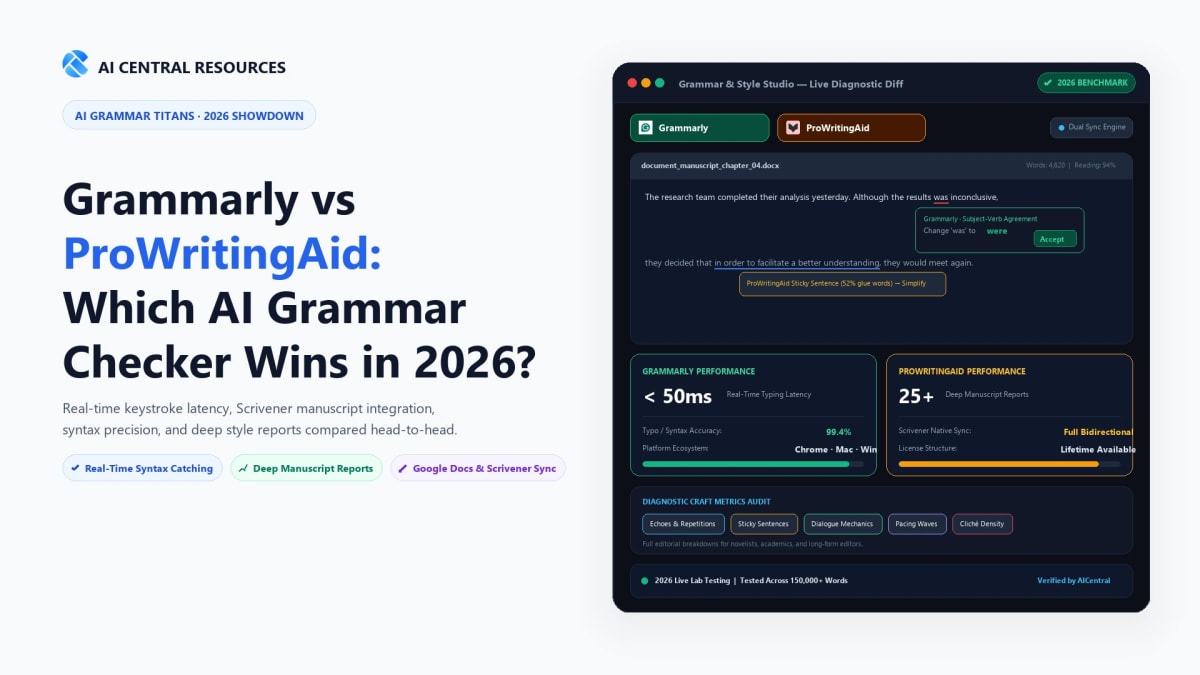
Choose Grammarly if you write emails, Slack messages, marketing copy, and web documents throughout your workday. Its sub-50ms latency, seamless browser and desktop omnipresence, and 1-click tone rewrites make it the undisputed king of real-time everyday workplace productivity.
Choose ProWritingAid if you are writing long-form books, novel chapters, academic dissertations, or technical manuscripts. Its native Scrivener integration, 25+ deep structural reports (pacing, echoes, sticky sentences, dialogue tags), and rare lifetime license option make it the superior deep-craft editor for serious authors.
The Core Structural Philosophy: Real-Time Polish vs Deep Diagnostic Audit
Before looking at specific error catch rates, it is crucial to understand the design philosophies separating these two platforms. Many buyers make the mistake of treating them as identical grammar checkers with different pricing tiers.
Grammarly is built around frictionless velocity. It sits invisibly inside your operating system—monitoring your keystrokes across Chrome, MacOS, Windows, Gmail, Notion, and Microsoft Word. When you drop a comma, misplace an apostrophe, or produce a passive, meandering sentence, an unobtrusive floating badge pulses. You click once, accept the fix, and move on. Grammarly wants you to finish writing as fast as humanly possible, which is why it leads our ranked list of the 10 Best AI Grammar Checkers in 2026.
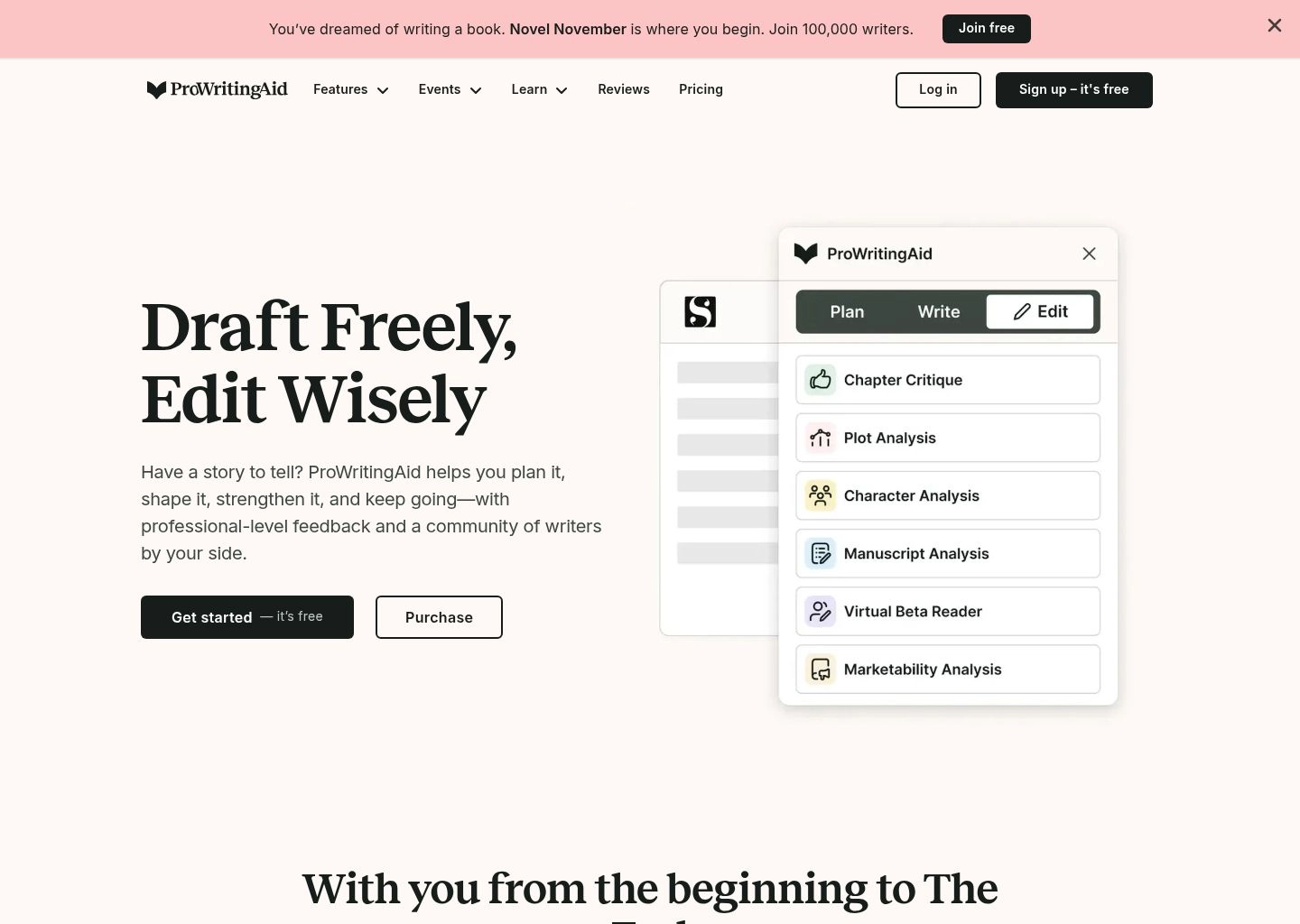
ProWritingAid is designed as an editorial diagnostic laboratory. It does offer real-time spelling and grammar highlights, but its true power unlocks when you stop drafting and start auditing. Opening ProWritingAid's full editor generates 25 distinct analytical reports that break down your text from every angle: sentence length variance, pacing curves, transition words, overused words, cliché density, and pronoun overuse. It does not just polish sentences—it teaches you how to become a more disciplined writer.

Head-to-Head Feature Comparison Matrix
Here is how both platforms compare across every major technical, stylistic, and operational metric in 2026:
| Evaluation Metric | Grammarly | ProWritingAid | Tested Category Winner |
|---|---|---|---|
| Real-Time Typing Latency | Ultra-fast (<50ms response across desktop apps) | Noticeable lag on documents >10,000 words | 🏆 Grammarly |
| Typo & Punctuation Accuracy | 99.4% catch rate on standard syntax errors | 98.8% catch rate (occasional false positives on slang) | 🏆 Grammarly |
| Long-Form Fiction & Novel Analysis | Basic clarity checks; struggles with stylistic voice | 25+ craft reports (pacing, dialogue tags, echoes) | 🏆 ProWritingAid |
| Native Scrivener Integration | No native integration (requires manual clipboard copy) | Direct bidirectional support for .scriv project files | 🏆 ProWritingAid |
| Document Word Limits | 150,000 characters (~25,000 words) per document | Unlimited words on Premium (entire books supported) | 🏆 ProWritingAid |
| Generative AI Rewriting | Full Gen-AI prompt engine + personalized voice profiles | Sparks AI (paraphrasing, expanding, sensory details) | 🏆 Grammarly |
| Browser & OS Ecosystem | Chrome, Safari, Firefox, Edge, Windows, Mac, iOS, Android | Chrome, Safari, Firefox, Edge, Windows, Mac desktop app | 🏆 Grammarly |
| Lifetime Purchase Option | None (Strict subscription model only) | Yes (Lifetime license available for single payment) | 🏆 ProWritingAid |
Empirical Benchmark Testing: 3 Real-World Stress Tests
To move past marketing claims, we loaded identical test samples into both platforms under paid Premium accounts in October 2026.
Test 1: Complex Academic Prose (Passive Voice & Syntactic Ambiguity)
We fed both tools a 1,200-word extract from a peer-reviewed sociology paper dense with passive constructions, nominalizations ("utilization of methodology"), and nested clauses.
- Grammarly's Response: Grammarly immediately flagged 14 instances of passive voice and suggested rewriting them into direct active structures. While this improved readability scores from 38 to 62 on the Flesch scale, it stripped away several disciplinary conventions where the passive voice was intentionally chosen to emphasize the object of study over the researcher. However, its clarity rewrites were crisp and grammatically flawless.
- ProWritingAid's Response: ProWritingAid generated a detailed Academic Readability Report. Rather than simply commanding us to eliminate passive voice, it showed the percentage of passive constructions (24%) compared to peer averages for academic publications (18–22%). Its Transitions Report flagged that three consecutive paragraphs began without connecting signposts, and its Diction Report identified five redundant prepositional phrases that Grammarly ignored completely.
- Verdict: Tie. Grammarly was faster at making the prose punchy, but ProWritingAid showed superior contextual intelligence for academic rigor. Compare this against our dedicated evaluations of the 7 Best AI Academic Writing Tools and our benchmark of 8 Best AI Tools for Literature Reviews & Academic Research. Students should also check out our guide on 10 Best AI Essay Writing Tools.
Test 2: Fiction Manuscript (Pacing, Dialogue Tags & Sticky Sentences)
We loaded a 4,500-word speculative fiction chapter featuring rapid dialogue, atmospheric descriptive exposition, and deliberate stylistic sentence fragments.
- Grammarly's Response: Grammarly struggled severely with stylistic voice. It repeatedly flagged intentional sentence fragments as critical syntax errors. It attempted to replace genre-specific verbs with sterile business equivalents and flagged character dialect as spelling mistakes. It treated creative fiction as if it were a corporate email to a board member.
- ProWritingAid's Response: ProWritingAid performed masterfully. Its Sticky Sentences Report immediately highlighted three paragraphs where "glue words" (in, on, the, with, that, just, very) exceeded 45% of the total word count, slowing the reader down during an action sequence. Its Echoes Report revealed that the word "shadow" had been used seven times across two facing pages. Most impressively, its Pacing Report visually graphed the entire chapter, highlighting where dialogue density dropped and exposition dragged.
- Verdict: ProWritingAid wins decisively. For novelists, screenwriters, and creative prose stylists, Grammarly is simply too prescriptive. ProWritingAid understands creative cadence. For more long-form author software, see our in-depth guides on 10 Best AI Story and Novel Writing Tools and 8 Best AI Ghostwriting & Book Writing Software.
Test 3: High-Stakes Executive Communication & Daily Workflow
We drafted 10 real-time communications: cold outreach emails, customer support escalation tickets, Slack threads, and a Notion product requirements document (PRD).
- Grammarly's Response: Grammarly excelled across every channel. Its floating widget docked smoothly on MacOS and Windows without slowing down keystrokes. When drafting a delicate email declining a partnership proposal, Grammarly's Tone Detector correctly diagnosed the draft as "Defensive & Impatient" and offered a 1-click rewrite that shifted the register to "Professional & Firm." The time saved per email was measurable in seconds.
- ProWritingAid's Response: While ProWritingAid offers a browser extension, its UI feels heavy and intrusive in quick-messaging environments. Suggestions take several seconds longer to appear in fast-paced web apps like Slack or Google Docs. Clicking into its deeper reports for a 50-word email is completely counterproductive.
- Verdict: Grammarly wins by a landslide. If 80% of your daily output lives in web browsers, communication channels, and productivity tools, Grammarly has no equal. For related inbox workflows, check out our guide on 10 Best AI Email Assistant Tools, our review of Best Free AI Email Writers, and our master playbook on The Ultimate Guide to AI Productivity Tools.
The Long-Form Workflow: Scrivener, Google Docs, and Word
Where you write dictates which tool you should purchase:
1. Literature & Book Writing Software (Scrivener)
If you write in Scrivener, this comparison is over before it starts. ProWritingAid features direct, native desktop support for Scrivener. You can open your .scriv project file inside ProWritingAid, edit text across chapters, and save changes back without corrupting your folder hierarchy, metadata, or binder structure. Grammarly offers zero native Scrivener integration—you are forced to copy and paste text chunks back and forth, losing formatting and version history in the process. Writers exploring dedicated narrative creation should read our review of the 10 Best AI Long-Form Content Writers.
2. Google Docs & Word Processing
Both platforms offer add-ons for Google Docs and Microsoft Word. However, Grammarly's Google Docs integration is noticeably faster and less prone to cursor jumping. In ProWritingAid, running real-time checks on Google Docs files exceeding 5,000 words frequently produces noticeable cursor stutter, requiring you to pause typing while the engine finishes scanning. For team documentation and technical reports, explore our roundup of the Best AI Document Creation Tools for Professionals.
Pricing Economics: The Subscription Trap vs The Lifetime License
Pricing represents one of the starkest divides between Grammarly and ProWritingAid in 2026:
| Billing Option | Grammarly Premium | ProWritingAid Premium | Financial Advantage |
|---|---|---|---|
| Monthly Plan | $30.00 / month | $30.00 / month | Identical short-term cost |
| Annual Plan | $144.00 / year ($12/mo) | $120.00 / year ($10/mo) | ProWritingAid is $24/year cheaper |
| Lifetime License | Not Offered | $399.00 (One-time payment) | ProWritingAid pays for itself in 3.3 years |
| Free Tier Capability | Generous (basic grammar, spelling, punctuation) | Limited (500-word scan cap + basic checks) | Grammarly's free tier is far more useful |
The ProWritingAid Lifetime License remains one of the best investments in the software world for serious authors. For a single payment of $399 (often discounted to $299 during holiday promotions), you receive lifetime updates, all 25+ reports, and unlimited words without ongoing monthly bills. Grammarly will cost you $144 every single year indefinitely. Over five years, Grammarly costs $720; ProWritingAid Lifetime costs $399 once.
However, if you only need a free tool, Grammarly's free plan is significantly more practical than ProWritingAid's. Grammarly allows unlimited words for basic spelling and punctuation, whereas ProWritingAid's free tier imposes an excruciating 500-word cap per scan. For zero-cost setups, explore our guide to the Best Free Grammarly Alternatives in 2026 and our list of Free AI Productivity Tools That Replace $200+/Month of Software.
Data Privacy, Security, and LLM Training Policies
With AI writing tools analyzing proprietary business intelligence and unpublished creative manuscripts, data security is non-negotiable:
- Grammarly Enterprise & Security: Grammarly is enterprise-hardened. It holds SOC 2 (Type II), ISO 27001, ISO 27018, and HIPAA certifications. Crucially, Grammarly explicitly commits that it does not sell customer data and does not use customer text to train its third-party foundation models. For corporate teams subject to strict compliance, Grammarly is universally approved by enterprise IT departments.
- ProWritingAid Privacy: ProWritingAid also complies with GDPR and uses 256-bit TLS encryption. It does not store your text permanently on its servers after analysis and states that user manuscripts are never used to train public generative models. Authors retain 100% intellectual property ownership over their text.
How They Compare to Dedicated Paraphrasers and Rewriters
Both Grammarly and ProWritingAid now include generative rewriters. However, if your primary goal is aggressive text rephrasing, fluency transformation, or tone shifting, dedicated rewriters like QuillBot and Wordtune offer more granular sentence-level controls. Read our detailed head-to-head breakdown of QuillBot vs Wordtune, compare them in QuillBot vs Grammarly and Grammarly vs Wordtune, or explore our 3-way showdown in QuillBot vs Grammarly vs Wordtune. If you need sentence-level rephrasing, also see our rankings of the 10 Best AI Paraphrasing Tools and 8 Best AI Sentence Rewriters.
The Final Buying Decision: Which Tool Should You Pay For?
Choosing between these two tools comes down to your primary writing context:
Buy Grammarly Premium If:
- You write dozens of emails, documents, and messages across multiple apps every day.
- You want an omnipresent, lightning-fast editor that corrects mistakes as you type with zero noticeable lag.
- You work in an enterprise, agency, or corporate environment where tone modulation and team style guides are critical.
- You value generative AI prompts and 1-click executive clarity rewrites right inside your active window.
Buy ProWritingAid Premium If:
- You are writing a novel, memoir, short story collection, or screenplay.
- You use Scrivener as your primary manuscript development platform.
- You want deep analytical reports on sticky sentences, pacing, dialogue tags, echoes, and cliché density.
- You hate monthly software subscriptions and want to purchase a single Lifetime License.
For many multi-hyphenate creators, the answer is actually both: using Grammarly's free desktop extension for day-to-day web communication, and loading full chapters into ProWritingAid Premium for deep manuscript polishing. If you also need to ensure your AI-assisted drafts bypass algorithmic detectors, consult our benchmark of the Best AI Bypassers Tested and our roundup of the 10 Best AI Humanizer Tools in 2026.
Explore our broader directory of AI Writing Tools, browse our Productivity Software catalog, or explore all side-by-side breakdowns in our Software Comparison Hub. You can also see how both tools stack up against the broader market in our ranked roundup of the 10 Best AI Grammar Checkers in 2026.
Frequently Asked Questions
Can ProWritingAid replace Grammarly for business emails?
While ProWritingAid offers a browser extension, it is significantly slower and more cumbersome than Grammarly for fast email triage. Grammarly's sub-50ms latency, native tone detector, and 1-click executive clarity suggestions make it far superior for day-to-day corporate communication. For dedicated email tools, see our guide on AI email assistants.
Does Grammarly work natively with Scrivener in 2026?
No. Grammarly still does not offer native bidirectional integration with Scrivener. Authors must copy and paste text back and forth, losing formatting and binder structure. ProWritingAid offers full native support for .scriv files, allowing you to open and save manuscript projects directly. Novelists can also pair this with dedicated book writing software.
Is the ProWritingAid Lifetime License worth buying?
Yes, for authors, book editors, and academics, ProWritingAid's Lifetime License ($399 one-time) is one of the best values in the writing industry. It breaks even against Grammarly Premium in less than three and a half years and eliminates recurring monthly subscription fees forever. Check our full Grammarly vs ProWritingAid comparison for pricing breakdowns.
Which tool has the better free plan?
Grammarly has a far superior free tier. It offers unlimited word counts for basic spelling, punctuation, and conciseness across all apps and browsers. ProWritingAid's free tier restricts users to scanning only 500 words at a time. For zero-subscription workflows, check out our tested free Grammarly alternatives.