Creating a professional document still eats more time than it should. Between drafting the initial text, formatting headers, aligning tables, and keeping the brand voice consistent, most people spend more time wrestling with layout than refining the actual idea. Pasting raw text from a chat window into a blank Word doc still leaves you with an hour of cleanup — that hasn't changed, even as the underlying models got dramatically better.
What has changed is the software wrapped around those models. The market has shifted decisively toward specialized platforms that handle the entire creation process: formatting slides automatically, structuring SOPs around your existing process data, building reports that pull from your live spreadsheets instead of a prompt you typed from memory. The tool now understands the difference between a persuasive client proposal and a routine internal memo, and formats accordingly.
The Quick Answer: For client proposals, dynamic pitch decks, and visual documents, Gamma and Notion AI deliver the fastest turnaround with interactive embeds. For enterprise reports requiring live spreadsheet synchronization and Microsoft/Google security posture, Microsoft 365 Copilot and Google Gemini Workspace are the undisputed standards. If your goal is automated SOP generation synced to real-time company databases, deploy Coda or Slite.
📝 Report Frameworks: Read our blueprint with executive prompt templates: Best AI for Writing Professional Reports in 2026.
This guide breaks down the best AI document creation tools in 2026 by the document type you're actually trying to produce — not by feature list. We also flag a couple of products that other "best of 2026" roundups are still recommending without mentioning a fairly important detail: one of them is being shut down. If you want the bigger picture of where document tools fit into your broader stack, our AI productivity tools guide covers the full ecosystem.
Why Specialized Tools Are Replacing General Chatbots for Document Work
A prompt that produces a great email will not produce a properly formatted, 20-page quarterly report. That's the gap specialized AI document creation tools are built to close — they understand layout, pull in your existing data, and apply your team's formatting standards automatically, rather than handing you raw text you have to dress up yourself.
The numbers back up why this matters. Microsoft's own internal Copilot study found users edited 10% more documents across Word, Excel, and PowerPoint after adopting it, with the highest-impact companies seeing a 20% increase in overall document output. But the same research world has a less flattering number worth sitting with too: roughly 42% of companies abandoned most of their AI initiatives in 2025 because the tools didn't actually integrate into daily operations. The lesson isn't "AI document tools don't work" — it's that picking the wrong tool for your specific workflow is the single most common way these projects fail.
What Changed: From Blank Chat Box to Document Automation Environment
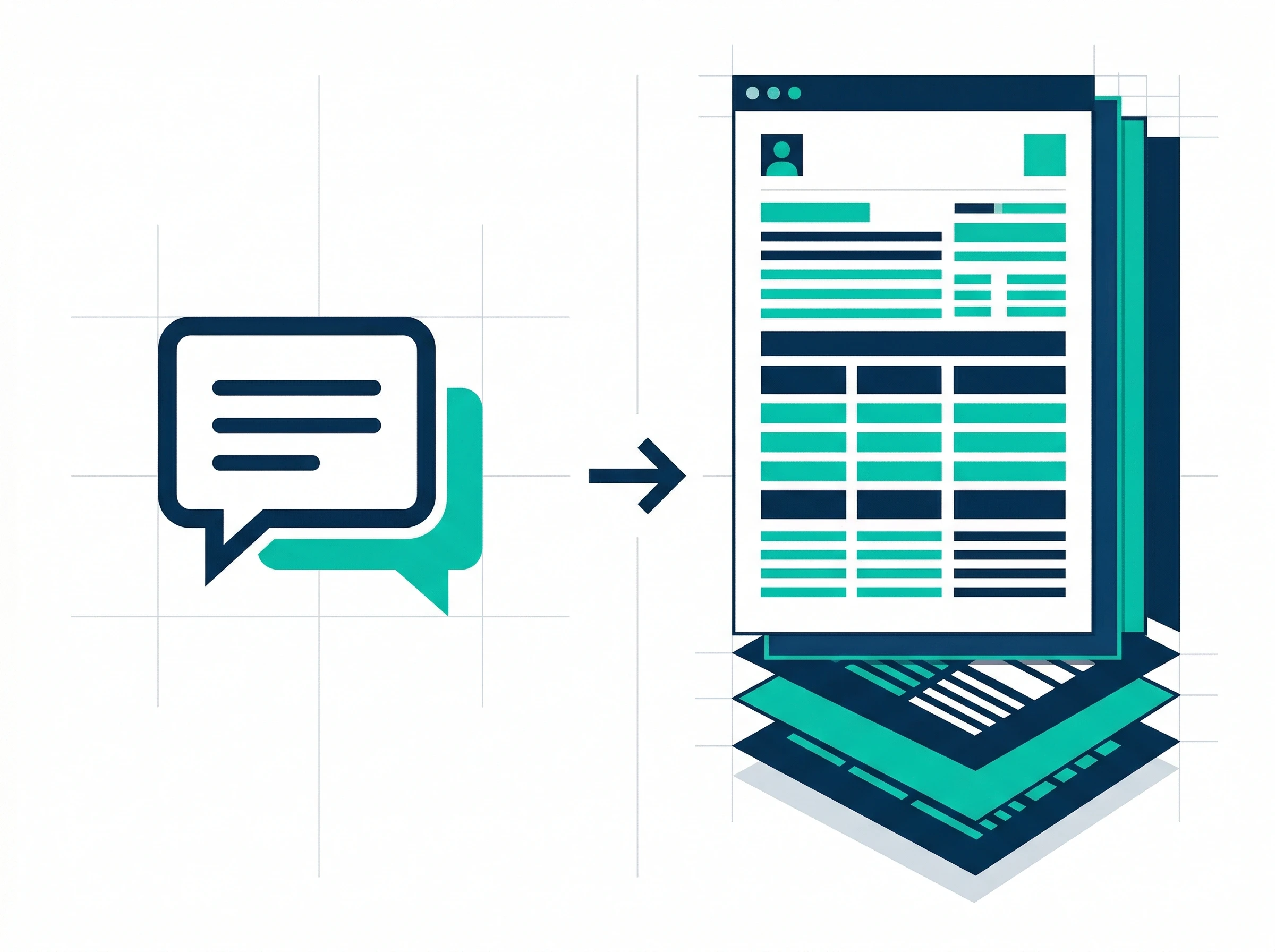
Chatbots vs Document Platforms
Early generative tools operated in total isolation — you typed a prompt, got text back, and manually moved it into whatever you were actually trying to finish. General-purpose AI writers still serve as the foundational layer underneath most of today's document platforms, but the interface around them has changed completely. Instead of a blank chat box, you now get an environment that already understands headings, tables, brand colors, and your company's existing templates. You're not asking an AI to "write a report" anymore — you're asking a reporting tool to pull last month's sales numbers and format them into your Q3 template, headers and all.
Comparison Table: Best AI Document Tools by Use Case
| Tool | Best For | Free Tier? | Starting Price |
|---|---|---|---|
| Microsoft Copilot | Enterprise reports pulling from Word/Excel/Teams | No | ~$18–21/user/mo add-on |
| Gemini for Workspace | Real-time team co-authoring in Docs/Sheets | Included w/ Workspace | From $6/user/mo |
| Notion | Modular client proposals, block-based docs | Yes, limited | Business ~$20/seat/mo (AI included) |
| Coda (now part of Superhuman) | Data-driven SOPs and internal tools | Yes, unlimited editors | $10/Doc Maker/mo |
| Slite | Searchable team knowledge bases | Yes | Check official site |
| Gamma | Fast, visual presentation drafts | Yes | From ~$8/mo |
| Beautiful.ai | Brand-locked, design-polished decks | No | From ~$12/mo |
Pricing verified against vendor and third-party sources as of June 2026. AI product pricing shifts often — confirm current numbers on the official site before purchasing.
Best AI Tools for Business Reports & Long Documents
When you're dealing with quarterly reviews, financial summaries, or market analyses, stability and accurate data integration matter more than flashy design. You need a tool that can hold context across a long document without quietly hallucinating a number halfway through.
Microsoft Copilot: The Enterprise Standard for Word & Excel
For organizations already living inside Microsoft 365, Copilot remains the default for generating real business reports — not because it writes the best prose, but because it pulls live context from your emails, Teams chats, Excel spreadsheets, and existing Word documents while drafting. Ask it to summarize a project status, and it can synthesize a recent PowerPoint deck and a Teams meeting transcript into a single, properly formatted Word document, rather than asking you to feed it that context manually.
The honest caveat, echoed consistently in G2 reviews, is that Copilot performs unevenly outside its strongest lane: Excel support works well only when your data is already in a clean table, full large-PDF indexing is unreliable, and PowerPoint image placement still needs manual adjustment more often than Microsoft would like. Because it runs inside your secure enterprise tenant, it inherits your organization's existing compliance posture — which is the real reason large companies default to it over swapping in a third-party tool. Pricing is layered on top of an existing Microsoft 365 subscription, typically in the $18–21/user/month range depending on current promotions; confirm the exact figure for your plan on Microsoft's site.
Best for: Enterprise teams that need reports built from data already scattered across Word, Excel, and Teams.
Gemini for Google Workspace: Best for Real-Time Team Collaboration
When multiple stakeholders need to co-author a report at the same time, Gemini built into Google Docs, Sheets, and Slides remains the smoothest experience available. The "Help me write" tool generates drafts and refines tone without anyone leaving the document, and the real-time sync genuinely respects a colleague's manual edits rather than overwriting them mid-session.
Where Gemini earns its keep is iterative team writing: one person drafts an executive summary with AI assistance while another highlights a rough paragraph and asks it to sound more formal, both inside the same live document. The tradeoff is licensing tier — basic Gemini access comes with Workspace Business Starter (~$6/user/month), but the deeper integration across Docs, Sheets, and Meet requires Business Standard or above. If your organization already pays for Workspace, check your current tier before assuming you need a separate tool.
Best for: Teams co-authoring reports live, especially those already standardized on Google Workspace.
Best AI Tools for Client Proposals & Pitches
Client-facing documents need a balance that's genuinely hard to strike: persuasive enough to hold attention, visually clean enough to look credible, and strictly on-brand from the first line to the last. A generic AI-written proposal reads exactly as generic as it sounds, and a poorly formatted one undermines credibility before anyone's read a sentence.
Notion: Flexible Blocks for Winning Proposals

Notion's block-based architecture makes it well-suited to modular proposal building. Every paragraph, table, and image is treated as an independent block you can drag, reorder, and rewrite without disturbing the rest of the document — generate a pricing table, a scope-of-work section, and a company background block separately, then rearrange until the flow actually works.
The 2026 version is considerably more capable than the "AI writing assistant bolted onto a wiki" most people remember. Notion AI Agents (introduced in Notion 3.0) can now complete multi-step tasks autonomously for up to 20 minutes — drafting a document, building a supporting database, and pulling content from connected tools without you babysitting each step. Custom Agents, added in Notion 3.3 (February 2026), let you set up recurring automated workflows on a schedule. Enterprise Search pulls answers from Slack, GitHub, Google Drive, and other connected tools directly into your Notion workspace, so a proposal draft can reference real context without you manually digging it up first. Pricing has also been simplified: the Business plan (~$20/seat/month, billed annually) now bundles Notion AI, Mail, and Calendar together rather than charging a separate AI add-on fee, which was a common complaint about the platform as recently as last year.
Best for: Teams that want modular, easily-rearranged proposal documents with AI that can act across the workspace, not just inside one page.
Best AI Tools for SOPs & Internal Documentation
Standard Operating Procedures and internal wikis are notoriously hard to keep current — processes change, software gets replaced, and documentation quietly goes stale within months. The right tool here makes generating and updating procedures part of the natural workflow rather than a separate chore someone has to remember to do.
Coda: Data-Driven SOPs (Now Part of Superhuman)

One update worth knowing before you evaluate this tool: Coda is no longer an independent company. Grammarly acquired Coda in December 2024, and the parent company rebranded entirely to Superhuman in October 2025. The product itself is unchanged in name and still ships under its own pricing page, but if you're researching "Coda AI" and run into references to Superhuman owning it, that's accurate and current — not a mix-up.
What hasn't changed is why Coda is genuinely good at data-driven SOPs: it blurs the line between a document and a lightweight application by combining rich text with real database-style tables. If your procedure depends on tracking inventory, managing project statuses, or referencing live numbers, Coda AI can generate a new SOP or project brief automatically whenever a row is added to a connected table — because it understands the relationship between your text and your underlying data, not just the words on the page. Pricing runs on "maker billing": only the people who build and manage docs pay (Pro at $10/Doc Maker/month annual), while everyone else edits for free, which makes Coda noticeably cheaper than seat-based tools for teams with a high ratio of readers to builders.
Best for: SOPs and internal docs tied directly to live data — inventory, project status, or anything that needs to stay automatically in sync.
Slite: Streamlined, Searchable Knowledge Bases

Where Coda leans into data, Slite has deliberately stayed simple — and that's the point. It's built specifically to house a company's collective knowledge: employee handbooks, onboarding guides, departmental SOPs that need to be easy to find, not just easy to write.
The product has evolved meaningfully past basic formatting suggestions. Slite Ask lets employees ask plain-language questions and get answers synthesized directly from your internal docs, with citations back to the source. The newer "Super" search layer goes further, connecting Slite to the rest of your tech stack — Slack, GitHub, Google Drive — so a search doesn't stop at Slite's own walls. There's also a doc verification feature that lets you mark which pages are an actual source of truth and which have gone stale, with validity periods you can set and review. For organizations drowning in scattered, hard-to-search documentation, Slite trades Coda's flexibility for something faster to adopt and far less likely to turn into a half-maintained mess six months in.
Best for: Teams that want documentation employees will actually search and trust, without the setup overhead of a database-driven tool.
Best AI Tools for Presentations & Visual Documents
Text is only half the job. Pitching a board, a new investor, or running a training session still requires turning an outline into something visually credible — and that used to mean hours of font sizing and image hunting regardless of how good your content was.
⚠️ Before You Read Another "Best AI Presentation Tool" List
Tome — once one of the most recommended names in this category, with over 20 million users at its peak — shut down its presentation product in April 2025 and pivoted entirely to an AI-native CRM startup called Lightfield. A surprising number of "best AI presentation tools 2026" articles still recommend it. If you see Tome on a list dated this year, treat the rest of that list with some skepticism.
Gamma: Instant, Visual Slide Generation
Gamma has become the dominant player in this category by a wide margin — north of 70 million users and reportedly over $100 million in annual revenue while remaining profitable, which is rare in this space. Feed it a prompt, an outline, or a raw document, and it returns a fully designed, visually coherent presentation in seconds, using a card-based interface that resizes and reflows content automatically rather than letting text overflow a box.
The one limitation worth knowing before you build something high-stakes in Gamma: PowerPoint export can introduce layout drift. If the final deliverable absolutely must be a pixel-perfect .pptx file — board decks, investor materials going through a banker's review — budget time for manual cleanup after export, or consider a tool with native PowerPoint output instead.
Best for: Fast, visually strong first drafts where the deck will live and be shared mostly in its native web format.
Beautiful.ai: Automated Design Discipline
Beautiful.ai takes the opposite philosophy from Gamma's speed-first approach: it operates on strict smart-design rules so a slide can't easily end up looking bad, even in the hands of someone with zero design background. Add a fourth item to a three-column layout and the columns rescale instantly. Brand colors, icon selection, and margins stay consistent without anyone manually enforcing a style guide.
Across independent comparisons, it consistently scores as the strongest pure design quality in the category, with the most reliable PowerPoint export fidelity of any AI presentation tool tested. The tradeoffs are a notably weaker non-English language experience and no free plan at all — you're paying from day one. For teams that produce a high volume of presentations under strict corporate branding requirements, that cost buys back the formatting time you'd otherwise spend enforcing the brand guide by hand.
Best for: Teams producing decks at volume under strict brand guidelines, where reliable PPTX export matters.
Best AI Tools for Meeting Notes & CRM-Attached Documentation
Meetings generate a huge amount of unstructured information. Without a system to capture, summarize, and route it somewhere useful, decisions get lost and action items quietly die in someone's notebook. The strongest tools in this category don't just hand you a raw transcript — they pull out the actual decisions, assign tasks to the right people, and attach the output to wherever your team already tracks client relationships.
⚠️ Important: Quip Is Being Retired by Salesforce
If you've seen Quip recommended as a "Salesforce-integrated meeting intelligence" tool, that recommendation is now out of date. Salesforce announced Quip's full retirement in March 2026: new paid, free, and trial accounts stopped being available to non-existing customers as of February 17, 2026, and existing subscriptions cannot be renewed after March 1, 2027. Salesforce's own guidance is that the common Quip use cases — account planning, meeting notes, collaborative drafting — are moving to Slack Canvas and Agentforce Sales instead.
What to Use Instead: Slack Canvas + Agentforce
For sales teams and enterprise organizations already on Salesforce, the practical 2026 path for CRM-attached meeting documentation is Slack Canvas paired with Agentforce, which Salesforce is actively building out as Quip's direct successor — including deeper integrations meant to natively support workflows like account planning and opportunity close plans that used to live in Quip documents. If your team still has an active Quip instance, the migration isn't automatic: Salesforce provides tools to convert Quip documents into Slack canvases, but you'll want to start that process well before your subscription's renewal date rather than waiting for the read-only phase to hit.
If your organization isn't deep in the Salesforce ecosystem specifically, the meeting-notes-to-CRM workflow is also well covered by dedicated AI meeting transcription tools like Fireflies.ai, which logs call summaries and action items directly to HubSpot, Pipedrive, or Salesforce records without anyone touching Quip, Canvas, or any document tool at all.
Best for: Salesforce-standardized teams migrating off Quip; anyone who needs meeting notes permanently attached to a CRM record rather than living in a standalone doc.
How to Implement Document Automation in Your Organization
Picking the right tool is only step one. Rolling out document automation successfully across a team is mostly a question of integration depth and adoption, not raw AI capability — which is exactly why that 42% abandonment figure from earlier in this guide is worth taking seriously. A tool that operates in a silo gets used twice and then quietly abandoned for the old habit.
Evaluating Document Understanding and Security at Scale
Enterprise teams process thousands of complex documents a week — contracts, technical manuals, compliance forms — and standard text generators simply cannot handle that volume securely. For backend document extraction specifically, the strongest 2026 options are purpose-built intelligent document processing platforms rather than general AI writers: Microsoft Azure AI Document Intelligence and Google Cloud Document AI remain the established enterprise leaders for parsing structured forms and invoices at scale, while newer entrants like Lido have gained traction specifically for their zero-training-data approach — processing any document layout from the first upload rather than requiring 50-100+ labeled samples per document type, which is a real time-to-value advantage for teams without a data labeling pipeline already in place.
Whichever vendor you evaluate, confirm SOC 2 and relevant compliance certifications (HIPAA, GDPR) before connecting it to anything containing proprietary or regulated information, and verify explicitly that your data isn't used to train the vendor's public models.
Connecting Your Stack with Automation Agents
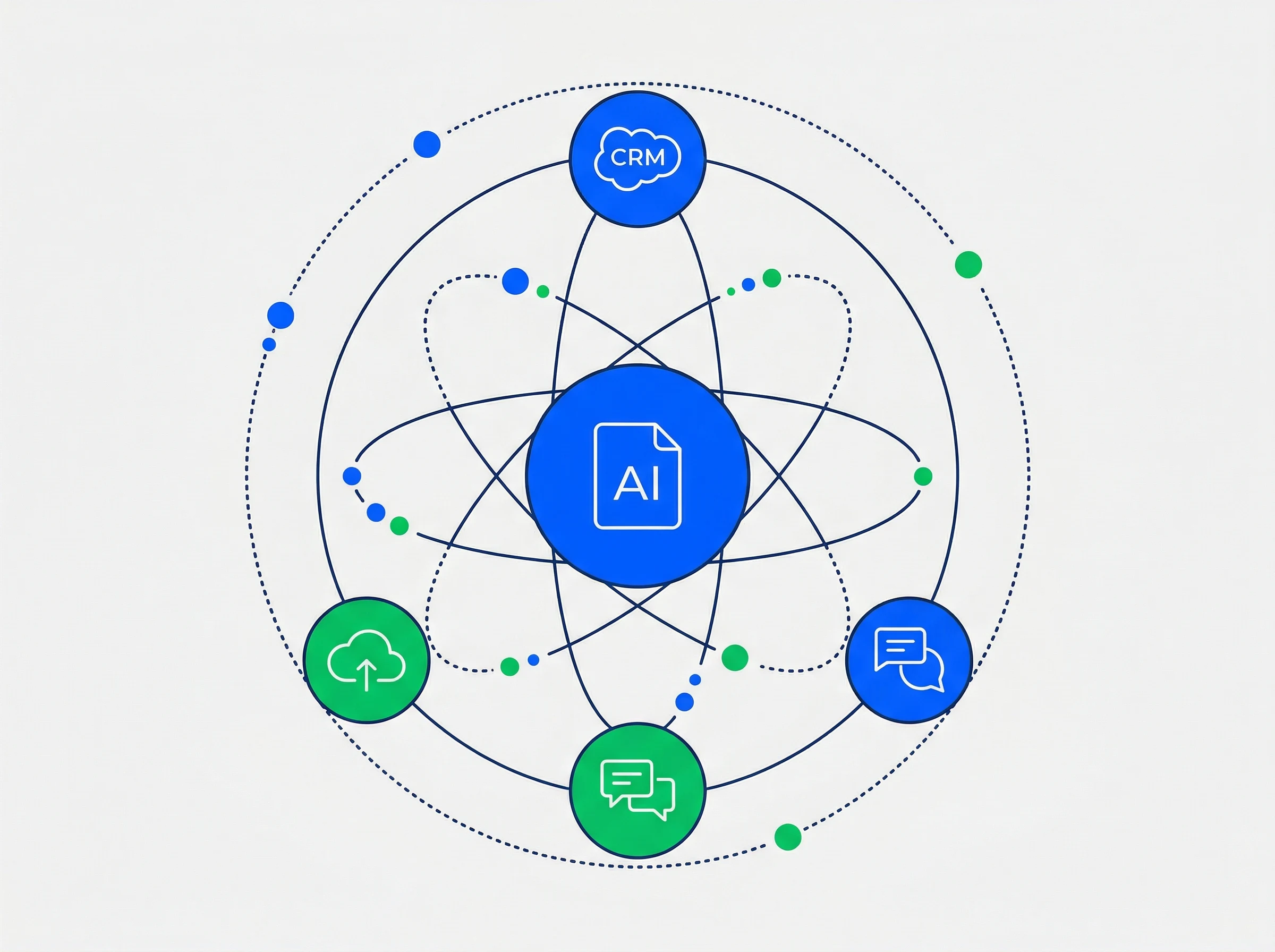
Enterprise Document Integration
The most effective document workflows in 2026 aren't manually triggered — they're event-driven. Rather than opening a tool and asking it to write a report, you can set up a system that generates documents automatically based on triggers happening elsewhere in your stack. Zapier agents are the most accessible way to build this without engineering resources: watch for a deal closing in your CRM, and the agent can instruct Notion to generate a client onboarding doc, ask Gemini to draft an internal handover report, and post a summary in Slack — all without anyone writing the first sentence by hand.
Connecting your specialized document tools this way is what actually turns a handful of separate productivity apps into a coherent system. Pick tools that solve a specific formatting and creation problem well, then wire them together — that sequencing, more than any single tool's feature list, is what determines whether document automation sticks past month one.
The Bottom Line
There is no single "best" AI document tool in 2026 because document creation spans distinct jobs: quarterly reports, client pitches, internal SOPs, slide decks, and meeting recaps. Use Copilot or Gemini when your report must pull from existing spreadsheets. Use Notion or Gamma when a proposal needs agile restructuring and interactive web sharing. Use Coda or Slite for live-synced knowledge bases, and Beautiful.ai when PowerPoint compliance is paramount.
Recommended Related Deep Dives:
- The Ultimate Guide to AI Productivity Tools in 2026 — see how document tools fit your full software stack
- 12 Best AI Meeting Note-Takers in 2026 — automate the conversations that feed your documentation
- 10 Best AI Workflow Automation Tools in 2026 — connect document outputs directly to multi-step zaps & webhooks
- Browse All AI Productivity & Document Tools — comprehensive directory
Frequently Asked Questions
What is the best AI tool for generating professional business proposals?
Notion AI and Gamma are the top choices. Gamma builds interactive, design-forward web proposals and pitch decks in seconds, while Notion AI excels at structured markdown documents with integrated pricing tables and live client tracking.
Is Quip still a good choice for meeting notes in 2026?
No. Salesforce announced Quip's full retirement in March 2026—new accounts have been unavailable to non-existing customers since February 17, 2026, and active subscriptions cannot be renewed after March 1, 2027. If you currently rely on Quip, migrate to Slack Canvas and Agentforce.
What's the best free AI document creation tool?
Notion offers the most capable free tier for general document creation and structuring. Gamma provides a generous free starter tier for initial presentation drafts, and Gemini for Google Workspace is included for Google Workspace business accounts.
Which AI tool is best for reports that pull from existing spreadsheets?
Microsoft 365 Copilot remains the strongest option because it reads live data from connected Excel sheets and Word documents while drafting, eliminating the need to copy-paste figures manually.
Gamma vs. Beautiful.ai for client-facing presentations?
Choose Gamma if speed, visual flair, and interactive web sharing matter most. Choose Beautiful.ai if the final deliverable must be a clean, brand-locked PowerPoint (.pptx) file with enterprise template compliance.
Can AI document tools work with sensitive or regulated data?
Yes, provided you choose enterprise tiers with explicit SOC 2 Type II, HIPAA, or GDPR compliance and confirmed zero-data-retention agreements where your documents are never used for model training.
Why do many enterprise AI document rollouts fail to stick?
Nearly 40% of rollouts fail because the tool operates in an isolated silo. A document generator that does not connect to your live databases, CRM, or team chat gets dropped quickly. Prioritize deep integration over raw generation novelty.