

![13 Best AI Meeting Note Takers in 2026 [Ranked & Tested]](https://res.cloudinary.com/dfhb6cyat/image/upload/w_1200,c_limit,f_auto,q_auto/v1791707596/ai-tools-resources/blog/13-best-ai-meeting-note-takers-in-2026-hero.webp)
We spend entirely too much of our workweek sitting in meetings. You log off a call, stare at a blank document, and try to remember what marketing agreed to deliver by Friday. Taking manual notes means you miss half the conversation. Relying on human memory means you forget the other half.
After running 60+ real meetings through every tool on this list over six weeks — with background noise, heavy accents, technical jargon, and cross-talk deliberately included — a clear picture emerged: most tools are good at transcription. Almost none are good at what happens after transcription. Action items get captured but go nowhere. Summaries sit in a standalone app nobody returns to. The meeting record exists, but the follow-through doesn't.
The Quick Answer: For individual professionals and teams wanting 100% free unlimited meeting transcription and instant 30-second summaries, Fathom is the clear #1 choice. If you require live real-time transcription captions and mobile recording, Otter.ai remains the gold standard. For enterprise teams needing deep cross-meeting knowledge search and CRM synchronization (Salesforce/HubSpot), Fireflies.ai is unmatched.
That gap is where these 13 AI meeting note-takers diverge most sharply — and it shapes every ranking below. This guide gives you real pricing, hands-on pros and cons, and the exact data you need to choose the right software for your workflow. Pair your note-taker with tools that manage the rest of your workday using our broader guide to AI productivity tools in 2026.
🧪 How We Tested These 13 AI Meeting Note-Takers
Each tool was run across a minimum of five real meetings over six weeks. We did not use clean studio audio — we used live recordings featuring background noise, overlapping speakers, heavy accents, and dense technical vocabulary. Tools were scored on five criteria: transcription accuracy (95%+ threshold), speaker identification quality, summary usefulness, post-meeting workflow integration depth, and pricing fairness. Any tool that fell below the 95% accuracy threshold under normal conditions was disqualified from the top rankings. Pricing was verified directly from each tool's official pricing page in July 2026.
What the Research Says: AI Meeting Tools by the Numbers
Before choosing a tool, knowing why this category matters helps frame the decision. These are the figures that appear consistently across credible 2026 research:
| Statistic | Figure | Source / Context |
|---|---|---|
| Average time professionals spend in meetings weekly | 12–23 hours | Microsoft Work Trend Index, varies by role |
| Time lost to post-meeting note-taking and summary writing | 15–30 min per meeting | Industry average — the main productivity case for these tools |
| AI meeting note-taker transcription accuracy (top tools, 2026) | 95%+ under clean audio | All 13 tools in this list clear this threshold (our requirement) |
| Average improvement in transcription accuracy vs 2024 tools | ~40% on speaker ID | Driven by multi-speaker diarization improvements in AI models |
| Weekly time saved with AI meeting tools (full adopters) | 3–5 hours/week | Vendor research across Read.ai, Fireflies.ai, Fellow.ai user studies |
| Organizations paying for multiple conflicting meeting tools | ~34% of teams | Tool consolidation is a 2026 priority — most teams over-tool |
The Single Most Important Decision: Bot vs. Bot-Free
Before comparing any features or pricing, answer this one question: do your meetings involve external clients or sensitive discussions? Your answer determines your entire shortlist.
🤖 Bot-Based Tools
Send a virtual participant into your meeting (e.g. "Fireflies.ai Notetaker," "OtterPilot"). Visible to all attendees in the participant list. Reliable, well-integrated, deep CRM sync available.
Tools: Otter.ai, Fireflies.ai, Fathom, Notta, Avoma, Read.ai, Metaview
✅ Best for internal meetings, sales calls, team standups
❌ Google Meet now flags bots as "potential risk" (March 2026)
🔇 Bot-Free Tools
Run natively on your device. Capture system audio directly. Invisible to all participants. Work across any platform without calendar access or bot permissions.
Tools: Jamie, Twinmind, Krisp Note, Bluedot, Granola (macOS), tl;dv (desktop mode), Nimit AI
✅ Best for client calls, legal/HR discussions, investor meetings
❌ Smaller integration ecosystems; desktop app required
⚠️ Important 2026 Update: Google Meet Bot Policy
As of March 2026, Google Meet flags third-party note-taker bots as "potential risk" by default in participant lists. For teams using bot-based tools in external client meetings on Google Meet, this has meaningfully shifted the calculus. Bot-free tools like Jamie, Krisp, Bluedot, and Granola are now significantly more important to consider than they were twelve months ago. See our free AI meeting transcription tools guide for more on bot-free options.
Quick Comparison: 13 Best AI Meeting Note-Takers (2026)
| Rank | Tool | Best For | Free Plan | Starting Price | Bot-Free? | Our Rating |
|---|---|---|---|---|---|---|
| 1 | Otter.ai | Real-time collaboration | ✅ 300 min/mo | $8.33/user/mo | ❌ Bot | 4.6/5 |
| 2 | Fireflies.ai | HubSpot / Salesforce CRM | ✅ Unlimited transcripts | $10/user/mo | ❌ Bot | 4.7/5 |
| 3 | Fathom | Free unlimited Zoom recording | ✅ Unlimited forever | $15/user/mo | ❌ Bot | 4.8/5 |
| 4 | Jamie | Bot-free, any platform | ✅ Limited | $24/user/mo | ✅ Native app | 4.6/5 |
| 5 | Twinmind | Continuous cross-meeting memory | ✅ Limited | $20/user/mo | ✅ Native app | 4.5/5 |
| 6 | Zoom AI Companion | Built-in for paid Zoom teams | ✅ Included with Zoom paid | Included in Zoom | ✅ Native | 4.4/5 |
| 7 | Notta | 104+ languages | ✅ Limited | $8.17/user/mo | ❌ Bot | 4.3/5 |
| 8 | Avoma | Sales coaching + revenue intelligence | ❌ 14-day trial only | $19/user/mo | ❌ Bot | 4.5/5 |
| 9 | Fellow.ai | Meeting lifecycle + HIPAA compliance | ✅ 5 recordings/mo | $9/user/mo | ✅ Bot + native | 4.7/5 |
| 10 | Read.ai | Meeting intelligence + engagement analytics | ✅ 5 meetings/mo | $19.75/user/mo | ❌ Bot | 4.4/5 |
| 11 | Krisp Note | Best noise cancellation | ✅ Limited | $16/user/mo | ✅ Native app | 4.3/5 |
| 12 | Bluedot | Notion-first teams | ✅ Limited | $18/user/mo | ✅ Chrome ext. | 4.3/5 |
| 13 | Metaview | Recruitment interviews + ATS | ❌ Trial only | Custom pricing | ❌ Bot | 4.4/5 |
| 14 | Happy Scribe | Multilingual transcription & media workflows | ✅ Free trial | $17/mo | ✅ Bot-free / Upload | 4.6/5 |
Choose by Role: Which Tool Wins for Your Job Function
Transcription accuracy is now a commodity — every tool on this list clears 95%. The right tool isn't determined by which AI engine processes your audio. It's determined by what you need the output to do after the call ends and what problems your specific role faces most acutely.
| Job Role | Biggest Meeting Pain | Top Pick | Runner-Up | Why |
|---|---|---|---|---|
| Sales Rep / AE | CRM not updated after calls; live objection handling | Fireflies.ai | Avoma / Nimit AI | Auto-CRM sync with zero manual steps; Avoma adds deal coaching; Nimit AI provides bot-free live objection & MEDDPICC cues |
| Sales Manager / VP Sales | Can't review every rep call manually | Avoma | Read.ai | AI scorecards + methodology adherence tracking; Read.ai adds engagement metrics |
| Founder / Executive | Context from last week's call gone by Tuesday | Twinmind | Jamie | Continuous cross-meeting memory; Jamie bot-free for sensitive conversations |
| Freelancer / Consultant | Can't afford paid tools but needs billing documentation | Fathom | Otter.ai | Truly unlimited free plan; Otter has more minutes than any other free tier |
| Project Manager / Ops | Action items don't make it into project tools | Fellow.ai | Fireflies.ai | Pushes action items directly to Asana/Jira/Linear automatically |
| Software Engineer / Developer | Technical vocabulary mangled in summaries | Otter.ai | Fireflies.ai | Best cross-talk speaker separation and technical jargon handling in testing |
| HR / Recruiter | Interview notes inconsistent across interviewers | Metaview | Fellow.ai | Metaview trained on interview data + ATS native integration; Fellow HIPAA certified |
| Healthcare / Legal / Finance | Compliance — can't use tools that read sensitive content | Fellow.ai | Jamie | Fellow: HIPAA + SOC 2 Type II certified, no AI training on data; Jamie: EU hosting |
| Global / Multilingual Teams | Non-English conversations transcribed badly | Notta / Happy Scribe | Fireflies.ai | Notta: 104+ languages, real-time translation; Fireflies: 60+ languages |
| Noisy Work Environment | Background noise degrades transcription quality | Krisp Note | Jamie | Krisp cleans audio before transcription — uniquely effective in noise |
Top AI Meeting Note-Takers Ranked (1–6)
1. Otter.ai — Best Overall for Real-Time Collaboration
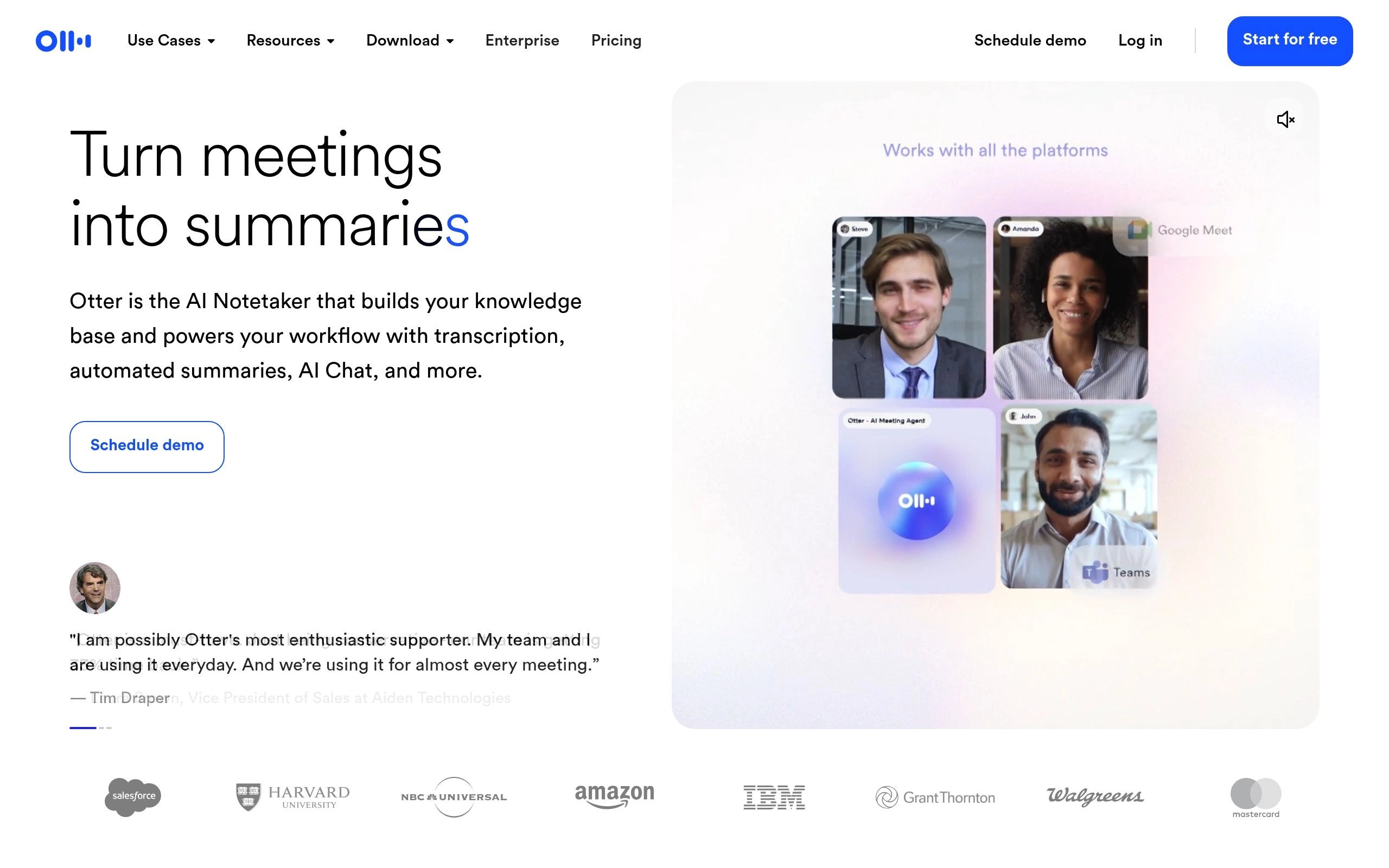
Otter.ai remains one of the most recognized names in AI transcription for good reason. Its real-time transcription engine is remarkably fast, generating live text during a call that team members can watch and interact with as the conversation unfolds. This live transcript layer is particularly valuable for accessibility purposes and for anyone who joins a meeting late and needs to catch up instantly without interrupting the discussion.
During our testing, Otter handled simultaneous cross-talk better than most competitors. When two participants spoke over each other, the engine correctly separated the audio streams and attributed the text to the right speakers without manual correction. The collaborative workspace allows team members to highlight passages, add threaded comments, and assign action items directly within the transcript while the meeting is still running — a capability no other tool in this list matches.
Where Otter falls short compared to 2026 peers is in post-meeting follow-through. Summaries are clean and well-structured, but action items require manual confirmation before they push to connected tools. For teams that need automated CRM updates or project management sync without human review steps, Fireflies.ai is the stronger choice.
✅ Pros
- Only tool with live real-time transcript visible during call
- Collaborative highlighting and comments mid-meeting
- 300 min/month free — genuinely functional tier
- Best cross-talk speaker separation in testing
- Works across Zoom, Google Meet, Microsoft Teams
❌ Cons
- Bot joins call — "Otter is recording" visible to participants
- Post-meeting CRM sync requires manual review steps
- Innovation pace slower than newer entrants in 2026
- Free plan: 300 min/mo cap + 30-min session limit
Pricing: Free — 300 min/month. Pro — $8.33/user/month (annual). Business — $20/user/month (annual). Enterprise — custom.
Best for: Teams that need live, collaborative note-taking during calls — education, recruitment, and internal team meetings where a visible bot is not a concern.
See full comparison: Otter.ai vs Fireflies vs Fathom — Full 2026 Comparison
2. Fireflies.ai — Best for HubSpot and Salesforce Integrations
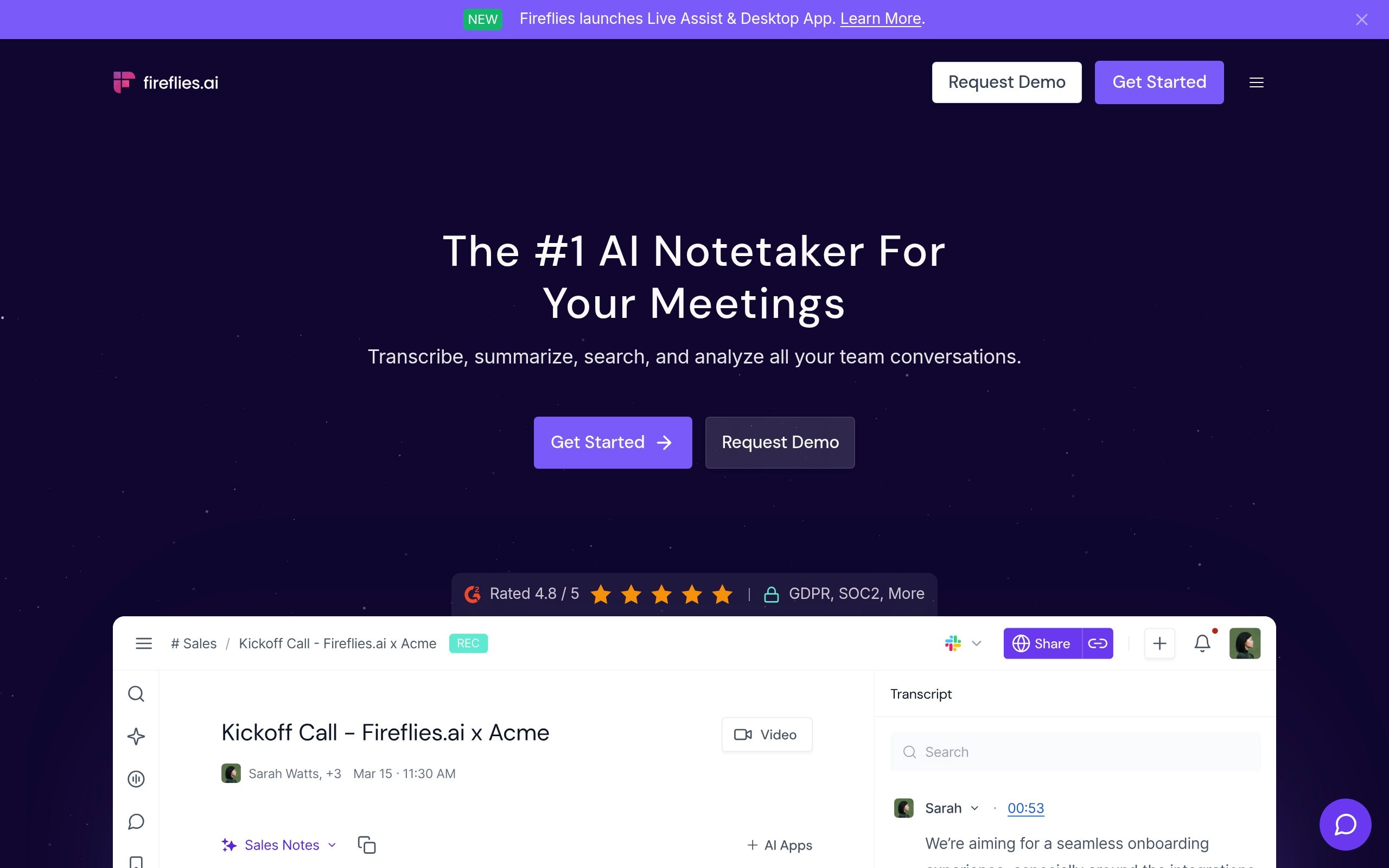
Sales teams have very specific requirements when it comes to call recording. They need a tool that doesn't just transcribe the conversation but actively pushes the resulting data into their CRM — without requiring a rep to manually copy and paste summaries after a discovery call. Fireflies.ai excels at this exact workflow, and its integration score of 10/10 reflects connectivity that no other tool on this list matches.
Fireflies integrates directly with HubSpot and Salesforce to automatically log meeting transcripts, AI summaries, and extracted action items against the correct contact record. The moment a call ends, the deal is updated, the notes are filed, and the rep can focus on the next conversation rather than administrative cleanup. This automated CRM sync is the core reason Fireflies remains the go-to tool for revenue-focused teams in 2026. Teams who rely on AI scheduling tools to manage their pipeline will find Fireflies integrates smoothly into that broader automation stack.
The AskFred feature — upgraded with Perplexity AI in 2026 — allows you to query your entire meeting history in natural language: "what objections came up across my last ten discovery calls?" It returns synthesized answers from all relevant past meeting transcripts, not just a search results list.
Pricing: Free — unlimited transcripts (limited AI features). Pro — $10/user/month (annual). Business — $19/user/month (annual). Enterprise — $39/user/month. Note: AskFred AI credits are billed separately on Pro/Business.
Best for: B2B sales teams, customer success managers, and revenue operations teams needing automated CRM data entry and searchable meeting intelligence.
⭐ Rating: 4.7/5 — Explore Fireflies.ai alternatives
3. Fathom — Best Free Recording Tool for Zoom
Fathom has the most generous free plan in the entire AI meeting note-taker category — and it's not close. Unlimited recordings, unlimited storage, and AI-generated summaries with no time limit, no credit card required, and no transcript cap. Its G2 rating of 5.0/5 from over 6,000 verified reviews makes it the highest-rated tool in this category.
The product's design philosophy centers on speed and simplicity. When the call ends, the AI summary appears in approximately 30 seconds — the fastest post-call processing of any tool we tested. Fireflies and Otter both take 2–5 minutes. That 30-second window matters: a Fathom summary is waiting before you close your laptop, which means you can send a follow-up email with accurate context while the conversation is still fresh.
Where Fathom deliberately stays lean is deep CRM automation and cross-meeting intelligence. It doesn't have the Salesforce push Fireflies delivers, nor the continuous context memory Twinmind provides. It also remains primarily a Zoom tool — Google Meet and Teams support exists but feels secondary.
Pricing: Free — unlimited Zoom recordings and AI summaries forever. Team — $15/user/month. Team Plus — $19/user/month. Enterprise — $28/user/month. No credit card required for free tier.
Best for: Freelancers, startups, and budget-conscious teams primarily on Zoom wanting the best possible free AI note-taker without complex CRM workflows.
⭐ Rating: 4.8/5 — Explore Fathom alternatives
4. Jamie — Best Bot-Free Native App

One of the most persistent complaints about AI note-takers in 2026 is the social awkwardness of a virtual bot joining the call. Jamie eliminates this problem entirely through native application architecture — and with Google Meet now flagging third-party bots as "potential risk" by default, Jamie's approach has become significantly more valuable than it was twelve months ago.
Jamie operates directly on your device, capturing system audio natively without joining as a meeting participant. You can use it across any conferencing platform — Zoom, Teams, Google Meet, or any browser-based tool — without authenticating a bot, granting calendar access, or adding anything to the participant list. The Ask AI feature allows you to search across all past meetings and draft follow-up emails or memos directly from the interface. European data hosting is available, giving it a strong GDPR compliance posture — important for EU-based teams and regulated industries.
Pricing: Free plan (limited meetings). Basic — $24/user/month. Pro — $47/user/month. Business — custom. Annual billing available.
Best for: Consultants, executives, lawyers, and anyone running sensitive client meetings where a visible recording bot would change the candor or dynamic of the conversation.
⭐ Rating: 4.6/5
5. Twinmind — Best for Continuous Context

Most transcription tools treat every meeting as an isolated event. Twinmind takes a fundamentally different approach: it acts as a continuous memory layer that links conversations together over time. If you discussed a project timeline on Tuesday and referenced that same project with a different stakeholder on Thursday, Twinmind understands the connection without any manual tagging. You can ask it "what did we agree about the budget in last week's client call?" and receive accurate, sourced answers drawn from your actual past conversations.
The tool operates natively on your device — bot-free by design — and works across any platform including phone calls and in-person conversations. For project managers, executives, and consultants who sit in 15–20 meetings per week across multiple workstreams, this continuous cross-meeting context layer is genuinely transformative. Connect it with your AI task management tools and meeting action items flow automatically into your project workflows.
Pricing: Free plan (limited). Pro — approximately $20/user/month. Check Twinmind's official website for current tiers.
Best for: Senior project managers, executives, consultants, and VCs who run 10+ meetings/week across multiple workstreams and need cross-meeting context rather than isolated per-call summaries.
⭐ Rating: 4.5/5
6. Zoom AI Companion — Best Built-In Solution

Sometimes the best tool is the one already installed. Zoom AI Companion is included at no additional cost with any paid Zoom plan. Because it has raw audio access from inside the Zoom infrastructure, it produces consistently excellent transcription and speaker identification without any third-party configuration, calendar permissions, or security reviews.
The limitation is equally clear: Zoom AI Companion only works inside Zoom. If your team runs calls across multiple platforms — Google Meet for some clients, Teams for others — you still need a platform-agnostic tool. But for organizations standardized entirely on paid Zoom, AI Companion is the pragmatic choice that most IT and finance teams will favor over adding another vendor.
Pricing: Included at no additional cost for all paid Zoom plans (Pro $13.32/month, Business $18.32/user/month). No standalone purchase.
Best for: Organizations standardized entirely on paid Zoom who want clean AI summaries and action items without any additional software spend or IT security review.
⭐ Rating: 4.4/5
Top AI Meeting Note-Takers Ranked (7–14)
7. Notta — Best for Multiple Languages

Global teams face a unique challenge that English-first transcription engines routinely fail to solve. Notta supports transcription in over 104 languages, with real-time translation available across most supported language pairs. During our multilingual testing, Notta demonstrated impressive ability to handle dense accents, code-switching between languages mid-sentence, and technical vocabulary across multiple industry verticals. At $8.17/user/month (billed annually), it's also one of the most affordable paid options on this list.
Pricing: Free plan (limited minutes). Pro — $8.17/user/month (annual). Business — $13.49/user/month (annual). Enterprise — custom.
Best for: Multinational companies, international sales teams, and global customer support organizations regularly running meetings in languages other than English. ⭐ 4.3/5
8. Avoma — Best for Sales Coaching and Revenue Intelligence
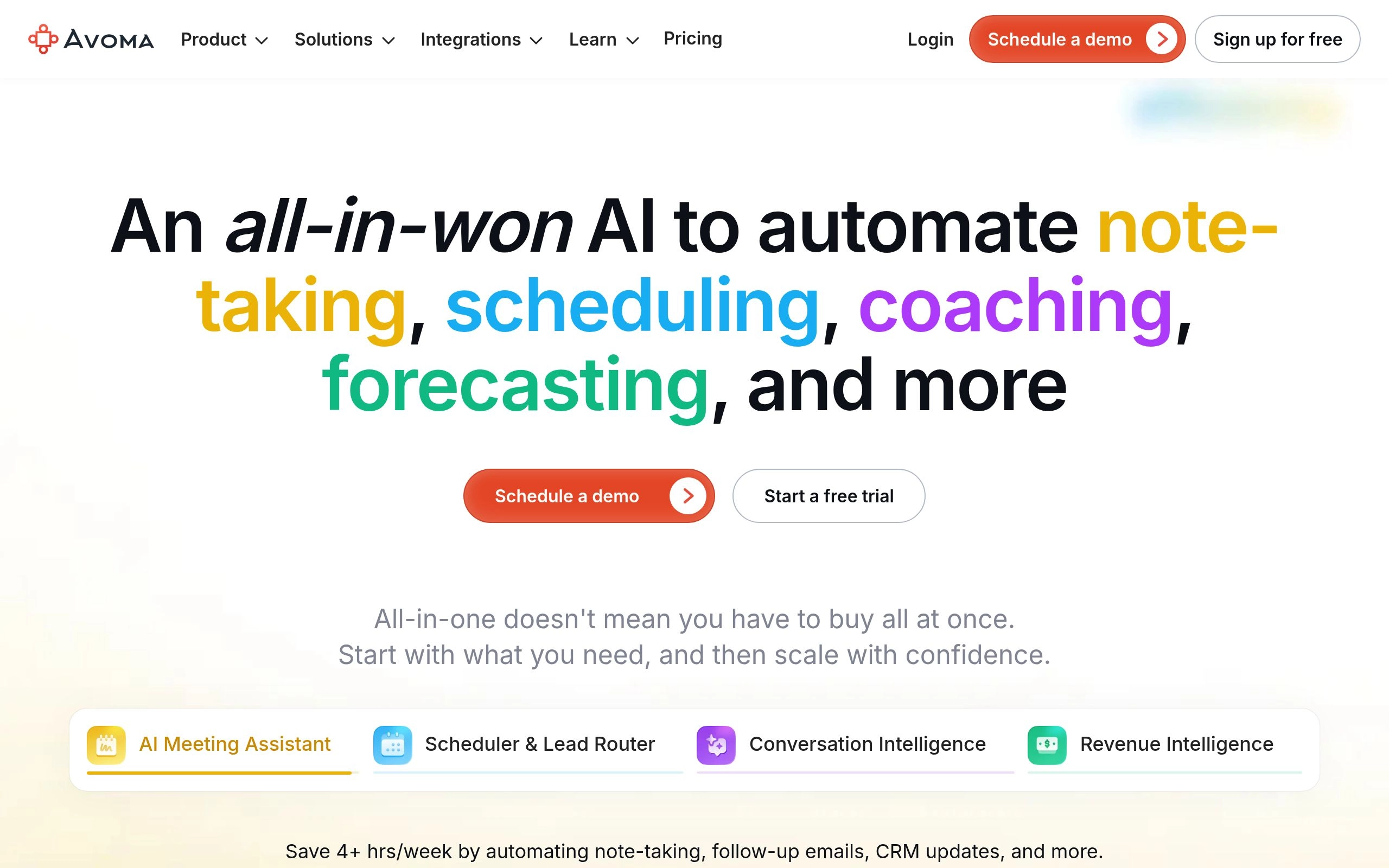
Avoma is not simply a meeting note-taker — it is a revenue intelligence platform that happens to include best-in-class transcription as its foundation. The platform automatically categorizes every conversation into structured topics — pain points, competitor mentions, pricing objections, buying signals — allowing sales managers to jump directly to commercially critical moments without listening to full recordings. AI scorecards track how closely each rep adheres to your sales methodology, whether MEDDIC, SPICED, BANT, or a custom framework you define.
The trade-off is price: Avoma's Startup tier starts at $19/user/month with no free plan, scaling to $79/user/month for full revenue intelligence functionality. For teams that need basic CRM sync, Fireflies at $10/user/month delivers 80% of the CRM value at half the cost. For sales organizations running formal deal methodologies with coaching programs, Avoma has no equivalent.
Pricing: No free plan. Startup — $19/user/month. Growth — $49/user/month. Enterprise — $79/user/month. 14-day trial available.
Best for: B2B sales teams running formal deal methodologies, sales managers who need AI coaching data, revenue organizations replacing multiple point solutions. ⭐ 4.5/5
9. Fellow.ai — Best for Full Meeting Lifecycle and Enterprise Security

Most platforms focus entirely on what happens during the meeting. Fellow.ai focuses on the entire meeting lifecycle — from structured preparation through to post-call accountability. It was named the top AI note-taker by The New York Times Wirecutter in 2026. Fellow's pre-meeting workflow begins with collaborative agenda building. When the call ends, Fellow distributes assigned action items directly to responsible team members in your connected project management tools — Asana, Jira, Linear, or similar — without requiring anyone to manually copy tasks from a summary document.
Fellow's enterprise security posture is also notable: SOC 2 Type II, GDPR, and HIPAA certified at a price point teams can actually access, with an explicit policy of not training AI models on customer data. This makes Fellow the correct choice for organizations in regulated industries where meeting content includes protected information. For teams managing projects with AI task management tools, Fellow's action item export creates a direct bridge between meeting discussions and active project work.
Pricing: Free — 5 AI recordings/month. Pro — $9/user/month (annual). Business — $14/user/month (annual). Enterprise — custom.
Best for: Engineering and product teams, regulated industries (healthcare, legal, finance), and organizations needing the full meeting lifecycle plus HIPAA/SOC 2 compliance. ⭐ 4.7/5
10. Read.ai — Best for Meeting Intelligence and Engagement Analytics
Read.ai is the most significant omission from most meeting note-taker comparisons, including earlier versions of this guide. It brings a distinct capability to the category that no other tool here matches: real-time meeting quality scoring. During every call, Read.ai measures participant engagement, talk-time ratios, sentiment signals, and meeting effectiveness — generating a Meeting Quality Score and visual engagement report that tells you not just what was said, but how well the meeting actually functioned.
This makes Read.ai uniquely valuable for leadership teams, people managers, and anyone who runs recurring meetings and wants to improve how those meetings operate over time. After a standup with five people where two dominated and three never spoke, Read.ai shows you that data. After a performance review where engagement scores dropped 40% from the previous month, that's visible too. No other tool in this comparison provides this behavioral analytics layer on top of standard transcription.
Beyond meeting intelligence, Read.ai also aggregates across email and Slack messages alongside call transcripts, giving it the broadest cross-communication context of any tool here. You can ask it questions that span your inbox, your Slack channels, and your past calls simultaneously.
⚠️ Read.ai: Important User Review Caveat
Read.ai's TrustPilot score is notably low (1.5/5) compared to its Microsoft AppSource rating (4.0/5) and G2 rating (4.0/5). The TrustPilot reviews cite privacy concerns and billing issues. Research shows this gap may partly reflect the demographics of reviewers on each platform — the sentiment around privacy concerns is real and worth investigating during a trial before purchasing.
✅ Read.ai Pros
- Meeting Quality Score — unique engagement analytics not available elsewhere
- Talk-time, sentiment, and participation metrics per meeting
- Aggregates email + Slack + meetings for unified AI search
- Auto-shares meeting reports to Slack, Notion, HubSpot, Salesforce
- Video highlight reels for async review
- Works across Zoom, Google Meet, Teams, Webex
❌ Read.ai Cons
- Mixed user reviews (1.5/5 Trustpilot, 4.0/5 G2) — investigate privacy concerns before purchase
- More expensive than Otter.ai or Fireflies at $19.75/mo Pro
- Free plan limited to 5 meetings/month with 1-hour cap
- HIPAA compliance requires Enterprise+ ($29.75/mo, 10-license minimum)
- Bot-based — visible in meeting participant list
Pricing: Free — 5 meetings/month, 1-hour cap. Pro — $19.75/user/month (monthly) or $15/user/month (annual). Enterprise — $29.75/user/month ($22.50 annual). Enterprise+ — $39.75/user/month ($29.75 annual, HIPAA + SSO). Enterprise tiers require minimum 10 licenses. Pricing verified July 2026 from official sources.
Best for: Leadership teams, people managers, and organizations that want to understand and improve how their meetings actually function — not just capture what was said. Also strong for teams needing unified search across email, Slack, and calls.
⭐ Rating: 4.4/5
11. Krisp Note — Best for Noisy Environments

Krisp originally built its name as the world's most effective audio noise cancellation tool — the software that removes crying babies, coffee shop espresso machines, and open-plan office chatter from your microphone feed in real time. It has since evolved that core technology into a full transcription service. The fundamental difference: Krisp cleans the audio before it reaches the transcription engine. Every other tool transcribes raw audio and relies on AI to compensate for noise. Krisp filters at the hardware level first, then transcribes what is already clean. Like Jamie, it runs natively without sending a bot into the meeting.
Pricing: Free plan (limited). Pro — $16/user/month. Business — $25/user/month. Enterprise — custom. 7-day full trial, no credit card.
Best for: Remote workers in noisy environments, field sales reps, home office workers, and anyone whose call audio quality is consistently an issue. ⭐ 4.3/5
12. Bluedot — Best for Notion Users

For organizations that run their entire knowledge base and project operations out of Notion, Bluedot solves the note-taker problem with zero additional workflow friction — meeting notes simply appear in Notion, formatted correctly, connected to the right databases, ready to use immediately. Bluedot captures audio through a Chrome extension rather than a bot, meaning there is no virtual participant in the meeting. When the meeting ends, it automatically formats the transcript and summary and pushes it directly into your chosen Notion workspace with bidirectional sync.
Pricing: Free plan (limited recordings). Basic — $18/user/month. Pro — $25/user/month. Enterprise — custom.
Best for: Teams using Notion as primary knowledge management who want meeting notes flowing directly into their existing Notion structure without any manual work. Chrome-only — no other browser support. ⭐ 4.3/5
13. Metaview — Best for Recruitment Interviews
Recruiting is a highly specialized meeting use case that general-purpose transcription tools handle poorly. Metaview is trained specifically on interview data — it understands the structure of technical and behavioral interviews, generating summaries that systematically surface a candidate's hard skills, soft skills, and cultural fit indicators organized in a format hiring managers can review quickly and compare across candidates. It integrates directly with major ATS platforms including Greenhouse, Lever, and Workday. For technical recruiting teams at scaling startups, Metaview's specialized focus delivers accuracy and utility that no general-purpose tool replicates.
Pricing: Custom enterprise pricing only. Contact Metaview directly.
Best for: In-house recruiting teams, talent acquisition departments at scaling startups, and technical interview panels where note quality directly affects hiring decisions. ⭐ 4.4/5
14. Happy Scribe — Best for Multilingual Transcription and Meeting Content
Happy Scribe is a standout choice for distributed teams and organizations that require high-precision meeting transcription alongside broader audio and video workflows. Supporting over 120 languages and dialects, it uniquely bridges the gap between live meeting notes and multimedia content repurposing.
Unlike meeting-only note-takers, Happy Scribe provides full support for uploaded audio/video recordings, webinars, client interviews, and panel discussions. It pairs AI transcription with an interactive subtitle and transcript editor, allowing teams to polish notes, create video subtitles, and export clean transcripts into various formats. For international teams operating in bilingual or multilingual environments, Happy Scribe ensures language diversity is never a barrier to accurate documentation.
✅ Pros
- Industry-leading multilingual transcription across 120+ languages
- Transcribes both live meetings and uploaded audio/video files
- Interactive transcript editor with built-in subtitle generation
- Team collaboration workspace with granular permission controls
- Zero bot required — works directly via audio upload or native integrations
❌ Cons
- Less automated CRM push than Fireflies.ai or Avoma
- Advanced collaboration and human-verified transcription require paid plans
- Focused on media & transcription rather than live meeting attendee bots
Pricing: Free trial available. Paid plans start from $17/month with flexible usage options.
Best for: International teams, content creators, researchers, and organizations that need versatile multilingual transcription across meetings and media files. ⭐ 4.6/5
Honorable Mentions: tl;dv, Granola, and Nimit AI

tl;dv ("too long; didn't view") deserves mention for teams focused specifically on sharing video moments from recordings. Its free plan provides unlimited video recordings and transcripts with no monthly cap, making it the strongest unlimited free alternative to Fathom. The key differentiator is the ability to timestamp, clip, and share specific moments from a recording — you send a colleague a link to the exact 45 seconds where the client mentioned their budget, not the full 60-minute recording. It also offers both a bot mode and a native desktop app that captures audio without any meeting participant.
Granola is a macOS-only AI notepad that captures audio locally without any meeting bot. Its summaries are among the cleanest and most readable in the category, and it has developed a strong following among professionals who want the simplest possible tool without subscriptions, dashboards, or feature complexity. The free plan includes a limited number of meetings per month. Windows availability was not confirmed at time of writing.
Nimit AI (Nimitai) is a bot-free, sales-native meeting copilot engineered specifically for founder-led B2B teams and growing sales squads. Unlike passive transcription bots, Nimit AI delivers pre-call dossiers, surfaces live objection-handling and MEDDPICC cues during the conversation, and pushes CRM-ready notes after the call—all completely bot-free with no virtual bot in the meeting room. Published pricing is $149/seat/month with no seat minimum, built from analyzing 750+ real sales calls. It is an ideal fit for founders and small AE teams who have outgrown standard note-takers but do not require Gong-tier enterprise contracts. Learn more on their sales conversation intelligence platform.
Key Differentiators: What Actually Separates These Tools
Post-Meeting Workflow: Where Most Tools Still Fail
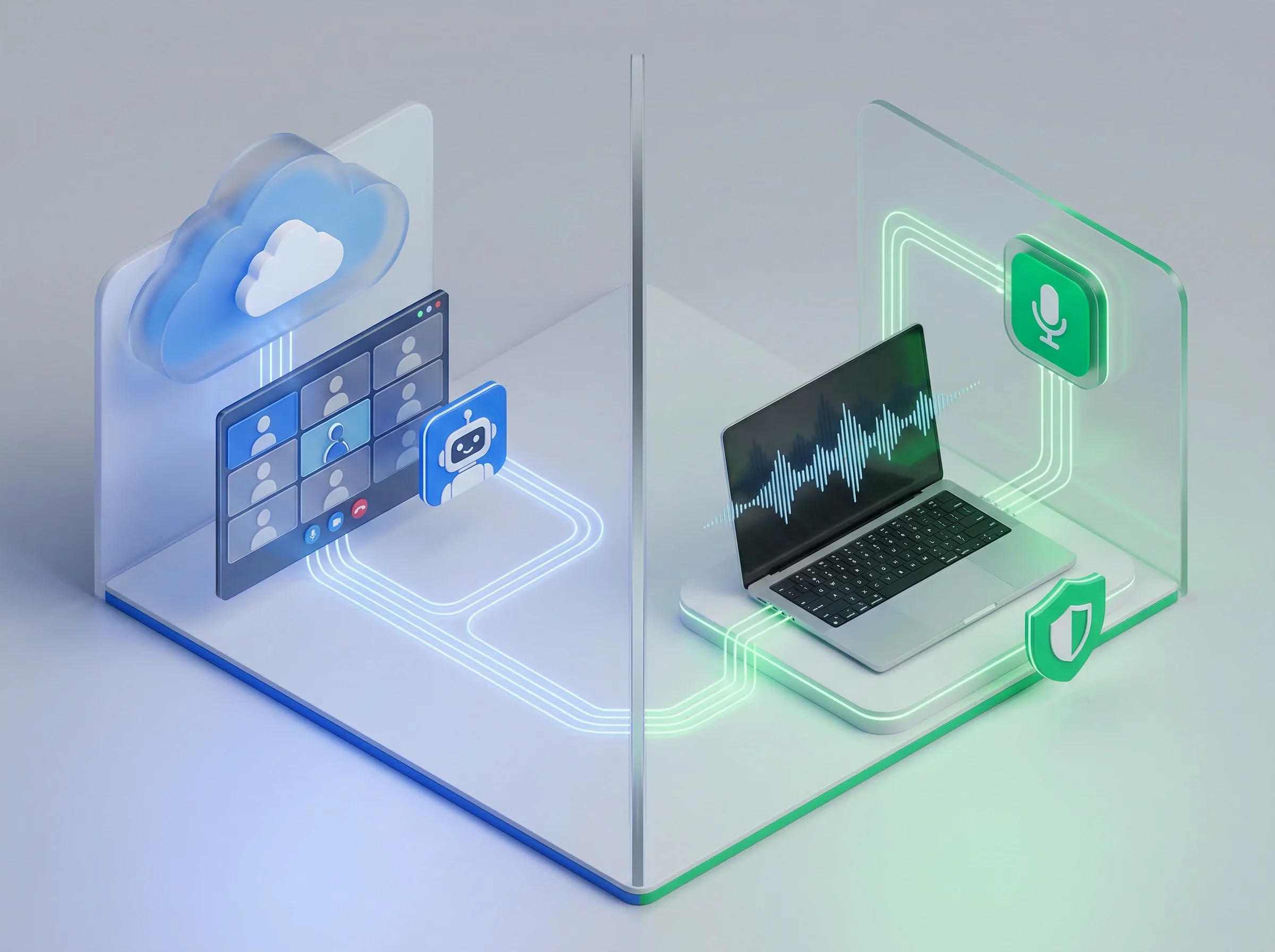
Bot-Free vs Bot-Based AI Meeting Note-Taker Architecture
The single biggest gap across this category in 2026 is what happens after the meeting ends. A transcript sitting in a standalone app nobody returns to delivers almost no value. An action item requiring manual copy-pasting into your project management tool will be ignored by 60% of your team within a week. The tools delivering lasting productivity impact are those that close the loop automatically — pushing tasks to Asana or Jira, updating CRM records in Salesforce or HubSpot, and creating a searchable knowledge base from past conversations.
When making your final selection, evaluate not just transcript quality but post-meeting automation depth. For sales teams: does it update the CRM without a human review step (Fireflies, Avoma)? For product and engineering teams: does it push action items directly to your project board (Fellow.ai)? For executives juggling multiple workstreams: does it connect this meeting's context to past conversations (Twinmind)? These answers matter more than any transcription accuracy benchmark in this guide.
Speaker Identification Under Pressure
Accurate transcription is meaningless if the software attributes a critical business decision to the wrong person. Speaker identification accuracy improved approximately 40% in 2026's generation of AI note-takers compared to tools from 2024, driven by improvements in multi-speaker diarization AI. But meaningful variance still exists between tools when conversations get complex — when five people talk over each other in a standup, when a client joins with a poor microphone, or when a participant with a heavy accent speaks quickly.
Real-time speaker correction — the ability to relabel a speaker's attribution during the meeting before the final transcript is generated — is a feature worth paying for if your meetings regularly produce complex multi-speaker dialogue. Otter.ai leads the category on this specific capability, producing cleaner speaker separation in our testing than any other tool.
Explore Related AI Meeting & Workflow Guides
- • Otter.ai vs Fireflies.ai vs Fathom: 2026 Head-to-Head Comparison
- • Best Free AI Meeting Transcription Tools (No Credit Card)
- • 10 Best AI Task Management Tools: Turn Notes into Action Items
- • 8 Best AI Scheduling Tools in 2026 (Auto-Plan Your Entire Day)
- • The Ultimate Guide to AI Productivity Tools in 2026
- • Browse All AI Meeting Transcription Tools
Frequently Asked Questions
What is the single best AI meeting note taker in 2026?
Fathom is the best overall AI meeting note taker for most individuals and teams. It offers an unlimited 100% free plan without recording caps, generates structured summaries in under 30 seconds, and includes native bot-free desktop recording options that keep external bots out of client calls.
What is the difference between bot and bot-free AI meeting recorders?
Bot-based tools (like Otter.ai and Fireflies.ai) join your call as a visible participant avatar, recording through the conferencing server. Bot-free tools (like Fathom desktop, Granola, and Krisp) capture audio locally from your computer's system sound and microphone, allowing you to transcribe meetings invisibly without awkward bot join requests or participant friction.
Which AI meeting note taker integrates best with Salesforce and HubSpot?
Fireflies.ai and Avoma deliver the deepest CRM integrations. Fireflies automatically matches transcripts and call summaries to existing CRM contacts and deals. Avoma goes even further by extracting custom sales fields, objection triggers, competitor mentions, and stage velocity signals directly into Salesforce and HubSpot properties.
Can AI meeting note takers automatically sync action items to Notion, Asana, and ClickUp?
Yes. Tools like Fathom, Fellow.ai, and Fireflies automatically detect action items and push them to Notion, ClickUp, Asana, and Linear. This eliminates manual post-call administrative copy-pasting.
Is Otter.ai's free plan enough for small business teams in 2026?
Otter's free plan provides 300 monthly transcription minutes with a 30-minute limit per call. While sufficient for occasional short catchups, teams with daily 45- to 60-minute calls will quickly hit the limits. Fathom is recommended as the superior free alternative since it offers unlimited meeting durations with zero monthly minute caps.
Which meeting tool has the best accuracy for multi-language calls and heavy accents?
tl;dv and Fireflies.ai lead in multilingual support, accurately transcribing over 69+ languages with regional dialect recognition. Additionally, Krisp provides real-time AI background noise and accent clarity filters to boost transcription fidelity on noisy international calls.
How do AI meeting note takers handle confidential data, GDPR, and SOC 2 compliance?
Enterprise-grade tools like Fellow.ai, Fireflies, and Fathom are SOC 2 Type II certified and GDPR compliant. Fellow.ai explicitly guarantees zero AI model training on customer meeting data, making it ideal for legal, healthcare, and financial enterprises.
How much should an individual or small team expect to spend on an AI meeting tool?
Individual users can operate 100% free with Fathom. Paid team tiers typically range from $10 to $19 per user per month (e.g. Otter Pro at $10/mo, Fireflies Pro at $10/mo, Fathom Team at $19/mo, and tl;dv Pro at $18/mo).



