

Enterprise communication has fundamentally changed. We are no longer just sending text messages back and forth in isolated channels. We expect our chat platforms to act as intelligent assistants, sorting through the noise, summarizing massive threads, and digging up buried files before we even have to ask.
For IT decision-makers, choosing between Slack and Microsoft Teams is no longer a simple debate about user interface preferences or basic video calling features. The conversation now centers entirely on artificial intelligence. Which platform actually reduces busywork? Which one handles company data securely? Most importantly, which one provides the best return on investment for an enterprise workforce?
The Quick Answer: Slack AI ($10/user/mo) is the superior choice for high-velocity engineering, product, and agency teams that value lightning-fast 1-click thread catch-ups, multi-tool search across external apps (Google Drive, Jira, Notion), and intuitive UX. Microsoft Teams Copilot ($30/user/mo) is unmatched for enterprises deeply entrenched in the Microsoft 365 ecosystem, offering native cross-app grounding in SharePoint, Outlook, and live meeting video transcription.
💬 Beyond Team Chat: Explore asynchronous video memos and meeting summaries in our Best AI Tools for Async Communication Guide.
Comparing Slack AI vs Microsoft Teams AI requires looking past the marketing materials. We need to evaluate how these tools handle daily friction points: endless message threads, impossible-to-find documents, and the constant back-and-forth of scheduling meetings.
The 2026 Landscape: Slack AI vs Microsoft Teams AI

The shift toward intelligent workspaces means that standalone chat apps are largely obsolete. Today, organizations require comprehensive AI productivity tools that actively manage information flow rather than just passively hosting it.
Both Slack and Microsoft have heavily invested in their respective AI capabilities, but their core philosophies remain distinct. Slack focuses on streamlining the immediate conversational experience, while Microsoft aims to connect every piece of data across its massive software suite. Understanding this philosophical split is crucial for evaluating which tool belongs in your tech stack.
What is the Difference Between Slack and Microsoft Teams in the AI Era?
The fundamental difference between Slack and Microsoft Teams in 2026 comes down to ecosystem versus specialization.
Microsoft Teams operates as the communication layer for the entire Microsoft 365 environment. When you use Teams AI, you are actually engaging with Microsoft Copilot. This means the AI has direct access to your calendar, your SharePoint files, your Excel spreadsheets, and your Outlook emails. It is designed to be an omnipresent assistant that pulls information from across the entire Microsoft universe into your chat window.
Slack, on the other hand, approaches AI as a specialized conversational tool. Since Slack is not tied to a proprietary office suite like Microsoft 365, its AI focuses heavily on making the chat experience itself faster and more intuitive. Slack AI targets the specific pain points of channel-based communication: catching up after time off, finding context in fast-moving project channels, and automating routine updates.
While Teams wants to be your all-in-one operating system for work, Slack wants to be the smartest, fastest communication hub that plugs into whatever external tools you already use.
Why AI is the New Battleground for IT Decision Makers (and Why "AI for Slack and Teams" Is Now Its Own Category)
Enterprise software bloat has reached a critical tipping point. Employees spend a significant portion of their day just trying to find the information they need to start working. Because of this, AI features are no longer viewed as optional add-ons; they are essential requirements for modern infrastructure — which is exactly why searches for AI for Slack and Teams have become common among IT buyers this year rather than treating either platform as just a messaging app.
Search accuracy is one of the clearest examples of this shift. If an employee cannot quickly locate a specific policy document or project update, the platform fails its primary purpose, regardless of how polished its chat interface looks.
IT leaders are also under strict mandates to prove the ROI of their software spend. They need tools that demonstrably reduce time wasted on administrative tasks. Whether it is summarizing a missed meeting or automatically generating a weekly status report, the platform that saves the most human hours ultimately wins the enterprise contract.
AI-Generated Summaries and Channel Recaps
AI Channel Summarization Process
Information overload is the most common complaint among enterprise chat users. If you step away for a few hours, returning to dozens of unread messages across multiple active project channels can be paralyzing. Both Slack and Microsoft have deployed AI to tackle this specific problem, but their execution differs significantly.
Testing Slack AI's Thread Summarization
Slack built its reputation on channel-based communication, which makes channel management its primary AI focus. Slack AI tackles the unread message problem directly through highly accurate thread and channel summaries.
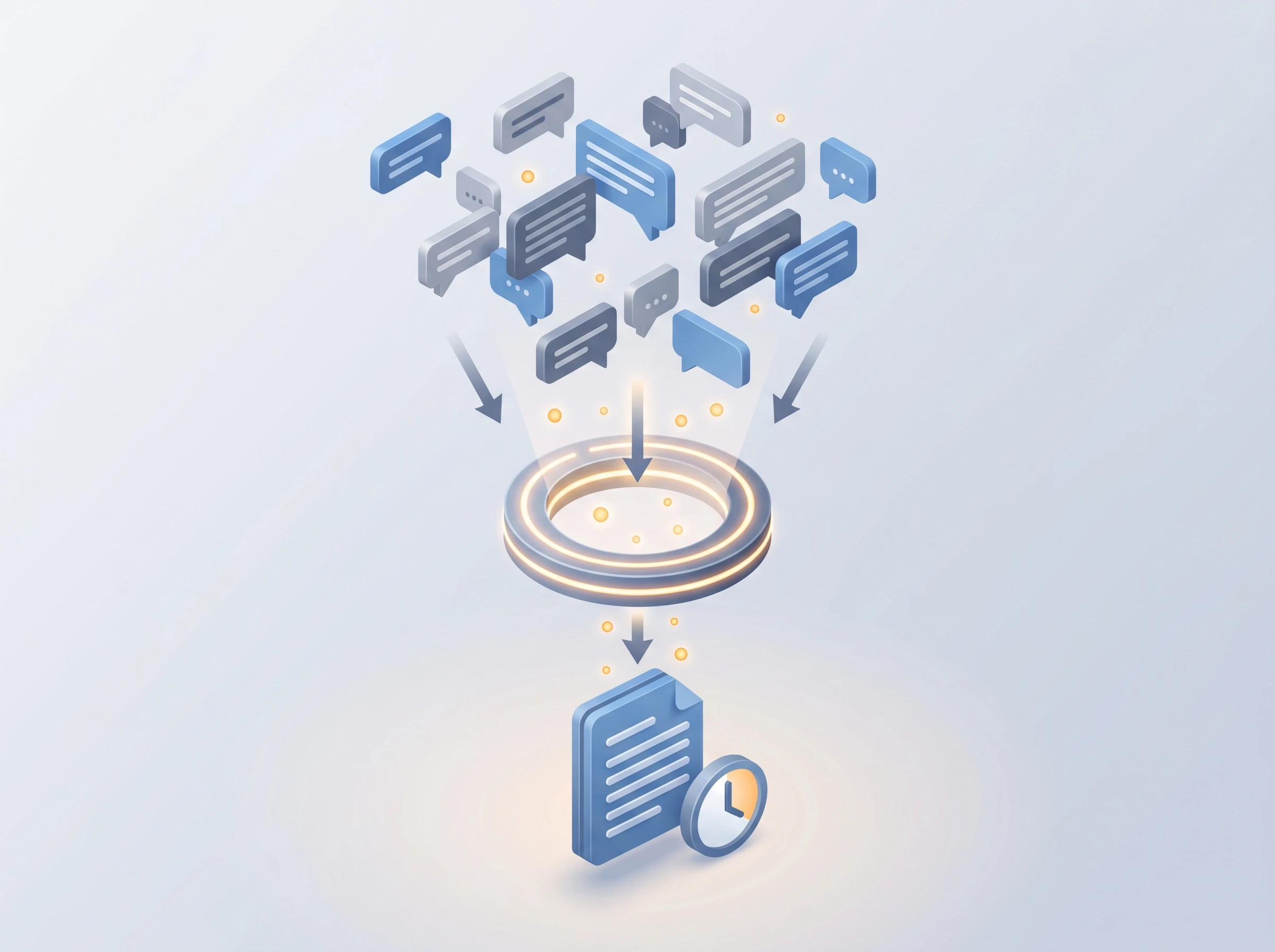
What makes Slack's approach effective is user control. Slack AI channel recaps are generated on-demand, ensuring users only process information when they actively need it. Instead of forcing automated summaries into your feed and cluttering the interface, Slack waits for you to click the summarize button.
When activated, the AI reads through the missed conversation, extracts the key decisions, highlights action items, and presents a clean bulleted list. It even cites specific messages, allowing you to click through to the exact moment a decision was made. The practical impact on daily workflow is substantial. Data shows that Slack AI summarizes unread channel messages, saving enterprise users an average of 90 minutes per week. For a company with a thousand employees, that equates to thousands of hours of recovered productivity every single month.
Microsoft Teams Copilot Meeting Recaps
While Slack excels at asynchronous text summarization, Microsoft Teams shines in synchronous meeting environments. Teams is heavily utilized for voice and video calls, and its AI features reflect that priority.
Microsoft Teams Copilot features are deeply integrated into the meeting experience. Teams Copilot can generate meeting notes, action items, and smart schedules in real-time during video calls. If you join a call 15 minutes late, you can privately ask Copilot to summarize what you missed without interrupting the speaker.
Once the meeting concludes, Teams automatically generates a comprehensive recap. This includes a transcript, a summary of key topics discussed, and a list of assigned tasks. It even identifies who spoke when, making it incredibly easy to review a one-hour recorded meeting in just five minutes. For organizations that rely heavily on video conferencing, this real-time summarization capability is a massive operational advantage.
Enterprise Search Accuracy and Knowledge Retrieval
AI Search Architecture Comparison
A chat platform is only as useful as its search function. As companies accumulate years of messages, files, and links, finding a specific piece of historical context becomes incredibly difficult. Enterprise AI search is designed to replace traditional keyword hunting with natural language queries.
Finding Context with Slack AI Search
Slack's search functionality has always been fast, but Slack AI takes it a step further by actually answering questions rather than just returning a list of messages.
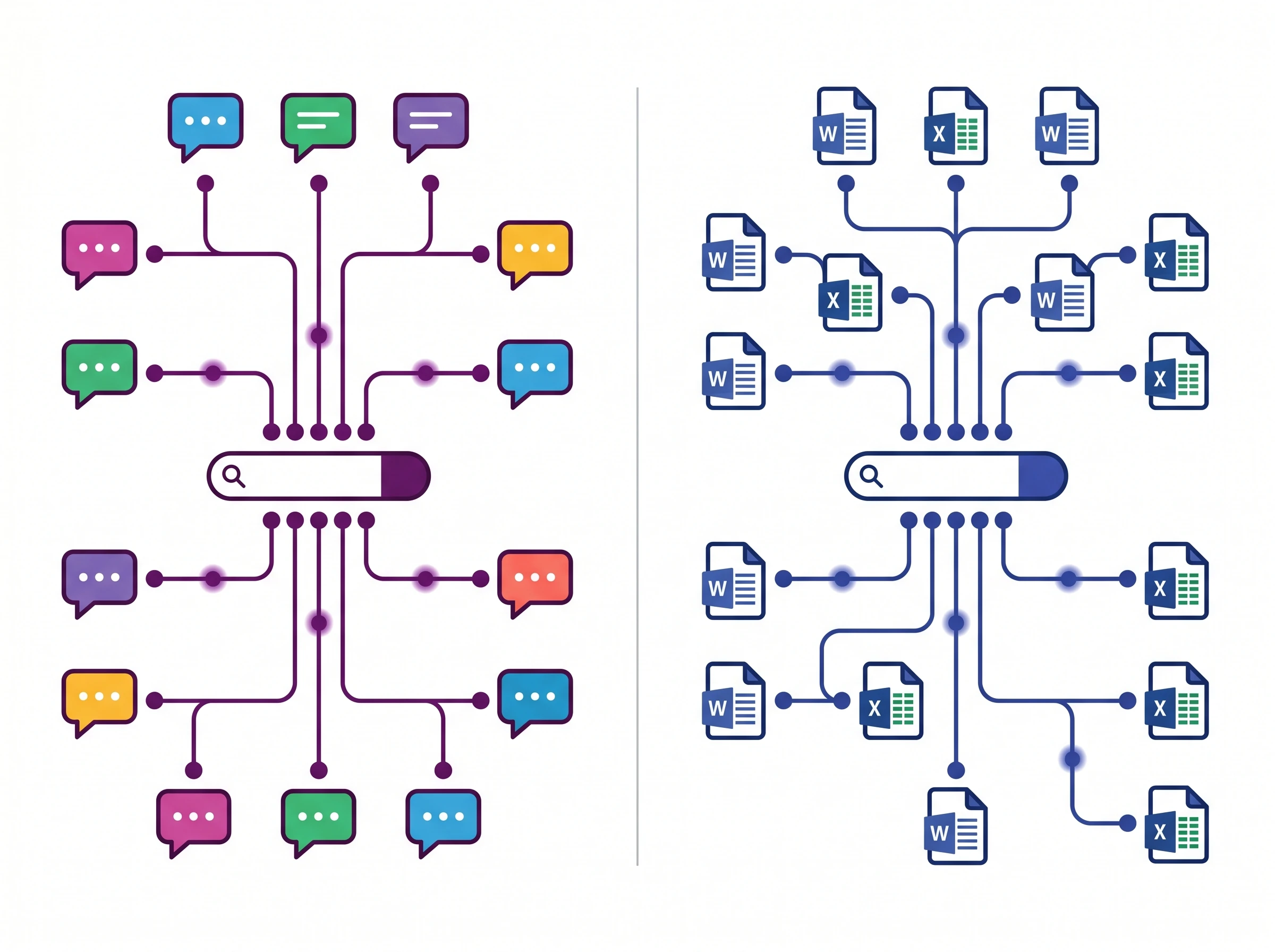
If you ask Slack AI, "What was the final decision on the Q3 marketing budget?", it does not just show you messages containing the words "Q3," "marketing," and "budget." Instead, Slack AI's search answers questions by synthesizing information from across public channels and direct messages without exposing private data.
The privacy aspect here is critical for enterprise adoption. Slack AI respects the existing permissions of the workspace. If an employee does not have access to a private executive channel, the AI will not pull information from that channel to answer their query. Furthermore, Slack AI does not use customer data to train its large language models, maintaining strict enterprise privacy standards. IT leaders can deploy these search features without worrying about internal data leakage or third-party model training.
Microsoft Graph Integration in Teams
Microsoft Teams approaches search with a much wider lens. Because Teams is part of the broader Microsoft ecosystem, its search capabilities extend far beyond chat messages.
Microsoft Teams Copilot leverages the Microsoft Graph to pull context from Word, Excel, and PowerPoint files directly into chat. This is where Microsoft's structural advantage becomes obvious. You can open a Teams chat and ask Copilot, "Summarize the key points from Sarah's presentation yesterday." The AI will locate the PowerPoint file in SharePoint, read the slides, and deliver a summary right in your chat window.
You do not need to remember where the file was saved or what it was named. The AI understands the relationships between users, files, and conversations across the entire organization. This deep integration is highly effective for heavy users of Microsoft Office products, who get frictionless knowledge retrieval that a standalone chat tool without file-system access simply cannot match.
Smart Scheduling and Workflow Automation
Beyond communication, modern chat platforms serve as the central hub for daily workflows. Managing calendars, scheduling meetings, and moving data between different software tools takes up a massive amount of administrative time. Both platforms use AI to automate these routine tasks.
Automating Tasks via the Slack App Directory
Slack has always thrived on its ability to connect with external software. Rather than forcing users into a single ecosystem, Slack acts as the central nervous system for your existing tech stack.
The Slack App Directory features over 2,500 integrations, many of which now include native AI capabilities for workflow automation. This massive library allows teams to build highly customized, AI-driven workflows.
For example, a customer support team can connect an AI-powered Zendesk bot directly into a specific Slack channel. When a complex ticket arrives, the AI can automatically draft a response, post it in Slack for human approval, and then send it to the customer. Development teams can pipe AI-summarized Jira updates directly into their daily standup channels. Because Slack integrates with almost everything, you can bring the specific AI tools your team already relies on directly into your chat interface.
Teams Native AI Scheduling Capabilities
Microsoft Teams takes a more native approach to workflow automation, particularly when it comes to calendar management. Scheduling a meeting with five busy executives usually requires a tedious back-and-forth exchange of emails and calendar checks.
Teams eliminates this friction natively. Teams AI smart scheduling automatically suggests meeting times based on participant availability and past interaction patterns. Because Teams has direct access to everyone's Outlook calendar via the Microsoft Graph, it instantly knows when people are actually free.
It goes beyond just finding blank spaces on a calendar. The AI can factor in working hours, time zones, and even the typical meeting habits of the participants. If a project channel suddenly generates a flurry of urgent messages, Copilot can proactively suggest setting up a quick 15-minute sync and automatically draft the calendar invite for the relevant participants. This native, frictionless scheduling is a major workflow enhancement for large organizations.
Pricing, ROI, and Market Share
AI ROI and Market Share Dashboard
For IT decision-makers, evaluating features is only half the battle. The final decision always comes down to budget, return on investment, and long-term platform viability. Comparing Slack vs Teams pricing requires looking at how each company packages its AI capabilities.
Slack vs Teams Pricing for AI Add-ons
Microsoft has taken a very clear, premium add-on approach to its AI features. As of 2026, Microsoft 365 Copilot — the engine behind Teams AI — is priced as a separate add-on layered on top of an existing Microsoft 365 subscription: roughly $18–21 per user per month on the Business tier (for organizations up to 300 seats), rising to $30 per user per month on the Enterprise tier. Older figures of $7–10 per user per month circulating on some comparison sites reflect outdated Teams Premium-only pricing from before Copilot was folded into the picture — budget for the current $18–30 range instead.
For a large enterprise, rolling out Copilot to every employee at $30/user/month represents a massive financial commitment on top of base licensing. IT leaders must carefully calculate whether faster document search and real-time meeting recaps justify that increase in monthly licensing costs. Many organizations choose to deploy it only to specific departments, like sales or project management, where the ROI is most obvious.
Slack approaches its pricing differently. Because Slack is a standalone product, its pricing tiers are structured around workspace features rather than a larger office suite. To evaluate the exact costs for your organization's specific size and needs, check Slack's official website for current pricing and plans. When calculating ROI for Slack, IT leaders typically focus on the 90 minutes per week saved through channel recaps and the platform's ability to consolidate multiple third-party tool subscriptions into unified workflows.
Slack vs Teams Market Share in 2026
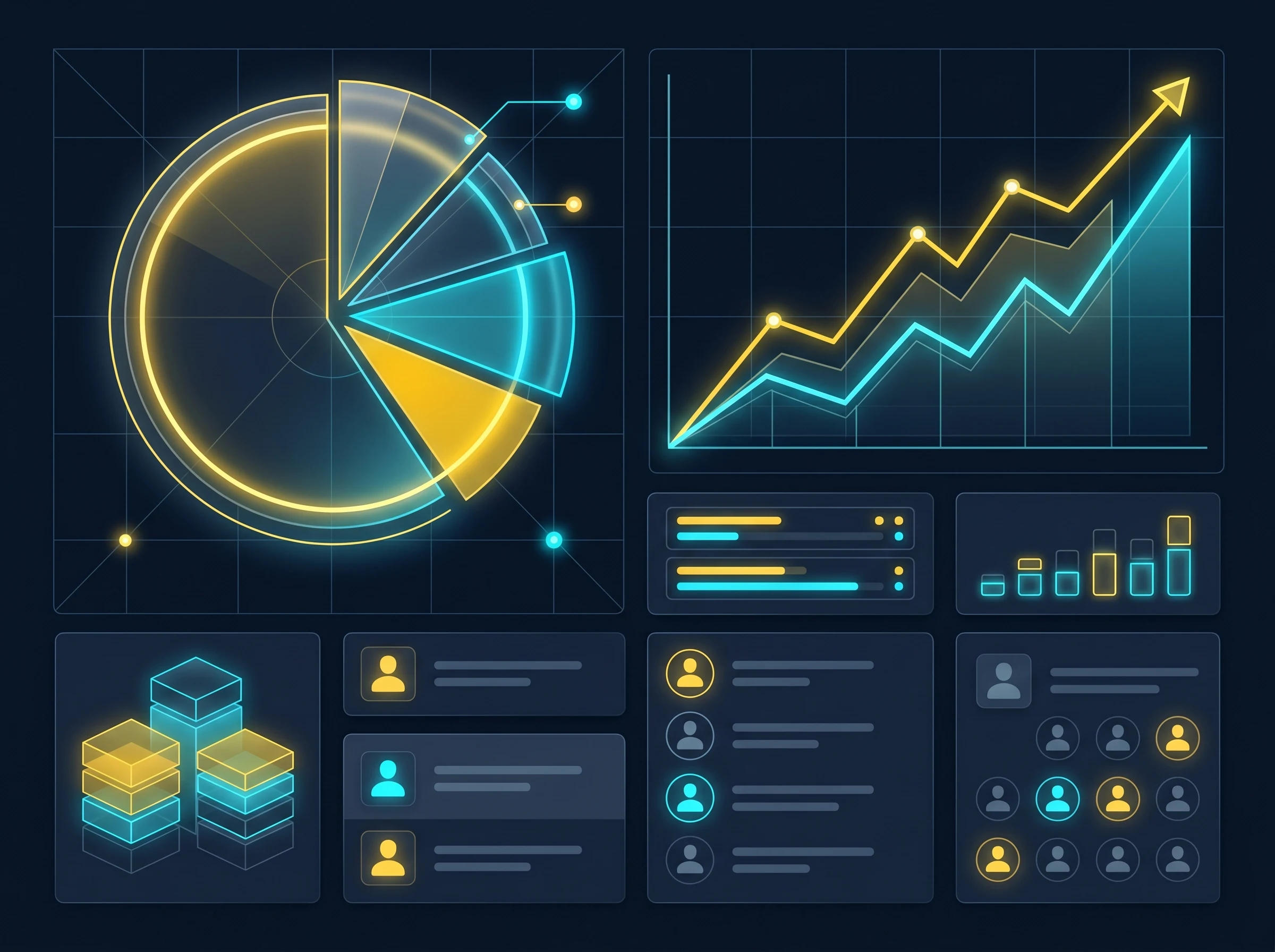
When looking at the broader enterprise landscape, the market dynamics are clear. Per Statista's 2026 enterprise messaging data, Microsoft Teams holds roughly 37% of the market to Slack's approximately 13%, largely because Teams ships bundled with Microsoft 365 seats that companies are already paying for. Because most large corporations already pay for Microsoft's suite of tools, Teams is effectively "free" to deploy on top of an existing contract. This bundling strategy makes it incredibly difficult for standalone competitors to match Microsoft's raw seat count.
However, Slack maintains a fiercely loyal user base, particularly among top-tier enterprise organizations and technology companies. Slack Connect allows secure AI-assisted collaboration with external partners, a feature utilized by 77% of Fortune 100 companies.
This external collaboration capability is a massive selling point. Slack Connect lets different companies work together in a shared channel as easily as internal employees do. When you combine this seamless external networking with Slack's strict data privacy standards, it becomes clear why so many of the world's largest companies continue to pay for Slack even when they already have access to Teams.
Final Verdict: Which is the Best AI for Teams?
Choosing the best AI for teams is not about finding the objectively superior software; it is about finding the right fit for your organization's existing habits and infrastructure. Both platforms offer powerful tools to reduce administrative burden, but they serve different types of workflows.
Why Are Companies Moving Away from Slack (or Staying)?
The enterprise software market is constantly shifting, and consolidation is a major trend. When looking at why companies move away from Slack, the answer is almost always financial rather than functional. Companies moving away from Slack most often cite the comprehensive, all-in-one ecosystem of Microsoft 365 as the primary reason. If an IT department is facing budget cuts, it is difficult to justify paying for a standalone chat app when Teams is already included in their existing Microsoft contract.
However, organizations that choose to stay with Slack do so because of the user experience. Slack's interface is widely regarded as faster to onboard new employees onto compared to Microsoft Teams, even with Teams' newer AI features. If employees actually enjoy using the tool, they communicate more effectively, integrate more apps, and ultimately get more work done. A tool that is technically "free" but heavily disliked by the engineering or design teams can end up costing the company more in lost productivity and shadow IT.
The IT Decision Maker's Checklist
To make the final decision between Slack AI and Microsoft Teams AI, IT leaders should evaluate their organization against these specific criteria:
Choose Microsoft Teams AI if:
Your company is deeply entrenched in the Microsoft 365 ecosystem (Word, Excel, SharePoint).
Your daily workflows revolve heavily around synchronous video meetings and calendar management.
You need AI that can instantly locate and summarize data from across multiple different file types and storage locations.
Your primary goal is vendor consolidation and maximizing the value of your existing enterprise agreements.
Choose Slack AI if:
Your teams rely heavily on asynchronous, text-based communication to move projects forward.
You use a wide variety of non-Microsoft tools (Jira, GitHub, Zendesk, Salesforce) and need a central hub to connect them.
You frequently collaborate with external partners, vendors, or clients and need secure, shared workspaces.
User experience, intuitive design, and fast employee adoption are your top priorities.
Ultimately, both Slack AI and Microsoft Teams AI are highly capable tools that will significantly improve how your organization operates in 2026. Microsoft Teams offers unmatched depth for organizations willing to fully commit to its ecosystem, while Slack provides a faster, more flexible, and more intuitive experience for teams that demand agility. Assess your current tech stack, listen to how your employees actually prefer to work, and invest in the AI platform that naturally accelerates their existing workflows.
Recommended Related Deep Dives:
- 10 Best AI Team Collaboration Tools in 2026 — full remote collaboration rankings
- Best AI Tools for Asynchronous Team Communication in 2026 — compare async video memos vs live chat
- 12 Best AI Meeting Note Takers in 2026 — automate call notes for Zoom, Meet & Teams
- Browse All AI Collaboration Tools — full directory
Frequently Asked Questions
Can Slack AI search across external tools like Google Drive and Jira?
Yes. Slack AI integrates with enterprise third-party apps, querying across connected Google Docs, Jira tickets, Notion pages, and Slack canvases to return synthesized answers with verified citation links.
What's the best AI setup if an organization uses both Slack and Teams?
Many organizations run Slack for engineering/product teams and Teams for operations. In this dual setup, standardize Slack AI on the Slack workspace and Microsoft Copilot on Teams—each tool handles the native conversations and file repositories of its respective user base.
How much do Slack AI and Microsoft Teams Copilot cost as add-ons?
Slack AI is a $10/user/month add-on available on Pro, Business+, and Enterprise Grid tiers. Microsoft Teams Copilot is priced at $30/user/month (annual commitment) on top of qualifying Microsoft 365 Business or Enterprise licenses.
Which platform handles meeting summaries better: Slack Huddles or Teams Meetings?
Microsoft Teams Copilot is more comprehensive for formal video meetings with multi-speaker diarization and real-time Q&A. However, Slack AI automatically generates real-time notes and action items for spontaneous informal Slack Huddles with zero extra setup.
Is company data safe when using Slack AI and Teams Copilot?
Yes. Both platforms enforce enterprise data privacy boundaries: customer messages and proprietary files are never used to train public LLMs, and answers respect existing user permissions and access control lists (ACLs).



