Few things derail academic momentum faster than citation formatting. You finish writing a 6,000-word research paper or thesis chapter, only to spend three exhausting hours hunting down missing DOIs, fixing italicization on journal titles, and converting parenthetical in-text citations from MLA 9th into APA 7th edition.
Worse still, researchers who attempt to outsource citations to generic AI chatbots like ChatGPT or Claude quickly run into the "hallucinated reference" catastrophe: plausible-sounding author names, made-up journal volume numbers, and fake DOI links that result in immediate academic scrutiny. Generic language models predict tokens—they do not query structured bibliographic repositories like Crossref, PubMed, or OpenAlex.
Dedicated AI citation generators and reference managers solve this problem by pairing neural metadata extraction with authoritative Citation Style Language (CSL) rule engines. We evaluated the top 8 platforms in 2026 across complex multi-author papers, preprints, anthologies, and web articles. Whether you need a full-scale reference manager like Zotero or an instant free bibliography generator like MyBib, here is how the leading tools rank.
⚡ The 30-Second Executive Verdict
Best Overall Reference Manager: Zotero 7 remains the undefeated champion for serious academics. It is 100% free, open-source, features native PDF metadata extraction, and connects seamlessly to Google Docs, Word, and Overleaf.
Best for Research Validation: Scite.ai is unmatched if you need to know how a paper is cited—its Smart Citations show whether subsequent research supports, mentions, or contrasts a study's claims.
Best for In-Text AI Drafting: Jenni AI is the top choice for students writing literature reviews who want inline citation auto-suggestions pulled directly from PubMed and Semantic Scholar.
Best Free & Instant Bibliography Tool: MyBib is completely free, ad-free, and supports over 9,000 CSL citation styles without forcing you to create an account or navigate paywalls in our Content Creation Hub.
The Dangerous Myth of Chatbot Citations: Why You Need Dedicated Tools
Before comparing specific software, every researcher must understand why asking ChatGPT, Copilot, or Claude to "write my bibliography" is an academic trap. Large language models do not maintain an active index of publishing records. When you ask for three peer-reviewed sources on renewable energy subsidies, the model hallucinates combinations of real author surnames and real journal titles that never published together.
Dedicated citation engines operate fundamentally differently:
- They extract identifiers (DOIs, ISBNs, PMIDs, URLs) and query global bibliographic indexes like Crossref, PubMed, and Google Scholar in real time.
- They format entries using validated CSL (Citation Style Language) templates that adhere strictly to publication manuals (APA 7th, MLA 9th, Chicago 17th Notes & Bibliography, Harvard, IEEE).
- They generate synchronized in-text citations (parenthetical and narrative) that link directly to your terminal bibliography.
If you are writing research-heavy essays or literature reviews, combining a verified citation engine with tools from our guide on 8 Best AI Tools for Literature Reviews & Academic Research and our roundup of 7 Best AI Academic Writing Tools will save you dozens of hours of manual auditing.
At-a-Glance Comparison: Top 8 AI Citation & Bibliography Generators
Here is how the top 8 citation generators and reference managers compare across core academic capabilities in 2026:
| Tool Name | Core Strength | Style Formats | Word / Docs Sync | Export Options | Pricing Tier |
|---|---|---|---|---|---|
| Zotero 7 | Full open-source reference library & PDF reader | 10,000+ CSL styles | Yes (Word, Docs, LibreOffice) | BibTeX, RIS, CSL, CSV | 100% Free (300MB sync) |
| Scite.ai | Smart Citations (supporting vs contrasting evidence) | APA, MLA, Chicago, Harvard | Yes (Word plugin & browser) | BibTeX, RIS, CSV | $12 / month (Free trial) |
| Jenni AI | In-editor AI writing with auto-citation search | APA 7th, MLA 9th, Harvard, IEEE | In-app editor export only | BibTeX, DOCX, PDF | Free tier ($12/mo Unlimited) |
| Paperpile | Zero-friction Google Docs & Chrome workflow | 9,000+ styles | Yes (Docs native & Word) | BibTeX, RIS | $2.99 / mo (Academic) |
| Mendeley | Elsevier integration & shared research groups | 8,000+ styles | Yes (Mendeley Cite for Word) | BibTeX, RIS, XML | Free (2GB storage) |
| MyBib | Ad-free, 100% free instant web bibliography | 9,000+ CSL styles | Clipboard & Docs copy | BibTeX, RIS, Word, Docs | 100% Free (No ads) |
| QuillBot Citation | Instant web, book & journal generator with paraphrasing | APA, MLA, Chicago, Harvard | Clipboard export & Word add-on | Word, BibTeX, Text | Free (Premium features) |
| Cite This For Me | Barcode scanning & multi-media citation formatting | 7,000+ styles | Manual export | Word, Copy-paste | Freemium (Heavy ads / $9.99/mo) |
Deep-Dive Reviews: The 8 Best AI Citation Tools in 2026
1. Zotero 7 — The Undisputed King of Academic Reference Management
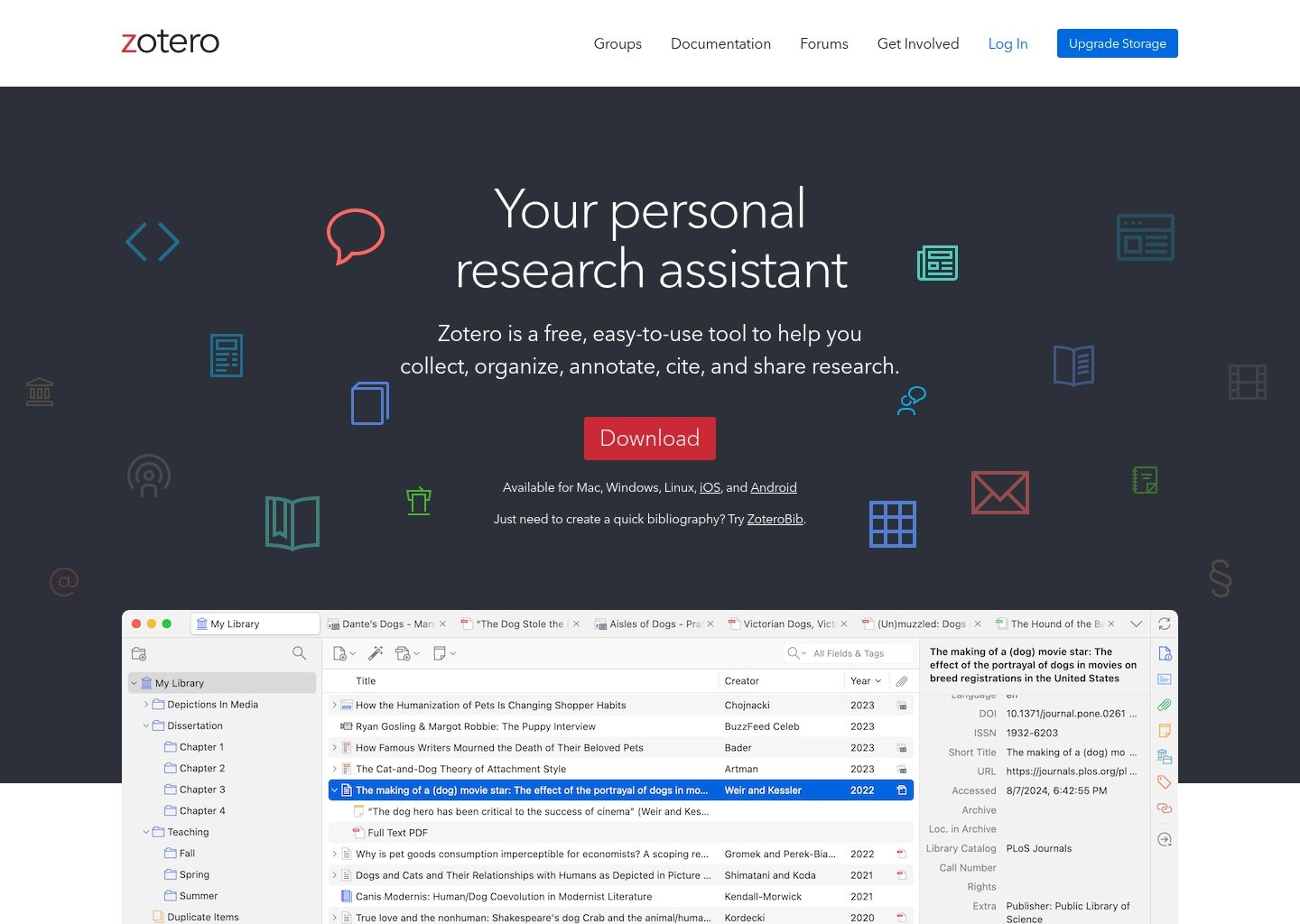
Zotero has long been an academic staple, but the release of Zotero 7 in late 2025/2026 modernized the platform into a powerhouse. It is a non-profit, open-source application that lives on your local machine (Windows, Mac, Linux) while synchronizing across devices. With its browser extension (Zotero Connector), saving a source takes a single click: Zotero automatically detects whether you are viewing a PubMed article, an arXiv preprint, an Amazon book, or a New York Times piece, extracting author names, publication dates, volume numbers, and full PDFs automatically.
Why It Leads: Unlike web generators that lose your data once you close your browser tab, Zotero builds a permanent, searchable research library. Its word processor integration inserts citations in real time and automatically builds your bibliography at the end of your document. If your journal rejects your submission and you need to switch from APA 7th to Vancouver or IEEE, Zotero reformats the entire 100-source document in three seconds.
- Supported Styles: Over 10,000 Citation Style Language (CSL) styles.
- Integrations: Microsoft Word, Google Docs, LibreOffice, Overleaf / LaTeX (via Better BibTeX plugin).
- Price: 100% Free and open-source (Free 300MB cloud sync, unlimited local storage).
2. Scite.ai — Smart Citations with Supporting & Contrasting Evidence
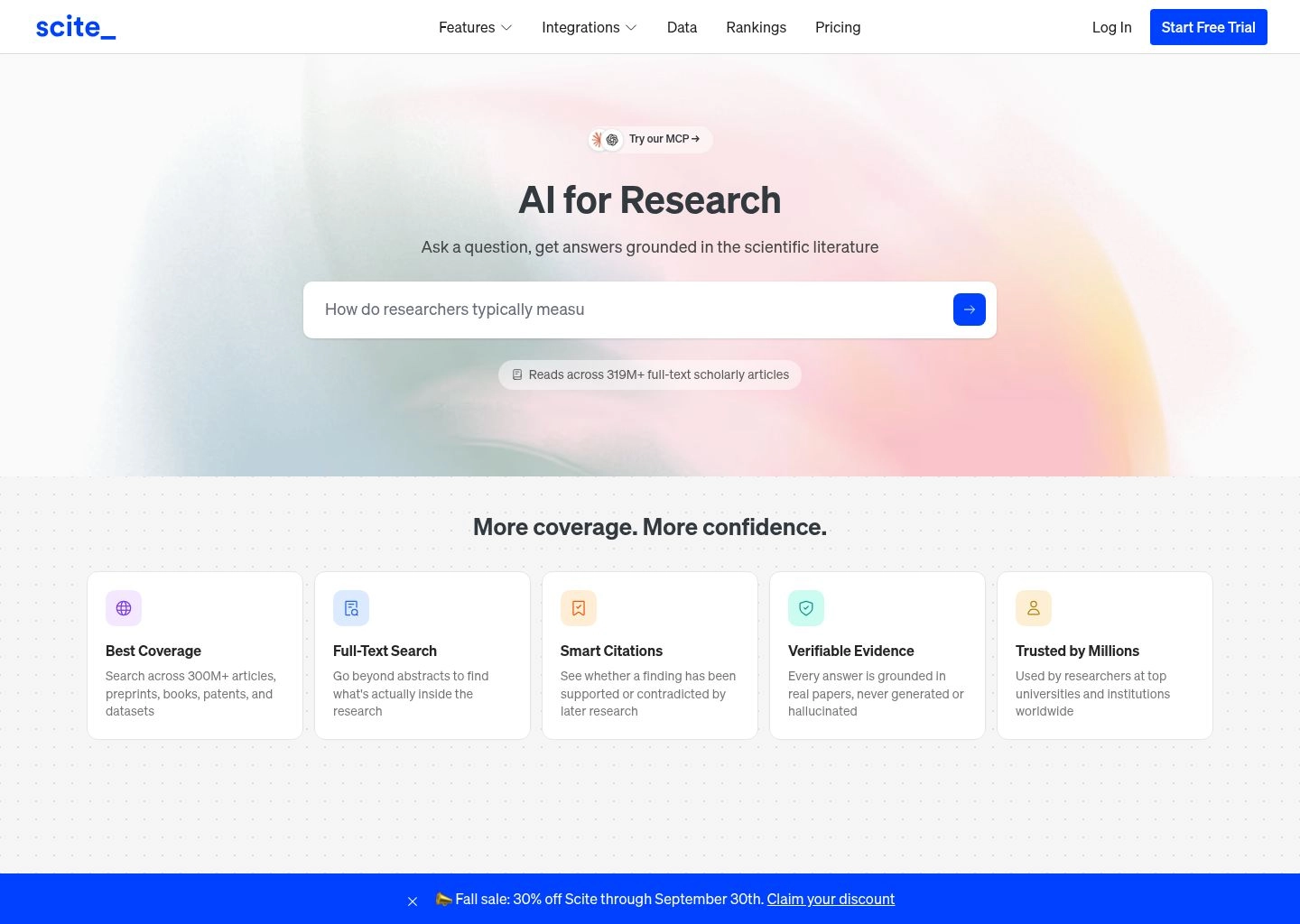
Scite.ai represents the cutting edge of AI citation intelligence. Traditional citation generators treat every reference as a static text string. Scite uses deep learning models trained on over 1.2 billion citation statements to show you how a publication has been cited by subsequent literature.
When you look up a paper in Scite, it reveals a Smart Citation badge showing the exact sentence where later authors referenced the study, categorizing each citation into: Supporting (evidence confirms the claim), Mentioning (contextual reference), or Contrasting (the claim was questioned or refuted). This prevents researchers from accidentally building an argument on a retracted paper or a debunked methodology.
- Key Strength: Eliminates citation confirmation bias by flagging disputed findings before you cite them.
- Integrations: Browser extension that overlays Smart Citation badges across Google Scholar, PubMed, and journal sites.
- Price: $12/month (Annual billing) with a 7-day free trial. Read our full literature review tools comparison for deep academic workflows.
3. Jenni AI — In-Editor AI Writing with Real-Time In-Text Citations
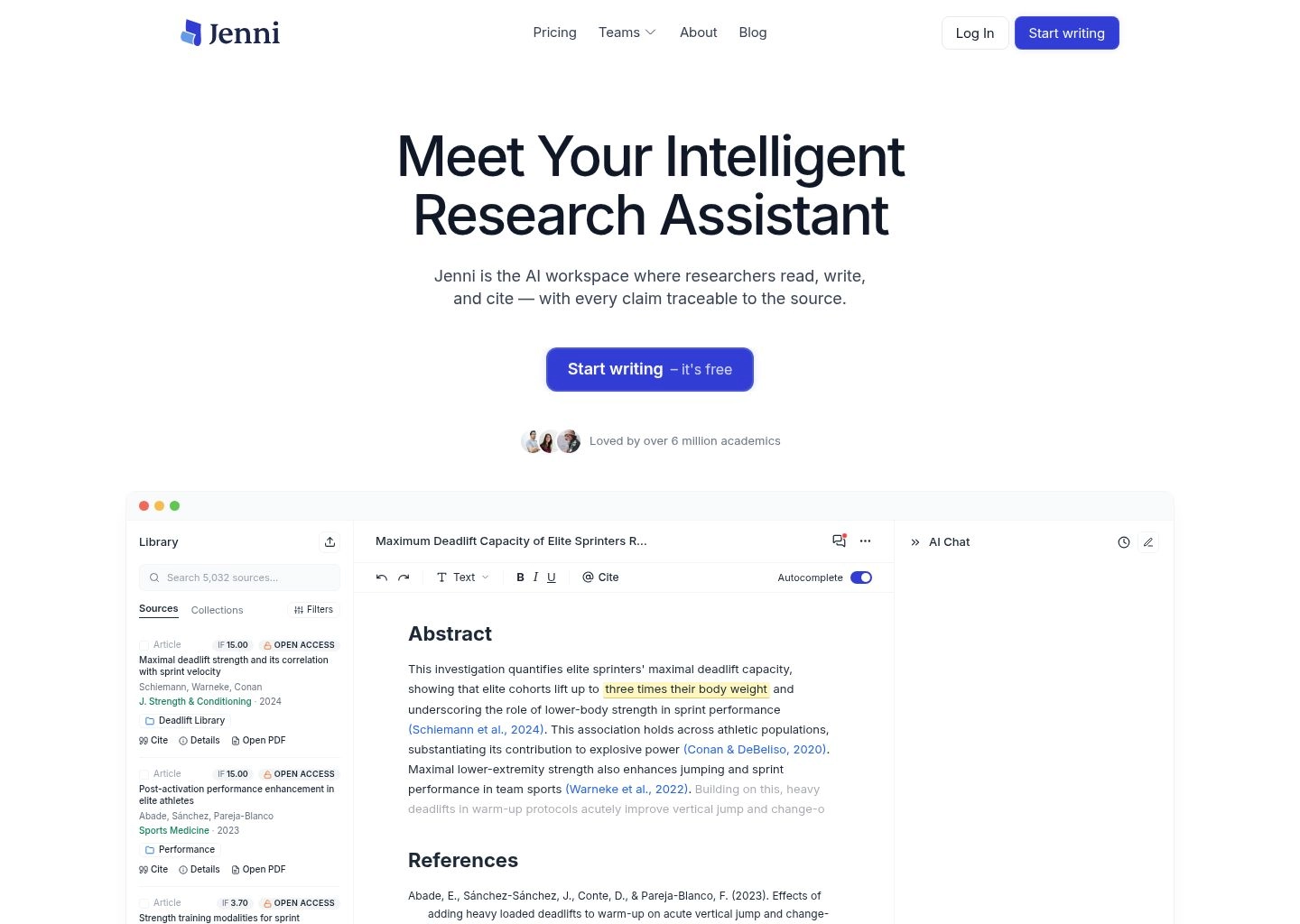
If you are drafting an essay, thesis chapter, or research summary and want citations suggested as you type, Jenni AI is the most intuitive solution. Unlike general AI text generators that fabricate quotes, Jenni incorporates a dedicated citation search engine directly into its text editor.
Whenever you write a factual claim or accept an autocomplete suggestion, Jenni prompts you to verify with a source. Clicking "Add Citation" opens an integrated modal that searches academic databases (Semantic Scholar, PubMed, arXiv). You can filter by year, view abstracts, select a verified paper, and insert an APA, MLA, or Harvard parenthetical citation with a single click. For more essay-focused assistants, review our benchmark of 10 Best AI Essay Writing Tools in 2026.
- Key Strength: Seamless blend of AI drafting assistance and verified real-world academic citations.
- Price: Free tier (200 words/day); Unlimited plan at $12/month.
4. Paperpile — The Ultimate Google Docs & Chrome Academic Workflow
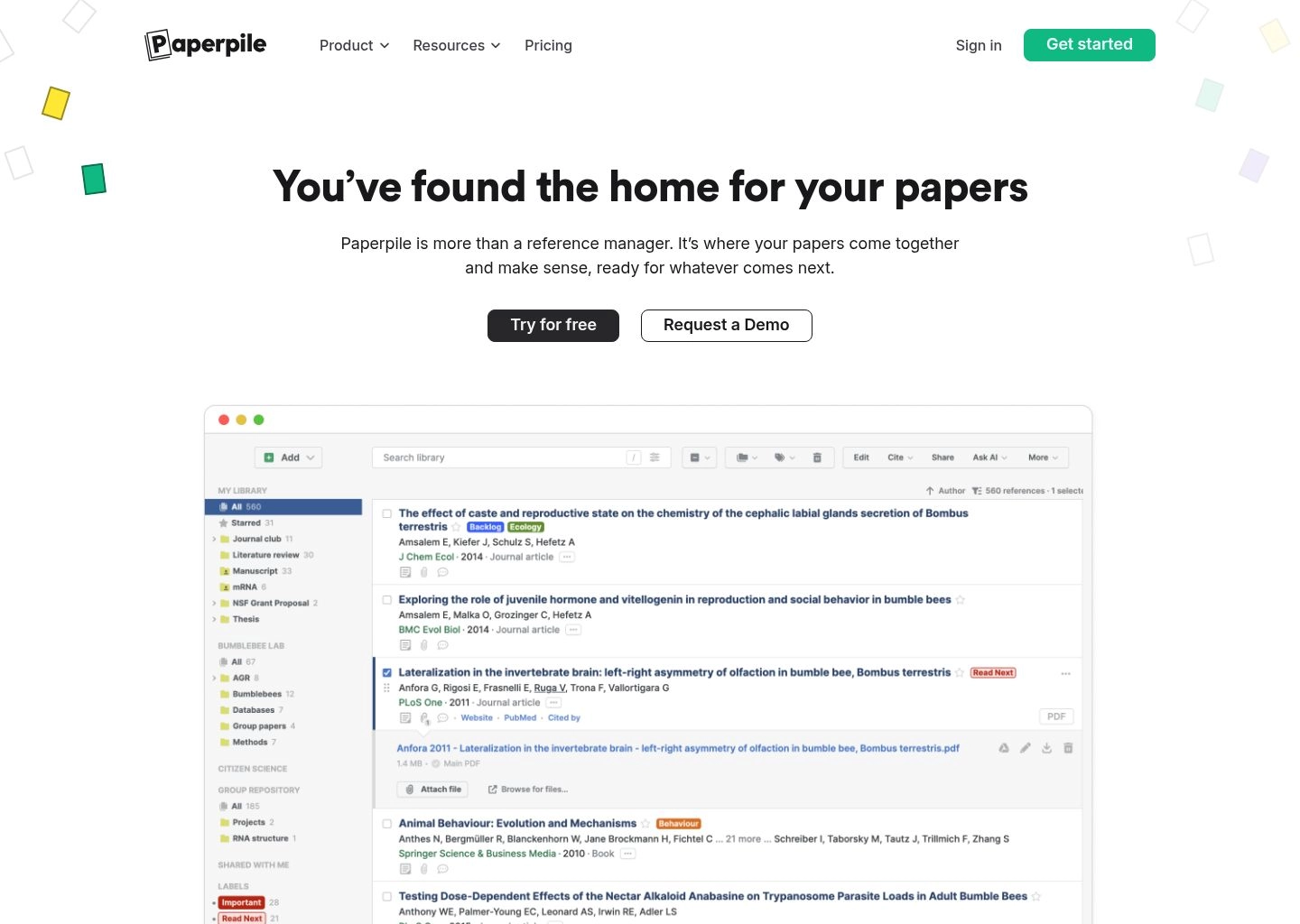
While Zotero dominates desktop power users, Paperpile is built specifically for researchers who live in Google Docs and Google Chrome. It is a cloud-first reference manager that syncs your PDF library directly to Google Drive, avoiding local file bloat.
Its Google Docs integration is arguably the smoothest in the academic industry: hitting Ctrl + Alt + P (or Cmd + Option + P on Mac) brings up a search overlay inside your document. You type an author name or keyword, hit Enter, and the formatted in-text citation drops in immediately. When you are ready to submit, Paperpile scans the document and formats the complete references section according to any of its 9,000+ CSL styles. For general document productivity, see our guide on Best AI Document Creation Tools for Professionals.
- Key Strength: Zero-lag Google Docs integration without installing heavy desktop software.
- Price: $2.99/month for students and academics ($9.99/month for corporate teams).
5. Mendeley — Elsevier's Reference Ecosystem & Collaborative Groups
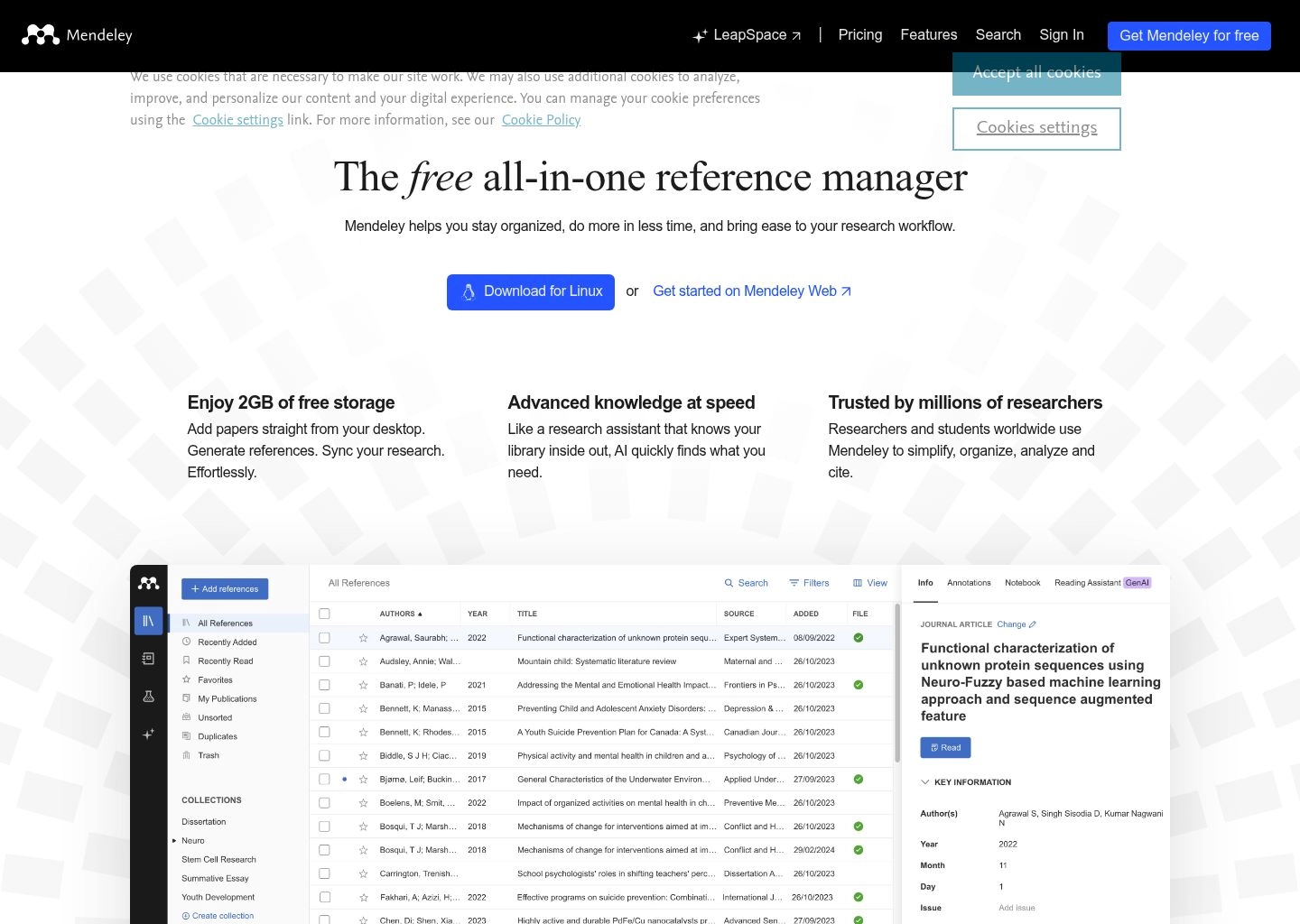
Owned by publishing giant Elsevier, Mendeley remains one of the most widely used reference management tools in STEM, medicine, and life sciences. The modern Mendeley Reference Manager features a clean electron-based desktop application paired with Mendeley Cite, a dedicated add-in for Microsoft Word.
Its primary advantage lies in research lab collaboration: you can create private research groups where team members share papers, synchronize annotations, and build shared project bibliographies. Furthermore, its direct pipeline into ScienceDirect and Scopus allows 1-click importing of publication metadata for major scientific journals.
- Key Strength: Lab collaboration, shared PDF annotation pools, and ScienceDirect integration.
- Price: Free (Includes 2GB cloud storage); paid plans for expanded storage.
6. MyBib — The Best Free, Ad-Free Online Bibliography Generator
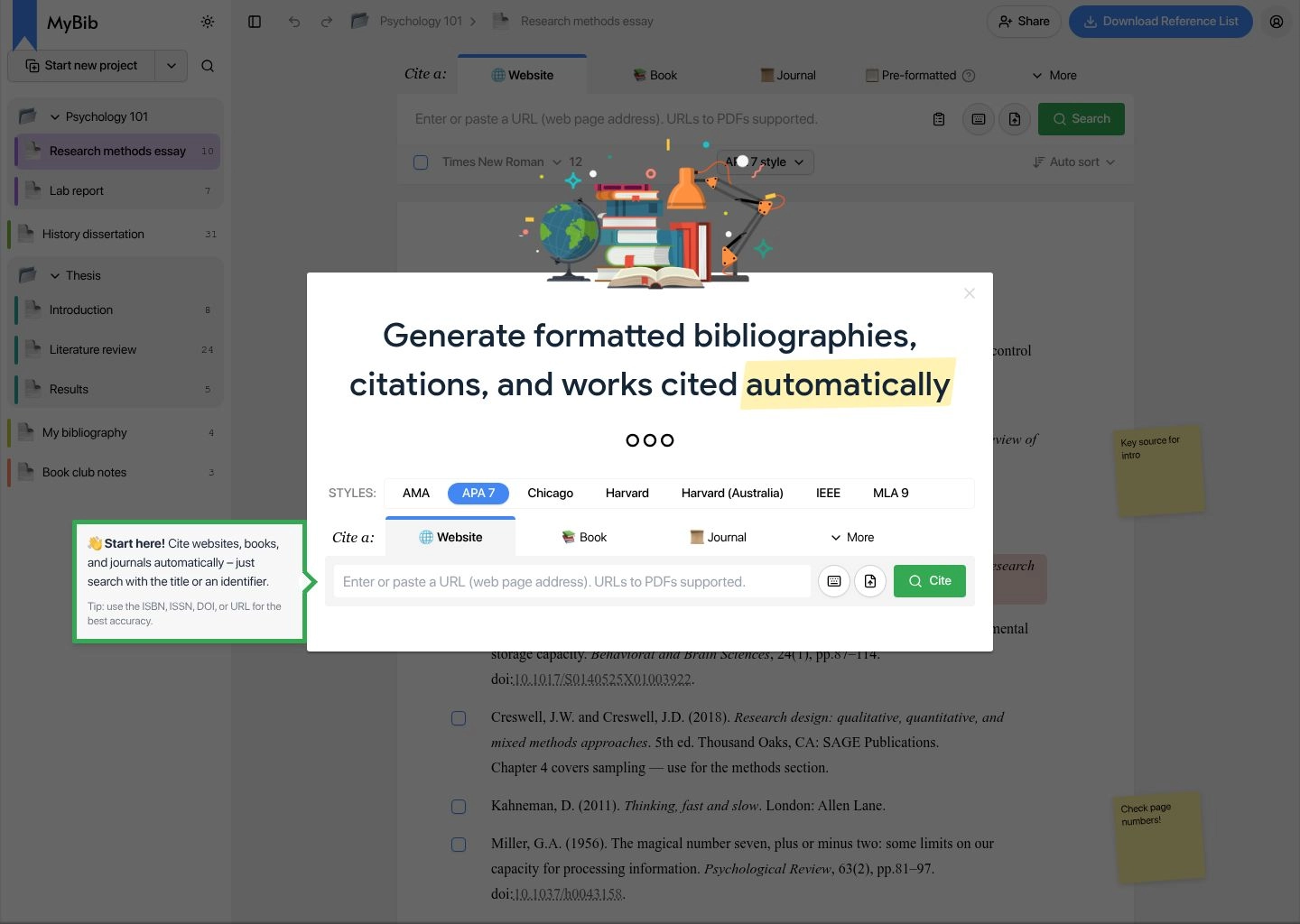
Most commercial free citation websites (like EasyBib and Cite This For Me) have become almost unusable in recent years—bombarding students with video popups, subscription paywalls, and auto-renewing credit card traps. MyBib was created as an open, ethical alternative.
MyBib is 100% free and completely ad-free. You paste a website URL, book ISBN, or journal DOI, and MyBib automatically extracts the author, publisher, and year. It flags missing metadata (such as an absent publication date) so you can verify it manually. When finished, you click "Download Bibliography" to copy formatted text with hanging indents, export to Google Docs, or download a Word document. For other budget-friendly software alternatives, read our guide on Free AI Productivity Tools That Replace $200+/Month of Software.
- Key Strength: Zero ads, zero paywalls, accurate CSL formatting, and instant browser operation.
- Price: 100% Free.
7. QuillBot Citation Generator — Fast, Clean & Multi-Style Capable
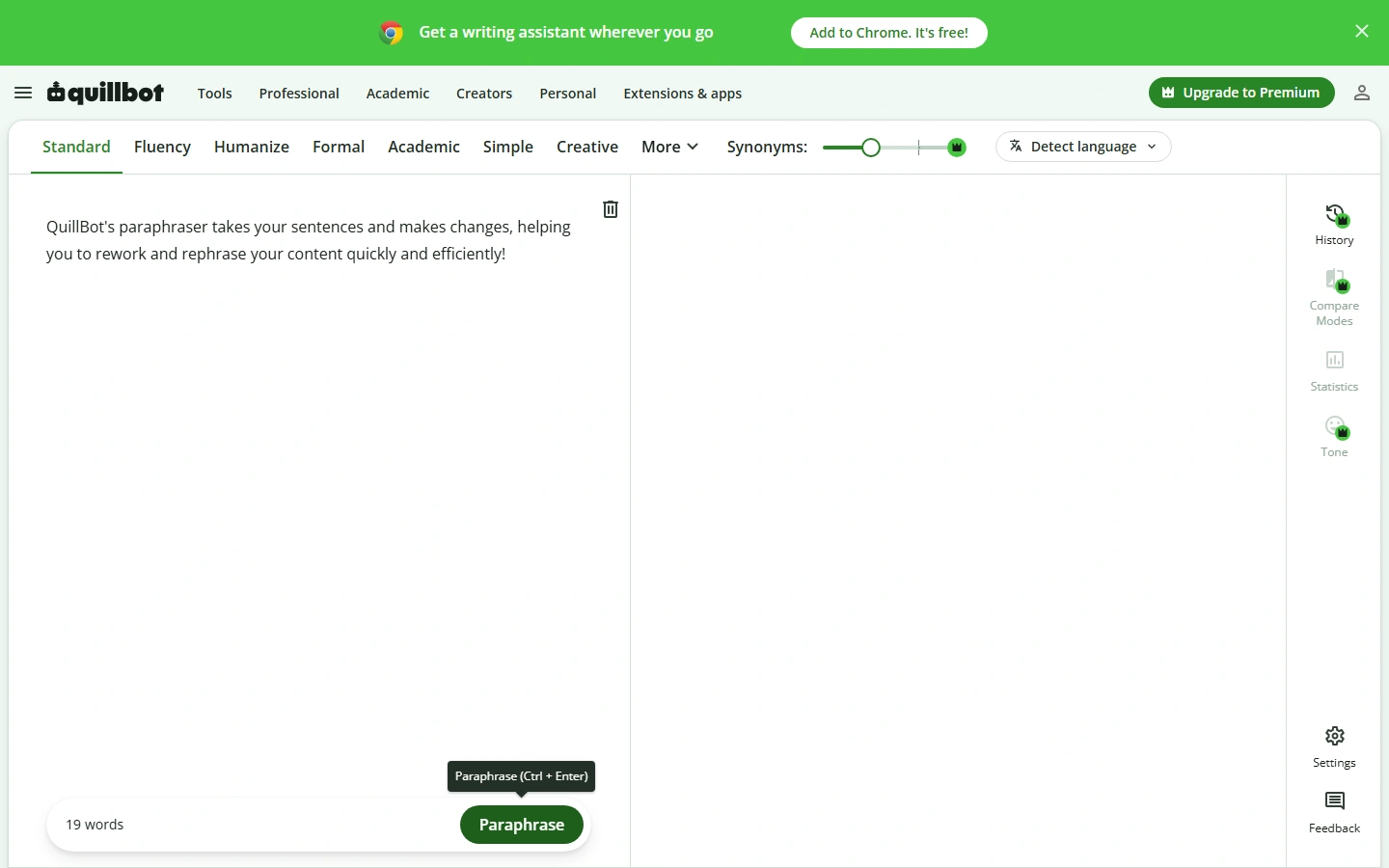
While known primarily for its paraphrasing engine, QuillBot offers one of the cleanest free web citation generators available in 2026. The tool allows you to search for books, journal articles, websites, and YouTube videos, generating APA 7th, MLA 9th, and Chicago references in seconds.
The core advantage of QuillBot is workflow consolidation: students can draft essays, generate citations, rewrite clunky sentences, and check grammar in a single window without switching tabs. Read our head-to-head breakdown in QuillBot vs Wordtune or explore our comprehensive guide on QuillBot vs Grammarly vs Wordtune to see how its full suite compares against competitors.
- Key Strength: Clean UI, fast search indexing, and seamless integration with QuillBot's paraphraser.
- Price: Free for basic citation generation; Premium subscription unlocks unlimited paraphrasing modes.
8. Cite This For Me (Chegg) — High-Volume Multi-Format Formatting
Owned by Chegg, Cite This For Me is an established citation platform supporting thousands of obscure reference types—including podcast episodes, museum artifacts, press releases, and patent filings. Its mobile app includes a barcode scanner that lets you scan a physical book's ISBN to generate a reference in seconds.
However, the free web version is notoriously aggressive with advertisements, and projects expire after a set duration unless you upgrade to a paid Chegg subscription. It remains useful for quick, one-off citations of unusual media types, but for regular research, Zotero or MyBib provide a far superior experience.
- Key Strength: Barcode scanning for physical books and extensive niche source types.
- Price: Freemium (Ad-supported free tier; Premium subscription required to save projects permanently).
Empirical Benchmark Testing: 3 Source Challenges
To verify accuracy, we tested each generator with three challenging citation scenarios:
Challenge 1: Peer-Reviewed Journal Article with Complex DOI
We tested a 2026 Nature Machine Intelligence paper featuring seven co-authors, an online publication date distinct from the print issue, and a complex DOI prefix.
- Winners: Zotero 7, Scite.ai, and Paperpile achieved 100% metadata accuracy on the first attempt, correctly populating all seven author names, volume/issue numbers, and formatting the DOI as a full secure HTTPS link in APA 7th format.
- Failures: Generic citation generators truncated the author list after three names without adhering to the APA 7th "up to 20 authors" rule.
Challenge 2: Online News Analysis with No Listed Publication Date
We tested an investigative journalism report from a major tech publication where the publication date was nested in JSON-LD metadata rather than plain HTML.
- Winners: Zotero and MyBib accurately parsed the schema markup, retrieved the exact publication timestamp, and left the appropriate retrieval date tags intact.
Challenge 3: Edited Anthology with Chapter Authors vs Volume Editors
Citing a specific chapter within an academic edited collection is a notorious pitfall in Chicago 17th Notes & Bibliography style.
- Winners: Zotero and Mendeley correctly structured the chapter author, chapter title in quotation marks, book title in italics, and book editors prefixed by "ed." in Chicago style. Web-only quick generators frequently confused the chapter author with the book editor.
How to Choose the Right Citation Generator for Your Workflow
Selecting the best citation software depends on your discipline, document length, and primary writing application:
Choose Zotero 7 If:
- You are writing a master's thesis, doctoral dissertation, or publishing peer-reviewed papers.
- You write across multiple tools (Word, Google Docs, or LaTeX / Overleaf).
- You want a permanent, free, open-source library that never locks your research behind a subscription paywall.
Choose Scite.ai If:
- You are conducting literature reviews and need to verify whether research claims are disputed or confirmed by subsequent studies.
- You want to see verbatim citation context excerpts before citing a paper. Pair this with our guide on AI literature review software.
Choose Jenni AI If:
- You are an undergraduate or graduate student looking for in-editor assistance that suggests verified scholarly references as you draft.
Choose MyBib If:
- You need to generate a fast, 10-source bibliography for a class paper without signing up, installing software, or looking at popup ads.
For polishing your manuscript's grammar and syntax after formatting references, see our comparison of Grammarly vs ProWritingAid and explore our list of the 10 Best AI Grammar Checkers in 2026. If you need free grammar suites, read our guide on the Best Free Grammarly Alternatives.
If you also need to rephrase dense academic sentences for greater clarity, consult our rankings of the 10 Best AI Paraphrasing Tools and our test of the 8 Best AI Sentence Rewriters. When working with AI-assisted drafting, ensure your paper complies with institutional policies by consulting our empirical test of Undetectable AI vs BypassGPT vs StealthGPT and our review of 10 Best AI Humanizer Tools in 2026.
Explore our complete AI Writing Tools Directory, browse the Productivity Catalog, and review comprehensive tool battles in our Software Comparison Hub.
Frequently Asked Questions
Can ChatGPT generate accurate APA and MLA citations?
No. ChatGPT and other general LLMs frequently hallucinate bibliographic metadata, producing fake author names, fabricated volume numbers, and invalid DOIs. You should always use verified citation engines like Zotero, Scite.ai, or MyBib, which query real-world databases like Crossref and PubMed. Learn more in our guide on AI writing assistant tools.
Is Zotero really 100% free for students and academics?
Yes. Zotero is an open-source, non-profit software application that is completely free to download and use with unlimited local storage on your computer. It includes 300MB of free cloud synchronization for metadata and attachments, which is sufficient for thousands of text-based bibliographic entries. For more cost-effective setups, see our guide on free software replacements.
What is the difference between an in-text citation and a bibliography?
An in-text citation appears directly in the body of your paper (e.g. parenthetical like (Smith, 2026, p. 45) or numerical like [1]) to credit a specific sentence or claim. A bibliography (or References list) appears at the very end of your document, listing full publication details so readers can locate the original source. Tools like Jenni AI help automate in-text placement as you write.
Which citation generator is best for Google Docs?
Paperpile and Zotero offer the best Google Docs integrations. Paperpile is designed specifically for Chrome and Google Docs with zero desktop overhead, while Zotero offers a free official Google Docs plugin that syncs your entire local library directly into your browser window. For long-form document drafting, see our review of AI document creation tools.