Harvest
Streamline time tracking, invoicing, and project profitability for professional teams.
Gallery
4 items

About Harvest
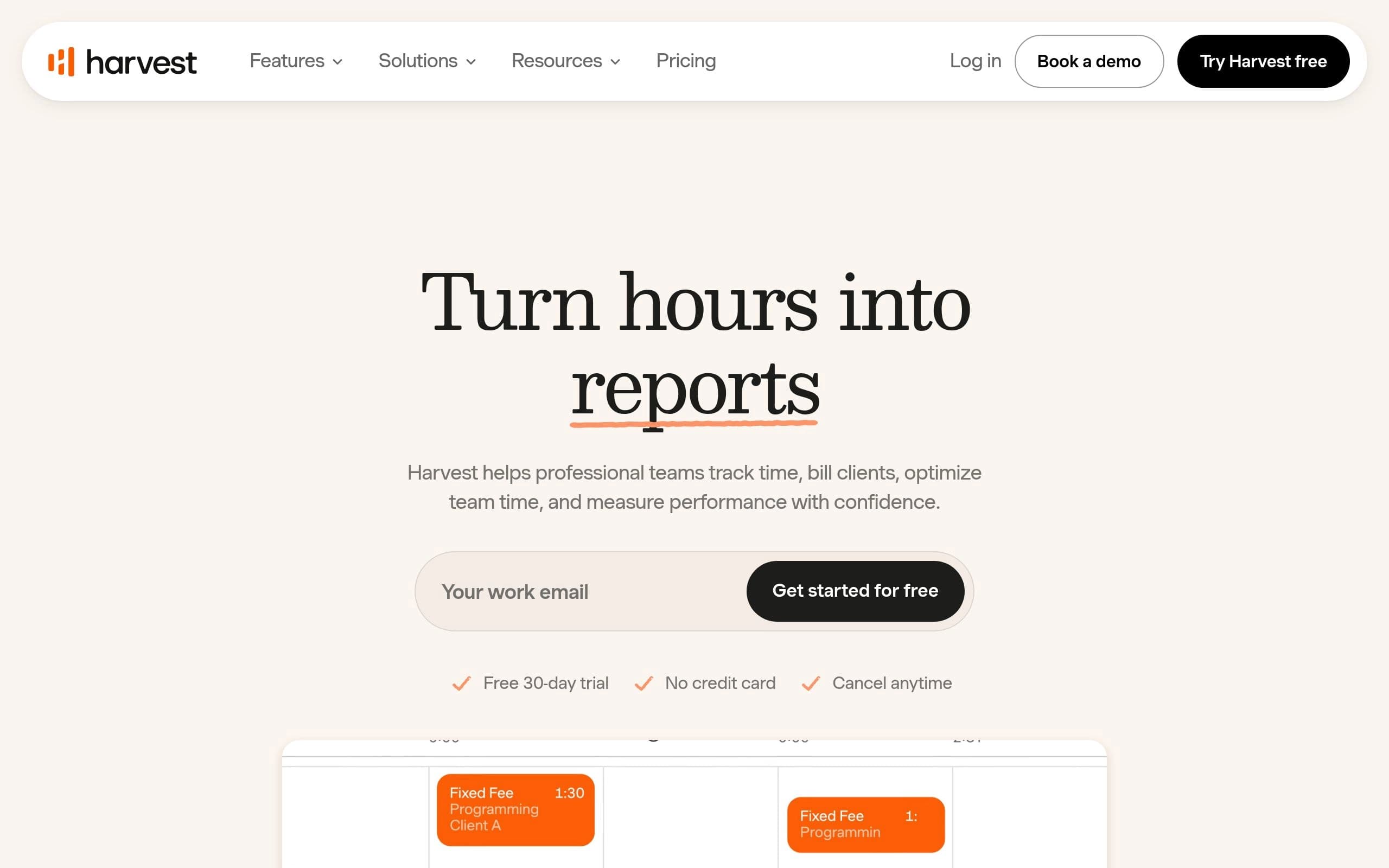
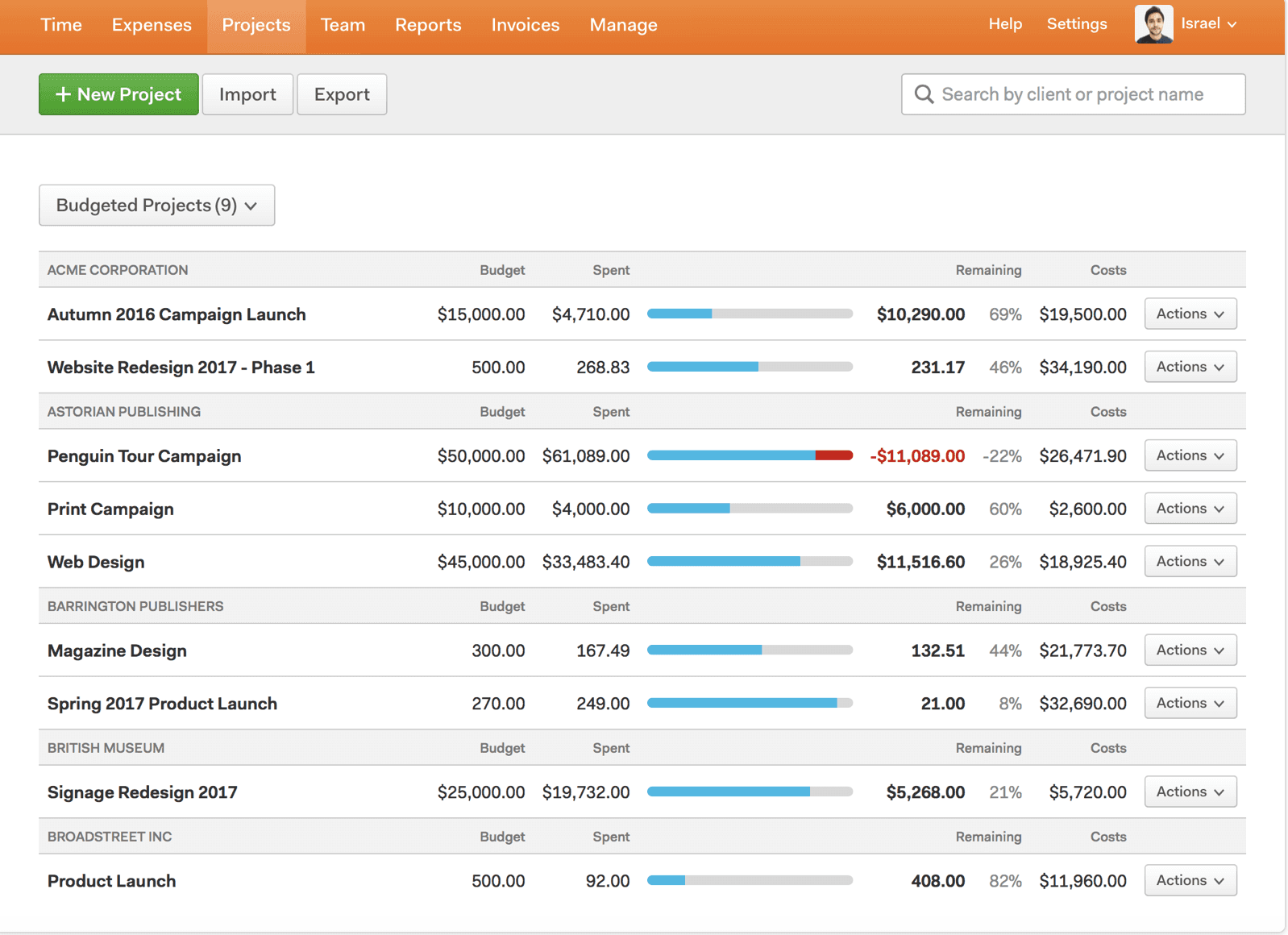
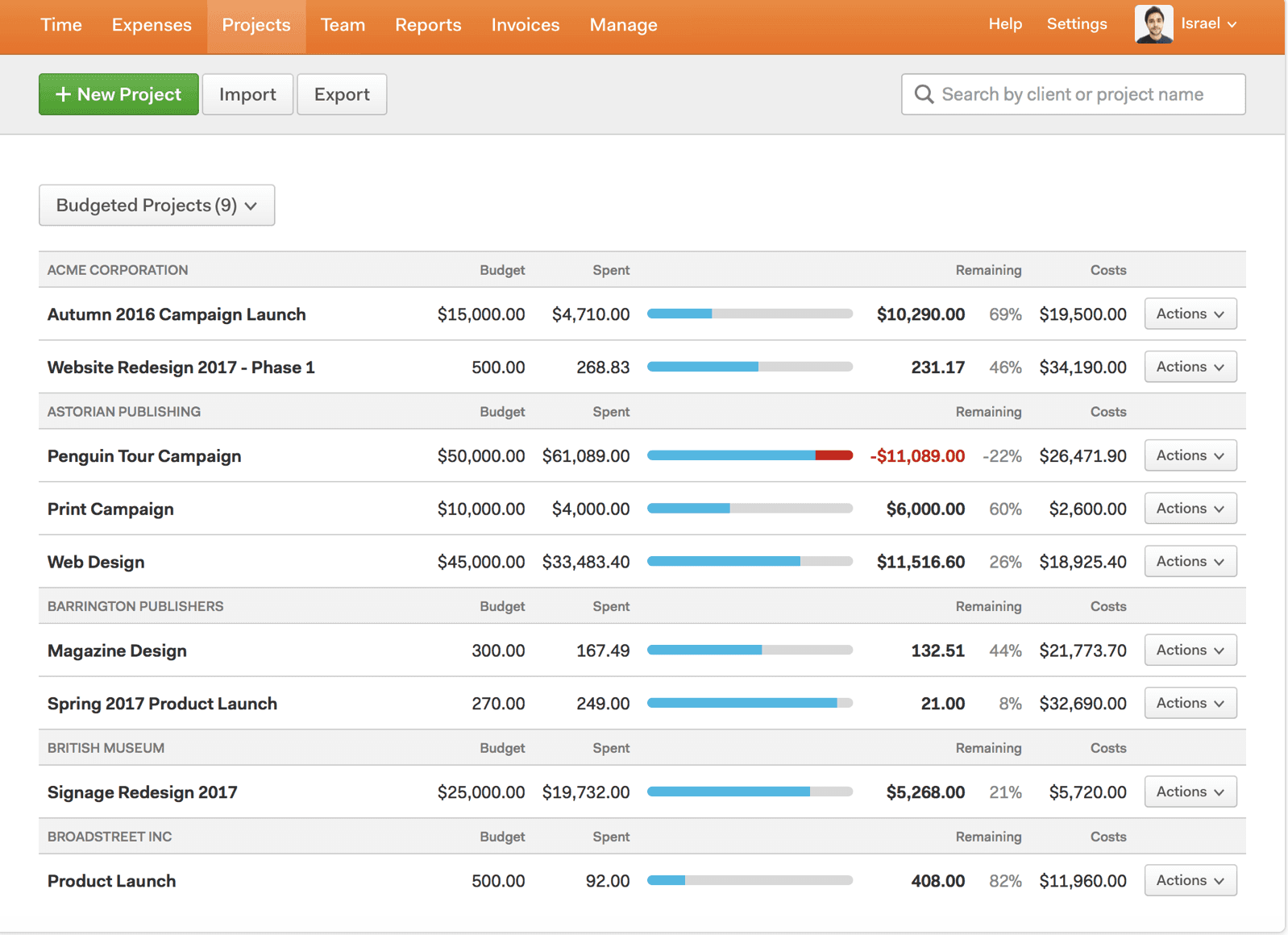
In my benchmark of Harvest across multi-client agency retainers, its clean desktop timers, budget tracking graphs, and one-click Stripe and PayPal invoicing handled complex billing workflows with surgical precision. The visual reports clearly show team burn rates against fixed project fees. Harvest focuses strictly on traditional time and expense tracking, lacking modern ambient AI automated tracking or predictive calendar logging. At $10.80/user/month, it remains a dependable, no-nonsense staple for design studios, consultancies, and digital agencies.
Harvest addresses the challenges professional teams face in managing time, billing clients accurately, and understanding project profitability. It provides a unified platform to log hours, track expenses, and generate invoices, reducing administrative overhead and improving financial clarity across projects.
The platform features flexible time entry options including one-click timers, weekly timesheets, and calendar integration, accessible via desktop, mobile, or browser apps. It includes robust reporting for project profitability, team utilization, and budget tracking. Harvest also offers automated invoice generation with online payment integrations (Stripe, PayPal) and seamless accounting software synchronization (QuickBooks, Xero).
Harvest is designed for professional services firms, creative agencies, consultants, law firms, and other businesses of all sizes that need to efficiently track billable hours, manage project costs, and streamline their client billing process. It supports teams from individual freelancers to large enterprises, helping them make data-driven decisions and foster sustainable growth.
Key Features
- One-click time tracking and flexible timesheets
- Expense logging with receipt attachments
- Automated invoice generation from tracked time and expenses
- Project profitability and budget tracking with alerts
- Team capacity and utilization reporting
- Online payments via Stripe and PayPal integrations
- 40+ integrations with popular project management and accounting tools
- SAML-based SSO for secure login (Enterprise plan)
Pros
- Intuitive and flexible time tracking across multiple devices and workflows
- Seamless conversion of tracked time and expenses into accurate invoices
- Comprehensive reporting for project profitability, team insights, and budget management
- Extensive integrations with popular accounting and project management platforms
- Automated reminders for consistent time tracking and overdue payments
- Supports multi-tiered billing rates and retainer tracking for complex projects
Cons
- Free plan is significantly limited to 1 seat and 2 projects, not suitable for growing teams.
- Advanced features like profitability reporting, timesheet approvals, and SSO are restricted to higher-tier plans.
- Pricing scales per seat, which can become costly for very large teams without annual discounts.
- No direct payroll processing; requires exporting data to external accounting tools.
- Custom report building and advanced administrative controls are primarily available in the Enterprise plan.
Pricing
Free: 1 seat, 2 projects, time tracking, invoicing, expense tracking, Mac & iOS apps.
Teams: $9/seat/month (billed annually, $108/seat/year) or $11/seat/month (billed monthly). Includes unlimited seats, team reporting, accounting and payment integrations.
Enterprise: $14/seat/month (billed annually, $168/seat/year) or $17.50/seat/month (billed monthly). Includes everything in Teams plus profitability reporting, timesheet approvals, activity log, custom reports, SAML-based SSO, and custom onboarding support for 50+ seats.
A 30-day free trial is available for paid plans.
Claim Verified Creator Badge
Are you the founder of Harvest? Display this listing's verified badge on your website to show your customers that your product has been vetted and listed on AI Central Resources.
<a href="https://www.aicentralresources.com/tool/harvest" target="_blank" rel="noopener">
  <img src="https://www.aicentralresources.com/badges/featured-badge-dark.svg" alt="Featured on AICentralResources" width="200" height="54" style="border: none;" />
</a>
* Place this HTML snippet in your website's footer, landing page, or press section. This creates a search-friendly backlink directly to your verification page.
Connect with Harvest
Frequently Asked Questions
The free plan is limited to 1 seat and 2 projects, offering basic time tracking, invoicing, and expense tracking features suitable for individual freelancers getting started.
Yes, Harvest provides a fully functional 30-day free trial for its paid plans, allowing users to explore advanced features without requiring a credit card.
Harvest integrates with Stripe and PayPal for online payments, and with QuickBooks Online and Xero for seamless accounting synchronization of invoices and payments.
Yes, Harvest allows users to set project budgets by hours or fees, track consumption in real-time, and generate profitability reports by client, project, or task to ensure projects stay on track and profitable.
Yes, the Enterprise plan includes custom onboarding support and training specifically designed for teams with 50 or more seats to facilitate a smooth rollout.
Similar AI Tools to Harvest
View all alternatives of Harvest
Toggl Track
Effortless time tracking for enhanced productivity and profitability.


Time Doctor
AI-powered workforce analytics for enhanced team performance and productivity.

Hubstaff
Integrated time tracking, productivity insights, and automated payments for global teams.

Timely
AI-powered automatic time tracking for accurate reporting and enhanced profitability.

Jibble
Free time tracking software with GPS, face recognition, and payroll integrations.
Compared with Harvest
Direct head-to-head feature matrices, pricing breakdowns, and real-world performance benchmarks