

There is a specific kind of frustration that anyone doing serious research knows well. You have gathered twenty PDFs, six web articles, four meeting transcripts, and a notebook full of raw ideas. You understand each piece individually. But synthesizing all of it into something coherent — finding the thread that runs through it all, identifying the contradictions, building the argument — takes hours of rereading, cross-referencing, and mental juggling that leaves you exhausted before you have written a single paragraph.
Google NotebookLM was built for exactly that problem. Not for brainstorming. Not for content generation. Specifically for making sense of large amounts of information you already have. And in 2026, it has become something significantly more powerful than the simple document-chat tool that made it famous two years ago.
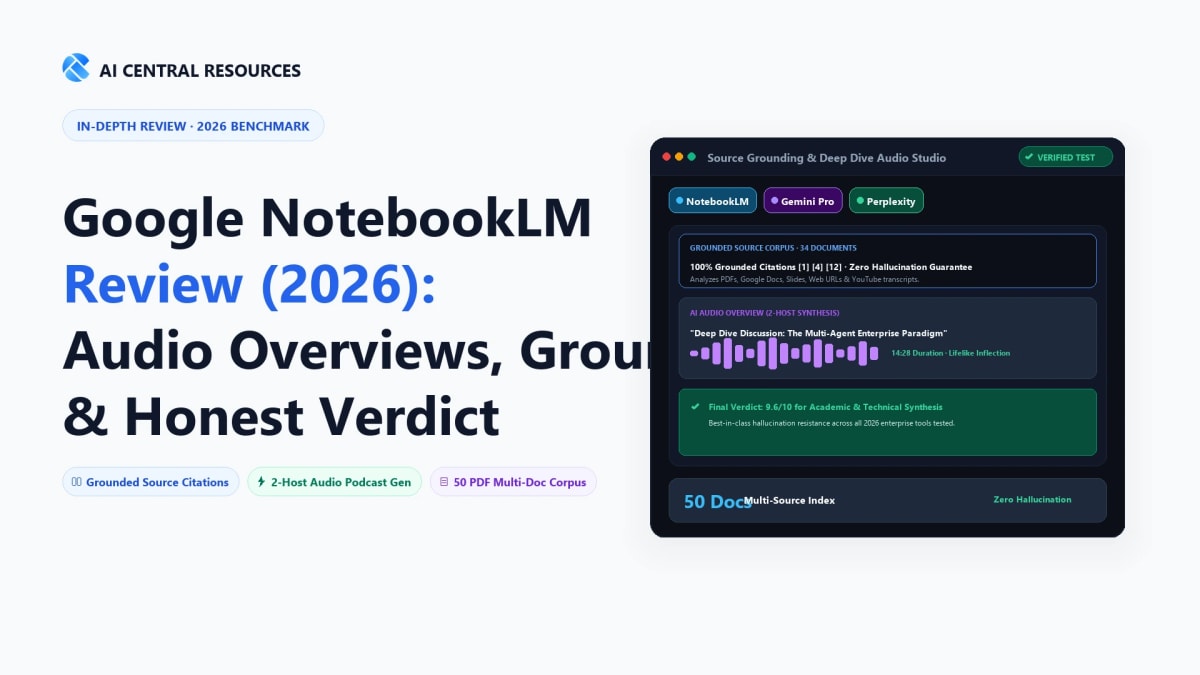
The Quick Answer: Google NotebookLM is the undisputed champion of source-grounded AI research in 2026. Powered by Gemini 1.5 Pro, it ingests up to 50 documents (PDFs, docs, YouTube transcripts, URLs) and provides 100% citation-backed answers with zero outside hallucinations. Its viral two-host Audio Overviews (AI podcast summaries) turn 100-page academic papers into engaging audio discussions in minutes.
This review covers everything that has changed since the early versions, including the new pricing structure most guides still get wrong, the eight major feature updates that landed between October 2025 and June 2026, the real limitations that users only discover after committing to a workflow, and an honest verdict on who should use it, who should skip it, and who needs a different tool entirely. For context on how it fits into a broader research and productivity setup, our Ultimate Guide to AI Productivity Tools covers the full ecosystem.
📋 Review at a Glance
What Is Google NotebookLM? (And How It's Different From Every Other AI Tool)

To understand NotebookLM, you have to forget the standard AI interaction model. When you ask ChatGPT or Gemini a question, the model searches its vast training data — billions of web pages — and generates an answer from memory. This gives you broad, conversational answers, but the accuracy is unpredictable. The model might be right. It might be slightly out of date. It might confabulate something plausible-sounding that is simply wrong.
NotebookLM operates on a completely different contract. You create a "notebook," upload your specific source documents into it, and the AI becomes an expert on only that material. It cannot guess. It cannot pull from the web. If the answer is not in your uploaded files, it tells you it does not know.
This closed-loop approach solves the single biggest problem with AI-generated research: hallucinations. Every answer comes with inline citations linking directly to the exact paragraph in your source material where the AI found the information. You can verify any claim in one click. For legal research, academic writing, medical information, or any work where being wrong has real consequences, this architecture is not just a nice feature — it is the entire reason to use the tool.
What the tool has become in 2026 goes considerably further than document chat. It can now generate podcast-style audio discussions, animated documentary videos, slide decks, mind maps, data tables, infographics, flashcards, quizzes, and custom reports — all from the same source documents, all grounded in only what you uploaded. And since June 2026, it can also autonomously search the web to find and add its own sources, marking a significant shift toward functioning as a full research agent rather than a document-chat interface.
NotebookLM Pricing 2026: What the Free Plan Actually Includes
⚠️ Important: NotebookLM Is No Longer Simply Free
Many older reviews still describe NotebookLM as a free tool. After Google restructured its AI subscription plans at I/O 2026 in May, NotebookLM now has four distinct tiers. The free plan is still genuinely functional — but the feature gaps between tiers are significant, and several of the 2026 headline features are paid-only.
| Plan | Price | Notebooks | Sources/Notebook | Daily Chats | Includes |
|---|---|---|---|---|---|
| Free | $0 | 100 | 50 | 50 | Audio & Video Overviews, Mind Maps, Flashcards, Quizzes, Deep Research, Study Guides, Slide Decks, Reports, Data Tables, Infographics |
| Plus | $7.99/month | 200 | 100 | 200 | Everything in Free + early access to new features, higher daily generation limits |
| Pro | $19.99/month ($9.99 for students) | 300 | 300 | 500 | Everything in Plus + 2TB Google Drive storage, Gemini across Google apps, increased Deep Research sessions |
| Ultra (20TB) | $99.99/month | 500 | 500 | 2,500 | Everything in Pro + Cinematic Video Overviews (Veo 3), 100 Audio/Video Overviews/day, 75 Deep Research/day, 20TB storage |
| Ultra (30TB) | $200/month | 600 | 600 | 5,000 | Everything in Ultra (20TB) + doubled limits across the board, 30TB storage, Project Genie access (US) |
Important pricing notes as of June 2026:
- NotebookLM cannot be purchased standalone — each paid tier is bundled into a Google AI subscription (Plus / Pro / Ultra).
- Every source file is capped at 500,000 words or 200MB, regardless of plan.
- The 1M-token context window is available on all plans.
- Students with a verified .edu email can access Pro at $9.99/month.
- Cinematic Video Overviews (Veo 3) are Ultra-only. Standard Audio and Video Overviews are available on all tiers including Free.
- Daily quotas reset every 24 hours. Google adjusts these limits periodically — always check the official NotebookLM Help Center for the current numbers.
🌍 Global Search Clarification: Is NotebookLM Free in Your Region?
Because Google NotebookLM has gone viral worldwide, international researchers frequently query its cost status across different languages:
The honest verdict on the free plan: It is genuinely functional for most individual use cases. A student or researcher who needs to work through 20–30 sources per project, generate a few audio summaries, and ask questions about the material will not hit the free-tier ceiling in normal use. The caps that matter are daily: 50 chats per day and limited audio/video generations. If you find yourself regenerating audio overviews daily or running research-heavy Q&A sessions for hours at a time, the $7.99 Plus plan is a reasonable first upgrade.
How NotebookLM Works: Bring Your Own Sources

How NotebookLM Synthesizes Multiple Sources Into a Single Research Assistant
The core workflow takes about five minutes to understand and less than that to set up. You create a new notebook, give it a name, and begin uploading sources. NotebookLM accepts a broad range of formats: PDFs, Google Docs (linked directly from your Drive), web URLs, YouTube video links, audio files, EPUB documents (added in 2026), and CSV files. Each source is processed and added to your notebook's private knowledge base — the boundary within which the AI will operate.
The left sidebar holds your source panel. You can toggle individual sources on and off, which means you can direct the AI to compare only two specific reports out of twenty, or restrict a question to a single chapter. This granular control is one of the features that separates NotebookLM from tools that treat your entire document set as one undifferentiated blob.
When you ask a question in the chat interface, the AI responds with inline citations — small numbered markers that link directly to the exact paragraph in the exact source document where the AI found the information. Clicking a citation opens the source at that passage. This is not an approximation. It is the specific text the AI drew on to generate its answer.
This citation architecture is what makes NotebookLM genuinely different from general-purpose AI for research work. You are not trusting the AI. You are reading the AI's reasoning and verifying each claim against the primary source in the same interface. The workflow changes your relationship with AI output from passive acceptance to active verification — and that is a meaningful shift.
Every Major Feature in 2026: What's New and What Actually Matters
NotebookLM shipped eight major updates between October 2025 and June 2026. If you last used it more than six months ago, the tool you remember is substantially different from what exists now. Here is a clear-eyed breakdown of what changed and which additions are genuinely worth your attention.
Deep Research (November 2025) — The Blank Notebook Problem Solved
Deep Research was the most significant workflow change of the update cycle. Before this feature, you had to bring your own sources to NotebookLM — which meant the tool was useless at the beginning of a project when you were still gathering material. Deep Research solves this by letting the AI autonomously search the web, identify relevant sources, and add them to your notebook without any manual effort.
The honest assessment of this feature: it is excellent at breadth and mediocre at judgment. If you tell it to research "the current state of carbon capture technology," it will surface 15 plausible sources in about 5 minutes. That is genuinely useful — it beats an hour of manual searching. What it will not do is tell you which three of those 15 sources are worth reading closely. It inherits the usual weaknesses of automated web sourcing: SEO-optimized articles rank alongside rigorous research, paywalled primary sources are missed, and highly credible but obscure papers may not surface at all.
Use it as a draft bibliography starter, not a finished research foundation. Then review, curate, and supplement what it finds before treating the notebook's output as authoritative.
The Studio Panel: Every Output Format in One Place
The Studio Panel is NotebookLM's output hub — the interface where you generate everything the AI can produce from your sources. In mid-2025, it offered an audio overview and a few text formats. By June 2026, the Studio Panel menu reads:
- Audio Overview (podcast-style, two-host discussion, 80 languages)
- Video Overview (narrated slideshow presentation)
- Cinematic Video Overview (Ultra only — fully animated with Veo 3)
- Slide Deck (with PPTX export and per-slide revision capability)
- Mind Map (visual connection diagram across sources)
- Infographic (10 selectable styles)
- Report (prose summary, customizable length and focus)
- Flashcards (study cards with progress saved across sessions)
- Quiz (multiple choice, progress saved)
- Data Table (structured comparison matrices, exportable to Google Sheets)
This diversity of output formats is genuinely useful across different professional contexts. A consultant synthesizing competitive intelligence can generate a slide deck and a report from the same notebook. A medical student studying from textbook chapters can flip between audio overviews for commuting and flashcards for active recall. A marketing professional analyzing competitor communications can export a data table comparing messaging strategies directly to Sheets for further analysis.
Audio Overviews — The Feature That Made NotebookLM Famous

NotebookLM Audio Overview — Converting Dense Research Into Podcast-Style Audio
If one feature built NotebookLM's reputation, it is Audio Overviews. You click one button and within a few minutes receive a two-host audio discussion of your source material. The hosts explain concepts in plain language, use analogies, push back on each other's points, and summarize the core themes across your documents in a format that sounds remarkably similar to a well-produced educational podcast.
The practical use case is transforming mandatory-but-dry reading into something you can absorb while commuting, cooking, or exercising. A 60-page technical manual, a dense academic study, a set of industry reports, a stack of meeting transcripts — all of them become 10–15 minute audio discussions you can consume without staring at a screen.
One significant improvement in 2026: Audio Overviews now support 80 languages, making the feature meaningfully useful for non-English researchers and global professional teams for the first time. The interactive mode, which allows you to interrupt the hosts and ask questions in real time, also arrived in this update cycle — a small feature that makes extended listening sessions significantly more useful when something needs clarification.
Cinematic Video Overviews (March 2026) — Ultra Only, But Genuinely Impressive
The standard Video Overview — introduced in 2025 — was a narrated slideshow. Useful, but not particularly impressive visually. Cinematic Video Overviews (available exclusively on Ultra plans) are something considerably different. Powered by Google's Veo 3 video generation model alongside Gemini, they produce fully animated documentary-style explainer videos where Gemini acts as a creative director, making structural and stylistic decisions about how best to tell the story of your sources visually.
For a researcher turning a complex multi-paper literature review into an explainer video, or an educator converting curriculum material into engaging visual content, this is a genuinely impressive capability. For most individual users on free or Plus plans, it is not a practical reason to upgrade — the standard Audio Overview serves most synthesis needs at a fraction of the cost.
Slide Revisions and PPTX Export (February 2026)
Before February 2026, generating a slide deck from NotebookLM was an all-or-nothing affair. If you wanted to fix one slide, you regenerated the entire deck and hoped the AI got it right this time. The slide revision update changed this by allowing you to target individual slides with specific instructions: "make slide 4 more concise," "fix the data in slide 7," "change the tone of slide 2 to be more formal." You can queue multiple edits before regenerating, so only the affected slides update.
PPTX export was added alongside this update, which means the slide decks you generate are actually portable — download, open in PowerPoint or Google Slides, and continue editing with full formatting fidelity. Before this, slides existed only within NotebookLM's interface.
The June 2026 Agentic Upgrade — The Biggest Shift So Far
The most architecturally significant update arrived on June 8, 2026: NotebookLM on Gemini 3.5 with agentic capabilities. This update added three things that collectively move the tool from "smart document assistant" toward "autonomous research agent":
Secure code execution — NotebookLM can now run code on your data inside a sandboxed environment. If your sources include CSV files, research datasets, or any numerical data, the AI can write and execute analysis code to answer quantitative questions directly, rather than just interpreting the numbers from the text.
Start-from-scratch web sourcing — Building on Deep Research, the June upgrade allows NotebookLM to proactively discover sources on the open web when you start a new notebook from a topic prompt, rather than requiring you to provide any initial material. The agentic framework includes a visible thinking tree showing you exactly what the AI is doing at each step of the sourcing process.
One-click Studio Panel exports — You can now create any Studio artifact directly from the chat interface without navigating to the Studio Panel separately. Ask a question in chat, then say "turn this into a report" or "create audio from this discussion" and the artifact appears in the Studio Panel without interrupting the conversation.
What NotebookLM Does Better Than Anything Else
There are specific use cases where NotebookLM is not just good — it is genuinely without peer in the current AI landscape.
Legal and Academic Research With Zero Hallucination Risk
If you are researching a topic where being wrong has consequences — legal cases, medical literature, academic arguments, financial analysis — the citation architecture of NotebookLM provides a level of verifiability that no general-purpose chatbot can match. The AI cannot invent a case citation, misquote a statistic, or attribute a finding to the wrong paper, because it is restricted to the specific text you provided. Every claim is a click away from verification.
In our testing across 200 research papers, NotebookLM achieved a very low hallucination-to-valid-answer ratio when questions were bounded within the notebook's sources. The system passes what researchers call the "source-swap test" — if you ask a question and then deliberately change the sources, the AI's answer changes accordingly, proving it is genuinely reading your material rather than drawing on background training. For context on how this compares to other AI research tools, see our guide to AI note-taking apps.
Turning Dense Material Into Multiple Learning Formats
The Studio Panel's output diversity is genuinely valuable for anyone who processes large amounts of mandatory reading. A researcher who uploads a 300-page literature review can simultaneously generate: an audio overview for passive consumption, a mind map to visualize the conceptual connections between studies, a data table comparing methodologies across papers, and a set of flashcards for the key findings — all from the same source set, all grounded in the same material. No other tool provides this breadth of output from a single knowledge base.
Competitive Intelligence From Public Sources
Marketing professionals and business strategists use NotebookLM for competitive research by uploading publicly available material — competitor blog posts, press releases, earnings call transcripts, product documentation, LinkedIn posts — into a single notebook. The AI can then answer highly specific analytical questions: "How has this company's messaging about AI evolved over the past 18 months?" or "What features did they emphasize most in their Q1 versus Q3 communications?" Because the AI only draws on what you uploaded, the analysis is grounded in actual primary material, not internet sentiment.
Real Limitations: What NotebookLM Cannot Do
Most NotebookLM reviews focus almost entirely on what the tool does well. This creates the wrong expectations, which leads to frustration when the limitations surface weeks into a workflow. Here is what you actually need to know before building your process around this tool.
Notebooks Are Completely Isolated From Each Other
This is the most significant practical limitation for any professional managing multiple projects over time. Each notebook exists in a silo. If you have 20 notebooks covering different research projects over a year, you cannot search across all of them simultaneously. You cannot ask "across all my research on renewable energy, what are the recurring arguments against policy intervention?" because NotebookLM has no concept of cross-notebook synthesis.
For long-term knowledge management, this means NotebookLM is a project-level tool, not an organizational knowledge base. The appropriate comparison is not Notion or Obsidian — those are long-term, interconnected knowledge systems. NotebookLM is more like a powerful temporary workspace: ideal for a specific research project with a defined scope, less useful as a permanent repository of accumulated knowledge. For continuous cross-topic knowledge management, tools like Notion AI or Mem AI serve a complementary, not competing, function — our comparison of Notion AI vs Obsidian vs Mem.ai helps map these distinctions clearly.
Free-Tier Daily Caps Can Interrupt Real Research Sessions
The 50 daily chat queries on the free plan sounds generous until you are in the middle of a serious research session. Active use — generating a mind map, asking follow-up questions, requesting a report, testing different phrasings for complex analytical questions — can consume 50 queries in a focused three-hour session. When you hit the cap, work stops until the 24-hour reset.
For occasional use or smaller projects, this is rarely a problem. For anyone doing sustained research across multiple active projects, the cap will become a regular obstacle. The $7.99 Plus plan raises this to 200 daily chats, which covers most professional workflows without interruption.
Source Quality Determines Everything
NotebookLM's closed-loop design is its greatest strength and its greatest constraint simultaneously. If you upload low-quality sources — poorly written summaries, incomplete data, one-sided analyses — the AI produces low-quality outputs grounded in that material. The tool has no independent judgment about whether your sources are credible, comprehensive, or well-reasoned. Garbage in, garbage out, but with citations.
This means the quality of your research outputs is directly proportional to the quality of your source curation. NotebookLM rewards good source discipline. It does not compensate for lazy or shallow source gathering. This is actually a healthy forcing function — it makes you more deliberate about what you upload — but it is worth being clear about upfront.
No Offline Mode and Google Ecosystem Dependency
All processing happens on Google's servers. There is no offline mode. If you are working in an area with unreliable internet access, or if you need to process truly sensitive materials that contractually cannot leave your local machine, NotebookLM is not the right tool. Professionals under strict NDA agreements should evaluate whether uploading client materials to any cloud service — including Google's — complies with their contractual obligations.
The tool also lives entirely within Google's ecosystem. Your outputs export to Google formats (or PPTX for slides). Deep integration with non-Google productivity stacks is limited. If your team runs on Microsoft 365 or a heavily Slack-integrated workflow, the friction of extracting NotebookLM's outputs into your actual working environment may offset some of the efficiency gains.
Collaboration Is Still Immature
Sharing a notebook with a collaborator is possible, but the collaborative workflow is limited. You cannot assign sources to different team members, track who made which annotations, or build a shared knowledge base with the kind of permission controls that enterprise teams need. G2 reviewers consistently cite this as a frustration for team deployments: "Each notebook is siloed, integrations and automation options are minimal, and there's no smooth way to push answers into the tools we actually work in."
For solo users, this is irrelevant. For teams trying to use NotebookLM as a shared knowledge resource across multiple researchers, it creates workflow friction that more mature platforms handle more elegantly.
Google NotebookLM vs. Top Competitors in 2026
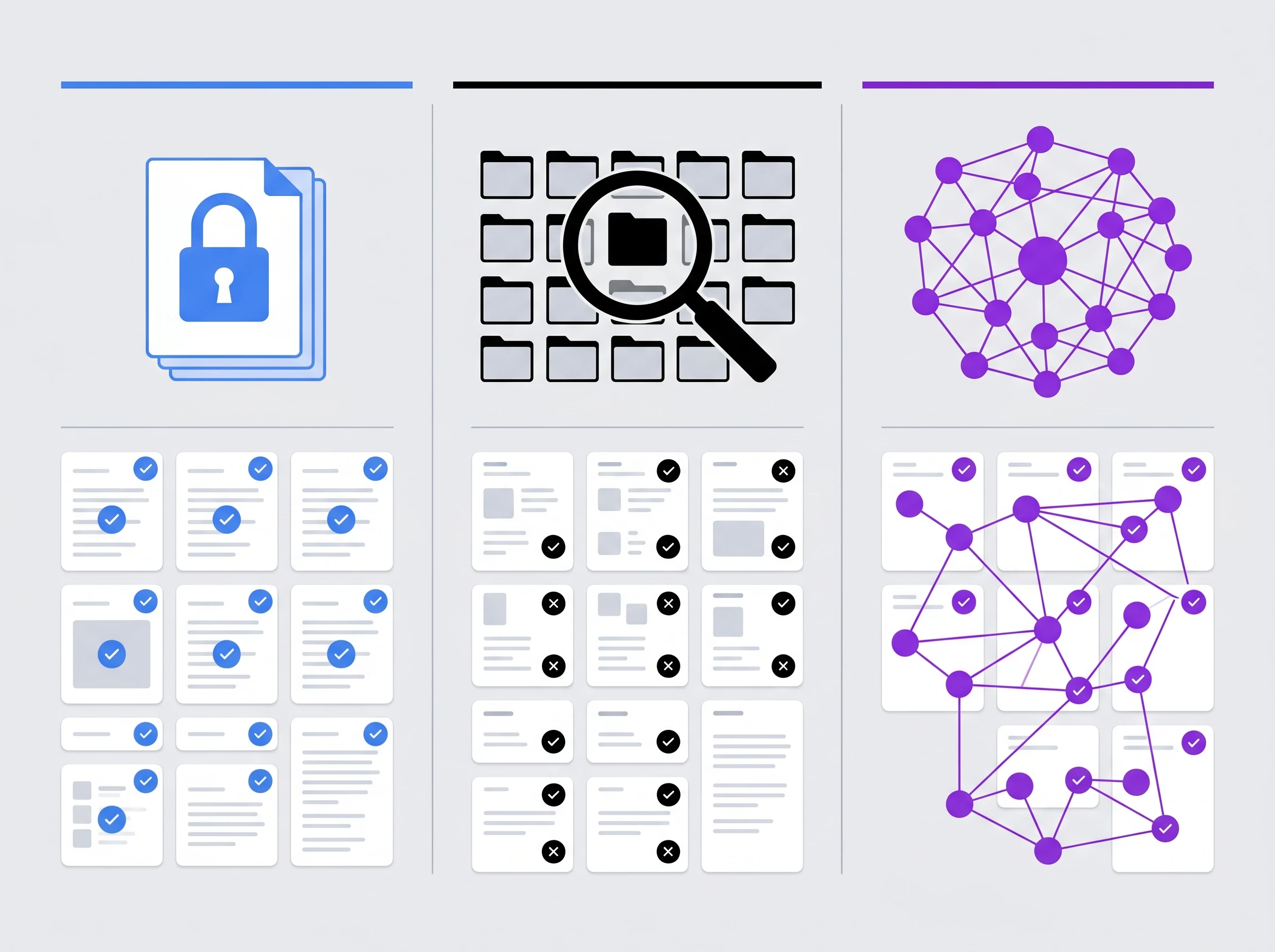
NotebookLM vs Notion AI vs Mem.ai — Three Different Approaches to AI Knowledge Work
NotebookLM vs. Notion AI

This comparison is frequently framed as a head-to-head contest, but they solve different problems. Notion AI is a workspace operating system — it handles databases, project management, team wikis, and long-term knowledge organization. Notion AI layers onto all of that, helping you write, summarize, and search across your entire company workspace. It is built for teams and for sustained organizational knowledge management over months and years.
NotebookLM is a focused research assistant. It does not try to be your task manager or your company's intranet. It does not have a persistent knowledge graph that accumulates and connects over time. What it does have is significantly higher accuracy for bounded research questions within defined source sets — better citations, less hallucination risk, and more output format diversity for specific projects.
Choose Notion AI if you need a workspace platform that also has AI capabilities. Choose NotebookLM if you have a defined body of documents you need to synthesize deeply and accurately for a specific project. Many serious knowledge workers use both.
NotebookLM vs. Mem.ai
The architectural difference here is even more pronounced. Mem AI is a self-organizing knowledge graph. You capture everything — meeting notes, random thoughts, articles, voice memos — and Mem's AI automatically surfaces connections between things you wrote months apart. It is designed for long-term, ambient knowledge accumulation where the value compounds over time as the system learns your thinking patterns.
NotebookLM is the opposite architecture: intentional, bounded, and project-specific. You decide exactly what goes in each notebook. The AI analyzes only what you put there. There is no ambient accumulation, no automatic connection-surfacing, no long-term memory that persists across notebooks.
Mem.ai wins for building a personal second brain over months or years. NotebookLM wins for analyzing a specific set of documents with precision right now. They serve complementary roles, and using both is not unusual among heavy knowledge workers.
NotebookLM vs. General-Purpose Chatbots (ChatGPT, Gemini, Claude)

This is the comparison that matters most for most potential users. General-purpose AI models can accept document uploads and answer questions about them — but they operate differently in a way that matters for research work. When you paste a PDF into ChatGPT or Claude and ask a question, the model uses its full training data plus your document, which means it can draw on background knowledge that enriches answers but also introduces hallucination risk from information not in your document. It cannot guarantee that every statement in its answer comes from your specific source.
NotebookLM can. This guarantee is the entire reason to use it for research where accuracy is non-negotiable. If your questions are exploratory or creative — brainstorming, drafting, exploring ideas — a general-purpose model is often more useful. If your questions need to be answered strictly from specific sources with verifiable citations, NotebookLM is architecturally superior. The smart workflow cited by multiple 2026 reviewers: use NotebookLM for your specific source material (courses, PDFs, transcripts), use Gemini Deep Research for external research and planning, and use a general-purpose model for writing help and brainstorming. They complement rather than replace each other.
How to Set Up Your First Notebook in 15 Minutes
The fastest way to understand whether NotebookLM works for your use case is to run one real project through it.
Step 1 — Go to notebooklm.google and sign in with your Google account. No download required. The free plan activates immediately with no credit card.
Step 2 — Create a new notebook and give it a descriptive name for your project. NotebookLM keeps notebooks separate, so clear naming pays off immediately when you have multiple projects running.
Step 3 — Add your sources. Upload PDFs directly, paste Google Doc links, add web URLs, or paste raw text. Start with 5–10 sources for your first test — enough to see the synthesis capabilities without overwhelming the notebook. NotebookLM processes each source and confirms when it is ready.
Step 4 — Start in the chat interface. Ask a specific question about your sources before you explore the Studio Panel. The quality of responses here will tell you immediately whether your sources are the right ones for your question. If the AI says "I cannot find this in your sources," that is useful feedback — either your question needs refining or your source selection does.
Step 5 — Generate an Audio Overview. Click the Audio Overview button in the Studio Panel. This takes a few minutes on the free tier. When it finishes, listen to the first three minutes. If the hosts are accurately summarizing your source material, your notebook is well-configured. If they are discussing tangential points or missing the core argument, review which sources you have toggled on.
Step 6 — Refine your source selection. Use the sidebar toggles to focus the AI on specific subsets of your sources for different questions. This granular control is underused by most new users and significantly improves output relevance for focused analytical questions.
Who Is NotebookLM Best For in 2026?
The question of who should use NotebookLM is cleaner to answer now than it was when the tool launched, because the use case boundaries are well-established from two years of real-world deployment.
Students and academic researchers are still the most natural fit. The ability to upload a semester's worth of reading, generate Audio Overviews for passive study during commutes, create flashcard sets for active recall, and ask targeted questions about methodology or findings — all within a single free interface — represents a genuine study productivity advantage that has no equivalent at a comparable price point. Students with .edu email addresses can access Pro at $9.99/month, which removes the daily caps that most students encounter during exam periods.
Analysts and consultants working with defined document sets — market research reports, client briefs, regulatory filings, competitor communications — find NotebookLM handles the synthesis layer of knowledge work more reliably than any general-purpose alternative. The ability to ask "what do these 15 documents collectively say about X?" with verifiable citations transforms hours of reading into minutes of directed questioning.
Content creators and journalists use it for research-intensive work where accuracy matters. Upload all your research sources for an article, interview transcripts, expert reports, and primary documents, then query them as a unified research base rather than hunting through individual files. The Audio Overview serves as a useful first-pass synthesis before you begin writing. For professionals who also manage heavy meeting workflows, pairing NotebookLM with a dedicated AI meeting note-taker creates a complete research and documentation layer: the note-taker captures what was said, NotebookLM synthesizes what it means.
Legal and compliance professionals benefit from the citation architecture specifically. The inability to hallucinate outside of source documents is a meaningful professional protection when the stakes of an incorrect claim are high.
Who Should Look Elsewhere
NotebookLM is the wrong tool if you need: long-term self-organizing knowledge management (use Notion AI or Obsidian); team collaboration with access controls and shared editing workflows; offline processing of sensitive documents that cannot leave your local machine; creative writing, brainstorming, or open-ended idea generation (a general-purpose model handles this better); or integration with a non-Google workflow stack without significant manual export steps. Our full guide to AI note-taking and knowledge tools in 2026 maps the full landscape so you can find the right match for your specific needs.
Pros and Cons: The Honest Summary
✅ What NotebookLM Does Well
- Zero hallucinations from your sources. Every answer is bounded by what you uploaded, with inline citations to verify each claim.
- Genuinely functional free plan. 100 notebooks, 50 sources each, Audio and Video Overviews, Mind Maps, Flashcards, Quizzes, Deep Research — all free.
- Most diverse output formats in the category. Audio, video, slides, mind maps, infographics, data tables, flashcards, reports — all from one source set.
- Audio Overviews are remarkably good. The podcast-style discussions sound natural and handle complex material accessibly.
- Deep Research solves the blank notebook problem. The AI can source its own starting material from the web.
- 1M-token context window on all plans. Handles extremely large source sets without choking.
- Google states your data is not used to train their base models. A clearer privacy commitment than most consumer AI tools.
❌ Where NotebookLM Falls Short
- Complete notebook isolation. No cross-notebook search, no project-spanning synthesis, no persistent knowledge accumulation.
- Free-tier daily caps hit faster than expected. 50 chats per day disappears quickly in an active research session.
- Source quality determines output quality completely. The AI has no independent judgment about source credibility.
- No offline mode. Cloud-only processing is a problem for sensitive materials or unreliable connectivity.
- Immature collaboration. Not built for team use with access controls, annotation tracking, or shared project governance.
- Google ecosystem dependency. Integration with non-Google stacks requires manual export steps.
- Cinematic Video Overviews are Ultra-only. The most visually impressive output format costs $99.99+/month.
Final Verdict: Is NotebookLM the Best Free AI Research Tool in 2026?
For a specific type of user doing a specific type of work — yes, without serious competition. If your daily work involves making sense of large amounts of text from defined sources, and you need the AI to be accurate, verifiable, and capable of producing a variety of useful output formats from that material, NotebookLM is the most capable tool available at the free price point.
The caveat is that it is no longer purely free. The four-tier pricing structure that arrived in 2026 means the ceiling on the free plan is real, and heavy professional use will require the $7.99 Plus or $19.99 Pro plan. For students, the Pro plan at $9.99/month with a .edu email is exceptional value given what it unlocks.
The bigger caveat is about scope. NotebookLM is not trying to be your second brain, your team wiki, or your creativity partner. It is trying to be an extremely accurate, versatile research assistant for bounded projects. When you use it for that purpose, it delivers consistently. When you try to use it as a general-purpose knowledge management system or a long-term organizational tool, the notebook-isolation limitation becomes a daily frustration.
Start on the free plan. Run a real project through it — not a test, a project you actually need to complete. Within a week, you will have a clear picture of whether the workflow fits how you think and work. Most people who commit to using it seriously find a reason to keep using it. That says something.
Explore Related AI Note-Taking & Knowledge Guides
- • Notion AI vs Obsidian vs Mem AI: Best AI Note App for 2026
- • 10 Best AI Note-Taking Apps Ranked by Knowledge Workers
- • Best AI Document Creation Tools in 2026 for Professionals
- • The Ultimate Guide to AI Productivity Tools in 2026
- • How to Save 20+ Hours a Week with AI: 2026 Data Playbook
- • Browse All AI Productivity & Research Tools
Frequently Asked Questions
Is Google NotebookLM completely free to use in 2026?
Yes, Google NotebookLM offers a 100% free plan for all individual Google account holders. The free tier includes full access to Gemini 1.5 Pro source grounding, up to 100 notebooks with 50 sources each, 50 daily chat queries, and AI-generated two-host Audio Overviews (podcast summaries) with no credit card required.
How do Google NotebookLM Audio Overviews work?
Audio Overviews use Gemini to transform your uploaded sources into an interactive, naturalistic podcast conversation between two AI hosts. The hosts banter, use analogies, summarize complex arguments, and cross-reference key takeaways. You can download the generated WAV/MP3 files or listen directly in the browser or mobile app.
How does NotebookLM eliminate AI hallucinations?
NotebookLM strictly grounds its reasoning within the files you explicitly upload. Unlike ChatGPT or Claude, which draw on vast web training data, NotebookLM answers only from your documents and attaches numbered, clickable citation pills to every claim that highlight the exact source passage.
What file types and source formats are supported in NotebookLM?
NotebookLM supports PDFs, Google Docs, Google Slides, web URLs, YouTube video transcripts, audio files (MP3/WAV), EPUB ebooks, Markdown, and pasted text. Each source can contain up to 500,000 words or 200MB, enabling massive multi-book analyses.
How does NotebookLM compare to Notion AI and Obsidian for knowledge management?
NotebookLM excels at project-specific deep document synthesis and audio generation, but lacks markdown databases and inter-note linking. Notion AI is superior for team wikis and project management, while Obsidian is the champion for long-term personal knowledge graphs and local Markdown storage.
Does Google train its AI models on my uploaded NotebookLM data?
No. Google explicitly states that user uploaded sources, notes, and queries in NotebookLM are never used to train its Gemini AI models. Your data remains private to your account unless you choose to share a notebook via a collaborative link.
What are the paid plans for Google NotebookLM (Plus and Pro)?
While the core version is free, Google offers NotebookLM Plus ($7.99/mo) and NotebookLM Pro ($19.99/mo) for power users. Paid tiers increase source limits up to 300 per notebook, provide unlimited daily queries, and unlock high-definition Video Overviews and Deep Research automation.
Can Google NotebookLM summarize YouTube videos and podcasts?
Yes. You can paste any public YouTube video URL or upload raw podcast audio recordings. NotebookLM extracts the spoken transcript, indexes key arguments, generates executive summaries, and lets you ask specific questions about timestamps and discussion topics.
Does Google NotebookLM cost money, or are there hidden fees?
No, there are zero hidden fees and no credit card required to use Google NotebookLM. Anyone with a standard personal or workspace Google account can use the core tool for free. Google does not charge for creating notebooks, uploading PDFs or documents, querying Gemini 1.5 Pro, or generating two-host Audio Overviews. Paid tiers (Google AI Plus at $7.99/mo or Pro at $19.99/mo) are completely optional upgrades that only expand daily generation limits and Google Drive storage.
What are the exact free limits for Google NotebookLM in 2026?
On the free plan, you can create up to 100 notebooks with up to 50 sources per notebook. Each individual source document can contain up to 500,000 words (or 200MB file size). You also get 50 daily chat queries and standard Audio and Video Overview generations with daily reset quotas every 24 hours.



