Keeping track of work used to mean updating static spreadsheets or dragging cards across a digital board. You would spend an hour every Monday morning just organizing what you needed to do for the rest of the week. That era is over.
Today, task managers do the organizing for you. They read your emails, draft your project briefs, and rearrange your schedule when a meeting runs long. But with the market flooded with new software claiming to do the work for you, figuring out which platform actually delivers on its promises requires careful evaluation.
Introduction to AI Task Management in 2026
The best AI task management tools eliminate the daily friction of manual scheduling, ticket triaging, and status updates:
- ✓ Best for Solopreneurs & Auto-Scheduling: Motion — Automatically reshuffles your calendar when meetings overrun, placing focus work into optimal time slots.
- ✓ Best for Engineering & Fast Tech Stacks: Linear & ClickUp AI — Effortless Git integration, sprint auto-triage, and automatic ticket generation from PRs and specs.
- ✓ Best for Personal Simplicity: Todoist AI — Lightning-fast natural language task entry and subtask breakdown with zero onboarding friction.
- ✓ Best for Autonomous AI Agents: Taskade AI — Multi-agent workflows that draft deliverables and execute research directly on project boards.
If you are currently evaluating the best ai task management tools, you have likely noticed a massive shift in how these platforms operate. We are no longer just looking for a place to store to-do lists. We expect systems that actively participate in our daily routines.
As part of our broader evaluation of AI productivity tools, we have seen a distinct move away from passive databases toward active agents. Modern AI productivity tools offer features that go beyond basic task tracking, including predictive scheduling. They analyze your historical performance, understand your team's capacity, and suggest the most logical sequence of operations for your upcoming sprint.
Why Standard Productivity Tools Are Obsolete
Manual task entry creates a massive administrative burden. When your team has to manually update statuses, assign tags, and calculate deadlines, they lose time that should be spent doing actual work. Standard productivity tools rely entirely on human input to stay accurate. If someone forgets to update a ticket, the whole system breaks down.
The current software market has responded to this friction aggressively. Over 50+ AI apps are currently available to help teams work faster and better. These systems watch how you work and take over the repetitive steps. AI automation tools can streamline workflows by reducing manual data entry, allowing your team to focus on execution rather than administration.
Our Methodology: The Real Productivity Score
Feature lists tell you what a piece of software can do, but they rarely tell you how well it does it. A tool might boast about having artificial intelligence, but if that intelligence just generates generic text summaries no one reads, it provides zero actual value.
To find the best AI platform in 2026, we developed the Real Productivity Score. This metric strips away the marketing jargon and evaluates platforms based on practical utility. Zapier categorizes the best AI productivity tools by specific use cases like AI orchestration and automation, and we applied a similar lens. We looked at how much actual time a tool saves a user during a standard five-day workweek.
How We Evaluated the Top 10 AI Tools
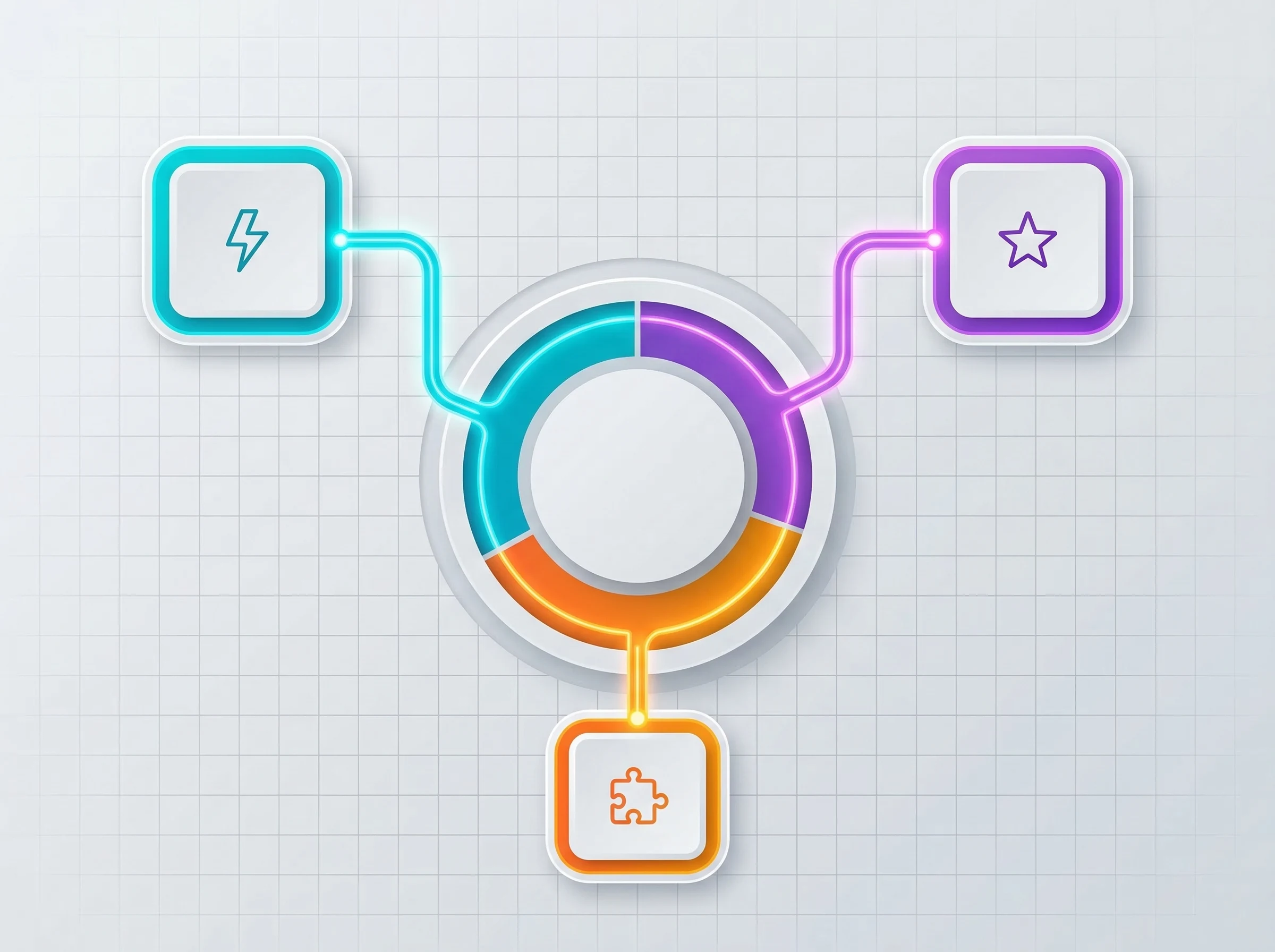
Real Productivity Score Evaluation Criteria
Our evaluation process for the Top 10 AI tools focused heavily on interoperability and friction reduction. A tool scores highly if it requires minimal setup and immediately begins organizing your work.
The best AI productivity apps are selected based on their ability to connect seamlessly with existing work tools. If a task manager requires you to abandon your current email client, calendar, and messaging app, it creates more problems than it solves. We also categorized each platform by its ideal user base. A system built for a solo consultant operates very differently than one built for a 500-person engineering department.
2026 AI Task Automation & Autonomous Planning Matrix
Modern product managers, agile engineers, and remote operators need to know exactly how different AI task managers handle real-time planning, automated backlog grooming, and autonomous task distribution. The comparison table below benchmarks the top platforms on core AI intelligence capabilities.
| Tool | Primary AI Capability | Auto-Rescheduling? | Natural Language Parsing | Best Suited For |
|---|---|---|---|---|
| Motion | Dynamic Time-Blocking & Priority Algorithmic Slots | Yes (Instant) | Advanced | Solopreneurs, Founders & Executives |
| ClickUp AI | PRD-to-Subtask Generation & Standup Summaries | Manual / Rule-Based | Comprehensive | Product Managers & Cross-Functional Teams |
| Linear AI | Automated Issue Triage, Duplicate Detection & Git Sync | Sprint Cycle Alignment | Fast & Keyboard-First | Software Engineers & High-Velocity Tech Stacks |
| Asana AI | Enterprise Capacity Planning & Blocker Prediction | Manager-Assisted | Enterprise-Grade | Enterprise Operations & Program Directors |
| Todoist AI | Smart Task Decomposition & Quick-Add Parsing | Suggested Due Dates | Industry-Leading Natural Speed | Individuals & Knowledge Workers |
| Taskade AI | Autonomous Multi-Agent Collaboration on Boards | Autonomous Agents | Full Chat & Agent Prompting | Agencies & AI-First Automation Teams |
The 10 Best AI Task Management Tools (2026 Ranked List)
The following AI task management software platforms have been tested and ranked based on their Real Productivity Score. We have identified the specific strengths of each tool so you can match the platform to your specific operational needs.
1. Motion: Best for Solopreneurs & Auto-Scheduling

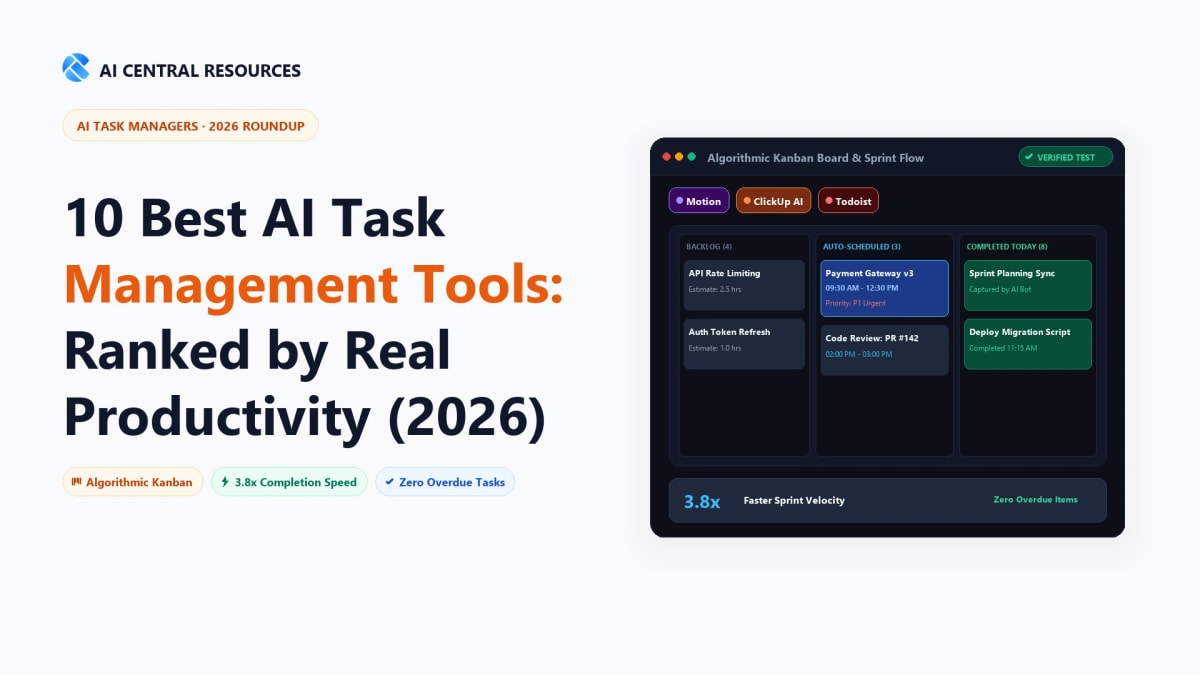
Motion operates less like a traditional task board and more like a ruthless executive assistant. Instead of giving you a list of things to do, it takes your tasks and directly slots them into your calendar based on priority, deadlines, and your available working hours.
If an urgent client meeting pops up and overrides a scheduled work block, Motion recalculates your entire week instantly. It moves lower-priority items to the next available slot and warns you if a deadline is now at risk. AI task management tools can automatically prioritize work based on deadlines and team capacity, and Motion executes this better than almost anyone else in the market.
For solopreneurs and freelancers who have to juggle sales calls, client work, and administrative duties, Motion removes the cognitive load of deciding what to do next. You simply look at your calendar and execute the task in front of you.
Feature / Metric | Details |
|---|---|
Productivity Score | 94/100 |
Best For | Solopreneurs & Freelancers |
Pricing | Visit Motion's official website for current pricing |
2. ClickUp AI: Best for Engineering & Product Teams

ClickUp has always been a robust platform, but its recent AI integrations have turned it into a powerhouse for complex product development. The platform understands the context of the work you are doing based on your role.
When a product manager writes a brief in ClickUp, the AI can instantly generate a list of engineering subtasks, complete with estimated completion times and dependencies. It reads through lengthy bug reports and summarizes the core issue for developers, saving them from reading through endless comment threads. It bridges the gap between the people planning the software and the people building it.
Engineers appreciate ClickUp because it reduces the friction of agile ceremonies. Sprint planning takes a fraction of the time when the system can automatically suggest which tickets fit into the upcoming cycle based on historical velocity.
Feature / Metric | Details |
|---|---|
Productivity Score | 92/100 |
Best For | Engineering & Product Teams |
Pricing | Visit ClickUp's official website for current pricing |
3. Asana AI: Best for Enterprise Goal Tracking

Large organizations struggle with alignment. Executives set yearly goals, but those goals rarely translate clearly into the daily tasks executed by individual contributors. Asana AI solves this alignment problem by connecting high-level objectives directly to daily management activities.
Asana excels at rolling up project data. If a department head wants to know the status of a marketing launch, they do not need to message the project manager. Asana's AI reads all the tasks, comments, and blockers associated with the project and generates a real-time executive summary. It identifies exactly where bottlenecks are occurring and suggests resource reallocations to keep the project on track.
For enterprise teams, this level of visibility is critical. It eliminates the need for status update meetings and ensures that every task being worked on actually contributes to a broader company goal.
Feature / Metric | Details |
|---|---|
Productivity Score | 90/100 |
Best For | Enterprise Organizations |
Pricing | Visit Asana's official website for current pricing |
4. Todoist AI: Best for Personal Workflows

Todoist remains the standard for personal task management because it prioritizes speed. Its natural language processing allows you to type "Email John about the contract next Tuesday at 9am," and the system automatically categorizes, dates, and schedules the task.
The AI features in Todoist focus on breaking down overwhelming projects. If you add a task like "Plan company retreat," Todoist can automatically generate a logical checklist of subtasks, from booking venues to organizing catering. It takes the paralysis out of starting large projects by giving you immediate, actionable steps.
Todoist does not try to be a full-scale enterprise project manager. It stays true to its core mission: helping individuals manage their personal workflows without unnecessary complexity.
Feature / Metric | Details |
|---|---|
Productivity Score | 88/100 |
Best For | Personal Use & Students |
Pricing | Visit Todoist's official website for current pricing |
5. Notion AI: Best for Creative Teams & Content Creation

Notion blends document creation with task management, making it the ideal environment for creative teams. You can track a video production schedule on a Kanban board, and then click into a card to find the full script, mood board, and editing notes.
Notion AI acts as a collaborative writing partner. It can draft outlines, summarize meeting transcripts, and even adjust the tone of your writing directly within the workspace. Content creation workflows are significantly accelerated when using AI-enhanced productivity tools, and Notion proves this by keeping the drafting and the tracking in the exact same window.
Creative agencies use Notion because it adapts to their specific processes. You are not forced into a rigid structure; you can build custom databases that perfectly match how your team conceptualizes and executes creative work.
Feature / Metric | Details |
|---|---|
Productivity Score | 91/100 |
Best For | Creative Teams & Agencies |
Pricing | Visit Notion's official website for current pricing |
6. Linear AI: Best for Fast-Paced Tech Stacks

Linear is built for speed. It is a keyboard-first application designed specifically for software development teams who hate bloated project management software. The interface is stark, fast, and entirely focused on shipping code.
Linear uses AI to automatically group similar bug reports, suggest labels, and assign issues to the correct developer based on their past commits. Using AI for task management helps teams manage their tech stack more efficiently. By integrating deeply with GitHub and GitLab, Linear ensures that when a developer merges a pull request, the associated task is automatically closed and the project manager is notified.
Fast-paced engineering teams choose Linear because it gets out of their way. It automates the administrative overhead of issue tracking so developers can spend their time writing code.
Feature / Metric | Details |
|---|---|
Productivity Score | 93/100 |
Best For | Software Development Teams |
Pricing | Visit Linear's official website for current pricing |
7. Monday.com AI: Best for Cross-Functional Management

Monday.com is famous for its highly visual, color-coded boards that make project statuses immediately obvious. It excels when multiple different departments—like sales, marketing, and legal—need to collaborate on a single initiative.
The AI capabilities in Monday.com focus on formula generation and automation building. Instead of learning complex syntax to create custom workflows, a user can simply type, "When a status changes to 'Review', assign it to the legal team and send a notification." The AI builds the automation instantly. Integrating AI tools into platforms like Slack helps automate repetitive daily tasks, and Monday.com leverages these cross-platform connections beautifully to keep everyone informed.
When you need to put together a massive product launch involving fifty people across six departments, Monday.com provides the visual clarity and automated hand-offs required to prevent chaos.
Feature / Metric | Details |
|---|---|
Productivity Score | 89/100 |
Best For | Cross-Functional Teams |
Pricing | Visit Monday.com's official website for current pricing |
8. Basecamp AI: Best for Remote Agencies

Basecamp champions asynchronous work. Rather than relying on constant chat notifications and endless meetings, Basecamp organizes work into centralized projects containing message boards, to-do lists, and document storage.
Their AI features focus entirely on communication clarity. When a remote worker logs on in a different time zone, they do not need to read through fifty messages to understand what happened while they slept. Basecamp summarizes the conversations and highlights any decisions made or tasks assigned. Furthermore, AI automation tools in Slack can trigger workflows automatically based on specific channel events, and Basecamp integrates with these communication channels to ensure remote teams never miss critical updates.
Remote agencies rely on Basecamp to streamline workflows across borders. It forces a calmer, more deliberate style of project management that prevents remote worker burnout.
Feature / Metric | Details |
|---|---|
Productivity Score | 86/100 |
Best For | Remote & Asynchronous Teams |
Pricing | Visit Basecamp's official website for current pricing |
9. Taskade AI: Best for Chatbots & Agents
Taskade approaches task management differently by putting AI agents at the center of the workspace. Instead of just organizing your notes, Taskade allows you to deploy custom AI agents to complete the work for you.
You can create an agent trained on your brand guidelines and instruct it to monitor a specific project board. When a new task appears, the agent can draft the initial response or create the required document automatically. Chatbots like ChatGPT and Claude are increasingly integrated into task management systems, and Taskade builds its entire architecture around this concept.
For teams that want to aggressively automate their workflows and experiment with delegating actual work to AI, Taskade offers the most forward-thinking platform on this list.
Feature / Metric | Details |
|---|---|
Productivity Score | 87/100 |
Best For | Teams Automating with AI Agents |
Pricing | Visit Taskade's official website for current pricing |
10. Wrike AI: Best for Orchestration Automation

Wrike is built for complex, multi-stage projects that require strict governance and resource management. It is a heavy-duty platform favored by large marketing departments and professional services firms.
Wrike's AI shines in risk prediction and resource allocation. It analyzes historical project data to warn managers if a current project is likely to miss its deadline based on the current workload of the assigned team members. AI orchestration automation allows teams to put together complex workflows without manual intervention. Wrike can automatically route intake requests to the appropriate department, generate the necessary task dependencies, and assign the work to the person with the most availability.
When you are managing millions of dollars in client work, you cannot rely on guesswork. Wrike provides the automated oversight necessary to keep massive projects profitable.
Feature / Metric | Details |
|---|---|
Productivity Score | 88/100 |
Best For | Enterprise Orchestration |
Pricing | Visit Wrike's official website for current pricing |
What is the 30% Rule for AI Productivity?
When evaluating the best AI tools for productivity, you will frequently encounter discussions about the "30% Rule." This principle suggests that in almost any knowledge-work role, roughly 30% of daily tasks consist of repetitive, administrative work that requires zero creative or strategic thinking.
This includes scheduling meetings, updating statuses, transferring data between applications, and summarizing long email threads. The goal of implementing AI task management is not to replace the worker, but to target and eliminate that specific 30% of low-value work.
Maximizing Efficiency Automatically
When a system handles the administrative burden automatically, the impact on team morale and output is immediate. Employees stop feeling like data-entry clerks and return to doing the specialized work they were actually hired to perform.
The return on investment becomes very clear when you look at the time recovered. Implementing AI automation can save employees several hours per week on administrative tasks. If you multiply those saved hours by every employee in your organization over a full year, the financial argument for upgrading your task management software becomes undeniable.
Integrating AI Task Managers Across Your Tech Stack
A task manager cannot function effectively in isolation. If your project data lives in one application, your customer data in another, and your communication in a third, you will constantly fight against data silos. The true power of these platforms unlocks when you connect them across your tech stack.
Modern APIs allow your task manager to act as the central nervous system for your business. When a customer signs a contract in your CRM, that action should automatically trigger a client onboarding project in your task manager, complete with assigned duties and deadlines.
Leveraging Zapier Agents to Connect Apps
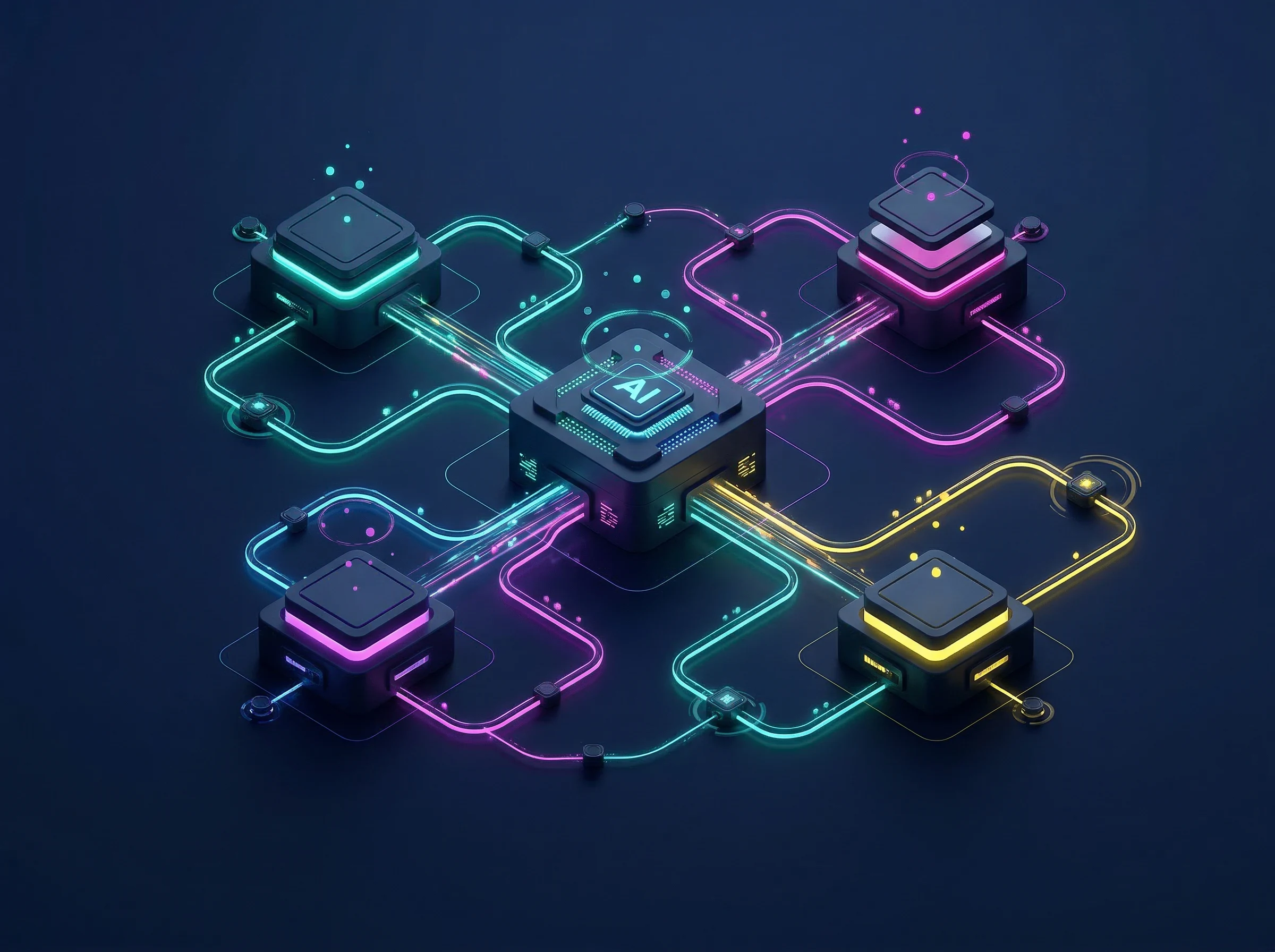
AI Agent Tech Stack Orchestration
Creating these connections used to require a team of developers. Now, integration platforms handle the heavy lifting. Zapier agents can automatically connect different applications across a user's tech stack, allowing you to build complex triggers without writing a single line of code.
These integrations extend far beyond basic data transfer. Search engines like Perplexity are being used alongside task managers to gather research automatically. You can set up an automation where adding a competitor's name to a specific task board triggers an AI agent to research their recent product launches and attach a summary document directly to the task. This level of interconnected automation fundamentally changes how fast a team can move.
Free AI Tools vs. Enterprise Platforms
The market currently offers everything from completely free AI tools for productivity to enterprise platforms that require a dedicated onboarding team. Choosing the right level of software depends entirely on the complexity of your operations and the size of your team.
Free tools and basic tiers usually offer excellent personal task management. They will help you organize your day, draft simple documents, and keep track of your individual deadlines. However, they usually restrict the number of external integrations you can build and limit the advanced AI features like custom agents or predictive scheduling.
Enterprise platforms cost significantly more, but they solve entirely different problems. They provide the security, governance, and cross-department visibility required to run a large organization.
Which Tier is Right for Your Work?
To make your decision, look at where your team currently experiences the most friction. If your primary issue is that individuals keep forgetting their daily assignments, a simple, low-cost tool like Todoist will likely solve the problem.
If your friction comes from missed hand-offs between the design team and the engineering team, you need a platform like ClickUp or Monday.com to connect those workflows. Evaluate how many different applications you need to integrate, assess your budget, and choose the system that eliminates your specific administrative bottlenecks. The best tool is simply the one that gets out of your way and lets you work.
Frequently Asked Questions About AI Task Management
What is the best AI task manager for auto-scheduling daily tasks?
Motion and Reclaim AI are the top choices for automatic daily scheduling. Unlike passive to-do lists, they automatically slot tasks into available calendar blocks based on priority, duration, and hard deadlines. If a meeting runs over, Motion instantly reshuffles remaining tasks to protect critical delivery windows.
What is the best AI task management tool for software engineers and product managers?
Linear is the premier choice for high-velocity software engineering teams due to its keyboard shortcuts, automated Git branch tracking, and instant PR closing. For product managers handling multi-department roadmaps and PRD generation, ClickUp AI provides unmatched subtask breakdown and sprint capacity estimation.
Can AI task managers automatically assign tasks to team members?
Yes. Enterprise platforms like Asana AI, Monday.com AI, and Wrike AI analyze real-time team bandwidth, historical velocity, and task types to automatically suggest or route incoming tickets to the team member with the right skill set and lowest workload.
How do AI task managers connect with meeting note-takers and email tools?
Modern AI task managers integrate seamlessly with AI note-takers like Otter.ai and Fireflies as well as AI email clients like Superhuman and Shortwave. When action items are agreed upon during a call or marked in an email thread, integrations automatically create synced tasks in your project board with attached source transcripts.
Is there a completely free AI task management tool?
Todoist offers a robust free tier for personal organization. Taskade provides free AI workflow credits to experiment with multi-agent planning. For teams, ClickUp and Asana provide generous free plans, though advanced predictive AI scheduling typically requires upgrading to standard or professional tiers.
Explore Related AI Productivity Guides
- The Ultimate Guide to AI Productivity Tools in 2026 — Discover how task managers fit into the complete 11-category workflow stack.
- 8 Best AI Scheduling Tools in 2026 — Auto-plan your calendar, meetings, and deep work blocks with intelligent algorithms.
- 10 Best AI Workflow Automation Tools in 2026 — Connect your task boards to CRMs, databases, and autonomous AI agents.
- 10 Best AI Team Collaboration Tools in 2026 — Keep remote and hybrid teams synchronized across asynchronous projects.