AI-powered assistance for writing, organizing, and connecting in Gmail.
Gallery
4 items

About Gemini in Gmail
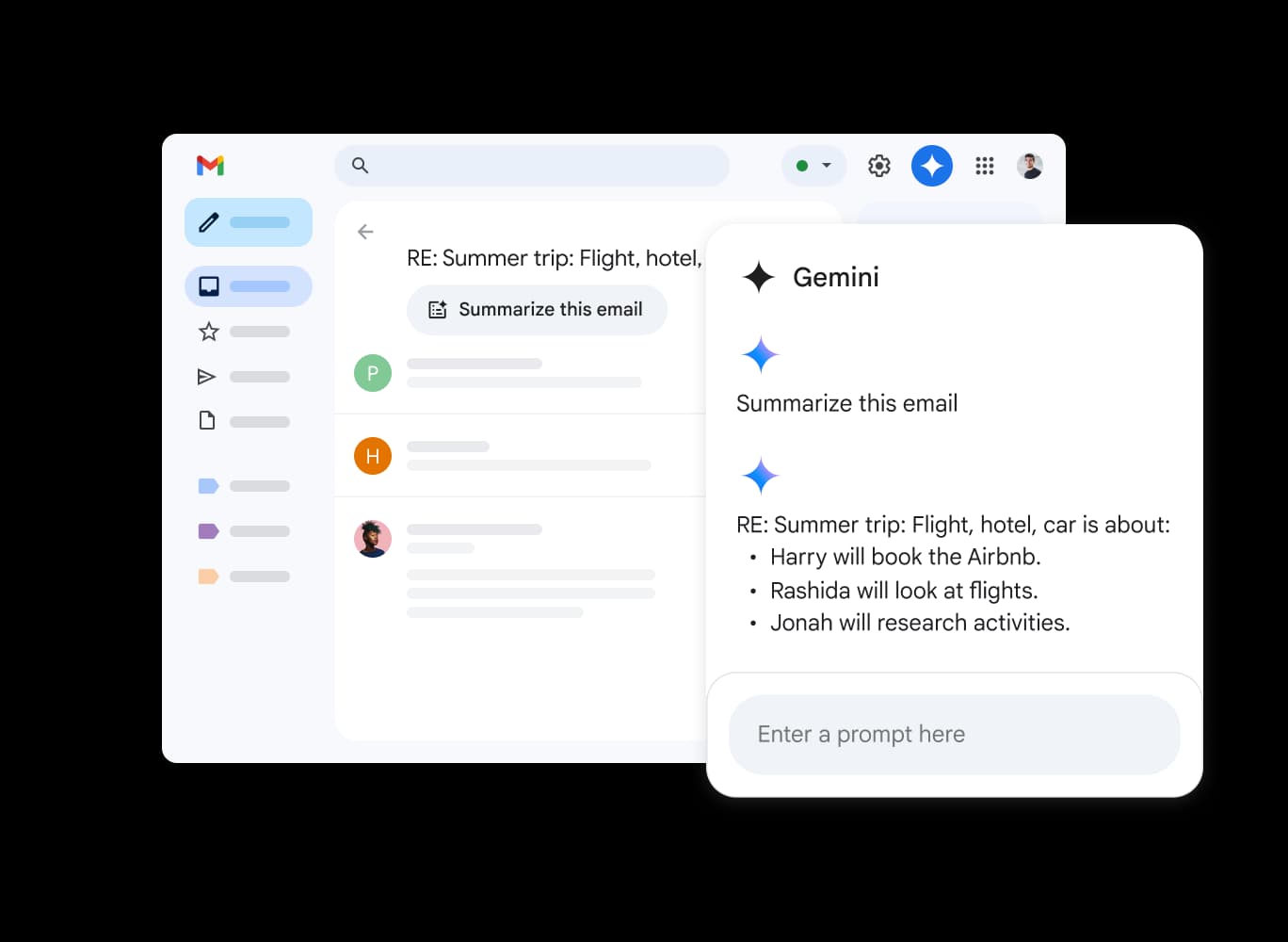
In hands-on testing across 20-message vendor threads and cross-app Google Drive lookups, Gemini's Ask Gemini side panel surfaced clean action items and cited exact Google Docs figures without leaving the official Gmail tab. Help Me Write and Formalize/Shorten tone passes work effortlessly on both desktop and mobile. Folding Gemini directly into Google Workspace Starter ($7), Standard ($14), and Plus ($22/user/mo annual) eliminates add-on billing friction, while solo users get full side-panel workflows plus 5 TB cloud storage under Google AI Pro ($19.99/mo). Teams seeking keyboard-first Inbox Zero bundling, shared thread triage, or non-Google third-party app automations via MCP will still get more speed from Shortwave or Superhuman.
Gemini in Gmail leverages Google's AI to streamline email tasks. It helps users draft emails, summarize lengthy threads, and quickly locate important information within their inbox and Google Drive files. By offering context-aware smart replies and personalized suggestions, Gemini aims to boost productivity and improve email management. It is designed for both business and personal use, accessible on desktop and mobile devices and integrates seamlessly with Google Workspace applications.
Key Features
- Automatic AI Overview summaries pinned cleanly above long Gmail conversations
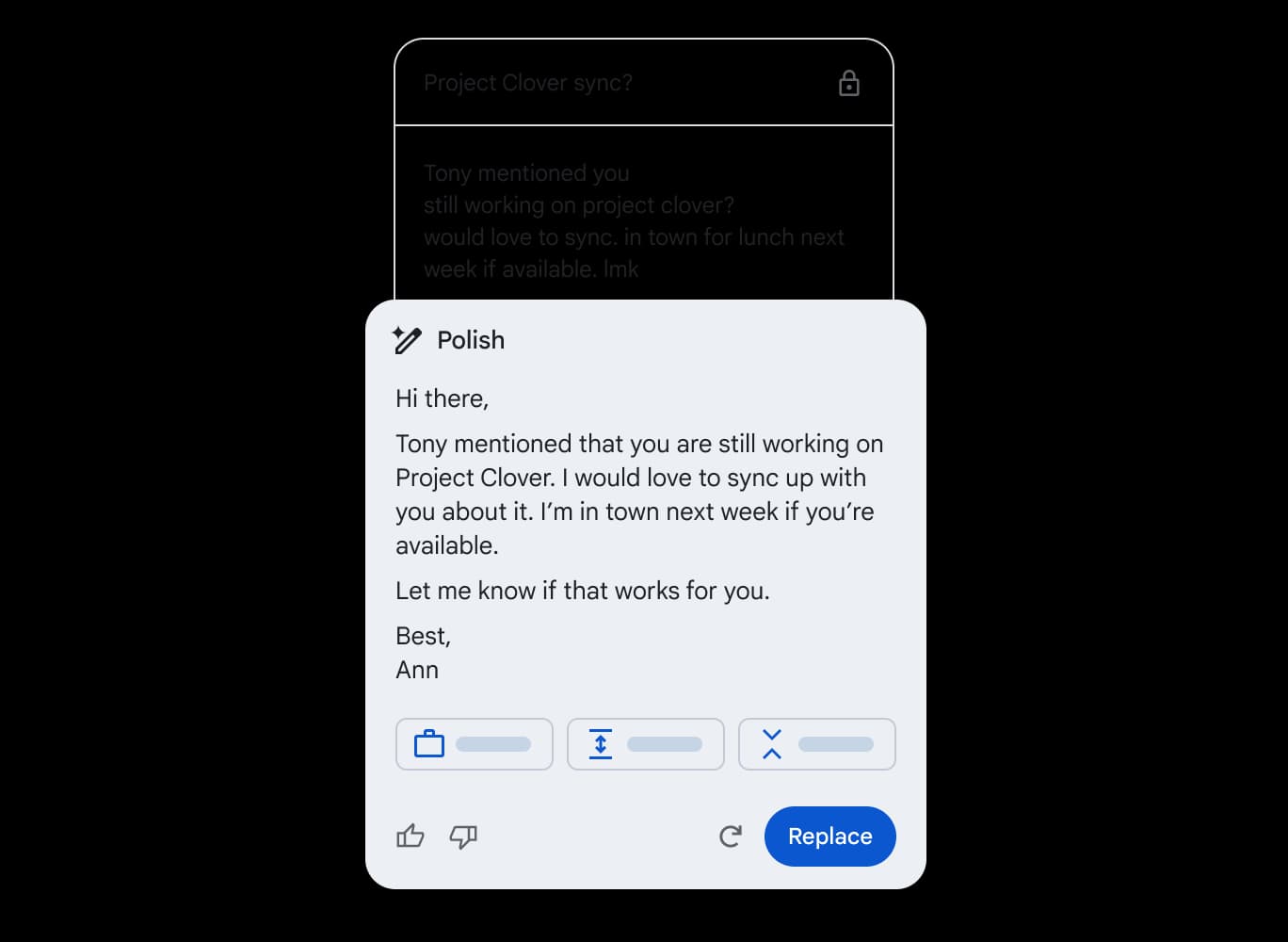
- Help Me Write drafting with Formalize, Elaborate, Shorten, and Polish passes
- Interactive Ask Gemini side panel querying Gmail, Drive, Docs, and Calendar
- AI Overviews in Gmail Search for natural-language inbox Q&A
- Contextual Smart Reply and Gmail mobile app summarization
- Bundled directly into Google Workspace Business and Google AI Pro tiers
- Enterprise DLP, HIPAA BAA, Vault retention, and zero public-training guarantees
- Native browser tab, iOS, and Android experience with zero client migration
Pros
- Zero client migration—operates natively inside Gmail web, iOS, and Android apps
- Bundled into Workspace Starter ($7), Standard ($14), and Plus ($22/user/mo) with no add-on fee
- Cross-app grounding across Google Drive, Docs, Sheets, and Google Calendar
- Free personal @gmail.com tier already unlocks AI Overview thread summaries
- Workspace data stays excluded from public model training with DLP and Vault compliance
Cons
- Works solely inside Google / Gmail accounts—zero Outlook, Yahoo, or IMAP support
- Full Ask Gemini side panel and Docs/Drive grounding require Business Standard ($14) or Google AI Pro ($19.99)
- Lacks sub-100ms Cmd+K Inbox Zero splits, team thread commenting, and custom MCP agents
- AI search stays focused on Google Workspace rather than Slack, Linear, or Notion pipelines
- No custom multi-model choice (strictly Google Gemini models)
Pricing & Plans
Free Gmail ($0: AI Overview thread summaries, Smart Compose) | Consumer Google AI Plus $4.99/mo (400 GB) | Google AI Pro $19.99/mo ($199.99/yr, 5 TB, Ask Gemini Gmail/Docs side panel) | Google AI Ultra $99.99+/mo (20+ TB) | Google Workspace Annual: Business Starter $7/user/mo ($8.40 monthly, basic Gmail AI), Standard $14/user/mo ($16.80 monthly, 2 TB, full Gemini Workspace suite), Plus $22/user/mo ($26.40 monthly, 5 TB + Vault). Legacy $20 Gemini add-on retired.
Claim Verified Creator Badge
Are you the founder of Gemini in Gmail? Display this listing's verified badge on your website to show your customers that your product has been vetted and listed on AI Central Resources.
<a href="https://www.aicentralresources.com/tool/gemini-in-gmail" target="_blank" rel="noopener">
  <img src="https://www.aicentralresources.com/badges/featured-badge-dark.svg" alt="Featured on AICentralResources" width="200" height="54" style="border: none;" />
</a>
* Place this HTML snippet in your website's footer, landing page, or press section. This creates a search-friendly backlink directly to your verification page.
Connect with Gemini in Gmail
Frequently Asked Questions
Yes—free @gmail.com accounts include Smart Compose, Smart Reply, and automatic AI Overview thread summaries, while Google AI Plus ($4.99/mo) and Google AI Pro ($19.99/mo, 5 TB) unlock the full Ask Gemini side panel and Gmail Search Q&A.
No—Google retired the separate $20/user add-on and bundled Gemini natively inside Business Starter ($7/user/mo annual, basic Gmail AI), Business Standard ($14/user/mo, full side panel), and Business Plus ($22/user/mo).
Yes—Business Standard+ and Google AI Pro users can ask the Gmail side panel or `@`-mention permissioned Google Drive files, Docs, Sheets, and Calendar events to ground replies in accurate context.
No—Gemini in Gmail operates exclusively inside official Gmail and Google Workspace interfaces; teams managing Outlook inboxes should evaluate Copilot in Outlook, Superhuman, or Spark Mail.
No—Google Workspace Business and Enterprise tiers exclude customer emails, Drive documents, and Gemini prompts from public model training or human annotation.
Similar AI Tools to Gemini in Gmail
View all alternatives of Gemini in Gmail
Shortwave
AI-native Gmail client with natural language search and smart inbox bundles

Superhuman
The ultra-fast AI email productivity suite for professionals and teams.


Spark Mail
Smart AI email client for priority inboxes, summaries and real-time team collaboration

Canary Mail
Privacy-first AI email client with Copilot drafting, summaries and PGP encryption

Compared with Gemini in Gmail
Direct head-to-head feature matrices, pricing breakdowns, and real-world performance benchmarks