


The average knowledge worker now attends 10 hours of meetings per week. For global teams spread across time zones, that number comes at a cost that's easy to overlook: someone is always having their prime work hours colonized by a meeting that primarily benefits someone in a different timezone. Engineers in Berlin are on calls at 8 PM. Designers in Singapore are on their first coffee when the San Francisco team wants an emergency sync.
Research confirms what most distributed teams already feel. A survey found 85% of remote businesses reported measurable productivity gains after adopting advanced collaboration software that integrates AI and asynchronous communication — and unified all-in-one platforms significantly outperform fragmented setups, delivering a fourfold increase in task completion rates.
The Quick Answer: For distributed teams drowning in real-time meetings across time zones, Loom AI is the #1 asynchronous video tool, automatically generating structured summaries, action items, and video titles. For async team knowledge bases and decision registers, Notion AI and Slite (Ask AI) are the top wiki hubs. For eliminating status calls and catching up on Slack channel backlogs, Slack AI delivers instant thread recaps.
But asynchronous communication without AI creates its own problem: information gets buried. Someone records a Loom, nobody watches it. A decision gets made in a 200-message Slack thread, and the new hire who joins two weeks later can't find it. Documentation gets written and immediately goes stale.
The tools that actually work in 2026 do something specific: they make async communication more legible, not just more convenient. AI summarizes the video. AI extracts the action items from the thread. AI surfaces the relevant doc when someone asks a question about it three months later. That combination — async-first workflows backed by AI that maintains context over time — is what separates teams running smoothly across time zones from teams perpetually catching up.
This guide covers the 10 best AI async communication tools for distributed teams in 2026, organized by use case, with verified pricing and honest assessments of what each one actually does well. For the broader productivity context, see our Ultimate Guide to AI Productivity Tools 2026.
Quick Comparison: Best AI Async Communication Tools in 2026

Preview: Async interface and workspace features.
Tool | Category | Best For | Free Plan? | Starting Price |
|---|---|---|---|---|
Async-first project management | Consolidating PM + light AI automation for small-to-mid teams | Yes — 15 users | $4/user/mo (Professional, annual) | |
Async video messaging | Replacing meetings with smart video | Yes — 25 videos | $15/creator/mo (Business) | |
AI-enhanced team chat | Thread summaries and message catch-up | Slack free; AI is add-on | $10/user/mo (Pro) + AI add-on | |
Knowledge management | Company wiki + AI search | Yes (limited) | ~$20/seat/mo (Business, AI incl.) | |
Enterprise collaboration | Microsoft 365 organizations | No (Teams free, Copilot paid) | ~$30/user/mo (M365 + Copilot) | |
Visual async collaboration | Brainstorming, planning, retrospectives | Yes (3 boards) | $8/user/mo (Starter) | |
Meeting lifecycle | Agendas, notes, action items | Yes (5 recordings/mo) | $9/user/mo (Pro) | |
Technical documentation | Dev teams on the Atlassian stack | Yes (10 users) | $5.16/user/mo (Standard) | |
Team knowledge base | SOPs, wikis, async Q&A | Yes | Check Slite's official site | |
Async-first project hub | Small teams eliminating meeting culture | Trial only | $15/user/mo or $299/mo flat | |
Meeting clips + search | Sharing specific meeting moments async | Yes — unlimited recordings | $18/user/mo (Pro) |
Pricing verified July 2026. All prices subject to change — confirm current rates on each vendor's official pricing page.
The Real Problem Async Tools Are Solving in 2026
Before comparing features, it's worth being precise about what the actual bottleneck is. Most distributed teams don't have a communication volume problem. They have a communication legibility problem.
When you're async-first without AI, communication leaves traces — Slack threads, video recordings, doc comments, email chains — but those traces are hard to navigate. The engineering lead who joined two months ago can't find the architectural decision from last quarter. The client success rep needs to know what was decided in a product meeting that happened while they were on vacation. The new hire needs to understand the company policy but the wiki hasn't been updated since the last restructuring.
AI makes async communication legible at scale. It summarizes what happened while you were asleep. It answers questions from documentation instead of requiring you to read 40 pages of SOPs. It extracts action items from video recordings so they become tracked tasks rather than forgotten commitments. It surfaces relevant past context when you're about to make a decision. That's the real value proposition — not just "fewer meetings," but organizational context that stays findable and actionable over time.

Async Time Zone Workflow — How AI Makes Distributed Teams Work Without Live Overlap
Category 1: AI Video Messaging Tools
Text-based async communication struggles with nuance. Explaining a complex architectural decision in Slack generates misinterpretations. Giving design feedback via comment threads produces misaligned responses. Video solves the nuance problem, and AI solves video's consumption problem: the time cost of watching a recording end-to-end before knowing if it's relevant to you.
Loom AI — Best for Replacing Meetings With Smart Video

Preview: Loom AI interface and workspace features.
Loom was acquired by Atlassian in 2023, and its 2026 AI layer reflects that engineering investment. When you finish recording, Loom AI automatically generates a title, a concise written summary, and a bulleted list of action items. It removes filler words and awkward pauses from the playback. It generates searchable transcript chapters that let recipients jump directly to the relevant 45 seconds rather than watching the full 8-minute walkthrough.
The consumption change is the real value. A recipient who previously had to spend 8 minutes watching a video to know if it applied to them can now read a 15-second AI summary, decide it matters, and jump to the specific section. For distributed teams, a well-made Loom genuinely replaces a meeting — the asynchronous equivalent of a "quick sync" that everyone can engage with in their own timezone and at their own pace.
Loom AI works natively with Atlassian products (Confluence, Jira) which makes it the natural choice for product and engineering teams already on that stack. For all other teams, it integrates with Notion, Slack, and most major productivity tools. Pricing: Free plan allows 25 videos, 5-minute limit. Business plan at $15/creator/month (annual) removes limits and adds full AI features.
Best for: Teams who spend significant time on walkthroughs, feedback, explanations, and updates that would benefit from visual context — product teams, design teams, customer success, and engineering leads.
2026 update: Loom's Atlassian integration deepened — direct embedding in Confluence pages and automatic Jira issue creation from video action items.
tl;dv — Best for Sharing Specific Meeting Moments

Preview: tl;dv interface and workspace features.
tl;dv ("too long; didn't view") takes a different approach to async video than Loom. Where Loom excels at original async video content, tl;dv specializes in making your existing meeting recordings navigable and shareable. You timestamp key moments during a recording, and tl;dv lets you share a link to that exact 45-second clip — the moment where the client said what they needed, the moment where the product decision was made — rather than sending a full 60-minute recording nobody will watch.
The free plan includes unlimited recordings and transcripts, making it genuinely the most generous free tier for meeting capture. Its AI generates meeting summaries and connects clips to patterns across multiple meetings, useful for teams tracking themes across customer calls. Paid Pro at $18/user/month adds coaching insights, speaker analytics, and CRM sync to Salesforce and HubSpot.
Category 2: AI-Enhanced Chat and Messaging
Slack AI — Best for High-Volume Teams Already on Slack

Preview: Slack AI interface and workspace features.
Slack is often criticized as an async killer — its real-time chat interface creates expectation of immediate response, burns attention with notifications, and buries important decisions in threads that disappear within hours. The 2026 Slack AI updates directly address all three of these problems.
Intelligent Channel Recaps (2026 launch) is the most impactful new feature. When a team member returns after time off or a different timezone, a single click produces a structured summary of what happened in any channel: decisions made, blockers identified, action items assigned. They're caught up in 30 seconds rather than scrolling through 200 messages.
Huddles 2.0 with AI Transcription automatically transcribes spontaneous pop-up voice conversations and saves the searchable record directly in the channel's Canvas. The informal "watercooler" decision that would previously vanish when the call ended is now permanently documented and searchable.
AI Workflow Builder lets non-technical users automate cross-tool workflows using plain language: "When a client uploads a file to Box, notify the #design team and create a task in Asana." This reduces the manual coordination overhead that accumulates quickly in distributed teams with complex tool stacks.
Slack AI requires a paid Slack plan as the base and is then available as an add-on. Verify current pricing at slack.com — the AI feature set has been expanding rapidly and pricing has adjusted with new releases. Teams considering Slack vs Microsoft Teams for their primary communication hub should see our Slack AI vs Microsoft Teams AI comparison for the full head-to-head.
Microsoft Teams Copilot — Best for Microsoft 365 Organizations
For organizations standardized on the Microsoft 365 ecosystem, Teams Copilot is the async communication layer that makes the investment in that ecosystem compound. Its deep integration with Outlook, SharePoint, OneDrive, and the rest of Microsoft 365 means that context flows between tools automatically rather than requiring manual bridging.
The async capabilities in 2026 include intelligent meeting recaps that capture decisions and action items from recorded calls, AI-generated channel summaries for threads that ran while you were offline, and the ability to ask Copilot natural language questions about past conversations and documents across the entire M365 environment. "What did the product team decide about the Q4 roadmap?" returns an answer sourced from a Teams thread, a SharePoint doc, and an email thread simultaneously.
The honest limitation: Teams Copilot is powerful specifically within the Microsoft ecosystem and less so as a cross-platform tool. For organizations with mixed environments (some Slack, some Teams, some external partners on neither), the integration value diminishes. Pricing comes bundled with Microsoft 365 subscriptions — Copilot is an add-on on top of base M365 licenses. Verify current licensing at microsoft.com as enterprise pricing changes frequently.
Category 3: AI Knowledge Management and Documentation
The most common form of async communication failure is documentation rot. Information exists but can't be found. Decisions were documented but the docs are stale. A new team member asks a question that was answered in a doc written 18 months ago, but nobody remembers where it is. AI-native knowledge bases solve this by making documentation searchable in plain language and maintaining currency over time.
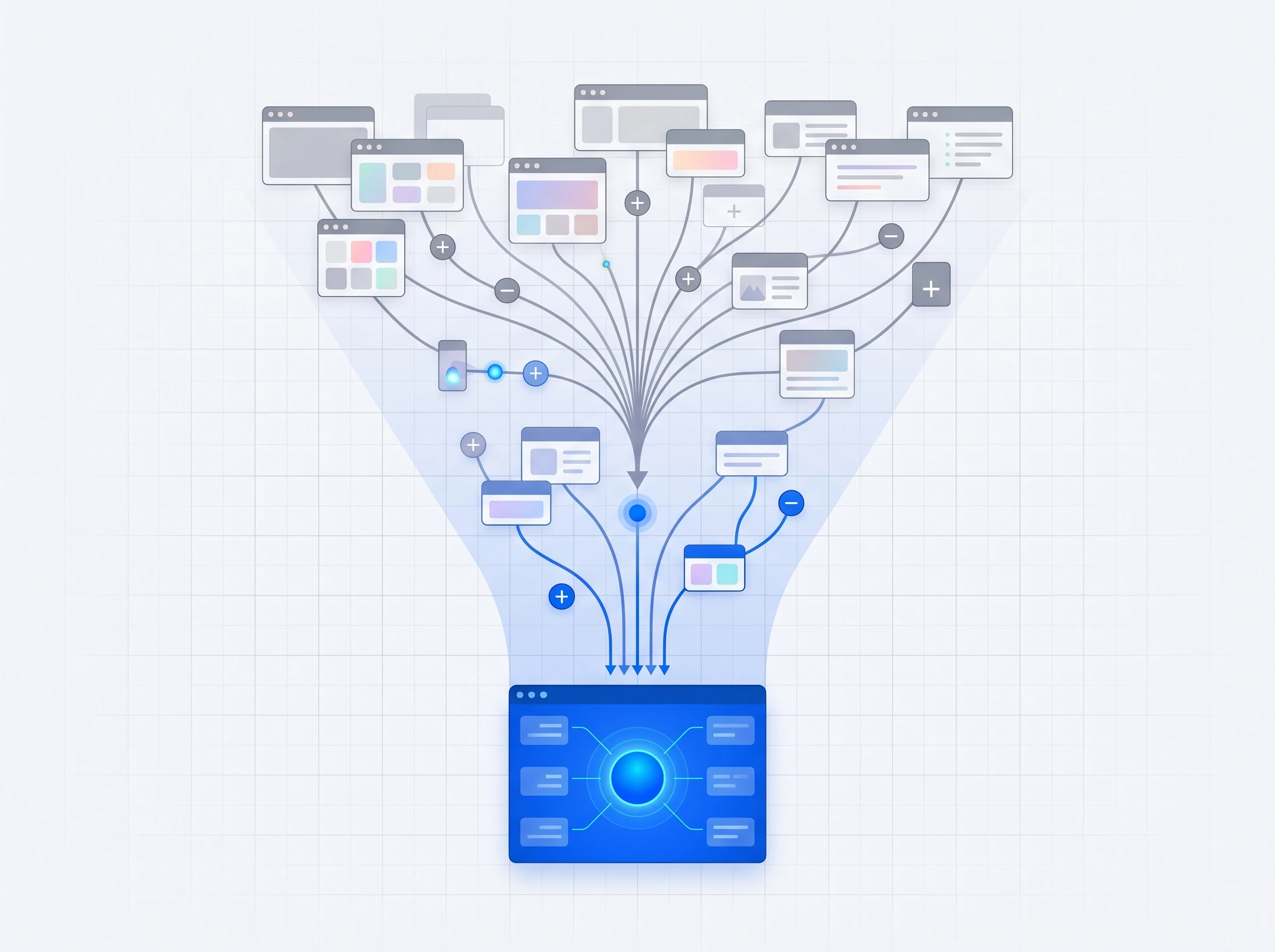
AI Knowledge Management — Consolidating Fragmented Information Into a Single Source of Truth
Notion — Best for Teams Who Want One Hub for Everything

Preview: Notion interface and workspace features.
Notion's 2026 evolution — particularly the Notion AI Agents launched with Notion 3.0 in February 2026 — significantly changes what the tool can do for distributed teams. AI Agents can run multi-step tasks for up to 20 minutes autonomously, completing documentation workflows end-to-end: drafting a project brief, building a supporting database, pulling relevant context from connected tools like Slack, Google Drive, and GitHub.
The Enterprise Search feature is particularly valuable for async teams: it queries across Slack, Google Drive, GitHub, and Jira from within your Notion workspace, delivering unified answers from wherever the information lives rather than requiring you to search each tool separately. For a new hire trying to understand how a particular system was designed, one Notion question produces answers aggregated from engineering Slack discussions, Confluence technical docs, and GitHub commit messages simultaneously.
The 2026 pricing restructure bundled Notion AI into the Business plan (~$20/seat/month) rather than charging it as a separate add-on, which reduces the mental accounting friction for teams evaluating cost. Free plan available with limitations on blocks and collaboration. For deeper comparison with other note-taking approaches, see our Notion AI vs Obsidian vs Mem.ai comparison.
Confluence — Best for Development Teams on the Atlassian Stack

Preview: Confluence interface and workspace features.
Confluence's 2026 AI upgrades made it a much more dynamic knowledge base than the static wiki it was known for. The AI can now generate page summaries automatically, answer natural language questions against the full Confluence knowledge base, and identify stale pages that haven't been updated despite related project activity. For engineering teams using Jira, the bidirectional linking between Jira issues and Confluence documentation means project context is always one click from its technical specification.
The core strength remains depth of integration with the Atlassian ecosystem. If your team runs on Jira + Linear or similar dev tooling, Confluence handles technical documentation in a way that generic knowledge tools don't match. Free plan covers 10 users. Standard plan at $5.16/user/month makes it the most affordable paid knowledge base option on this list. Verify current pricing at atlassian.com as cloud pricing has been adjusting with AI feature additions.
Slite — Best for Small Teams Who Need a Fast, Searchable Wiki

Preview: Slite interface and workspace features.
Slite is purpose-built for one specific problem: company knowledge that employees actually trust and search. Its Slite Ask feature allows any team member to ask a plain-language question and receive an answer synthesized from your internal documentation, with a citation back to the source document. For distributed teams where new employees can't tap a colleague's shoulder to ask "what's the process for handling enterprise refund requests?", this self-service knowledge retrieval is the async alternative to the human who knows everything.
The newer "Super" search connects across your entire tech stack — Slack, GitHub, Google Drive — so a search doesn't stop at Slite's content. The doc verification feature with validity periods helps prevent the documentation rot that plagues most company wikis: you can set a review date on any page, and Slite reminds document owners when content needs verification. Free plan available; pricing on paid plans is available on Slite's official site.
Guru and Tettra — Best for Customer-Facing Team Knowledge

Preview: Tettra interface and workspace features.
Guru and Tettra both target a specific knowledge management problem that Notion and Confluence handle less well: knowledge that customer-facing teams need to access instantly during conversations, not through a documentation search workflow.
Guru's browser extension surfaces verified company knowledge contextually — when a support agent is looking at a ticket about a specific product issue, Guru shows the relevant resolution process without them leaving the ticketing interface. The knowledge verification system ensures that what surfaces is current, with automatic expiry and expert review cycles built in. Free plan available; paid plans from $15/user/month.
Tettra integrates directly with Slack, allowing teammates to ask knowledge base questions from within Slack conversations rather than context-switching to a separate tool. For teams where Slack is the primary work surface, this friction reduction matters significantly. Free plan available; paid plans from $4/user/month.
Category 4: Async Meeting Intelligence
Even async-first teams have meetings. The question is whether those meetings produce durable, searchable, actionable artifacts — or whether they produce a recording nobody watches and an action items list nobody tracks. AI meeting tools close this gap, and the best ones in 2026 work even better for async workflows than they do for synchronous meeting management.
Fellow.ai — Best for Full Meeting Lifecycle Management

Preview: Fellow.ai interface and workspace features.
Fellow.ai is the only tool in this comparison that manages the entire meeting lifecycle from before the call starts to after it ends. Pre-meeting: collaborative agenda building where all participants contribute asynchronously before the call. During: AI captures transcript and generates action items. Post-meeting: automatic distribution of assigned action items to connected project management tools (Asana, Jira, Linear) without any manual copy-paste step.
For distributed teams, the post-meeting workflow is particularly valuable. A team member in Tokyo who couldn't attend a 10 PM call gets a Fellow summary and sees their assigned action items waiting in their Linear or Asana queue the next morning. The meeting's output is automatically integrated into the systems they already use rather than buried in a standalone notes document. SOC 2 Type II and HIPAA certification make Fellow appropriate for teams in regulated industries. Free plan: 5 recordings/month. Pro: $9/user/month (annual). See our full ranking of 13 AI meeting note-takers for the complete category comparison.
MeetGeek — Best for Meeting Analytics Across a Team
Preview: MeetGeek interface and workspace features.
MeetGeek provides the analytics layer that Fellow.ai doesn't: tracking meeting frequency, talk-time distribution, and topic patterns across your team's meetings over time. For team leads who want to understand whether meetings are decreasing in frequency (a good sign of successful async adoption) or whether certain topics keep requiring synchronous resolution (a signal that async documentation or processes need improvement), MeetGeek's dashboards provide that visibility. Free plan: 5 meetings/month. Paid plans from $15/user/month.
Category 5: Visual Async Collaboration
Miro AI — Best for Async Brainstorming and Planning

Preview: Miro AI interface and workspace features.
Miro AI brings an often-overlooked use case into the async stack: visual thinking. Brainstorming, sprint planning, architecture discussions, and retrospectives are traditionally resistant to async workflows because they involve spatial thinking and rapid iteration that text updates don't support well. Miro's infinite collaborative canvas with AI features changes this.
The AI can generate mind maps, diagram flows, and structured frameworks from a plain text description. A product manager can describe a feature concept in words at 9 AM London time, and the AI generates a visual representation that the design team in New York can react to asynchronously at 4 PM their time — adding sticky notes, reorganizing elements, and leaving threaded comments that the product manager sees when they start their next working day.
AI Facilitation features in 2026 include automated retrospective templates, AI-clustered affinity mapping (grouping similar sticky notes automatically), and meeting summaries extracted from the board's content. For teams running retrospectives, design critiques, and planning sessions that previously required everyone on a Zoom call at once, Miro AI enables these workflows to unfold over 24 hours of staggered async participation rather than a single 90-minute synchronous block.
Free plan includes 3 boards. Starter at $8/user/month. Business at $16/user/month adds full AI features and unlimited boards. Enterprise pricing for organizations requiring SSO and advanced admin controls.
Category 6: Async-First Project Management
GoodDay — Best for Teams Wanting PM, CRM, and Async Automation in One Platform

GoodDay consolidates project management, resource planning, and light CRM functionality into a single workspace — appealing for smaller teams trying to avoid tool sprawl. Its AI Agents (configurable assistants tied to specific roles or workflows) can triage incoming requests, update task records, and prepare status summaries without someone actively driving the tool, giving teams some of the "work continues while I'm offline" benefit of async AI without adopting a video- or chat-first stack. GoodDay also auto-estimates time spent per task from activity data, removing manual timesheet entry.
The honest tradeoff versus the AI-native async tools elsewhere on this list: GoodDay's automation runs on task and workflow data, not conversation — it won't summarize a Loom or digest a Slack thread. Teams whose actual bottleneck is video or chat volume should look to Loom AI or Slack AI first. GoodDay is the stronger fit for teams that want one consolidated tool handling PM, light CRM, and hands-off task upkeep. Free plan covers up to 15 users. Professional plan starts at $4/user/month (annual).
Basecamp — Best for Teams Who Want to Eliminate Meeting Culture Entirely

Preview: Basecamp interface and workspace features.
Basecamp is the only tool on this list built on an explicit philosophical commitment to async work. The founders have written extensively about the damage that real-time communication norms cause to knowledge work, and the product reflects those values: no live chat by default, structured message boards that are organized by project, and AI thread summarization that respects everyone's ability to respond on their own schedule.
The AI summarization feature — the one most relevant to distributed teams — condenses long message board threads into structured digests when a team member asks for a catch-up. Return after a day of focused work to find 30 replies in a product discussion? One click produces the key decisions made and questions still open, without reading every message.
The flat $299/month pricing makes Basecamp more expensive than per-user tools for very small teams (under 5 people) but dramatically cheaper for teams of 20 or more. At $299/month for unlimited users, it's the most cost-effective option on this list for growing teams. See our best AI project management tools guide for the broader category comparison.
Asana — Best for Async Action Item Management With AI Teammates

Preview: Asana interface and workspace features.
Asana's AI teammates (launched 2026) changed its role in the async stack. Previously, Asana was a task tracking tool that required human updates. Now, AI teammates actively monitor project health, route incoming work requests, update statuses based on connected data, and generate weekly project digest emails without any manual input from the project manager.
For distributed teams, this means project status updates flow without requiring someone to be awake in the right timezone to generate them. The AI teammate reviews task completion data, identifies blockers, and writes a status summary that's automatically distributed at a configured cadence. Asana free plan covers basic features. Starter at $10.99/user/month. Advanced ($24.99/user/month) unlocks full AI teammate features. Browse Asana's full feature set and our AI task management tools ranking for alternatives.
Building the Right Async Stack by Team Type
🎯 Async Stack by Team Type
Small remote team (under 15 people): Basecamp (project hub + async communication) + Loom AI (video walkthroughs) + Notion (shared knowledge base). Simple, affordable, covered. Avoid tool sprawl at this stage.
Engineering/product team on Atlassian: Confluence (technical docs) + Loom AI (screen walkthroughs of bugs, features, reviews) + Fellow.ai (meeting intelligence + Jira action item sync) + Slack AI (team communication with channel summaries). These four tools were designed to work together.
Design or creative team: Miro AI (async visual collaboration for brainstorming and critique) + Loom AI (feedback walkthroughs) + Notion (project documentation). Design feedback delivered via Loom is consistently more useful than text-based comment threads.
Enterprise on Microsoft 365: Microsoft Teams Copilot (primary communication + AI summaries) + Confluence or SharePoint (documentation) + Fellow.ai (meeting management). Don't introduce competing tools into a Microsoft ecosystem — let Copilot do the AI layer.
Customer-facing teams (sales, CS, support): Guru or Tettra (instant knowledge retrieval during customer conversations) + tl;dv (customer call clip library for async review and coaching) + Slack AI (internal coordination). The knowledge access speed matters more here than for internal teams.
Global team (4+ time zones): Add Miro AI for planning and retrospectives + Slite for searchable documentation + tl;dv's free plan for all meeting recordings. The goal is zero synchronous touchpoints for anything that doesn't require them.
Privacy and Security: What to Verify Before Deploying
When you use AI to summarize meetings, generate context from communications, and index your company's documentation, you're feeding your most sensitive operational data to these systems. The gap between tools in this area is significant.
Data training policies — Verify explicitly whether the vendor uses your data to train their foundational AI models. Fellow.ai explicitly states it does not. Most enterprise tiers of other tools on this list carry similar commitments. Free tiers often carry different terms.
Deployment options — Cloud-only tools (most options here) require trusting the vendor with your data infrastructure. Microsoft Teams and SharePoint offer private cloud deployment options that maintain data within your organization's Microsoft tenant — which is why they're often the default for regulated industries despite the higher cost.
GDPR and regional compliance — For EU-based teams, verify that data processing agreements are available and that processing happens within permitted jurisdictions. Notion, Confluence, and Microsoft Teams all have EU data residency options. Smaller tools may not.
How to Transition Your Team to Async-First Communication
Deploying these tools without a cultural change won't produce the efficiency gains the research shows. The software is the enabler; the behavioral norms are the change. Three principles that work consistently:
Default async, synchronous by exception. Define explicitly which communication scenarios require live video calls (genuine emergencies, conflict resolution, onboarding sessions) and which should default to async (status updates, feedback, decisions with clear information). Having this defined prevents the "let's just jump on a quick call" reflex that erodes async culture.
Write for your asleep teammates. Every async update should be written as if the primary reader is offline right now and will see it 8 hours later. This means including context, decisions made, next steps needed, and deadlines — not "see my Loom" with no further explanation. AI tools can help structure updates, but the habit of comprehensive communication is a human decision.
Make async responses visible. Distributed teams where only some members are practicing async-first end up with two communication cultures and consistent friction at the border. Leadership modeling — posting async updates, responding to Looms with Looms rather than meeting requests, using Slack summaries before responding to threads — is the most effective change management mechanism. Tools that generate morning briefings and digest summaries make this pattern visible and reinforce the norm.
For practical guidance on saving significant time across your full AI productivity stack, see our guide to saving 20+ hours/week with AI productivity tools.
Explore Related AI Collaboration & Communication Guides
- • 13 Best AI Meeting Note Takers in 2026 (Ranked & Tested)
- • Slack AI vs Microsoft Teams AI: Which Team Chat is Smarter in 2026?
- • 10 Best AI Team Collaboration Tools (Remote-First Edition)
- • 9 Best AI Project Management Tools for Small Teams in 2026
- • How to Save 20+ Hours a Week with AI: 2026 Data Playbook
- • Browse All AI Team Collaboration Tools
Frequently Asked Questions
How does AI automatically extract decisions from async communication threads?
AI tools analyze semantic linguistic patterns (commitments, agreements, dates, @mentions) across Slack AI, Loom AI, and Notion comments. The AI synthesizes multi-day thread discussions into clean decision registers, highlighting who agreed to what without requiring team members to read 100+ unread messages.
How does Loom AI make asynchronous video more useful for remote teams?
Loom AI eliminates the need to watch entire 10-minute video walkthroughs. It automatically creates video titles, timestamped chapters, executive summary bullet points, and extracted action items. Viewers can read the AI recap in 30 seconds or jump directly to the specific chapter relevant to their work.
How does real-time communication AI compare to async documentation AI?
Real-time AI (like Fathom or Otter) transcribes live synchronous calls, while async documentation AI (like Slite and Notion AI) turns written memos, Loom recordings, and Slack decisions into permanent, searchable company wikis that teams across global time zones can reference weeks later.
How does AI help new employees catch up on async communication history?
Tools like Slite (Ask AI) and Notion AI provide natural language Q&A across the entire company knowledge base. Instead of asking colleagues repetitive questions in Slack, new hires can ask: "What is our refund policy?" or "Why did we choose Postgres over MongoDB?" and receive cited answers instantly.
What is the best AI tool for distributed teams working across different time zones?
A combined stack of Loom AI (for visual screen walkthroughs), Slack AI (for channel catch-ups), and Motion (for auto-scheduled deadlines) provides the most resilient async foundation. This allows teams in the US, Europe, and Asia to collaborate seamlessly without early morning or late night sync calls.
How do AI agents summarize week-long async conversation threads?
Slack AI and Teams AI summarize up to 7 days of channel chatter with one click. They filter out conversational noise, memes, and acknowledgments, surfacing only core problem statements, proposed solutions, assigned owners, and pending blockers.
How does Loom AI compare to written documentation for async technical reviews?
Loom AI bridges video and text. Recording a 3-minute screen walkthrough is 5x faster than writing a detailed technical document, while Loom AI's automated transcript and Markdown summary export gives engineering teams the written documentation they need in Linear or GitHub issues.
How can teams track project progress asynchronously without micromanaging?
Use automated AI standups in ClickUp Brain or Fellow.ai. The AI automatically scans completed tasks, pull requests, and calendar milestones, publishing an objective weekly progress digest without forcing engineers to write manual daily status updates.



