For over two decades, Merlin Mann’s concept of Inbox Zero has been treated like a mythical productivity holy grail. Most professionals aspire to it, but the overwhelming reality of modern knowledge work—averaging 120+ incoming emails, newsletters, receipts, and client pings every single day—turns email management into an exhausting second job. Knowledge workers spend upwards of 28% of their entire workweek simply reading, sorting, and answering messages.
The traditional advice—rigid color-coded folders, complex manual filtering rules, and obsessive calendar blocking—completely collapsed under the sheer volume of digital communication. In 2026, manual folder sorting is officially dead.
The modern breakthrough is AI-augmented email architecture. By combining intelligent background triage, semantic search engines, contextual ghostwriting models, and sub-100ms keyboard navigation, you can cut your daily email processing time by 75% and maintain a spotless inbox in less than 15 minutes per day. In this comprehensive guide, we present the battle-tested 2026 blueprint to achieve and permanently sustain Inbox Zero using state-of-the-art AI email tools.
Direct Answer: Achieving daily Inbox Zero in 2026 requires an automated 4-stage AI pipeline rather than manual folder rules. Connect SaneBox to quarantine newsletters and non-urgent messages at the server level, then pair with either Superhuman for sub-100ms keyboard triage and VIP prioritization or Shortwave for thread synthesis and AI ghostwriting.
1. Why Traditional Inbox Zero Failed (And How AI Fixes It)
When Merlin Mann popularized the concept of Inbox Zero in 2007, email was primarily a communication channel between humans. You received a message, read it, made a decision, and archived or replied. Fast-forward to 2026, and over 80% of inbound email volume consists of automated machine-generated notifications: GitHub CI/CD logs, Stripe billing alerts, SaaS marketing sequences, calendar confirmations, and cold outreach bots.
The traditional human playbook—color-coded nested folders, manual labeling rules, and calendar blocking—collapsed because it required human decision-making on machine-generated noise. Every unread badge triggers micro-stress, and manual folder sorting creates administrative friction that steals hours from deep work. AI fixes this fundamental asymmetry by delegating classification, routing, and executive synthesis to local and cloud-based language models that triage email before it ever touches your conscious attention.
2. The 4-Stage AI Inbox Zero Architecture
High-performing knowledge workers do not spend hours "managing email." Instead, they deploy an automated 4-stage pipeline that divides email processing into distinct architectural layers:
Stage 1: Autonomous Triage
Server-side filters isolate newsletters, transactional receipts, and low-priority alerts from your primary feed without requiring client-side rules.
Stage 2: Thread Synthesis
Contextual LLMs summarize complex multi-stakeholder email chains into 3-bullet executive briefs and pull actionable asks.
Stage 3: Sub-100ms Execution
Keyboard-first email clients enable instant zero-latency archiving, snoozing, and AI-assisted contextual drafting in flow state.
Stage 4: Intelligent Accountability
Automated follow-up reminders track awaiting responses and extract calendar commitments directly to your task manager.
3. Stage 1: Autonomous Triage (Quarantine the Noise)
The first law of Inbox Zero is that non-urgent emails should never trigger visual notifications or sit in your primary inbox. This is where server-side AI filtering tools shine.
SaneBox is the gold standard for background triage because it operates directly on your email server (IMAP, Exchange, Office 365, or Google Workspace) without requiring you to switch email clients. SaneBox uses advanced machine learning to automatically analyze incoming header metadata, past interaction velocity, and sender importance to separate urgent correspondence from low-priority clutter.
- SaneLater & SaneNews: Automatically diverts newsletters, receipts, and cold outreach into secondary folders without triggering push notifications.
- SaneBlackHole: One-click permanent unsubscribe that automatically purges annoying promotional senders without having to hunt for microscopic unsubscribe links.
- SaneReminders: Automated follow-up pings if a recipient does not reply to your critical email within a specified number of days or hours.
4. Stage 2: Thread Synthesis & Semantic Retrieval
Once non-essential mail is quarantined, your primary inbox contains only high-stakes correspondence. However, long email threads with multiple stakeholders frequently turn into cognitive quagmires. Reading a 35-message email chain to understand what is being asked of you takes 10 to 15 minutes of precious focus.
Shortwave (built by former Google engineers who worked on Google Inbox) solves this with world-class LLM synthesis and semantic search capabilities:
- Instant Thread Summaries: At the top of every multi-party thread, Shortwave displays an AI executive summary highlighting key decisions made, pending questions, and assigned action items.
- Natural Language Email Assistant: You can chat with your entire email history. Prompts like "What were the quarterly budget numbers Sarah sent last month?" or "Summarize all pending client feedback on Project Titan" return precise answers with direct links to source messages in seconds.
- AI Ghostwriting with Voice Matching: Shortwave’s AI analyzes your sent folder to mimic your actual communication cadence, vocabulary, and sign-offs, generating draft replies that sound like you rather than generic robotic boilerplate.

E).
5. Stage 3: High-Velocity Execution (The Sub-100ms Standard)
When you have 30 actionable emails in front of you, speed of execution is everything. If opening an email takes 1.5 seconds and navigating back to the list takes another second, you lose momentum and focus.
Superhuman is engineered specifically around the psychological concept of flow state and sub-100ms responsiveness:
- Keyboard-Driven Workflow: You never need to touch a mouse. Hit
JandKto move between messages,Eto mark done/archive,Hto snooze until later, andCmd+K(Command Palette) to perform any action instantly. - Split Inboxes: Superhuman splits your incoming stream into dedicated focus streams (e.g., Important VIPs, Team Messages, Google Docs Comments, Calendar Invites). This allows you to knock out all calendar RSVPs in 30 seconds without getting distracted by complex project requests.
- Superhuman AI Instant Reply: Highlight a section of an email, hit
Tab, and type "Confirm Tuesday at 2pm, ask if we need to invite David". Superhuman crafts a polished, context-aware reply in under two seconds.

6. Stage 4: Tracking & Intelligent Follow-Ups
Reaching Inbox Zero today is meaningless if 20 important pending items slip through the cracks tomorrow because recipients forgot to reply. A complete AI email system must manage background accountability.
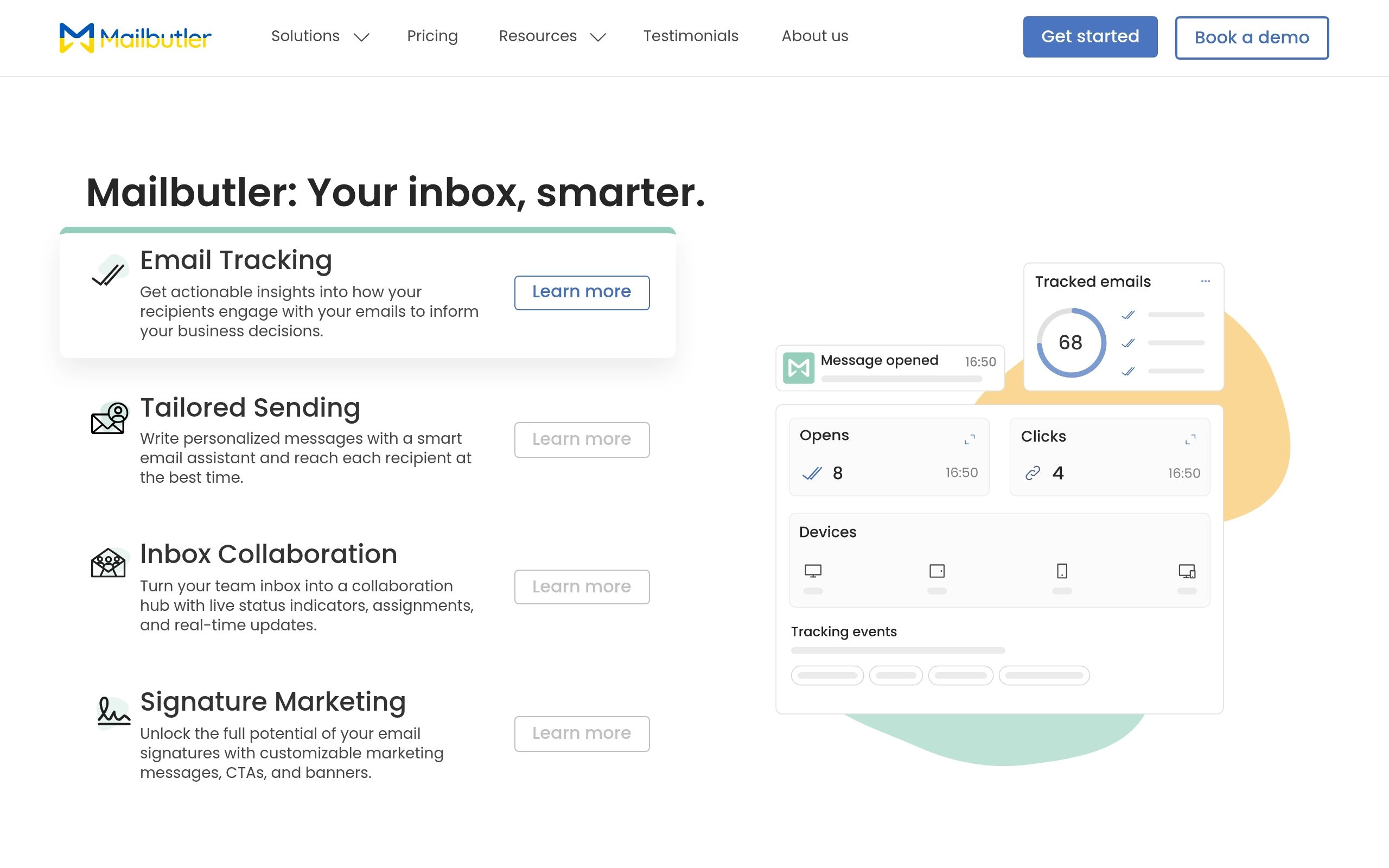
Mailbutler acts as an intelligent sidecar for Apple Mail, Gmail, and Microsoft Outlook:
- Smart Task Extraction: Mailbutler's AI scans incoming emails and automatically extracts actionable tasks, dates, and commitments into a neat sidebar checklist.
- Autonomous Follow-Up Reminders: If you send an important proposal and receive no response within 3 business days, Mailbutler automatically bumps the thread back into your primary view with a suggested polite follow-up draft.
- Smart Send Time Optimization: Mailbutler analyzes the recipient's historical open patterns and schedules your email to deliver at the exact minute they are most likely to be at their computer.
7. The Step-by-Step Implementation Blueprint (From 10,000 Unread to Zero)
If you are currently staring at an inbox with 4,500 unread messages, trying to process them one-by-one is an exercise in futility. Follow this exact 4-step execution protocol to reset your email baseline in under 30 minutes.
Step 1: Execute the Strategic "Email Bankruptcy" Protocol
Accept this reality: if an email sent 21 days ago was genuinely critical to your business, the sender has already messaged you on Slack, called you, or followed up. Everything older than 14 days in your primary inbox is informational baggage.
- Select your entire inbox.
- Filter for all emails received before 14 days ago (e.g., in Gmail:
older_than:14d). - Click Select all conversations that match this search.
- Hit Archive (DO NOT Delete).
Why Archiving is Safe: Archiving removes the messages from your active view while keeping them 100% searchable. With modern AI semantic search engines in Shortwave or Superhuman, you can find any archived document or conversation in seconds without needing it cluttering your screen.
Step 2: Connect Background AI Triage Filters
Connect SaneBox or activate Shortwave's automated bundle rules. Route all automated receipts, software updates, newsletters, and social notifications into non-urgent folders. Ensure your primary inbox is reserved strictly for humans directly addressing you.
Step 3: Establish the 15-Minute "4 D's" Daily Ritual
Commit to checking email only 2 or 3 times per day (e.g., 10:00 AM and 4:30 PM). When you open your inbox, touch every message exactly once using the 4 D's Framework:
- 1. Delete / Archive (50% of volume): Read the one-line AI summary. If no action is required, hit
E(Archive) immediately. - 2. Delegate with AI (15% of volume): Forward the message to a team member or your AI project agent with a quick context prompt.
- 3. Defer / Snooze (20% of volume): If the item requires focused deep work or depends on an external event, hit
H(Snooze) and set it to reappear at a specific date and time when you can actually handle it. - 4. Do with AI (15% of volume): If a reply takes less than 2 minutes, use AI instant ghostwriting to generate the draft, review for accuracy, and hit
Cmd+Enterto send.
Step 4: The End-of-Day Zero Lockdown
At the conclusion of your afternoon triage session, your main inbox count must display 0. Seeing an empty screen provides immediate psychological closure, preventing email anxiety from bleeding into your evenings.
8. Can Copilot or Gemini Clean Up My Inbox? (Direct Question Analysis)
A frequent question asked by enterprise knowledge workers is whether native corporate AI tools—namely Microsoft Copilot in Outlook and Google Gemini in Gmail—can handle Inbox Zero without third-party software.
Can Microsoft Copilot clean up my inbox in Outlook?
The Reality: Copilot for Microsoft 365 can summarize long email threads, generate draft replies based on enterprise files in OneDrive/SharePoint, and highlight flagged messages from key executives. However, Copilot cannot autonomously reorganize your inbox folders or automatically triage incoming mail streams in real-time.
To achieve true Inbox Zero in Outlook, Copilot must be paired with automated Outlook inbox rules, Focused Inbox settings, or an intelligent companion tool like SaneBox or Mailbutler.
Can Google Gemini clean up my Gmail inbox?
The Reality: Gemini in Google Workspace provides helpful contextual drafting ("Help me write") and summarizes long threads on mobile and desktop. However, Gmail’s native categorization tabs (Primary, Social, Promotions, Updates) rely on static heuristics rather than dynamic LLM reasoning.
If you receive hundreds of cold sales pitches or complex multi-project threads, Gemini alone will not clean your inbox. Dedicated AI clients like Shortwave or Superhuman deliver far superior batch processing and keyboard-driven speed.
9. Comprehensive Tool Comparison Matrix: 2026 AI Email Leaders
Here is how the leading AI email tools compare across performance benchmarks, triage capabilities, ecosystem support, and pricing:
| Tool | Best Use Case | Primary Mechanism | Ecosystem Support | Starting Price |
|---|---|---|---|---|
| Superhuman | Fastest Execution & VIP Focus | Sub-100ms client + Split Inboxes + Instant AI Drafts | Gmail, Outlook, iOS, Android, Mac, Windows | $25 / user / mo |
| Shortwave | Deep Synthesis & AI Chat Search | LLM thread recaps + Semantic search + Voice ghostwriter | Gmail, Google Workspace, iOS, Android, Web | Free tier / $7 / user / mo |
| SaneBox | Universal Server Triage | Server-side ML header sorting + Smart newsletter digest | Universal (Works with any client & server) | $7 / mo (Lunch plan) |
| Mailbutler | Apple Mail & Outlook Power Plugin | Smart sidebar + Task extraction + Auto follow-ups | Apple Mail, Outlook, Gmail | $4.95 / user / mo |
| Microsoft Copilot | M365 Enterprise File Integration | In-app ribbon LLM drafting + SharePoint context | Microsoft 365 / Outlook Desktop & Web | $30 / user / mo (Add-on) |
10. Data Privacy & Security Considerations with AI Email
Connecting artificial intelligence models to your corporate email account introduces legitimate security and compliance questions. Email inboxes contain sensitive customer records, financial statements, proprietary trade secrets, and legally privileged communications.
When evaluating AI email tools in 2026, enforce the following security criteria:
- Zero-Data Retention for LLM Training: Verify that the vendor has contractual agreements with model providers (e.g., OpenAI, Anthropic, Google) confirming that your email data is never used to train foundational AI models. Both Superhuman and Shortwave explicitly maintain zero-training privacy policies.
- SOC 2 Type II Certification: Ensure the vendor undergoes regular third-party security audits validating data encryption in transit (TLS 1.3) and at rest (AES-256).
- Granular OAuth Permissions: Modern AI email tools use scoped OAuth 2.0 tokens rather than storing raw email passwords. You can revoke access at any time through your Google Workspace or Microsoft Azure admin console.
- Metadata-Only Processing (SaneBox Advantage): For ultra-sensitive enterprise environments, SaneBox offers a unique architectural advantage: it only inspects email headers (to, from, subject, timestamp) and never reads or stores the actual body text or attachments of your emails.
Explore our verified teardowns to eliminate inbox drag, automate follow-ups, and run distraction-free days:
Frequently Asked Questions
How can AI tools help me achieve Inbox Zero without spending hours sorting emails?
AI email tools automate the 3 biggest friction points: triage, summarization, and drafting. Tools like SaneBox and Superhuman automatically filter marketing newsletters and receipts into background folders, summarize 50-message threads into 3 bullet points, and generate context-aware draft replies in your exact voice.
What is the fastest email processing setup for executives and busy professionals?
The fastest combination is Superhuman (for sub-100ms keyboard shortcuts and split inboxes) paired with SaneBox (for server-level background filtering). This setup ensures that only VIP client emails and urgent internal requests reach your primary inbox, reducing daily email processing time by up to 60%.
Can Microsoft Copilot or Google Gemini replace specialized tools like Superhuman?
Copilot and Gemini are powerful at draft generation and semantic search across Office/Google Workspace, but lack workflow-speed architecture. Superhuman and Shortwave are purpose-built for high-speed triage, auto-split views, and instant thread archiving that general workspace assistants do not provide.
How do I safely grant AI email tools access to sensitive corporate messages?
Look for tools with SOC 2 Type II compliance, zero-data-retention agreements for LLM training, and strict OAuth authentication. SaneBox only inspects email headers (metadata) without reading body text, while Superhuman and Shortwave enforce end-to-end encryption with explicit privacy guarantees.
What should I do if I currently have over 10,000 unread emails?
Perform an "Email Bankruptcy Reset": bulk archive everything older than 14 days into an archive folder (not trash). If anything is truly urgent, the sender will follow up. Then install an AI triage tool like SaneBox or Shortwave to keep incoming mail permanently organized moving forward.