

![How to Run More Productive Team Meetings with AI in 2026 [Complete Playbook]](https://res.cloudinary.com/dfhb6cyat/image/upload/w_1200,c_limit,f_auto,q_auto/v1791694837/ai-tools-resources/blog/how-to-run-more-productive-team-meetings-with-ai-complete-guide-hero.webp)
Most modern teams don't suffer from a meeting problem—they suffer from a preparation and follow-through problem. The 30 or 45 minutes spent on a call is rarely the issue; it is everything surrounding it that breaks down. Agendas are drafted at the last second, attendees spend the first ten minutes providing redundant context, critical decisions are lost in disorganized notes, and action items evaporate into the void without clear owners. In 2026, forward-thinking teams are solving this by implementing a full-cycle AI meeting operating system.
By leveraging AI productivity tools across the entire meeting lifecycle—before, during, and after every conversation—organizations are cutting total meeting hours by 35% while dramatically accelerating execution speed. In this comprehensive guide, we break down the exact 4-phase framework, compare the top AI meeting platforms with verified screenshots, and outline the setup protocol to transform your team's collaboration.
Running high-impact team meetings in 2026 requires moving beyond passive transcript bots to an automated meeting operating framework. Individual knowledge workers and agile teams should standardize on Fathom for 100% free unlimited recording and instant CRM sync. Teams needing live in-call collaboration and cross-meeting search require Otter.ai. Revenue and customer-facing teams scale fastest with Avoma, while Fellow.ai and Krisp solve agenda discipline and background noise hygiene.
The 4-Phase AI Meeting Operating Framework
Rather than simply dropping a transcription bot into your calendar, high-performing teams treat meetings as continuous data pipelines. The workflow divides cleanly into four operational phases:
1. Pre-Meeting Automation
AI analyzes previous meeting transcripts, open Jira tickets, and Slack threads to draft a structured agenda automatically. Meeting organizers set objectives in advance, ensuring no call begins without clearly stated deliverables and assigned time allocations.
2. Frictionless In-Call Capture
Zero-latency bots record multi-speaker video calls with precise diarization. Attendees stay 100% focused on active dialogue and problem-solving without typing frantic manual notes, while real-time conversational intelligence tracks talk-time ratios to prevent monologue dominance.
3. Executive Synthesis & Action Items
Large language models instantly extract executive summaries, key decisions, and assigned action items with strict due dates. Structured records automatically sync directly into project management hubs like Linear, Asana, ClickUp, or Notion.
4. Asynchronous Video & Noise Hygiene
Replace 30-minute status checks entirely with 2-minute AI-summarized screen recordings. Bi-directional noise-cancellation drivers strip out dog barks, coffee shop chatter, and acoustic echoes at the OS level so asynchronous viewers receive pristine clarity.
Top AI Meeting Intelligence Tools: 2026 Comparison Matrix
| Platform | Primary Strength | Free Plan Limits | CRM & Task Sync | Starting Price |
|---|---|---|---|---|
| Fathom AI Notetaker | Free unlimited recording & instant CRM push | 100% Free Unlimited | HubSpot, Salesforce, Close | Free ($19/user/mo Pro) |
| Otter.ai | Real-time live transcription & Otter Chat | 300 mins/mo (30 min/call) | Slack, Google Docs, Notion | Free ($10/user/mo Pro) |
| Fireflies.ai | Omnichannel search & customizable AI apps | 800 mins storage (limited AI) | Asana, Trello, ClickUp, Slack | Free ($10/user/mo Pro) |
| Avoma | Full revenue intelligence & coaching suite | Free basic notetaker | Salesforce, HubSpot, Pipedrive | from $19/user/mo |
| Fellow.ai | Pre-meeting collaborative agendas & 1-on-1s | Free up to 10 users | Jira, Linear, Asana, Slack | Free ($7/user/mo Pro) |
| Krisp | Bi-directional AI noise cancellation & bots | 60 mins/day noise removal | Universal (Runs as virtual mic) | Free ($8/user/mo Pro) |
Deep-Dive: The Best AI Meeting Tools for High-Performance Teams
1. Fathom AI Notetaker — Best Overall for Frictionless Capture & CRM Sync
100% free unlimited recording, instant post-call synthesis & native 2-way CRM synchronization
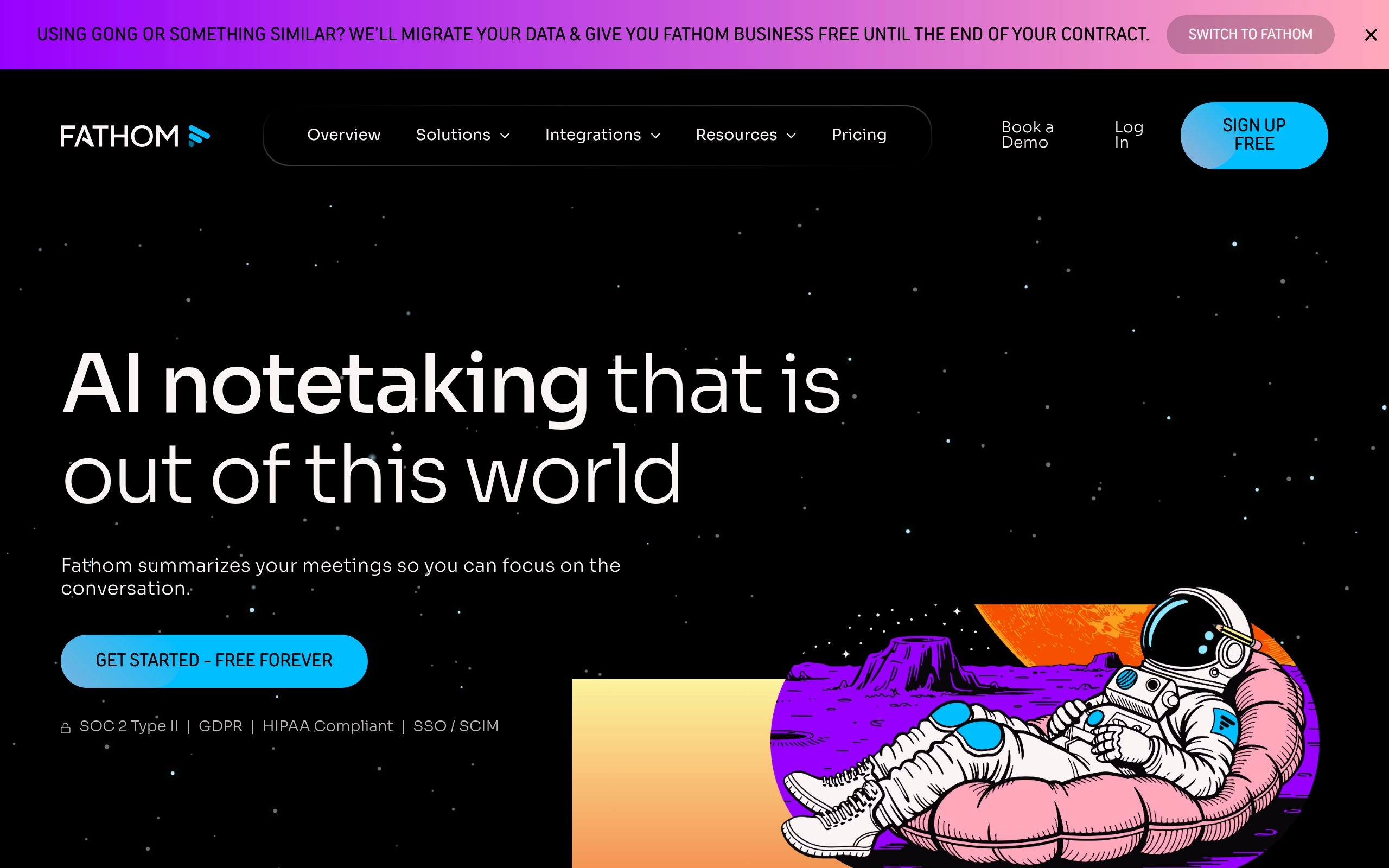
Overview: Fathom has rapidly become the default recommendation for individual knowledge workers, consultants, and sales teams. Unlike legacy tools that restrict monthly recording hours, Fathom provides 100% free, unlimited meeting recordings and AI summaries for individual users across Zoom, Google Meet, and Microsoft Teams. As detailed in our comprehensive breakdown of Otter vs Fireflies vs Fathom, Fathom's killer feature is instantaneous summary generation—within 15 seconds of hanging up, your structured notes and action items are ready to paste or automatically push into HubSpot, Salesforce, or Notion.
Key Strengths:
- Truly Unlimited Free Tier: Record hundreds of hours every month without encountering artificial minute paywalls or restricted transcript lengths.
- Instantaneous Post-Call Synthesis: Generates executive summaries, chronological highlights, and action items in under 30 seconds with near-zero latency.
- One-Click CRM Integration: Automatically logs call transcripts and mapped fields directly to matching contacts and deals in HubSpot, Salesforce, and Close.
2. Otter.ai — Best for Real-Time Live Transcription & Cross-Meeting Chat
Live multi-speaker diarization, real-time in-call Q&A chat & centralized team knowledge search
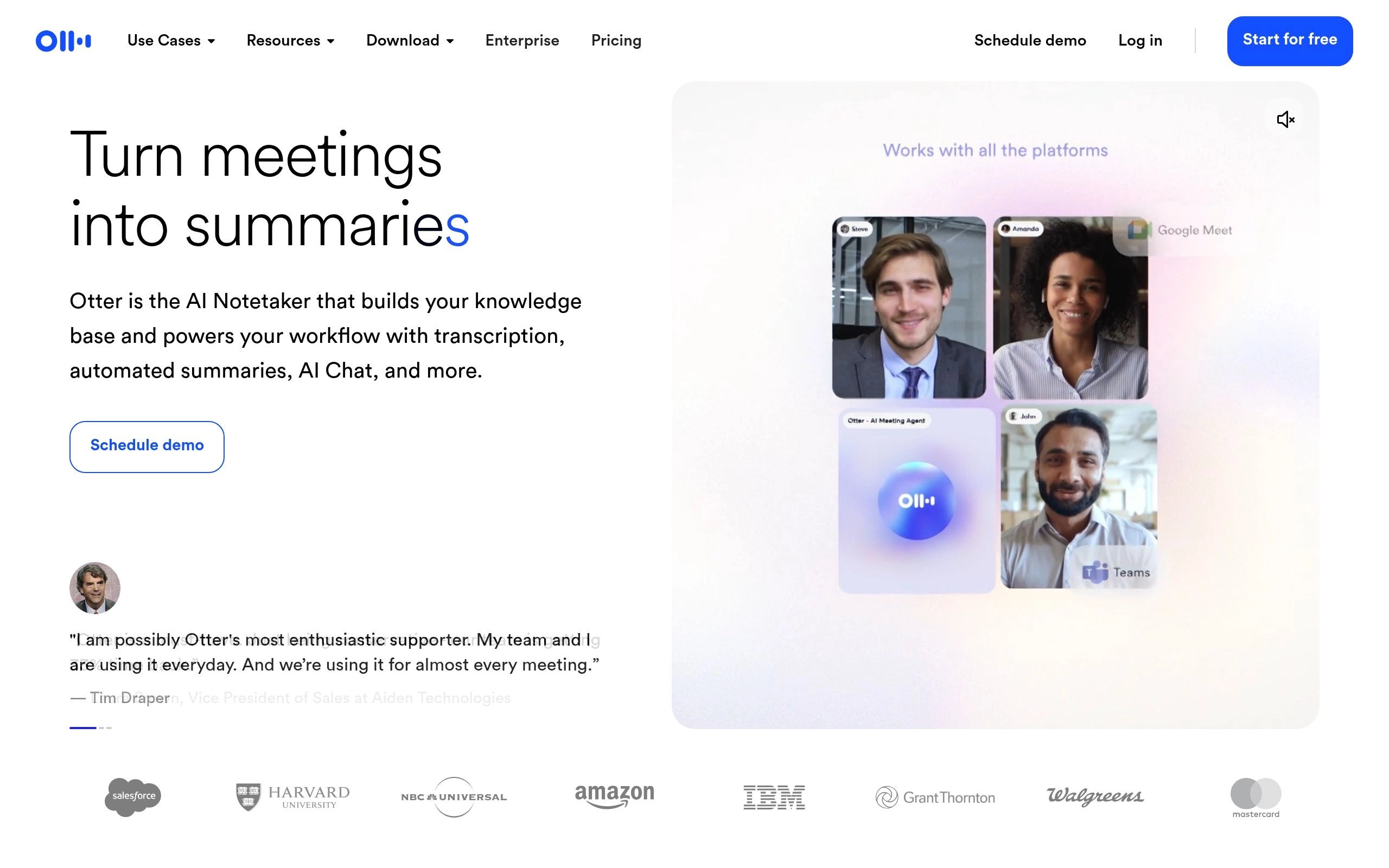
Overview: While Fathom focuses on post-call speed, Otter.ai excels at live in-meeting collaboration. Otter transcribes spoken words in real time with high accuracy, allowing late attendees to catch up on the transcript while the call is still happening. Its flagship Otter AI Chat enables team members to ask questions like "What did Sarah say about the Q3 budget?" across individual calls or across your team's entire historical meeting repository (see our head-to-head analysis in Fireflies vs Otter.ai).
Key Strengths:
- Otter AI Chatbot: Query your entire organizational knowledge base across months of recorded meetings to synthesize decisions without rewatching video.
- Automated Slide Capture: Automatically snapshots presentation slides shared during meetings and inserts them chronologically beside the corresponding speech transcript.
- Live Multi-User Highlighting: Team members can highlight and comment on live transcripts in real time to flag action items during the conversation.
3. Fireflies.ai — Best for Custom AI Summaries & Omnichannel Voice Search
Custom prompt templates, sentiment analysis, talk-time ratios & automated task routing across 40+ apps
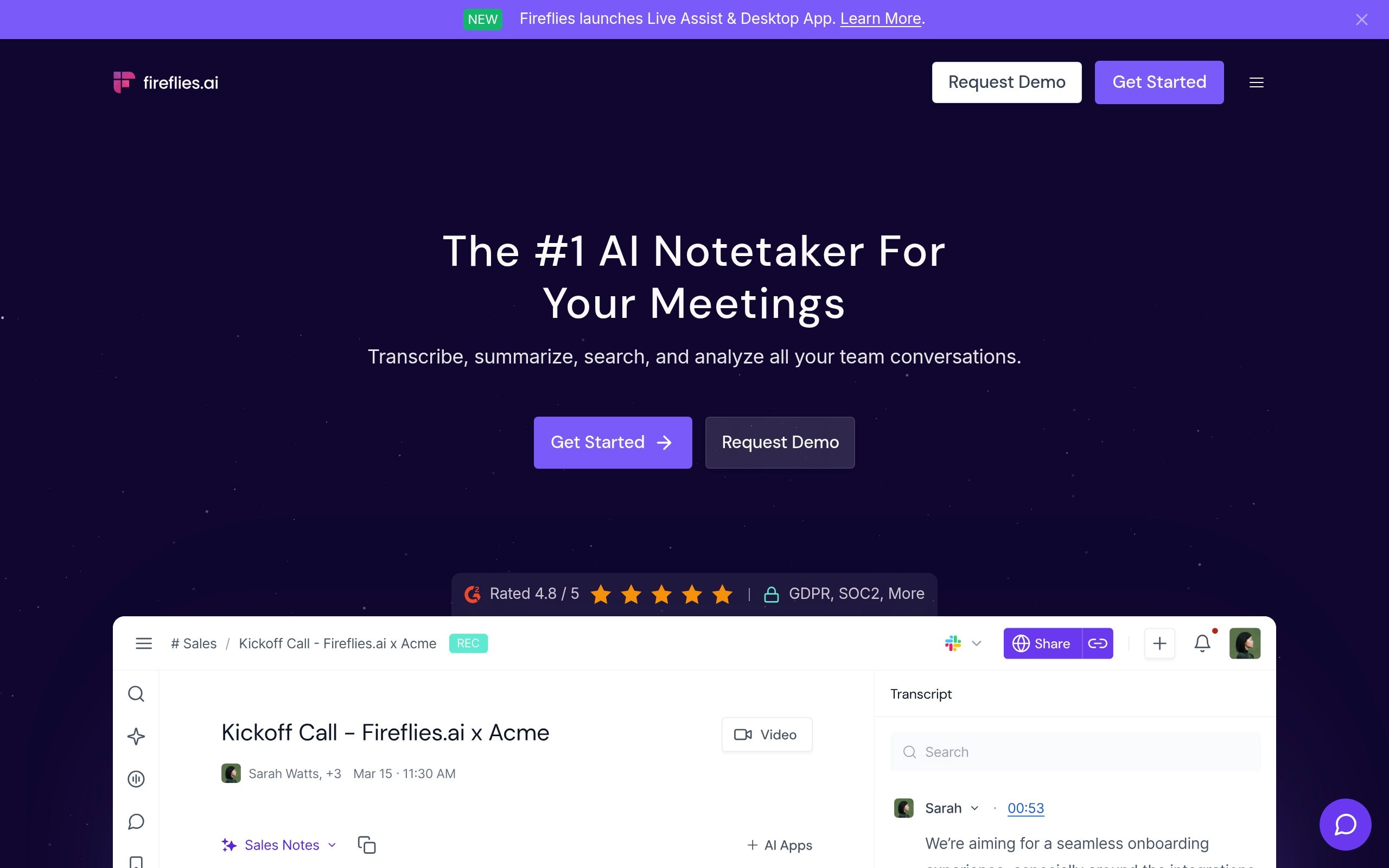
Overview: Fireflies.ai is an enterprise-grade conversation intelligence powerhouse. Its differentiator is total workflow flexibility: through its AI Apps framework, users can design custom prompts that extract structured data specifically suited to their role—such as candidate scorecards for HR, feature requests for product managers, or BANT criteria for sales executives. Fireflies integrates seamlessly with over 40 workplace tools including Asana, Trello, ClickUp, and Slack.
Key Strengths:
- Custom AI Apps: Create custom prompt templates to extract exact structured data tailored to specific department requirements and SOPs.
- Deep Ecosystem Integrations: Natively routes tasks and meeting snippets to over 40 productivity platforms and project management systems.
- Sentiment & Talk-Time Analytics: Visualizes team talk-time ratios, filler words, questions asked, and sentiment trajectories across client and internal calls.
4. Avoma — Best for Revenue Intelligence, Sales Coaching & Lifecycle Management
End-to-end conversation intelligence with deal risk alerts, talk-listen ratios & rep coaching scorecards
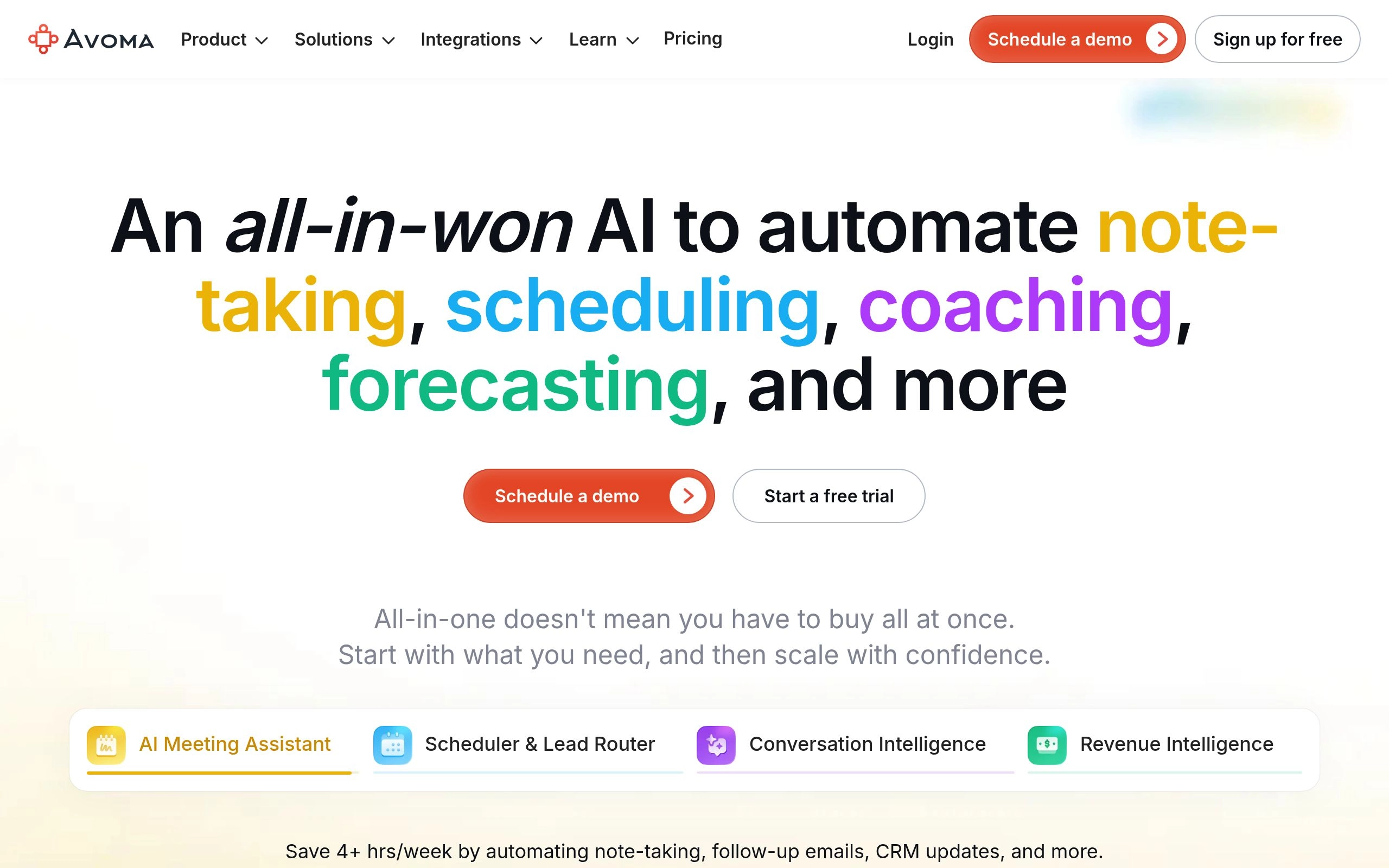
Overview: As examined in our in-depth study of Avoma vs Fathom AI, Avoma is tailored for revenue teams, customer success departments, and managers who need end-to-end meeting governance. While basic notetakers only join once the call begins, Avoma manages the entire lifecycle: pre-meeting agenda collaboration, AI scheduling links, live automated note-taking, and deep revenue intelligence that flags deal risks and competitor mentions in CRM pipelines.
Key Strengths:
- Complete Meeting Lifecycle: Covers scheduling, pre-meeting agendas, live notes, post-meeting summaries, and pipeline analytics in one unified workspace.
- Revenue & Deal Intelligence: Automatically flags deal risks, competitor mentions, and pricing objections to accelerate sales cycles.
- Rep Coaching Scorecards: Analyzes talk-listen ratios, question velocity, and monologue length to provide objective coaching data for team leaders.
5. Fellow.ai — Best for Pre-Meeting Agendas, OKRs & Team 1-on-1s
Collaborative agenda management, no-agenda meeting safeguards & centralized action item tracking

Overview: While notetakers capture what was said on a call, Fellow.ai ensures the meeting was worth having in the first place. Fellow enforces meeting discipline by requiring structured agendas with pre-assigned owners before any meeting begins. Its AI engine automatically suggests talking points based on recent project updates, past action items, and OKRs. During and after the meeting, Fellow syncs decisions and tasks to Jira, Linear, and Asana.
Key Strengths:
- "No Agenda, No Meeting" Safeguards: Encourages team members to contribute talking points and time estimates before calls, eliminating aimless discussions.
- Centralized Action Item Hub: Aggregates all commitments across every meeting into a single personal dashboard synced with project management software.
- Comprehensive 1-on-1 Frameworks: Built-in templates for manager-employee feedback, professional growth milestones, and quarterly OKR tracking.
6. Krisp — Best for Voice Noise Cancellation & Bot-Free Meeting Notes
Local virtual audio driver providing zero-latency bi-directional noise removal & bot-free transcription

Overview: Krisp operates as a virtual microphone layer installed directly on your operating system, making it fundamentally different from web-based bots. It processes audio locally with zero latency, eliminating both incoming and outgoing background noise—from loud barking dogs to café chatter. In 2026, Krisp also includes an integrated on-device AI transcription engine that generates meeting notes without sending third-party bot avatars into your conference calls.
Key Strengths:
- Bot-Free Meeting Capture: Transcribes meetings on your local machine without an intimidating bot avatar appearing in the call participant list.
- Bi-Directional Voice Cancellation: Cleans up your microphone audio and filters out distracting background noises coming from other call participants.
- Voice Accent Localization: Softens strong accents dynamically in real time to improve cross-border remote team comprehension.
Step-by-Step Implementation: Roll Out AI Meetings in 4 Weeks
- Week 1: Standardize on a Primary Notetaker. Equip all team members with Fathom (for individual and small teams) or Fireflies.ai (for cross-department workflows). Require meeting organizers to include AI bots on all internal and external calls.
- Week 2: Enforce the "No Agenda" Rule. Integrate Fellow.ai into your Google Calendar or Outlook. Adopt a company policy: any calendar invite sent without a structured agenda and clear desired outcomes can be declined with zero stigma.
- Week 3: Automate Post-Call Distribution. Connect your notetaker to your team's primary Slack channels and CRM. Configure automated summaries to publish immediately upon call completion, eliminating the need for attendees to send manual "follow-up emails."
- Week 4: Audit and Eliminate Low-Value Recurring Syncs. After 30 days of automated transcripts, review recurring meetings using talk-time analytics. Replace recurring status updates with 2-minute asynchronous video briefs using tools like Loom AI, freeing up 20% to 35% of calendar time.
Related Meeting AI & Team Collaboration Guides
Deepen your team's automation workflow with our benchmarked evaluations and tested software guides:
Frequently Asked Questions
How do Otter, Fireflies, Fathom, and Read AI compare for real-time meeting coaching?
Each platform specializes in a distinct conversational coaching modality:
- Read AI & Avoma: Focus heavily on live coaching metrics with on-screen indicators for speaker talk-listen ratios, monologue lengths, and sentiment drift.
- Otter.ai: Best for interactive live in-meeting collaboration, allowing attendees to highlight transcripts and ask the Otter AI chatbot real-time clarifying questions during the call.
- Fireflies.ai: Best for customizable post-call coaching scorecards, tracking objection handling, competitor keyword mentions, and filler words.
- Fathom AI: Focuses on frictionless zero-friction recording and instant post-call synthesis rather than live interruptions, delivering clean action items within 15 seconds.
Avoma vs Fellow.ai: Which tool should team leaders choose for meeting productivity?
Choose Fellow.ai if your primary pain point is meeting discipline, pre-call agendas, and team 1-on-1s. Fellow excels at enforcing a "no agenda, no meeting" culture, tracking OKRs, and assigning accountable follow-ups. Choose Avoma if you run customer-facing, sales, or customer success teams that require full conversation intelligence, pipeline deal risk warnings, and automated CRM field mapping.
Fathom vs Fellow.ai: Which is superior for sales teams and client discovery calls?
For client discovery and sales calls, Fathom AI Notetaker is significantly superior. Fathom automatically syncs timestamped notes, pain points, and next steps directly into HubSpot, Salesforce, and Close without manual intervention. Fellow.ai is optimized primarily for internal team alignment, weekly syncs, and 1-on-1 performance reviews rather than external CRM deal tracking.
What voice intelligence tools best help managers coach remote and hybrid teams?
Avoma and Fireflies.ai lead the market in managerial voice intelligence. They track objective conversational signals including talk-time percentage, question velocity, interrupter rates, and sentiment changes. Managers can review 10x more client conversations through timestamped snippets and automated scorecards without spending hours shadowing live calls.
Can AI provide automated pre-call briefings and stakeholder context before a meeting starts?
Yes. Modern meeting workflows utilize tools like Fellow.ai and custom AI automations to generate pre-call briefings. By analyzing past call transcripts, CRM opportunity stages, recent Slack threads, and pending Jira tickets, AI compiles a concise 1-page briefing 15 minutes before call time, ensuring attendees enter with full conversational context.
How will AI fundamentally change team meetings and remote collaboration in 2026?
AI shifts meetings from synchronous calendar obligations into searchable knowledge events. Instead of forcing entire cross-functional teams to sit through hour-long status reviews, AI summarizes transcripts into role-specific briefings, turns conversational commitments into project tickets automatically, and lets absent stakeholders query past discussions via semantic chat.
How can engineering teams unify multiple meeting bots (Fireflies, Fathom, Avoma) into a single API or webhook pipeline?
Developers can standardize meeting data using webhook listeners, native REST APIs, or unified meeting gateway architectures (such as Meeting BaaS). When any meeting concludes, webhook payloads containing speaker-diarized JSON transcripts and AI summaries are routed to a centralized ingestion worker, which normalizes the schema and pushes conversation embeddings into company vector stores or internal LLMs.
What is the best 100% free AI meeting notetaker with zero artificial monthly limits in 2026?
Fathom AI Notetaker remains the undisputed top free choice. Fathom's free tier provides unlimited recording minutes, unlimited call count, zero video watermarks, and instant AI summary generation for individual users across Zoom, Google Meet, and Microsoft Teams.
How do asynchronous AI video updates prevent calendar fatigue and Zoom exhaustion?
Asynchronous video platforms like Loom AI allow team members to deliver complex project briefings in 2-3 minutes. AI automatically transcribes the video, generates key bullet summaries, and extracts action items so teammates can consume the update at 1.5x speed or simply skim the generated text, eliminating up to 35% of unnecessary recurring status calls.
Can AI meeting bots attend Zoom, Microsoft Teams, and Google Meet calls simultaneously?
Yes. Leading platforms like Fathom, Otter.ai, and Fireflies.ai support universal calendar integration. By syncing with Google Calendar or Microsoft Outlook, the platform detects conference URLs across Zoom, Google Meet, Microsoft Teams, and Webex, automatically dispatching an AI assistant to capture the call regardless of the host's platform.
Are AI meeting bots compliant with enterprise SOC 2, HIPAA, and GDPR data privacy standards?
Yes, enterprise-grade AI meeting tools maintain rigorous security compliance. Fathom, Fireflies, Otter, and Avoma maintain SOC 2 Type II certification, support GDPR data subject requests, offer HIPAA Business Associate Agreements (BAAs), provide AES-256 data encryption at rest and TLS 1.3 in transit, and feature strict administrative guarantees that proprietary customer audio is never used to train public LLM foundation models.

AUTHORED BY
Hamza Khaliq
Student, Author, Learner, Developer and Researcher
Passionate about AI technology and its applications. dedicated to bringing you the latest insights and trends from the world of artificial intelligence.
You might also like

8 Best AI Ad Copy Generators in 2026 (AdCreative.ai vs Jasper vs Copy.ai)
We tested 8 top AI ad copy generators on real Meta, Google PMax, and TikTok campaigns. Compare AdCreative.ai, Jasper, Copy.ai, Anyword, Smartly, and Pencil for predictive CTR and ROAS.


7 Best AI Grant Writing Tools & RFP Proposal Software in 2026
Discover the 7 best AI grant writing tools and enterprise RFP proposal software in 2026. Compare Grantable, AutoGenAI, Loopio, and Responsive for win rates, RAG context, and pricing.

8 Best AI Citation & Bibliography Generators in 2026 (APA, MLA & Chicago Tested)
We tested 8 AI citation and bibliography generators across APA 7th, MLA 9th, and Chicago styles. Compare Zotero, Scite, Jenni AI, MyBib, and QuillBot.

Grammarly vs ProWritingAid: Which AI Grammar Checker Wins in 2026?
Grammarly vs ProWritingAid compared head-to-head in 2026. We tested real-time latency, deep manuscript reporting, pricing, and error detection across 3,000+ words.