

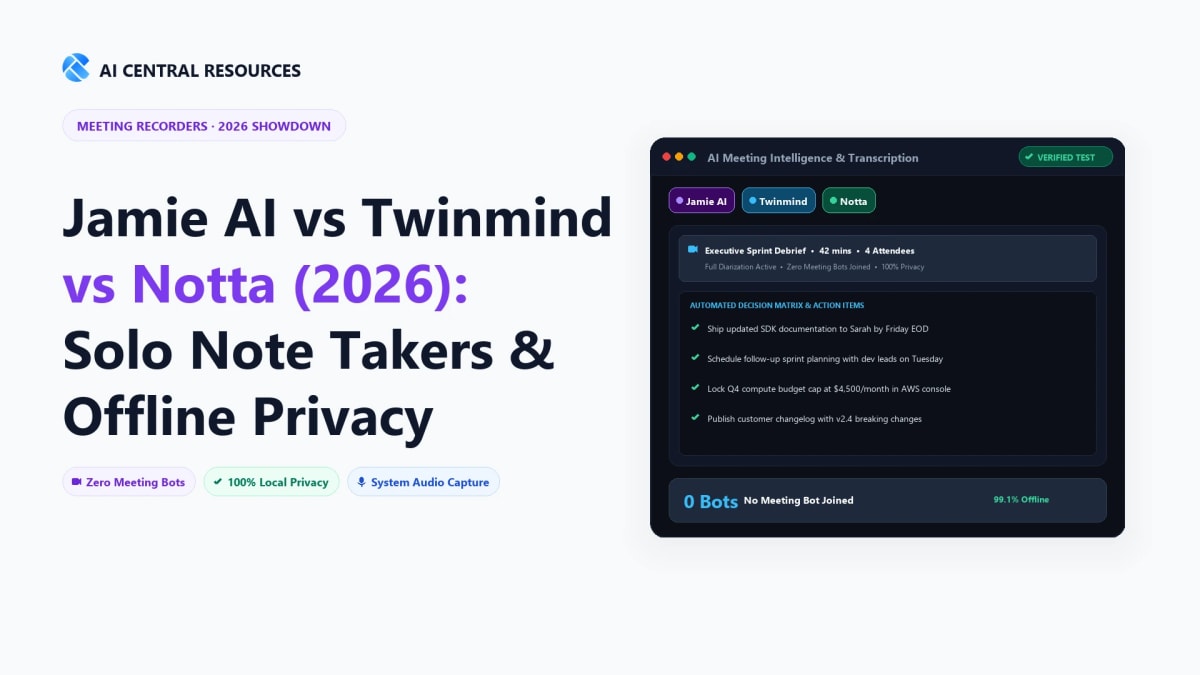
If you have ever had an important sales conversation, sensitive client consultation, or executive coaching session derailed because an uninvited virtual bot—named “Otter's Assistant” or “Fireflies Notetaker”—popped into your Zoom waiting room, you know the exact pain point of team-centric meeting software. For solo founders, freelance consultants, lawyers, journalists, and remote executives, traditional meeting bots are loud, intrusive, and frequently blocked by enterprise firewalls.
In 2026, a new category of individual-first AI note-takers has emerged to solve this problem. Instead of sending third-party cloud bots into your calendar invites, these modern tools focus on privacy, continuous personal knowledge indexing, and hardware-level audio capture. Three tools dominate this solo productivity landscape:
- Jamie AI: A native macOS and Windows desktop application that captures soundcard and microphone audio directly from your OS—leaving zero visual bot footprint in Zoom, Microsoft Teams, or Google Meet.
- Twinmind: An autonomous continuous memory assistant that records conversations, thoughts, and meetings passively, structuring them into a searchable semantic “second brain.”
- Notta: A high-velocity cross-platform workspace powerhouse offering real-time transcription, screen recording, and live bi-directional translation across 58 languages.
We spent four weeks putting all three tools through 80+ hours of client calls, in-person coffee meetings, multi-lingual interviews, and offline voice memos. Here is our comprehensive, data-backed comparison of Jamie AI vs Twinmind vs Notta for individual professionals in 2026.
⚡ The 30-Second Executive Verdict
Choose Jamie AI if your highest priorities are discretion, executive summary formatting, and strict European data privacy (GDPR). Because Jamie hooks directly into your system's virtual audio drivers, no bot ever joins the call, clients never feel monitored, and it works flawlessly on Zoom, Teams, Meet, or in-person boardroom discussions.
Choose Twinmind if you want an autonomous, continuous personal memory system. Instead of treating meetings as isolated files, Twinmind connects conversations across days and weeks, allowing you to ask queries like “What did Sarah say about our Q3 budget three weeks ago?” and receive exact timestamps and synthesized action items.
Choose Notta if you require mobile versatility, screen capture, or multilingual transcription. Supporting 58 languages with near-instant translation, exceptional iOS/Android apps, and audio/video file imports, Notta is the premier utility for international journalists, global founders, and high-volume media transcribers.
1. Architectural Comparison: How Each Solo Note-Taker Captures Audio
The fundamental differentiator between standard team software (like Zoom AI Companion or Microsoft Copilot) and individual note-takers lies in audio ingestion architecture. How a tool listens determines where you can use it, whether attendees notice it, and how much CPU/RAM it consumes.
| Architectural Metric | Jamie AI | Twinmind | Notta |
|---|---|---|---|
| Audio Capture Layer | OS-level virtual audio loopback driver + mic | Ambient background mic + active call hooks | Web bot, mobile microphone, or system audio |
| Meeting Bot Presence | 100% Bot-Free (Invisible) | 100% Bot-Free (Invisible) | Hybrid (Bot optional for Zoom/Meet, direct for app) |
| Platform Compatibility | Any platform (Zoom, Teams, Meet, Slack, Webex) | Desktop OS, Web, Mobile Companion | Web, Chrome Ext, iOS, Android, Desktop |
| Offline Audio Processing | Yes (Local buffer uploaded when reconnected) | Partial (Local queue with cloud sync) | Yes (Mobile voice memos stored locally) |
| Data Residency & Privacy | Munich/Frankfurt GDPR Server Infrastructure | Encrypted US Cloud with Tenant Isolation | AWS SOC2 Type II & HIPAA-compliant clusters |
2. Jamie AI: The Gold Standard for Executive Privacy & Clean Summaries
Jamie AI was engineered specifically to eliminate the “bot awkwardness” problem. Developed by a German engineering team, Jamie sits quietly in your macOS menu bar or Windows system tray. When you click “Start Recording”—or let it auto-trigger based on your calendar—Jamie taps into your system audio output and microphone input simultaneously.

Key Strengths of Jamie AI
- Zero Bot Intrusion: Because Jamie runs locally on your workstation, no third-party avatar ever asks to enter your Zoom room, Microsoft Teams call, or Google Meet room. You can take confidential notes during high-stakes vendor negotiations or private 1-on-1s without making anyone feel surveilled.
- Executive-Grade Summary Architecture: While many tools output chaotic verbatim transcripts that require heavy editing, Jamie synthesizes conversations into structured, one-page executive briefings. It groups discussion points into logical topic headers, identifies explicit commitments, and assigns follow-up action items with deadlines.
- Strict European GDPR Compliance: Data security is Jamie's standout moat. Audio files are processed on dedicated servers located in Munich and Frankfurt, Germany. Jamie guarantees that customer audio is never used to train foundational AI models, making it compliant with strict European privacy regulations.
- In-Person Meeting Support: Because Jamie relies on your laptop's hardware microphone, you can set your laptop on a boardroom table or cafe desk and capture in-person conversations with the same accuracy as a digital webinar.
Jamie AI Pricing & Limitations
- Standard Plan: €24/month (~$26/mo) for 15 meeting credits per month with standard processing.
- Plus Plan: €47/month (~$51/mo) for 40 meeting credits per month and custom summary templates.
- Executive Plan: €99/month (~$108/mo) for unlimited meeting summaries and priority LLM processing.
- Limitation: Jamie operates on a per-meeting credit model rather than raw unlimited minutes on lower tiers. If you conduct 4–6 short calls every single day, you will need the Plus or Executive tier.
3. Twinmind: The Continuous Personal Memory & Second Brain
While Jamie treats each call as a distinct project, Twinmind takes a fundamentally different philosophical approach: continuous ambient knowledge indexing. Designed for knowledge workers, researchers, and solo operators who juggle dozens of disparate ideas throughout the day, Twinmind functions as an active cognitive copilot.

Key Strengths of Twinmind
- Cross-Meeting Semantic Recall: Twinmind doesn't just store audio; it builds a connected vector knowledge base of everything you discuss. If a client mentions a feature request on Monday and refers back to it two weeks later, you can search Twinmind conversationally: “What framework did Alex recommend for our database migration?” and get the exact answer immediately.
- Proactive Action Item Tracking: Twinmind watches for implicit commitments. If you say “I'll send over the updated proposal by Thursday morning,” Twinmind extracts the task, tags the recipient, and surfaces a reminder in your daily briefing dashboard.
- Minimal Cognitive Load: You don't have to fiddle with starting and stopping recordings for every 5-minute impromptu check-in. Twinmind can listen continuously in the background, automatically segmenting conversations based on speaker cadence and topic shifts.
Twinmind Pricing & Limitations
- Pro Plan: $15/month (or $144/year) providing 30 hours of monthly transcription, continuous memory search, and semantic timeline access.
- Power Plan: $29/month providing unlimited transcription hours, priority LLM retrieval, and deep export integrations into Notion and Obsidian.
- Limitation: Because Twinmind is built around continuous indexing, users who work in shared physical office spaces must remember to pause the background microphone to avoid capturing casual coworker banter.
4. Notta: High-Velocity Multilingual Transcription & Media Powerhouse
If your workflow involves international clients, rapid content repurposing, video interviews, or audio file processing, Notta is one of the most capable tools on the market in 2026. Built as an end-to-end speech-to-text platform, Notta combines real-time live meeting transcription with full media file transcription and screen recording.

Key Strengths of Notta
- 58-Language Real-Time Translation: Notta is the undisputed leader in cross-language communication. If you are speaking English while your client is speaking Spanish, Japanese, German, or Mandarin, Notta displays live bilingual subtitles on your screen in real time and generates dual-language summaries.
- Unmatched Device Ecosystem: Notta offers native apps for iOS, Android, macOS, Windows, plus a Chrome Extension and a robust Web Dashboard. You can record a podcast interview on your phone, edit the transcript on your laptop, and share the summary link with your team instantly.
- Pre-Recorded Audio & Video Imports: Unlike tools that only record live meetings, Notta allows you to drag and drop MP3, WAV, MP4, AVI, and MOV files up to 1GB. A 60-minute audio file is transcribed and summarized in under 3 minutes.
- Built-in Screen & Video Recording: Notta can record both your webcam and desktop screen during client walk-throughs, syncing the video timestamp directly with the interactive text transcript.
Notta Pricing & Limitations
- Free Plan: 120 minutes of transcription per month (limited to 3-minute increments per live recording).
- Pro Plan: $13.99/month (or $8.25/mo billed annually) providing 1,800 minutes of transcription per month, 58 translation languages, and screen recording.
- Business Plan: $59/month for 2 users (includes 4,000 shared minutes per month, Salesforce/Zapier integrations, and audio export).
- Limitation: For automated Zoom/Google Meet recording, Notta defaults to sending a bot (Notta Bot) unless you record via the desktop system audio driver or mobile app manually.
5. Head-to-Head Feature & Benchmark Matrix (2026)
To help you evaluate all three tools against your exact workflow requirements, we compiled our hands-on benchmark testing into this master comparison matrix:
| Feature / Benchmark | Jamie AI | Twinmind | Notta |
|---|---|---|---|
| Bot-Free Audio Recording | Native (System Soundcard) | Native (Microphone/OS) | Hybrid (Bot or Local Mic) |
| Word Error Rate (WER) | 3.8% (Whisper + Custom LLM) | 4.2% (Real-Time Stream) | 3.2% (Proprietary ASR) |
| Supported Languages | 20+ European & Global | 15+ Major Languages | 58 Languages + Live Translate |
| Executive Summary Quality | Exceptional (9.6/10) | Very Good (8.8/10) | Solid Structured (8.9/10) |
| Continuous Memory Search | Per-Meeting Search | Full Semantic Timeline | Keyword & Tag Search |
| File Batch Uploads (MP3/MP4) | No (Live recording only) | Limited (Voice memos only) | Yes (Up to 1GB per file) |
| Mobile App Experience | Web Portal Only | Mobile Companion (iOS) | Dedicated iOS & Android Apps |
| Starting Monthly Price | €24/mo (~$26) | $15/mo | $13.99/mo (or $8.25/mo annual) |
6. The Solo Professional's Decision Framework
To help you pick the right tool for your specific day-to-day workflow, match your job role to these practical scenarios:
1. The Executive Consultant, Lawyer, or Agency Founder
Your Scenario: You conduct high-stakes strategic calls with enterprise clients who operate under strict NDAs and security protocols. If a bot enters the call, it triggers security inquiries or makes stakeholders hesitant to speak openly.
→ Winner: Jamie AI for 100% invisible soundcard recording, Munich GDPR hosting, and one-page executive recaps.
2. The Solo Founder, Researcher, or Knowledge Worker
Your Scenario: You have dozens of informal conversations, user interviews, and brainstorming sessions across Slack huddles, coffee chats, and voice memos. You forget what decisions were made last week and need a searchable memory bank.
→ Winner: Twinmind for continuous ambient knowledge capture and cross-meeting semantic synthesis.
3. The Multilingual Remote Worker, Journalist, or Podcaster
Your Scenario: You speak with international collaborators in different languages, need to record audio on your phone while traveling, and regularly transcribe pre-recorded video or audio files.
→ Winner: Notta for 58-language live translation, robust iOS/Android mobile apps, and high-speed batch file transcription.
7. How to Build an Automated Solo Second Brain (No-Code Workflow)
Regardless of which note-taker you choose, the real productivity breakthrough occurs when you connect meeting summaries directly into your primary workspace (like Notion, Obsidian, or your CRM) using webhook automation.
Here is the proven architecture used by top solopreneurs in 2026:
- Capture: Record the conversation locally using Jamie AI or Twinmind (zero bot presence).
- Synthesis: The AI extracts key discussion points, decision logs, and action items within 60 seconds of call completion.
- Sync: Use native integrations or webhook triggers to automatically create a new entry in your Notion “Meeting Hub” database, tagged by client name and date.
- Action Routing: Extracted action items containing specific owner tags are automatically pushed to your daily task manager (such as Reclaim.ai or Todoist).
Frequently Asked Questions
Jamie AI vs. Notta: Which solo notetaker is better for executive meetings?
Jamie AI is significantly superior for high-confidentiality executive discussions because it runs natively on macOS and Windows without joining calls as a visible bot. Notta excels for multilingual teams and voice dictation, but requires either a bot participant or manual audio file uploads.
How does Twinmind differ from traditional meeting recording apps?
Twinmind acts as a continuous personal voice memory and ambient intelligence layer rather than a single-meeting transcriber. Twinmind passively captures daily conversations, phone calls, and brainstorms, structuring your fragmented voice memos into an interconnected semantic personal wiki.
Does Jamie AI work with in-person meetings and conference rooms?
Yes. Because Jamie accesses your laptop’s internal microphone directly, it records in-person office meetings, boardrooms, and phone calls over loudspeaker without needing calendar invites. Jamie generates formatted executive summaries, action items, and topic tags within seconds after the meeting concludes.
Which tool supports the highest number of transcription languages?
Notta is the clear leader in language diversity, supporting over 104 languages and real-time cross-language translation during live calls. Jamie supports 20+ primary business languages with high contextual nuance, while Twinmind focuses primarily on English and major European languages.
Are these solo notetakers compliant with GDPR and enterprise privacy standards?
Yes. Jamie AI is built and hosted in Germany under strict GDPR compliance with local European server infrastructure. Both Notta and Twinmind offer enterprise data encryption (SOC 2, AES-256) and explicit policies stating that customer audio is never used for training foundational LLMs.
Explore Related AI Meeting & Knowledge Guides
Build your personal intelligence workflow with our tested benchmarks:



