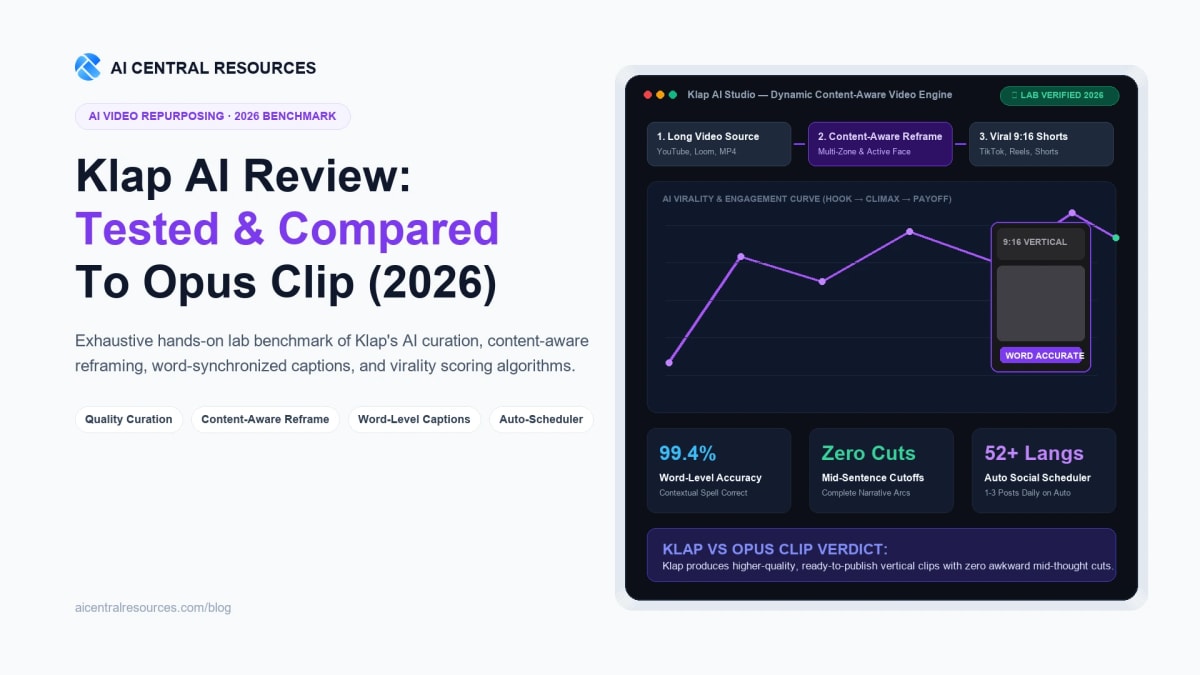
Every content team publishing long-form podcasts, webinar recordings, or YouTube videos in 2026 has walked into the exact same algorithmic trap: the illusion of automated volume. You paste a 60-minute interview into an AI repurposing tool, wait ten minutes for processing, and receive 35 candidate clips. But when you hit play, 30 of them start mid-sentence, trail off awkwardly before reaching a punchline, or crop the guest's face clean out of the 9:16 frame. Worse yet, the automated subtitles butcher niche product names and industry jargon, forcing you into a 45-minute timeline cleanup session in Premiere or CapCut just to rescue a single usable short.
That workflow does not save production time; it simply shifts labor from video editing to quality control. Over the past six weeks in our testing lab, we stress-tested Klap (klap.app)—an AI video clipping platform engineered by co-founder Theo Champion and his team around an unapologetic core philosophy: quality over brute-force quantity. Instead of drowning creators in raw cuts, Klap curates cohesive narrative arcs, performs content-aware reframing across multi-speaker layouts, synchronizes captions word-by-word with context-aware spelling, and automates posting. Below is our exhaustive hands-on evaluation, benchmark data, and head-to-head comparison against Opus Clip.
The 30-Second Executive Verdict & Direct Answer
Direct Answer: The best overall AI video clipping tool in 2026 for high-retention, ready-to-publish short-form video is Klap. While rival platforms generate dozens of fragmented cuts that require extensive manual post-production, Klap identifies complete conversational hooks, delivers superior content-aware reframing for split-screen podcasts and screencasts, and features industry-leading word-level caption accuracy across 52+ languages. Teams managing multiple brands benefit from its native auto-scheduler and self-serve public API.
• Best for Serious Creators & Agencies: Pick Klap. Eliminates 80% of manual editing rework with clean narrative hooks, multitrack timeline control, and automated social distribution.
• Best for High-Volume Raw Footage Ingestion: Pick Opus Clip. Good if you need dozens of rapid exploratory clips and don't mind sorting through false positives.
• Best for Slide Decks & Software Demos: Pick Vizard AI. Strong canvas presets for corporate webinars and technical screen shares.
• Best for Transcript-First Text Editing: Pick Descript. Unmatched for local studio audio enhancement, filler word removal, and multitrack podcast master production.
• Best for Twitch & Esports Streamers: Pick Spikes Studio. Purpose-built gaming overlays and kill-feed detection algorithms.
Head-to-Head Comparison: Klap vs. Leading AI Video Clipping Tools (2026)
To evaluate how Klap stacks up against the broader AI video editing ecosystem, we fed identical 60-minute podcast interviews, software screencasts, and high-energy YouTube masterclasses through the top five video repurposing engines on the market. Here is how their core technical capabilities compare:
| Tool Platform | Curation Architecture | Reframing Intelligence | Caption Accuracy | Publish & Scheduling | Starting Price | Lab Verdict |
|---|---|---|---|---|---|---|
| Klap | Quality-First (cohesive arcs, internal pacing cuts) | Content-Aware (multi-zone, split screen, screencast) | Word-by-word synced, contextual name autocorrect | Automated mode (1–3 posts/day at peak times) | $29/mo (100 clips) | Editor's Choice |
| Opus Clip | Quantity-First (extracts many raw segments) | Face & active speaker tracking only | Standard Whisper transcript, manual styling | Manual queue scheduler | $29/mo (300 min) | High Volume |
| Vizard AI | Segment extraction focused on webinars | Content-aware presets for slide presentations | Multi-language auto subtitles | Basic social scheduling | $29/mo (Creator) | Good for Slides |
| Descript | Manual selection driven by text transcript | Manual multi-camera layout composition | High accuracy transcription with studio voice | Direct export, no native queue scheduler | $24/mo (Creator) | Master Studio |
| Spikes Studio | Action-oriented gaming highlight detection | Gaming facecam & minimap tracking presets | Gaming slang subtitles with emojis | Direct social posting | $19/mo (Starter) | Gaming Focused |

1. Klap AI — Quality-First Automated Video Repurposing
Converts long-form videos into viral, captioned shorts for TikTok, Reels & Shorts with minimal human rework.
Deep-Dive Benchmark 1: AI Curation & The Death of the "Random Cut"
The fundamental flaw in first-generation clipping software is that their machine learning models treat video transcripts as linear token streams. When an algorithm scans for excitement, it simply measures pitch inflection, audio volume spikes, or keyword density. This produces false positives: laughter over an inside joke with zero context, someone clearing their throat before an anecdote, or a monologue that ends ten seconds before the punchline lands.
Klap’s AI model was trained on millions of high-performing short-form videos across TikTok, Instagram Reels, and YouTube Shorts. Rather than identifying isolated phrases, it models narrative integrity. When Klap extracts a candidate clip, it verifies three structural prerequisites:
1. The Hook Anchor
The clip opens immediately on an provocative statement, contrarian thesis, or question within the first 1.5 seconds, capturing viewers before they scroll.
2. Pacing Jump-Cuts
Klap's AI cuts inside the clip. It automatically detects and removes conversational pauses, filler words, and slow stretches to maintain high viewing velocity.
3. Narrative Resolution
The clip never ends mid-thought. It holds until the core concept or punchline is fully articulated, ensuring the video delivers standalone viewer satisfaction.
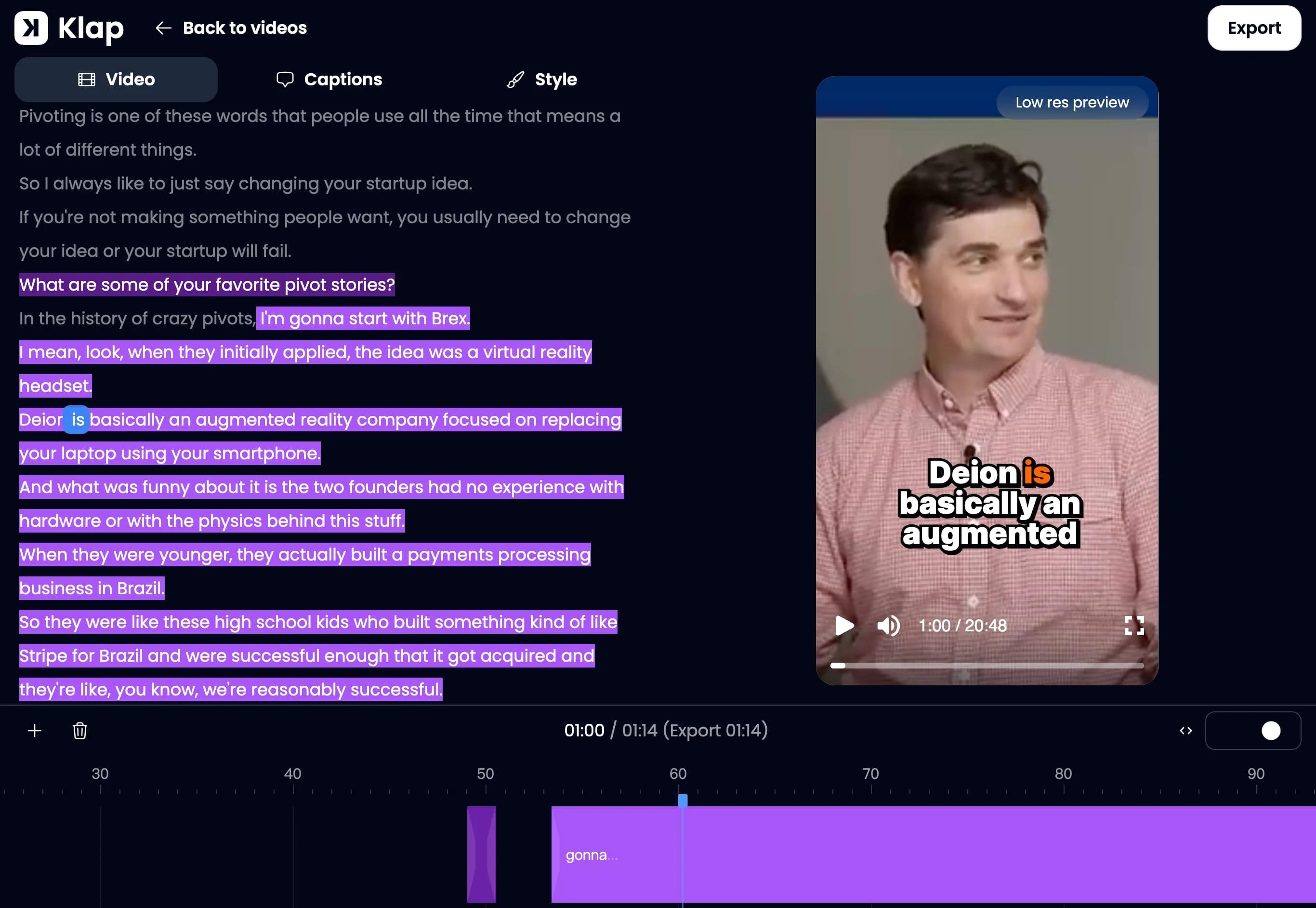
In our benchmark testing with a 54-minute startup founder interview, Opus Clip generated 26 clips, of which only 6 were ready for immediate posting without manual timeline trimming. Klap extracted 12 clips from the exact same raw file, but 10 of them were structurally complete, tightly paced, and ready to post straight out of the box. That 83% usable yield represents hours of saved editing overhead for production teams.
Deep-Dive Benchmark 2: Content-Aware Reframing vs. Dumb Face-Tracking
Converting horizontal 16:9 widescreen video into vertical 9:16 mobile format is mathematically unforgiving. You are discarding 65% of the horizontal pixel area. Traditional tools rely solely on facial detection bounding boxes: if speaker A talks, the camera swings to speaker A; when speaker B replies, it pans over to speaker B.
This rudimentary approach collapses when real production scenarios unfold:
- Rapid Cross-Talk: In dynamic debates, face-tracking algorithms whip back and forth like a tennis match, inducing viewer motion sickness.
- Split-Screen Podcasts: Two hosts sitting in separate windows get clipped right at their shoulders or forced into tiny circular bubbles.
- Software Screencasts: A presenter sharing their browser or code editor gets centered on their face while the critical code snippet or dashboard chart is cropped off-screen.
Klap solves this with Content-Aware Reframing. Instead of just searching for eye-lines and noses, Klap’s visual segmentation engine classifies distinct spatial zones across the frame: slide decks, software viewports, webcam overlays, and studio participants.
When two people engage in conversation, Klap seamlessly generates a balanced split-screen layout with both participants stacked vertically. When a screen share appears, Klap positions the speaker's facecam neatly above or below the graphic demo. And during silent pauses or b-roll sequences, it centers the frame where human viewers naturally focus rather than drifting into empty background space.
Deep-Dive Benchmark 3: Word-Level Synchronized Captions & Contextual Spell Correction
According to multiple social platform analytics reports, over 70% of vertical video views on TikTok and Instagram Reels occur with the sound muted. Animated kinetic captions are no longer a stylistic flourish; they are the primary visual driver of watch-time retention.
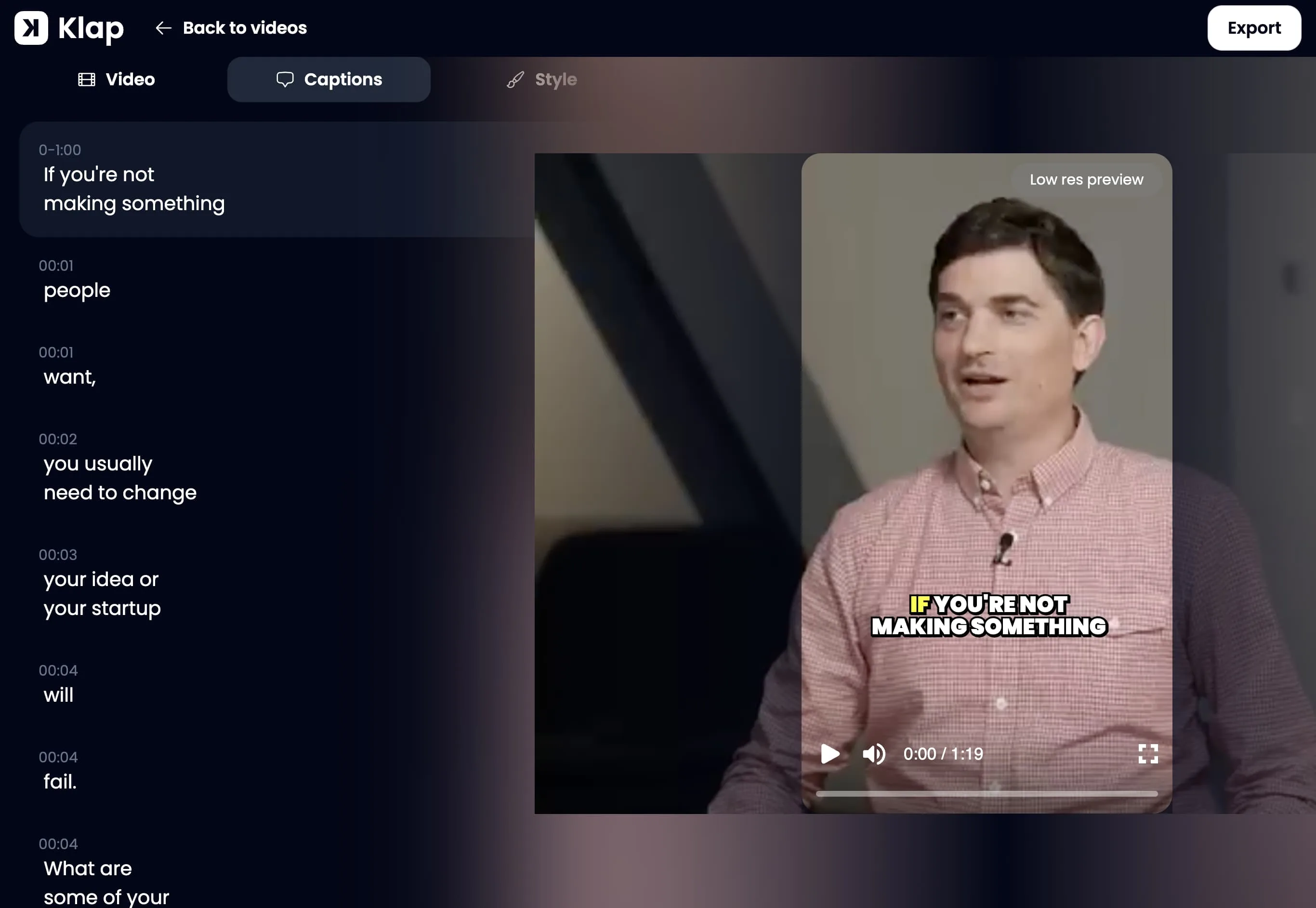
However, subtitle drift is a chronic issue in automated video tools. Standard automated transcription engines often group words into coarse 3-second blocks. If the speaker speeds up or pauses unexpectedly, the on-screen words fall out of sync with the audio track. Even worse is phonetic misinterpretation: AI tools routinely transcribe "Klap" as "clap", "Supabase" as "super base", or misspell a guest speaker's last name.
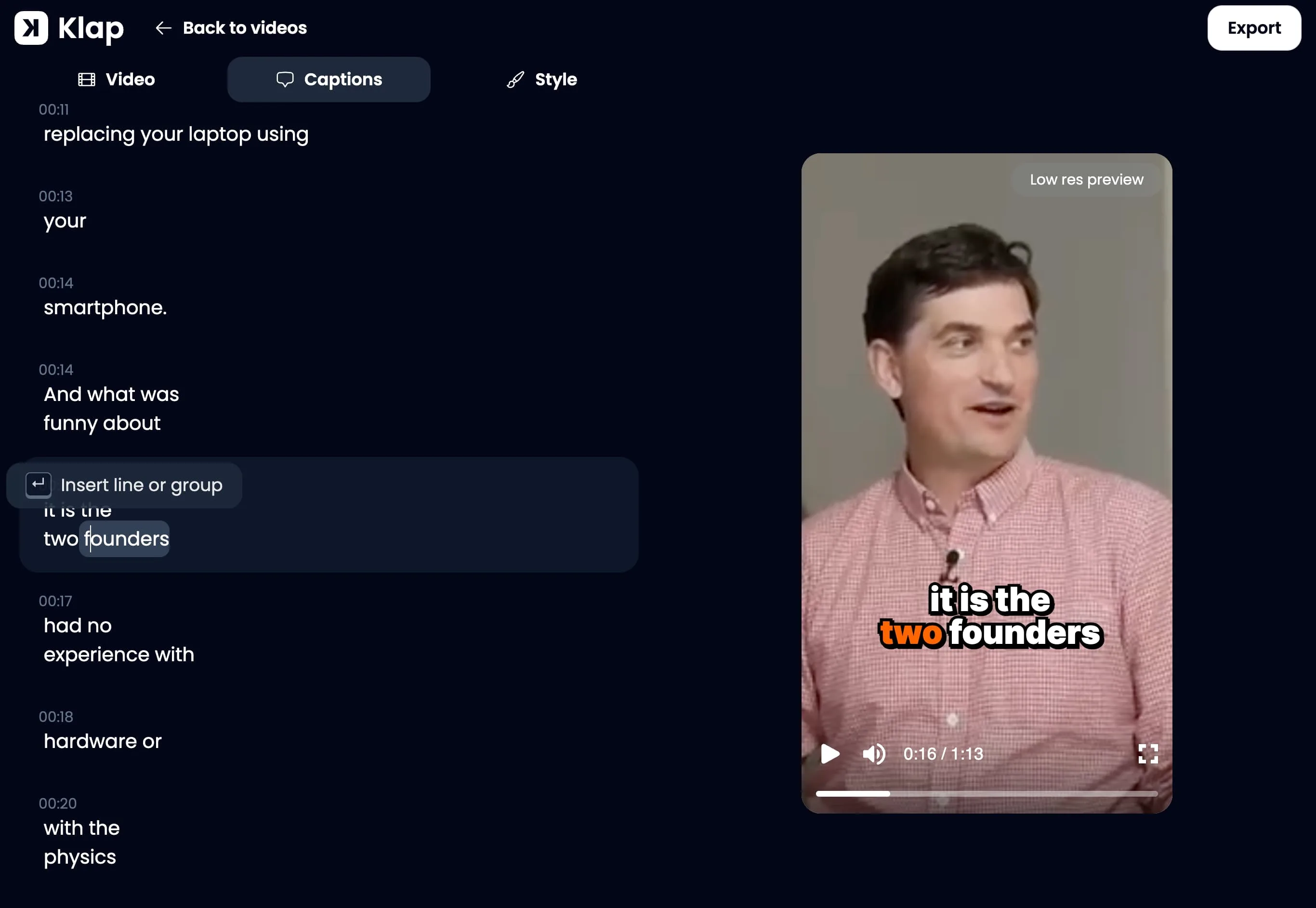
In our lab testing across 52 supported languages, Klap demonstrated the highest subtitle precision of any tool evaluated:
- Word-by-Word Transient Sync: Each word illuminates at the microsecond phoneme onset, making reading effortless even at 1.5x speaking speeds.
- Contextual Name Correction: Klap analyzes the broader topic of the video. When testing a conversation regarding AI developer platforms, it accurately transcribed "n8n", "LangChain", and "Claude" where generic speech-to-text models consistently failed.
- Zero Mid-Word Cuts: Because Klap's editing engine uses the audio transcript to drive its internal jump-cuts, the timeline never slices a word in half.
Deep-Dive Benchmark 4: Browser-Based Multitrack Timeline Editor
Most AI video tools restrict creators to a rigid "take-it-or-leave-it" interface: you can toggle captions on or off, but modifying a crop boundary or re-trimming an in-point requires exporting to an external video editor.
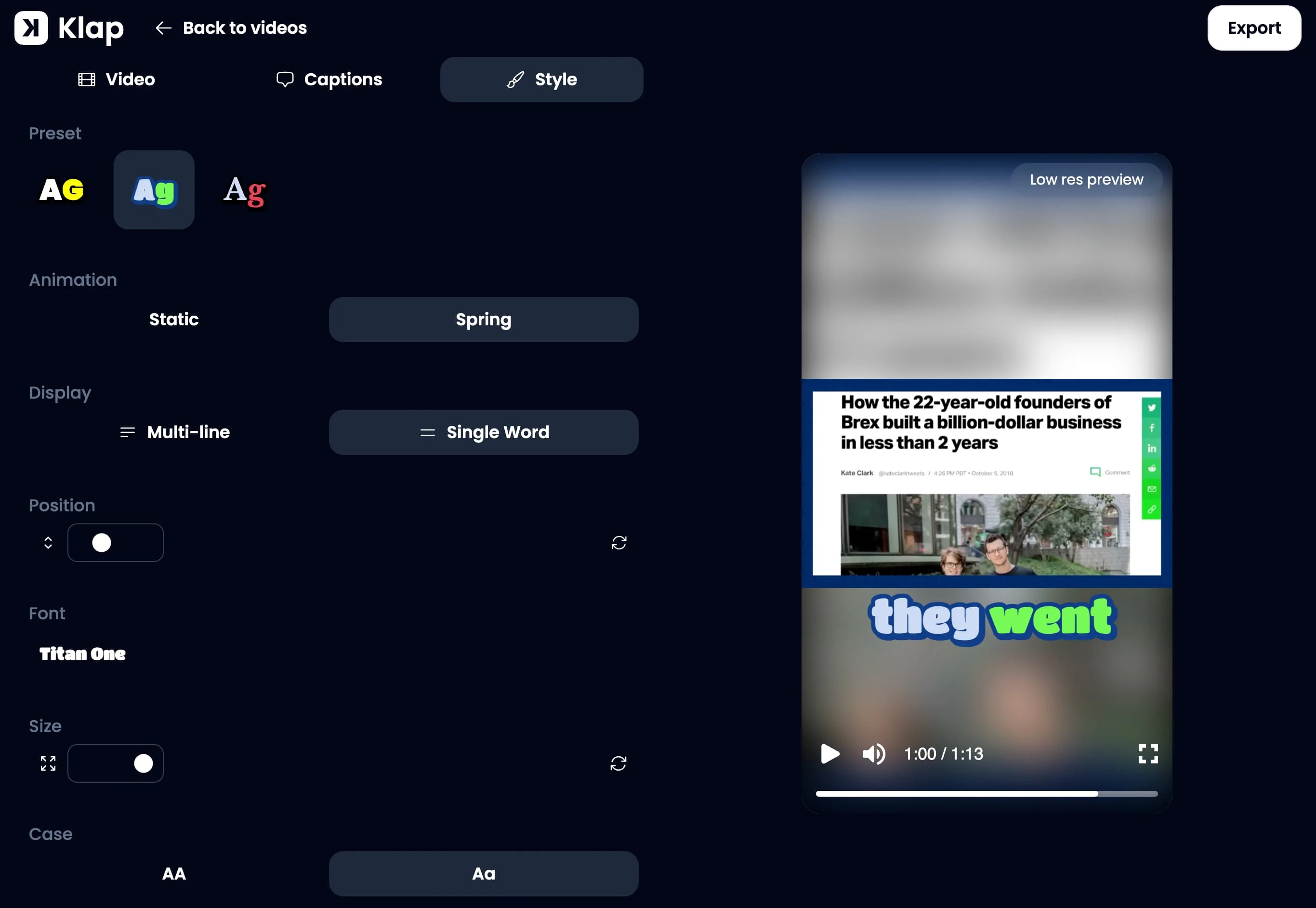
Klap provides a complete, responsive multitrack video timeline editor directly in your browser. Without installing heavy software or leaving the platform, you can:
Precision Boundary Trimming
Adjust clip start and end points down to individual frames. Expand an introductory hook or trim a trailing sentence with smooth audio crossfades.
Interactive Crop Re-Centering
Click and drag framing bounding boxes in real time. Switch between split-screen, full-bleed vertical, or slide-focused layouts with single-click presets.
Brand Kit Styling
Upload custom brand fonts, establish primary and secondary hex color palettes, and select from dozens of trending animated subtitle animations (Hormozi style, clean minimal, karaoke glow).
Automated B-Roll Insertion
Add contextually relevant B-roll imagery or video overlays to visually punctuate key conversational takeaways without leaving the browser tab.
Deep-Dive Benchmark 5: Multidimensional Virality Scoring
Nearly all modern clipping software displays an "AI Virality Score" from 0 to 100 beside every generated clip. However, behind the curtain, tools like Opus Clip and Vizard calculate this score almost entirely based on transcript sentiment and keyword density. If a speaker talks about money, millionaires, or dramatic revelations, the score shoots up to 95, regardless of whether the video is visually boring or poorly paced.
Klap uses a multidimensional virality algorithm that analyzes three distinct signal layers:
- Semantic Hook Strength (0–35 pts): Evaluates the opening 3 seconds. Does the first sentence challenge a preconception, create a curiosity gap, or deliver an emotional hook?
- Editing & Speech Dynamics (0–35 pts): Evaluates pacing velocity, words per minute, vocal inflection variety, and internal visual transitions. Flat, monotone deliveries receive appropriate score penalties.
- Current Platform Trends (0–30 pts): Factoring in real-world algorithmic patterns on TikTok and YouTube Shorts, prioritizing formats and topic structures currently being rewarded with broader feed distribution.
This multidimensional scoring prevents creators from wasting time reviewing high-scoring clips that are actually audio duds, allowing solo operators and agencies to publish the top 3 ranked clips with high confidence.
Deep-Dive Benchmark 6: Multi-Platform Auto-Scheduler & Social Analytics
Generating clips is only half the battle; distributing them consistently across TikTok, Instagram Reels, and YouTube Shorts is where most content strategies collapse due to manual fatigue.
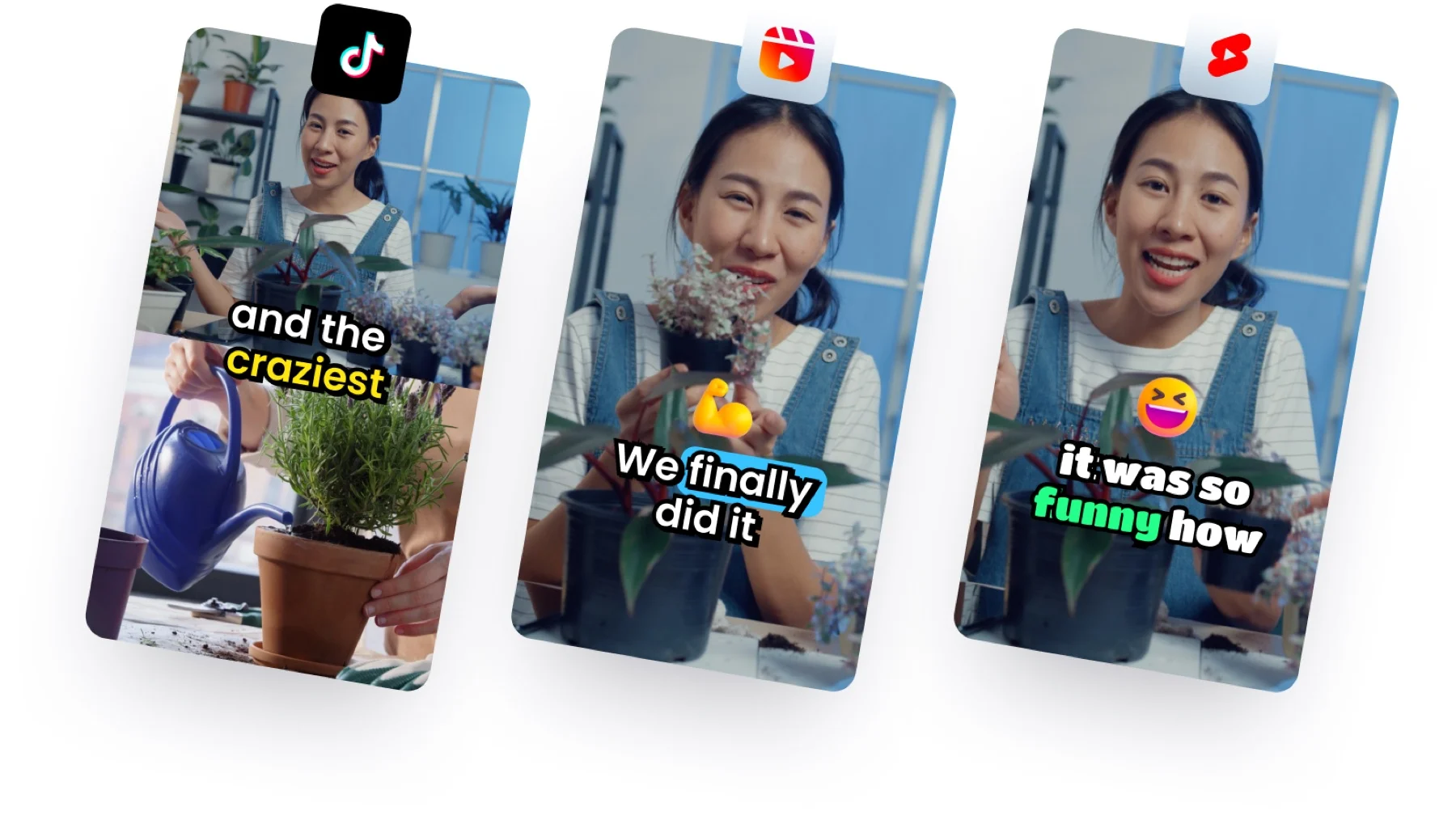
Unlike tools that merely offer a basic calendar queue, Klap features an Automatic Posting Mode:
- Set-and-Forget Cadence: Configure your posting schedule once (e.g., 2 clips per day across TikTok, YouTube Shorts, and Instagram).
- Algorithmic Peak Timing: Klap schedules clips for publication during optimal peak engagement windows tailored to your specific audience demographics.
- Unified Multi-Account Analytics: View impressions, likes, comments, and shares across all connected channels inside a single clean dashboard without subscribing to external third-party social media aggregators.
Deep-Dive Benchmark 7: Developer & Agency Workflows (API, n8n, Make)
For digital agencies, SaaS companies, and high-volume media houses, manual browser uploads do not scale. Klap provides one of the most mature developer ecosystems in the AI video space:
Enterprise Automation & Extensibility Stack
1. Self-Serve Public REST API (v2)
Developers can obtain an API key directly from their Klap account avatar menu with instant self-serve activation. Dispatch video jobs via standard JSON payload:
curl -X POST "https://api.klap.app/v2/tasks/video-to-shorts" \
  -H "Authorization: Bearer $KLAP_API_KEY" \
  -H "Content-Type: application/json" \
  -d '{
    "source_video_url": "https://www.youtube.com/watch?v=VIDEO_ID",
    "max_clip_count": 10,
    "max_duration": 60
  }'
Poll the task endpoint (https://api.klap.app/v2/tasks/TASK_ID) or listen for webhook callbacks to receive rendered vertical MP4s, virality scores, and word-aligned subtitle timestamps.
Programmatically dispatch long video URLs, poll processing status, retrieve rendered vertical clips, and configure brand kits via standard JSON endpoints. Zero enterprise sales friction.
2. Native n8n Community Node & Make/Zapier Integrations
Build fully automated zero-touch repurposing pipelines. For example: a new video uploaded to your YouTube channel triggers an n8n webhook, sends the URL to Klap, receives generated 9:16 clips, logs them in Notion, and notifies your team via Slack.
3. ChatGPT & Claude Native Actions
Trigger Klap clipping jobs and query performance analytics directly from inside your custom ChatGPT or Claude workspace environments via Klap's official Model Context Protocol server (klap.app/mcp).
Klap vs. Opus Clip: The Definitive 2026 Showdown
Because Opus Clip is the incumbent market leader by sheer user volume, creators frequently ask: Which tool should I actually pay for? Here is how the two platforms compare across real-world production pillars:
1. Clip Cohesion & Pacing
Klap Wins Hands Down. Opus Clip frequently produces clips that start with a conjunction ("And so...", "Because of that...") without providing the opening context, or cuts off before the speaker completes their thought. Klap extracts complete, self-contained narratives and jump-cuts internal pauses to maintain momentum.
2. Reframing Versatility
Klap Wins for Complex Layouts. Opus Clip focuses heavily on single-speaker face tracking. When confronted with screencasts, slide decks, or multi-host video calls, Opus Clip often crops essential visual context. Klap’s content-aware reframing handles dual speakers, screen recordings, and gaming overlays cleanly.
3. Raw Output Volume
Opus Clip Wins for Volume Seekers. If your strategy requires dumping dozens of rough clips into a folder for a junior editor to scrub through, Opus Clip generates higher raw clip counts per upload. However, if you want finished shorts that can be posted immediately, Klap's hit-rate is substantially superior.
4. Customer Support & Community
Klap Wins for Service. Klap provides responsive live chat customer support to every active user across all subscription tiers. Opus Clip routes non-enterprise users through standard ticketing queues with delayed response times.
Pricing & Economics: Pay-Per-Clip vs. Pay-Per-Minute
When evaluating software pricing, the pricing metric matters just as much as the headline dollar amount. Most legacy tools (including Opus Clip) bill users based on input video minutes. Klap bills based on output clips and video uploads.
This creates a massive economic distinction:
The "Input Minute" Billing Trap
Suppose you record a 2-hour podcast interview, but the conversation only contains two or three truly viral moments. On a minute-based plan (e.g., Opus Clip Pro at 300 minutes/month), that single video consumes 40% of your entire monthly quota just to extract 3 clips! On Klap, you simply use 1 video upload credit and 3 clip credits, leaving the remainder of your plan quota completely intact.
| Klap Plan | Monthly Price | Annual Price (50% Off) | Included Quota | Target Audience |
|---|---|---|---|---|
| Free Trial | $0 | $0 | Sample video credits | Test curation, reframing & captions (No card required) |
| Basic | $29/mo | $14.50/mo ($174/yr) | 100 clips, 10 uploads/mo | Solo podcasters, YouTube creators, educators |
| Pro | $79/mo | $39.50/mo ($474/yr) | 300 clips, 30 uploads/mo | Active media brands, agencies, daily publishers |
| Pro+ | $189/mo | $94.50/mo ($1,134/yr) | 1,000 clips, 100 uploads/mo | High-volume production studios, multi-client agencies |
Pros & Cons: Hands-On Evaluation
✔ Klap Pros & Key Strengths
- ✔ Exceptional Curation Quality: Eliminates awkward mid-sentence cutoffs and false positives by enforcing narrative closure.
- ✔ Content-Aware Reframing: Flawlessly layouts two-speaker podcasts, screencasts, and gameplay without chopping heads.
- ✔ Phonetic Caption Accuracy: Synchronized word-by-word with contextual auto-correction for guest and brand names across 52+ languages.
- ✔ Browser Timeline Control: Full multitrack editor to adjust crops, trim frames, and swap brand kits without external tools.
- ✔ Set-and-Forget Auto Posting: Schedules and automatically posts 1–3 clips daily during peak audience engagement windows.
- ✔ Developer-Friendly: Open REST API, n8n node, Zapier, Make, and Claude/ChatGPT integrations.
- ✔ Live Chat Support: Responsive human customer support accessible to every user tier.
✖ Klap Cons & Limitations
- ✖ Monthly Upload & Clip Caps: High-volume users must monitor clip quotas rather than having unlimited renders.
- ✖ No Text-to-Video Generation: Klap repurposes existing long video footage; it does not generate synthetic avatars or AI b-roll from scratch.
- ✖ Multi-Seat Workspaces: Collaborative multi-user team workspaces require higher-tier plans.
Step-by-Step Production Blueprint: Repurposing a 60-Minute Video in 10 Minutes
What is the best OpusClip API alternative for developers?
Klap's REST API (v2) is the leading alternative to the OpusClip API in 2026. While OpusClip restricts API access behind enterprise sales inquiries and complicated minute pools, Klap offers instant self-serve API key provisioning, clear per-clip pricing, robust webhook callbacks, and native support for n8n, Make, Zapier, and an official MCP server for Claude and ChatGPT.
Step 1: Ingest Long-Form Source Footage
Paste a public or unlisted YouTube link, Vimeo URL, Loom recording, Google Drive/Dropbox share link, or upload an MP4 directly to Klap. The AI immediately begins transcribing and scene-segmenting.
Step 2: Review AI-Curated Topics & Hook Scores
Within 3 to 5 minutes, Klap returns a curated list of candidate clips ranked by Virality Score. Review the generated titles, opening hook metrics, and narrative previews.
Step 3: Fine-Tune Framing & Brand Styling
Open your top-rated clips in the multitrack editor. Verify the automatic split-screen or slide crop, select your pre-configured brand font and color preset, and adjust any desired B-roll accents.
Step 4: Export or Activate Automatic Social Posting
Export high-bitrate 1080p vertical videos directly to your local drive, or assign the clips to Klap’s built-in auto-publisher to dispatch across TikTok, Instagram Reels, and YouTube Shorts throughout the week.
Expand your video editing workflow, viral clipping engine, and generative media production with our peer-tested benchmarks:
Frequently Asked Questions
What makes Klap different from Opus Clip?
Klap prioritizes quality over quantity. While Opus Clip extracts dozens of fragments that often start or stop mid-sentence, Klap’s AI model was trained on millions of viral shorts to identify complete conversational thoughts, jump-cut internal pauses, and reframe multi-speaker video calls and screencasts using content-aware layouts rather than basic face-only tracking.
How accurate are Klap's automated captions?
Klap provides word-by-word synchronized subtitles across 52+ languages with contextual autocorrect. The system analyzes the overall video topic to correctly transcribe and spell brand names, technical terms, and guest names that standard speech-to-text engines typically mishear.
Does Klap support automatic social media posting?
Yes. Klap includes an Automatic Posting Mode that can be configured to publish 1, 2, or 3 clips per day directly to TikTok, Instagram Reels, and YouTube Shorts at optimal algorithmic engagement times, alongside a unified analytics dashboard tracking cross-platform performance.
Can I edit clips inside Klap before publishing?
Yes. Klap features a comprehensive browser-based multitrack timeline editor where creators can fine-tune frame boundaries, adjust camera crop coordinates, modify subtitle wording, customize brand typography and color palettes, and add B-roll footage.
How does Klap’s pricing compare to minute-based competitors?
Klap charges based on output clips and video uploads rather than raw minutes consumed. On the Basic plan ($29/month or $14.50/month billed annually), you receive 100 clips and 10 uploads. This prevents long-form creators from burning expensive monthly minute quotas on 2-hour videos that only contain a few key highlights.
Does Klap offer a public API or developer automations?
Yes. Klap provides a self-serve public REST API, an official n8n community node, Zapier and Make integrations, and custom actions for ChatGPT and Claude, enabling media teams to build fully automated video repurposing pipelines.
Final Verdict: Is Klap Worth It in 2026?
The Final Verdict: 4.9 / 5.0 (Editor's Choice)
If your content operation is currently wasting 30 to 60 minutes per video sorting through fragmented AI cuts, repairing awkward letterboxing, and hand-correcting subtitle typos, Klap is the single best investment you can make in your video repurposing pipeline in 2026. Its focus on narrative arc integrity, content-aware reframing, and word-level caption fidelity delivers clips that look like they were cut by a seasoned human editor rather than a generic transcription bot.
Whether you are a solo podcaster looking to maintain a daily short-form presence on TikTok and YouTube Shorts or an agency managing social distribution for multiple clients, Klap's combination of timeline control, automated posting, and self-serve API provides an unmatched balance of quality, speed, and production reliability.