

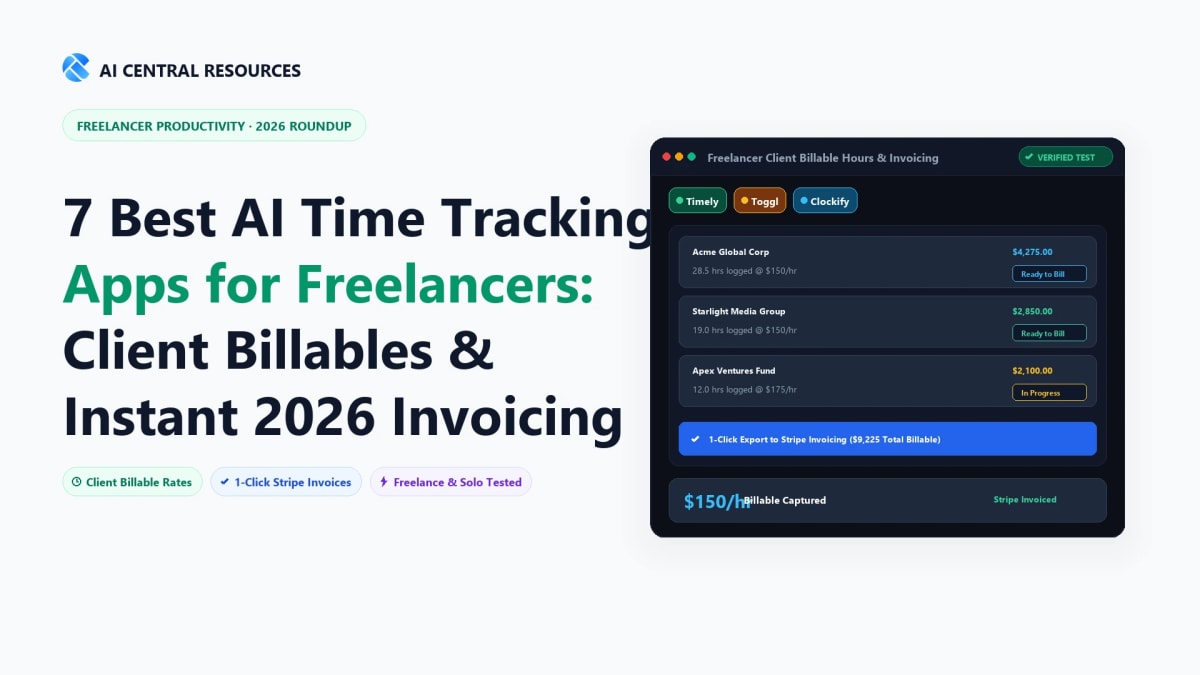
If you bill by the hour, an untracked minute is revenue that quietly disappears. For independent consultants, freelancers, and agency operators, lost billable time is rarely stolen or disputed by clients—it simply goes unrecorded. You take a quick 15-minute debugging call, answer an urgent client message on Slack, review a proposal during lunch, and switch contexts six times before realizing your timer was never started. In 2026, autonomous AI time tracking apps eliminate manual timers entirely, building accurate, client-ready timesheets in the background while you work.
Whether you need an automated background memory tracker, seamless multi-currency client invoicing, or a subcontractor management suite, choosing the right software can recover 3 to 5 lost billable hours every single week. In this guide, we evaluate the 7 best AI time tracking apps for freelancers and consultants, complete with verified interface screenshots, pricing breakdowns, and direct comparisons.
The Quick Answer: For freelancers and consultants billing clients by the hour, Timely is the overall #1 AI time tracker, automatically matching app usage and meetings to client invoices with 90%+ accuracy. For consultants requiring strict on-premise privacy with zero cloud data storage, Memtime is the safest choice. For freelancers on a budget needing lightweight timers and rate tracking, Toggl Track provides the best free-to-paid flexibility.
Why Traditional Timers Fail (And How AI Fixes It)
Traditional time trackers (like stopwatches or spreadsheet logs) fail because they rely on 100% human discipline. The moment you get interrupted, your data is compromised:
- The Start/Stop Penalty: Forgetting to click "start" when jumping into client work leads to conservative under-billing at the end of the week.
- Context-Switching Blindspots: Freelancers who juggle multiple clients lose an average of 15% of their daily billable output to unrecorded micro-tasks.
- Manual Categorization Drag: Spending 30 minutes every Friday guessing which project files belonged to which client invoice creates administrative burnout.
Modern AI-powered time trackers operate autonomously in the background. They monitor open browser tabs, active code files, Figma canvases, and meeting audio, using local machine learning models to cluster your activities and draft complete timesheets with zero manual button pressing (as outlined in our comprehensive Ultimate Guide to AI Productivity Tools).
Top AI Time Tracking Apps for Freelancers: 2026 Comparison Matrix
| App | Tracking Mechanism | Client Invoicing | Free Tier | Starting Price | Best For |
|---|---|---|---|---|---|
| Harvest | Manual + Smart Timer Integrations | Full Native Invoicing & Stripe/PayPal | Free (1 seat, 2 projects) | $10.80/user/mo | Hourly Client Invoicing |
| Toggl Track | One-click timer + Auto-tracking triggers | Exportable billable reports | Free up to 5 users | $9/user/mo Starter | Clean UI & Billable Rates |
| Timely | 100% Autonomous Memory AI Capture | Budget & Project Health Reports | 14-day free trial | $9/user/mo | Zero-effort automatic tracking |
| Clockify | Timer + Offline Mode + Kiosk | Standard plan add-on | 100% Free Forever Unlimited | Free ($3.99/mo Pro) | Budget-Conscious Freelancers |
| Hubstaff | GPS + Activity + Desktop Tracker | Automated Payroll & Invoices | 14-day free trial | $4.99/user/mo | Managing Subcontractors |
| Memtime | 100% Local Offline Automatic Capture | Syncs to Harvest/Toggl/Asana | 14-day free trial | $14/mo | Strict Data Privacy & Offline |
| RescueTime | Passive Background Focus Diagnostic | Diagnostic productivity reports | Free Lite version | $6.50/mo | Deep Work & Focus Auditing |
Deep-Dive: The 7 Best AI Time Trackers Tested & Ranked
1. Harvest — Best for Direct Client Invoicing & Retainer Tracking

Overview: Harvest remains the gold standard for independent consultants and boutique service agencies who want a direct line from tracked hours to paid client invoices. Rather than juggling separate timer apps and accounting spreadsheets, Harvest converts approved timesheets into polished, professional invoices with one click. It tracks budget burn rates on client retainers in real time, alerting you before you exceed agreed project hours (see our head-to-head analysis in Harvest vs Toggl Track).
Why It Wins for Consultants:
- Integrated Invoicing & Online Payments: Bill clients directly via Stripe and PayPal with automatic payment reminders and expense tracking.
- Retainer & Budget Alerts: Visual progress bars display how much of a client's fixed-fee budget or monthly retainer has been consumed.
- Ecosystem Integrations: Start timers directly from inside Asana, Trello, Basecamp, Slack, and QuickBooks.
2. Toggl Track — Best User Experience with Instant Billable Rate Calculations

Overview: Toggl Track is beloved across the freelance community for having the lowest friction interface of any timer application. It pairs clean one-click tracking with smart background detection—reminding you to start a timer when you open client-specific applications and detecting idle time when you step away from your keyboard. Its free tier is one of the most generous in the industry, supporting unlimited tracking and projects for up to 5 team members (as compared in Toggl Track vs Clockify).
Why It Wins for Freelancers:
- Smart Idle & Reminder Prompts: Detects when you've been working without a timer running or stepped away, letting you discard or reassign idle minutes.
- Custom Billable Rates: Assign different hourly rates per client, project, or task type to instantly see exact revenue generated.
- Calendar Integration: View your Google Calendar and Outlook events alongside logged time blocks to catch unbilled client consultations.
3. Timely — Best for 100% Autonomous "Memory AI" Background Capture

Overview: Timely is the premier pick for consultants who consistently forget to start manual timers. Powered by its native Memory App, Timely runs quietly on macOS and Windows, recording every file, email, browser tab, and video call you interact with. Timely's AI engine learns your work habits over 7–14 days, automatically grouping your daily activities into neat, client-assigned timesheet entries for your approval (detailed in our comparison Timely vs Toggl Track).
Why It Wins for Autonomous Tracking:
- Zero Manual Timers: Never hit start or stop again; the Memory engine captures your entire digital workday with strict privacy guarantees.
- AI-Generated Timesheet Drafts: Smart algorithms group related documents and browser sessions into structured client deliverables.
- 100% Private Work Records: Background application data is strictly visible only to you until you choose to submit it to a client invoice.
4. Clockify — Best 100% Free Unlimited Tracker for Solo Operators

Overview: For early-stage freelancers operating on a zero-dollar budget, Clockify is an unbeatable option. Clockify's free plan allows unlimited users, unlimited projects, and unlimited tracking records forever without requiring a credit card. It includes full offline support—allowing you to track billable hours while traveling or on client job sites with poor connectivity, automatically syncing data once you're back online.
Why It Wins on Budget:
- Forever Free Unlimited Tracking: Zero artificial caps on clients, projects, or tracking history for solo freelancers.
- True Offline Mode: Log hours seamlessly on desktop and mobile apps without an active internet connection.
- Affordable Upgrades: Paid tiers start at just $3.99/month if you eventually need automated rounding, invoice templates, and scheduled reports.
5. Hubstaff — Best for Consultants Managing & Paying Subcontractors

Overview: If you are a senior consultant or agency lead who subcontracts deliverables to external freelancers, Hubstaff is built for your operational model. Hubstaff combines accurate time tracking with automated payroll payouts (via PayPal, Wise, and Payoneer), allowing you to verify subcontractor hours, invoice your end-client, and disburse payments in a single unified workflow.
Why It Wins for Multi-Freelancer Operations:
- Integrated Subcontractor Payouts: Automatically calculate and send payments to team members based on verified billable hours.
- Project Budget Limits: Set hard hourly or dollar caps per project to prevent subcontractors from exceeding scope.
- Proof of Work Controls: Optional URL, app, and activity tracking for high-compliance enterprise client engagements.
6. Memtime — Best for Strict Data Privacy & Local Offline Activity Capture

Overview: Memtime (formerly TimeBro) is designed specifically for lawyers, financial advisors, and security-conscious consultants who cannot store activity logs on third-party cloud servers. Memtime records every minute of application activity entirely on your local hard drive. It integrates directly with project management suites (Harvest, Toggl, Asana, ClickUp), letting you drag and drop local time blocks into client timesheets.
Why It Wins on Privacy:
- 100% Local Storage: Activity logs never leave your device, ensuring total compliance with strict client NDAs and GDPR requirements.
- Minute-by-Minute Granularity: View an exact chronological timeline of every tab, file name, and email opened throughout your day.
- Two-Way Project Sync: Imports client projects from your existing software and exports finished timesheets with one click.
7. RescueTime — Best for Diagnostic Productivity & Deep Work Audits

Overview: RescueTime is not an invoicing tool—it is a diagnostic intelligence platform. For consultants who bill hourly but suspect that context switching, social media, and internal chat are eating away at their profit margins, RescueTime runs passively in the background to calculate your daily "Productivity Pulse." It helps you audit how much of an 8-hour workday was actually spent in deep billable execution versus administrative distraction.
Why It Wins for Focus Audits:
- Passive Focus Scoring: Automatically categorizes software into productive, neutral, and distracting tiers.
- Focus Sessions: Blocks distracting websites and silences notifications when you need to hit critical client deadlines.
- Historical Habit Benchmarks: Identifies which days of the week and times of day yield your highest billable output.
How to Set Up Time Tracking Without Losing a Week of Billable Hours
- Start with Your Single Biggest Bottleneck: If client invoicing is your friction point, start with Harvest. If you consistently forget to run manual timers, deploy Timely or Memtime.
- Connect Only 1 Client Project in Week 1: Avoid the trap of configuring 20 project categories on day one. Track one major client engagement for seven days to build the daily habit.
- Schedule a 10-Minute Friday Timesheet Review: Review your logged timeline every Friday afternoon while call context is fresh in your memory.
- Run a 14-Day Reality Audit: Pair your billing tracker with RescueTime for two weeks to identify the gap between "working hours" and "billed hours."
Explore Related AI Time Management & Invoicing Guides
- • How to Auto-Track Work Hours with AI (No Manual Logs)
- • Timely vs RescueTime vs Toggl: Best AI Time Tracker in 2026
- • 8 Best AI Time Tracking Tools (Compared, Priced & Honestly Ranked)
- • How to Save 20+ Hours a Week with AI: 2026 Data Playbook
- • The Ultimate Guide to AI Productivity Tools in 2026
- • Browse All AI Time Management Tools
Frequently Asked Questions
Which AI time tracker has the highest accuracy for hourly billing?
Timely and Memtime lead with over 90%+ categorization accuracy. Timely's Memory AI engine matches active browser URLs, email recipients, and document titles to specific client projects, while Memtime records active system window changes down to the exact second.
Can AI time trackers capture billable work without manual start/stop timers?
Yes. Passive background trackers eliminate manual timers entirely. They run silently in your OS taskbar, recording work across Zoom calls, Figma files, IDE code editors, and Word documents, drafting an accurate timeline for your 1-click review at the end of the day.
How do AI time tracking apps handle client privacy and NDA agreements?
Reputable AI trackers like Memtime and Timely use private-by-default architectures. Memtime stores 100% of data locally on your computer with zero cloud transmission, while Timely encrypts your private memory timeline so managers and clients only see the final entries you approve and submit.
Does AI time tracking work when working offline without internet?
Yes. Both Memtime and Timely desktop applications record system activity and active window durations locally when offline. Once your internet connection is restored, the software synchronizes project tags and updates your cloud timesheets seamlessly.
Which AI time tracker is best for direct client invoicing and accounting sync?
Harvest, Timely, and Clockify provide native 1-click invoicing integrations. They automatically pull tracked billable hours, apply custom client hourly rates, and generate branded PDF invoices that sync directly with QuickBooks, Xero, Stripe, and PayPal.
What is the best free AI time tracker for solo freelance consultants?
Toggl Track and Clockify offer the most generous free plans. They include unlimited project tracking, client tags, and desktop idle-detection prompts with zero credit card required. For automated background memory capture, Timely offers a 14-day free trial.
How much money do consultants save by switching to automated AI time tracking?
Independent consultants recover an average of 2 to 4 lost billable hours every week. For a consultant billing $100–$150/hour, capturing untracked client communications and forgotten quick revisions yields an extra $800 to $2,400 per month in recovered revenue.
How do AI time trackers differentiate between work projects and personal browsing?
The AI analyzes window metadata (client file paths, specific Google Doc URLs, Zoom meeting names) to assign entries to the correct project. You can also set custom exclusion rules, working hours schedules, and private domain blacklists to guarantee personal browsing is never logged on timesheets.



