Grammarly
AI writing assistant for real-time grammar, clarity, tone, and style — works everywhere you write
Gallery
5 items



About Grammarly
Having run Grammarly across daily email correspondence and technical editorial reviews, its real-time syntax correction, clarity suggestions, and tone adjustments improve writing quality without breaking your typing flow. The desktop application works seamlessly across browsers, Slack, and Word. Style suggestions can occasionally be overly prescriptive on creative prose, pushing writing toward sterile corporate neutrality. At $12/month for Premium, it remains the essential writing safety net for professionals and corporate teams worldwide.
Grammarly is the world's leading AI writing assistant, trusted by over 40 million people and 50,000 organizations including Zoom, Atlassian, Databricks, and Salesforce. Now part of the Superhuman platform, Grammarly provides real-time grammar, spelling, clarity, and tone suggestions directly inside every app, browser, and document you work in — from Gmail to Google Docs to Slack.
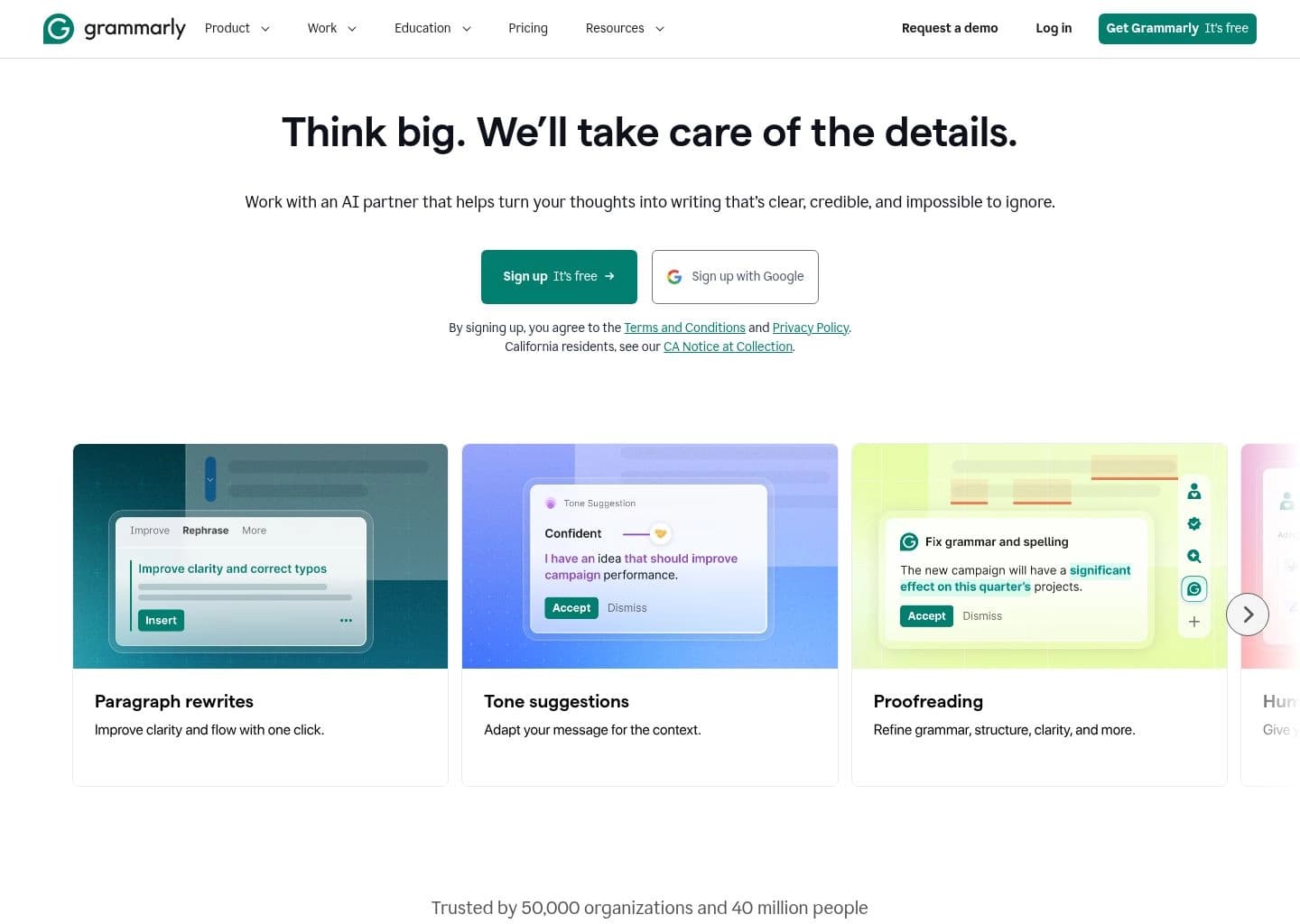
Beyond simple grammar correction, Grammarly's AI analyzes your writing for clarity, engagement, and delivery — offering sentence rewrites, tone adjustments, and audience-aware suggestions that help you communicate with confidence. The Pro plan adds full-sentence rewriting, brand voice customization, AI text generation with 2,000 prompts/month, and style guide enforcement for teams.
Grammarly is ideal for professional writers, business teams, students, and anyone who writes daily and wants to consistently produce clear, polished, persuasive communication without spending hours editing.
Key Features
- Real-time grammar, spelling, and punctuation checking across all platforms
- AI-powered sentence rewriting for clarity and conciseness
- Tone detector with suggestions to match your intended voice
- Style guide enforcement for consistent brand communication
- Plagiarism checker against billions of web pages
- AI text generation with 100 to 2,000 prompts per month
- Browser extension for Chrome, Safari, Firefox, and Edge
- Integrations with Google Docs, MS Office, Gmail, Slack, and more
- Reader Reactions AI agent to preview audience response
- Citation Finder and Resume Builder AI agents
Pros
- Works across every app and browser — not just a standalone editor
- Trusted by 40M+ users and 50K+ organizations worldwide
- Tone and clarity suggestions go well beyond basic spell-check
- Free plan is genuinely useful with no credit card required
- Enterprise features include DLP, SSO, and brand style guides
- Integrates natively with Google Docs, Outlook, and Slack
Cons
- Pro plan can be expensive at $30/month when billed monthly
- AI generation prompts are limited even on Pro (2,000/month)
- Suggestions can sometimes feel overly prescriptive for creative writing
- Desktop app required for full cross-app functionality
- No long-form AI document drafting like dedicated writing tools
Pricing & Plans
Free plan ($0, basic grammar & spelling, 100 AI prompts/mo, no card required) — 7-Day Pro Free Trial (Payment method required) — Pro $12/mo (billed annually) or $30/mo monthly — Business $15/user/mo
Claim Verified Creator Badge
Are you the founder of Grammarly? Display this listing's verified badge on your website to show your customers that your product has been vetted and listed on AI Central Resources.
<a href="https://www.aicentralresources.com/tool/grammarly" target="_blank" rel="noopener">
  <img src="https://www.aicentralresources.com/badges/featured-badge-dark.svg" alt="Featured on AICentralResources" width="200" height="54" style="border: none;" />
</a>
* Place this HTML snippet in your website's footer, landing page, or press section. This creates a search-friendly backlink directly to your verification page.
Connect with Grammarly
Frequently Asked Questions
Yes — Grammarly has a free plan with grammar and spelling checks plus 100 AI prompts/month. The Pro plan at $12/mo (annual) adds full rewrites, tone adjustments, and 2,000 AI prompts.
Grammarly checks clarity, engagement, tone, and delivery. It rewrites sentences for conciseness, detects your tone, enforces style guides, checks for plagiarism, and generates AI text.
Yes — Grammarly integrates directly with Google Docs, Gmail, Microsoft Office, Slack, and virtually any web-based platform through its browser extension.
Grammarly is particularly strong for business writing — it ensures clarity, correct tone, brand voice consistency, and professional polish across emails, reports, and presentations.
Grammarly focuses on real-time cross-platform suggestions and is best for everyday professional writing. ProWritingAid offers deeper developmental editing reports best suited for long-form creative and fiction writers.
Similar AI Tools to Grammarly
View all alternatives of Grammarly
ChatGPT
Engage in dynamic conversations, debug code, and generate creative content with advanced AI.

Claude
Anthropic's AI assistant for chat, research, coding, writing, and analysis — with a uniquely human-like voice

Hemingway Editor
AI editor for bold, clear writing — readability scoring, grammar fixes, and AI sentence rewrites

HyperWrite
AI Writing Assistant for content generation, research, and more.

ProWritingAid
Complete storyteller's toolkit with deep editing, story critique, plot analysis, and writer community

Compared with Grammarly
Direct head-to-head feature matrices, pricing breakdowns, and real-world performance benchmarks