

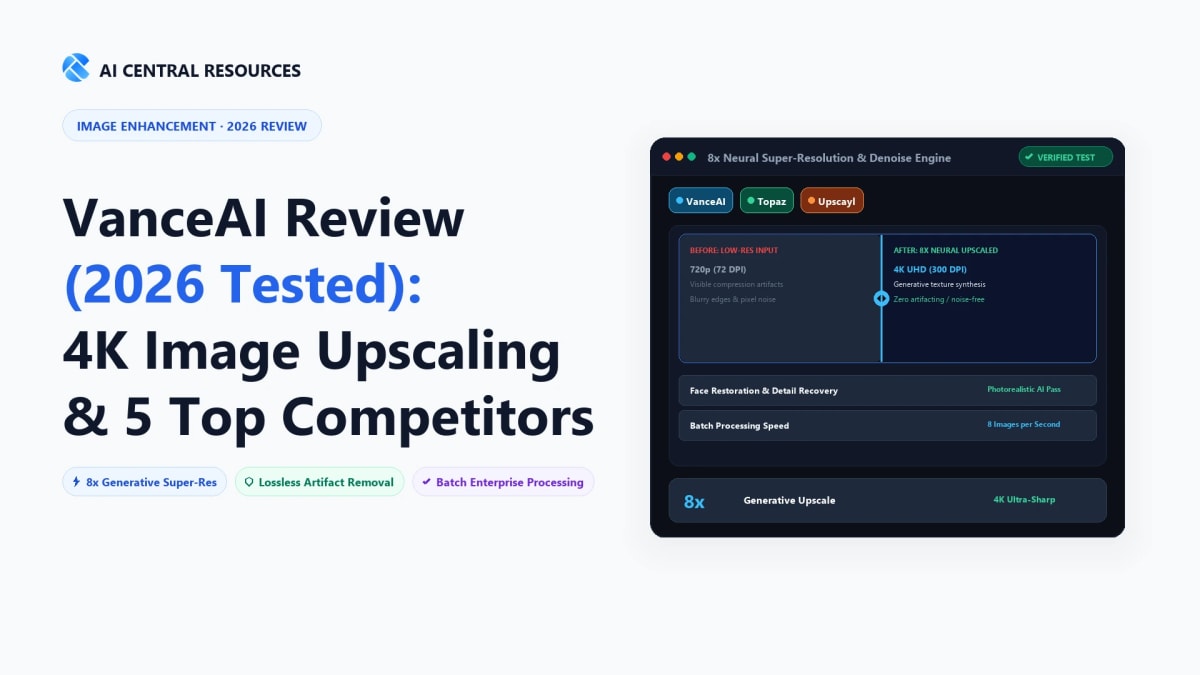
Every digital creator, e-commerce brand manager, and graphic designer eventually runs into the "low-res asset wall." A client hands you a 600x400 JPEG logo pulled from an old email signature, a supplier sends compressed product photos full of compression artifacts, or your favorite AI image generator spits out a masterpiece capped at 1024x1024 resolution. Stretching that image in Photoshop using traditional bicubic interpolation yields a blurry, muddy mess that ruins high-resolution displays and large-format print campaigns.
For years, VanceAI has positioned itself as the Swiss Army knife of web-based photo enhancement. Promising one-click 8x enlargement, intelligent noise reduction, vintage photo restoration, and automated background removal, VanceAI has attracted millions of users looking for quick fixes without the steep learning curve of desktop editing suites.
However, the AI image landscape in 2026 is vastly different from when VanceAI first launched. With generative models like Magnific hallucinating razor-sharp pores, open-source engines like Upscayl offering zero-dollar local processing, and desktop heavyweights like Topaz Gigapixel AI running dedicated local GPU neural networks, does VanceAI still warrant your monthly subscription?
In this exhaustive, hands-on review, we put VanceAI through real-world stress tests across product photography, anime art, scanned portraits, and text-heavy graphics. We also dissect its confusing credit-based pricing model and evaluate the Top 5 VanceAI alternatives you should consider before spending a dollar.
⚡ The 30-Second Executive Verdict
VanceAI is best for casual creators, small business owners, and non-technical marketers who need quick, browser-based photo cleanups without installing heavy software. Its multi-tool suite (upscaling, sharpening, background removal, and scratch repair) handles day-to-day web graphics well.
Skip VanceAI if you process images in bulk or demand professional print-grade detail. VanceAI's recurring credit burn rate gets expensive fast, unused credits expire when subscriptions pause, and professional desktop tools like Topaz Gigapixel AI (for zero-credit local GPU rendering) or Magnific AI (for hyper-realistic generative texture) deliver significantly higher fidelity.
VanceAI vs. Top 5 Image Upscaler Alternatives: 2026 Benchmark Matrix
| Tool | Primary Engine | Max Scale Factor | Local Offline GPU? | Pricing Model | Best Use Case |
|---|---|---|---|---|---|
| VanceAI | Cloud CNN + Local PC Client | 8x (Web) / 40x (PC) | Yes (VanceAI PC) | Credits ($4.95/mo for 100) | All-in-one quick browser retouching |
| Topaz Gigapixel AI | Neural Network + Gen Recovery | 6x / 16x | Yes (100% Offline RTX) | $99 One-time perpetual | 🏆 Pro photographers & large-format print |
| Magnific AI | Diffusion Generative Hallucination | 16x + Prompt Hallucination | No (Cloud GPU only) | $39 / month | 🏆 Hyper-realistic textures & AI art |
| Upscayl | Open-Source Vulkan / Real-ESRGAN | 16x (Custom models) | Yes (100% Offline) | 100% Free & Open Source | 🏆 Zero-budget local processing |
| Pixelcut | Mobile & Web E-commerce Pipeline | 4K Upscale | No (Cloud-based) | $9.99 / month or $59.99/yr | 🏆 Shopify & Amazon product images |
| Photoroom | Commercial Studio Retouching | High-Res Export | No (Cloud-based) | $12.99 / month | 🏆 Marketplace sellers & catalog cutout |
1. What is VanceAI? Testing the Core Product Suite

Rather than a single standalone tool, VanceAI is a modular umbrella platform containing over a dozen discrete photo manipulation utilities. During our rigorous testing, we evaluated the four core tools that drive 90% of user demand:
A. VanceAI Image Upscaler (Enlarge)
The flagship tool allows you to scale images by 2x, 4x, or 8x on the web platform. VanceAI provides multiple specialized sub-models depending on the input medium:
- Standard Model: Designed for general landscape photography, architecture, and real-world scenes. It smooths blocky compression artifacts without overly distorting natural textures.
- Anime / Illustration Model: Specifically trained on 2D digital art, manga, and vectors. It aggressively sharpens line art, removes color banding, and eliminates ringing artifacts around hard borders with impressive clarity.
- Text Model: Tailored for scanned documents, receipts, book pages, and low-res logos containing typography. It prevents character glyphs from blurring together into illegible shapes.
- Face Enhancement Toggle: An optional checkbox that detects human facial features and runs an adversarial facial restoration pass to sharpen irises, teeth, and skin tones.
B. VanceAI BGremover (Background Removal)
BGremover isolates foreground subjects from complex backgrounds. In our testing with product shots (shoes, electronics, cosmetic bottles), it performed reliably with clean edge separation. However, when faced with wispy curly hair against high-contrast backgrounds or translucent glass bottles, its mask feathering felt slightly harsh compared to dedicated e-commerce tools like Photoroom.
C. VanceAI Photo Restorer & Colorizer
For historical and vintage family photographs, this tool identifies surface cracks, water spots, and physical film tears, seamlessly inpainting over the blemishes. When combined with the AI Colorizer, it breathes realistic, desaturated tones into black-and-white portraits without looking cartoonish.
D. VanceAI Image Sharpener & Denoise
These two utilities tackle motion blur, soft lens focus, and ISO sensor grain. The denoise algorithm is effective at cleaning up night photography shot on smartphones, though heavy application can produce a slightly plastic, waxy finish if your input resolution is too low.
2. Web Cloud vs. VanceAI PC (Desktop Client)
One aspect of VanceAI that many reviews overlook is the existence of VanceAI PC, a downloadable desktop software application available for Windows machines. Choosing between the Web version and the PC client dramatically affects your workflow, privacy, and speed:
| Feature | VanceAI Web (Browser) | VanceAI PC (Windows) |
|---|---|---|
| Processing Location | VanceAI Cloud Servers | Local Nvidia GPU / CPU |
| Max Upscaling Factor | 8x Max Scale | Up to 40x Ultra-Enlarge |
| Batch Processing Limit | 5 to 10 images at once | Unlimited queue (Hardware constrained) |
| Data Privacy | Uploaded to cloud, deleted after 24h | 100% local; files never leave machine |
| Operating System Support | Any (Mac, Windows, Linux, Mobile) | Windows only (Requires 8GB+ RAM & GPU) |
The Verdict on the PC Client: If you are on a Windows workstation equipped with an Nvidia GeForce or RTX graphics card, VanceAI PC is vastly superior to the browser version. Processing happens locally in seconds rather than waiting in a cloud server queue, you can queue hundreds of product images at once, and confidential client assets never travel across the public internet.
3. The Credit Trap: How VanceAI Pricing Really Works
The most controversial element of VanceAI is its credit-based monetization model. While the starting price appears affordable on the surface, the fine print contains several gotchas that can surprise unsuspecting buyers:
| Tier | Price | Included Credits | Effective Cost / Credit |
|---|---|---|---|
| Monthly Basic | $4.95 / month | 100 credits | ~$0.049 / image |
| Monthly Pro | $9.90 / month | 250 credits | ~$0.039 / image |
| Annual Plan | $39.60 / year ($3.30/mo) | 100 credits / month | ~$0.033 / image |
| Pay-As-You-Go 200 | $24.99 one-time | 200 credits | $0.125 / image |
| Pay-As-You-Go 500 | $39.99 one-time | 500 credits | $0.080 / image |
The 3 Hidden Gotchas of VanceAI Credits:
- Multi-Step Tool Stacking Consumes Multiple Credits: A single credit covers exactly one operation on one image. If you upload a noisy, low-res portrait and run Denoise, followed by AI Enlarge (4x), followed by Face Enhancement, you will burn through 3 credits on that single photo. If you process 50 images with a multi-step enhancement chain, your 100-credit monthly allowance is depleted in less than an hour.
- The Subscription Cancellation Expiration Trap: Unlike rollover systems in some software tools, if you cancel or pause your monthly VanceAI subscription, your unused accumulated credits expire at the end of your billing cycle. You cannot bank 500 credits over six months and then cancel your subscription while expecting to retain your credit pool.
- Aggressive Pay-As-You-Go Pricing: If you don't want a recurring subscription, the one-time pay-as-you-go packages cost more than double per credit ($24.99 for 200 credits vs $9.90 for 250 credits on the monthly plan), essentially penalizing intermittent users.
4. Top 5 VanceAI Alternatives in 2026 (Tested & Ranked)
If VanceAI's credit limitations, cloud bandwidth caps, or rendering fidelity do not meet your standards, here are the five best alternative image upscalers currently dominating the market:
1. Topaz Gigapixel AI — Best Overall for Professional & Offline Use

If you own a dedicated workstation and process hundreds of photos per month, Topaz Gigapixel AI is the undisputed champion. Unlike VanceAI's cloud meter, Topaz is sold as a standalone desktop software license ($99 one-time). You run it 100% locally on your machine using your Nvidia, AMD, or Apple Silicon GPU.
- Generative Recovery Engine: Topaz's latest models do not simply sharpen pixels; they intelligently reconstruct missing sub-pixel textures (feather details in wildlife, textile patterns in clothing, iris rings in human eyes) with pinpoint realism.
- Zero Per-Image Fees: Upscale 10,000 images in a weekend batch queue; it costs you exactly zero additional dollars.
- Print-Ready Resolution: Scales images up to 600% without introducing the digital smearing or ringing artifacts common in web CNN models.
2. Magnific AI — Best for Hyper-Realistic Generative Texture

While traditional upscalers attempt to mathematically deduce what the original pixels looked like, Magnific AI takes an entirely different, revolutionary path: it uses generative diffusion models to literally hallucinate ultra-high-resolution details that never existed in the original file.
- Prompt-Guided Enhancement: You can enter descriptive text prompts (e.g., "pores on weathered skin, cinematic lighting, wool sweater weave") to guide how the AI hallucinates micro-textures.
- Creativity & Resemblance Sliders: Fine-tune the balance between strict fidelity to the source image and creative reimagination.
- Ideal for AI Artists & Concept Designers: Perfect for Midjourney and Stable Diffusion outputs that need to be blown up to 8K or 16K resolution with movie-grade fidelity.
- The Catch: At $39/month, it is a premium tool aimed at high-end studios rather than casual users.
3. Upscayl — Best 100% Free & Open-Source Alternative
If your budget is zero and you refuse to deal with credit meters, Upscayl is an open-source marvel. Built on the powerful Real-ESRGAN architecture and accelerated via the Vulkan API, Upscayl is a free desktop application available on macOS, Windows, and Linux.
- Completely Free Forever: No subscription tiers, no pay-as-you-go credit walls, no watermarks, and no sign-up forms.
- High Customizability: Load custom community-trained neural models (models specifically fine-tuned for vintage anime, CRT video game textures, or microscopic photography).
- Complete Privacy: Your images never leave your local storage drive, making it ideal for legal, medical, or confidential enterprise graphics.
4. Pixelcut — Best for E-Commerce & Social Media Marketers

For Shopify store owners, Amazon FBA sellers, and social media managers, Pixelcut offers a far more streamlined workflow than VanceAI. Available both as a mobile app (iOS/Android) and web app, Pixelcut focuses squarely on high-converting commercial assets:
- 4K Fast Upscaler: Sharpens compressed supplier images in seconds with zero configuration required.
- Smart Drop Shadows & Reflections: Automatically synthesizes realistic studio lighting, floor shadows, and mirror reflections beneath product cutouts.
- Direct Marketplace Presets: One-click resizing and framing tailored specifically to Amazon, eBay, Instagram Reels, and Etsy listing standards.
5. Photoroom — Best Studio Photography Suite

If you need more than just an upscaler and want a full photographic studio in your pocket, Photoroom is the industry benchmark. Trusted by millions of resale and e-commerce entrepreneurs, Photoroom combines exceptional edge detection with generative background environments.
- Industry-Leading Cutout Accuracy: Handles difficult materials (transparent glass, delicate fur, fine hair) better than VanceAI's BGremover.
- Generative AI Backgrounds: Place your product on a marble kitchen countertop, a sunlit wooden table, or a tropical beach with contextual lighting matched automatically.
- Batch Editing Power: Retouch, upscale, and background-swap 50 product photos in a single batch on mobile or desktop.
Final Buying Advice: Should You Buy VanceAI?
Buy VanceAI If:
- You need an all-in-one browser solution to enhance 20 to 50 photos per month without installing complex software.
- You frequently work with 2D anime illustrations, manga scans, or digital drawings where the VanceAI Anime model shines.
- You have vintage family photographs that need scratch removal, crease repair, and subtle colorization.
- You run a Windows PC with an Nvidia GPU and want to take advantage of VanceAI PC's 40x local upscaling.
Choose an Alternative If:
- You want zero recurring subscription costs: Download Upscayl (free, open-source) or buy Topaz Gigapixel AI (one-time perpetual desktop license).
- You need hyper-realistic generative detail for AI art: Use Magnific AI to hallucinate pores, cinematic lighting, and realistic fabric weaves.
- You run an e-commerce store: Use Pixelcut or Photoroom for integrated marketplace templates, batch cutouts, and studio lighting.
Related Creative & Image Enhancement Guides
Discover more tested visual asset generators, upscalers, and creative automation workflows:
- 7 Best Kling AI Alternatives for Realistic Text-to-Video in 2026 — Hands-on benchmarks of Runway Gen-3, Luma, and Pika.
- The Ultimate Guide to AI Productivity Tools in 2026 — Full creative stack overview for modern digital creators.
- 10 Best No-Code AI Automation Tools in 2026 — Automate your creative batch rendering and file processing.
- Explore AI Image Generation & Editing Directory — Browse verified software listings with real community ratings.
Frequently Asked Questions
Is VanceAI completely free to use?
No. VanceAI is a commercial freemium service. New users receive 3 free preview credits upon registration to test output quality. Once spent, full-resolution downloads without watermarks require a paid subscription (starting at $4.95/month for 100 credits) or a pay-as-you-go credit bundle.
What is the best 100% free alternative to VanceAI?
Upscayl is the top-rated 100% free, open-source alternative. Available for macOS, Windows, and Linux, Upscayl runs Real-ESRGAN neural network upscaling locally on your computer's graphics card. It has zero subscription fees, zero credit meters, zero watermarks, and never uploads your images to external cloud servers.
How does VanceAI compare to Topaz Gigapixel AI and Magnific AI?
Topaz Gigapixel AI is a professional standalone desktop application ($99 one-time) offering uncompressed 600% enlargement without recurring credit limits. Magnific AI ($39/mo) uses generative diffusion to hallucinate intricate micro-textures (pores, fabric weaves, foliage) for AI art. VanceAI is a general-purpose web tool suited for quick browser touch-ups and anime scans.
Do unused monthly VanceAI credits expire?
Yes, monthly subscription credits expire at the end of each billing cycle. If you cancel or pause your monthly subscription, accumulated credits are forfeited. Pay-as-you-go credit packs remain valid for longer, but cost significantly more per processed image.
Is VanceAI good for upscaling anime and manga artwork?
Yes. The VanceAI Anime Upscaler model is one of its strongest features. It uses specialized Waifu2x-derived neural algorithms that sharpen cel-shaded outlines, remove compression noise, and preserve flat color fills without blurring line art.
Does VanceAI keep or train on my uploaded images?
According to VanceAI's privacy policy, uploaded cloud files are permanently deleted from their servers within 24 hours of processing. However, for strictly confidential legal, medical, or proprietary commercial assets, running local tools like Upscayl or Topaz Gigapixel AI provides 100% air-gapped security.



