

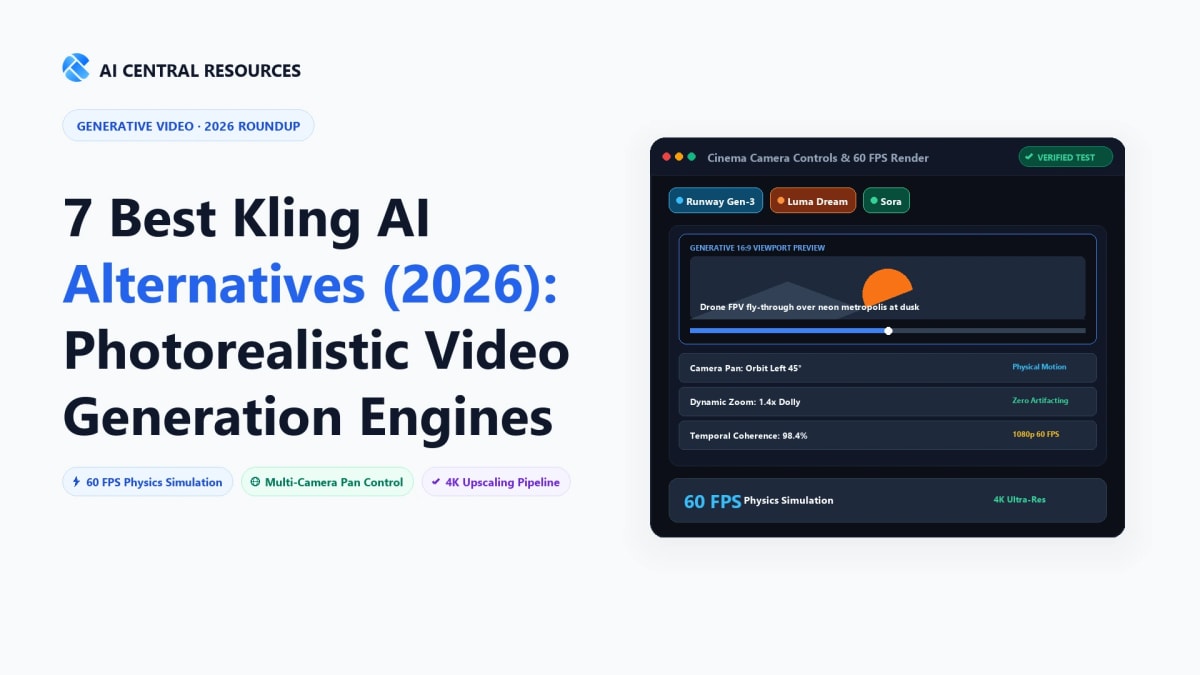
When Kuaishou first opened the gates to Kling AI, it fundamentally changed creator expectations for generative video. For the first time, human fingers didn't melt into amorphous blobs, coffee poured into cups with believable fluid physics, and 10-second continuous shots held together without turning into fever dreams. But anyone using Kling on real production deadlines quickly runs into the walls: harsh daily credit exhaustion, agonizing queue times during peak hours, strict censorship filters that trip on benign prompts, and limited native camera rigging tools.
If you're producing client commercials, cinematic YouTube b-roll, TikTok visual hooks, or indie sci-fi shorts in 2026, relying on a single platform is a recipe for missed deadlines. The text-to-video space has matured rapidly, with specialized generators mastering everything from Hollywood camera tracks to viral physics manipulation. In this guide, we break down the 7 best Kling AI alternatives, putting each model through rigorous hands-on testing across prompt adherence, temporal consistency, motion physics, and pricing transparency.
While Kling AI excels at baseline fluid physics, specialized text-to-video generators offer superior directorial control, faster render times, and generous free tiers:
💡 What Makes a True Kling AI Competitor in 2026?
To earn a spot on this list, an AI video generator must excel at four core technical benchmarks: (1) Temporal Consistency (preventing subjects from morphing across frames), (2) Real-World Physics (accurate gravity, fluid turbulence, and collision dynamics), (3) Camera Direction (precise pan, tilt, zoom, and orbit controls), and (4) Commercial Usability (clean 1080p+ export resolution with full commercial rights).
Top Kling AI Alternatives: 2026 Feature & Pricing Matrix
| Tool | Primary Superpower | Physics Realism | Max Clip Length | Free Credits | Starting Price |
|---|---|---|---|---|---|
| Runway Gen-3 Alpha | Cinematic camera control & motion brush | 9.6 / 10 | 10s (extendable) | 125 one-time credits | $12/mo (Standard) |
| Luma Dream Machine | Complex physics simulation & render speed | 9.4 / 10 | 5s (extendable) | 30 free gens/mo | $29.99/mo (Standard) |
| Pika 2.0 | Creative visual effects & object manipulation | 8.8 / 10 | 4s (extendable) | Daily free credits | $8/mo (Standard) |
| Leonardo.Ai Motion | Stylized concept art to cinematic video | 8.6 / 10 | 4s (loopable) | 150 daily tokens | $10/mo (Apprentice) |
| InVideo AI | Automated script-to-video for YouTube & TikTok | 8.2 / 10 | Full long-form (15m+) | 10 mins/week free | $20/mo (Plus) |
| HeyGen | Photorealistic talking avatars & voice sync | 9.8 / 10 (Avatars) | 5 mins/video | 1 free credit trial | $24/mo (Creator) |
| Hailuo AI (MiniMax) | Realistic human walking & facial expressions | 9.5 / 10 | 6s | 100% Free Beta | Free / Beta |
The Baseline Benchmark: Kling AI Review

Before jumping into the alternatives, let's establish why Kling AI is so popular in the first place. Developed by Kuaishou, Kling utilizes a 3D Spatio-Temporal Diffusion Transformer architecture that models physical interactions between objects and their environment. When prompted with complex scenes—such as a chef chopping onions or a horse galloping through splashing surf—Kling preserves object mass and volume far better than older models.
Where Kling Frustrates Creators:
- Severe Queue Bottlenecks: On the free tier and even lower paid tiers, generating a single 5-second video can take between 15 to 45 minutes during peak Asian business hours.
- Limited Director-Level Camera Rigging: While it accepts natural language camera instructions, it lacks granular visual motion sliders (e.g. pan speed, focal tilt, or motion brush masking).
- Aggressive Moderation Filters: Even mild artistic concepts or fictional drama prompts frequently trigger automatic rejections.
Deep-Dive: The 7 Best Kling AI Alternatives Tested
1. Runway Gen-3 Alpha — The Hollywood & VFX Standard

The Hands-On Verdict: If you come from a traditional filmmaking, editing, or VFX background, Runway is the most capable tool on the market. While Kling AI relies entirely on descriptive prompt text, Runway gives you actual directorial tools. Its Motion Brush allows you to paint over five distinct areas of a frame and assign unique motion vectors to each (for example, keeping a character standing still while wind whips their jacket and clouds race in the opposite direction).
Runway's camera controls are unmatched: you can dial in precise Dolly, Zoom, Pedestal, Pan, and Roll coordinates down to single-percentage increments. With its recent Act-One update, you can record a selfie video and have Runway transfer your exact facial expressions and performance onto an AI-generated character with 1:1 emotional fidelity.
Why It Beats Kling:
- Directorial Precision: Visual camera paths and multi-region motion brush painting instead of relying on luck with text prompts.
- Instantaneous Queue Times: Paid tiers generate high-resolution 10-second clips in under 90 seconds.
- Professional Ecosystem: Built-in video editor, color grading, motion tracking, and audio generation in one integrated timeline.
Pricing: Standard plan starts at $12/month (625 credits/mo), with Pro at $28/month (2,250 credits/mo) and Unlimited generation tiers for commercial studios.
2. Luma Dream Machine — The Physics & Dynamic Movement Specialist

The Hands-On Verdict: Luma Dream Machine is built by Luma AI, a team renowned for neural radiance fields (NeRFs) and 3D scene reconstruction. That 3D heritage is immediately obvious in their video model: Dream Machine understands three-dimensional space and world physics better than almost any other model available today.
In our testing, high-speed action scenes—such as a sports car drifting around a sharp mountain hairpin or water crashing against coastal cliffs—maintained structural volume without dissolving into muddy artifacts. It also renders remarkably fast: most 5-second generations complete in approximately 120 seconds. Best of all, Luma offers a genuinely useful free tier that grants 30 free generations every month.
Why It Beats Kling:
- Superior 3D Spatial Awareness: Objects stay solid when the camera circles around them, rather than morphing into different shapes.
- Generous Permanent Free Tier: 30 free video generations refreshed every month with zero daily expiration stress.
- Seamless Keyframing: Pass an initial start image and an end image, and Luma will synthesize a fluid, believable transition between the two.
Pricing: Free tier gives 30 generations/month. Paid tiers start at $29.99/month (Standard, 120 priority generations) and scale up for production teams.
3. Pika 2.0 — The Creative FX & Object Manipulation Engine

The Hands-On Verdict: While Runway and Kling aim for gritty cinematic realism, Pika has carved out a massive following among content creators, social media managers, and animators for its sheer creative versatility. Pika 2.0 introduced Pikaffects—custom pre-built physics actions that let you inflate, melt, crush, explode, or dissolve any object in an image with a single click.
Pika also features native sound effects generation: when it generates a scene of footsteps on gravel or thunder crashing, it synthesizes matching synchronized audio automatically. Its canvas editing features allow you to modify specific sections of an already generated video (inpainting clothes, adding accessories, or swapping backdrops) without re-rendering the entire shot.
Why It Beats Kling:
- Built-In Audio & Sound FX: Automatically generates matching ambient noise and Foley effects synced to your scene's action.
- Playful Visual Effects: Unique physics modifiers that allow creators to build viral social media hooks in seconds.
- Affordable Starting Price: Starting at just $8/month, it is one of the most accessible paid video generators for solo creators.
Pricing: Free basic plan with daily refill credits. Standard plan starts at $8/month (700 monthly credits with commercial rights).
4. Leonardo.Ai (Motion) — Best for Digital Artists & Concept Designers

The Hands-On Verdict: If your workflow starts with still imagery—such as Midjourney concept art, game assets, or fantasy portraits—Leonardo.Ai is the ultimate bridge between static illustration and animated video. Instead of relying on a black-box text-to-video prompt, Leonardo allows you to generate a hyper-specific image using fine-tuned style models (like Kino XL or Phoenix), then apply the Motion engine with custom motion strength sliders.
Leonardo's motion control is subtle and artistic: it excels at ambient environmental movement, atmospheric smoke, character breathing cycles, and cinematic camera drifts without destroying the underlying artistic style. For game designers, comic creators, and fantasy visualizers, it offers aesthetic consistency that raw prompt-based video models cannot match.
Why It Beats Kling:
- Unmatched Art Style Consistency: Animates custom illustrations and fantasy art without flattening the scene into generic photorealism.
- Granular Motion Strength Sliders: Set motion intensity from 1 to 10 to ensure subtle camera drifts don't turn into chaotic warping.
- Generous Daily Free Allowance: 150 tokens replenished every 24 hours, enough to generate multiple motion tests daily at $0 cost.
Pricing: Free tier provides 150 daily tokens. Paid plans start at $10/month (Apprentice) for priority generation and relaxed watermark rules.
5. InVideo AI — Best for Complete Script-to-Video Autopilot

The Hands-On Verdict: Kling AI and Runway produce individual 5-to-10 second shots. But what if you don't want to spend 12 hours piecing together 40 separate clips in Adobe Premiere? That is where InVideo AI comes in. InVideo is an end-to-end video production suite: you type a single prompt like "Create a 60-second YouTube Short about the 5 craziest discoveries in deep-sea biology", and InVideo writes the script, generates realistic voice narration, selects and animates relevant b-roll footage, and adds animated kinetic subtitles.
If you don't like a specific shot or word in the script, you can simply type a command into the chat box (e.g., "Make the music more dramatic" or "Swap the third clip for a bioluminescent jellyfish"), and the AI edits the timeline in real time. It is the ultimate tool for faceless YouTube channels, digital marketing agencies, and educational creators.
Why It Beats Kling:
- Complete Packaged Videos: Produces ready-to-publish 1-to-15 minute videos with script, human-like voiceover, b-roll, and music.
- Conversational Natural Language Editing: Change scenes, music volume, or voice pacing simply by chatting with the editor.
- Instant Multi-Platform Resizing: Convert a 16:9 widescreen YouTube video into a 9:16 vertical TikTok clip with one click.
Pricing: Free plan allows 10 minutes/week of generation with watermarks. Plus plan starts at $20/month with 50 minutes/month of watermark-free exports.
6. HeyGen — Best for Photorealistic Talking Avatars & Course Creation

The Hands-On Verdict: If your video project requires a human presenter speaking to the camera—such as an online course, SaaS demo, corporate training module, or personalized sales outreach—general text-to-video models like Kling will disappoint you. Kling's characters struggle with believable phoneme-level lip synchronization and eye contact. HeyGen, on the other hand, is the undisputed industry leader for photorealistic digital humans.
With HeyGen, you paste a script, pick from over 100 diverse studio avatars, and generate a video where the avatar speaks with natural micro-expressions, head tilts, and flawless lip sync. You can also clone your own face and voice with a 2-minute webcam recording, allowing you to produce hundreds of hours of video content without ever sitting in front of studio lights again. Its Video Translation feature even translates existing video footage into 40+ languages while dynamically altering your lip movements to match the translated audio.
Why It Beats Kling:
- Flawless Lip Synchronization: Mouth movements match every phonetic syllable with zero rubbery distortion.
- Custom Instant Avatars: Clone your own digital twin and voice in minutes for scalable personalized outreach.
- Multilingual Video Dubbing: Automatically re-voices existing videos in foreign languages while adjusting actor mouth movements.
Pricing: Free trial includes 1 free video credit. Creator plan starts at $24/month for 15 monthly credits with 4K resolution and voice cloning.
7. Hailuo AI (MiniMax Video-01) — The Free Dark Horse for Human Realism

The Hands-On Verdict: Developed by Chinese AI lab MiniMax, Hailuo AI has quickly emerged as the biggest direct threat to Kling AI's crown. Built on their proprietary Video-01 model, Hailuo demonstrates astonishing prompt fidelity, particularly when rendering complex human motions like walking down a crowded Tokyo street, dancing, or eating noodles.
Unlike many early video models that treat humans like rigid wax figures, Hailuo captures muscle flex, weight shifting, and natural facial squinting. Currently in open public beta, it provides an extraordinarily generous free generation allowance with minimal queue delays, making it the top destination for creators seeking high realism without opening their wallets.
Why It Beats Kling:
- Superior Human Locomotion: Characters walk and run with natural hip sway and realistic foot-to-ground contact.
- Generous Open Access: Free access during its beta period with faster render queues than Kling's free tier.
- High Prompt Adherence: Accurately interprets detailed clothing textures, wind direction, and multi-character interactions.
Pricing: Currently accessible via free public beta on the official Hailuo AI web portal.
Strategic Decision Guide: Which Alternative Should You Use?
No single AI video generator rules every use case in 2026. Here is how to match the right tool to your specific production requirements:
- Choose Runway Gen-3 Alpha if you need Hollywood-level camera moves, keyframing, and precise motion brush control for commercial client work.
- Choose Luma Dream Machine if you need fast render times, realistic physical collisions, and a reliable 30-generation monthly free tier.
- Choose Pika 2.0 if you create viral social media shorts, memes, or require built-in audio sound effects and visual transformation filters.
- Choose Leonardo.Ai if you are a concept artist or game illustrator who wants to bring static artwork to life with subtle atmospheric motion.
- Choose InVideo AI if you need complete, ready-to-upload YouTube videos with scripts, voice narration, and b-roll generated from a single sentence.
- Choose HeyGen if your project requires a professional human spokesperson, employee training modules, or multilingual course dubbing.
- Choose Hailuo AI if you want Kling-level human motion physics completely for free while its beta is active.
The Pro Creator's Formula for Photorealistic Text-to-Video Prompts
Regardless of which platform you choose, prompt structure dictates 80% of your visual success. Vague prompts like "a cinematic shot of a samurai" produce generic, morphing clips. Use this tested 6-part framework for consistent photorealistic output:
[Subject] + [Action/Motion] + [Environment/Setting] + [Lighting/Mood] + [Camera Direction & Lens] + [Pacing/Framing]
Example Prompt: "An elderly Japanese craftsman carving a wooden tea bowl with a steel chisel, fine wood shavings falling naturally onto a worn cedar workbench. Late afternoon golden hour sunlight streaming through shoji paper screens, subtle dust motes floating in volumetric light rays. Slow smooth dolly-in tracking shot, 50mm anamorphic lens, shallow depth of field, 24fps cinematic film grain."
Related AI Video Generation & Creative Tool Guides
Master modern generative video pipelines with our tested benchmarks and creative blueprints:
- 10 Best No-Code AI Automation Tools in 2026 — Automate your creative media rendering and video distribution pipelines.
- The Ultimate Guide to AI Productivity Tools in 2026 — Complete ecosystem overview for content creators and operators.
- 8 Best OpenAI API Alternatives for Developers in 2026 — Low-cost LLM backends for video scripting and storyboard generation.
- Explore AI Video Generators Directory — Compare verified ratings, pricing plans, and render speeds across 50+ tools.
Frequently Asked Questions
What is the best free alternative to Kling AI in 2026?
Luma Dream Machine and Pika offer the most reliable free tiers. Luma provides 30 high-definition generations per month that automatically renew, while Pika grants daily free generation credits. For human locomotion testing, Hailuo AI (MiniMax) also provides free generation access during its public beta.
Can AI video generators produce native 4K cinematic video?
Most AI text-to-video models render natively at 720p or 1080p, then use built-in AI upscalers for 4K export. Platforms like Runway and Leonardo feature integrated spatial super-resolution pipelines that upscale rendered video clips to crisp 4K resolution with enhanced edge textures and zero motion artifacts.
Can I legally monetize AI-generated video on YouTube, TikTok, and client ads?
Yes. Leading platforms grant full commercial rights on their paid subscription tiers. Tools like Runway, Luma, Pika, and InVideo AI grant commercial licenses for ad campaigns, social media monetization, and broadcast deliverables. Note that free plans often attach watermarks or require non-commercial attribution.
How do I prevent human faces, fingers, and limbs from morphing in AI videos?
Use an Image-to-Video (I2V) workflow instead of raw text-to-video. By generating a clean reference portrait in Midjourney or Leonardo and feeding it as the first frame, the model locks character geometry in place. Additionally, keep clip durations between 4 to 5 seconds and avoid rapid acrobatic prompts.
Which Kling AI alternative is best for automated long-form YouTube videos?
InVideo AI is the leader for automated long-form video production. It converts a single topic prompt into a complete 10-to-15 minute video with an automated script, human-like voice narration (via ElevenLabs), matched stock b-roll, dynamic subtitles, and background music in under 5 minutes.
How does Runway Gen-3 Alpha's Motion Brush work?
Motion Brush allows you to selectively animate up to 5 distinct regions in an image. You can paint over moving water, wind-blown hair, or passing clouds, assigning independent speed and directional coordinates (horizontal, vertical, proximity) while keeping the main subject perfectly stationary.



