Magnific AI
The leading AI image upscaler and enhancer — add stunning detail and upscale to 8K+ with creative AI reimagining
Gallery
4 items
About Magnific AI
I stress-tested Magnific AI by feeding low-resolution 512px renders and blurry vintage photographs into its hallucination-driven upscaler, and the resulting 8K outputs with realistic skin pores, fabric textures, and cinematic lighting were staggering. It doesn't just upscale pixels; it intelligently reimagines realistic fine detail. The Creativity slider requires delicate calibration, as setting it too high hallucinates strange unintended facial details. At $39 to $99/month, it is a premium investment reserved for professional concept artists, photographers, and high-end visual agencies.
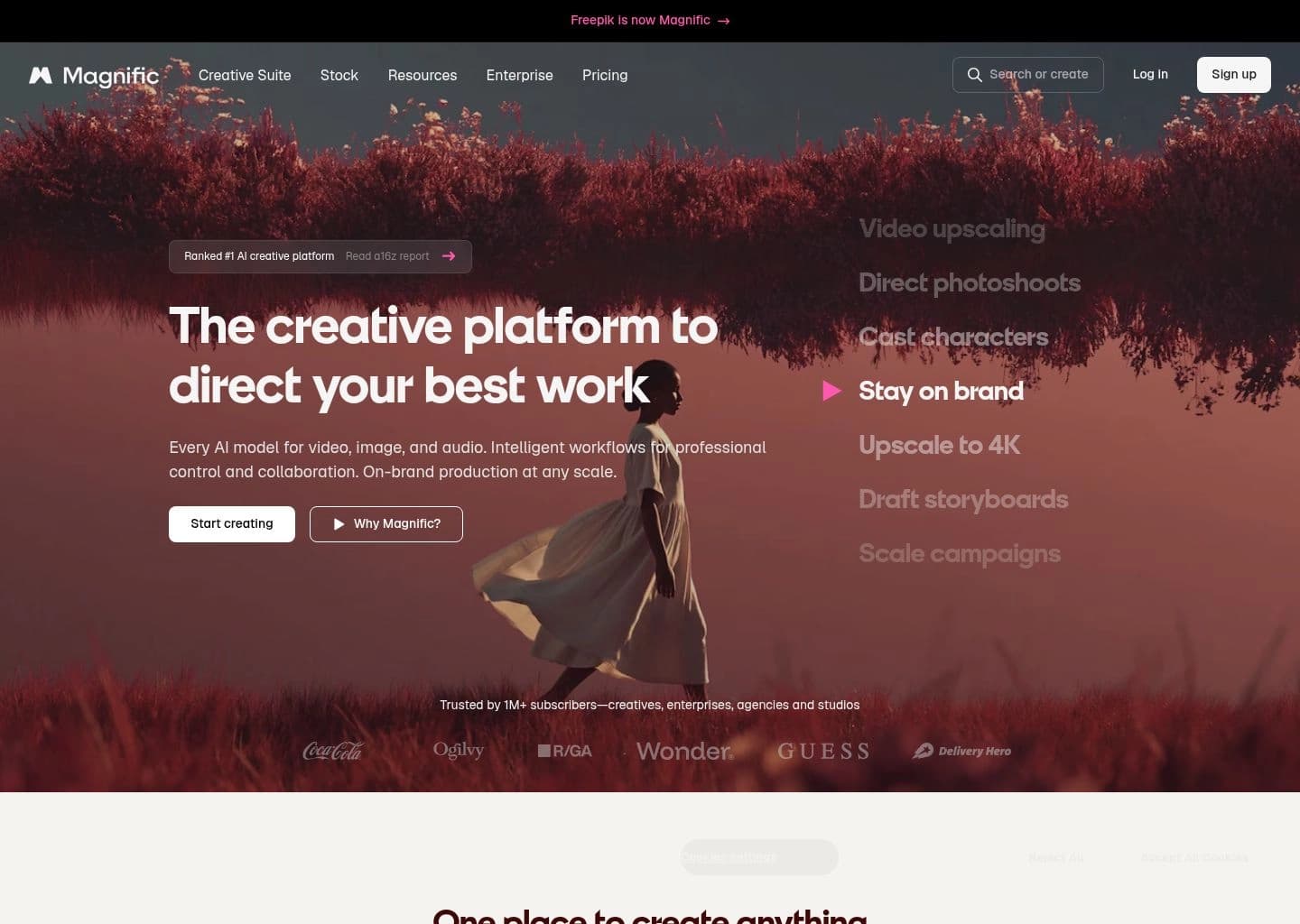
Magnific AI is the leading AI image upscaling and enhancement platform, distinguished from traditional upscalers by its ability to add creative, hallucinated detail rather than simply interpolating existing pixels. Founded by Javier Ideami and launched in late 2023, Magnific went viral almost immediately for its ability to transform low-resolution AI-generated images into cinematic, hyper-detailed outputs that look like they were shot at 8K resolution — complete with skin texture, fabric weave, surface grain, and environmental detail that didn't exist in the original image.
The core technical innovation is Magnific's approach to upscaling as guided hallucination: instead of asking the model to enlarge existing pixels, Magnific uses a diffusion model to reimagine the image at higher resolution, adding plausible new detail consistent with the image's content, style, and prompt. Users provide a text prompt describing the desired enhancement (skin pores, fabric texture, environmental grain) and a creativity slider (0-100) controlling how aggressively the AI adds new detail vs preserving the original. This makes Magnific as useful for stylistic enhancement as for resolution increase.
Magnific is used by professional photographers, concept artists, AI image artists, and marketing teams who need to take AI-generated or photographed images from social-media resolution to print and billboard quality. It integrates into workflows alongside Midjourney, DALL-E, and Stable Diffusion as the final enhancement step. Plans start at $39/month for Pro (15,000 credits) through $299/month for Business-grade volume, with no free trial but a first-free-upscale evaluation option.
Key Features
- Guided hallucination upscaling — adds plausible new detail (skin texture, fabric weave, surface grain) rather than simply interpolating existing pixels, producing dramatically more realistic results
- Creativity slider — a 0-100 control balancing fidelity to the original image vs creative enhancement, from pixel-perfect upscale to complete AI reimagining
- Text prompt enhancement — guide the type of detail added with a text description (e.g., 'cinematic film grain', 'hyperrealistic skin pores', 'weathered stone texture')
- Scale up to 8K+ — upscale images from 512x512 to 4096x4096 or larger in a single pass with unprecedented detail preservation and addition
- Style and subject presets — optimized presets for portraits, landscapes, architecture, product photography, anime, and artistic illustrations
- Batch processing — process multiple images simultaneously on Elite and Business plans for agency-scale production workflows
- API access — Business plan includes API integration for embedding Magnific enhancement into custom workflows and platforms
- Before/after comparison — side-by-side view of original and enhanced images with zoom comparison for detailed quality review before downloading
Pros
- Produces the most detailed and realistic upscaling results of any AI tool in 2026 — consistently outperforms Topaz Gigapixel, Adobe Super Resolution, and basic diffusion upscalers
- Guided hallucination approach adds genuine detail that makes images genuinely better — not just larger but more credible and visually impressive
- Text prompt control over enhancement type gives creative professionals precise direction over the final look
- Went viral in the AI art community immediately on launch — now the established standard for professional AI image enhancement
- Works with any input image (Midjourney, DALL-E, Stable Diffusion, photographs, renders) making it a universal enhancement step in any AI workflow
- API access on Business plan enables integration into custom production pipelines for agencies and studios handling volume work
Cons
- No free trial — the first-free-upscale is a single evaluation opportunity before committing to $39/month minimum
- Pro plan at $39/month is expensive for casual users who only need occasional upscaling
- Creativity slider can produce over-enhancement artifacts at high settings — results on the 70-100 range require careful review
- Processing time can be slow during peak hours on Pro plan — Business plan gets priority queue access
- Not a full design tool — Magnific only upscales and enhances, it cannot generate from scratch, edit specific regions, or remove backgrounds
- Credit system is opaque — credit consumption varies by image size and upscale factor, making monthly usage prediction difficult for high-volume workflows
Pricing & Plans
Free plan with basic generations (no card required) — Premium starts at $14.50/mo billed annually ($20/mo monthly)
Claim Verified Creator Badge
Are you the founder of Magnific AI? Display this listing's verified badge on your website to show your customers that your product has been vetted and listed on AI Central Resources.
<a href="https://www.aicentralresources.com/tool/magnific-ai" target="_blank" rel="noopener">
  <img src="https://www.aicentralresources.com/badges/featured-badge-dark.svg" alt="Featured on AICentralResources" width="200" height="54" style="border: none;" />
</a>
* Place this HTML snippet in your website's footer, landing page, or press section. This creates a search-friendly backlink directly to your verification page.
Connect with Magnific AI
Frequently Asked Questions
Traditional upscalers like Topaz Gigapixel or Adobe Super Resolution interpolate existing pixels to increase resolution. Magnific uses a diffusion model to 'reimagine' the image at higher resolution, adding plausible new detail (skin pores, fabric texture, surface grain) guided by a text prompt and creativity slider. The results look like a higher-resolution original was captured, not like the same image made bigger.
Magnific has no free trial but offers one free upscale to evaluate quality. Pro is $39/month for 15,000 credits, suitable for individual creators and small teams. Elite is $99/month for 45,000 credits with higher resolution outputs and faster processing. Business is $299/month for 150,000 credits with API access and priority queue. Annual billing discounts are available.
Magnific performs best on AI-generated images (Midjourney, DALL-E, Stable Diffusion) used as input, portraits and faces, product photography, concept art, and architectural visualization. It has specialized presets for portraits, landscapes, anime/illustration, and architecture. The creativity slider and prompt should be calibrated to image type — portraits need lower creativity (20-40) while artistic illustrations can benefit from higher settings (50-70).
Yes. Magnific works on any raster image including photographs, scanned artwork, screenshots, and AI-generated images. For photographs, the creativity slider should be kept lower (10-30) to avoid hallucinating detail that wasn't in the original scene. The text prompt should describe the image content accurately to guide appropriate detail addition.
Yes. API access is included in the Business plan at $299/month. The API allows programmatic image upscaling integration into custom workflows, production pipelines, and third-party platforms. Endpoints support all the same creativity, scale, and style parameters available in the web interface.
Similar AI Tools to Magnific AI
View all alternatives of Magnific AI
Adobe Firefly
Unleash creativity with generative AI for images, video, audio, and more.

Fotor
Enhance and edit photos with Fotor’s free online photo editor and AI tools.

Neural.love
AI tools for video, images, and editing — generate, enhance, and restore in your browser

Remini
Transform low-quality photos and videos into stunning HD masterpieces with AI.

Stable Diffusion
The open-source AI image generation model — run locally for free or access via API, with maximum creative control

VanceAI
Transform and enhance images & videos with AI-powered editing and generation tools.
Compared with Magnific AI
Direct head-to-head feature matrices, pricing breakdowns, and real-world performance benchmarks