VanceAI
Transform and enhance images & videos with AI-powered editing and generation tools.
Gallery
7 items



About VanceAI
I evaluated VanceAI's browser and desktop utilities across batch photo processing, and its specialized AI models handled background removal, anime upscaling, and noise reduction with impressive batch efficiency. Processing an entire product catalog of 50 images took under three minutes. The desktop client interface feels somewhat dated, and credit-based purchasing structures can be confusing across varied tools. With subscription plans starting around $4.95/month, it is a budget-friendly Swiss Army knife for quick image cleanup workflows.
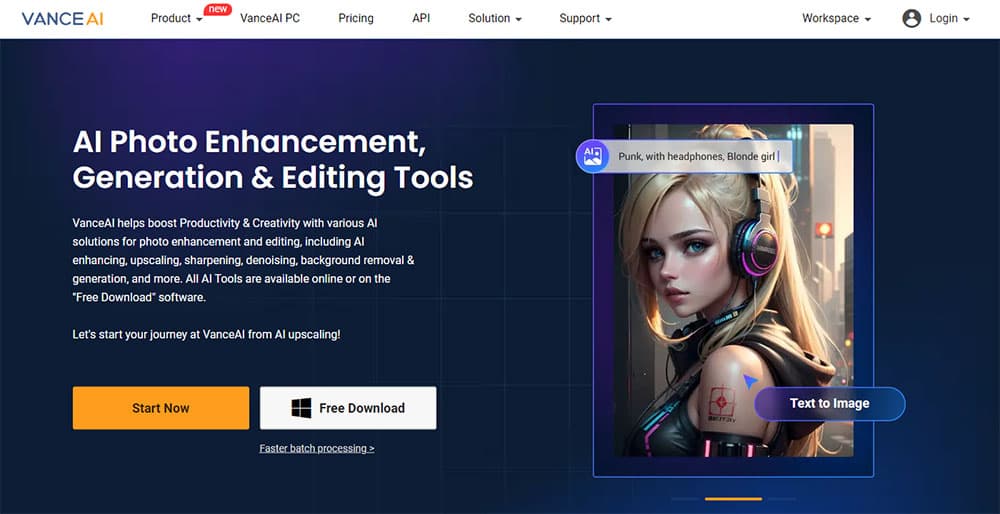
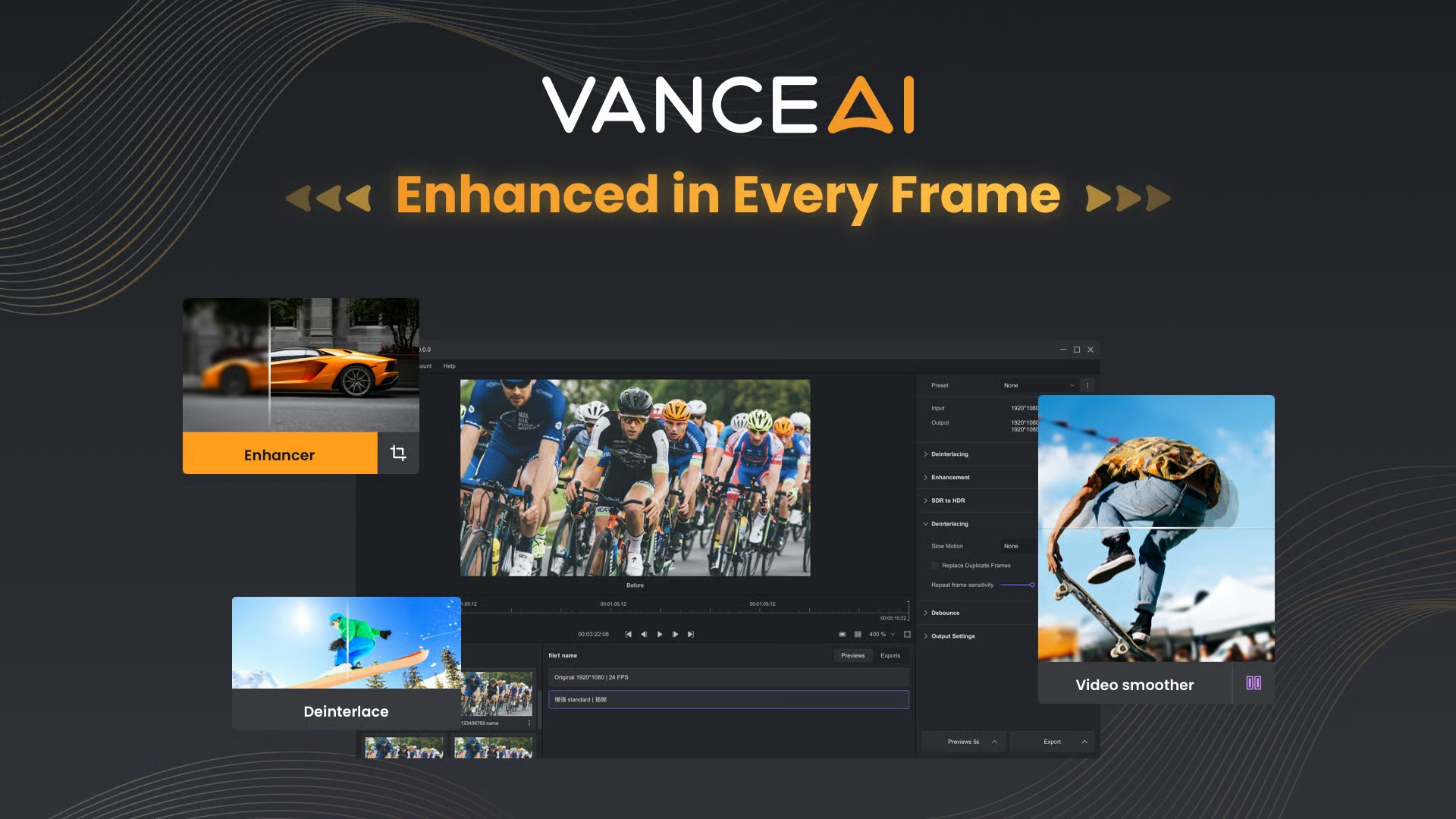
VanceAI is an advanced suite of AI-powered tools designed to revolutionize photo and video processing. It addresses common challenges faced by photographers, designers, and businesses by offering solutions for image upscaling, sharpening, denoising, colorization, and restoration. The platform aims to democratize professional-grade enhancement, making complex editing tasks accessible and efficient for a wide range of users.
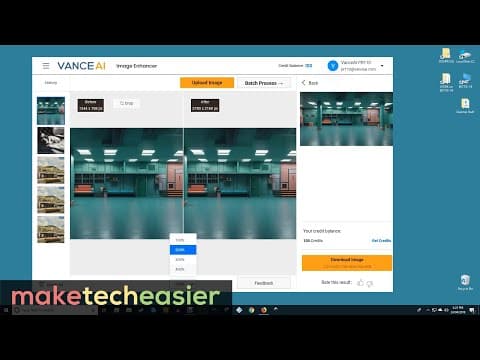
Utilizing proprietary deep convolutional neural networks (DCNN) trained on millions of images and videos, VanceAI delivers AI-native processing that analyzes individual pixels for precise corrections. Key features include 40x image upscaling without quality loss, one-click blur removal, noise reduction, background removal, photo restoration, and cartoonization. It also offers video enhancement tools and is available as an online web app or a desktop application for Windows, supporting batch processing and local operations.
This tool is ideal for artists, creators, e-commerce businesses, digital marketers, and anyone looking to improve the quality of their visual content. From restoring old family photos to preparing high-resolution product images for online stores, VanceAI empowers users to achieve professional results quickly, enhancing workflow and sparking creativity without requiring extensive technical expertise.
Key Features
- AI Image Upscaling (up to 40x)
- AI Image Sharpening and Denoising
- AI Photo Restoration and Colorization
- AI Background Removal
- AI Cartoonizer and Photo to Sketch
- AI Video Upscaling and Enhancement (SDR to HDR, Colorize)
- Online web app and offline desktop application (Windows)
- Batch processing capabilities
Pros
- High-quality image and video enhancement using advanced AI models.
- Offers a wide range of tools for various editing needs (upscale, sharpen, denoise, restore, cartoonize, etc.).
- Available as both a convenient online web app and a powerful offline desktop application.
- Desktop app allows unlimited local processing and no image size limits.
- Strong emphasis on user privacy with data deletion within 24 hours.
- Credits roll over for subscribers, and pay-as-you-go options are available.
Cons
- Free trial includes watermarks and queuing, limiting initial experience.
- Web app has file size and resolution limits (10MB, 34MP, 8000 pixels).
- API access requires a separate subscription plan, not compatible with web app credits.
- Desktop application is currently only available for Windows users.
- Credit system can be complex to understand for different tools and output scales.
Pricing
200 Credits – $9/month: Includes 200 monthly credits plus 200 bonus credits for occasional AI image and video editing.
500 Credits – $17/month: Includes 500 monthly credits plus 500 bonus credits, ideal for regular AI editing tasks.
1,000 Credits – $26/month: Includes 1,000 monthly credits plus 1,000 bonus credits for frequent image and video enhancements.
2,000 Credits – $42/month: Includes 2,000 monthly credits plus 2,000 bonus credits, best for heavy AI editing and professional workflows.
Claim Verified Creator Badge
Are you the founder of VanceAI? Display this listing's verified badge on your website to show your customers that your product has been vetted and listed on AI Central Resources.
<a href="https://www.aicentralresources.com/tool/vanceai" target="_blank" rel="noopener">
  <img src="https://www.aicentralresources.com/badges/featured-badge-dark.svg" alt="Featured on AICentralResources" width="200" height="54" style="border: none;" />
</a>
* Place this HTML snippet in your website's footer, landing page, or press section. This creates a search-friendly backlink directly to your verification page.
Connect with VanceAI
Frequently Asked Questions
Yes, you can cancel anytime from your dashboard and continue using remaining credits until the subscription period ends.
No, web app credits and API credits are separate; API access requires a distinct API plan.
Photos must be under 34 megapixels, 10MB, and 8000 pixels on the longest side; files exceeding these limits are automatically resized or compressed.
The web app runs in a browser, while the desktop app (VanceAI for PC) requires installation, processes files locally without internet, handles batch jobs, and has no image size limits.
Subscription credits roll over if the subscription is active; Pay-as-you-go credits are valid for one year. Credits expire when a subscription ends.
Similar AI Tools to VanceAI
View all alternatives of VanceAI
Remini
Transform low-quality photos and videos into stunning HD masterpieces with AI.


Picsart
The AI creative platform for 130M+ creators. Turn any idea into scroll-stopping content.

Photo AI
Generate photorealistic AI images and videos of people, replacing traditional photoshoots.

Canva AI
Your all-in-one AI assistant for creative design and content generation

Adobe Firefly
Unleash creativity with generative AI for images, video, audio, and more.
Compared with VanceAI
Direct head-to-head feature matrices, pricing breakdowns, and real-world performance benchmarks