

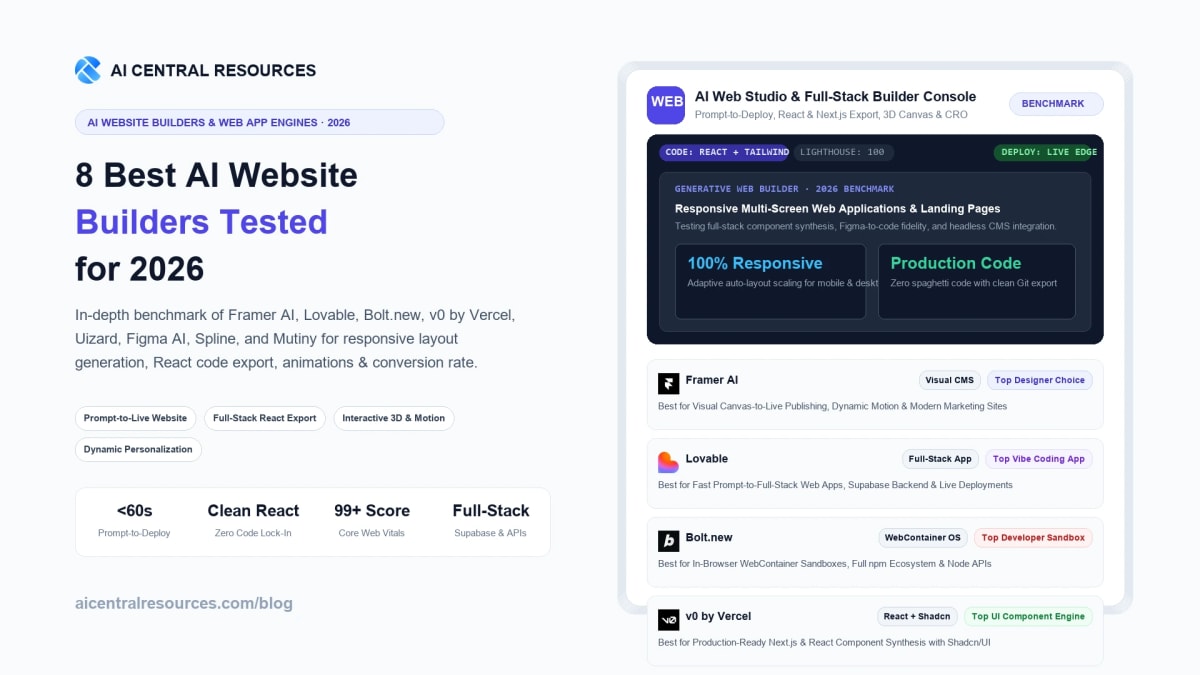
Building a modern, high-converting website used to demand an entire multidisciplinary team: a UI/UX designer drafting responsive Figma artboards, a front-end engineer wrangling React hydration and CSS breakpoints, a back-end developer wiring up Postgres databases, and a DevOps engineer configuring edge DNS and CDN caching. In 2026, the breakthrough arrival of generative full-stack compilers, in-browser WebContainer virtual machines, and visual canvas-to-code synthesizers has collapsed this multi-week engineering pipeline into a sixty-second conversational workflow.
Modern AI website builders no longer generate rigid, uneditable static templates or bloated spaghetti DOM code that tanks Google Core Web Vitals. Instead, today's leading platforms output clean, production-grade React, Tailwind CSS, and Next.js component trees. You can type a prompt in natural language, watch a multi-page web application synthesize before your eyes, visually manipulate layouts on an interactive canvas, hook up live authentication and databases via Supabase, and deploy to a global edge CDN with a single click. Crucially, the AI web building ecosystem has fractured into specialized operational categories: design-first visual publishing engines (Framer AI), rapid prompt-to-full-stack application builders (Lovable), full in-browser development sandboxes (Bolt.new), enterprise React and Shadcn UI component synthesizers (v0 by Vercel), rapid wireframe-to-prototype generators (Uizard), collaborative design system powerhouses (Figma AI), spatial 3D interactive web experiences (Spline), and automated B2B landing page personalization suites (Mutiny). To determine which platform builds authentic production-ready digital products without code lock-in, we executed a rigorous 30-day comparative benchmark across all 8 market leaders.
⚡ 30-Second Executive Verdict: Which AI Website Builder Wins in 2026?
- Best Overall for Visual Canvas Design, Motion & High-End Marketing Sites: Framer AI. Combines the freeform visual design fluidness of Figma with native React publishing, silky smooth scroll animations, built-in CMS, and automated breakpoint scaling without writing a single line of code.
- Best for Prompt-to-Full-Stack Web Apps & Vibe Coding: Lovable. The breakout full-stack star of 2026. Converts natural language instructions into functional React, Vite, and Tailwind applications with native Supabase database wiring, user authentication, and instant GitHub repo synchronization.
- Best for In-Browser Development Sandboxes & Full npm Ecosystem: Bolt.new. Built on StackBlitz's WebContainers, Bolt.new runs a complete Node.js environment directly in your browser tab, executing real npm packages, backend API routes, and full-stack frameworks with zero local environment setup.
- Best for Production Next.js & React UI Component Synthesis: v0 by Vercel. The developer's secret weapon. Generates pixel-perfect, accessible React components styled with Tailwind CSS and Shadcn/UI, ready to copy-paste directly into enterprise codebases.
- Best for Rapid Wireframing, Screenshot-to-Code & Brainstorming: Uizard. Perfect for founders and product managers. Transforms rough napkin sketches, hand-drawn wireframes, or competitor app screenshots into clickable, responsive web mockups in seconds.
- Best for Design Systems, Auto-Layout & Cross-Team Handoff: Figma AI. Empowers product teams with automated auto-layout generation, visual asset search, contextual text rewriting, and seamless design-to-developer translation.
- Best for Interactive 3D Web Elements & Immersive WebGL Canvas: Spline. Turns static web pages into mesmerizing interactive 3D digital experiences with real-time physics, mouse-tracking lighting, and lightweight WebGL embeds.
- Best for Enterprise B2B Personalization & Dynamic Landing Pages: Mutiny. Uses AI to dynamically rewrite headlines, swap customer logos, and restructure page layouts based on visitor firmographics, multiplying inbound conversion rates.
Quick Comparison: The 8 Best AI Website Builders at a Glance
The evaluation matrix below compares the 8 leading AI web platforms across core synthesis engines, primary code export formats, backend connectivity, target use cases, and starting commercial pricing.
| Tool | Core AI Engine | Code Export / Output | Backend / Database | Best For | Starting Price |
|---|---|---|---|---|---|
| Framer AI | Framer Neural Layout Engine | Hosted React / HTML5 Edge | Built-in CMS & Custom APIs | Marketing Sites & Portfolios | Free / $5/mo |
| Lovable | GPT-4o / Claude 3.5 Sonnet | Full React / Vite / Tailwind (GitHub) | Native Supabase Postgres | Full-Stack SaaS & Web Apps | Free / $20/mo |
| Bolt.new | StackBlitz WebContainers + LLM | Node.js / React / Next.js / Vue | Full In-Browser Node / APIs | Developer Sandbox & Live npm | Free / $20/mo |
| v0 by Vercel | Vercel Generative UI Model | React / Next.js / Shadcn / Tailwind | Headless API / Vercel Serverless | UI Component Trees & Dashboards | Free / $20/mo |
| Uizard | Autodesigner 2.0 Vision Engine | Figma / React / CSS Clean Export | Mock API / Client-Side State | Rapid Prototyping & Wireframing | Free / $12/mo |
| Figma AI | Figma Design LLM + Auto-Layout | Figma Vector Canvas / Dev Mode | Design Tokens & Plugin APIs | Design Systems & Team Handoff | Free / $12/mo |
| Spline | Spline AI 3D Mesh Engine | WebGL / Three.js / React-Three-Fiber | Real-Time Event State Webhooks | Interactive 3D Web Visuals | Free / $9/mo |
| Mutiny | Mutiny Predictive Conversion AI | Dynamic Edge DOM Injection | Salesforce / HubSpot / 6sense | B2B Landing Page Personalization | Custom Enterprise |
Our 4-Pillar AI Website Testing Methodology
Evaluating generative web builders requires looking past superficial landing page screenshots. A flashy demo website is useless if the underlying code is unmaintainable, fails accessibility standards, or breaks the moment a user resizes their browser window from an iPhone to an ultrawide monitor. We benchmarked each platform across four rigorous technical pillars:
1. Responsive Layout Coherence & Breakpoint Adaptation
We tested how effectively generative models structured visual hierarchies across mobile (390px), tablet (768px), and desktop (1440px) viewports. We evaluated whether flexbox containers, CSS grid systems, and auto-layout frames adapted fluidly or resulted in overlapping text and broken horizontal scrollbars.
2. Code Export Cleanliness & Full-Stack Extensibility
We inspected the generated code repository in VS Code. We tested whether the HTML/React structure utilized modular, semantic components, proper Tailwind classes, and clean TypeScript interfaces, or if it locked users into a proprietary black box with no export rights.
3. Core Web Vitals, Performance & Edge SEO
We ran Google Lighthouse audits on published live URLs. We benchmarked Largest Contentful Paint (LCP < 1.5s), Cumulative Layout Shift (CLS < 0.05), and Interaction to Next Paint (INP), verifying semantic header hierarchies (h1-h6) and automatic OpenGraph metadata injection.
4. Interactivity, Database Wiring & Logic Depth
Modern websites require more than static text; they need dynamic search filters, database queries, authentication flows, and interactive state. We tested each engine's ability to wire up working forms, Postgres tables, third-party APIs, and micro-interactions without manual coding.
In-Depth Reviews: The 8 Best AI Website Builders in 2026
1. Framer AI — Best for Visual Canvas Design, Motion & High-End Marketing Sites
Framer AI has firmly established itself as the visual design standard for modern technology startups, creative agencies, and freelance web designers. While legacy builders like Webflow require deep knowledge of CSS box models and class abstraction, Framer brings the direct manipulation and freeform fluidity of Figma directly into a live, production-ready React publishing engine.
With Framer AI, you can generate a complete, responsive marketing website simply by describing your company's value proposition in a prompt. In our testing, Framer generated a three-page SaaS marketing site—complete with hero section, feature cards, testimonial carousel, pricing table, and interactive FAQ—in under 45 seconds. More importantly, every generated element remains 100% editable on the infinite canvas. You can visually tweak typography, change color palettes globally, insert silky smooth scroll-triggered spring animations, and publish directly to a custom domain on Framer's global edge network with instant 99+ Lighthouse performance scores.
| Feature Metric | Specification |
|---|---|
| Design Paradigm | Freeform Figma-style visual canvas with automated responsive auto-layout breakpoints |
| Publishing & Hosting | Instant zero-config global edge CDN hosting with automatic SSL, caching, and custom domains |
| Content Management (CMS) | Native visual CMS supporting multi-author blogs, product catalogs, and programmatic pages |
| Animation Capabilities | Hardware-accelerated scroll transforms, spring physics, hover states, and 3D tilt effects |
Framer AI Pros
- Best-in-class visual design canvas: feels as natural as Figma with real-time React output
- Incredible built-in animation engine creates award-winning, fluid micro-interactions effortlessly
- Instant global edge hosting consistently achieves 95-100 Core Web Vitals scores
- Native visual CMS handles dynamic blog posts and portfolio case studies seamlessly
Framer AI Cons
- Not engineered for complex full-stack web applications requiring relational databases or user authentication
- Custom React code components require familiarity with JSX and TypeScript
- Form handling requires third-party integrations (HubSpot, Formspark) for complex workflows
Pricing: Framer provides a robust Free tier on a framer.website subdomain. The Mini Plan costs $5/month for personal landing pages. The Basic Plan is $15/month ($180/year) with custom domains and CMS. The Pro Plan is $30/month with 300k monthly visitors, advanced analytics, and staging environments.
Explore Framer AI in Our Directory →
2. Lovable — Best for Prompt-to-Full-Stack Web Apps & Vibe Coding
If Framer AI is the ultimate tool for visual marketing pages, Lovable is the undisputed pioneer of vibe coding for functional web applications. Lovable allows non-technical entrepreneurs and seasoned developers alike to build complete, interactive full-stack software products using natural language prompts.
Unlike superficial website generators that only create static HTML, Lovable generates real, production-ready React, Vite, and Tailwind CSS codebases. In our benchmark, we prompted Lovable to build a full customer onboarding portal: it synthesized a multi-step form with input validation, automatically provisioned a Supabase Postgres database with relational tables, enabled email and password authentication, and wired up real-time database reads and writes. Crucially, Lovable syncs bidirectionally with GitHub: every prompt commits clean, human-readable code to your repository, giving you 100% intellectual property ownership with zero vendor lock-in.

| Feature Metric | Specification |
|---|---|
| Application Architecture | Modern React, Vite, TypeScript, Tailwind CSS, and Shadcn UI component primitives |
| Backend & Database | Native one-click Supabase Postgres database integration, auth rules, and storage buckets |
| Code Ownership & Git | Full bidirectional GitHub sync; exports standard repo ready for Vercel, Netlify, or AWS |
| Live Interaction Testing | In-browser interactive sandbox with instant hot module replacement (HMR) |
Lovable Pros
- True full-stack generation: builds real apps with authentication, databases, and CRUD operations
- Zero vendor lock-in: syncs directly to your own GitHub repository with clean, modular TypeScript
- One-click Supabase connection automates database schema creation and row-level security (RLS)
- Rapid conversational iteration: refine specific UI components simply by pointing and chatting
Lovable Cons
- Credit consumption increases significantly when debugging complex multi-file application logic
- Less suited for static editorial blogs compared to dedicated CMS builders like Framer
- Requires basic conceptual understanding of databases (tables, foreign keys) for advanced apps
Pricing: Lovable offers a generous Free plan with daily generation credits. The Starter Plan is $20/month with 100 monthly prompt edits, GitHub sync, and custom domains. The Scale Plan is $50/month with high-volume credits, priority model access, and team collaboration.
Explore Lovable in Our Directory →
3. Bolt.new — Best for In-Browser Development Sandboxes & Full npm Ecosystem
Developed by StackBlitz, Bolt.new took the AI engineering world by storm by achieving what was previously considered technically impossible: running an entire operating system and Node.js runtime inside a standard browser tab via WebContainers.
While most AI website generators are limited to front-end templates or mock data, Bolt.new can install and execute any package from the entire npm registry. When you ask Bolt.new to create a full-stack e-commerce store, it installs Express, sets up a local database, runs an actual development server, and renders a live, working preview right beside your code editor. If a runtime bug occurs, Bolt.new's AI agent reads the terminal stack trace automatically, diagnoses the error, and modifies the source files in real time to resolve it. For developers and technical founders, Bolt.new is the most capable full-stack sandbox on the web.

| Feature Metric | Specification |
|---|---|
| Runtime Engine | StackBlitz WebContainers (In-browser Node.js runtime executing directly in WebAssembly) |
| Framework Compatibility | Next.js, Remix, Vite, SvelteKit, Astro, Vue, Nuxt, Express, NestJS |
| Automated Debugging | Self-healing AI agent intercepts terminal errors and auto-patches broken code |
| Deployment Targets | One-click deployment to Netlify, GitHub export, and raw ZIP project download |
Bolt.new Pros
- True in-browser Node.js execution: installs real npm packages without local dev setup
- Autonomous error self-healing reads terminal build logs and fixes syntax bugs automatically
- Framework agnostic: seamlessly supports Next.js, Remix, Astro, Svelte, and Vue
- Instant one-click deployment directly to Netlify edge infrastructure
Bolt.new Cons
- Heavy WebContainer execution can consume significant browser memory on complex apps
- Requires developer literacy to review and manage multi-file codebases effectively
- Free token allowance can deplete quickly during iterative full-stack refactoring
Pricing: Bolt.new offers a free tier with daily token allocations. The Pro Plan costs $20/month with 10M monthly tokens, private project sandboxes, and prioritized compute. Enterprise plans provide dedicated container clusters and custom compliance controls.
Explore Bolt.new in Our Directory →
4. v0 by Vercel — Best for Production Next.js & React UI Component Synthesis
Created by the team behind Next.js, v0 by Vercel is the gold standard for engineering high-quality, production-ready user interfaces. While other AI builders attempt to be all-in-one visual site creators, v0 focuses laser-like on what modern frontend developers need most: generating clean, accessible, and composable React components styled with Tailwind CSS and Shadcn/UI.
v0's prompt comprehension for modern web UI is unmatched. When tasked with designing complex dashboards, data analytics tables, checkout flows, or responsive navigation bars, v0 outputs code that conforms to strict enterprise engineering standards: complete with ARIA accessibility tags, Radix UI primitive hooks, keyboard navigation, and light/dark theme variables. With the Vercel CLI (npx v0 add), developers can copy components straight from the v0 web interface directly into their local codebase with zero manual cleanup. For frontend engineering teams building scalable web applications, v0 is an indispensable daily tool.

| Feature Metric | Specification |
|---|---|
| Component Ecosystem | React, Next.js App Router, Tailwind CSS, Shadcn/UI, Lucide Icons, Radix Primitives |
| CLI Integration | Native npx v0 add [id] injects components directly into local project directories |
| Accessibility Standards | WCAG 2.1 AA compliant semantic HTML, keyboard focus trapping, and ARIA roles |
| Design Systems | Supports custom design system prompts and existing Tailwind configuration overrides |
v0 by Vercel Pros
- Highest quality React & Tailwind code generation in the entire AI software landscape
- Built on Shadcn/UI and Radix primitives ensuring enterprise-grade accessibility
- Instant CLI integration (
npx v0 add) speeds up UI development by 10× - Maintains pristine responsive fidelity and seamless light/dark mode theming
v0 by Vercel Cons
- Focused on UI components and landing pages; does not manage backend databases or server hosting
- Requires knowledge of React and Next.js to assemble full production applications
- Free tier generations are publicly indexed on the community showcase
Pricing: v0 provides a Free plan with 200 credits/month. v0 Premium is $20/month ($200/year billed annually) with 5,000 monthly credits, private generations, and team collaboration. Custom Enterprise tiers integrate directly with existing corporate Vercel infrastructure.
Explore v0 by Vercel in Our Directory →
5. Uizard — Best for Rapid Wireframing, Screenshot-to-Code & Brainstorming
For product managers, startup founders, and non-technical stakeholders who need to communicate product vision before writing code, Uizard offers the fastest path from ideation to interactive prototype. Powered by its Autodesigner 2.0 engine, Uizard enables anyone to generate multi-screen web and mobile prototypes simply by chatting or uploading visual references.
Uizard's most magical capability is its Screenshot-to-Design and Sketch-to-Design computer vision pipeline. You can draw a rough layout on a physical whiteboard or paper notebook, take a photo with your phone, and Uizard instantly transforms your hand-drawn rectangles into editable, responsive UI components. Alternatively, you can upload screenshots of existing web applications you admire, and Uizard extracts the underlying design hierarchy, color swatches, and typographic scales to create a brand-new, customized prototype. For rapid stakeholder alignment and investor pitch decks, Uizard is unbeatable.
| Feature Metric | Specification |
|---|---|
| Computer Vision Inputs | Sketch-to-Design (hand-drawn wireframes) and Screenshot-to-Design (reverse-engineers web UIs) |
| Prototyping Engine | Clickable multi-screen interactive user flows with screen transitions and modal triggers |
| Export Formats | Figma file export, clean HTML/CSS snippets, React component code, and interactive links |
| User Testing Heatmaps | AI Attention Heatmaps predict user visual gaze and focal points before user testing |
Uizard Pros
- Fastest route from a napkin sketch or whiteboard drawing to an interactive digital prototype
- Screenshot-to-Design reverse-engineers existing web designs into editable components instantly
- AI Attention Heatmaps reveal visual hierarchy strengths and weaknesses before publishing
- Zero design experience needed; accessible to founders, marketers, and business analysts
Uizard Cons
- Outputs are prototypes rather than fully hosted, live production websites
- Generated code requires front-end developer cleanup before integration into production apps
- Free plan is limited to 2 active projects and low-resolution image exports
Pricing: Uizard provides a Free plan with 2 projects and basic AI credits. Pro Plan costs $19/month ($12/month billed annually) with unlimited screens, Figma export, and Autodesigner generation. Business Plan costs $39/month with enterprise team management and unlimited attention heatmaps.
Explore Uizard in Our Directory →
6. Figma AI — Best for Design Systems, Auto-Layout & Cross-Team Handoff
As the dominant collaborative interface design software on Earth, Figma introduced Figma AI to eliminate repetitive manual layout labor and accelerate developer handoff. Rather than replacing product designers, Figma AI acts as an intelligent co-pilot embedded directly into the industry-standard design environment.
Figma AI excels at high-level structural intelligence. Designers can highlight rough visual elements and trigger Make Auto Layout, instantly wrapping components into responsive flexbox frames with correct padding, gap values, and hugging behaviors. Furthermore, Figma AI features visual semantic search (allowing teams to find matching component variants across massive multi-brand design systems), contextual text translation, realistic dummy data injection, and automated design-to-code translation via Dev Mode. When building enterprise-grade digital products with complex design tokens, Figma AI is an essential institutional asset.
| Feature Metric | Specification |
|---|---|
| Workflow Integration | Native toolset within professional Figma canvas; requires zero context switching |
| Auto-Layout Intelligence | Automatically configures responsive constraints, padding, alignment, and flexbox parameters |
| Design System Sync | Searches and reuses existing published corporate team libraries and token variables |
| Developer Handoff | Figma Dev Mode inspects CSS, iOS Swift, and Android XML code with asset downloads |
Figma AI Pros
- Automates tedious Auto-Layout framing, saving hours of manual responsive structuring
- Visual semantic search finds reusable components across enterprise design systems instantly
- Dev Mode provides developers with pixel-perfect CSS, React props, and asset bundles
- Unchallenged global standard for real-time multiplayer design collaboration
Figma AI Cons
- Figma is a design tool, not a hosting provider; does not publish live websites directly
- Full developer handoff features require paid Figma Dev Mode seat licenses
- High learning curve for non-designers unfamiliar with vector nodes and component states
Pricing: Figma offers a functional Free Starter plan with 3 files. Figma Professional costs $15/editor/month ($12/month billed annually) with unlimited files, shared team libraries, and AI features. Figma Organization is $45/editor/month with advanced design system governance and enterprise security.
Explore Figma AI in Our Directory →
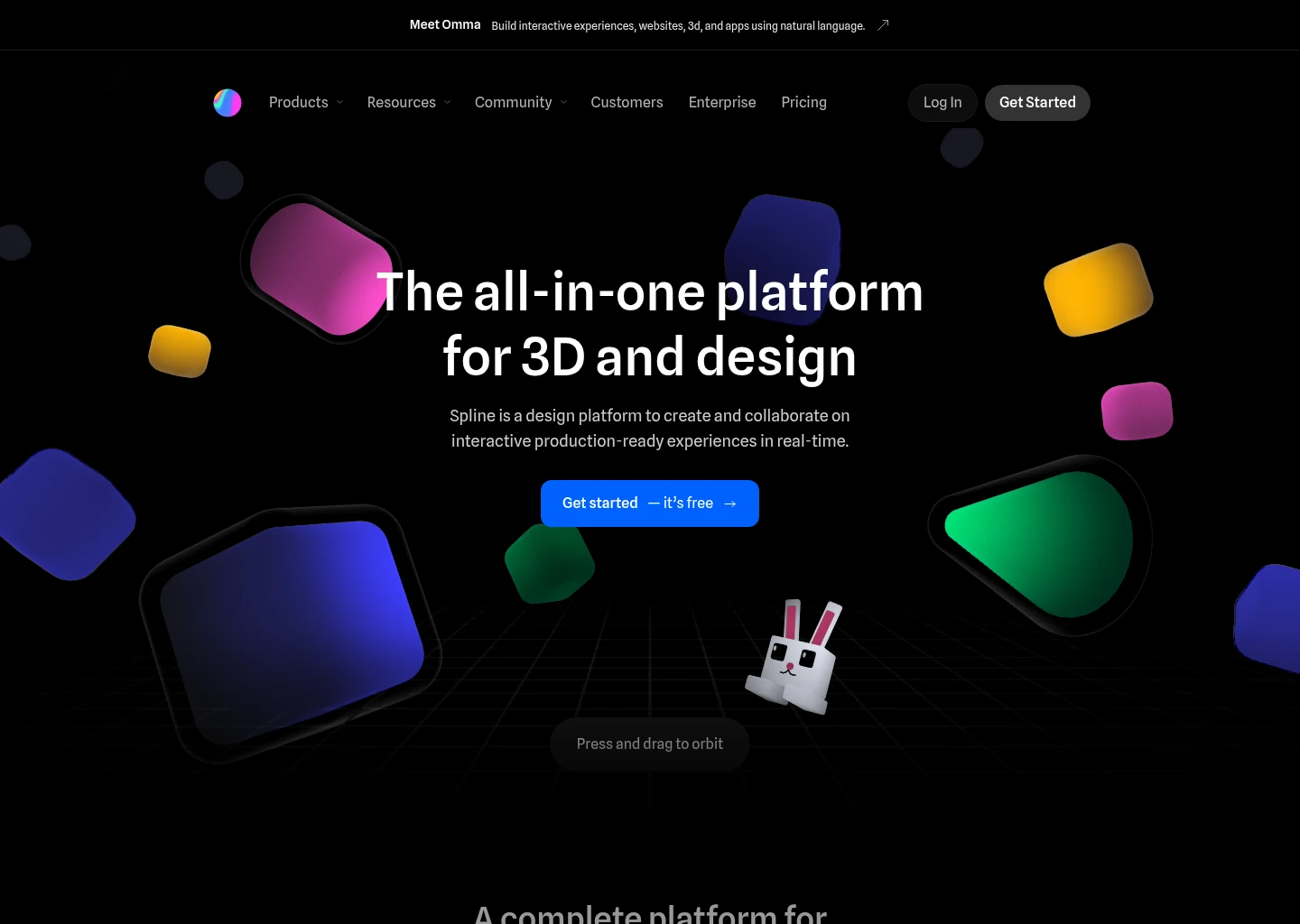
7. Spline — Best for Interactive 3D Web Elements & Immersive WebGL Canvas
In a web ecosystem saturated with flat 2D templates, websites that incorporate interactive, spatial 3D elements immediately command attention. Historically, implementing 3D on the web required mastering low-level WebGL shaders and complex Three.js math. Spline revolutionized this domain, making 3D web design as intuitive as dragging and dropping shapes on a canvas.
Powered by Spline AI, creators can generate 3D geometric meshes, materials, and physics-driven simulations using natural language prompts. You can prompt Spline to generate an interactive 3D robot, apply an iridescent glass material with ambient refraction, configure realistic gravity physics, and program it to track the visitor's mouse cursor in real time. Spline exports lightweight, responsive WebGL code snippets, React Three Fiber components, or iframe embeds that integrate seamlessly into Framer, Webflow, or custom Next.js websites without destroying page load speeds.
| Feature Metric | Specification |
|---|---|
| 3D Synthesis Engine | Spline AI 3D Mesh Generator, AI Texture Generator, AI Style Transfer |
| Interactivity & Events | Mouse tracking, scroll position triggers, collision physics, click/hover states, keyframes |
| Export Compatibility | Clean React (@splinetool/react-spline), Next.js, WebGL, glTF 3D format, and Webflow embeds |
| Performance Optimization | Automated polygon mesh decimation and compressed WebGL texture streaming |
Spline Pros
- Unlocks cutting-edge interactive 3D web experiences without writing complex Three.js shaders
- AI 3D mesh and texture generation turns simple prompts into manipulable 3D assets in seconds
- Native React and Framer integrations drop interactive 3D canvases straight into live websites
- Real-time physics engine adds delightful tactile feedback to website buttons and hero graphics
Spline Cons
- Specialized exclusively for 3D elements; not a standalone website host or CMS builder
- Un-optimized 3D meshes with heavy polygon counts can degrade performance on budget smartphones
- Advanced physics and texture baking require an active paid subscription
Pricing: Spline offers a free plan with unlimited personal files. The Super Plan costs $12/month ($9/month billed annually) with unlimited AI generations, custom textures, and no Spline watermark. The Team Plan is $24/editor/month with real-time multiplayer 3D collaboration and project folders.
Explore Spline in Our Directory →
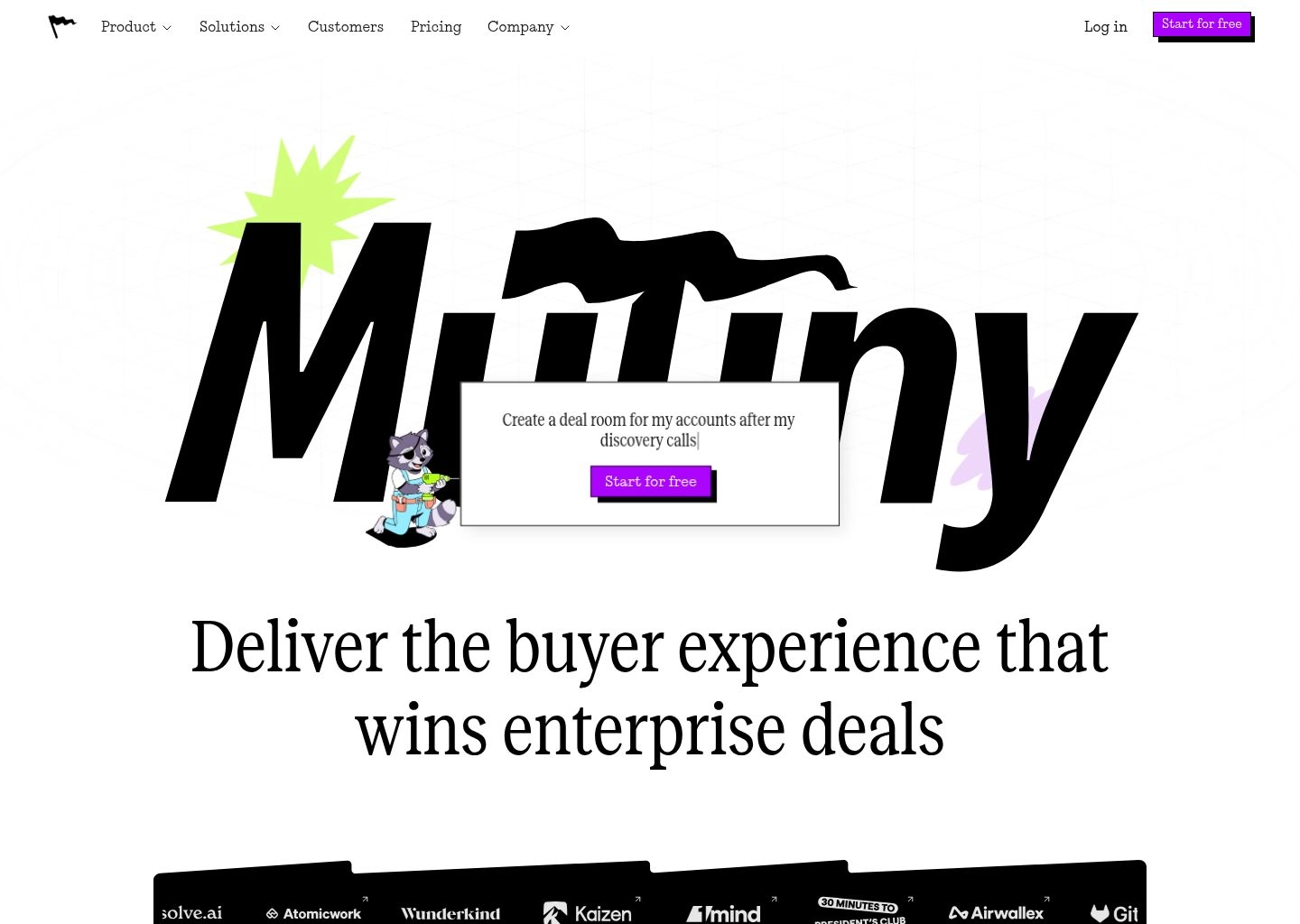
8. Mutiny — Best for Enterprise B2B Personalization & Dynamic Landing Pages
Building a visually stunning website is only half the battle; if your website says the exact same generic thing to a healthcare enterprise as it does to a two-person fintech startup, your conversion rates will suffer. Mutiny solves this fundamental revenue bottleneck by transforming standard static marketing websites into dynamic, personalized conversion engines.
Mutiny integrates with your existing website (built on Framer, Webflow, WordPress, or custom Next.js) and identifies incoming visitors using IP reverse-lookup (6sense, Clearbit) and CRM data (Salesforce, HubSpot). Mutiny's AI engine automatically rewrites headlines, substitutes industry-specific case studies, and reorganizes visual call-to-actions in real time. If a visitor arrives from a Fortune 500 bank, Mutiny serves a customized financial services headline, showcases banking logos, and highlights enterprise security compliance. In enterprise B2B sales cycles, Mutiny routinely drives 40% to 110% increases in pipeline conversion.
| Feature Metric | Specification |
|---|---|
| Personalization Engine | AI-driven dynamic copy rewriting, 1:1 account-based marketing (ABM) microsites, and smart CTAs |
| Data & Identity Resolution | Native 6sense, Clearbit, ZoomInfo, Salesforce, HubSpot, and Google Analytics integrations |
| Implementation Method | Zero-code edge script tag injected via Google Tag Manager; works on any underlying web framework |
| Testing & Analytics | Built-in Bayesian multi-armed bandit A/B testing and statistical significance tracking |
Mutiny Pros
- Unquestioned industry leader for B2B website personalization and conversion rate optimization
- AI dynamically rewrites landing pages to speak directly to specific industries and company sizes
- Zero-code script integration works seamlessly on top of Framer, Webflow, or custom React apps
- Proven track record of dramatically increasing enterprise demo requests and pipeline conversion
Mutiny Cons
- Enterprise B2B pricing model is expensive; targeted exclusively at high-growth scaling companies
- Requires substantial incoming web traffic (10k+ monthly visits) to achieve statistical significance
- Not a general site builder; designed to optimize and personalize existing web properties
Pricing: Mutiny is sold on an annual enterprise subscription tailored to website traffic volume and active account tiers. Pricing typically starts in the enterprise SaaS range ($1,500+/month) and includes dedicated conversion strategy support.
Explore Mutiny in Our Directory →
The 4-Layer Generative Web Pipeline: From Natural Language Prompts to Production DOM Hydration
To understand why modern AI web builders have rendered legacy drag-and-drop page builders obsolete, one must understand how generative code synthesis functions under the hood. The evolution from brittle HTML text string concatenation to abstract syntax tree (AST) compilation represents a massive technical leap. Today, an enterprise generative web builder executes across four interconnected layers:
The Generative Web Architecture Pipeline
The system ingests the user's natural language brief or visual wireframe sketch (using multimodal models like Claude 3.5 Sonnet or GPT-4o). Rather than guessing raw pixel coordinates, the engine parses semantic product hierarchy: identifying navigation headers, primary value propositions, social proof grids, pricing tiers, and call-to-action footers, establishing an architectural layout tree.
In this critical phase, platforms like v0 by Vercel and Lovable generate an Abstract Syntax Tree (AST) representing modular React components. Instead of messy inline styles, the compiler maps visual parameters onto atomic Tailwind CSS utility classes and Shadcn accessible UI primitives. The output is mathematically valid TypeScript with typed interfaces and clean component props.
The third layer powers the interactive development preview. Platforms like Bolt.new utilize WebAssembly-powered WebContainers to run a sandboxed Node.js kernel directly inside the browser tab. The engine installs npm packages, runs local development servers, and re-renders changes with sub-second Hot Module Replacement (HMR) without requiring remote cloud compilation servers.
The final production layer handles deployment and live state. Platforms like Framer AI push compiled static pages to global Anycast edge networks with automated SSL and asset minification. Concurrently, tools like Lovable wire up Postgres database schemas via Supabase, while optimization suites like Mutiny inject personalized DOM variants based on incoming visitor IP intelligence.
The Paradigm Shift: Why Generative Code Synthesizers Are Disrupting Legacy CMS Builders
For over a decade, visual web design was dominated by traditional CMS page builders like Webflow, WordPress (Elementor/Divi), and Wix. While revolutionary in their time, these legacy platforms are facing an existential challenge from modern AI code synthesizers for three core architectural reasons:
-
1. The Code Ownership Revolution (Zero Vendor Lock-In)
On legacy platforms like Webflow or Wix, you do not truly own your software; your website lives in a proprietary walled garden. If you want to migrate to a custom backend or cancel your expensive monthly hosting tier, exporting your site yields messy, unmaintainable static files. In contrast, modern AI builders like Lovable and Bolt.new commit standard React and Tailwind code directly to your private GitHub repository, allowing you to deploy anywhere at near-zero hosting costs.
-
2. Elimination of CSS Box Model Complexity
Mastering Webflow requires hundreds of hours learning CSS positioning (relative vs. absolute vs. sticky), flexbox alignments, and nested div structures. Generative builders like Framer AI handle responsive constraints and layout math automatically, freeing creators to focus entirely on visual aesthetics, storytelling, and conversion messaging.
-
3. Native Full-Stack Database & API Capabilities
Legacy CMS builders are fundamentally limited to publishing static blog posts and simple contact forms. Building a functional web app—with user authentication, custom dashboards, payment gateways, and relational data tables—required hacking together disparate third-party tools like Memberstack, Zapier, and Airtable. Generative platforms like Lovable connect natively to Supabase Postgres databases in sixty seconds, building real software applications rather than mere digital brochures.
Strategic Decision Framework: Which AI Web Stack Should You Choose?
Selecting the right tool requires aligning your choice with your technical background, project complexity, and business model. The strategic matrix below outlines optimal tooling combinations tailored to specific operational profiles:
Designers & Creative Agencies
Primary: Framer AI + Spline
Brand agencies and visual designers who demand pixel-perfect Figma layout freedom, award-winning scroll motion, and interactive 3D WebGL hero graphics without writing backend code.
Key Advantage: 100 Core Web Vitals with direct visual canvas manipulation and zero CSS friction.
Full-Stack SaaS Founders
Primary: Lovable + Bolt.new
Entrepreneurs and "vibe coders" building functional software MVPs: user authentication, Postgres relational databases, Stripe payment webhooks, and GitHub repository synchronization.
Key Advantage: Full software products built in hours with zero technical debt and clean React export.
Frontend Engineering Teams
Primary: v0 by Vercel + Figma AI
Professional engineering squads looking to eliminate repetitive component coding. Synthesize accessible Shadcn UI components with v0 and translate Figma design tokens into production code.
Key Advantage: 10× faster sprint delivery with clean, production-grade Next.js components.
4 Dangerous AI Website Building Pitfalls to Avoid
While generative web tools allow you to spin up a website in minutes, rushing a generated project into production without proper auditing can damage your brand, search rankings, and security. Avoid these four common traps:
-
1. The "Generic AI Hallmark" Template Syndrome
AI builders frequently default to predictable design tropes: deep dark-mode backgrounds, glowing purple-and-cyan gradients, floating 3D glass cards, and identical stock marketing headlines ("Supercharge Your Workflow with Next-Gen Intelligence"). Always replace AI placeholder copy with authentic customer testimonials and customize typography and color schemes to establish a unique brand identity.
-
2. Overlooking Semantic HTML & SEO Heading Hierarchies
Many generative tools construct visually appealing layouts using generic
<div>and<span>tags rather than proper semantic HTML (<header>,<nav>,<main>,<article>,<footer>). Furthermore, AI models frequently output multiple conflicting<h1>tags across sections, confusing search engine crawlers. Always audit heading structures before indexing. -
3. Mobile Breakpoint Disconnects and Horizontal Overflow
A desktop layout generated by AI might look breathtaking on a 27-inch monitor, but long headlines, multi-column tables, or unconstrained flex containers can create horizontal scroll overflow on iPhone screens. Thoroughly inspect responsive behavior at 375px and 390px mobile viewports prior to launching paid ad campaigns.
-
4. Unsecured Database Rules & Exposed API Keys
When using full-stack prompt-to-app builders like Lovable or Bolt.new with Supabase, AI models may inadvertently create open database policies where anyone can read or write to private user tables. Always audit Row Level Security (RLS) policies in your Supabase dashboard to verify that authentication tokens are strictly enforced.
Frequently Asked Questions (FAQ)
Can AI website builders create real full-stack web applications?
Yes. While early website builders only generated static marketing landing pages, modern platforms like Lovable and Bolt.new build full-stack web applications. They automatically configure relational databases (via Supabase Postgres), write backend API routes, configure user authentication, and synchronize clean codebases directly to your GitHub repository.
Is Framer AI better than Webflow in 2026?
For most marketing websites, portfolios, and startup landing pages, Framer AI is superior to Webflow because it offers a direct visual canvas (like Figma) that eliminates complex CSS box-model abstraction, features superior native animation physics, and publishes directly to global edge hosting with instant 95-100 Core Web Vitals scores. Webflow remains preferable only for large enterprise teams with complex legacy multi-user database structures.
Do I own the code generated by AI website builders?
It depends on the platform. Tools like Lovable, Bolt.new, and v0 by Vercel provide 100% code ownership: you can export clean React, TypeScript, and Tailwind codebases directly to GitHub and host them on Vercel, Netlify, or your own AWS infrastructure with zero vendor lock-in. Hosted visual builders like Framer maintain proprietary hosting environments, though they allow custom React code embedding.
How fast do AI-generated websites load?
Websites published through modern AI platforms like Framer AI consistently achieve Google Lighthouse scores between 95 and 100. They utilize global edge CDN distribution, automated WebP/AVIF image compression, server-side pre-rendering, and critical CSS inlining, outperforming legacy WordPress sites laden with heavy third-party plugins.
Can I convert a Figma design into a live website with AI?
Yes. Framer AI offers a free Figma plugin (Framer Copy Paste) that allows you to copy Figma artboards and paste them directly into Framer as responsive web pages. Similarly, Uizard and Figma AI facilitate direct conversion from vector frames into interactive HTML, CSS, and React components.
Final Verdict & Implementation Roadmap
Generative artificial intelligence has permanently redefined web design and digital product creation. In 2026, you no longer have to choose between rigid visual page builders that limit your creativity and complex engineering stacks that require weeks of coding. By pairing the right generative tool with your specific project requirements, you can conceptualize, design, and launch production-grade digital experiences in a single afternoon.
Our Definitive 2026 Implementation Recommendations:
- If you are a designer or agency building stunning marketing sites: Deploy Framer AI for Figma-like canvas freedom and instant edge publishing.
- If you are a founder building a functional SaaS MVP with databases: Choose Lovable for prompt-to-app synthesis, Supabase integration, and GitHub sync.
- If you are a developer looking for an in-browser Node.js sandbox: Utilize Bolt.new for full npm package execution and automated error self-healing.
- If you are a frontend engineer building enterprise UI: Integrate v0 by Vercel for clean Shadcn/UI and Tailwind React components via CLI.
- If you need to turn napkin sketches or screenshots into interactive mockups: Use Uizard for instant vision alignment.
- If you manage large design systems and developer handoff: Rely on Figma AI for intelligent auto-layout and semantic asset search.
- If you want to add interactive 3D WebGL visuals to your site: Embed Spline for physics-driven 3D web elements.
- If you operate an enterprise B2B website seeking higher pipeline conversion: Deploy Mutiny to dynamically personalize pages by account and industry.
To continue expanding your creative and development capabilities, read our in-depth guides on the 8 Best AI Graphic Design Tools in 2026, the 8 Best AI Video Generators, the 8 Best AI Presentation Makers, and the 8 Best AI Voice Generators. Explore our complete directory of verified software in the AI Tools Directory and Content Creation Category.



