

For decades, professional graphic design was governed by an uncompromising technical divide: you either mastered complex vector bezier paths, node coordinates, and color separations in industry-standard software, or you relied on rigid raster templates that pixelated the moment you scaled them beyond a standard smartphone screen. In 2026, the arrival of multimodal foundation models, native neural vector synthesizers, and commercial copyright-indemnified diffusion engines has radically overturned that paradigm. Graphic design is no longer about laboriously plotting anchor points by hand or generating blurry PNGs through trial-and-error text prompts.
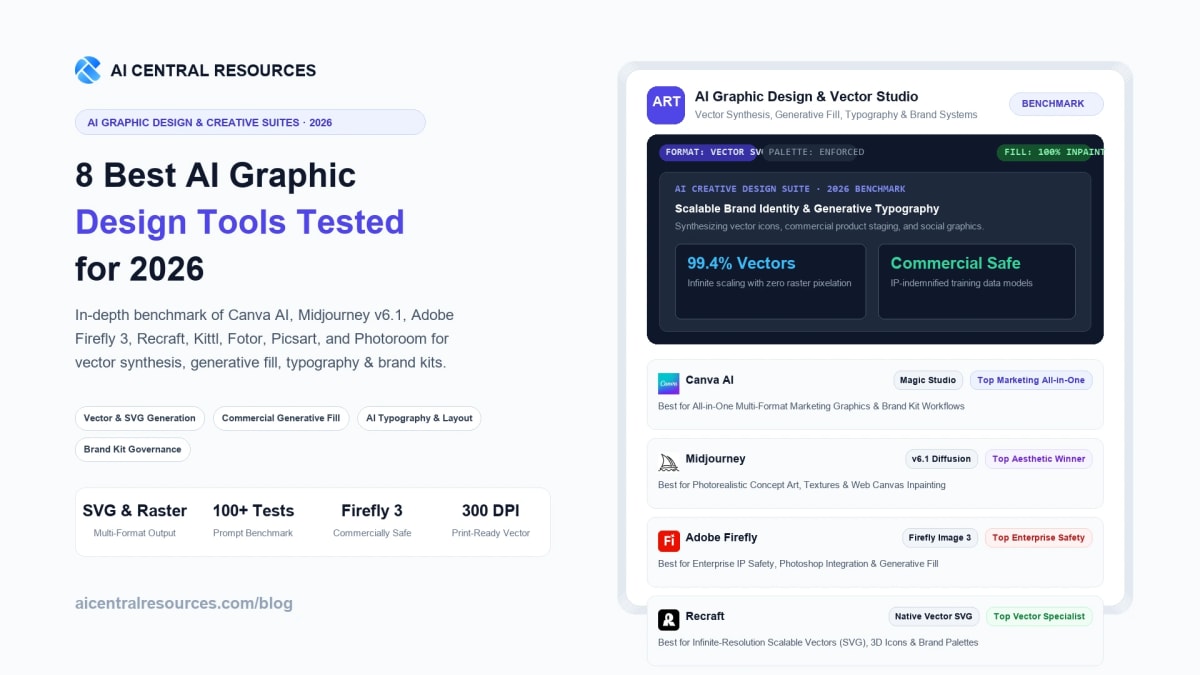
Modern design workflows demand clean, mathematically infinite SVG exports, non-destructive layer editing, parametric typography control, and strict brand identity enforcement. A marketing agency cannot present an un-scalable raster graphic for a high-resolution billboard campaign, nor can a venture-backed startup risk trademark litigation from unvetted AI diffusion datasets. Crucially, the AI graphic design landscape has fractured into distinct specialized domains: all-in-one marketing automation suites (Canva AI, Picsart), raw conceptual ideation powerhouses (Midjourney), enterprise-grade indemnified suites (Adobe Firefly), dedicated neural vector generators (Recraft), apparel and print-on-demand typography specialists (Kittl), fast cloud touchup editors (Fotor), and automated e-commerce product staging systems (Photoroom). To identify which tool truly delivers commercial production value, we executed a rigorous 30-day comparative benchmark across all 8 market leaders.
⚡ 30-Second Executive Verdict: Which AI Graphic Design Tool Wins in 2026?
- Best All-in-One AI Marketing & Template Suite: Canva AI. With Magic Studio, automated brand kit locking, multi-platform batch resizing, and generative text-to-graphic tools, Canva remains unmatched for collaborative marketing teams and non-designers producing high-volume social collateral.
- Best for Photorealistic Ideation & Conceptual Art Direction: Midjourney. Midjourney v6.1 continues to lead the entire generative AI industry in texture depth, lighting nuance, artistic versatility, and high-aesthetic concept generation for creative directors.
- Best for Commercial IP Safety & Creative Cloud Integration: Adobe Firefly. Trained exclusively on licensed Adobe Stock and public domain assets, Firefly provides enterprise legal indemnification, native Photoshop Generative Fill, and vector SVG generation inside Illustrator.
- Best Native AI Vector Generator & SVG Icon Synthesizer: Recraft. Built on its custom Red_Panda model architecture, Recraft generates genuine, clean bezier SVG vector art, brand icon sets, and editable 3D illustrations with zero point-cloud noise.
- Best for Vintage Typography, Merch & Print-on-Demand: Kittl. Engineered specifically for graphic apparel, packaging, and poster design with advanced typographic warping, AI texture generation, and instant vectorization.
- Best Budget-Friendly Web-Based Photo & Graphic Editor: Fotor. An accessible, highly affordable browser tool combining AI image upscaling, object replacement, face enhancement, and marketing banner templates.
- Best for Mobile Creators & Rapid Gen-Z Social Assets: Picsart. A powerhouse mobile and web creative suite boasting custom AI sticker generation, dynamic text effects, and automated social-first design workflows.
- Best for E-Commerce Product Photography & Visual Staging: Photoroom. The benchmark standard for automated background removal, shadow generation, and studio-grade AI product photography for Shopify and Amazon stores.
Quick Comparison: The 8 Best AI Graphic Design Tools at a Glance
The evaluation matrix below compares the 8 leading AI graphic design platforms across core model engines, native output formats, primary target audiences, and commercial starting tiers.
| Tool | Core AI Engine | Output Format | Best Use Case | Commercial Safety | Starting Price |
|---|---|---|---|---|---|
| Canva AI | Magic Studio / Multi-Model | Raster (PNG/JPG) & PDF | Marketing Collateral & Social Kits | High (Canva Shield) | Free / $15/mo |
| Midjourney | Midjourney v6.1 Latent Diffusion | High-Res Raster (PNG/WEBP) | Conceptual Art & Photorealistic B-Roll | Moderate (Open Web Data) | $10/mo |
| Adobe Firefly | Firefly Image 3 / Vector Model | Native SVG Vectors & PSD/TIFF | Enterprise Brand Design & Creative Cloud | Enterprise Indemnified | Free / $4.99/mo |
| Recraft | Red_Panda Neural Vector Engine | Clean Bezier SVG & Lottie/PNG | App Icons, UI Graphics & Scalable Vectors | High (Commercial Rights) | Free / $20/mo |
| Kittl | Kittl AI Vectorizer & Generator | Editable SVG Vectors & 300 DPI PNG | Merch, Vintage Typography & Packaging | Full Commercial POD | Free / $15/mo |
| Fotor | Fotor Diffusion & Neural Upscaler | Raster (PNG/JPG) & PDF | Quick Web Collateral & Photo Touchups | Standard Commercial | Free / $3.33/mo |
| Picsart | Picsart AI Studio Engine | Mobile-Optimized Raster (PNG/JPG) | TikTok/Reels Thumbnails & Sticker Kits | Standard Commercial | Free / $5/mo |
| Photoroom | Photoroom Cutout & Lighting AI | Lossless Transparent PNG & JPG | E-Commerce Product Staging & Catalogs | High (Commercial Studio) | Free / $12.99/mo |
Our 4-Pillar Graphic Design Testing Methodology
Testing AI graphic design tools requires going far beyond typing creative prompts and admiring artistic outputs. A tool may generate a breathtaking digital painting, but if it cannot render legible typography, cannot export mathematically scalable vector paths, or produces intellectual property red flags, it is virtually unusable in a commercial production setting. We evaluated each platform across four rigorous technical dimensions:
1. Vector Fidelity & SVG Export Purity
We analyzed the underlying geometry of vector outputs in Adobe Illustrator and Figma. We tested whether generated SVGs contained clean, editable bezier paths with minimal anchor points, or whether the software simply ran an auto-trace algorithm over a raster image that produced thousands of jagged, uneditable polygon shards.
2. Typography Coherence & Text Alignment
We benchmarked font kerning, letterform rendering, text warping along paths, and spelling precision. We subjected each engine to complex typographic prompts requiring multi-word slogans, curved vintage badge layouts, and multilingual character sets to measure hallucination rates.
3. Brand Consistency & Multi-Asset Alignment
Modern design requires cohesive campaign kits across banners, slides, and social carousels. We tested each tool's ability to lock exact HEX color palettes, reference consistent corporate character models, and enforce uniform brand typography across 10 distinct marketing dimensions simultaneously.
4. Commercial IP Safety & Legal Viability
We scrutinized model training datasets, copyright terms, and commercial indemnification policies. We evaluated whether enterprise teams can safely deploy generated graphics in commercial print, advertising, and packaging without exposing their organizations to third-party copyright claims.
In-Depth Reviews: The 8 Best AI Graphic Design Tools in 2026
1. Canva AI — Best All-in-One AI Marketing & Template Suite
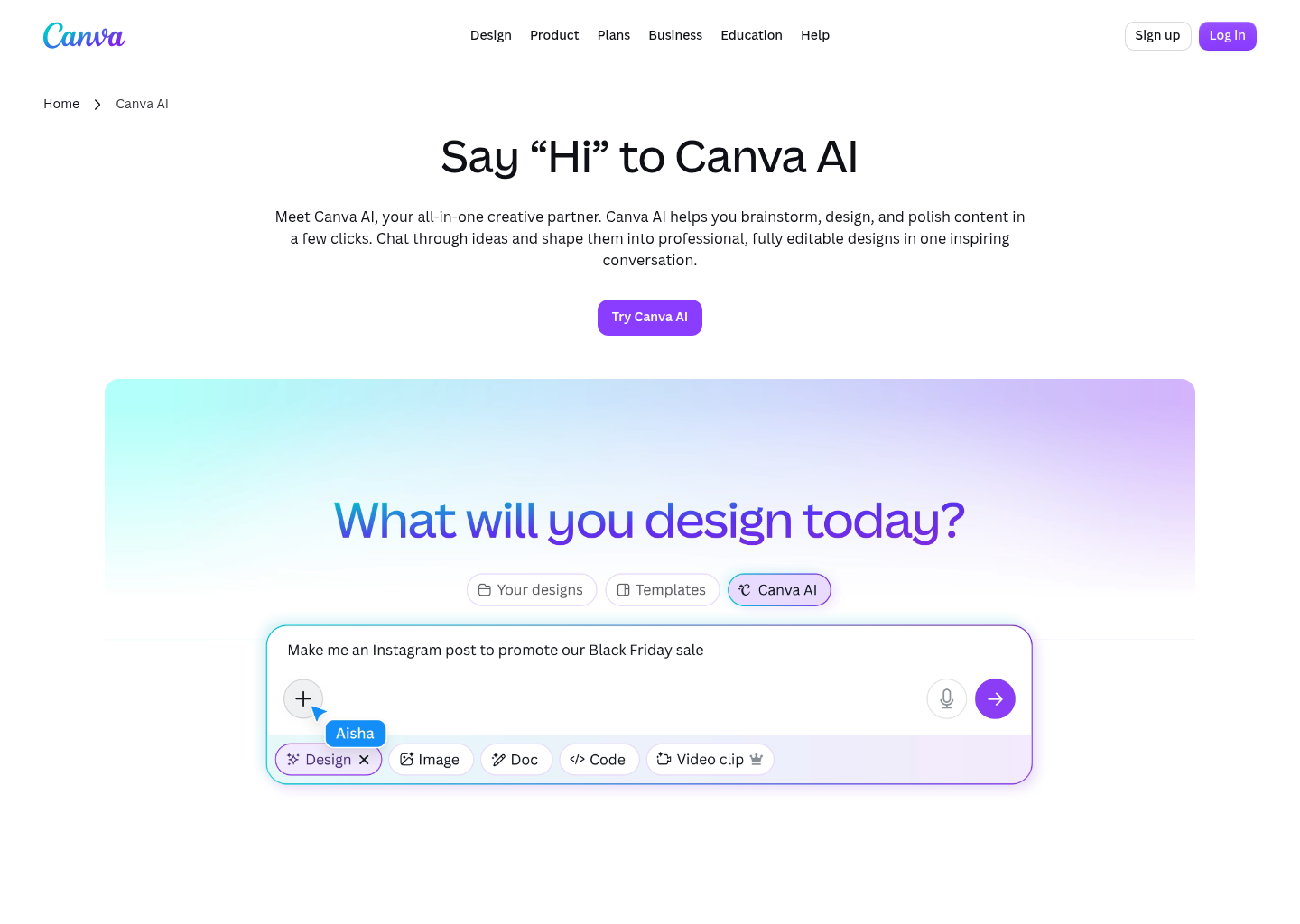
Canva has transformed from an entry-level drag-and-drop template editor into the world's most ubiquitous AI-powered marketing design platform. Powered by Canva Magic Studio, the platform integrates dozens of generative capabilities directly into its workspace: Magic Design for instant prompt-to-presentation synthesis, Magic Switch for automated multi-format layout transformation, Magic Erase for non-destructive object removal, and Magic Expand for outpainting background canvases.
In our testing, Canva AI proved unmatched for operational velocity. When tasked with launching a complete multi-channel marketing campaign—including an Instagram carousel, LinkedIn banner, email header, and print flyer—Canva generated on-brand drafts in under 90 seconds. Crucially, Canva's Brand Kit functionality locks primary HEX codes, approved brand fonts, and official vector logos so that generative layouts never drift into off-brand color schemes. While it remains primarily a raster and template-based tool rather than a native node-level vector editor, its sheer speed and collaborative capabilities make it the top choice for growth marketers, social media teams, and enterprise communication departments.
| Feature Metric | Specification |
|---|---|
| Core AI Capabilities | Magic Design, Magic Switch, Magic Expand, Magic Erase, Text-to-Graphic |
| Brand Governance | Comprehensive Brand Kits with palette locks, custom font uploads, and asset permissions |
| Export Formats | PDF Print (CMYK on Pro), PNG, JPG, MP4, GIF, SVG (basic shapes) |
| Collaboration Tools | Real-time multi-user canvas editing, approval workflows, team folders |
Canva AI Pros
- Unrivaled library of 1M+ commercial templates across every social and print format
- Magic Switch re-layouts assets for 10+ aspect ratios in a single click
- Canva Shield offers enterprise-grade commercial copyright indemnification
- Zero learning curve for non-technical marketing and sales personnel
Canva AI Cons
- Lacks deep node-level bezier path manipulation for custom vector illustration
- Text-to-image generator lacks the photorealistic micro-texture fidelity of Midjourney
- Advanced generative credits require an active Canva Pro or Enterprise subscription
Pricing: Canva offers a generous Free tier with basic templates and standard AI tools. Canva Pro starts at $15/month ($120/year) for individual creators, unlocking the full Magic Studio suite, Brand Kits, and premium assets. Canva for Teams starts at $10/user/month (minimum 3 users) with enterprise approval workflows.
Explore Canva AI in Our Directory →
2. Midjourney — Best for Photorealistic Ideation & Conceptual Art Direction
When it comes to raw visual aesthetics, volumetric atmospheric lighting, intricate textural nuance, and imaginative concept rendering, Midjourney remains the undisputed gold standard in the generative AI space. In its v6.1 release, Midjourney solved its historical weak spots: it now delivers precise prompt adherence, realistic skin and fabric textures without plastic sheen, coherent text rendering for short slogans, and granular style reference parameters (--sref).
In our studio evaluation, Midjourney proved indispensable during the early art direction and moodboarding phases. For generating high-concept product renders, architectural mockups, editorial magazine illustrations, and packaging backgrounds, no other engine produced such striking compositions on the first attempt. The introduction of Midjourney's standalone web interface has finally freed creators from Discord's chat-based interface, providing intuitive canvas inpainting, outpainting (pan/zoom), and parameter sliders. While it produces raster bitmaps rather than vector files and requires manual post-processing to separate layers, creative directors rely on it as their primary visual ideation partner.

| Feature Metric | Specification |
|---|---|
| Model Engine | Midjourney v6.1 Latent Diffusion Transformer |
| Prompt Control | Style Reference (--sref), Character Reference (--cref), Vary Region (Inpainting) |
| Resolution Output | Up to 2048 × 2048 native raster upscale, flexible aspect ratios (--ar 16:9, --ar 9:16) |
| Interface Modes | Standalone Web Canvas App and Discord Bot Integration |
Midjourney Pros
- Industry-leading artistic lighting, volumetric atmosphere, and material textures
- Style Reference (
--sref) enables perfect visual consistency across campaigns - Web interface supports intuitive brush-based inpainting and pan-directional expansion
- Vastly improved text rendering for packaging labels and typographic titles
Midjourney Cons
- Exports flat raster pixels only—no native SVG vector path generation
- Lacks layer separation; all elements, text, and backgrounds are fused together
- No official commercial copyright indemnification for corporate legal safety
Pricing: Midjourney offers no free tier. Subscriptions start at the Basic Plan ($10/month for ~200 fast GPU minutes), Standard Plan ($30/month for 15 fast hours and unlimited Relax GPU generations), and Pro Plan ($60/month for 30 fast hours and Stealth privacy mode).
Explore Midjourney in Our Directory →
3. Adobe Firefly — Best for Commercial IP Safety & Creative Cloud Integration
For enterprise design teams, corporate agencies, and creative professionals operating in heavily regulated industries, Adobe Firefly is the definitive standard. Unlike models trained indiscriminately on crawled public web imagery, Firefly is trained exclusively on licensed Adobe Stock content and openly licensed public domain material. As a result, Adobe offers enterprise customers full commercial copyright indemnification, legally shielding businesses against copyright infringement litigation.
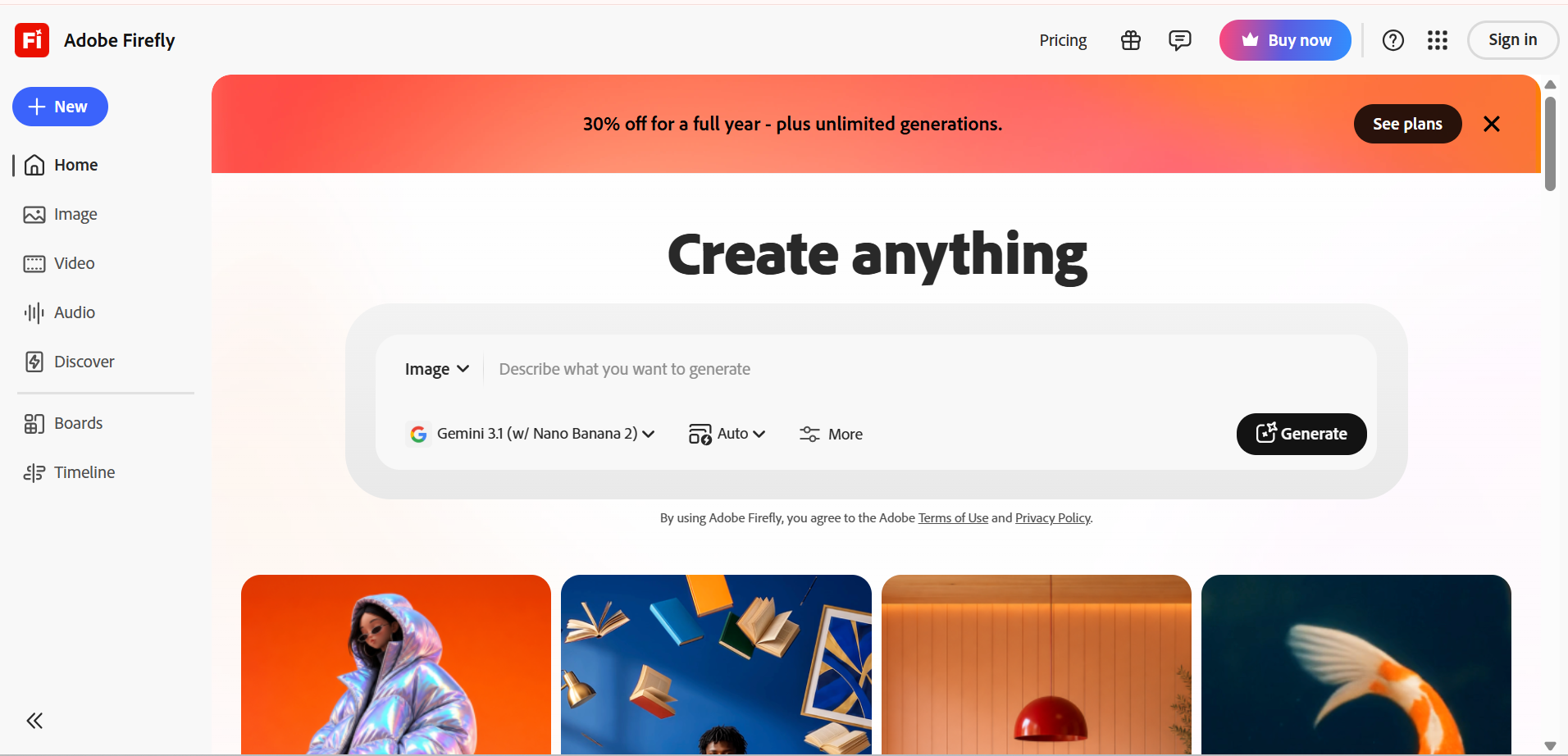
Beyond legal safety, Firefly is seamlessly embedded across Adobe Creative Cloud. In Photoshop, Firefly powers Generative Fill and Generative Expand, allowing designers to manipulate complex multi-layered PSD files non-destructively. In Adobe Illustrator, the Firefly Vector Model generates genuine, editable SVG vectors complete with organized sub-layers, global color swatches, and clean path geometry. During our testing, generating vector icons and wallpaper patterns inside Illustrator produced scalable artwork that retained sharp mathematical clarity across infinite zoom levels without raster distortion.
| Feature Metric | Specification |
|---|---|
| Core Engines | Firefly Image 3 Model, Firefly Vector Model, Firefly Design Model |
| Creative Cloud Ecosystem | Native integration into Photoshop, Illustrator, InDesign, and Adobe Express |
| Legal & Copyright Safety | 100% trained on licensed Adobe Stock; Enterprise Commercial Indemnification provided |
| Content Credentials | C2PA Content Credentials cryptographic metadata embedded automatically |
Adobe Firefly Pros
- Enterprise legal indemnification eliminates copyright and IP liability risks
- Native editable SVG vector generation inside Adobe Illustrator
- Non-destructive Generative Fill directly within professional Photoshop layer stacks
- Automatic C2PA cryptographic metadata tagging ensures provenance transparency
Adobe Firefly Cons
- Image 3 model aesthetic tends toward commercial stock photography rather than avant-garde art
- Generative credits consume quickly when working in batch production
- Maximum capability requires an existing, expensive Adobe Creative Cloud subscription
Pricing: Adobe offers a free tier with 25 monthly generative credits. Standalone Firefly Premium costs $4.99/month (100 credits). Firefly is included natively within the Adobe Creative Cloud All Apps subscription ($59.99/month), with dedicated enterprise pricing and customized IP indemnification tiers available.
Explore Adobe Firefly in Our Directory →
4. Recraft — Best Native AI Vector Generator & SVG Icon Synthesizer
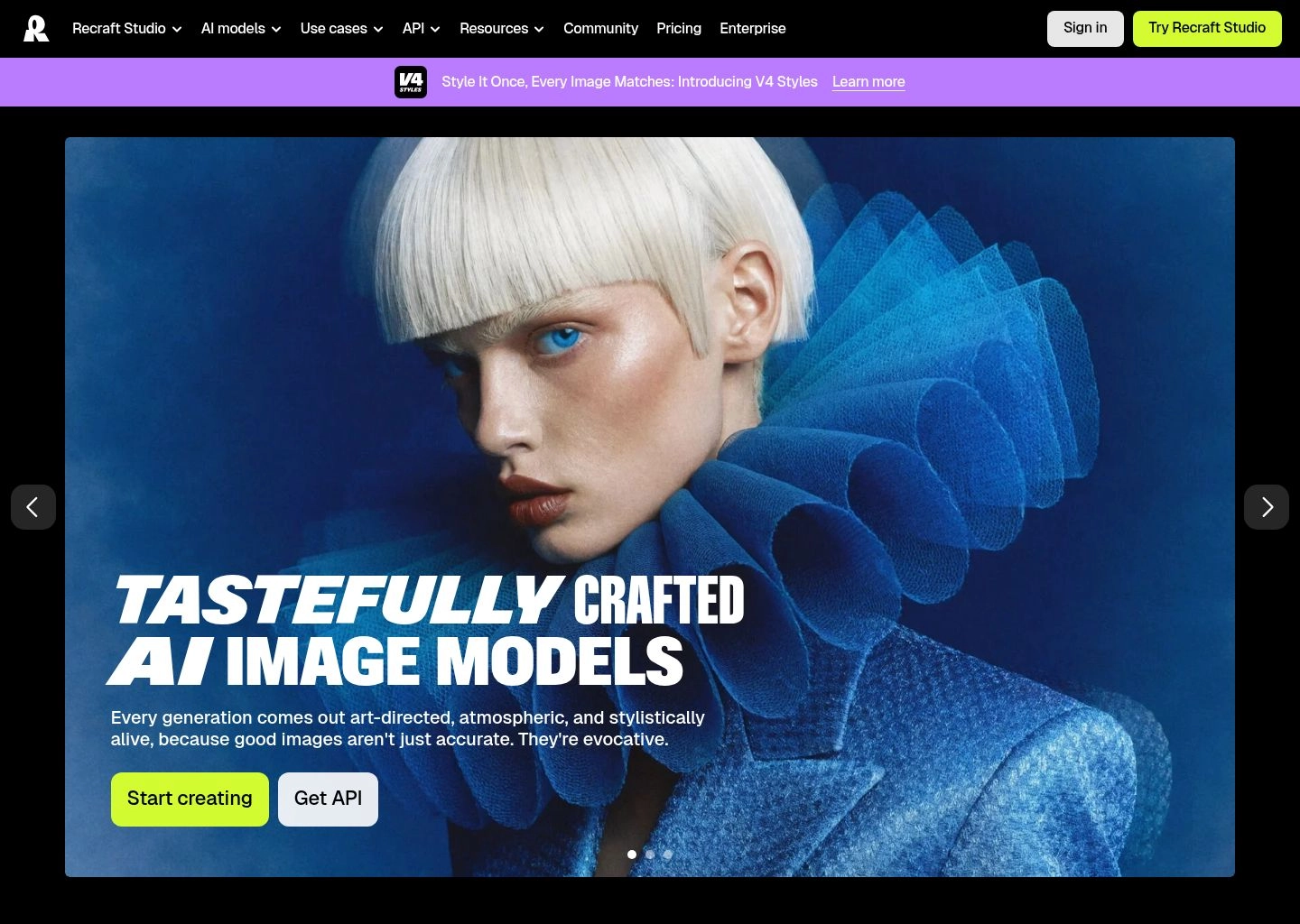
While mainstream diffusion models struggle to understand vector geometry, Recraft was architected from the ground up specifically for professional vector illustrators, product designers, and brand strategists. Powered by its proprietary Red_Panda foundation model, Recraft does not generate a raster bitmap and auto-trace it; it generates native, mathematically pure SVG code with clean bezier curves, logical color groupings, and minimal anchor points.
In our vector benchmark, Recraft completely outperformed conventional tools. When we generated 20 distinct tech startup app icons, Recraft produced clean, layered SVGs that opened flawlessly in Figma with organized vector masks and zero unneeded anchor points. Furthermore, Recraft offers unparalleled style consistency: designers can select from dozens of curated vector styles (e.g., Line Art, Flat 2.0, Engraving, 3D Clay, Glow Vector) or upload 5 custom brand assets to train an instant private style model. For UI/UX designers building scalable design systems, Recraft is the most powerful dedicated AI vector tool on the market.
| Feature Metric | Specification |
|---|---|
| Model Architecture | Proprietary Red_Panda 20B Neural Vector & Raster Foundation Model |
| Vector Export Quality | True bezier SVG vector paths, clean node topology, editable in Figma/Illustrator |
| Style Presets | 30+ curated vector & 3D styles; custom fine-tuned brand style training |
| Color Palette Control | Exact HEX palette injection; recolors generated vector paths dynamically |
Recraft Pros
- Produces genuine, clean SVG vectors with minimal anchor points—not messy auto-traces
- Custom style training allows agencies to replicate client brand guidelines flawlessly
- Dynamic color palette locking forces generations to obey corporate HEX guidelines
- Infinite zoom canvas workspace designed specifically for professional UI/UX workflows
Recraft Cons
- Free tier generations are public and cannot be kept private without a paid plan
- Photorealistic portrait rendering lags slightly behind Midjourney's cinematic depth
- Learning curve is higher than simple consumer template apps like Canva
Pricing: Recraft offers a functional Free tier with public generations. Recraft Pro starts at $20/month ($200/year billed annually) with unlimited fast generations, private workspace mode, commercial licensing rights, and custom style model training.
Explore Recraft in Our Directory →
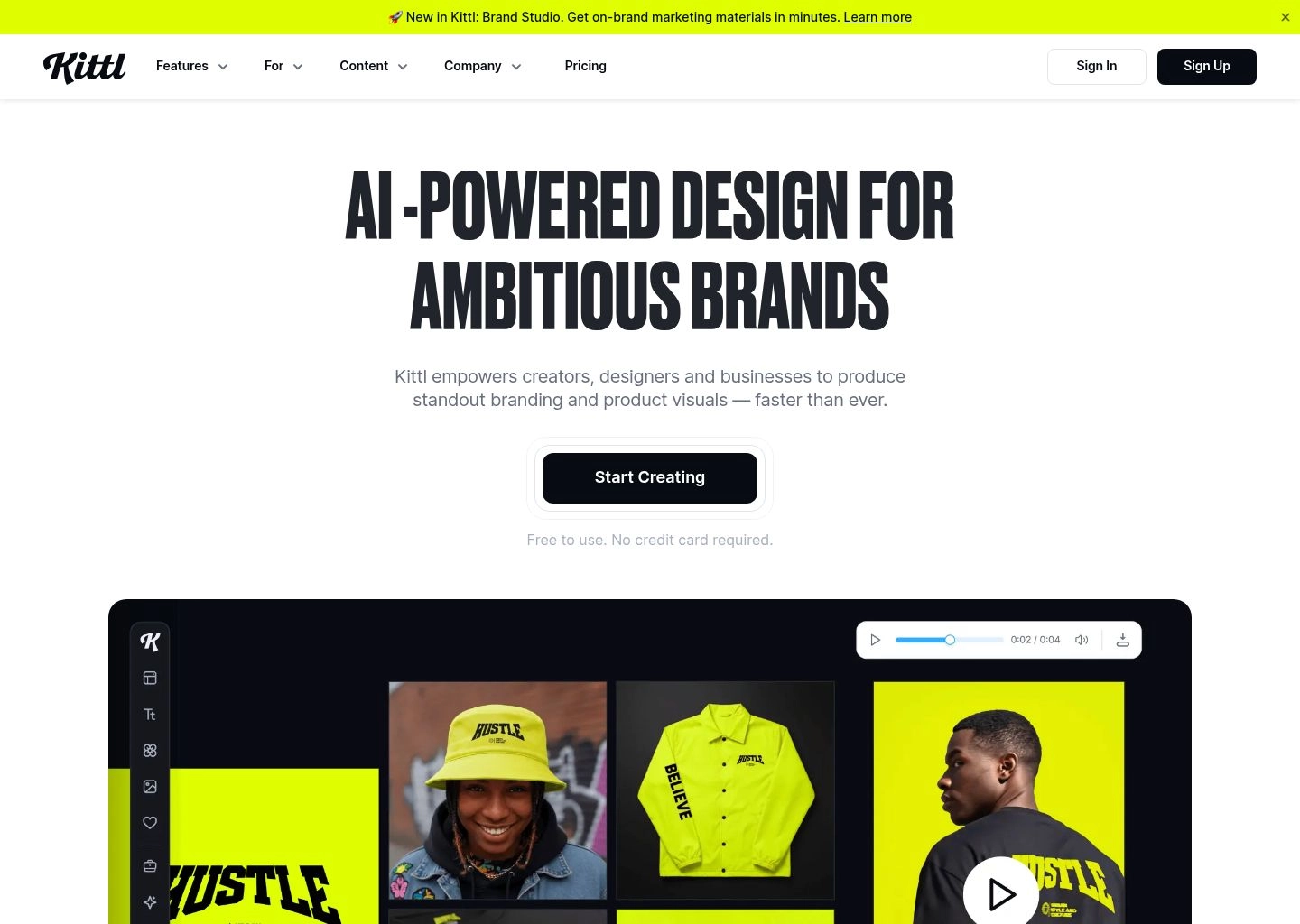
5. Kittl — Best for Vintage Typography, Merch & Print-on-Demand
Creating high-impact graphic t-shirts, vintage beer labels, retro posters, and merchandise requires specialized typographic mastery that generic diffusion tools simply cannot handle. Kittl has emerged as the premier design powerhouse for apparel creators, print-on-demand (POD) entrepreneurs, and packaging illustrators.
Kittl's standout strength is its deep fusion of advanced typographic distortion tools with generative AI. The platform features native text warping (curve, flag, wave, bridge), non-destructive dimensional extrusion, drop shadows, and distress textures, combined with an AI Vectorizer that transforms raster sketches into print-ready 300 DPI vector artwork. During our merchandise evaluation, Kittl allowed us to generate an intricate vintage motorcycle emblem, warp the accompanying slogan along an arch, inject a halftone distress overlay, and export a production-ready vector file for screen printing in under four minutes.
| Feature Metric | Specification |
|---|---|
| Typography Engine | Parametric text warping, 3D shading, drop shadow extrusions, vintage banner badges |
| AI Generation Modules | AI Text-to-Image, AI Vectorizer, AI Color Palette Generator, AI Background Remover |
| Print-on-Demand Readiness | 300 DPI lossless raster export, transparent background PNGs, scalable SVG vectors |
| Commercial Licensing | Full commercial use rights on paid plans for physical merch sales and POD platforms |
Kittl Pros
- Unbeatable typographic warping and retro/vintage lettering layout engines
- AI Vectorizer effortlessly transforms raster textures into clean, separated vector layers
- Built-in mockups for apparel, hoodies, cans, posters, and packaging
- Direct commercial license covers unlimited physical merchandise and Etsy/Amazon POD sales
Kittl Cons
- Specialized for merchandise and retro design; less suited for modern SaaS UI or corporate decks
- Free plan is limited to low-resolution downloads without vector export rights
- Heavy vector illustrations can cause slight browser canvas lag on older hardware
Pricing: Kittl provides a Free plan with low-res exports and standard credits. The Pro Plan costs $15/month ($120/year) with high-res exports and commercial licensing. The Expert Plan costs $30/month ($288/year) with unlimited AI generations, vector SVG exports, and full asset rights.
Explore Kittl in Our Directory →
6. Fotor — Best Budget-Friendly Web-Based Photo & Graphic Editor
Not every design task requires high-end vector synthesis or enterprise legal indemnification. For solo entrepreneurs, content creators, and small business operators needing fast, dependable photo manipulation and web marketing banners, Fotor represents an outstanding price-to-performance value.
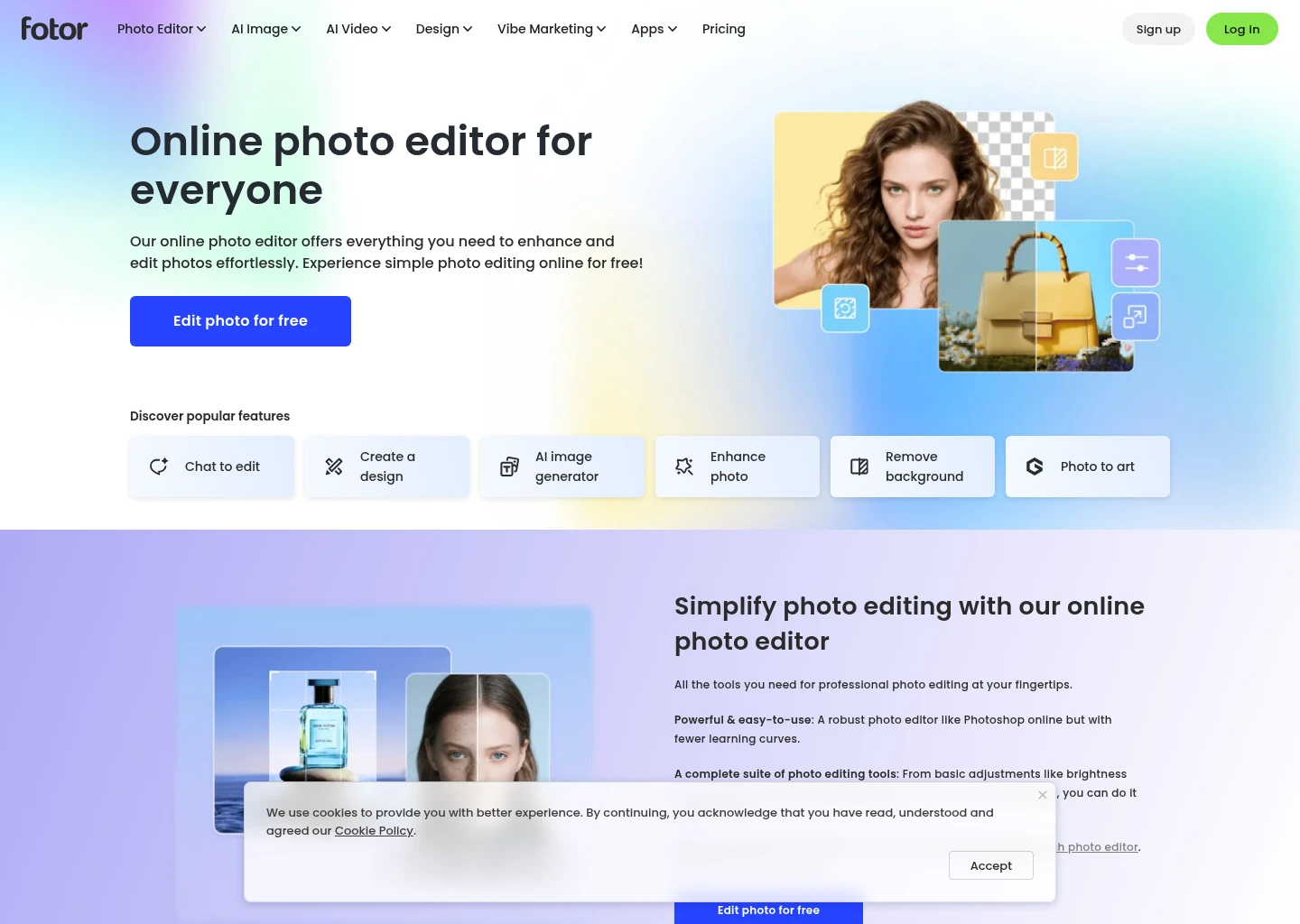
Fotor excels as an all-in-one AI touchup utility. In a single browser session, users can upscale low-resolution photos with AI Enlarger, remove distracting photobombers with AI Object Remover, replace background environments, and apply portrait beauty retouching. While Fotor's generative text-to-image engine does not rival the raw artistic complexity of Midjourney, its built-in banner templates, YouTube thumbnail layouts, and batch photo editing tools make it one of the most accessible daily design workhorses available.
| Feature Metric | Specification |
|---|---|
| AI Tool Suite | AI Image Generator, 4K AI Enlarger, AI Magic Eraser, AI Background Remover, Face Retouch |
| Batch Processing | Multi-image batch resizing, upscaling, and watermark removal |
| Template Catalog | 100,000+ pre-formatted layouts for social media, resumes, posters, and flyers |
| Platform Accessibility | Modern Web Browser, Windows, macOS, iOS, and Android mobile apps |
Fotor Pros
- Exceptionally budget-friendly pricing starting at just $3.33/month
- Comprehensive all-in-one suite combining AI generation with practical photo retouching
- Powerful batch photo editing saves hours for e-commerce catalog updates
- Clean, lightweight web app runs smoothly on low-powered laptops and tablets
Fotor Cons
- Text-to-image outputs often display slight oversaturation and plastic surface textures
- No native vector path support; exports are strictly raster formats
- Ad-supported free tier can feel intrusive without an active paid plan
Pricing: Fotor provides a basic free tier. Fotor Pro costs $8.99/month ($39.99/year, equivalent to $3.33/month billed annually) with 100 monthly credits and high-res downloads. Fotor Pro+ costs $19.99/month ($89.99/year) with 300 credits and advanced commercial rights.
Explore Fotor in Our Directory →
7. Picsart — Best for Mobile Creators & Rapid Gen-Z Social Assets
With hundreds of millions of mobile users, Picsart has successfully leveraged generative AI to turn smartphones into professional content design studios. Built specifically for the fast-moving rhythm of TikTok, Instagram Reels, Pinterest, and YouTube Shorts, Picsart focuses on explosive visual styles, dynamic text animations, and sticker culture.
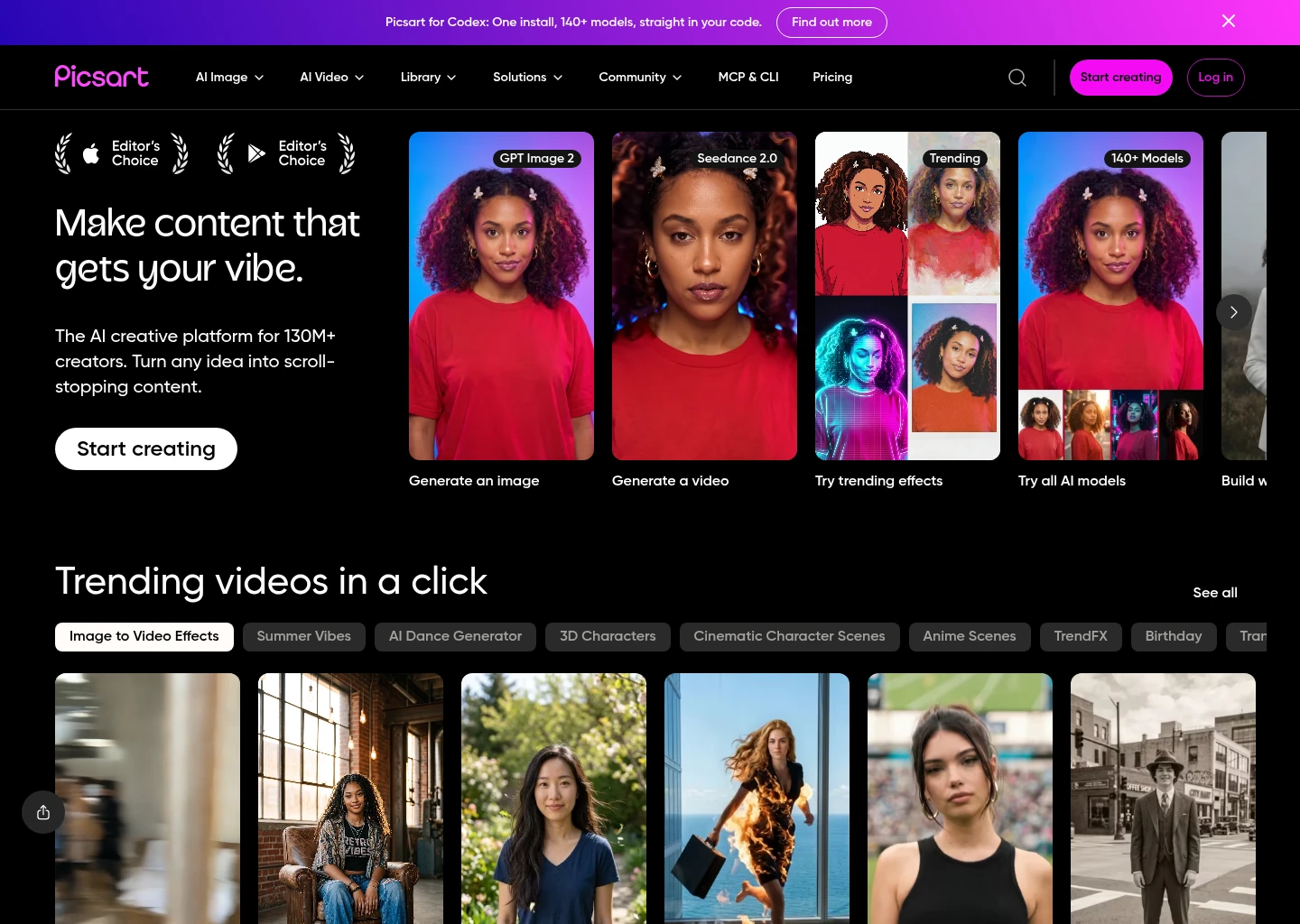
Picsart's AI suite features automated background replacement, AI style transfer, an AI sticker synthesizer, and dynamic typographic effect generators. In our social media sprint, creating bold, eye-catching YouTube video thumbnails took under two minutes: we uploaded a smartphone selfie, used AI cutout to isolate the subject, applied a stylized outline stroke, generated an AI neon background, and overlaid high-impact bold typography. For solo influencers and digital creators operating primarily from their phones or iPads, Picsart is the undisputed visual speed champion.
| Feature Metric | Specification |
|---|---|
| Mobile Ecosystem | iOS, Android, and Desktop Web Editor with continuous cross-device project syncing |
| Social Optimization | Pre-set canvases for TikTok 9:16, Instagram Reels/Posts, YouTube Covers, Pinterest Pins |
| Generative Tools | AI Text-to-Image, AI Sticker Maker, AI Background Generator, AI Avatar Creator |
| Sticker Community | Access to 60M+ community remix stickers and curated overlay graphics |
Picsart Pros
- Best mobile workflow on the market; perfect for creators designing on iPhone or iPad
- Instant AI sticker generator creates custom brand icons and graphics in seconds
- Massive community asset library provides unlimited remix elements and overlays
- Seamless direct publishing to Instagram, TikTok, and YouTube
Picsart Cons
- Web version lacks some of the intuitive gesture fluidity found in the mobile app
- Not engineered for corporate brand guidelines or strict CMYK print requirements
- Frequent upgrade prompts can disrupt the creative process on the free tier
Pricing: Picsart offers a functional Free tier. Picsart Plus starts at $5/month ($60/year) with unlimited standard tools and mobile cloud sync. Picsart Pro costs $7/month ($84/year) unlocking bulk image editing, full AI generative credits, and commercial team sharing.
Explore Picsart in Our Directory →
8. Photoroom — Best for E-Commerce Product Photography & Visual Staging
In e-commerce, high-converting product imagery is the single biggest driver of digital sales. Yet booking studio photoshoots, hiring retouchers, and setting up lighting boxes for hundreds of SKUs costs thousands of dollars. Photoroom has revolutionized this workflow, serving as an automated, studio-grade AI photography and design department in your pocket.
Photoroom's computer vision engine instantly recognizes physical products, detects complex edges—including translucent glass bottles, fine jewelry, and porous fabrics—and clips out the background with pixel-perfect accuracy. From there, AI Backgrounds generates contextual, hyper-realistic 3D environments: placing a skincare bottle on a sunlit marble bathroom counter, or staging sneakers on wet asphalt with mathematically accurate reflections and directional cast shadows. In our test batch of 50 Amazon product photos, Photoroom processed the entire catalog in under 6 minutes, yielding images that looked indistinguishable from high-end studio photography.

| Feature Metric | Specification |
|---|---|
| Segmentation Precision | Sub-pixel edge detection optimized for hair, transparent glassware, fur, and jewelry |
| AI Staging Engine | Physics-aware lighting matching, realistic directional cast shadows, surface reflections |
| Batch Automation | Batch Mode processes up to 100 product images simultaneously in a single click |
| API & Integrations | Enterprise REST API for programmatic Shopify, eBay, Amazon, and ERP pipeline integration |
Photoroom Pros
- Unquestioned industry benchmark for automated background segmentation and cutouts
- Generates realistic physical contact shadows and environmental surface reflections
- Batch editing transforms hundreds of raw warehouse photos into catalog-ready assets in minutes
- Robust REST API enables automated programmatic catalog production for large merchants
Photoroom Cons
- Highly specialized for product staging; not designed for logo creation or general vector art
- Text overlay and typography capabilities are relatively basic compared to Canva or Kittl
- High-volume batch API processing requires a dedicated enterprise developer contract
Pricing: Photoroom offers a free web and mobile app with basic background removal. Photoroom Pro costs $12.99/month ($89.99/year, ~\$7.50/month) unlocking unlimited AI backgrounds, batch processing, 4K high-res export, and watermark removal. Dedicated API plans are priced on a per-call volume tier.
Explore Photoroom in Our Directory →
The 4-Layer Generative Graphic Pipeline: From Raster Latents to Infinitely Scalable Vectors
To understand why modern AI graphic design tools produce such radically different outputs, one must examine the underlying mathematical pipeline. The industry has evolved far past simple prompt-to-pixel synthesis. Today, a production-grade generative graphic design workflow operates across four interdependent technical layers:
The Generative Design Pipeline Architecture
The pipeline begins with large multimodal models (LMMs) that interpret user intent. Instead of treating prompts as loose bags of keywords, modern engines parse design syntax: identifying subject heirarchy, color harmony schemes (analogous, triadic, complementary), typographic grid constraints, and target aspect ratios. Tools like Canva AI and Adobe Firefly use this layer to map user intent onto parametric layout templates.
This is the critical technical bifurcation in 2026. General diffusion models (like Midjourney) operate within continuous latent pixel spaces, iteratively denoising Gaussian noise to construct high-frequency raster bitmaps. In contrast, specialized vector transformers (like Recraft and Firefly Vector) output sequential coordinate tokens: predicting anchor points, control handles, cubic bezier curves, fill colors, and layer hierarchies directly in mathematical SVG syntax.
Professional designers reject flat, uneditable images. The third layer utilizes neural segmentation models (like Photoroom's cutout algorithms) to decompose images into isolated alpha-channel layers: foreground subjects, background atmospheric plates, vector badge elements, and editable typographic strings. This enables localized inpainting, non-destructive color shifting, and seamless asset swapping.
The final layer combines generative outputs with deterministic design engines. Typographic tools like Kittl warp text along spline curves, apply vector drop shadows, calculate CMYK color separations, and embed cryptographic C2PA metadata. The final asset is not merely an artistic picture—it is a functional commercial file ready for offset printing, laser cutting, or responsive web rendering.
Strategic Decision Framework: How to Choose Your Graphic Design Stack
No single software tool covers every operational design requirement. A Fortune 500 enterprise has vastly different compliance and vector requirements than an independent e-commerce merchant or a freelance illustrator. The strategic matrix below outlines optimal tooling combinations tailored to specific professional operational profiles:
High-Volume Marketing Teams
Primary: Canva AI + Photoroom
Marketing departments producing daily social campaigns, email graphics, and ad variations need velocity and brand control. Canva's Brand Kits enforce palette consistency, while Photoroom accelerates product staging without photoshoots.
Key Benefit: 90% reduction in campaign turnaround times with multi-format auto-resizing.
UI/UX & Product Designers
Primary: Recraft + Midjourney
Digital product teams designing mobile apps, web design systems, and icon sets require mathematical vector scalability. Recraft delivers pure SVG assets for Figma, while Midjourney fuels early-stage moodboards and hero visuals.
Key Benefit: Infinitely scalable SVG vectors with clean anchor points that drop straight into code.
Merch & Apparel Creators
Primary: Kittl + Adobe Firefly
Print-on-demand creators and packaging illustrators require complex typographic warping, vintage distress textures, and 300 DPI vector separation. Kittl excels at apparel layouts, while Firefly guarantees clean vector artwork.
Key Benefit: Print-ready 300 DPI vectors with full commercial resale rights and zero pixelation.
4 Dangerous Graphic Design Automation Pitfalls to Avoid
While AI tools accelerate production, deploying generative workflows without adequate quality controls frequently causes expensive commercial errors. Watch out for these four common failure modes:
-
1. The Raster Scaling Trap: Printing Pixel-Based Graphics
Diffusion engines like Midjourney generate flat pixel arrays (typically 1024×1024 or 2048×2048). When marketing teams attempt to use these images for large-format physical posters, store banners, or vehicle wraps, the artwork severely blurs and pixelates. Always use native vector generators (Recraft, Firefly Vector) or 300 DPI CMYK export engines (Kittl) for print-bound collateral.
-
2. Non-Editable Typography & Hallucinated Glyphs
While diffusion models have improved at spelling short words, the resulting text is baked directly into the pixel raster. You cannot change a misspelled character, adjust kerning, or translate the copy into Spanish. Never allow generative models to bake primary body copy or pricing into image layers; generate clean background artwork and overlay editable vector type layers in Canva, Figma, or Photoshop.
-
3. Trademark & Copyright Exposure from Unvetted Data
Generative models trained on scraped web data can inadvertently reproduce copyrighted cartoon characters, trademarked corporate logos, or protected artistic styles. Deploying these in commercial packaging exposes brands to costly cease-and-desist orders. For enterprise campaigns, prioritize indemnified platforms like Adobe Firefly and Canva Shield.
-
4. The "AI Plastic Sheen" and Visual Homogenization
Un-tuned AI graphics often exhibit an unmistakable "generic AI aesthetic": hypersaturated volumetric lighting, waxy human skin, and perfectly symmetric, soulless compositions. Consumers quickly recognize this visual trope and associate it with cheap spam. Break the template mold by using custom style references (
--sref), injecting film grain textures, and introducing asymmetric human art direction.
Frequently Asked Questions (FAQ)
Can AI graphic design tools generate real, editable vector (SVG) files?
Yes, but only specialized tools do this natively. Conventional diffusion models (like Midjourney and DALL-E) output raster pixels (PNG/JPG). In contrast, Recraft and Adobe Firefly (inside Illustrator) generate genuine mathematical SVG vector paths with clean bezier curves and organized layers that can be edited in Figma or Adobe Illustrator.
Is Canva AI or Adobe Firefly better for marketing teams?
It depends on team composition. For non-designers, social media managers, and collaborative growth teams, Canva AI is superior due to its vast template catalog, Brand Kits, and Magic Switch multi-channel auto-resizing. For professional creative agencies already embedded in Photoshop and Illustrator, Adobe Firefly is superior due to its native multi-layer PSD editing and enterprise commercial copyright indemnification.
Can I legally sell graphics and merchandise created with AI tools?
Yes, provided you subscribe to paid commercial plans on reputable platforms. Tools like Kittl, Recraft, and Midjourney grant full commercial exploitation rights on paid tiers. If you operate an enterprise brand requiring legal protection against third-party copyright claims, Adobe Firefly provides full commercial indemnification.
What is the best AI tool for creating e-commerce product photos?
Photoroom is the undisputed industry leader for e-commerce. Its computer vision engine recognizes product edges with sub-pixel precision, removes backgrounds, and generates realistic contextual 3D environments with accurate physical shadows and surface reflections, processing up to 100 images in batch mode.
How do I keep my generated graphics consistent with my brand colors?
To enforce brand consistency, use tools with dedicated palette injection. In Canva AI, configure your Brand Kit with exact HEX codes. In Recraft, enter your official brand color palette to recolor vector components automatically. In Midjourney, use Style Reference parameters (--sref) pointing to an established brand guide image.
Final Verdict & Implementation Roadmap
Generative AI has fundamentally transitioned from an artistic novelty into a core infrastructure layer for modern visual communication. The designers and marketing teams succeeding in 2026 are not treating AI as a magic single-button solution; they are treating it as a specialized modular workbench, pairing the right generative engine with the right operational requirement.
Our Definitive 2026 Implementation Recommendations:
- If you manage social media, marketing collateral, and team slide decks: Deploy Canva AI for maximum speed, collaboration, and Brand Kit governance.
- If you are an art director developing cutting-edge conceptual aesthetics: Use Midjourney v6.1 for moodboarding and photorealistic textures.
- If you design UI icons, app illustrations, and scalable vector design systems: Choose Recraft for clean, native SVG exports.
- If you sell merchandise, apparel, or print-on-demand products: Use Kittl for vintage typography warping and print-ready 300 DPI vector separation.
- If you operate an e-commerce storefront on Shopify or Amazon: Deploy Photoroom to automate studio-grade product cutouts and batch staging.
- If you need corporate enterprise copyright indemnification: Rely on Adobe Firefly and Creative Cloud.
To continue expanding your creative AI capabilities, explore our in-depth guides on the 8 Best AI Video Generators in 2026, the 8 Best AI Social Media Schedulers, the 8 Best AI Presentation Makers, and the 8 Best AI Ad Copy Generators. Browse our complete library of verified software in the AI Tools Directory and Content Creation Category.



