


For three decades, building business presentations has meant wrestling with rigid software paradigms. Professionals lost countless working hours nudging text boxes by two pixels in PowerPoint, fixing fractured table columns in Google Slides, and scouring stock photo libraries for generic imagery that failed to communicate technical substance. When high-stakes deadlines loomed—whether an executive board review, seed-round investor pitch, or client sales proposal—the presentation bottleneck reliably consumed more time than the underlying strategy itself. In 2026, generative AI and auto-adaptive spatial layouts have completely redefined how slide decks are created, formatted, and shared.
Modern AI presentation makers no longer merely paste raw ChatGPT paragraphs onto pre-baked static templates. Instead, next-generation engines combine large language model narrative planning with dynamic design systems: they parse raw briefing documents, financial spreadsheets, or meeting notes into structured storylines, automatically compute optimal spatial layouts, enforce corporate brand guidelines, and generate tailored infographics and data charts in seconds. Simultaneously, the definition of a "presentation" has expanded beyond the traditional 16:9 projected slide. Responsive web cards, scrollable executive briefings, and interactive video canvases have emerged as the dominant mediums for asynchronous business communication. To determine which platforms truly deliver production-grade polish without design hallucinations, we tested the 8 leading AI presentation generators across 100+ real-world pitch decks, quarterly business reviews, and technical workshops.
⚡ 30-Second Executive Verdict: Which AI Presentation Maker Wins in 2026?
- Best Overall for Interactive Web Decks & Rapid Creation: Gamma. Blends the fluid flexibility of a Notion document with the visual punch of a modern slide deck. Generates full 10-card presentations from a single prompt in under 30 seconds with stellar responsive mobile rendering.
- Best for Smart Auto-Adaptive Layouts & Brand Guardrails: Beautiful.ai. The absolute gold standard in constraint-based design. Its DesignerBot automatically recalculates typography, margins, and geometric alignment as you type, making it impossible to produce an ugly slide.
- Best for High-Stakes Startup Pitch Decks & Team Collaboration: Pitch. Purpose-built for high-growth venture teams and agencies. Combines sleek European design aesthetics, real-time multi-user co-editing, live deck view analytics, and polished AI styling.
- Best for Lead Capture, Embedded Forms & Sales Proposals: Decktopus. Transforms standard sales presentations into active conversion engines by letting you embed Calendly booking widgets, custom lead forms, and feedback polls directly into your slides.
- Best Lightweight Google Slides AI Extension: SlidesAI. Operates directly inside your existing Google Slides workspace as an add-on, instantly converting long-form text summaries and notes into clean slide layouts without learning a new platform.
- Best Native Enterprise Google Slides & PowerPoint Copilot: Plus AI. The professional enterprise choice for teams embedded in Microsoft 365 and Google Workspace. Offers surgical slide-by-slide AI rewriting, branded master theme matching, and automated weekly report generation.
- Best for Non-Linear Zoomable Storytelling & Video Decks: Prezi. Breaks out of the traditional linear slide carousel with an infinite zoomable visual canvas, AI-assisted path structuring, and live interactive video presentations where your slides float beside you on screen.
- Best All-in-One Visual Suite for Marketing & Social Teams: Canva AI. Leverages Canva's Magic Studio and massive creative library to generate complete branded slide decks alongside matching social graphics, documents, and video clips in one unified ecosystem.
Quick Comparison: The 8 Best AI Presentation Makers at a Glance
The comparison matrix below highlights core generation superpowers, auto-adaptive design mechanisms, primary export formats, and starting commercial pricing across all eight benchmarked presentation platforms.
| Tool | Core Superpower | Generation Speed | Auto-Layout Engine | Export Fidelity | Starting Price |
|---|---|---|---|---|---|
| Gamma | Interactive Web Cards & Fluid Docs | 24 sec | Fluid Flex Cards | Web, PDF, PPTX | Free / $8/mo |
| Beautiful.ai | Constraint-Based Smart Slides | 35 sec | DesignerBot Rules | PPTX, PDF, Cloud Link | $12/mo |
| Pitch | Investor Decks & Team Analytics | 40 sec | Grid Block System | Web, PDF, PPTX | Free / $20/mo |
| Decktopus | Interactive Lead Forms & Proposals | 28 sec | Guided Layout Blocks | Web, PDF, PPTX | $9.99/mo |
| SlidesAI | Native Google Slides Extension | 32 sec | Workspace Native | Native Slides, PPTX, PDF | Free / $10/mo |
| Plus AI | Enterprise PowerPoint & Slides Copilot | 30 sec | Custom Template Locking | Native PPTX, Google Slides | $10/mo |
| Prezi | Non-Linear Zoom & Video Presenter | 45 sec | Spatial Zoom Hierarchy | Prezi Video, Web, PDF | Free / $5/mo |
| Canva AI | Magic Studio & Multichannel Assets | 22 sec | Magic Layout Assistant | PPTX, PDF, MP4, Web | Free / $15/mo |
Our 4-Pillar Testing Methodology
Evaluating presentation software demands far more than observing whether an AI can generate a generic title slide. A presentation must structure a compelling intellectual narrative, balance visual breathing room against information density, prevent awkward text overlapping, and export cleanly into standard client formats. We subjected every platform to a structured 30-day benchmark using four objective criteria:
1. Prompt Parsing & Narrative Architecture
We fed each tool diverse input prompts—ranging from a 3-sentence venture pitch summary to a dense 12-page PDF quarterly financial report. We scored how effectively the AI established a logical narrative flow (Hook, Problem, Solution, Market Dynamics, Financial Projections, Call to Action) versus merely generating disconnected bulleted lists.
2. Auto-Adaptive Geometry & Spatial Stability
The defining mark of modern presentation software is how it handles edits. We actively modified generated slides by adding paragraphs, deleting columns, and swapping images. Tools with rule-based auto-layout engines dynamically adapted margins and font scales without collisions; fragile tools broke into overlapping text boxes.
3. Brand Guardrails & Asset Quality
We uploaded custom corporate hex palettes, logo marks, and typography guidelines. We evaluated whether the AI could consistently lock design choices across an entire 20-slide deck, or if it hallucinated off-brand gradients, mismatched typeface weights, and low-resolution decorative stock photos.
4. Cross-Platform Export & Delivery Fidelity
Because corporate executives frequently demand editable `.pptx` files or vector PDFs for offline meetings, we exported every generated deck to Microsoft PowerPoint, Google Slides, and Acrobat. We scrutinized font kerning, vector shape preservation, chart editability, and mobile viewport responsiveness.
1. Gamma — The Leading Interactive Web-Card & Slide Deck Generator
Gamma has emerged as the most disruptive presentation platform in recent memory by discarding the rigid constraints of 16:9 projection slides. Recognizing that over 70% of business decks are read asynchronously on laptops and smartphones rather than presented on conference room projectors, Gamma pioneered the "web card"—a responsive, interactive canvas that expands vertically to fit the natural flow of ideas without forcing artificial page breaks.
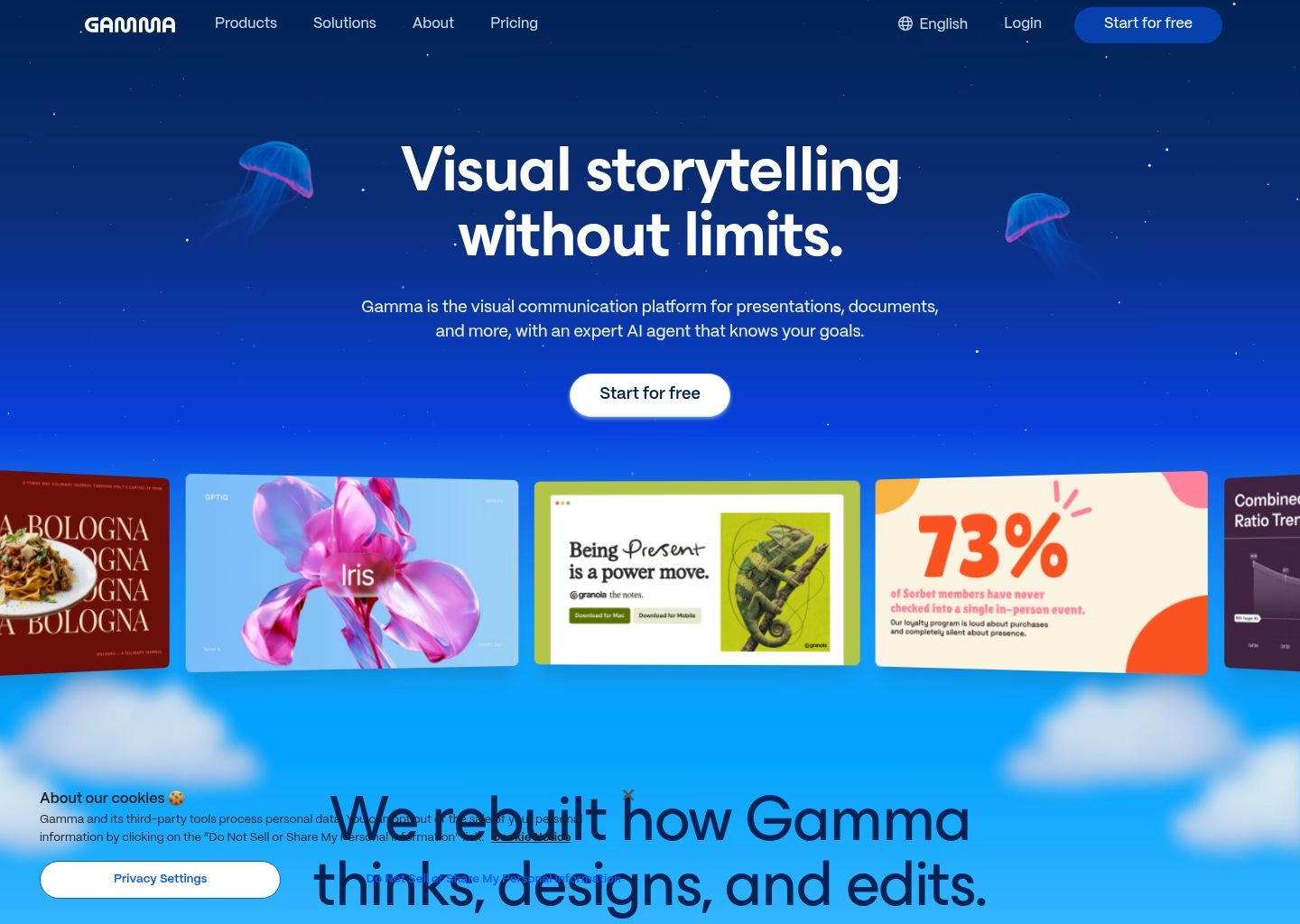
During our benchmark tests, Gamma delivered the fastest prompt-to-deck pipeline of any tool evaluated. From a prompt requesting a 10-slide enterprise go-to-market strategy for an AI developer platform, Gamma generated a structured outline in 8 seconds, allowed instant reordering of sections, and populated the complete deck with cohesive typography, thematic cards, and contextual Unsplash or generated AI imagery in exactly 24 seconds. Editing in Gamma feels closer to Notion or Slack than PowerPoint: you can nest interactive toggles, embed live Airtable or Figma frames, and insert clickable tabs that let viewers explore details without cluttering the top-level narrative.
Key Features & Technical Capabilities
| Capability | Gamma Specification |
|---|---|
| Canvas Paradigm | Fluid Web Cards (responsive desktop & mobile) + 16:9 Slide Mode |
| AI Input Modalities | One-line prompts, text paste (up to 40 pages), URL scrape, file import (.docx, .pdf, .pptx) |
| Interactive Embeds | Figma, Airtable, Loom, YouTube, Typeform, Web frames, Code sandboxes |
| Export Options | Interactive Web Link, PDF (Standard & Print), Microsoft PowerPoint (.pptx) |
| Viewer Analytics | Card-by-card dropoff tracking, total views, completion rate, engagement heatmaps |
✓ Gamma Pros
- Unbeatable prompt-to-card generation speed (under 30 seconds for 10 cards).
- Superior mobile reading experience compared to static 16:9 PDF attachments.
- One-click theme switching restyles the entire deck instantly without layout breakage.
- Built-in card-level analytics show exactly where readers drop off.
- Generous free tier with 400 AI credits upon registration.
✕ Gamma Cons & Limitations
- PowerPoint export converts complex interactive cards into static flat shapes.
- Less suited for traditional keynote stage presentations with large display projection.
- Custom font uploads require the top-tier Pro subscription plan.
Gamma Pricing (2026): Free tier includes 400 AI starter credits with Gamma branding. Plus plan starts at $8/user/month (billed annually) for unlimited AI card creation and PDF export. Pro plan is $15/user/month, unlocking custom branding, custom domains, 75,000-character input limits, and advanced viewer analytics.
Explore the full feature suite on the Gamma AI Directory Profile.
2. Beautiful.ai — The Gold Standard in Smart Auto-Adaptive Layouts & Corporate Guardrails
If Gamma represents the future of fluid web-based cards, Beautiful.ai represents the perfection of the classic 16:9 presentation slide. Long before generative LLMs arrived, Beautiful.ai pioneered constraint-based graphic design: an algorithmic layout engine governed by the golden ratio, typographic hierarchy, and geometric balance. Its generative AI assistant, DesignerBot, sits atop this deterministic layout engine to ensure that every generated slide looks like the work of an expensive graphic design agency.

The defining technical advantage of Beautiful.ai is its "Smart Slide" architecture. In traditional tools like PowerPoint, adding a fourth column to a three-column slide forces you to manually shrink fonts, recalculate pixel coordinates, and reposition every text box. In Beautiful.ai, you simply click "Add Item," and the engine automatically recalculates container widths, adjusts typography scaling, and realigns padding without a single manual drag-and-drop. In our enterprise testing, DesignerBot ingested raw quarterly earnings data and synthesized a 14-slide executive review complete with dynamic timeline milestones, quadrant comparisons, and metric callouts that adhered strictly to our corporate color palette.
Key Features & Technical Capabilities
| Capability | Beautiful.ai Specification |
|---|---|
| Layout Philosophy | Deterministic constraint-based "Smart Slides" with auto-adaptive geometry |
| DesignerBot Capabilities | Text-to-slide generation, paragraph rewrites, data visualization synthesis, stock curation |
| Brand Governance | Enterprise Theme Locking: restrict fonts, color codes, logo positions across company teams |
| PowerPoint Compatibility | Exports fully editable native PPTX shapes, text vectors, and embedded charts |
| Audio & Voiceover | Slide-by-slide recorded audio narrations with embedded synchronized playback |
✓ Beautiful.ai Pros
- World-class auto-layout engine prevents awkward text collisions and bad formatting.
- Exceptional enterprise brand controls prevent non-technical staff from going off-brand.
- Cleanest, most editable PowerPoint (.pptx) export fidelity on the market.
- Comprehensive library of 60+ pre-engineered data chart and diagram templates.
- Seamless Slack and Google Drive workflow integrations.
✕ Beautiful.ai Cons & Limitations
- Strict layout constraints mean you cannot freely place elements anywhere on the canvas.
- No permanent free plan (offers only a 14-day free trial requiring billing details).
- Individual plan requires an annual commitment of $144 ($12/mo billed annually).
Beautiful.ai Pricing (2026): Pro plan costs $12/month (billed annually at $144/year) for individuals with unlimited slides, DesignerBot AI, and PPTX export. Team plan is $40/user/month (or $50/mo billed monthly), adding shared team folders, corporate brand locking, and centralized admin billing. Custom enterprise tiers offer dedicated SSO, audit logs, and priority training.
Inspect verified features and user feedback on the Beautiful.ai Directory Profile.
3. Pitch — The Collaborative Startup Pitch Deck & Investor Presentation Powerhouse
Pitch was engineered from day one to replace legacy presentation suites for fast-moving venture startups, creative agencies, and modern distributed product teams. Built with a sleek, minimalist European design aesthetic, Pitch combines real-time multiplayer co-editing (similar to Figma) with powerful AI generative features that craft complete, publication-ready pitch decks, marketing briefs, and client proposals in seconds.
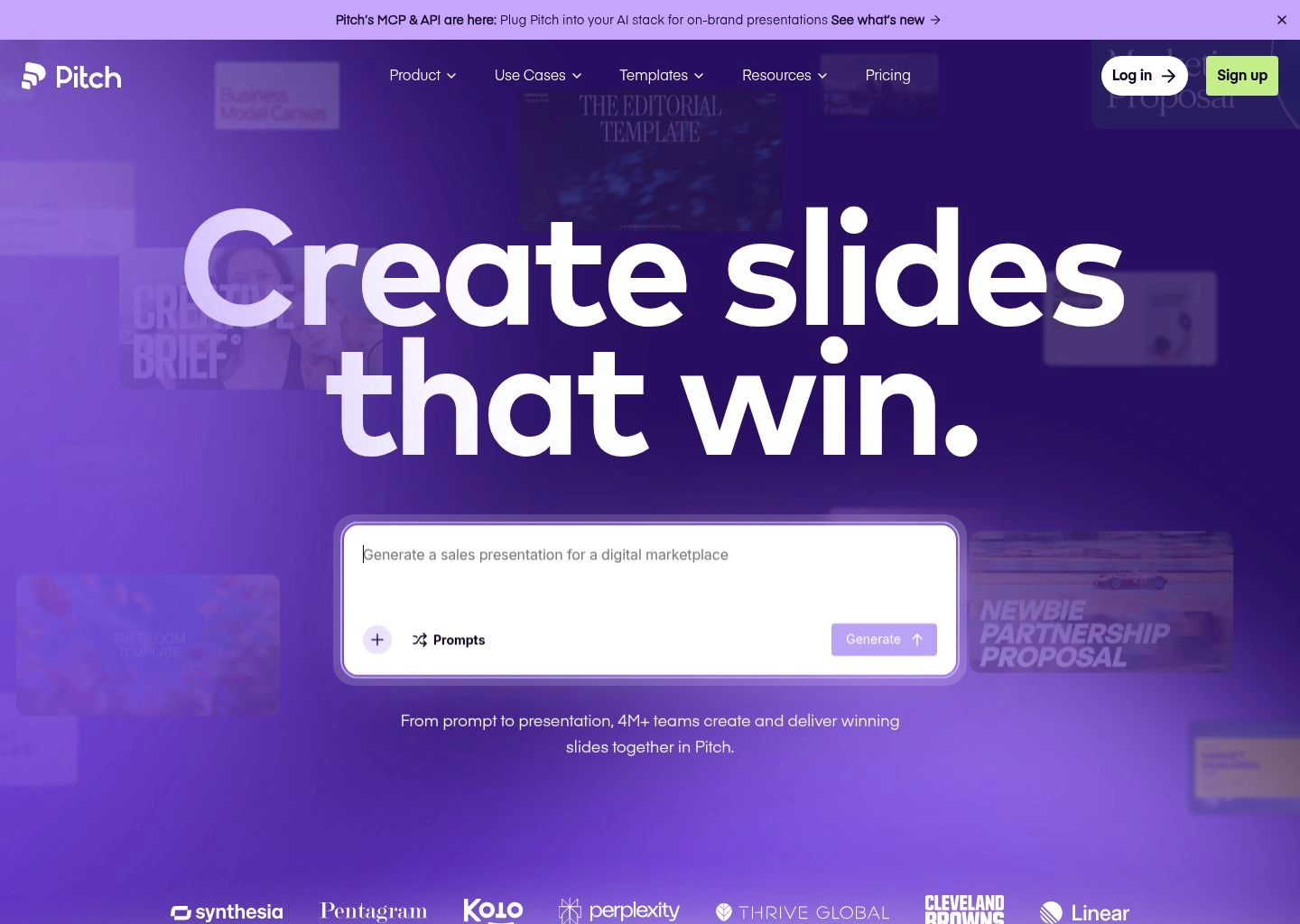
Where Pitch truly distinguishes itself from single-user AI slide generators is its post-generation workflow. Once Pitch AI drafts a 12-slide investor deck from your prompt, your entire founding team can jump in simultaneously with live colored cursors, embedded comments, and status tags ("To Do", "In Progress", "Approved"). Crucially for founders raising capital, Pitch includes built-in investor tracking links. When you share a presentation link with a prospective venture capitalist, Pitch tracks every second spent on individual slides—alerting you instantly if an investor lingered on your unit economics slide or skipped your competitive moat entirely.
Key Features & Technical Capabilities
| Capability | Pitch Specification |
|---|---|
| Collaboration Engine | Live multiplayer co-editing with real-time video chat, cursor tracking, and slide status assignments |
| AI Pitch Generator | Drafts complete pitch decks, sales decks, or portfolio reviews with industry-specific storylines |
| Investor Link Analytics | Tracks deck opens, time spent per slide, reader location, and dropoff milestones |
| Live Data Integrations | Connects directly to Google Analytics, Google Sheets, ChartMogul, and Snowflake for auto-updating charts |
| Template Library | Curated collection of 100+ vetted templates from top venture firms (Sequoia, a16z, Index Ventures) |
✓ Pitch Pros
- Most visually stunning default design aesthetic of any presentation tool.
- Figma-grade multiplayer co-editing with zero lag or merge conflicts.
- Invaluable investor slide analytics show who read your deck and for how long.
- Live data connections keep KPI charts automatically updated without manual re-entry.
- Generous free plan supporting unlimited presentations and basic AI generations.
✕ Pitch Cons & Limitations
- PowerPoint (.pptx) export can experience minor font substitution on non-standard typography.
- Pro plan pricing ($20/seat/mo) is higher than consumer presentation builders.
- Primarily optimized for desktop browsers; mobile app is read-only for viewing and commenting.
Pitch Pricing (2026): Free tier includes unlimited presentations, custom templates, and basic AI features. Pro plan costs $20/member/month (billed annually at $17/mo) with full viewer engagement analytics, custom brand fonts, and unbranded exports. Business plan at $80/month includes dedicated workspace permissions and SAML SSO.
Review integrations and specs on the Pitch Directory Profile.
4. Decktopus — The Best AI Presentation Tool for Lead Generation, Forms & Business Proposals
While most slide creators treat presentations as one-way static broadcasts, Decktopus re-engineers presentations into interactive two-way communication channels. Specifically tailored for sales professionals, agency consultants, and freelance practitioners, Decktopus allows presenters to embed interactive lead capture forms, calendar booking links, client satisfaction polls, and checkout buttons directly inside the slide presentation.
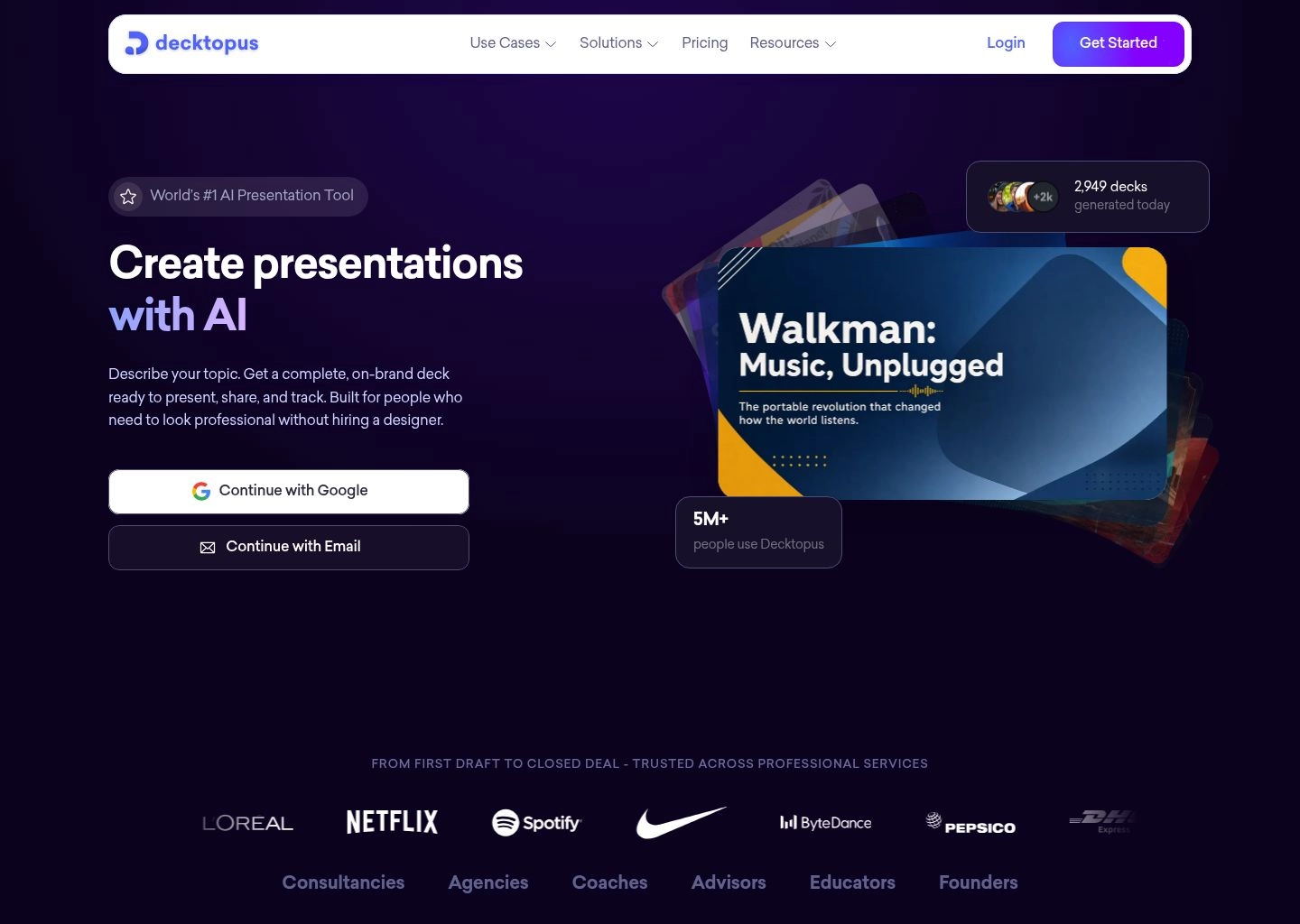
The onboarding flow in Decktopus is guided by targeted business prompts. Instead of a blank canvas, the AI asks: "Who is your target audience?", "What is the primary goal of this deck?", and "How long is your presentation slot?" Based on your answers, Decktopus generates not only the visual slide deck but also presenter notes, suggested audio pacing cues, and automated call-to-action blocks. In our test campaign, we generated a 10-slide B2B consulting proposal in 28 seconds. When sent to prospective clients via web link, viewers could schedule an exploratory discovery call via an embedded Calendly widget on slide 9 without ever leaving the presentation.
Key Features & Technical Capabilities
| Capability | Decktopus Specification |
|---|---|
| Interactive Widgets | Calendly scheduler, Typeform embeds, live custom lead forms, webhook submission triggers |
| AI Assistant Workflow | Persona-based generation with automated presenter speech scripts and Q&A prep tips |
| Custom Branding | One-click theme application with custom brand logo injection and custom subdomains |
| Export & Sharing | Interactive online URL, responsive mobile view, PDF export, PowerPoint (.pptx) download |
| Form Lead Management | Direct lead collection dashboard with automated webhook sync to Zapier, HubSpot, and Mailchimp |
✓ Decktopus Pros
- Unrivaled lead capture capabilities: embed booking widgets and forms directly into slides.
- Audience-tailored prompt generator produces highly contextual business copy.
- Automated speaker notes provide full talking points for each slide.
- Simple, zero-learning-curve interface suitable for non-designers.
- Direct Zapier integration routes inbound presentation leads straight to your CRM.
✕ Decktopus Cons & Limitations
- Template layouts are somewhat rigid compared to open-ended design canvases.
- Exporting to PDF disables interactive forms and embedded meeting booking widgets.
- Free tier is severely restricted, allowing only minimal preview generations.
Decktopus Pricing (2026): Pro plan starts at $9.99/month (billed annually at $119.88/year) with 750 AI credits and custom domains. Business plan is $36/user/month (billed annually at $432/year), offering unlimited AI credits, comprehensive form responses, custom webhooks, and team folder access.
See technical details and ratings on the Decktopus Directory Profile.
5. SlidesAI — The Streamlined Google Slides AI Extension for Instant Text-to-Slide Conversion
Many enterprise and academic teams cannot adopt standalone presentation web apps due to strict corporate IT policies, shared Google Drive folder mandates, or established Google Workspace workflows. For these organizations, SlidesAI solves the friction by operating directly as a native Google Workspace add-on inside Google Slides.
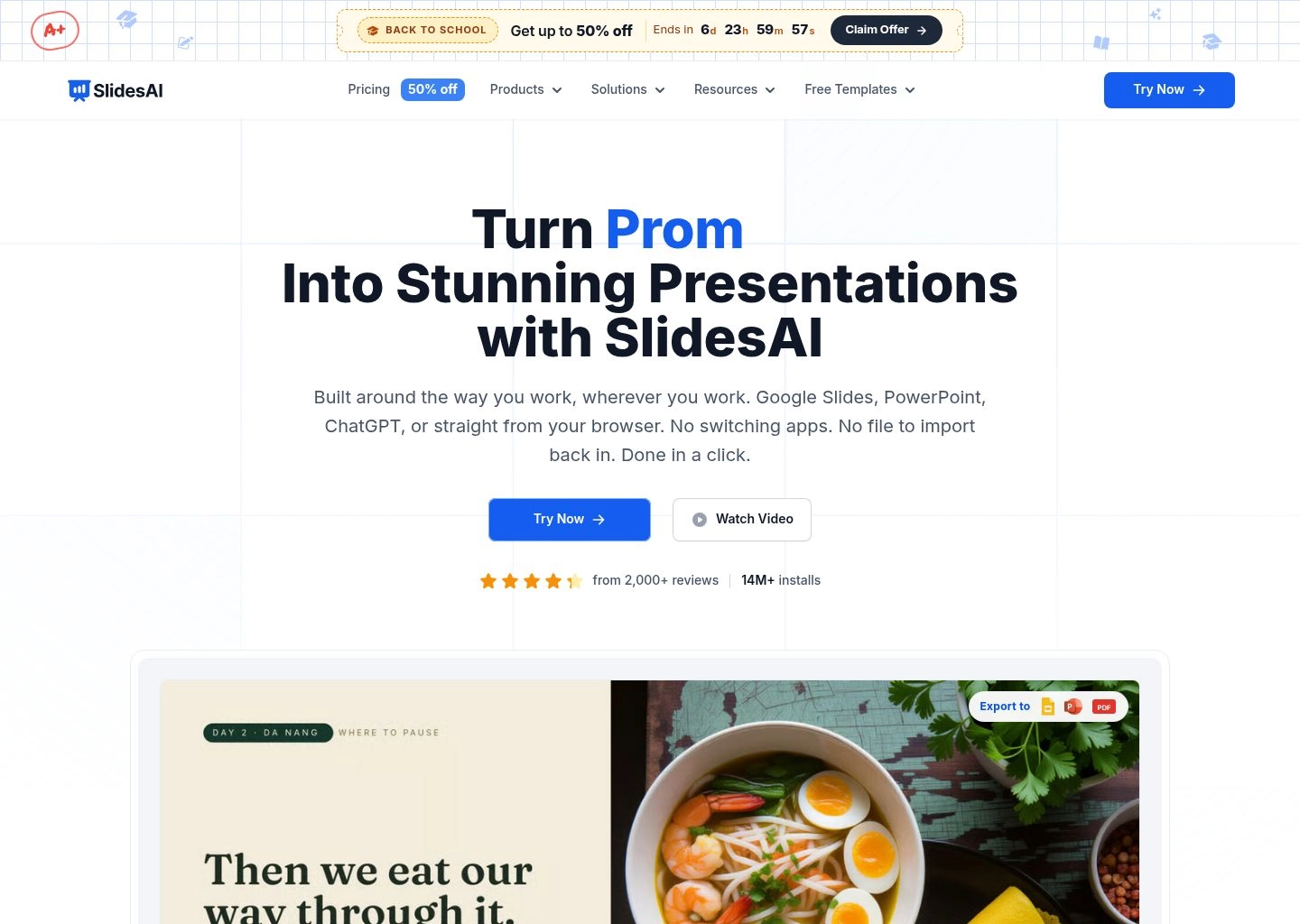
Rather than navigating to a separate dashboard, you open Google Slides, launch SlidesAI from the Extensions menu, and paste your source text—such as an executive memo, a meeting transcript from an AI audio tool like Descript or Otter, or research bullet points. SlidesAI analyzes the input text, partitions the content into distinct logical slides, writes punchy slide titles, selects appropriate graphic layouts, and generates native Google Slides shapes and text elements. Because the output is standard Google Slides, you can collaborate with colleagues using standard Google sharing permissions without requiring them to install third-party plugins.
Key Features & Technical Capabilities
| Capability | SlidesAI Specification |
|---|---|
| Platform Integration | Official Google Workspace Add-on + standalone web generator |
| Supported Languages | 100+ languages with automated input translation into target presentation language |
| Slide Formatting Modes | Summary slides, bulleted lists, metric highlights, two-column comparisons, quote cards |
| Character Limits | 2,500 characters on Free plan; up to 25,000 characters on Pro plan per generation |
| Native Compatibility | 100% native Google Slides objects—all elements remain fully editable offline |
✓ SlidesAI Pros
- Zero platform migration required: works entirely inside Google Slides.
- Generates 100% native Google Slides elements (editable text boxes, shapes, lines).
- Handles multilingual translation across 100+ languages during deck generation.
- Highly effective at summarizing long academic papers and business reports.
- Free tier allows 3 presentations per month for casual users.
✕ SlidesAI Cons & Limitations
- Visual design is simpler and more conservative than Gamma or Beautiful.ai.
- Limited automated chart creation; primarily focuses on text structures and stock photos.
- Relies on Google Workspace backend which can occasionally experience execution timeouts on massive files.
SlidesAI Pricing (2026): Free plan offers 3 presentations per month with a 2,500-character input limit. Pro plan costs $10/month (or $100/year) for 10 presentations per month and 6,000 characters. Premium plan costs $20/month (or $200/year) for unlimited presentations, 25,000 characters per prompt, and priority AI processing.
Discover full tool details on the SlidesAI Directory Profile.
6. Plus AI — The Enterprise Google Slides & Microsoft PowerPoint AI Copilot
For enterprise knowledge workers, the hardest part of presentations is rarely creating a deck from scratch; it is keeping existing weekly executive decks updated, matching complex branded corporate slide templates, and restructuring dense financial tables. Plus AI is built specifically for this enterprise reality, operating as a dual-ecosystem extension for both Google Slides and Microsoft PowerPoint.
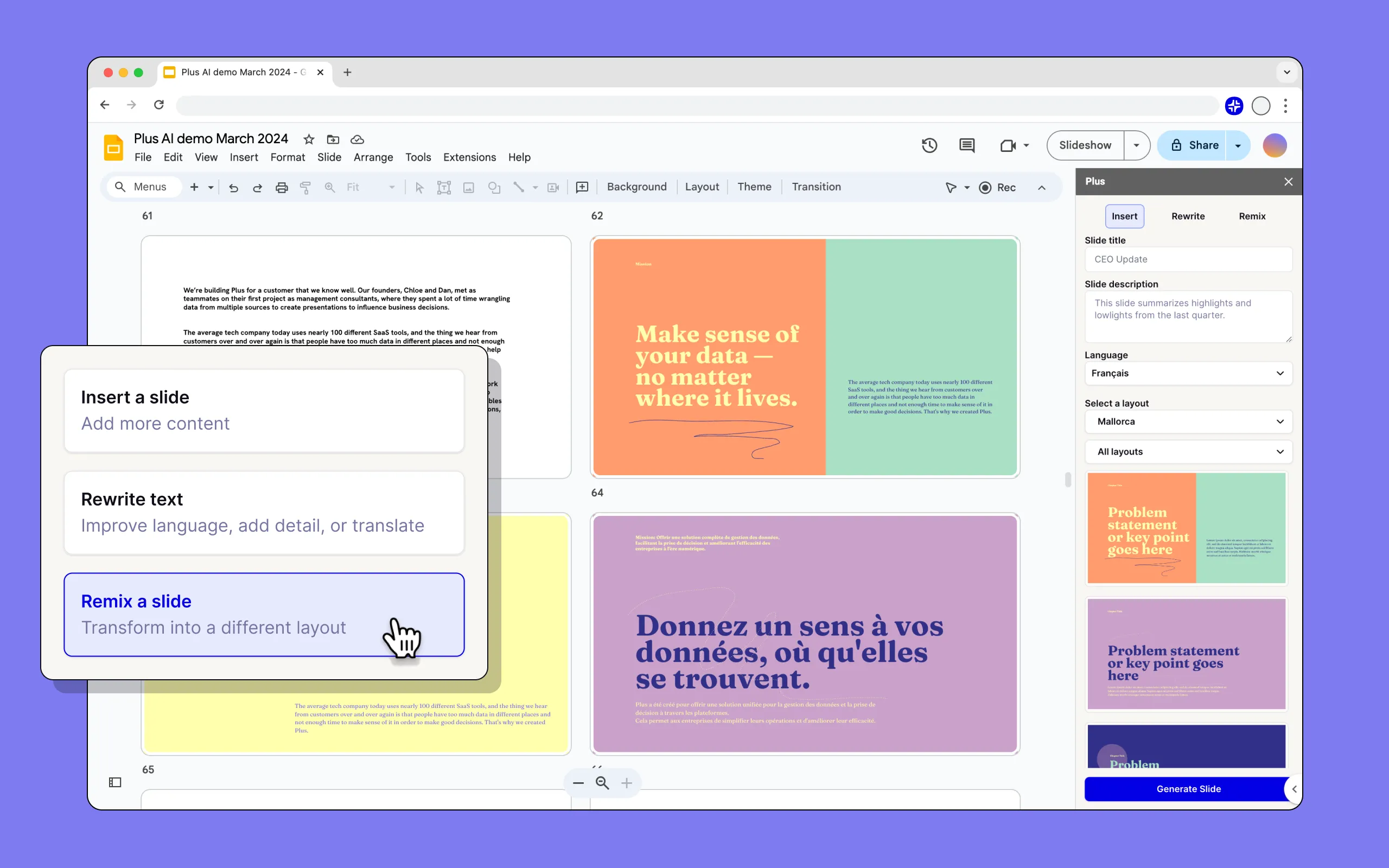
What sets Plus AI apart from simple text-to-slide plugins is its deep architectural understanding of master slides and custom corporate design systems. Instead of forcing you to use its own generic layouts, Plus AI can ingest your organization's custom master `.potx` or Google Slides theme. When you ask it to insert a "3-column competitive matrix" or "quarterly financial scorecard," it generates the slide using your exact corporate layouts, font pairings, and master footers. Furthermore, its surgical editing features let you highlight an individual slide and prompt: "Make this punchier for a CEO audience" or "Convert these bullet points into a horizontal process timeline."
Key Features & Technical Capabilities
| Capability | Plus AI Specification |
|---|---|
| Supported Platforms | Native Microsoft PowerPoint Add-in (desktop & web) + Google Slides Extension |
| Custom Template Training | Trains AI on your proprietary corporate master decks to mirror layout structures exactly |
| Surgical Slide Rewriter | Re-formats, summarizes, expands, or translates individual slides without altering surrounding deck |
| Automated Live Snapshots | Connects to SaaS dashboards (Tableau, Looker, Salesforce) to auto-refresh slide metrics |
| Data Privacy & Security | SOC 2 Type II compliant with zero training on enterprise customer slide content |
✓ Plus AI Pros
- Works across both Microsoft PowerPoint and Google Slides natively.
- Best-in-class custom template matching adheres to existing enterprise master themes.
- Surgical slide-by-slide rewriting avoids destroying previously finalized slides.
- Automated data snapshot integrations refresh live metrics inside weekly status decks.
- Strict enterprise data compliance (SOC 2 Type II certified).
✕ Plus AI Cons & Limitations
- Requires installing workplace extensions which may need IT admin security clearance.
- Template training features require the higher-tier Enterprise subscription.
- No standalone web editor; entirely dependent on Microsoft or Google host applications.
Plus AI Pricing (2026): Basic plan starts at $10/month (billed annually) for standard AI slide generation inside Google Slides. Pro plan is $20/month with PowerPoint integration, surgical slide formatting, and longer character inputs. Enterprise plan adds custom theme training, team template libraries, and SOC 2 compliance reports.
Learn more on the Plus AI Directory Profile.
7. Prezi — The Non-Linear Zoomable Canvas & Dynamic Video Presentation Pioneer
For presentations where storytelling, spatial relationships, and non-linear exploration are paramount—such as architectural pitches, university lectures, or product roadmaps—traditional linear slides can feel confining. Prezi pioneered the non-linear "zoomable canvas," and in 2026, its AI-powered suite brings automated structural intelligence and dynamic video presenting to this expansive format.
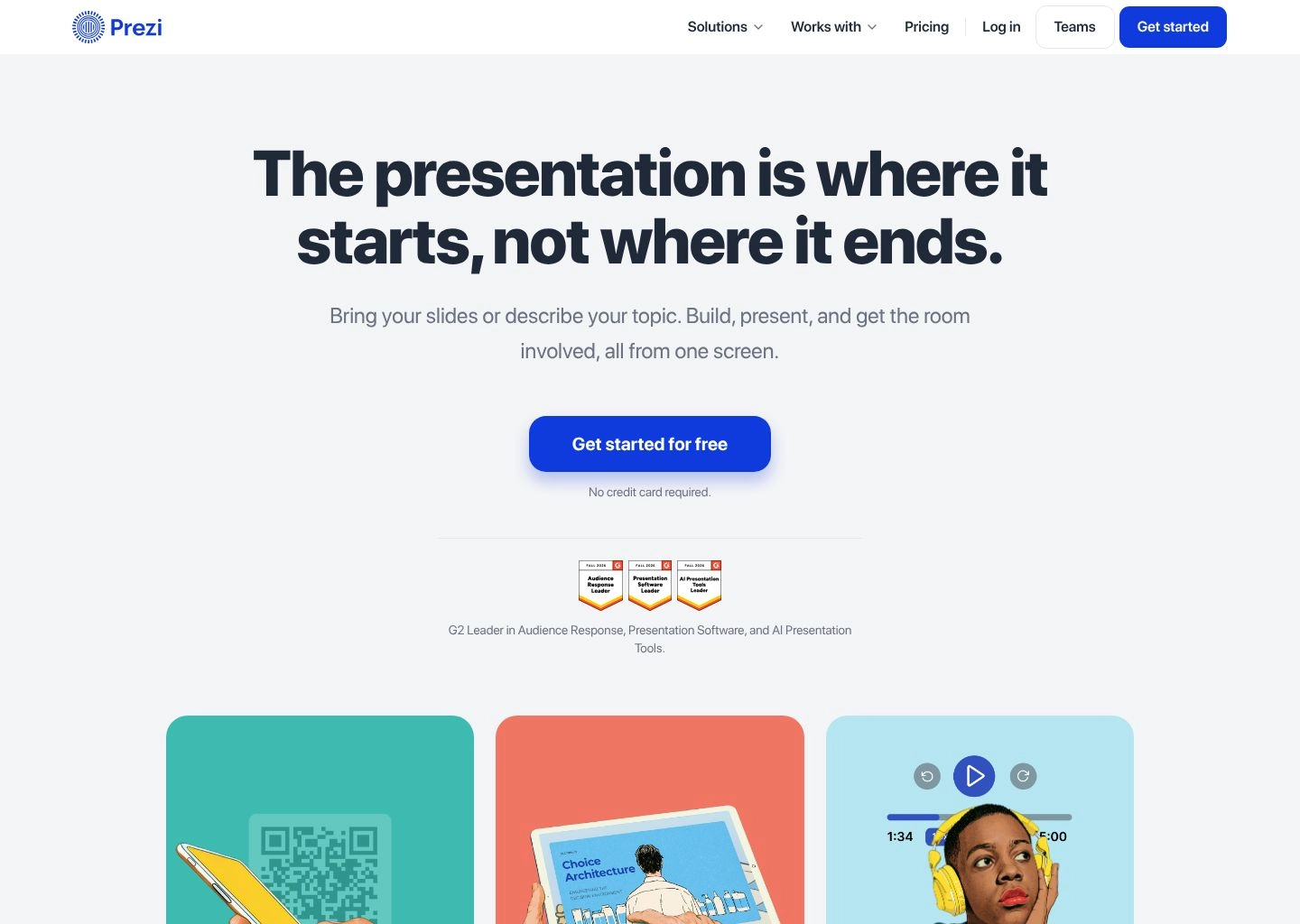
Prezi AI transforms raw prompts or uploaded documents into dynamic visual mind maps. Instead of advancing from slide 1 to slide 2, Prezi zooms into a macro cluster (e.g., "European Operations"), reveals granular charts and milestones, and then zooms smoothly back out to the high-level continental map before diving into "Asian Expansion." Furthermore, Prezi Video integrates with Zoom, Microsoft Teams, and Google Meet to place your interactive presentation elements directly in the video frame beside your face, allowing you to gesture toward graphics without obscuring your webcam feed with a dull screen-share window.
Key Features & Technical Capabilities
| Capability | Prezi Specification |
|---|---|
| Presentation Canvas | Infinite 2.5D spatial canvas with non-linear zoom and pan choreography |
| Prezi AI Suite | Automated narrative structuring, spatial topic clustering, content simplification |
| Prezi Video | Virtual camera driver projects interactive slides directly into Zoom, Teams, and Meet feeds |
| Analytics & Tracking | Viewer navigation heatmaps, average zoom dwell time, interactive click-through logs |
| Offline Presenting | Standalone desktop player for macOS and Windows allows presentations without internet access |
✓ Prezi Pros
- Unrivaled visual engagement: breaks audience fatigue with spatial zooming storytelling.
- Prezi Video keeps your face on screen alongside slides during remote sales calls.
- Non-linear navigation lets you skip directly to relevant topics based on client questions.
- Offline desktop app ensures zero buffering during live conference keynotes.
- Offers educational discounts and accessible entry-level pricing.
✕ Prezi Cons & Limitations
- Steeper learning curve than linear slide tools; requires understanding spatial motion.
- Poor compatibility with traditional PowerPoint (.pptx) printouts and flat PDF handouts.
- Overuse of rapid zoom effects can disorient viewers if animations are not calibrated carefully.
Prezi Pricing (2026): Basic free tier lets you create up to 5 public presentations. Standard plan starts at $5/month (billed annually) for unlimited presentations. Plus plan is $12/month, adding Prezi Video desktop app, offline presentation mode, and PDF exports. Premium plan is $16/month with full viewer analytics and brand kit controls.
Explore the full feature profile on the Prezi Directory Profile.
8. Canva AI — The All-in-One Creative Design Suite with Magic Design for Presentations
For marketing teams, small business operators, and creative agencies that need presentations to live within a broader ecosystem of social graphics, video clips, and print collateral, Canva AI (powered by Canva Magic Studio) offers unmatched versatility. Rather than operating in an isolated presentation silo, Canva allows you to generate a slide deck and instantly repurpose its assets into Instagram carousels, executive summaries, or marketing brochures with one click.
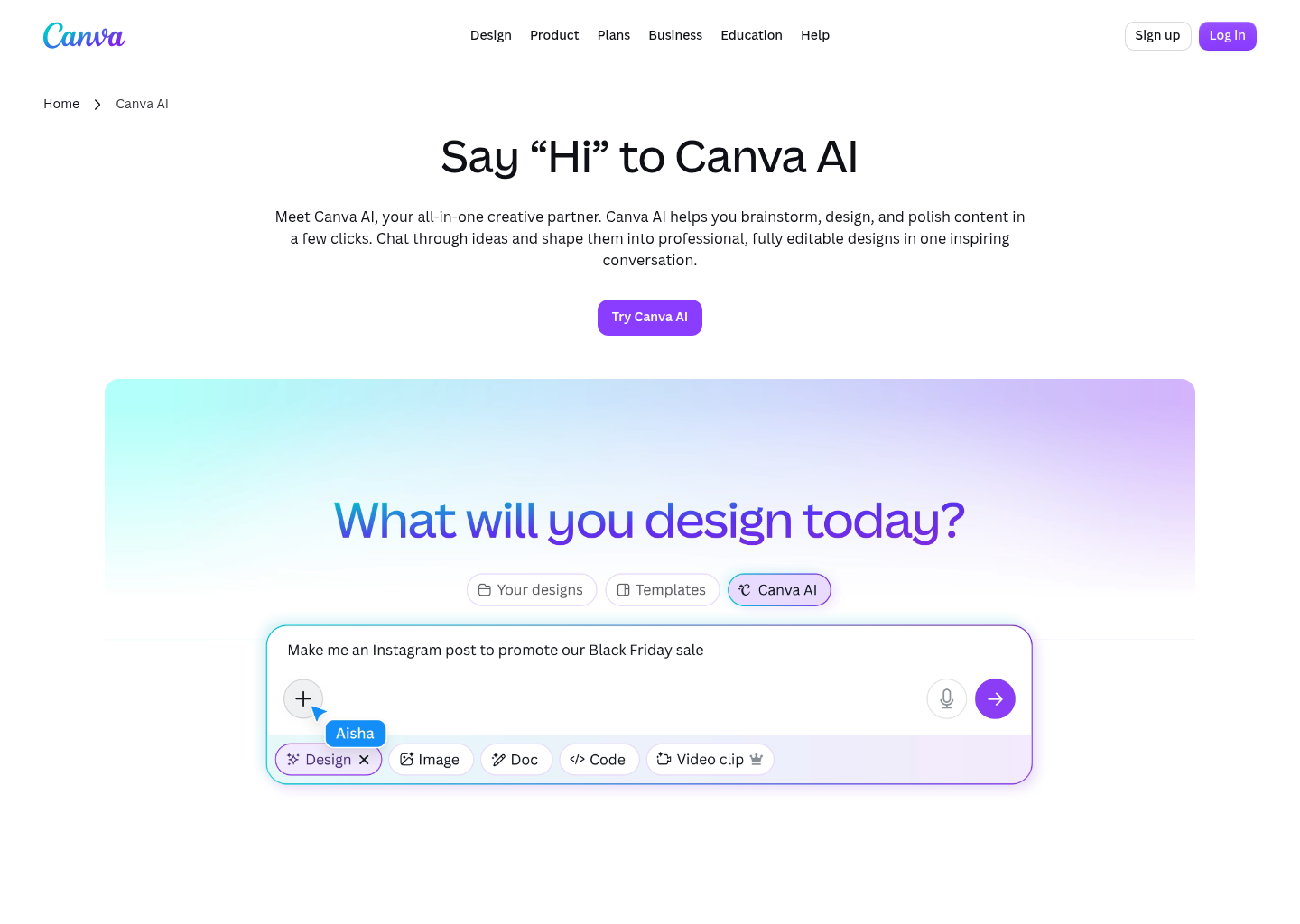
Canva's Magic Design for Presentations operates on a simple prompt input. Type "Q3 Marketing Campaign Launch for a sustainable apparel brand," and Canva synthesizes a cohesive 10-slide presentation complete with professional layout choices, suggested body text, and imagery curated from Canva's library of 100+ million stock assets. Its Magic Switch capability is particularly potent for multidisciplinary teams: with a single click, the AI transforms an entire 15-slide deck into a 5-page formatted blog post, an executive email summary, or a series of LinkedIn slides.
Key Features & Technical Capabilities
| Capability | Canva AI Specification |
|---|---|
| AI Creative Engine | Magic Studio (Magic Design, Magic Write, Magic Switch, Magic Animate) |
| Asset Ecosystem | Direct integration with 100M+ premium stock photos, vector illustrations, fonts, and video tracks |
| Multichannel Repurposing | Magic Switch instantly converts decks into blogs, social posts, docs, and multi-language translations |
| Collaboration Tools | Live multi-user commenting, team asset libraries, presentation recording with floating talking head |
| Export Fidelity | PowerPoint (.pptx), PDF (Standard & Print Quality), MP4 Video, SVG, interactive web links |
✓ Canva AI Pros
- Unbeatable creative ecosystem: access to millions of graphics, vectors, and stock photos.
- Magic Switch effortlessly reformats presentations into social media posts and documents.
- Highly intuitive drag-and-drop canvas suitable for marketing and creative teams.
- Built-in presentation recording studio with animated transitions and voiceover export.
- Excellent multi-platform mobile and desktop apps.
✕ Canva AI Cons & Limitations
- Lacks the constraint-based auto-layout engine of Beautiful.ai (manual positioning required).
- Complex technical data visualizations and financial charts are less automated.
- AI-generated text can be slightly generic, requiring manual editorial refinement.
Canva AI Pricing (2026): Generous Free plan includes basic Magic Design templates and 5GB cloud storage. Canva Pro costs $15/month (or $120/year for one user), providing full access to 100M+ stock assets, Magic Switch, brand kits, and unlimited background removals. Canva for Teams is $10/user/month (minimum 3 users) with centralized brand control and asset approval workflows.
Check complete software capabilities on the Canva AI Directory Profile.
The 4-Stage Prompt-to-Deck Architecture: How Modern AI Presentation Engines Turn Raw Text into Polished Decks
To understand why legacy PowerPoint plugins frequently break while modern platforms like Gamma and Beautiful.ai deliver immaculate visual decks, one must examine the 4-stage pipeline that governs modern generative presentation engines:
The Generative Slide Synthesis Pipeline
Semantic Intent Parsing & Outline Synthesis
The engine parses the user's prompt, uploaded document, or meeting transcript through an LLM trained on narrative arcs. It identifies core thematic anchors (Problem, Market Opportunity, Solution, Financial Trajectory) and extracts key numerical proof points rather than summarizing indiscriminately.
Slide Partitioning & Information Density Balancing
The system chunks the outline into discrete slides or cards. Crucially, it applies cognitive load algorithms to ensure no single slide exceeds 40–60 words of primary text, dynamically assigning layout archetypes (e.g., 3-column benefit grid, metric split, full-bleed hero quote).
Auto-Adaptive Spatial Layout & Geometric Collision Avoidance
Rather than placing fixed bounding boxes on a coordinate grid, constraint-based layout engines (like Beautiful.ai's DesignerBot or Gamma's Flex Cards) calculate geometric margins in real time. Containers expand or contract dynamically based on character counts, preventing typography overlap.
Design Token Binding & Asset Synthesis
In the final rendering pass, the engine applies global design tokens: mapping primary and secondary hex palettes, enforcing typographic hierarchy (display headers vs body sans-serif), injecting high-resolution vector icons, and querying vector databases for contextual photographic assets.
Presentation Format Matrix: Web Cards vs 16:9 Projection Slides vs Zoomable Canvases
Choosing the right presentation maker requires matching your delivery medium to the cognitive expectations of your audience. The matrix below outlines when to deploy each format:
| Presentation Format | Primary Medium | Ideal Use Cases | Audience Interaction | Top Recommended Tool |
|---|---|---|---|---|
| Fluid Web Cards | Mobile & Laptop Browsers | Asynchronous reading, executive memos, project proposals, client briefs | Self-paced vertical scroll, embedded interactive widgets | Gamma |
| Traditional 16:9 Slides | Conference Projectors, Boardrooms | Keynote addresses, quarterly earnings calls, formal investor pitches | Presenter-led linear progression with high visual impact | Beautiful.ai / Pitch |
| Zoomable Spatial Canvas | Virtual Video Calls (Zoom, Teams) | Technical architecture roadmaps, product demos, interactive workshops | Non-linear exploration, spatial visual hierarchies | Prezi |
| Native Workplace Extensions | Google Drive, Microsoft 365 | Enterprise reporting, cross-department collaborative workflows | Standard corporate slide review with track changes | Plus AI / SlidesAI |
4 Dangerous Mistakes to Avoid When Using AI Presentation Generators
While AI presentation makers can slash deck preparation time by 80%, relying blindly on raw automated outputs can damage your credibility in high-stakes meetings. Watch out for these four common pitfalls:
1. The "Hallucinated Market Data" Trap
When prompted to generate an industry overview or competitor analysis, generative models frequently invent plausible-sounding market sizes (e.g., "$42.8B by 2028") and fake CAGR figures. Always verify statistical claims and replace AI placeholder figures with verified analyst data before presenting to investors.
2. Visual Text Density Overload
AI prompt engines naturally tend to write complete, verbose sentences. Presentations are visual accompaniments to spoken narrative, not printed essays. Ruthlessly edit generated slides: distill complete sentences into punchy 4-word bullet anchors and let your vocal commentary deliver the nuance.
3. Broken PowerPoint Export Formatting
Web-first tools look immaculate inside the browser but can encounter font substitutions and collapsed container margins when exported to `.pptx`. If your client demands a raw PowerPoint file, open the exported `.pptx` in desktop PowerPoint to inspect font kerning and vector shapes prior to sending.
4. Disconnected Generic Imagery
Many AI slide makers automatically populate cards with generic stock photos of smiling professionals shaking hands in conference rooms. Replace these generic placeholders with authentic product screenshots, verified data charts, or custom architecture diagrams that convey genuine domain authority.
Frequently Asked Questions (FAQ)
Can AI presentation makers export directly to editable Microsoft PowerPoint (.pptx) files?
Yes, the majority of modern tools—including Beautiful.ai, Pitch, Gamma, Plus AI, and Canva—support `.pptx` export. However, export fidelity varies. Beautiful.ai and Plus AI export 100% native vector shapes and editable text boxes. Gamma exports clean slides but converts some complex web-card layouts into grouped shapes. If you need native Google Slides objects, SlidesAI and Plus AI generate native slides directly within your Workspace.
Which AI presentation maker is best for startup pitch decks?
Pitch and Beautiful.ai are the top choices for venture-backed pitch decks. Pitch offers templates designed around proven venture frameworks (Sequoia, a16z), real-time multiplayer co-editing, and viewer analytics that track how many seconds prospective investors spend on each slide. Beautiful.ai is ideal if you need strictly enforced brand consistency and automatic data charts.
How do AI presentation makers differ from traditional templates?
Traditional templates are static: adding a fourth bullet point or expanding a paragraph breaks alignment and forces manual resizing. AI presentation makers employ constraint-based auto-layout engines that dynamically recalculate padding, font scales, and container positions as you type. Furthermore, AI engines draft the actual narrative and content based on your prompt, whereas templates only offer placeholder "Lorem Ipsum" text.
Are my company's confidential briefing documents safe when uploaded to AI presentation tools?
Enterprise-focused platforms like Plus AI and Beautiful.ai offer SOC 2 Type II compliance and strict data privacy agreements ensuring customer documents are not used to train foundational AI models. However, when using free consumer tiers of web presentation tools, review terms of service before uploading proprietary financial forecasts or sensitive intellectual property.
Can I create interactive presentations with live forms and calendar links?
Yes. Decktopus is specifically built for this use case, allowing you to embed live lead capture forms, Calendly booking widgets, and Typeform surveys directly into your slides. Gamma also supports interactive embeds including Figma prototypes, Airtable bases, and live web frames.
Final Verdict & Implementation Blueprint
The transition from manual slide formatting to intelligent prompt-to-deck generation represents one of the highest-leverage productivity gains in modern business operations. By eliminating mechanical formatting friction, these platforms empower teams to focus their energy where it matters most: sharpening the underlying strategic argument, validating empirical data, and delivering a commanding presentation.
To select the ideal software for your workflow in 2026, follow this practical decision framework:
- If you want the fastest, most engaging presentation experience for modern asynchronous readers on laptops and mobile devices, choose Gamma.
- If you require immaculate 16:9 corporate slides with strict brand guardrails and foolproof auto-layouts, choose Beautiful.ai.
- If you are a venture startup raising capital or an agency collaborating in real time with clients, choose Pitch.
- If your presentations function as sales proposals or lead generation funnels, choose Decktopus.
- If your organization is deeply entrenched in Google Workspace or Microsoft 365 and requires native add-ins, deploy Plus AI or SlidesAI.
For more deep-dive benchmarks across complementary AI software categories, explore our hands-on guides to the Best AI Transcription & Audio Tools, Best AI Ad Copy Generators, and our complete directory of verified AI Productivity Tools.



