

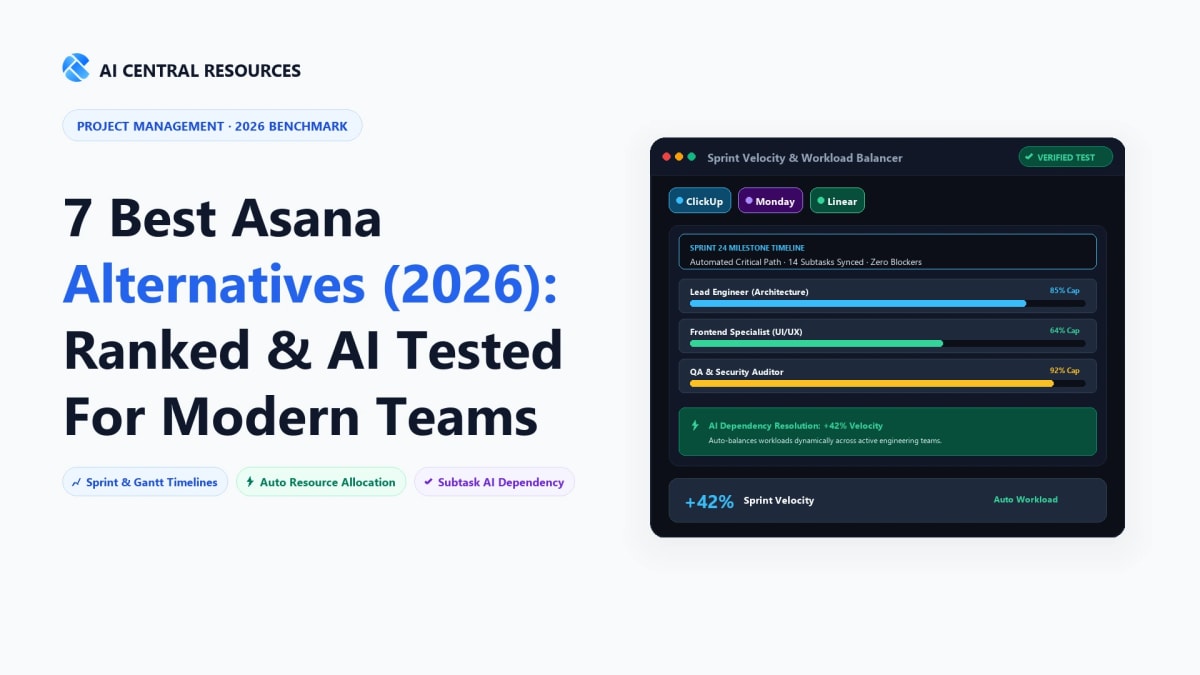
For over a decade, Asana stood as the default gold standard for modern project management. With its clean list views, fluid drag-and-drop Kanban boards, and signature celebration animations, it taught millions of cross-functional teams how to organize work without drowning in chaotic email chains. But in 2026, the project management landscape has fundamentally shifted, and growing numbers of engineering directors, operations heads, and agency founders are actively searching for Asana alternatives.
The migration away from Asana is driven by three inescapable realities: escalating per-seat subscription costs that punish growing teams, a rigid data architecture that struggles with developer-centric Git workflows, and native AI features that often feel bolted on rather than deeply integrated into automated work execution. Modern teams no longer want passive task checklists—they demand autonomous Work OS platforms, keyboard-first issue trackers that operate at the speed of software development, and connected workspace wikis that eliminate app fragmentation.
We spent six weeks evaluating the 7 best Asana alternatives in 2026 across fast-scaling tech startups, marketing agencies, and enterprise operations departments—migrating active project backlogs, testing automated AI sprint planning, and breaking down real-world pricing math. Here is our practitioner guide to finding the right project management suite for your team.
⚡ The 30-Second Executive Verdict
Choose Monday.com if you manage cross-functional business operations, marketing campaigns, or sales pipelines and want the market's most flexible, visually customizable Work OS with automated AI column formulas.
Choose Linear if you lead a high-growth software engineering or product team and need blazing-fast, keyboard-first issue tracking with bidirectional GitHub sync and zero project manager bloat.
Choose ClickUp 3.0 if you want an all-in-one replacement for Asana, Google Docs, and Notion powered by ClickUp Brain's unified AI search and granular custom permissions.
Choose Wrike if you operate in an enterprise environment requiring automated AI risk prediction, advanced Gantt chart dependencies, and formal client proofing.

1. Why Teams Are Leaving Asana in 2026
While Asana remains a polished tool, four structural limitations frequently push teams toward alternatives:
1. The "Per-Seat Step Pricing" Penalty
Asana forces teams onto rigid seat tiers (e.g. purchasing in blocks of 5 or 10 seats). If you have 21 team members, you are frequently forced to pay for 25 licenses. Furthermore, essential features like portfolio management, custom rule automations, and workload balancing are gated behind the expensive Advanced tier ($24.99/user/month billed annually).
2. Friction for Software Engineering Teams
Software developers notoriously resist Asana. Its UI lacks keyboard-first shortcuts, pull request automation feels clunky compared to dedicated issue trackers, and linking tasks to Git branches requires tedious manual pasting. Engineering teams end up running Jira or Linear alongside Asana, creating double licensing costs.
3. Surface-Level AI Implementation
While Asana Intelligence summarizes status updates and drafts task descriptions, competitors like ClickUp Brain and Wrike Work Intelligence go significantly deeper—predicting project deadline slippages, querying your entire corporate knowledge base, and auto-assigning tasks based on past velocity.
2. The Master Asana Alternatives Comparison Matrix
Here is how the 7 leading Asana alternatives compare across core project management capabilities, AI depth, engineering focus, and starting price points:
| Platform | Core Ideal Audience | AI Capabilities | Developer Experience | Free Plan Limit | Starting Price (Annual) |
|---|---|---|---|---|---|
| Asana (Baseline) | Cross-Functional Corporate Teams | Smart Status & Summaries | Basic GitHub integration | Up to 10 seats | $10.99 / user / mo |
| Monday.com | Operations, Marketing & Sales OS | AI Column Formulas & Workflows | Moderate (monday dev) | Up to 2 seats | $9.00 / user / mo |
| ClickUp 3.0 | All-in-One "Everything App" Teams | ClickUp Brain (Universal AI) | Strong Git & Sprint Tools | Unlimited users (100MB) | $7.00 / user / mo |
| Linear | Modern Software Engineering Orgs | AI Issue Triage & Duplicates | Unrivaled (Keyboard-First) | Unlimited users (250 issues) | $8.00 / user / mo |
| Wrike AI | Enterprise PMOs & Complex Portfolios | Predictive Risk & Resource Leveling | Traditional Enterprise | Unlimited users (basic) | $9.80 / user / mo |
| Notion Projects | Docs, Wiki & Sprint Hybrid Teams | notion-ai" class="text-primary hover:underline font-medium">Notion AI (Database Autofill) | Moderate (GitHub Sync) | Unlimited pages (up to 10 guests) | $10.00 / user / mo |
| Basecamp | Async Remote & Flat-Rate Simplicity | Minimal (Anti-Complexity) | Basic Webhooks | 30-day trial | $15/user or $299 flat |
| Smartsheet | Spreadsheet-First Enterprise PMOs | Conversational Formula AI | Custom API / Webhooks | 1 user / 2 sheets | $9.00 / user / mo |
3. The 7 Best Asana Alternatives Reviewed in Depth
1. Monday.com — The Best Visual Work OS for Cross-Functional Operations
Best Overall Asana AlternativeIf your organization loves Asana's visual appeal but feels boxed in by its rigid task hierarchy, Monday.com is the most natural upgrade. Rather than treating projects purely as lists of tasks, Monday operates as a complete Work OS where every board can be custom-architected into a CRM, marketing campaign tracker, product roadmap, or HR onboarding pipeline.

The Monday AI Edge: Monday's native AI assistant allows team leads to generate complex custom automations using natural language (e.g. "When a design task moves to Done, summarize the reviewer notes and create an approval task on the Legal board"). Its visual column system—supporting color-coded status pills, live budget calculations, timeline Gantt bars, and assignee avatars—is significantly more expressive and customizable than Asana's custom fields.
- Strengths: Unrivaled visual customizability; powerful no-code automation builder; unified ecosystem spanning Projects, CRM, and Dev.
- Weaknesses: Minimum 3-seat pricing requirement on all paid tiers; can feel overwhelming for teams that only need simple checklists.
- Pricing: Free plan (up to 2 seats); Basic at $9/user/mo; Standard at $12/user/mo; Pro at $19/user/mo (billed annually).
2. Linear — The High-Speed Standard for Engineering & Product Teams
Best for Software EngineersIf your software engineers complain that Asana is slow, bloated, or annoying to update, migrating to Linear will immediately transform team velocity. Linear was engineered with a singular philosophical mandate: software issue tracking should operate with sub-50ms latency, zero page reloads, and complete keyboard-first navigation.

With Linear, developers never have to leave their terminal or IDE. Branch names automatically link to issue IDs (e.g. git checkout -b hamza/lin-204-fix-auth), and merging a pull request automatically closes the Linear ticket. Its built-in AI automatically detects duplicate customer bug reports, synthesizes user feedback into actionable feature requests, and organizes backlog triage without dedicated project managers.
- Strengths: Blazing-fast keyboard navigation (
Cmd+Kcommand palette); seamless bidirectional GitHub/GitLab sync; opinionated, distraction-free sprint cycles. - Weaknesses: Lacks Gantt charts and workload resource leveling required by traditional enterprise agencies; strictly optimized for product/tech teams.
- Pricing: Free tier (unlimited members, 250 active issues); Standard at $8/user/mo; Plus at $14/user/mo.
3. ClickUp 3.0 — The Feature-Packed "Everything App" with ClickUp Brain
Best for All-in-One ConsolidationFor organizations suffering from SaaS bloat—paying simultaneously for Asana (tasks), Notion (wikis), Google Docs (documents), and Harvest (time tracking)—ClickUp 3.0 consolidates your entire digital workplace into a single unified platform at a lower price point.

The standout addition in ClickUp 3.0 is ClickUp Brain, an interconnected neural network that queries every task, comment, document, and chat thread in your company. You can ask: "What are the outstanding blockers on the Q3 enterprise launch?" and ClickUp Brain synthesizes a sourced briefing in seconds. ClickUp also offers 15+ distinct views (List, Board, Box, Calendar, Gantt, Mind Map, Whiteboard) per folder.
- Strengths: Complete tool consolidation (Docs, Chat, Tasks, Goals, Whiteboards); ClickUp Brain enterprise knowledge search; aggressive pricing ($7/user/mo).
- Weaknesses: Steep learning curve; the sheer volume of customizable settings can overwhelm non-technical teams during initial onboarding.
- Pricing: Generous Free Forever plan; Unlimited at $7/user/mo; Business at $12/user/mo (annual billing).
4. Wrike (Work Intelligence) — The Enterprise PMO & Risk Prediction Powerhouse
Best for Enterprise PMOsWhen enterprise organizations evaluate Asana against Wrike, the deciding factor is almost always governance, resource allocation, and predictive risk management. Wrike is engineered for complex matrix organizations managing hundreds of concurrent projects with intricate interdependencies.

Wrike's Work Intelligence algorithms evaluate historical project completion rates to actively flag projects at risk of missing deadlines before delays happen. It also features integrated digital proofing (allowing creative directors to leave frame-by-frame comments on video files and PDF proofs) and dynamic request forms that automatically construct complete project timelines upon submission.
- Strengths: Predictive AI project risk assessment; industry-leading workload resource management; enterprise digital asset proofing and approvals.
- Weaknesses: Enterprise interface feels denser than Asana; higher tier plans require sales engagement for advanced analytics.
- Pricing: Free plan available; Team at $9.80/user/mo; Business at $24.80/user/mo.
5. Notion Projects — The Connected Wiki, Docs & Sprint Ecosystem
Best for Knowledge-First StartupsFor fast-moving startups and product teams, managing tasks inside a separate tool from company documentation leads to stale tickets and fragmented context. Notion Projects bridges this divide by turning your team wiki and documentation database directly into an agile project management system.

Notion's killer feature is AI Autofill Properties: when team members add research notes, customer interviews, or PRDs to a project page, Notion AI automatically extracts action items, assigns priority ratings, and populates database columns without manual data entry. Combined with two-way GitHub sync, it creates a single source of truth for the entire company.
- Strengths: Seamless blending of company wikis, long-form docs, and sprint boards; AI Autofill database properties; unlimited page creation.
- Weaknesses: Lacks dedicated native time tracking and complex multi-project Gantt resource leveling.
- Pricing: Free plan; Plus at $10/user/mo; Business at $15/user/mo; Notion AI add-on available at $8–$10/user/mo.
6. Basecamp — The Refreshing, Flat-Rate Anti-Complexity Sanctuary
Best for Flat-Rate SimplicityIf your team is exhausted by the constant notifications, micro-status updates, and complex custom field configurations of Asana and ClickUp, Basecamp offers an intentionally calm, minimalist alternative. Built by the pioneers of remote work, Basecamp rejects the "micromanagement" paradigm entirely.

Instead of complex Gantt charts, Basecamp uses visual Hill Charts to track whether work is in the "figuring it out" phase or the "getting it done" execution phase. Its defining financial advantage is transparent flat-rate pricing: $299/month for unlimited users, making it extraordinarily cost-effective for agencies and companies with 30 to 200+ employees.
- Strengths: Flat-rate $299/mo plan with zero per-user penalties; calm async message boards; visual Hill Charts; client-facing access included.
- Weaknesses: Zero native AI features; lacks sprint velocity metrics and complex dependency automation.
- Pricing: $15/user/month (pay-as-you-go) or $299/month flat for unlimited users.
7. Smartsheet — Spreadsheet Power with Enterprise Project Portfolio Automation
Best for Spreadsheet-Driven PMsFor operations directors, construction managers, and financial teams who live inside Microsoft Excel and Google Sheets, transitioning to Asana's rigid card views often feels unnatural. Smartsheet combines the familiar grid structure of a relational spreadsheet with enterprise project management, automated workflows, and executive dashboards.

Smartsheet's conversational AI assistant allows project managers to generate complex multi-sheet lookup formulas, build custom dashboards, and analyze project bottlenecks by typing natural language prompts. It excels at multi-project portfolio rollups where executive stakeholders need high-level status visibility across thousands of line items.
- Strengths: Familiar spreadsheet grid with formula calculations; powerful enterprise security and audit logging; robust multi-project portfolio rollups.
- Weaknesses: Steeper learning curve for non-spreadsheet users; visual aesthetics feel more corporate than modern SaaS tools.
- Pricing: Free plan (1 user); Pro at $9/user/mo; Business at $19/user/mo (billed annually).
4. Strategic Decision Matrix: Which Asana Alternative Fits Your Team?
Scenario A: You run a marketing agency or cross-functional business team
Switch to Monday.com. You get visually stunning, highly customizable boards, automated client intake forms, and no-code automations that streamline campaign execution without technical overhead.
Scenario B: You lead a fast-moving software development organization
Switch to Linear. Your engineers will thank you for the blazing-fast keyboard navigation, automated GitHub PR syncing, and distraction-free sprint cycles that eliminate administrative overhead.
Scenario C: You want to eliminate SaaS bloat and lower software costs
Switch to ClickUp 3.0 or Notion Projects. Consolidate your project tasks, knowledge wikis, and team docs into a single unified workspace powered by contextual AI search.
Frequently Asked Questions
What is the best Asana alternative for engineering teams using AI?
Linear is the unquestioned champion for software engineering and technical product teams. Linear provides lightning-fast keyboard shortcuts, bi-directional GitHub/GitLab integration, automated sprint cycles, and AI triage that groups duplicate bug tickets with zero manual tagging overhead.
ClickUp vs. Asana: Which has better AI automation in 2026?
ClickUp Brain provides deeper contextual AI across docs, tasks, and team wikis compared to Asana Intelligence. ClickUp Brain can automatically draft project updates, generate standup summaries, answer organizational questions from past comments, and convert meeting notes into subtasks at a lower per-seat price point.
Which project management platform has the best AI agent for work intake?
Wrike and Monday.com lead in automated intake request routing. Wrike’s Work Intelligence agent analyzes incoming client request forms, estimates project risk based on historical completion velocity, and automatically assigns subtasks to available team members based on real-time bandwidth.
How can teams sync client milestones across Asana, Monday.com, and ClickUp?
Two-way sync platforms like Unito.io or custom Make/n8n webhooks allow cross-platform task synchronization without manual data entry. This enables external agencies operating in ClickUp to sync status updates and due dates directly into an enterprise client's Asana workspace in real time.
Is Notion AI a viable replacement for Asana for creative agencies?
Yes. For content, branding, and design agencies, Notion Projects combines database relational views (Kanban, Timeline, Calendar) with rich document collaboration. Notion AI automatically populates content properties, generates executive summaries, and consolidates creative briefs without needing a separate standalone PM tool.
Explore Related Project Management & Workflow Benchmarks
Optimize team execution with our hands-on productivity reviews:



