


For the past two years, conversational AI was largely confined to single-turn chat windows. You asked ChatGPT or Claude a question, received a block of text, and manually copy-pasted the result into your email client, CRM, or project management board. But in 2026, the productivity frontier has fundamentally shifted from reactive chatbots to autonomous AI employees and digital workers: intelligent software agents capable of monitoring inboxes, triaging customer support tickets, negotiating calendar schedules, placing voice phone calls, and executing multi-step business workflows without human micromanagement.
At the center of this autonomous workforce movement is Lindy AI—a no-code platform that allows founders, executives, and operations teams to build customized "Lindies" (autonomous AI agents) in minutes. Whether configuring an executive assistant to draft replies to VIP clients, a meeting bot to transcribe and assign Linear action items, or a lead qualification agent that updates HubSpot, Lindy promises to act as a 24/7 digital team member.
However, as enterprise agent architectures mature in 2026, Lindy faces formidable competition from specialized platforms: Relevance AI (the B2B multi-agent workforce builder), Bland AI (the hyper-realistic voice phone calling powerhouse), MultiOn (autonomous web navigation agent), and developer frameworks like CrewAI. We spent four weeks running Lindy AI and its top alternatives across 500+ live operational workflows to deliver this comprehensive, practitioner-grade review.
⚡ The 30-Second Executive Verdict
Choose Lindy AI if you want an intuitive, zero-code autonomous executive assistant that connects seamlessly with Gmail, Outlook, Google Calendar, Slack, and 3,000+ business tools to triage messages, book meetings, and automate daily executive tasks.
Choose Relevance AI if you are building an enterprise-grade multi-agent B2B workforce (autonomous SDRs, customer support swarms, and research analysts) with strict human-in-the-loop governance.
Choose Bland AI if your operational bottleneck is conversational voice calls (inbound customer support, appointment confirmation, outbound sales qualification) requiring sub-300ms latency.
Choose CrewAI / Devin if you have software engineering resources and require code-first agent swarms that execute deep codebase refactoring or complex custom API chains.
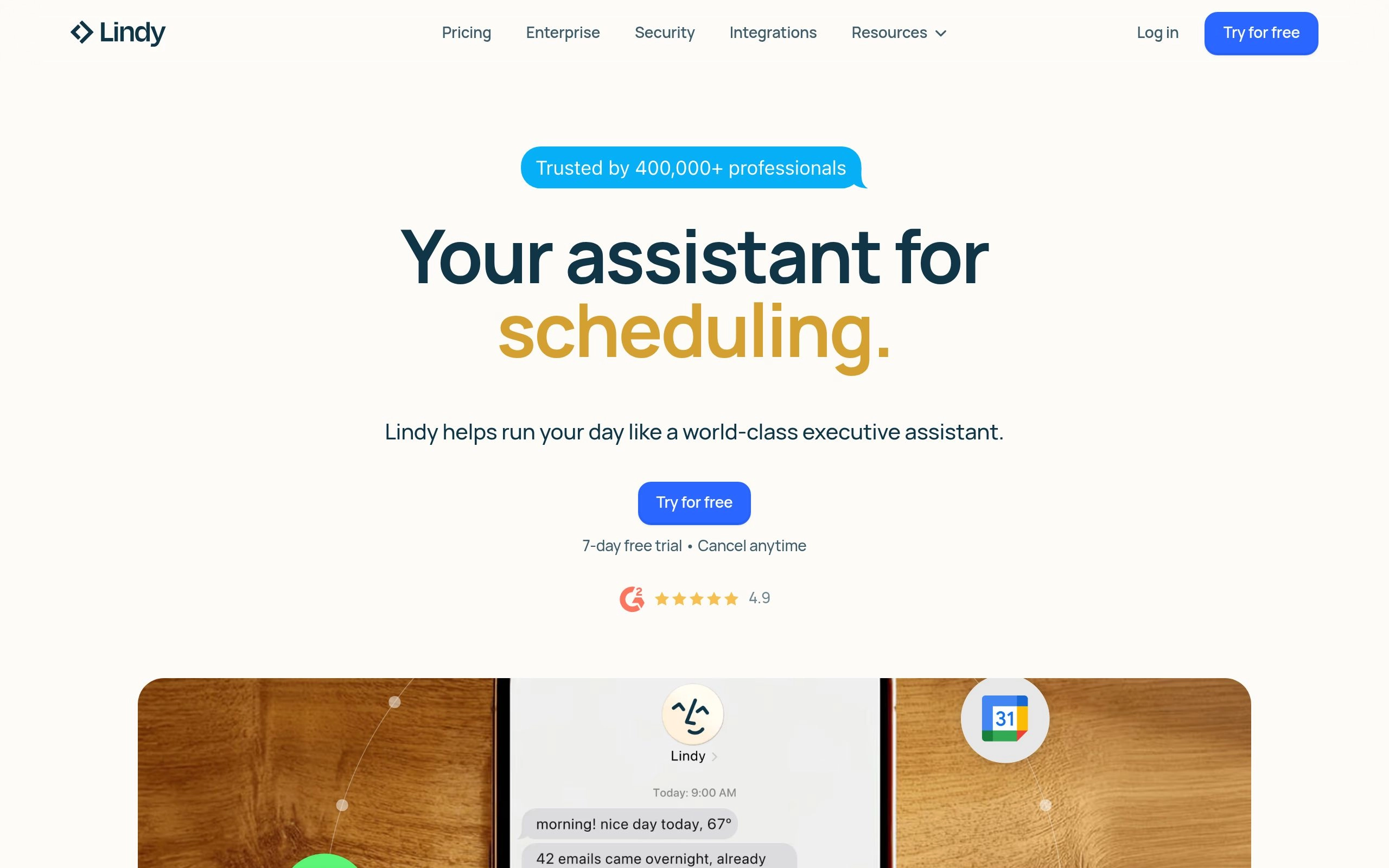
What is Lindy AI? Core Architecture & Capabilities
Lindy AI is built around a simple yet powerful premise: you should not have to write Python scripts or configure complex LangChain graphs to deploy an autonomous AI employee. Lindy combines large language models (GPT-4o, Claude 3.5 Sonnet, and Gemini 1.5 Pro) with native tool execution and vector memory.
When you create a "Lindy", you define three primary layers:
- The Trigger (Sensory Layer): Lindy continuously monitors webhooks, Gmail inboxes, Slack channels, calendar invites, or scheduled crons.
- The Reasoning Engine (Decision Layer): Powered by frontier LLMs, Lindy evaluates incoming context against your customized prompt rules, corporate guidelines, and organizational memory.
- The Action Execution (Motor Layer): Lindy interacts with external APIs to draft emails, update CRM contact fields, post Slack alerts, or trigger Zapier webhooks.
Key Features Stress-Tested
1. Autonomous Email Management & Triage
Lindy connects to your Google Workspace or Microsoft 365 inbox. Unlike basic email filters that rely on rigid regex rules, Lindy understands semantic intent. It categorizes incoming mail (Urgent Client, Pitch Deck, Newsletter, Invoice), drafts personalized context-aware replies matching your communication style, and tags your drafts for one-click approval or auto-sends them based on trust thresholds.
2. Intelligent Calendar Booking & Conflict Defense
Rather than sending a static Calendly link, Lindy reads email threads with prospective clients, checks your real-time Google Calendar availability, proposes 2-3 optimal time slots, handles timezone conversions, and automatically issues Google Meet / Zoom calendar invites once the recipient agrees.
3. Meeting Note Extraction & Action Item Routing
Lindy attends your video calls, generates structured speaker-attributed summaries, extracts commitments made during the meeting, and pushes assigned tickets directly to Asana, ClickUp, Notion, or Linear.
4. Multi-Agent Lindy Communities & Swarms
In 2026, Lindy supports agent-to-agent delegation. For example, your "Inbound SDR Lindy" can qualify a lead, pass the data to your "Contract Drafter Lindy", which in turn notifies your "Account Executive Lindy" on Slack to review the final agreement.
Top 7 Lindy AI Alternatives for Autonomous Workforces in 2026
While Lindy excels at executive productivity and no-code personal agents, different operational needs require specialized platforms. Here are the top 7 autonomous AI employee tools ranked for 2026.
1. Relevance AI: The Enterprise Multi-Agent B2B Workforce Builder
Relevance AI is designed for companies that want to hire entire AI departments rather than a single executive assistant. Relevance AI provides specialized pre-built agents: B2B Outbound Sales Reps that research company LinkedIn profiles and draft cold outreach; Customer Support Agents with semantic vector search over internal documentation; and Data Analyst Agents that run SQL queries on Snowflake and BigQuery.
Relevance AI includes sophisticated human-in-the-loop review dashboards, role-based access control (RBAC), and multi-step reasoning trees that surpass Lindy for high-volume B2B operations.

2. Bland AI: The Conversational Voice & Phone Call Master
While text agents handle emails and Slack, Bland AI owns real-time telephone interactions. Bland AI deploys conversational voice agents capable of handling millions of simultaneous inbound customer service calls, scheduling medical appointments, qualifying real estate leads, and conducting outbound customer check-ins.
With sub-300 millisecond response latencies, custom emotional inflection, interruption handling, and native Twilio/SIP trunk integration, Bland AI sounds indistinguishable from a human phone operator.

3. MultiOn: The Autonomous Web Navigation & Browser Copilot
Most AI agents are restricted to tools with clean REST APIs. MultiOn breaks this boundary by acting as an autonomous browser agent. MultiOn can open a live browser session, navigate complex dynamic websites, fill out government forms, purchase airline tickets on legacy airline portals, research competitor pricing, and extract unstructured web data without requiring an API.

4. CrewAI: The Code-First Multi-Agent Orchestration Framework
For engineering teams, product managers, and developers who want complete architectural control over their agent swarms, CrewAI is the leading open-source and enterprise agent framework. CrewAI lets you define specific roles (e.g., Senior Research Analyst, Technical Writer, Quality Assurance Reviewer), allocate individual memory systems, assign custom Python tools, and coordinate hierarchical or sequential task execution.

5. Devin (Cognition Labs): The Autonomous AI Software Engineer
If your target workload is software engineering, bug fixing, and continuous integration, Devin represents the pinnacle of autonomous developer agents. Devin operates with its own code editor, terminal, sandboxed browser, and debugger. Devin reads GitHub issues, reproduces bugs, tests patches, and opens clean pull requests with minimal human intervention.

6. HyperWrite Personal Assistant: The Proactive Writing & Workflow Agent
HyperWrite combines advanced generative writing models with a browser-based personal agent capable of conducting web research, summarizing lengthy academic papers, managing spreadsheets, and writing long-form thought leadership articles directly inside Google Docs and Chrome.
7. Zapier Central: The Ecosystem Automation Copilot
Zapier Central connects natural language instructions to Zapier's catalog of 6,000+ app connectors. You can teach a bot specific behaviors: "Whenever a new lead signs up via Webflow, enrich their data via Clearbit, create an opportunity in Salesforce, and send me a Slack summary."
Comprehensive Feature Comparison Matrix
| Agent Platform | Primary Use Case | Setup Complexity | Voice / Phone | Web Navigation | Starting Price |
|---|---|---|---|---|---|
| Lindy AI | Executive Assistant & Email/Calendar Triage | Zero-Code (10 mins) | Basic Voice Notes | API-based | $49 / mo |
| Relevance AI | B2B Sales, Support & Research Swarms | Low-Code (Visual Canvas) | Yes (Integration) | API + Web Scrapers | $199 / mo |
| Bland AI | Inbound & Outbound Phone Calls at Scale | Low-Code / API | 🏆 Industry Gold Standard (280ms) | N/A (Telephony) | $0.09 / min |
| MultiOn AI | Autonomous Browser Form Filling & Web Actions | Zero-Code (Chrome Ext / API) | No | 🏆 Autonomous Browser | $29 / mo |
| CrewAI | Custom Multi-Agent Engineering Swarms | Code-First (Python) | Custom via API | Custom Tools (Playwright) | Open Source / Enterprise |
| Devin | Autonomous Software Engineering & Bug Fixing | Prompt / GitHub Sync | No | Integrated Sandboxed Browser | $500 / mo (Usage-based) |
| Zapier Central | Ecosystem & App Integration Workflows | Zero-Code | No | API-based | Included in Zapier Pro |
Lindy AI Pricing & ROI Math
Hiring a full-time human executive assistant in the United States or Western Europe costs between $50,000 and $90,000 annually ($4,000–$7,500/month). Lindy AI pricing is structured to deliver massive ROI for founders and operators:
- Lindy Free Plan: Offers limited daily interactions and basic integrations to test the agent mechanics.
- Lindy Pro ($49/month): Provides unlimited personal Lindies, priority LLM response speeds, full Google Workspace & Outlook sync, calendar management, and 3,000+ app connectors.
- Lindy Team ($99/user/month): Adds shared organization Lindies, multi-agent delegating swarms, Slack workspace bots, and centralized analytics.
- Lindy Enterprise: Custom pricing for SOC 2 Type II compliance, dedicated VPC hosting, custom LLM fine-tuning, and SLA guarantees.
Decision Framework: Which AI Employee Should You Deploy?
Deploy Lindy AI If:
- ✓ You are a founder, executive, or manager overwhelmed by daily inbox triage and scheduling.
- ✓ You want a 10-minute setup without touching code, APIs, or complex workflow diagrams.
- ✓ You need seamless native integrations with Google Calendar, Gmail, Slack, and Zoom.
- ✓ You want a single, trustworthy personal copilot that learns your communication preferences.
Deploy Alternative Agents If:
- ✓ You need high-volume outbound phone calls or voice customer support ➔ Choose Bland AI.
- ✓ You want an autonomous B2B sales development department ➔ Choose Relevance AI.
- ✓ You need an agent that clicks and navigates dynamic websites without APIs ➔ Choose MultiOn.
- ✓ You are building custom Python-based multi-agent microservices ➔ Choose CrewAI.
Step-by-Step Blueprint: Deploying Your First Autonomous Lindy in 10 Minutes
To understand how Lindy operates in a live business environment, here is the exact practitioner blueprint for building an autonomous Inbound Lead Qualification & Calendar Dispatcher Agent without writing code:
Step 1: Authenticate Workspace Integrations & Permissions
Connect your Google Workspace (Gmail + Google Calendar) and CRM (HubSpot or Salesforce) via OAuth 2.0. Set Lindy's initial execution mode to Draft Only (Human Review) so you can audit its communication tone and calendar logic before granting full autonomous send permissions.
Step 2: Define System Prompt Boundaries & Organization Memory
Upload your company's product one-pagers, pricing tier tables, and qualification criteria. Instruct Lindy: "If an inbound lead requests a demo for a team with 50+ seats, offer a direct 30-minute executive briefing; if the team is under 10 seats, route them to our on-demand product video and self-serve onboarding guide."
Step 3: Configure Calendar Defense Rules & Dynamic Meeting Slots
Configure your Lindy to protect deep focus blocks. Set rules such as: "Never schedule meetings before 10:00 AM or after 4:30 PM. Always leave a mandatory 15-minute buffer between back-to-back client calls. Limit total daily external meetings to 4 hours maximum."
Step 4: Establish Webhook Escalations & Slack Standup Alerts
Create a Slack notification trigger: whenever Lindy books a high-priority meeting or encounters an ambiguous legal question from an enterprise prospect, post an instant summary to your private #executive-ops Slack channel with clickable approve/decline buttons.
Enterprise Security, Data Privacy & SOC 2 Compliance
Deploying autonomous agents with access to executive inboxes and corporate databases introduces critical security considerations. Before authorizing an AI worker across your organization, evaluate these four compliance standards:
Zero-Data Retention & LLM Training Isolation
Lindy and Relevance AI utilize enterprise API endpoints with OpenAI, Anthropic, and Google Vertex AI where zero customer prompt data or email text is used to fine-tune foundational base models. Your corporate communication remains strictly confidential within your tenant perimeter.
Granular Role-Based Access Control (RBAC)
Enterprise administrators can restrict agent tool permissions. For example, an agent can be granted read-only permissions to HubSpot CRM while requiring cryptographic human signatures before executing irreversible actions like deleting records or issuing refund payments.
For regulated organizations, Runbear provides a HIPAA- and SOC 2-compliant AI assistant platform for deploying specialized agents directly in Slack and Microsoft Teams. Teams can configure separate agents with their own knowledge, instructions, and connected tools, while Business plans add per-user authentication, SSO, and detailed audit logs.
Frequently Asked Questions
What is Lindy AI and how does it differ from a standard chatbot?
Lindy AI is an autonomous AI agent platform that builds specialized digital employees capable of executing multi-step workflows across your email, calendar, and CRM. Unlike passive chatbots like ChatGPT that only answer questions, Lindy actively monitors inbound triggers, draft-responds to emails, triages sales leads, and schedules meetings without human prompting.
Lindy AI vs. Relevance AI: Which is better for building AI worker pipelines?
Lindy AI is designed for non-technical executives seeking ready-to-deploy digital assistants (Executive Assistant, Customer Support Rep, Sales SDR). Relevance AI is a low-code agent builder geared toward engineers and data teams needing custom API endpoints, vector database integrations, and complex multi-agent orchestration chains.
Is Lindy AI SOC 2 compliant and safe for corporate email access?
Yes. Lindy AI is SOC 2 Type II compliant with AES-256 encryption in transit and at rest. Lindy adheres to zero-data-retention agreements for LLM training, ensuring proprietary corporate communications and customer emails are never used to train public foundational models.
How does Lindy AI pricing work in 2026?
Lindy AI offers a Free Tier with 400 credits/month, while paid tiers start at $49/month for 3,000 credits. Credits are consumed based on agent task execution complexity (e.g., automated email triage consumes ~1 credit, while multi-step web scraping consumes ~5-10 credits).
Can Lindy AI replace Zapier or Make for workflow automation?
Lindy complements rather than fully replaces deterministic tools like Zapier and Make. Use Zapier or Make for 100% rigid data piping (e.g., Stripe webhook -> PostgreSQL database) where zero hallucination risk is required. Use Lindy AI for subjective, contextual tasks that require human-like judgment, NLP parsing, and reasoning.
Explore Related AI Agent & Automation Guides
Scale your autonomous business infrastructure with our tested reviews:



