

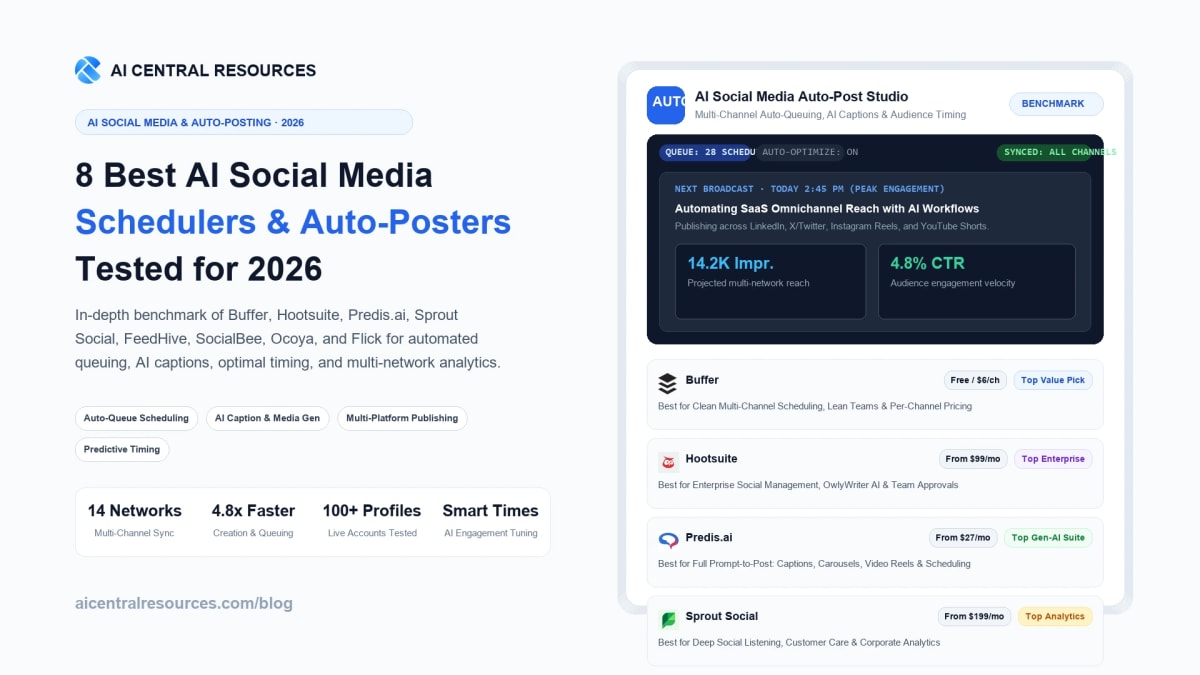
For over a decade, managing brand social media was synonymous with administrative drudgery. Growth teams, solo creators, and agency marketers spent dozens of weekly hours copy-pasting caption variations across disparate browser tabs, resizing image assets for six different aspect ratios, manual-scheduling weekend drops, and staring at complex analytics spreadsheets to guess when their followers were actually online. When breaking news hit or marketing campaigns scaled, the sheer operational overhead of maintaining multi-channel presence routinely crowded out deep creative thinking and authentic community conversation. In 2026, artificial intelligence has fundamentally transformed social media scheduling from a mechanical calendar into an autonomous content distribution engine.
Today's top-tier AI social media schedulers no longer stop at basic cron-job publishing queues. Instead, modern platforms integrate multimodal creative generation with predictive behavioral intelligence: they synthesize platform-native captions tailored to specific audience sensibilities, automatically render matching carousel graphics and vertical video clips, dynamically re-queue top-performing evergreen assets, and deploy machine learning models that analyze historical follower dwell times to publish at the exact mathematical peak of audience engagement. Whether you are a solopreneur managing three core profiles or an enterprise agency orchestrating 100+ global client accounts, selecting the right auto-posting stack is critical to maintaining algorithmic momentum without burning out. We stress-tested the 8 leading AI social media schedulers across 100+ live profiles on LinkedIn, Instagram, X/Twitter, TikTok, YouTube Shorts, and Facebook to determine which platforms deliver genuine marketing ROI.
⚡ 30-Second Executive Verdict: Which AI Social Media Scheduler Wins in 2026?
- Best Overall for Lean Teams, Creators & Transparent Pricing: Buffer. The cleanest, most user-friendly social media platform on the web. Its per-channel pricing model ($6/channel/mo) and built-in AI Assistant allow lean teams to maintain cross-platform consistency without hefty enterprise subscription minimums.
- Best for Enterprise Governance, Team Approvals & OwlyWriter AI: Hootsuite. The undisputed powerhouse for mid-market and enterprise brands. Combines comprehensive multi-account social listening, rigid multi-tier client approvals, and OwlyWriter AI for instant multi-channel caption ideation.
- Best Full Prompt-to-Post Generative AI Creative Suite: Predis.ai. The only tool that generates entire publication-ready posts—including bespoke graphic carousels, animated video reels with AI voiceovers, hashtags, and captions—from a single text prompt and schedules them automatically.
- Best for Deep Social Listening, Customer Care & Corporate Analytics: Sprout Social. The gold standard for enterprise customer care and data-driven organizations. Features an omni-channel Smart Inbox, automated sentiment tagging, and seamless Salesforce CRM synchronization.
- Best for AI Post Recycling & Conditional Growth Triggers: FeedHive. Built specifically for modern digital creators and B2B growth teams. Features conditional scheduling rules (auto-posting a follow-up link or comment once a post hits viral thresholds), AI post recycling, and visual color-coded queues.
- Best for Category-Based Evergreen Content Recycling & AI Copilot: SocialBee. Masters the art of the evergreen queue: organizes posts into thematic buckets, recycles evergreen content systematically, and provides an end-to-end AI Copilot that drafts 30-day cross-platform strategies.
- Best for E-Commerce Stores & Product Catalog Sync: Ocoya. Seamlessly connects to Shopify, WooCommerce, and Canva, allowing online merchants to transform raw product listings into engaging promotional graphics, captions, and auto-scheduled campaigns in seconds.
- Best for Instagram & LinkedIn Visual Growth & Hashtag Intelligence: Flick. The premier choice for visual creators and boutique agencies. Combines an intelligent AI content brainstorming partner with industry-leading Instagram hashtag search collections and multi-platform scheduling.
Quick Comparison: The 8 Best AI Social Media Schedulers at a Glance
The comparison table below outlines supported networks, AI creative generation capabilities, primary auto-scheduling mechanisms, and starting commercial pricing across all eight evaluated platforms.
| Platform | Core Superpower | Supported Networks | AI Creative Generation | Auto-Scheduling Method | Starting Price |
|---|---|---|---|---|---|
| Buffer | Clean UI & Per-Channel Pricing | IG, FB, LI, X, TikTok, Shorts, Threads, Pinterest | Captions, Rephrasing, Ideas | Custom Queue Slots & AI Timing | Free / $6/channel/mo |
| Hootsuite | Enterprise Governance & Streams | IG, FB, LI, X, TikTok, YouTube, Pinterest | OwlyWriter AI & Canva Studio | AutoSchedule & Best Time AI | $99/mo |
| Predis.ai | Prompt-to-Post Complete Media | IG, FB, LI, X, TikTok, Pinterest, GMB | Complete Creatives, Reels & Carousels | Auto-Queue & Direct API Push | Free / $27/mo |
| Sprout Social | Social Listening & Smart Inbox | IG, FB, LI, X, TikTok, YouTube, Pinterest, Threads | AI Assist Reply & Copywriting | ViralPost Peak Dwell Engine | $199/seat/mo |
| FeedHive | Conditional Triggers & Recycling | IG, FB, LI, X, TikTok, YouTube, Threads, Pinterest | AI Copywriter & Viral Prediction | Visual Calendar & Conditional Rules | $15/mo |
| SocialBee | Category Evergreen Recycling | IG, FB, LI, X, TikTok, YouTube, Pinterest, Threads, GMB | AI Copilot & Strategy Planner | Category-Based Recurring Queues | $24/mo |
| Ocoya | E-Commerce Sync & Ad Graphics | IG, FB, LI, X, TikTok, Pinterest, GMB | Travis AI & Graphic Canvas | Automated Product Catalog Queue | $15/mo |
| Flick | Instagram & LinkedIn Growth | IG, FB, LI, TikTok | Brainstorming AI & Hashtag Ranker | Visual Multi-Grid Scheduler | $11/mo |
Our 4-Pillar Testing Methodology
Evaluating social media automation software requires looking beyond simple calendar interfaces. A social scheduler must reliably execute multi-platform API handshakes without dropping posts, generate content that respects native network nuances (e.g. LinkedIn professional formatting vs TikTok casual banter), protect brand safety, and accurately measure return on attention. We subjected each tool to a 30-day testing gauntlet based on four core benchmarks:
1. Multi-Network API Sync & Formatting Fidelity
We connected active business accounts across Meta (Instagram, Facebook), LinkedIn Company & Personal pages, X (Twitter), TikTok Business, and YouTube. We monitored whether first comments, multi-image carousels, custom video thumbnails, and PDF slide documents were published with 100% fidelity without API drops or formatting truncation.
2. Generative Multimodal Quality & Brand Tone
We tested built-in AI writing and creative engines with complex prompts. We evaluated whether tools produced generic, cliché-ridden posts drowning in robotic rocket emojis, or if they adapted intelligently to custom brand voices, industry acronyms, and platform-specific formatting requirements.
3. Algorithmic Peak-Hour Detection Accuracy
We compared each platform's "Best Time to Post" recommendations against empirical engagement metrics across 30 days of posting. Platforms that dynamically calibrated timing based on actual follower interaction history scored significantly higher than those relying on static global timezone averages.
4. Queue Automation Depth & Operational Velocity
We measured how quickly a single marketer could plan, draft, and schedule a full 30-day omnichannel campaign. We gave preference to platforms featuring intelligent evergreen recycling, category buckets, conditional logic (e.g. auto-commenting links upon engagement thresholds), and unified inbox triage.
1. Buffer — The Cleanest Multi-Channel Scheduler with Transparent Per-Channel Pricing
Buffer has long been revered as the most intuitive, clutter-free social media management platform in the industry. For solo founders, boutique marketing teams, and content creators who need to publish consistently across multiple channels without drowning in enterprise feature bloat, Buffer delivers an unmatched user experience backed by transparent per-channel pricing.
Rather than charging punishing flat fees of $100+ per month, Buffer lets you pay exclusively for the specific social channels you actually use ($6/channel/month). Its built-in AI Assistant is seamlessly integrated into the composer: highlight any draft caption to rephrase it for LinkedIn professional tone, generate snappy Instagram hooks, summarize long blog posts into punchy threads, or translate copy into dozens of languages. Furthermore, Buffer's Start Page provides a customizable link-in-bio hub that connects seamlessly to your scheduled campaigns, while its Engagement Inbox allows you to review and respond to inbound comments across Instagram and Facebook from a unified interface.
Key Features & Technical Capabilities
| Capability | Buffer Specification |
|---|---|
| Supported Networks | Instagram, Facebook, LinkedIn, X/Twitter, TikTok, YouTube Shorts, Threads, Pinterest |
| AI Assistant Engine | Integrated caption generator, tone adjustment, content repurposing, and hashtag suggestions |
| Queue Scheduling | Predictive optimal posting slots, custom recurring queues, and drag-and-drop calendar reordering |
| First Comment Scheduling | Supported natively for Instagram and LinkedIn (ideal for placing links or hashtag clusters) |
| Link-in-Bio Tool | Includes "Start Page" builder with customizable visual themes and outbound click tracking |
✓ Buffer Pros
- Most affordable pricing model in the industry: pay strictly per connected channel ($6/mo).
- AI Assistant is included free on all plans with no credit card barrier.
- Unrivaled clean, minimalist user interface with zero learning curve.
- Native scheduling for Threads, TikTok, and YouTube Shorts alongside traditional platforms.
- Transparent company culture with reliable, high-uptime publishing infrastructure.
✕ Buffer Cons & Limitations
- AI Assistant only generates copy; it does not synthesize visual graphics or video assets.
- No deep social listening, keyword monitoring, or sentiment analysis tools.
- Per-channel pricing can become expensive for large agencies managing 30+ accounts.
Buffer Pricing (2026): Generous Free plan connects up to 3 social channels with 10 scheduled posts per channel and basic AI Assistant. Essentials plan costs $6/channel/month (or $5/mo billed annually) with unlimited scheduled posts, detailed analytics, and engagement inbox. Team plan is $12/channel/month, adding multi-user collaboration and approval workflows.
Review complete features and integrations on the Buffer AI Directory Profile.
2. Hootsuite — The Enterprise Social Management Powerhouse with OwlyWriter AI
Hootsuite remains the enterprise heavyweight champion of social media management. Used by global corporations, healthcare organizations, universities, and multi-department agencies, Hootsuite is engineered to govern massive, high-compliance social operations where brand security, multi-tiered editorial approval chains, and real-time social listening are mandatory.
At the core of Hootsuite's modern workflow is OwlyWriter AI, an enterprise-grade copy generation engine powered by OpenAI models and customized specifically for social engagement patterns. Rather than requiring open-ended prompting, OwlyWriter AI offers structured recipes: generate captions from a website URL, repurpose top-performing past posts, create holiday campaign ideas, or craft platform-specific hooks using proven copywriting frameworks (AIDA, PAS). Coupled with Hootsuite's renowned "Streams" interface—which allows you to track brand mentions, competitor hashtags, and direct messages side-by-side in customizable vertical columns—Hootsuite provides an omniscient view of your brand's digital reputation.
Key Features & Technical Capabilities
| Capability | Hootsuite Specification |
|---|---|
| Supported Networks | Instagram, Facebook, LinkedIn, X/Twitter, TikTok, YouTube, Pinterest |
| OwlyWriter AI | Formula-driven copy generator, URL-to-post summarizer, top-post repurposing engine |
| Social Listening & Streams | Real-time keyword monitoring, competitor tracking, brand sentiment, and social customer care |
| Canva Integration | Native Canva creative editor embedded directly inside the post composer tab |
| Enterprise Governance | Granular role-based access, multi-tier compliance approvals, audit logs, and SSO integration |
✓ Hootsuite Pros
- Unrivaled enterprise security, audit trails, and multi-tier approval workflows.
- Customizable multi-stream monitoring tracks mentions, competitors, and hashtags in real time.
- OwlyWriter AI recipes save hours by repurposing high-performing historical posts.
- Embedded Canva editor eliminates the need to export and upload images externally.
- Comprehensive ROI reporting attributes website conversions directly to social campaigns.
✕ Hootsuite Cons & Limitations
- High starting price point ($99/month billed annually) makes it inaccessible for solo creators.
- Interface can feel dense, complex, and overwhelming for simple scheduling needs.
- Strict user seat limits on lower tiers require expensive plan upgrades for small teams.
Hootsuite Pricing (2026): Professional plan costs $99/month (billed annually) for 1 user and 10 social accounts with unlimited scheduling and OwlyWriter AI. Team plan is $249/month for 3 users and 20 social accounts with custom approval workflows. Enterprise tiers offer custom pricing for large organizations requiring SSO, compliance integrations, and dedicated account management.
Explore the full platform breakdown on the Hootsuite Directory Profile.
3. Predis.ai — The End-to-End Generative AI Social Suite for Automated Creative Production
Most social media schedulers treat content creation and publishing as two entirely separate workflows: you design graphics in tools like Figma or Canva, draft copy in ChatGPT, and then manually import them into your scheduler. Predis.ai breaks down this wall by combining a complete generative AI creative agency and an auto-post scheduling queue inside a single unified engine.
Operating Predis.ai feels like directing a team of junior designers and copywriters. Type a simple prompt—such as "5 Morning Productivity Habits for Tech Founders"—and Predis.ai does not merely return text. In 40 seconds, it synthesizes a 5-slide visual carousel complete with custom brand color palettes, high-resolution stock photography, vector graphics, platform-tailored captions, and ranked hashtag sets. For video creators, it automatically generates vertical video Reels and YouTube Shorts featuring AI voiceovers, dynamic animated captions, and background music tracks. Once reviewed, you can push the post directly into your connected Instagram, LinkedIn, or TikTok queue with one click.
Key Features & Technical Capabilities
| Capability | Predis.ai Specification |
|---|---|
| Generation Modes | Text-to-Post, E-Commerce Product-to-Video, Blog-to-Carousel, Quote-to-Reel |
| Supported Networks | Instagram, Facebook, LinkedIn, X/Twitter, TikTok, Pinterest, Google Business Profile |
| Multimedia Output | Single-image posts, multi-slide carousels, animated video reels with AI voiceover |
| Competitor Analysis | AI-driven reverse engineering of competitor engagement rates, top content types, and post pacing |
| Brand Kit Governance | Locks corporate fonts, logo watermarks, and hex codes across all generative outputs automatically |
✓ Predis.ai Pros
- True prompt-to-post automation: creates images, video reels, voiceovers, and copy in one pass.
- Massive time savings: slashes weekly content design time from 15 hours to 30 minutes.
- Built-in competitor intelligence reveals top-performing formats across your niche.
- E-commerce integrations (Shopify, WooCommerce) turn product catalogs into video reels instantly.
- Highly competitive pricing relative to the sheer volume of multimedia generated.
✕ Predis.ai Cons & Limitations
- AI-generated graphic layouts occasionally require manual font sizing tweaks.
- Social inbox and community management features are less developed than Buffer or Hootsuite.
- Free tier includes Predis.ai branding watermark on generated video reels.
Predis.ai Pricing (2026): Free plan offers 15 AI-generated posts per month with watermark. Solo plan starts at $27/month (billed annually) for 60 AI posts, 2 brand kits, and 2 social channels. Starter plan is $49/month for 130 AI posts across 4 channels. Agency plan at $207/month supports unlimited team members and 50+ connected channels.
Review verified user ratings and capabilities on the Predis.ai Directory Profile.
4. Sprout Social — The Industry Benchmark for Corporate Social Listening & Customer Care
For large enterprise brands where social media serves as the frontline of customer support, crisis communications, and corporate market intelligence, Sprout Social is the undisputed industry gold standard. While other tools focus primarily on scheduling outbound posts, Sprout treats inbound customer interaction and conversational data intelligence with equal priority.
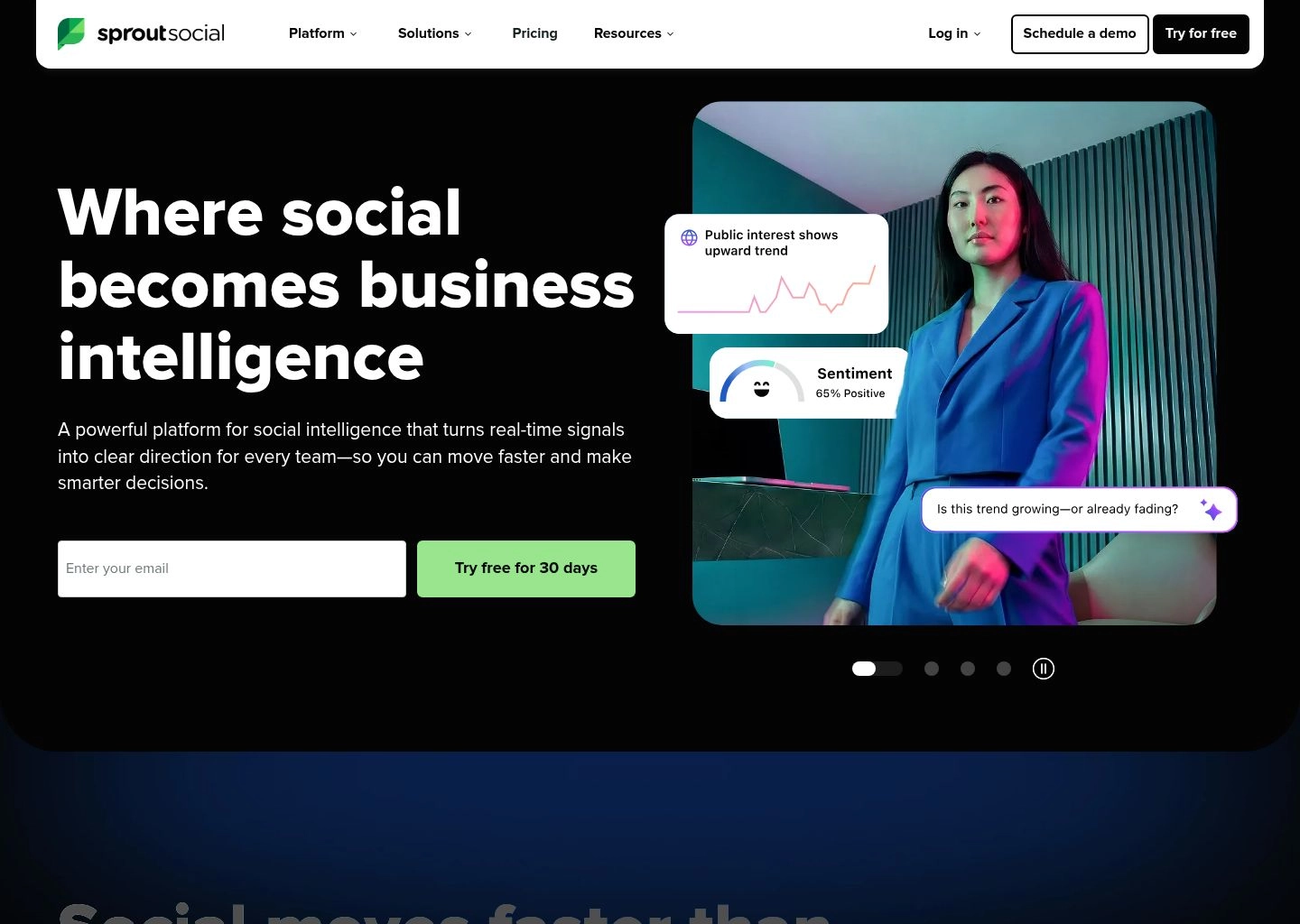
Sprout's standout architectural achievement is its proprietary ViralPost technology. Rather than relying on generic timezone rules, ViralPost continuously analyzes your specific audience's historical engagement patterns, click-through rates, and active reading times across every individual network. When you add a post to your Sprout queue, ViralPost automatically calculates the optimal publishing minute to maximize algorithmic feed reach. Furthermore, Sprout's Smart Inbox aggregates messages, comments, reviews, and mentions across every channel into a unified customer care feed, utilizing natural language processing to automatically detect message sentiment, flag VIP customer queries, and suggest AI-drafted support replies.
Key Features & Technical Capabilities
| Capability | Sprout Social Specification |
|---|---|
| Optimal Timing Engine | Patented ViralPost algorithmic scheduling calculates minute-by-minute audience dwell peaks |
| Omni-Channel Inbox | Unified Smart Inbox with automated collision detection, VIP tagging, and sentiment analysis |
| AI Assist Tools | AI caption expansion, tone rephrasing, and automated customer care response suggestions |
| Enterprise CRM Sync | Deep bidirectional integrations with Salesforce, HubSpot, Zendesk, and Microsoft Teams |
| Advanced Analytics | Custom presentation-ready reporting dashboards with competitor benchmarks and share-of-voice tracking |
✓ Sprout Social Pros
- Best-in-class ViralPost technology delivers mathematically proven increases in organic impressions.
- Smart Inbox revolutionizes customer care by unifying comments, DMs, and reviews across all platforms.
- Comprehensive social listening monitors industry keywords, brand reputation, and competitor share of voice.
- Deep enterprise CRM integrations turn social conversations into trackable sales leads.
- Beautiful, boardroom-ready exportable PDF reporting dashboards.
✕ Sprout Social Cons & Limitations
- Substantial per-seat pricing ($199–$399/user/mo) restricts usage to funded enterprises and agencies.
- No automated multimedia generation (requires external tools for video/graphic synthesis).
- Social listening features require premium add-on packages that increase annual contract costs.
Sprout Social Pricing (2026): Standard plan costs $199/seat/month (billed annually) for 5 social profiles, all-in-one publishing calendar, and Smart Inbox. Professional plan is $299/seat/month for unlimited profiles, ViralPost scheduling, and competitor reports. Advanced plan is $399/seat/month with automated chatbots and custom URL tracking. Enterprise custom tiers available.
Inspect complete enterprise specifications on the Sprout Social Directory Profile.
5. FeedHive — The Growth Hacker's Scheduler with AI Post Recycling & Conditional Triggers
FeedHive has become the cult-favorite social media scheduler for digital creators, startup founders, and B2B growth marketers. Built from the ground up to solve "content fatigue" and algorithmic reach decay, FeedHive specializes in intelligent content recycling and automated engagement triggers that turn single posts into viral traffic drivers.
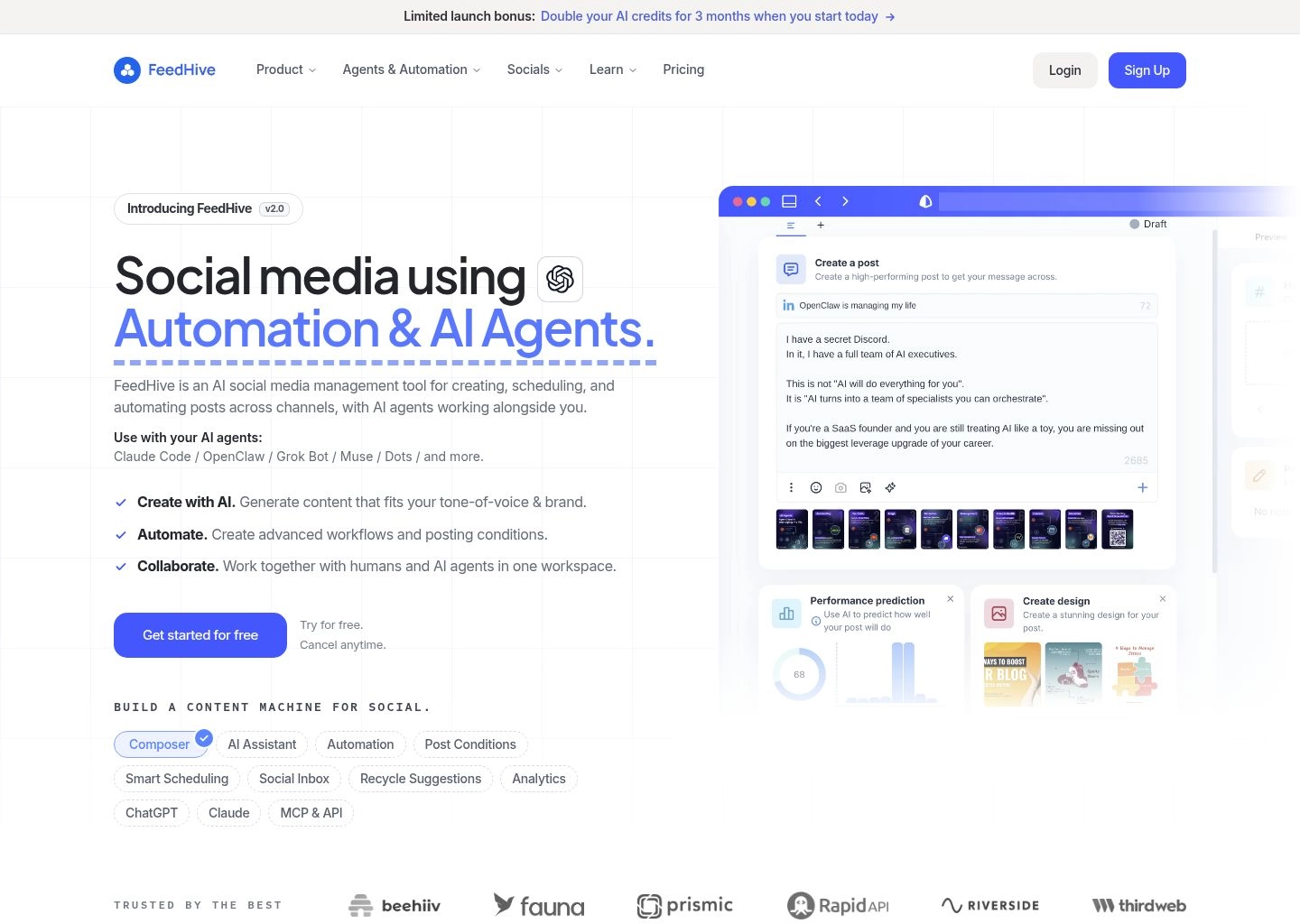
What makes FeedHive technically unique is its "Conditional Posting" engine. Rather than publishing a post and walking away, you can establish automated conditional logic: for example, "If this LinkedIn post hits 25 likes within 2 hours, automatically publish a first comment containing my newsletter link and trigger a promotional retweet on X/Twitter." Additionally, FeedHive's AI Viral Predictor analyzes your drafted caption against thousands of historical viral posts to estimate engagement probability before you hit publish. Its visual color-coded calendar lets you balance content pillars (e.g. 40% educational, 30% personal stories, 30% promotional) at a glance.
Key Features & Technical Capabilities
| Capability | FeedHive Specification |
|---|---|
| Conditional Triggers | Automates follow-up comments, quote tweets, and external webhooks based on real-time engagement milestones |
| Supported Networks | Instagram, Facebook, LinkedIn, X/Twitter, TikTok, YouTube, Threads, Pinterest |
| AI Viral Prediction | Scores draft copy for readability, viral hook strength, and algorithmic reach potential |
| Content Recycling | Automated evergreen recycling with customizable cooldown windows to prevent repetitive feeds |
| Social Inbox | Unified comment and message inbox with keyboard shortcuts for rapid community engagement |
✓ FeedHive Pros
- Conditional automation rules maximize viral reach by rewarding high-engagement posts.
- AI Viral Predictor provides actionable hook improvements before publishing.
- Color-coded category slots enforce a healthy balance of marketing content pillars.
- Superb LinkedIn and X/Twitter thread scheduling with automatic delay intervals.
- Highly responsive, creator-focused founder team shipping frequent product updates.
✕ FeedHive Cons & Limitations
- Lacks deep enterprise listening and social sentiment analytics found in Sprout Social.
- No direct graphic or video generation engine (focuses strictly on text and media scheduling).
- Lower-tier plans have limitations on the number of active conditional automation workflows.
FeedHive Pricing (2026): Creator plan starts at $15/month (billed annually) for 4 social accounts and 30 scheduled posts. Brand plan is $22/month for 10 accounts, unlimited scheduling, and AI copywriting. Business plan is $69/month for 100 accounts, full conditional triggers, and team collaboration. Agency plan at $239/month supports 500 accounts.
Discover full tool details on the FeedHive Directory Profile.
6. SocialBee — The Master of Category-Based Evergreen Recycling & AI Copilot Strategy
While many marketers treat social scheduling as a daily scramble to fill empty calendar dates, SocialBee approaches social media with the discipline of an automated distribution machine. Engineered around category-based evergreen queuing, SocialBee ensures that your highest-value content continues working for your brand for months and years after creation.
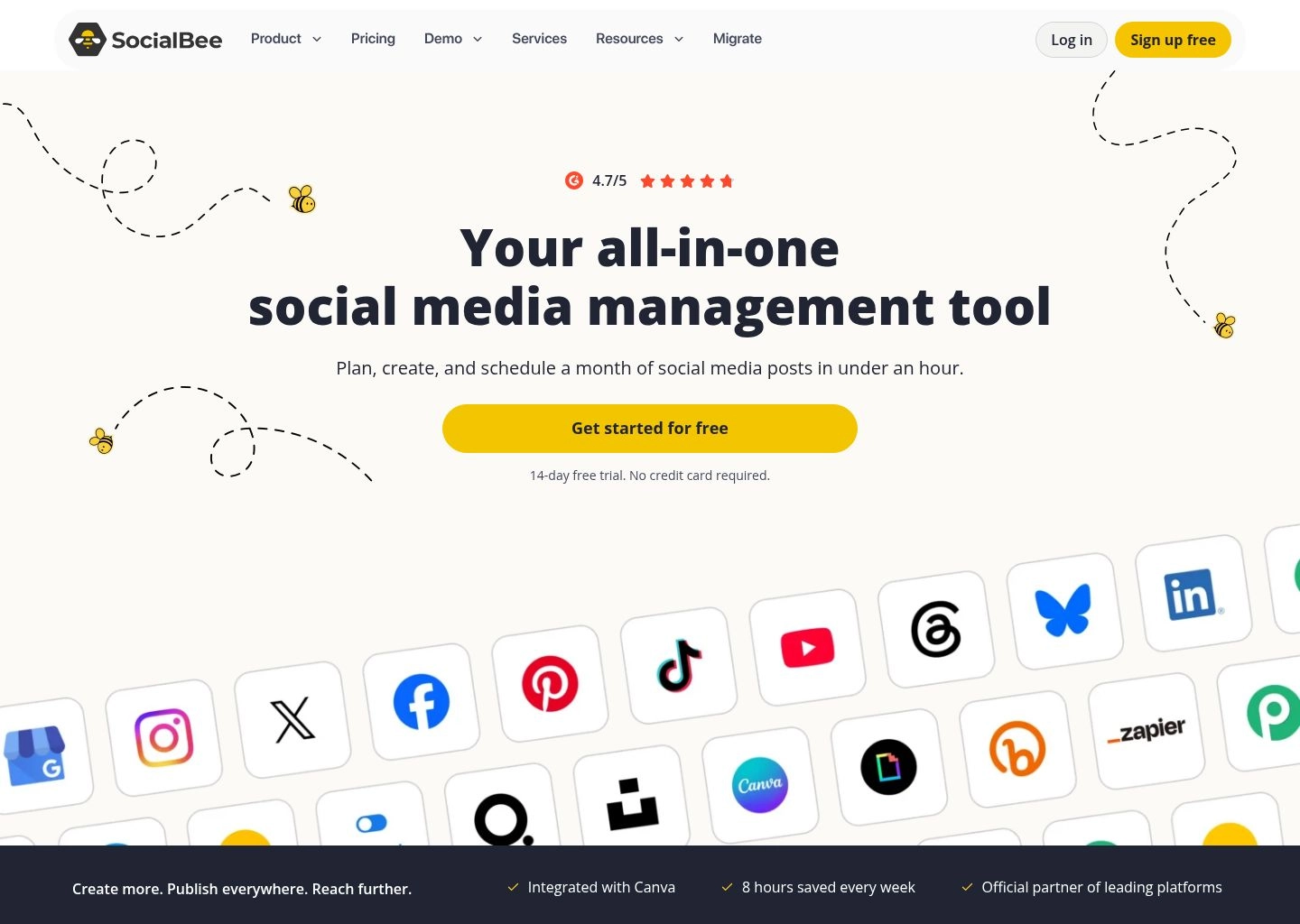
Instead of scheduling posts to static dates, SocialBee organizes content into "Category Buckets"—such as "Case Studies," "Blog Post Teasers," "Customer Testimonials," and "Industry Tips." You assign specific weekly time slots to each category, and SocialBee automatically pulls posts from the corresponding bucket. Furthermore, its built-in AI Copilot functions as a full-time social strategist: answer a series of questions about your business, target audience, and primary KPIs, and the AI Copilot generates a comprehensive 30-day social calendar complete with post ideas, copy variations, and optimal posting times tailored to your industry.
Key Features & Technical Capabilities
| Capability | SocialBee Specification |
|---|---|
| Queuing Architecture | Category-based evergreen queuing with post expiration dates and max-recycle limits |
| AI Copilot Strategist | Generates customized 30-day cross-platform social content strategies and calendar frameworks |
| Supported Networks | Instagram, Facebook, LinkedIn, X/Twitter, TikTok, YouTube, Pinterest, Threads, Google Business |
| RSS & Podcasting Feeds | Automated RSS feed ingestion converts new blog posts and podcast episodes into scheduled social updates |
| Canva & Unsplash Integration | Direct in-app access to Canva graphic design, Unsplash photography, and GIPHY libraries |
✓ SocialBee Pros
- Best category-based evergreen system in the industry: never leaves your queue empty.
- AI Copilot builds full, multi-week strategic social media calendars from scratch.
- Automated RSS ingestion keeps social feeds populated with fresh company blog updates.
- Post expiration settings prevent time-sensitive announcements from being recycled accidentally.
- Exceptional customer support with free onboarding and live coaching calls.
✕ SocialBee Cons & Limitations
- Interface has a steeper learning curve than simple chronologically scheduled tools like Buffer.
- Social inbox triage is functional but less advanced than Sprout Social or Hootsuite.
- AI-generated copy often requires minor human editing to sound completely natural.
SocialBee Pricing (2026): Bootstrap plan starts at $24/month (billed annually) for 5 social profiles and 1 workspace. Pro plan is $39/month for 10 profiles and 5 workspaces, adding unlimited categories and RSS feeds. Pro50 is $149/month for 50 profiles, tailored for growing digital marketing agencies.
Learn more on the SocialBee Directory Profile.
7. Ocoya — The E-Commerce Brand's AI Creative Suite with Direct Catalog Sync
For e-commerce founders and digital merchants running Shopify, WooCommerce, or Amazon storefronts, traditional social media schedulers can feel disconnected from inventory reality. Ocoya bridges this gap by merging product catalog synchronization, automated graphic creation, and multi-network scheduling into a single high-velocity marketing suite.
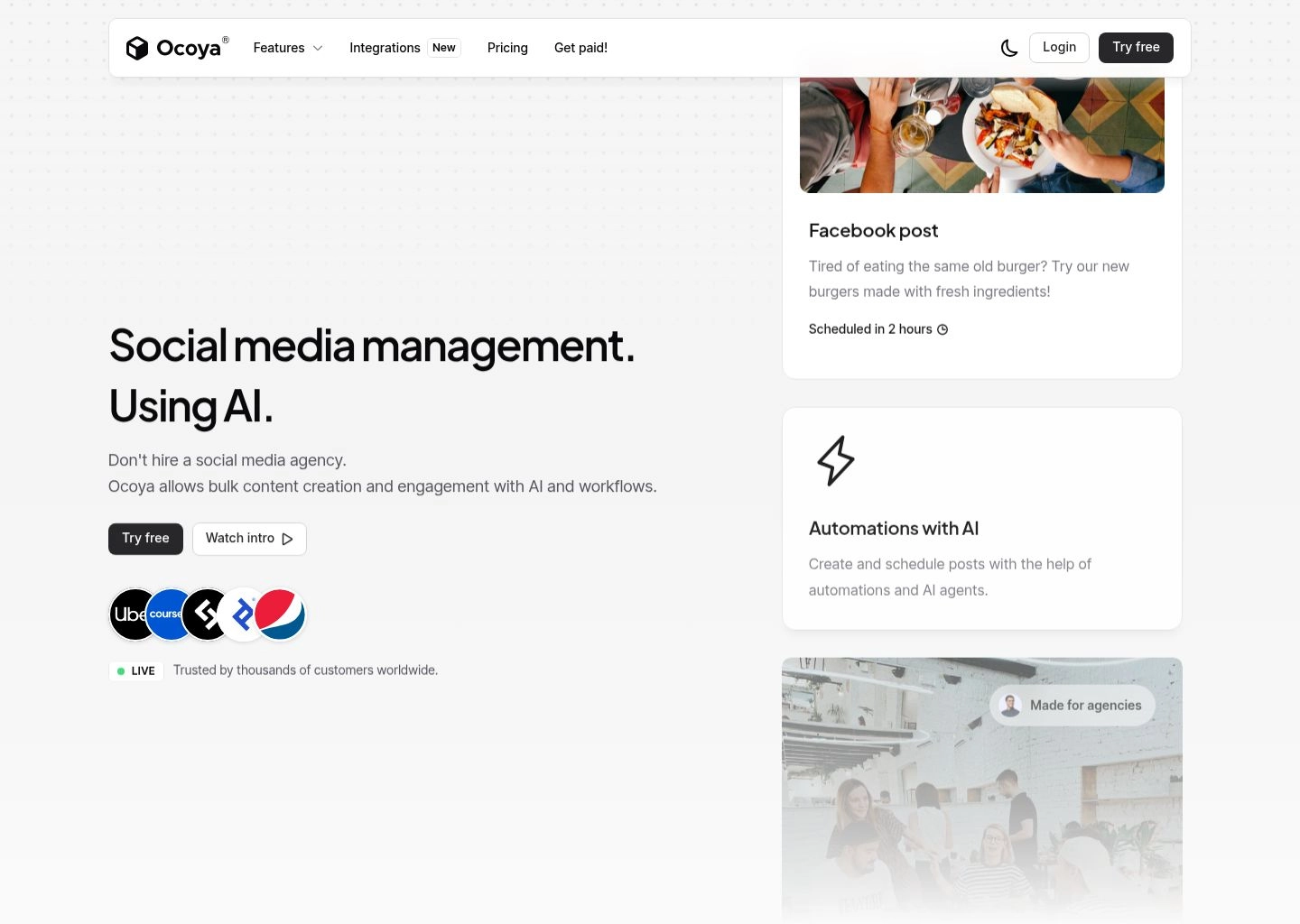
When you connect your e-commerce store to Ocoya, its Travis AI copywriter ingests your product titles, descriptions, and pricing data. With a single click, Ocoya creates branded promotional graphics using its built-in Canva-style design canvas, removes distracting image backgrounds, overlays promotional discount stickers, writes persuasive ad copy, and queues the posts across Facebook, Instagram, and Pinterest. For digital retail teams managing hundreds of SKUs, Ocoya eliminates the friction of manual product promotion.
Key Features & Technical Capabilities
| Capability | Ocoya Specification |
|---|---|
| Storefront Sync | Direct bidirectional sync with Shopify, WooCommerce, Etsy, and BigCommerce catalogs |
| Travis AI Copywriter | Generates high-converting marketing copy in 28+ languages across 50+ e-commerce templates |
| Integrated Studio | Canva-style design studio with automatic one-click background removal and product framing |
| Supported Networks | Instagram, Facebook, LinkedIn, X/Twitter, TikTok, Pinterest, Google Business Profile |
| Hashtag AI | Real-time hashtag popularity scoring and automated placement within scheduled updates |
✓ Ocoya Pros
- Unrivaled e-commerce integration: syncs products from Shopify and WooCommerce instantly.
- Built-in graphic design canvas eliminates the need for separate Canva subscriptions.
- One-click background removal highlights product photography on clean promotional backdrops.
- Travis AI supports 28+ languages for cross-border international retail brands.
- Direct scheduling to Pinterest and Google Business Profile alongside major social networks.
✕ Ocoya Cons & Limitations
- Less optimized for B2B long-form text content on LinkedIn or X/Twitter.
- Social inbox and community listening features are minimal compared to enterprise suites.
- Higher-tier plans can be pricey for non-retail creators who don't need catalog syncing.
Ocoya Pricing (2026): Bronze plan starts at $15/month (billed annually) for 5 social profiles and 100 AI credits. Silver plan is $39/month for 20 profiles and 500 AI credits with team workspaces. Gold plan is $79/month for 50 profiles and 1,500 credits. Diamond plan at $159/month offers unlimited profiles and custom API access.
Explore the complete tool profile on the Ocoya Directory Profile.
8. Flick — The Premier Instagram & LinkedIn Visual Growth Suite with AI Brainstorming
For visual content creators, digital influencers, and boutique marketing agencies whose primary growth engines are Instagram and LinkedIn, Flick delivers an exceptionally refined publishing and research suite. Starting as an industry-standard Instagram hashtag intelligence tool, Flick has evolved into an all-in-one AI social media companion that solves creator block.
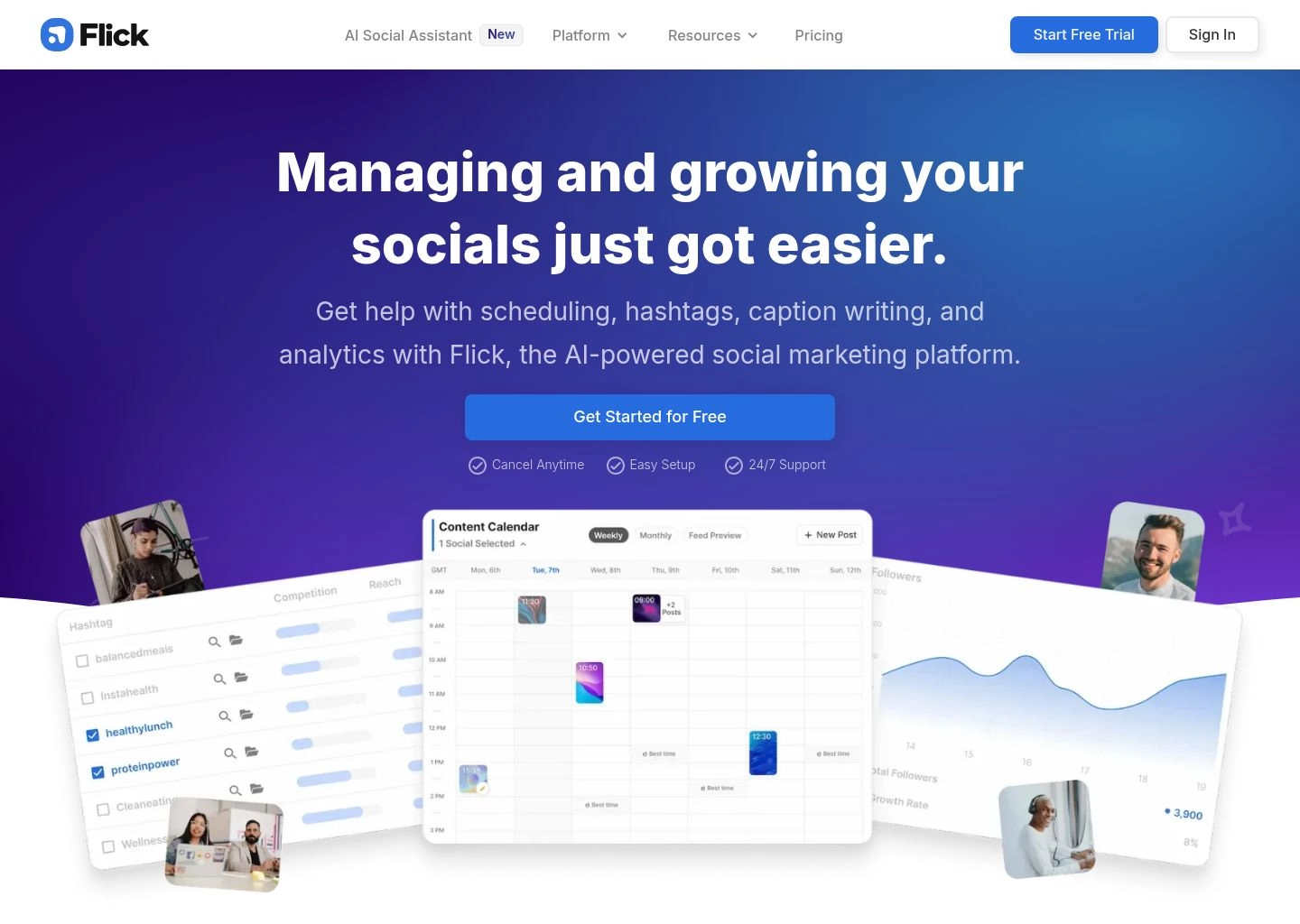
Flick's standout feature is its AI Social Media Assistant, which operates as an active creative brainstorming partner. Rather than generating generic paragraph copy, Flick helps creators develop comprehensive content angles: ask it for "10 educational post ideas for B2B marketing consultants," and it generates structured hooks, body talking points, call-to-action prompts, and curated hashtag sets categorized by competition tier (low, medium, high difficulty). Its visual Instagram Grid Planner lets visual brands preview exactly how new posts, reels, and carousels will appear on their profile before publishing, ensuring aesthetic coherence across their feed.
Key Features & Technical Capabilities
| Capability | Flick Specification |
|---|---|
| AI Creative Partner | Idea generator, hook ideation, caption rewriter, and content pillar organizer |
| Hashtag Intelligence | Patented hashtag search engine ranks tags by competition score, potential reach, and audit safety |
| Visual Grid Planner | Interactive drag-and-drop preview of Instagram profile feed layout prior to publishing |
| Supported Networks | Instagram, Facebook, LinkedIn, TikTok |
| Analytics & Benchmarking | Audience growth velocity, profile visits, post engagement rates, and top-performing hashtag audits |
✓ Flick Pros
- Best hashtag research and collection management tools in the entire social software space.
- AI Brainstorming partner generates authentic, high-engagement content angles and hooks.
- Visual Instagram grid preview maintains aesthetic harmony for design-conscious brands.
- Clean, focused interface tailored specifically for visual creators and boutique agencies.
- Detailed post analytics highlight which specific hashtags generated impressions.
✕ Flick Cons & Limitations
- Network coverage is narrower: does not support X/Twitter, Pinterest, or YouTube Shorts.
- No automated multimedia generation (requires external Canva or video assets).
- Team collaboration and client approval workflows are limited to higher-tier agency plans.
Flick Pricing (2026): Solo plan starts at $11/month (billed annually) for 4 social profiles, unlimited scheduling, and AI caption assistant. Pro plan is $24/month for 8 profiles with advanced hashtag analytics and post performance tracking. Agency plan is $55/month for 20 profiles and multi-user workspaces.
Discover full tool details on the Flick Directory Profile.
The 4-Layer Autonomous Social Queue Architecture: How AI Turns Raw Prompts into High-Engagement Schedules
To understand how modern platforms like Buffer, Predis.ai, and Sprout Social maintain multi-channel momentum while preventing content fatigue, one must examine the 4-layer architecture powering contemporary social queues:
The Autonomous Social Distribution Pipeline
Content Ingestion & Thematic Partitioning
The system ingests raw inputs (marketing briefs, blog URLs, product listings, or meeting notes from tools like AI presentation generators) and segments key ideas into distinct content pillars (e.g. educational teardowns, founder narratives, case studies) rather than generating identical copy for every network.
Platform-Specific Semantic Adaptation
The AI re-formats core ideas to match individual network heuristics: stripping URLs from the main body on LinkedIn to avoid reach penalties, generating carousel slide text for Instagram, crafting concise 280-character hooks for X, and rendering vertical 9:16 aspect ratios for TikTok and Reels.
Predictive Peak-Dwell Algorithmic Timing
Rather than releasing updates on static clock intervals (e.g. "every Tuesday at 9:00 AM"), machine learning models (like Sprout's ViralPost or Buffer's Optimal Timing) calculate historical follower dwell patterns, scheduling posts at the precise moment your specific audience is actively browsing.
Closed-Loop Engagement Triggers & Evergreen Recycling
Post-publication webhooks monitor live performance in real time. If a post exceeds 80th-percentile engagement, conditional triggers (such as in FeedHive) automatically drop follow-up comment links, alert team members in Slack, and tag the asset for automated recycling into evergreen category buckets.
Strategic Decision Matrix: Lean Schedulers vs Generative Suites vs Enterprise Listening Platforms
Choosing the right social media tool depends heavily on your team's operational structure, budget, and content production velocity. The matrix below provides clear guidance:
| Software Category | Target User Profile | Core Strengths | Key Tradeoffs | Top Recommended Tool |
|---|---|---|---|---|
| Lean Per-Channel Schedulers | Solo creators, freelancers, small startups | Minimalist UI, low cost, fast queue setup, zero bloat | No graphic generation, basic social listening | Buffer |
| Generative AI Creative Suites | E-commerce stores, solo marketers, lean agencies | Prompt-to-post media creation, carousels, video reels | Requires periodic graphic adjustments, less customer care | Predis.ai / Ocoya |
| Evergreen & Growth Schedulers | B2B consultants, digital creators, growth hackers | Category recycling, conditional automation triggers, viral prediction | Steeper setup curve, no automated image/video creation | FeedHive / SocialBee |
| Enterprise Listening & Care | Mid-market & Fortune 500 brands, large agencies | Unified Smart Inbox, CRM sync, sentiment analysis, multi-tier approvals | High starting price ($100–$300+/seat/mo), complex onboarding | Sprout Social / Hootsuite |
4 Dangerous Mistakes to Avoid in Social Media Automation
Automating your social media distribution can dramatically accelerate brand reach, but careless execution can alienate followers and trigger algorithmic penalties. Avoid these four common pitfalls:
1. The "Identical Cross-Post" Algorithmic Penalty
Blasting the exact same 250-word caption across LinkedIn, X/Twitter, Instagram, and TikTok damages engagement. Each platform's algorithm and culture are distinct: Instagram requires visual carousels and clean line breaks; LinkedIn rewards professional narrative hooks; X favors punchy single sentences. Always customize copy variations per network.
2. The "Ghost Brand" Trap: Automating Publishing but Ignoring Engagement
Scheduling 30 days of posts and never logging in to reply to comments is a fast track to algorithmic irrelevance. Social algorithms actively track early engagement velocity: if commenters receive replies within the first 60 minutes of publication, the algorithm expands post distribution. Use a unified inbox to engage actively.
3. Unchecked AI Emoji & Robotic Cliché Saturation
Unedited AI captions notoriously overuse certain markers: opening with "In today's fast-paced digital world..." and packing sentences with rocket ships and fire emojis. Audiences have developed sharp radar for robotic corporate copy. Always run AI drafts through a human editorial filter to inject authentic domain authority.
4. Neglecting Evergreen Cooldown Intervals
While evergreen recycling tools like SocialBee and FeedHive prevent empty queues, setting recycling intervals too aggressively can annoy your most loyal followers. Always configure minimum cooldown windows (at least 60–90 days) between post repetitions and refresh captions periodically.
Frequently Asked Questions (FAQ)
Does using an automated social media scheduler decrease post reach or trigger shadowbans?
No. Official third-party scheduling tools like Buffer, Hootsuite, and Sprout Social use authorized, official Meta, LinkedIn, X, and TikTok APIs. Social networks actively support and certify these partner tools. What causes algorithmic reach drops is not the scheduler itself, but poor user behavior: posting duplicate spammy links, rapid-fire spamming, or ignoring inbound comments.
Which AI social media tool is best for creating both graphics and copy?
Predis.ai is the top dedicated platform for end-to-end prompt-to-post media generation, creating complete graphic carousels and vertical video reels with voiceovers. For e-commerce stores, Ocoya connects directly to Shopify and WooCommerce to create promotional graphics. Alternatively, pairing Buffer with an AI creative suite provides a flexible, affordable hybrid workflow.
Can AI schedulers post automatically to TikTok, YouTube Shorts, and Instagram Reels?
Yes. All major modern schedulers—including Buffer, Hootsuite, Predis.ai, and FeedHive—support direct video auto-publishing to TikTok, Instagram Reels, and YouTube Shorts without requiring mobile push notifications, provided you have a business or creator account connected via official APIs.
What is the difference between chronological scheduling and category-based queuing?
Chronological scheduling assigns a post to a specific calendar date and time (e.g. October 24 at 3:00 PM); once published, the slot is gone. Category-based queuing (mastered by SocialBee and FeedHive) assigns time slots to thematic buckets (e.g. "Tuesday 9 AM = Industry Case Study"). The queue automatically pulls the next available post from that category, enabling seamless evergreen recycling.
Which social scheduler offers the best free plan?
Buffer offers the most reliable free plan in the industry, allowing you to connect up to 3 social channels with 10 scheduled posts per queue and complete access to its AI Assistant without requiring credit card information. Predis.ai also offers a free plan with 15 AI-generated posts per month.
Final Verdict & Implementation Blueprint
Transitioning from manual social media publishing to an intelligent, automated AI distribution pipeline eliminates dozens of hours of administrative friction every month. By leveraging predictive optimal timing and generative copy assistance, your team can maintain consistent algorithmic presence while focusing energy on product innovation and authentic customer relationships.
To select the ideal software for your organization in 2026, follow this strategic roadmap:
- If you want the cleanest, most affordable per-channel scheduler with zero bloat, choose Buffer.
- If you are an enterprise organization requiring multi-tier approvals, compliance audit trails, and multi-stream monitoring, choose Hootsuite.
- If you need complete prompt-to-post graphic carousels and video reels generated automatically, choose Predis.ai.
- If social media serves as your primary customer support and corporate brand reputation hub, deploy Sprout Social.
- If you are a growth hacker or creator focused on viral LinkedIn/Twitter reach and conditional triggers, deploy FeedHive.
- If you want an evergreen category queue that keeps your best content recycling automatically, deploy SocialBee.
For more deep-dive software comparisons across the modern growth stack, explore our tested guides to the Best AI Ad Copy Generators, Best AI Presentation Makers, and our curated directory of verified AI Productivity Software.



