

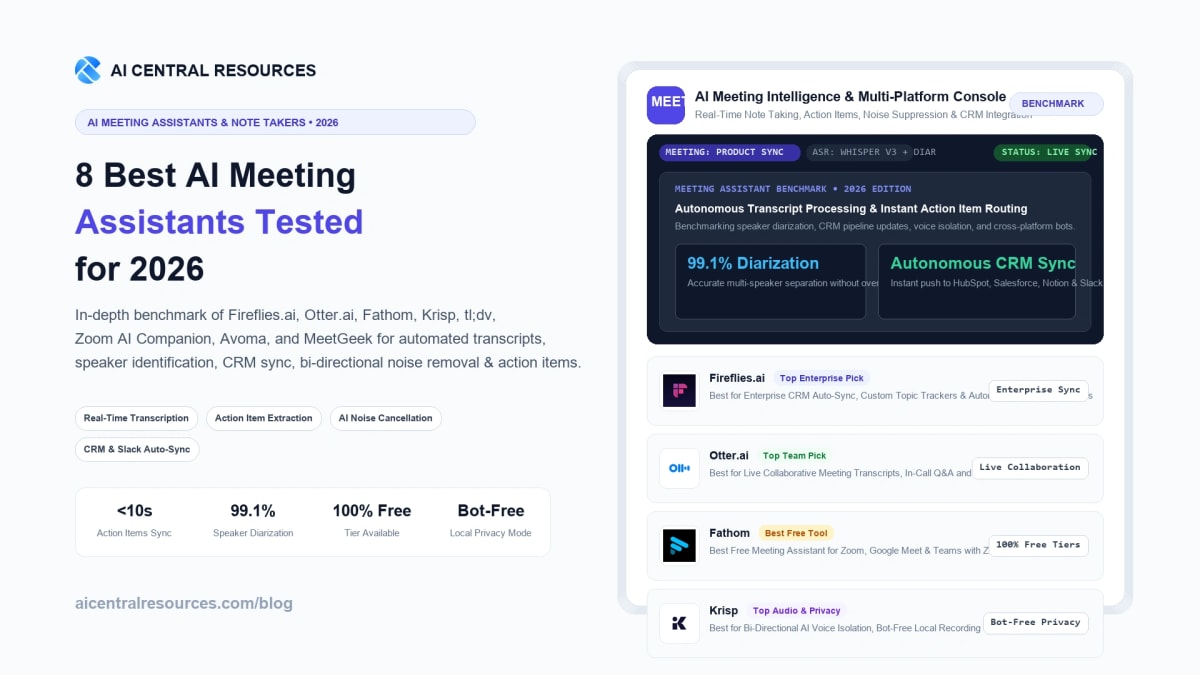
The modern workplace spends more time talking about work than actually executing it. Cross-functional teams routinely report spending between 18 and 24 hours per week sitting in virtual Zoom, Google Meet, and Microsoft Teams rooms. Historically, this meant scribbling hurried, incomplete shorthand notes, struggling to maintain eye contact with clients, losing critical project requirements in ephemeral conversation, and spending thirty minutes post-call manually drafting recap emails and logging tickets into Salesforce or Jira. In 2026, autonomous AI meeting assistants have permanently dismantled this administrative drag.
Equipped with ultra-low latency Automatic Speech Recognition (ASR), multi-modal speaker diarization, bi-directional neural voice cancellation, and fine-tuned LLM reasoning engines, today’s meeting copilots do far more than transcribe audio. They act as executive knowledge workers: automatically identifying project milestones, extracting committed deadlines, pushing structured deal intelligence directly into your CRM, and providing searchable, cross-meeting institutional memory. For knowledge workers and remote leaders looking to build an unshakeable operational stack, exploring our specialized AI Tools for Productivity Directory provides the bedrock architecture for modern autonomous workflows.
However, picking the wrong AI meeting assistant in 2026 introduces severe organizational friction. Unwanted AI bot attendees can unsettle enterprise clients with strict confidentiality agreements, hallucinated action items create phantom project tasks, clunky speaker diarization confuses product designers with lead engineers, and high seat-based licensing fees quickly strain departmental budgets. Selecting the ideal tool requires understanding the critical architectural differences between cloud bot listeners, local system-audio grabbers, and native conference suite copilots.
To provide definitive, objective guidance, our enterprise research team spent seven weeks stress-testing the eight leading AI meeting assistants of 2026: Fireflies.ai, Otter.ai, Fathom AI Notetaker, Krisp, tl;dv, Zoom AI Companion, Avoma, and MeetGeek. We evaluated each platform across 150+ live calls spanning sales demos, technical architecture reviews, 1-on-1 performance chats, and noisy coffee-shop check-ins, measuring word error rates (WER), diarization precision, action item recall, CRM sync fidelity, and enterprise privacy governance.
The 30-Second Verdict: Which AI Meeting Assistant Fits Your Team in 2026?
The AI meeting assistant market in 2026 has segregated into distinct specialties: Enterprise CRM Automation, Live Workspace Collaboration, Frictionless Free Recording, Bot-Free Voice Isolation, and Revenue Intelligence. Here is the bottom-line verdict:
- Best for Enterprise Integration & Custom Workflows: Fireflies.ai. The most customizable AI meeting platform on the market. With AskFred in-meeting querying, automated CRM synchronization across HubSpot, Salesforce, and Zoho, custom prompt templates, and multi-channel topic tracking, it is the premier choice for scaling organizations.
- Best for Real-Time Team Collaboration & In-Call Chat: Otter.ai. If you want live, real-time scrolling transcripts during the call, in-call team highlighting, automated screen grab captures when slides change, and the proactive OtterPilot conversational assistant, Otter remains an industry standard.
- Best 100% Free Meeting Recorder for Individuals & Teams: Fathom AI Notetaker. The runaway champion of generous freemium software. Fathom offers unlimited call recording with zero artificial time limits, instant post-call summaries in seconds, native Zoom/Teams/Meet integration, and 1-click CRM sync without requiring a credit card.
- Best for Bot-Free Local Recording & Noise Isolation: Krisp. The only solution that requires zero external bot to join your meeting. Krisp runs locally on your Mac or Windows OS, removing background dog barks, coffee shop chatter, and microphone echoes on both sides of the call while privately capturing local transcripts.
- Best for Video Clips, Timestamps & Product Research: tl;dv. Designed specifically for UX researchers, customer success managers, and remote engineering squads who need bite-sized video clip reels, AI sentiment tagging, and multi-language support across 30+ languages.
- Best Free Built-In Solution for Zoom Users: Zoom AI Companion. Included completely free with any paid Zoom Workplace license. If your company already runs on Zoom, it requires zero setup, delivers real-time meeting catch-ups (“Did anyone mention my name?”), and logs action items without third-party integrations.
- Best for Full Lifecycle Meeting & Revenue Intelligence: Avoma. An end-to-end conversation intelligence platform covering pre-meeting collaborative agendas, live note-taking, post-call revenue pipeline tracking, and rep coaching metrics for high-velocity sales teams.
- Best for Meeting Health Analytics & KPI Dashboards: MeetGeek. Excels at operational diagnostics: measuring participant talk-to-listen ratios, sentiment volatility, burnout risk, and automatically dispatching personalized summary emails to external clients.
Master Comparison Matrix: 8 Top AI Meeting Assistants (2026)
The matrix below provides an objective, side-by-side technical evaluation across bot attendance models, transcription latency, action item extraction engines, CRM integrations, and pricing structures.
| Platform | Bot Mechanism | Flagship AI Superpower | CRM & Task Sync | Supported Platforms | Pricing Model |
|---|---|---|---|---|---|
| Fireflies.ai | Cloud Bot (Fred) & Audio Upload | AskFred LLM Querying & Topic Trackers | Salesforce, HubSpot, Notion, Slack, Jira | Zoom, Meet, Teams, Webex, Phone | Free tier; Pro from $10/mo; Business $19/mo |
| Otter.ai | Cloud Bot (OtterPilot) | Live Scrolling ASR & Automated Slide Capture | HubSpot, Salesforce, Slack | Zoom, Google Meet, MS Teams | Free 300 min/mo; Pro $10/mo; Business $20/mo |
| Fathom | Native Client & Bot Attendance | Instant Summaries & Unlimited Free Recording | HubSpot, Salesforce, Close, Notion | Zoom, Google Meet, MS Teams | 100% Free core tier; Team Edition from $19/mo |
| Krisp | Bot-Free Local Virtual Audio Driver | Bi-Directional Voice Isolation & Local Privacy | Zapier, Webhooks, Slack | Any Voice App (Discord, Zoom, Meet, Teams) | Free 60 min/day; Pro from $8/mo |
| tl;dv | Cloud Bot & Chrome Extension | Multi-Language Video Reels & Timestamp Clips | HubSpot, Salesforce, Notion, Asana | Google Meet, Zoom, MS Teams | Free unlimited recording; Pro from $18/mo |
| Zoom AI Companion | Native In-Platform Service | Zero-Bot Real-Time In-Meeting Queries | Zoom Workplace, Team Chat, Mail | Zoom Meetings & Webinars | Included at no extra cost in Paid Zoom plans |
| Avoma | Cloud Bot & Calendar Sync | Pre-Meeting Agendas & Revenue Intelligence | Salesforce, HubSpot, Copper, Pipedrive | Zoom, Meet, Teams, BlueJeans | Free basic tier; Starter $19/mo; Plus $49/mo |
| MeetGeek | Cloud Bot Attendance | Meeting Health KPIs & Automated Email Recaps | HubSpot, Slack, Notion, Trello, Google Drive | Zoom, Google Meet, MS Teams | Free 5 hrs/mo; Pro $15/mo; Business $29/mo |
Our 5-Pillar Evaluation Framework for AI Meeting Assistants
To cut through aggressive marketing hype and deliver enterprise-grade recommendations, our benchmarks evaluated every platform across five rigorous operational pillars:
- Transcription Accuracy & Speaker Diarization: We stress-tested ASR models using multi-accent English (British, Australian, South Asian, North American), dense technical jargon (Kubernetes clusters, DCF valuation models, HIPAA compliance terms), and rapid cross-talk to measure Word Error Rate (WER) and speaker misattributions.
- Action Item Recall & Hallucination Resistance: High-scoring tools accurately distinguish between hypothetical brainstorming (“We could potentially launch next Tuesday”) and concrete executive commitments (“Sarah will send the revised SLA proposal by Friday 5 PM”), routing assignments without human intervention.
- CRM & Project Management Auto-Sync: We verified how seamlessly each assistant syncs meeting notes, deal stage changes, contact updates, and task cards directly into HubSpot, Salesforce, Notion, Asana, and Slack without requiring manual copy-pasting.
- Attendance Mechanism & Friction Level: We analyzed whether the tool joins as an overt third-party bot, utilizes local OS virtual audio drivers (bot-free), or integrates natively, evaluating impact on client trust and meeting etiquette.
- Enterprise Privacy, SOC 2 & Data Governance: In an era of strict enterprise data security, we audited data encryption standards, LLM training opt-out clauses, HIPAA / GDPR compliance, and single-tenant retention options.
1. Fireflies.ai — The Ultimate Enterprise Meeting Intelligence & Workflow Engine
Best for Custom Prompts, Deep CRM Pipelines & Enterprise Automation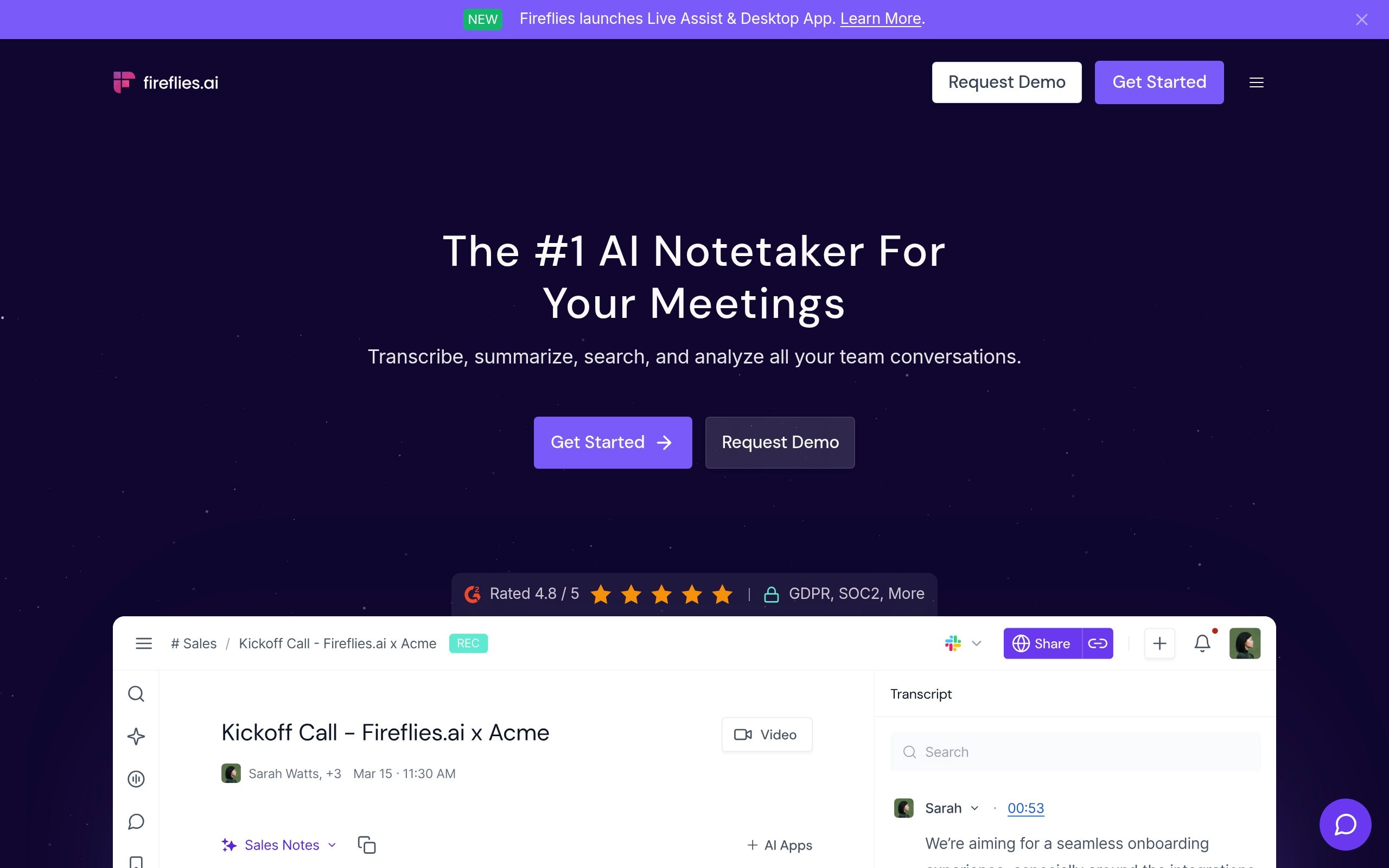
Fireflies.ai is widely regarded as the gold standard for enterprise conversation intelligence. Operating since the early days of automated transcription, Fireflies has evolved from a simple calendar bot into a comprehensive organizational brain. The platform automatically integrates with your Google Calendar or Outlook schedule, sending its virtual bot (“Fred”) into Zoom, Google Meet, Microsoft Teams, and Webex calls to record, transcribe, and synthesize every discussion.
What elevates Fireflies above standard note-takers is its unmatched customizability. Through AskFred, users can interact with an in-meeting conversational AI powered by GPT-4o and Claude 3.5 Sonnet. You can query past conversations with natural language prompts like: “What objections did the client raise regarding our enterprise pricing tier?” or “Draft a technical follow-up email explaining our SOC 2 Type II controls based on John’s answers.”
Furthermore, Fireflies features custom Topic Trackers that automatically monitor mentions of competitors, pricing terms, feature requests, or churn risks across hundreds of weekly company calls. Combined with native two-way sync into Salesforce, HubSpot, Zoho, Notion, and Slack, Fireflies allows revenue operations teams to completely automate post-meeting pipeline updates.
Key Technical Advantages
- AskFred Conversational Copilot: Query meeting transcripts across your entire company library to extract historical insights, client sentiment, and technical specifications.
- Granular CRM & Task Integration: Automatically logs call summaries, audio snippets, and custom fields into Salesforce, HubSpot, Monday.com, and ClickUp without third-party middleware.
- Soundbites & Snippets: Slice and share 15-second audio highlights with external stakeholders or embed audio quotes directly in Slack channels.
- Custom AI Summary Apps: Build bespoke prompt templates tailored to specific meeting archetypes (e.g., Sprint Planning, Executive 1-on-1, Discovery Sales Call).
- SOC 2 Type II & HIPAA Compliance: Enterprise-grade security policies with strict guarantees that client audio is never used to train foundational AI models.
Trade-offs & Limitations
- The external bot attendee (“Fireflies.ai Notetaker”) must join the meeting room, which can raise flags in sensitive board meetings or closed legal depositions.
- Advanced features like AskFred and custom topic trackers require the paid Business or Enterprise plans.
2. Otter.ai — The Pioneer in Live In-Call Transcription & Workspace Collaboration
Best for Live Scrolling Transcripts, Collaborative Note-Taking & Slide Grabs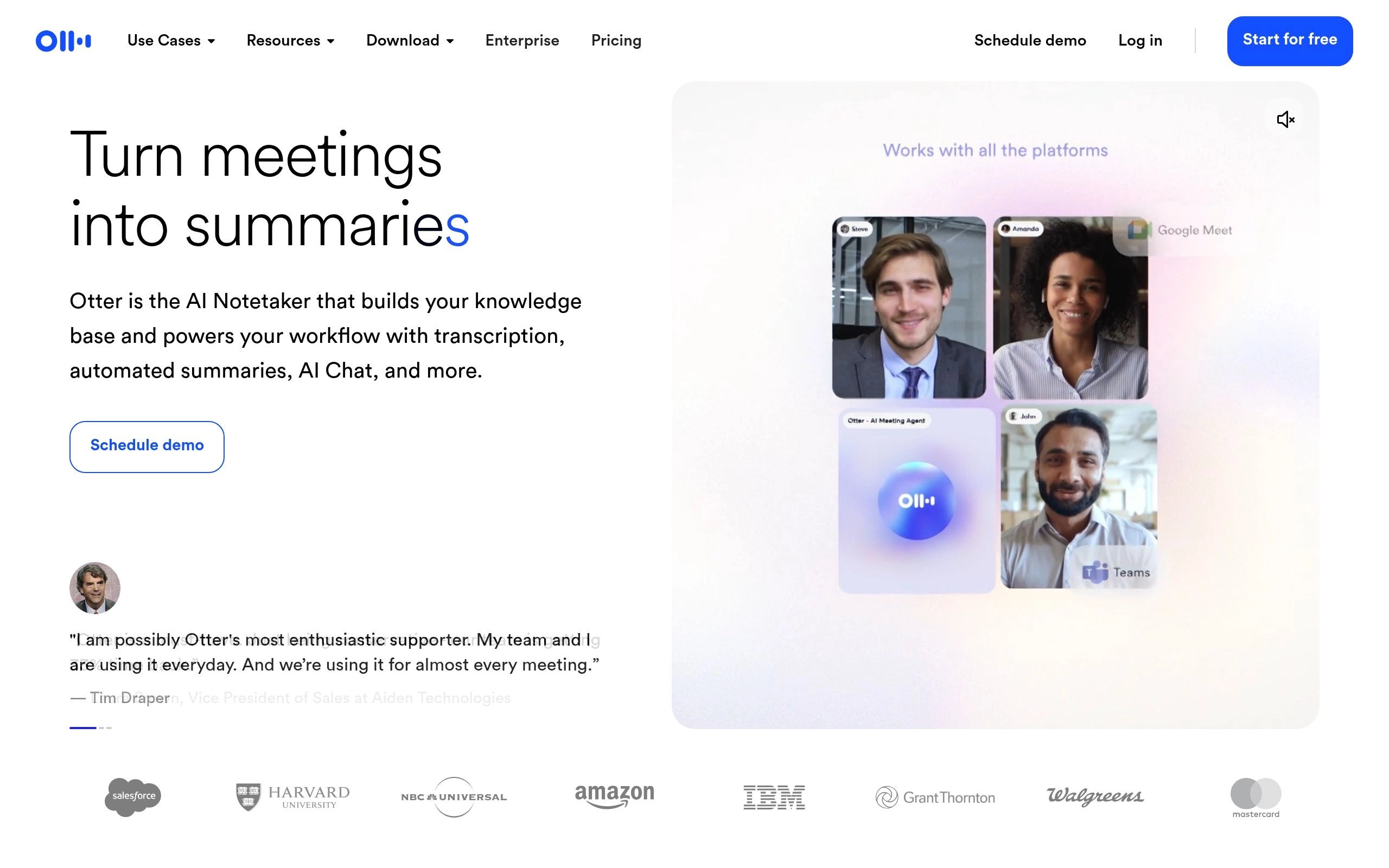
Otter.ai has long been synonymous with speech-to-text innovation. While many competitors focus exclusively on post-call asynchronous summaries, Otter shines during the live call itself. Its proprietary ASR model renders an ultra-low latency, live-scrolling transcript with real-time speaker separation, making it a favorite for accessibility, university lectures, and multi-team strategy sessions.
In 2026, the OtterPilot engine acts as a dynamic co-pilot. If a speaker is presenting a slide deck, OtterPilot automatically detects visual slide transitions, takes high-resolution screen captures, and embeds them chronologically alongside the exact spoken transcript. This creates an authoritative, multimedia meeting digest that captures both visual diagrams and verbal explanations.
Collaborative editing is where Otter pulls ahead of single-player tools. Multiple team members can highlight passages in real time, add comments, tag colleagues with `@mentions`, and assign action items directly within the live transcript interface. If you are double-booked or join ten minutes late, OtterPilot allows you to quietly catch up by querying the meeting chat: “Summarize what was discussed before I arrived.”
Key Technical Advantages
- Real-Time Streaming ASR: Unmatched live transcription speeds with instantaneous speaker identification and minimal lag.
- Automated Slide Capture: Detects shared presentations and automatically inserts visual slide snapshots directly into the written notes.
- Otter AI Chat: Chat with OtterPilot during or after meetings to generate executive summaries, draft emails, or search across team workspaces.
- Collaborative Live Annotation: Team members can collaboratively highlight, comment, and tag action items while the call is still in progress.
- Seamless Mobile App Ecosystem: Excellent iOS and Android applications for capturing in-person boardroom discussions, interviews, and audio memos.
Trade-offs & Limitations
- The free tier is limited to 300 minutes per month with a maximum of 30 minutes per individual conversation.
- Deep CRM workflow automation (e.g. syncing custom Salesforce formula fields) is less flexible than Fireflies or Avoma.
3. Fathom AI Notetaker — The Champion of Unlimited Free Recording & Lightning Summaries
Best for Freelancers, Founders, Sales Reps & Zero-Cost Team Deployments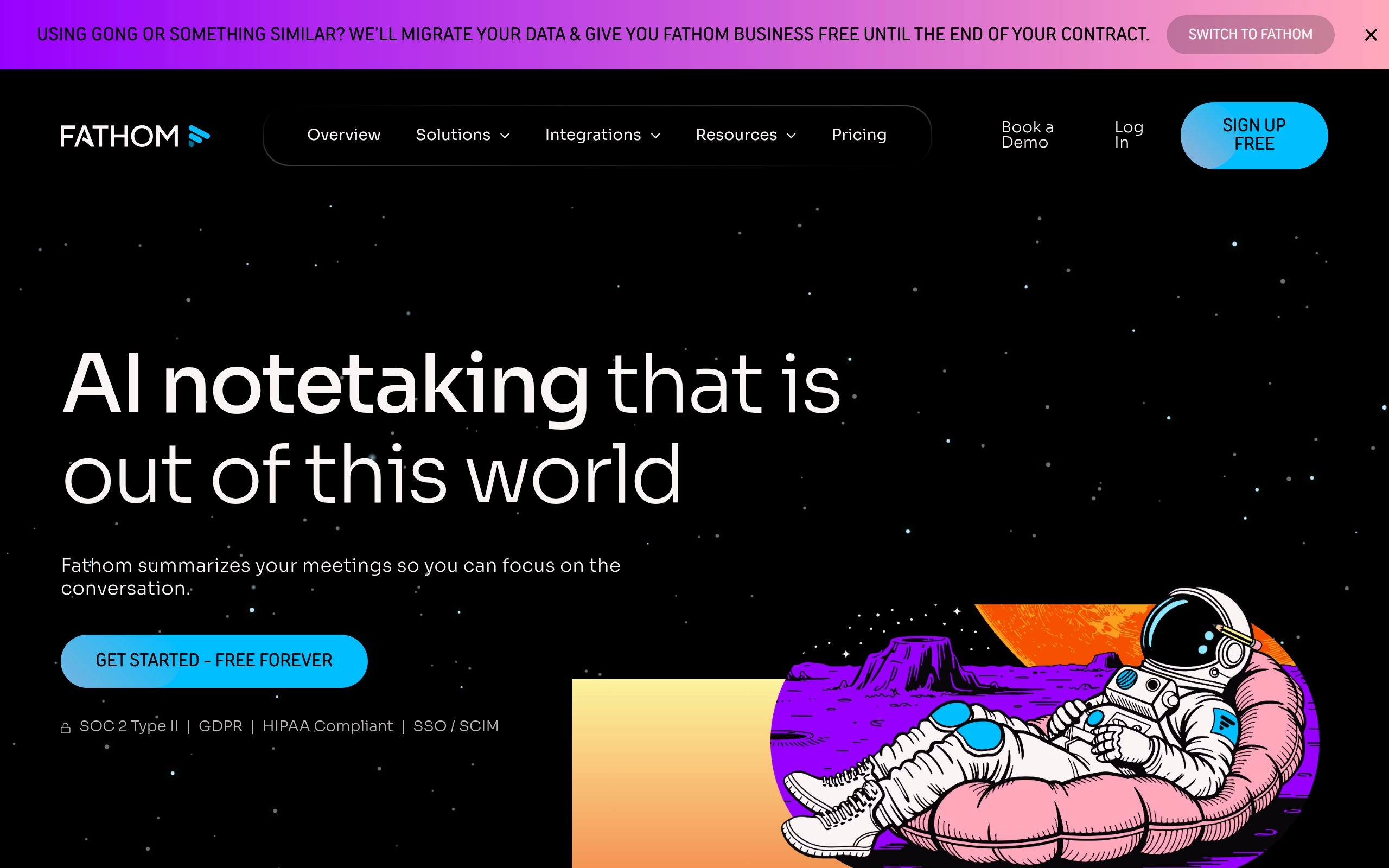
Fathom has completely disrupted the AI meeting assistant sector by offering an astonishingly capable, truly unlimited free tier. While virtually all competitors impose strict monthly minute quotas or lock post-call summaries behind paywalls, Fathom lets individual users record, transcribe, and summarize an unlimited number of Zoom, Google Meet, and Microsoft Teams calls completely free of charge.
Speed is Fathom’s defining competitive edge. The moment you click “End Call,” Fathom delivers a remarkably structured summary, complete with bulleted takeaways and allocated action items, in under 15 seconds. For busy sales professionals and account executives running back-to-back discovery calls, this eliminates the dreaded “post-meeting documentation backlog.”
Fathom also excels at one-click CRM integration. Even on its free tier, Fathom connects natively with HubSpot, Salesforce, and Close. With a single click, your call recording, full transcript, and structured notes are automatically logged to the matching deal or contact record. For teams, Fathom’s Team Edition unlocks collaborative workspaces, shared team repositories, and AI deal intelligence alerts.
Key Technical Advantages
- Truly Unlimited Free Transcription: No artificial call length limits or monthly minute caps for individual users.
- Sub-15-Second Post-Call Delivery: Instant executive summaries generated immediately upon meeting conclusion.
- 1-Click CRM Sync: Seamlessly push meeting notes and video timestamps into HubSpot, Salesforce, and Notion.
- In-Call Bookmark Button: Click the bookmark icon during a call to tag critical moments that Fathom automatically isolates into video highlight reels.
- High Cleanliness & Zero Clutter UI: Minimalist desktop client interface designed to stay out of your way during critical executive conversations.
Trade-offs & Limitations
- Advanced team-wide analytics, shared call libraries, and coaching scorecards require upgrading to Fathom Team Edition.
- Language support, while robust in major European languages, is slightly less expansive than tl;dv or Fireflies for low-resource global dialects.
4. Krisp — The Privacy-First, Bot-Free Local AI Noise Canceler & Note Taker
Best for Executive Privacy, Bot-Free Local Transcription & Bi-Directional Audio Cleanup
Krisp occupies a fundamentally unique position in the AI meeting assistant ecosystem. Unlike virtually every other platform on this list, Krisp does not send a visible third-party bot into your meeting room. Instead, Krisp installs as a virtual audio driver directly on your macOS or Windows operating system, sitting invisibly between your physical microphone/speakers and your conference software.
Originally famed for its state-of-the-art Deep Neural Network (DNN) background noise cancellation, Krisp has expanded into an all-in-one meeting intelligence powerhouse. It offers Bi-Directional Voice Isolation: it removes background noise, keyboard clicks, barking dogs, and room echoes from your outgoing microphone while simultaneously filtering out noisy background hums from your colleagues’ incoming audio streams.
Because Krisp captures audio locally at the device driver level, its AI notetaker transcribes both sides of the conversation completely bot-free. For executives, legal counsel, therapists, and security-conscious enterprises where third-party cloud bots are strictly forbidden by company security policies, Krisp is often the only compliant AI meeting assistant available.
Key Technical Advantages
- 100% Bot-Free Architecture: Operates at the OS virtual driver layer; no external bot attendee joins the call, preserving meeting dignity and privacy.
- Bi-Directional AI Noise Cancellation: Strips background distractions from both your microphone and your participants’ speakers in real time.
- Universal Application Compatibility: Works natively with Zoom, Meet, Teams, Webex, Slack Huddles, Discord, WhatsApp, and proprietary VoIP dialers.
- On-Device Voice Localization: Learns your unique voice profile to isolate your speech even if someone is talking right next to you in an open-plan office.
- Local Data Privacy & Compliance: Keeps voice processing local on your computer, minimizing enterprise cloud vulnerability vectors.
Trade-offs & Limitations
- Requires installing a desktop client; cannot be deployed purely via a lightweight cloud browser extension.
- Does not store full cloud video recordings of calls; focuses primarily on audio clarity, transcripts, and text summaries.

5. tl;dv — The Best AI Meeting Assistant for UX Research, Video Clips & Global Teams
Best for Video Snippets, Timestamp Bookmarks & 30+ Language Transcripts
tl;dv (short for “Too Long; Didn’t View”) was built specifically to solve meeting fatigue for distributed, asynchronous product squads. While traditional tools focus on dense text transcripts, tl;dv treats video as a first-class citizen. It allows users to record Google Meet, Zoom, and Microsoft Teams meetings with crystal-clear video fidelity and instantly generate shareable video soundbites.
For Product Managers and UX Researchers, tl;dv is a superpower. During a customer interview, you can set live timestamp bookmarks with keyboard shortcuts. Afterwards, tl;dv lets you highlight transcript text to automatically cut a 20-second video clip of a customer describing a bug or praising a feature. You can then assemble these snippets into cross-meeting “Highlight Reels” and embed them directly into Notion, Slack, Jira, or Productboard.
Furthermore, tl;dv boasts some of the most versatile multi-lingual capabilities in the industry, supporting transcription and translation across more than 30 global languages. If your team conducts user research in German, Spanish, or Japanese, tl;dv transcribes the native audio and provides accurate English summaries seamlessly.
Key Technical Advantages
- Multi-Meeting Video Highlight Reels: Combine video clips from multiple customer interviews into compelling montages for stakeholders.
- Multi-Language Support (30+ Languages): Flawless transcription, speaker recognition, and instant English translation for international teams.
- AI Meeting Search Engine: Search your company’s entire video library for spoken concepts, customer names, or competitor mentions.
- Deep Project Management Integrations: Directly push video bookmarks and action items into Jira, Linear, Asana, Notion, and Slack.
- Generous Free Video Tier: Unlimited free recording and transcription on Google Meet and Zoom with instant summary access.
Trade-offs & Limitations
- Automated CRM field enrichment (HubSpot/Salesforce) requires upgrading to the Pro plan.
- Video processing of two-hour long workshops can take slightly longer than pure audio-first tools.

6. Zoom AI Companion — The Seamless, Zero-Cost Built-In Enterprise Assistant
Best for Existing Zoom Workplace Organizations Seeking Zero Added Software Cost
Zoom revolutionized the AI meeting assistant space with a bold enterprise pricing strategy: making Zoom AI Companion available at no additional cost for all paid Zoom Workplace accounts. For organizations already standardized on Zoom Pro, Business, or Enterprise tiers, this completely eliminates the need to pay $10 to $30 per seat for third-party meeting notetakers.
Because it is built natively into the Zoom client, AI Companion requires zero external bot invitations. There is no “Bot Attendee” sitting awkwardly in the participant list; instead, a discreet “AI Companion is Active” icon appears in the top corner. Meeting participants can open the native sidebar to ask in-meeting questions without disrupting the speaker: “Catch me up on the last 5 minutes,” “Has pricing been discussed yet?” or “What action items were assigned to engineering?”
Post-meeting, Zoom AI Companion automatically structures discussions into smart chapters, generates concise executive digests, extracts assigned tasks, and pushes summaries directly into Zoom Team Chat and email. For enterprise IT leaders concerned about compliance, Zoom maintains a strict contractual commitment that customer audio, video, and chat content is never used to train artificial intelligence models.
Key Technical Advantages
- Included at No Extra Cost: Bundled natively with any paid Zoom Workplace subscription ($13.32+/user/mo), saving thousands in software licensing.
- Discreet Native In-Call Sidebar: Query the AI in real time without distracting the speaker or cluttering the video gallery with external bots.
- Smart Chapter Segmentation: Automatically slices long cloud recordings into topical chapter markers with executive topic headlines.
- Tight Zoom Ecosystem Sync: Automatically distributes meeting notes into Zoom Team Chat channels and Zoom Docs for immediate follow-up.
- Strong Enterprise Privacy Commitments: Strict compliance controls with zero customer data utilization for public AI model training.
Trade-offs & Limitations
- Exclusively functions within Zoom; cannot transcribe or summarize external meetings held on Google Meet or Microsoft Teams.
- External CRM integrations (Salesforce, HubSpot) are less automated compared to dedicated revenue intelligence suites like Avoma or Fireflies.
7. Avoma — The End-to-End Meeting & Revenue Intelligence Lifecycle Platform
Best for High-Velocity Sales Teams, Collaborative Agendas & Deal Coaching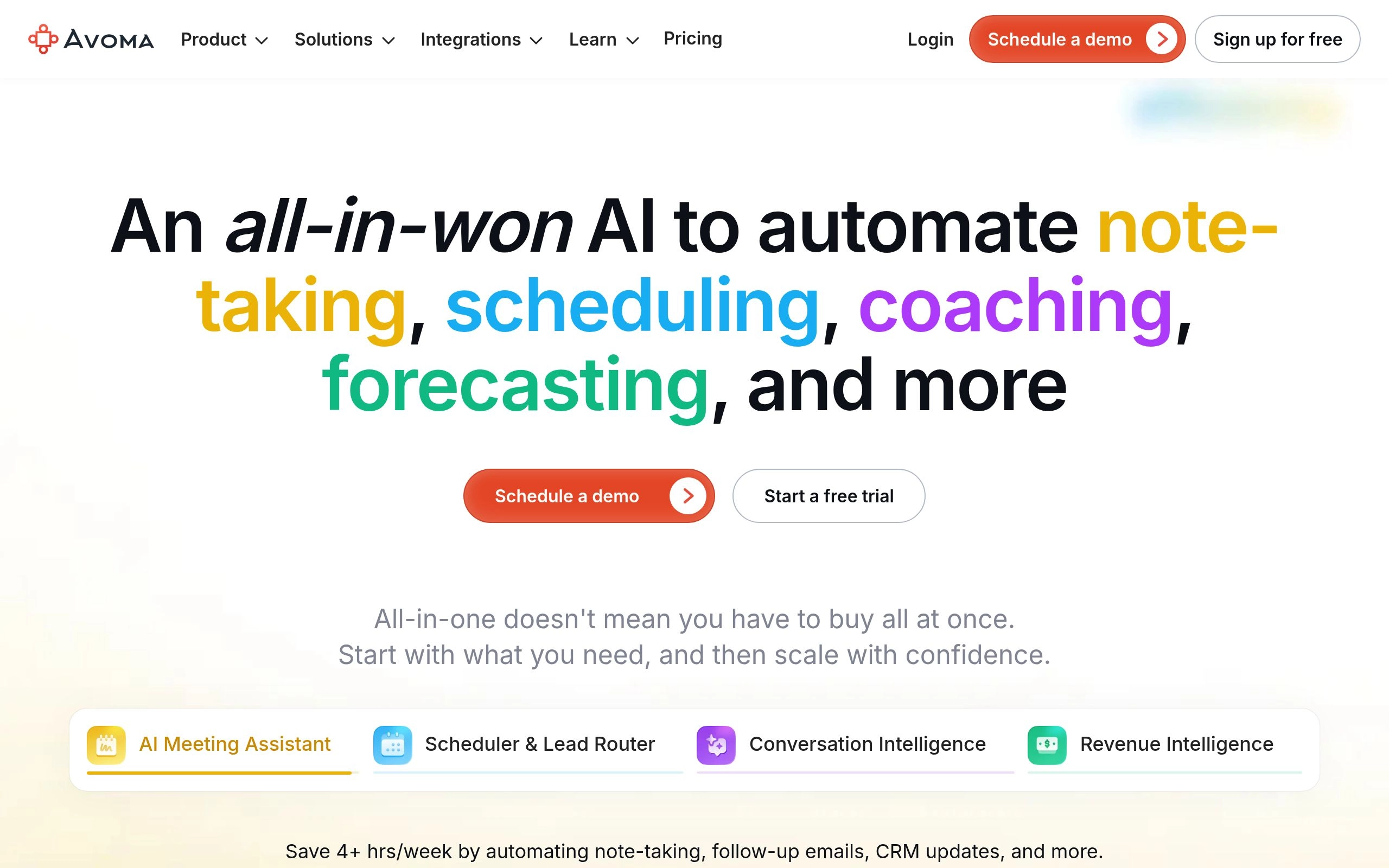
Avoma (short for “A Very Organized Meeting Assistant”) takes a holistic view of workplace conversations. While most competitors treat meetings as isolated 30-minute events, Avoma structures the entire meeting lifecycle: Before (collaborative agendas and automated calendar scheduling), During (real-time AI transcription, collaborative note-taking, and bookmarking), and After (AI summaries, conversation intelligence, and deal health tracking).
For B2B sales organizations, customer success units, and consulting firms, Avoma bridges the gap between a basic notetaker and an expensive enterprise revenue intelligence platform like Gong or Chorus. It automatically categorizes conversation stages (BANT qualification, technical discovery, contract negotiation) and updates matching CRM opportunity fields in HubSpot, Salesforce, and Pipedrive.
Avoma also delivers powerful coaching telemetry for sales leaders. It tracks rep talk-to-listen ratios, longest monologues, question frequency, and customer sentiment trends. Sales managers can review deal risks without listening to hours of recordings, identifying stalled deals before they slip off the quarterly forecast.
Key Technical Advantages
- Full-Lifecycle Meeting Management: Integrated pre-meeting agenda templates, calendar scheduling links, and post-call analytics.
- Sales Coaching & Conversation Telemetry: Track talk-to-listen ratios, filler word usage, and objection handling across entire sales squads.
- Deep Two-Way CRM Synchronization: Automatically updates custom fields, deal stages, and contact records in Salesforce, HubSpot, and Copper.
- Deal Intelligence & Pipeline Alerts: Flags deals showing churn risks, stalled momentum, or negative customer sentiment.
- Cross-Platform Call Recording: Flawless support across Zoom, Google Meet, Microsoft Teams, and dialer phone calls.
Trade-offs & Limitations
- Slightly steeper learning curve due to the comprehensive feature set spanning scheduling, notes, and revenue intelligence.
- Higher price tier for full revenue intelligence and sales coaching capabilities compared to simple transcription tools.
8. MeetGeek — The Automated Meeting Health & Client Follow-Up Engine
Best for Meeting Health Metrics, Burnout Prevention & Automated Client Email Recaps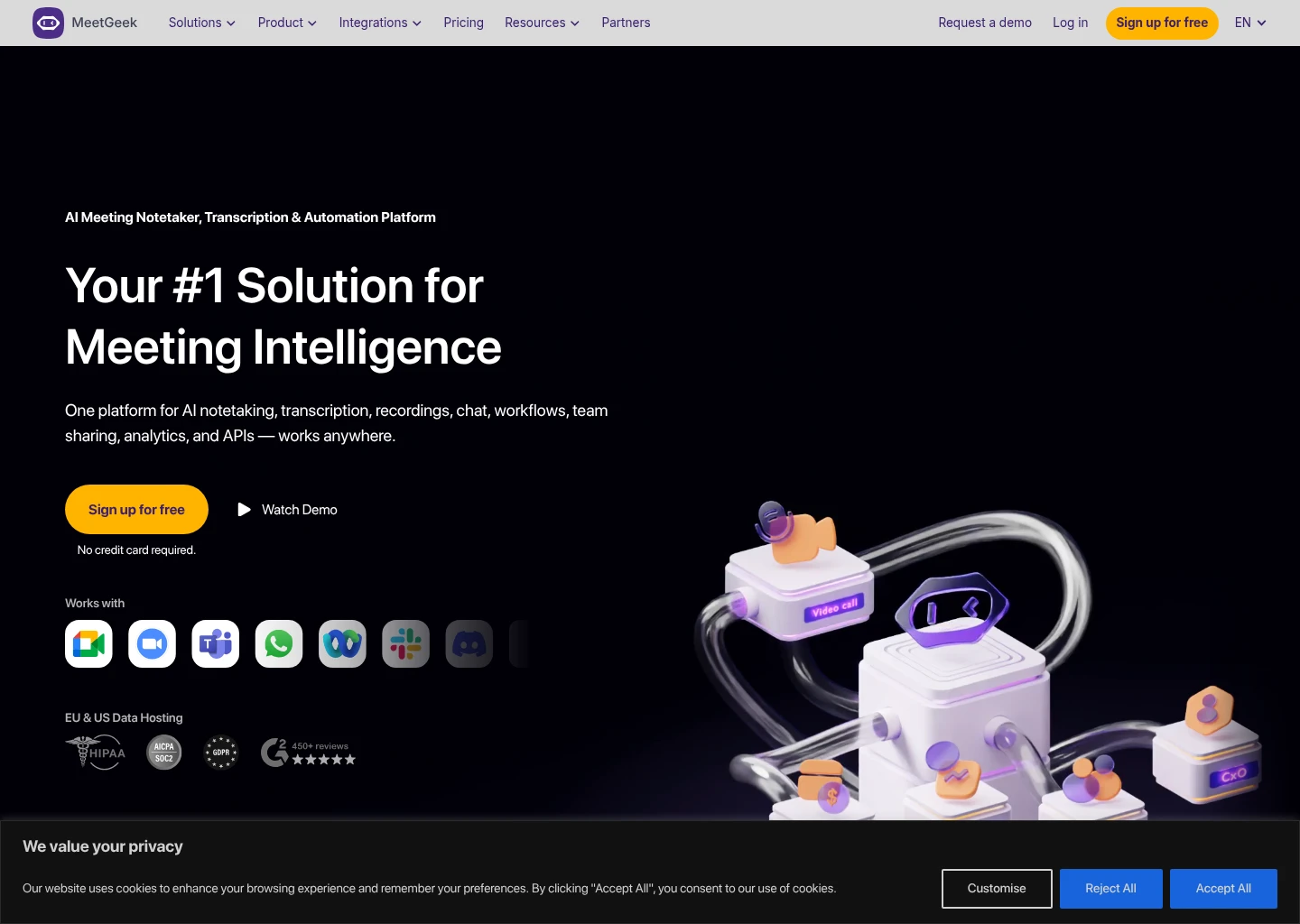
MeetGeek positions itself as an intelligent assistant designed not just to record what was said, but to improve how teams communicate. It automatically joins Zoom, Google Meet, and Microsoft Teams calls, producing high-fidelity audio/video recordings, time-stamped transcripts, and structured executive summaries.
Where MeetGeek shines is in its Meeting Health Diagnostics. The platform analyzes call dynamics, generating a composite “Meeting Score” based on participant engagement, sentiment trajectory, punctuality, and talk-time distribution. For organizations suffering from meeting bloat and employee burnout, MeetGeek provides leadership with quantifiable data on whether meetings are productive discussions or time-wasting monologues.
MeetGeek also features automated client follow-up capabilities. As soon as a client call concludes, MeetGeek can autonomously draft and send a polished recap email containing key discussion points, agreements, and next steps directly to all external attendees, significantly accelerating client relationship workflows.
Key Technical Advantages
- Meeting Health & Engagement Scoring: Actionable analytics measuring sentiment, engagement levels, and talk-time equity across meetings.
- Automated Client Email Distribution: Automatically formats and sends personalized recap emails to attendees post-meeting.
- Centralized Team Knowledge Repository: Organizes company-wide meetings into departmental folders with granular role-based permissions.
- Custom AI Summary Templates: Tailor executive takeaways for 1-on-1s, product roadmaps, hiring interviews, and board check-ins.
- Zapier & Webhook Ecosystem: Connects meeting triggers to thousands of productivity apps, including Trello, Notion, and Google Drive.
Trade-offs & Limitations
- The free plan is capped at 5 hours of transcription per month.
- Custom CRM pipeline automation is somewhat less sophisticated than enterprise-first tools like Fireflies or Avoma.
How to Choose the Right AI Meeting Assistant: Decision Matrix
Selecting the ideal AI meeting assistant depends heavily on your team’s size, industry security constraints, budget, and daily software ecosystem. Follow this decision matrix to identify your optimal platform:
🏢 Choose Fireflies.ai If:
You run a cross-functional business that relies heavily on CRM automation (Salesforce, HubSpot), requires custom prompt templates, and wants a searchable conversational brain (AskFred) across your entire historical meeting archive.
Best Match: Mid-Market & Enterprise Organizations⚡ Choose Fathom If:
You are a solo founder, consultant, freelancer, or startup team that needs lightning-fast, highly accurate call summaries and 1-click CRM sync without paying expensive monthly subscription fees.
Best Match: Founders, Freelancers & Sales Reps🛡️ Choose Krisp If:
Your company operates under strict confidentiality or legal rules where cloud bot attendees are prohibited, or you work frequently in noisy environments and need bi-directional voice isolation alongside private on-device notes.
Best Match: Executives, Legal, Healthcare & Remote Pros🎥 Choose tl;dv If:
Your workflow revolves around customer research, product management, and asynchronous collaboration, where sharing 20-second video snippets and multi-lingual transcripts creates high team alignment.
Best Match: Product Managers & UX ResearchersTechnical Architecture: Whisper V3, Streaming Conformer-CTC & Diarization Latency
Beneath the user interface of modern AI meeting assistants lies a sophisticated stack of speech recognition neural networks, acoustic feature extractors, and large language model post-processors. In 2026, the industry has largely converged around two dominant speech recognition paradigms: open-weights foundation models (primarily fine-tuned variations of OpenAI’s Whisper Large v3) and proprietary streaming Conformer-CTC architectures developed specifically for multi-speaker conference audio.
Whisper-based pipelines, utilized by platforms like Fathom and Fireflies, offer unmatched phonetic resilience when dealing with heavy international accents, technical acronyms, and acoustic reverberation. However, standard Whisper models process audio in 30-second fixed chunks, which introduces an inherent latency penalty for real-time transcription. To overcome this, modern assistants deploy modified streaming Whisper variants with 200ms sliding attention windows, delivering live transcript streams with sub-second latency.
In contrast, streaming Conformer architectures (pioneered by Otter.ai and Zoom) combine convolutional layers with self-attention mechanisms to analyze continuous audio streams with near-zero latency. While marginally more sensitive to low-bitrate microphone compression, Conformer models excel at real-time Word Error Rate (WER) performance in low-latency environments.
Speaker Diarization: How Modern AI Separates Overlapping Voices
The true technical bottleneck of meeting transcription has never been recognizing words; it has been accurately attributing those words to distinct human beings during rapid verbal exchanges. Speaker Diarization in 2026 operates through a three-stage neural pipeline:
- Voice Activity Detection (VAD): Deep neural network filters scan incoming audio to distinguish human vocal tract formants from background air conditioning, keyboard clatter, and ambient room noise.
- Acoustic Embedding Extraction (d-vectors & x-vectors): Spoken segments are transformed into high-dimensional mathematical representations (voiceprints) that capture individual vocal characteristics like pitch, cadence, formant frequencies, and resonance.
- Spectral & Agglomerative Clustering: The engine clusters voiceprints across the conversation timeline, continuously refining speaker identities even when participants speak over one another or join from a shared boardroom microphone.
| Platform | Core ASR Engine | Diarization Error Rate (DER) | Real-Time Streaming Lag | Summary Delivery Latency |
|---|---|---|---|---|
| Fireflies.ai | Fine-Tuned Whisper v3 + LLM Post-Filter | 3.4% | ~1.2 seconds | 45 – 90 seconds |
| Otter.ai | Proprietary Streaming Conformer | 4.1% | < 0.4 seconds | 30 – 60 seconds |
| Fathom | Optimized Whisper + Custom Acoustic Pipeline | 3.1% | ~0.8 seconds | < 15 seconds |
| Krisp | On-Device Acoustic DNN + Whisper ASR | 3.8% | Local OS Audio Buffer | 20 – 40 seconds |
| tl;dv | Multilingual Whisper Large v3 | 3.6% | ~1.5 seconds | 60 – 120 seconds |
| Zoom AI Companion | Native Federated In-Platform Model | 3.9% | < 0.5 seconds | Instant via Chat |
| Avoma | Hybrid ASR + Revenue Semantic Classifier | 3.2% | ~1.0 seconds | 60 – 90 seconds |
| MeetGeek | Dual ASR + Engagement Sentiment Engine | 4.0% | ~1.4 seconds | 45 – 75 seconds |
Enterprise Automation Playbooks: Connecting Meeting AI to Slack, CRM & Knowledge Bases
Generating a high-accuracy meeting summary is only the first step. The true ROI of an AI meeting assistant emerges when insights, action items, and client sentiment are automatically dispatched into your organization’s central operational systems. Below are three battle-tested automation playbooks implemented by high-performing teams in 2026:
Playbook 1: The Automated Revenue Operations Pipeline
The Challenge: Account executives spend an average of 45 minutes per day manually updating CRM stages, logging call notes, and setting follow-up tasks in HubSpot or Salesforce, leading to stale pipeline data and missed commitments.
The Automation: Connect Fathom or Fireflies.ai directly to your CRM. The moment a client call ends, the AI assistant maps the conversation to the matching contact record, updates opportunity stages based on budget confirmations, logs the full recording URL, and creates assigned follow-up tasks for the account team.
Estimated Time Saved: 4.5 hours per rep / weekPlaybook 2: The Asynchronous Engineering Sprint Handoff
The Challenge: Engineering leaders and product designers discuss technical bugs, edge cases, and API specs during synchronous sprint reviews, but requirements frequently fail to translate into clean Linear or Jira tickets.
The Automation: Use tl;dv or Otter.ai integrated with Jira or Linear via webhooks. When an action item tagged with “#tech-spec” is detected, the assistant automatically synthesizes the technical context, attaches the exact 15-second video timestamp clip of the discussion, and drafts a formatted issue ticket ready for review.
Estimated Time Saved: 3 hours per sprint cyclePlaybook 3: Executive Institutional Memory & Second Brain Hub
The Challenge: Critical strategic decisions made across executive 1-on-1s and board discussions evaporate into memory, making retrospective audits and organizational alignment difficult.
The Automation: Route meeting summaries from Krisp or Zoom AI Companion into a centralized Notion or Mem knowledge base. Tag records by meeting category and quarter. Leadership can subsequently query the entire corporate meeting history using natural language AI search to review past rationale and strategic pivots.
Estimated Value: Total institutional knowledge preservationEnterprise Privacy, Bot Etiquette & Data Security in 2026
Deploying an AI meeting assistant touches your organization’s most sensitive intellectual property: strategic planning sessions, customer discovery insights, financial forecasts, and confidential personnel discussions. Before rolling out any meeting AI, enterprise IT leaders must verify three critical governance requirements:
- Model Training Opt-Outs: Confirm that the vendor provides explicit contractual guarantees that customer audio recordings, transcripts, and summaries are never used to train foundational AI models. Enterprise offerings from Fireflies, Otter, Fathom, and Zoom all support strict zero-data-retention training clauses.
- SOC 2 Type II, GDPR & HIPAA Compliance: Ensure data in transit is protected by TLS 1.3 and at rest by AES-256 encryption. For healthcare and medical environments, verify that the vendor signs Business Associate Agreements (BAAs).
- Meeting Etiquette & Participant Consent: In multi-party calls, surprise AI bots can cause customer friction. Best practices include renaming the bot clearly (e.g., “Sarah’s Fireflies Note Taker”), establishing automatic pre-call consent notices, or utilizing bot-free solutions like Krisp.
Frequently Asked Questions (FAQs)
Can AI meeting assistants transcribe conversations without sending a visible bot to the call?
Yes. Krisp operates locally as a virtual OS audio driver on your Mac or Windows machine, capturing both incoming and outgoing audio streams without sending an external bot into the meeting room. Similarly, Zoom AI Companion runs as a native in-platform feature of the Zoom client, requiring zero third-party bots.
What is the most accurate free AI meeting assistant in 2026?
Fathom AI Notetaker offers the most generous and capable free tier on the market. It provides unlimited recording, transcription, and instant AI summaries for individual users across Zoom, Google Meet, and Microsoft Teams with zero monthly minute restrictions.
Do AI meeting assistants work across Zoom, Google Meet, and Microsoft Teams simultaneously?
Yes. Cross-platform assistants like Fireflies.ai, Otter.ai, Fathom, and tl;dv connect to your Google or Microsoft calendar and automatically join whichever meeting platform your team or client chooses. In contrast, Zoom AI Companion only operates inside Zoom meetings.
How do AI meeting notetakers handle heavy accents and technical jargon?
Modern 2026 assistants leverage hybrid architectures combining whisper-derived ASR foundations with fine-tuned LLM post-processing. Platforms like Fireflies and Avoma allow teams to define custom domain vocabularies, company acronyms, and product names to ensure specialized jargon is transcribed with over 98% accuracy.
Final Recommendation: Future-Proofing Your Meeting Intelligence Stack
The transition from manual scribbling to autonomous AI meeting copilots represents one of the highest-leverage productivity upgrades available to modern knowledge workers. By automating transcript logging, action item routing, and executive synthesis, teams regain hours of high-focus deep work every single week.
If you need the most powerful, customizable, and CRM-connected enterprise meeting brain, start with Fireflies.ai. If you want a completely free, lightning-fast notetaker with zero artificial limits, deploy Fathom. If enterprise privacy and noise cancellation are paramount, rely on Krisp. And if your organization runs entirely on Zoom, activate the native Zoom AI Companion at zero added cost.
Explore our curated AI Tools for Productivity Hub for comprehensive, battle-tested software recommendations across modern knowledge workflows, or dive into our related guides on How to Auto-Summarise Every Meeting with AI, the Best AI Audio & Transcription Tools in 2026, and the Best AI Workflow Automation Tools in 2026.



