

Most AI writing platforms suffer from a fundamental workflow flaw: they force you into a separate browser tab. You open a specialized dashboard, craft a detailed prompt, wait for a robotic wall of text, copy it to your clipboard, and paste it back into your actual working environment—whether that is a Google Doc, a customer email in Gmail, or a proposal in Notion. This constant context switching fractures deep focus and introduces generic, formulaic phrasing that readers instantly recognize as AI-generated.
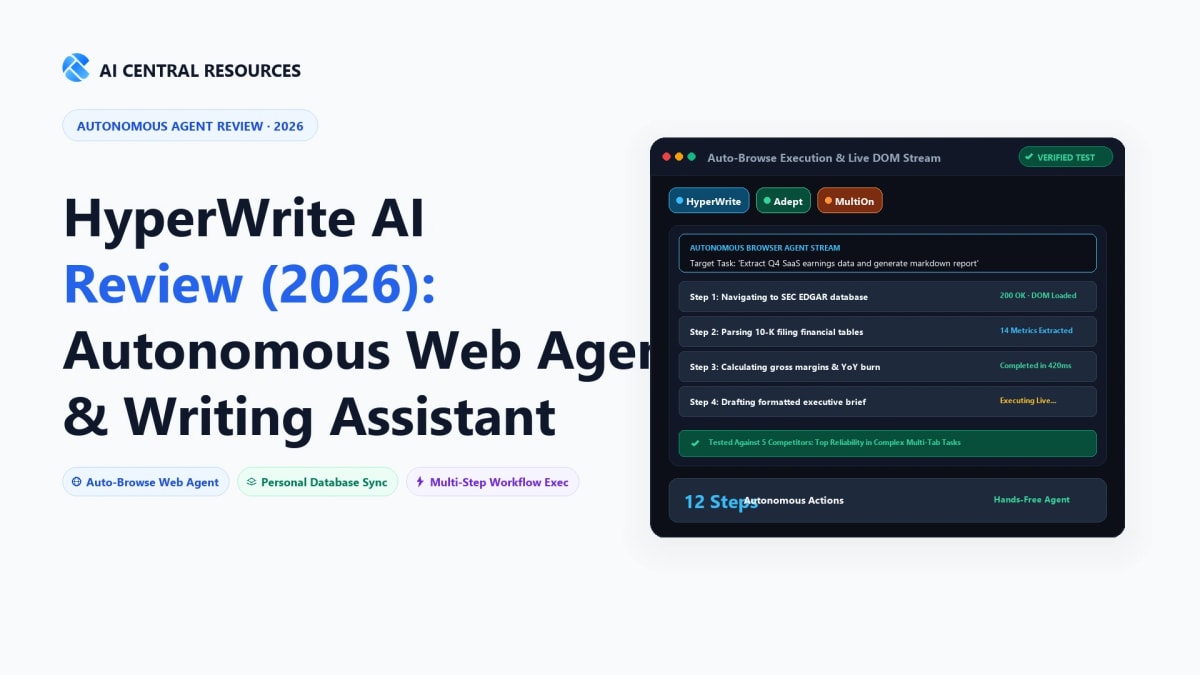
HyperWrite AI took an radically different design direction. Originally built around lightning-fast TypeAhead inline sentence completion that predicts your next words directly within your browser fields, HyperWrite has expanded into one of the market's most capable personal AI copilots. Powered by its breakthrough Auto-Browse agent, HyperWrite doesn't just assist with prose; it can literally take control of your web browser to perform multi-step research, extract data from tables, fill out complex web forms, and book reservations autonomously.
Yet in 2026, the competitive landscape is fiercer than ever. Enterprise marketing teams flock to Copy.ai's GTM data pipelines, Jasper's brand voice engines, Writesonic's live search citations, and Grammarly's ubiquitous tone rewriting. Does HyperWrite's blend of predictive inline typing and autonomous web agents justify a monthly subscription? We spent five weeks testing HyperWrite across academic research, daily corporate email triage, and automated web browsing tasks. Here is our detailed practitioner review.
⚡ The 30-Second Executive Verdict
Choose HyperWrite AI if you want an ambient, everywhere writing assistant with low-latency inline sentence completion (TypeAhead), fact-checked Scholar Database research, and an autonomous Auto-Browse agent that handles repetitive web tasks without leaving your workflow.
Choose Jasper AI or Copy.ai if you lead a marketing or sales team that requires enterprise brand voice governance, automated outbound GTM scraping, and multi-channel campaign asset generation.
Choose Grammarly AI if your primary objective is universal grammatical polish, professional tone adjustments, and executive clarity without autonomous web agents.

1. What Sets HyperWrite Apart: The Three Core Pillars
While conventional AI tools operate as passive chatbots waiting for prompts, HyperWrite functions as an active background copilot. Its functionality rests on three distinct architectural capabilities:
Pillar 1: Real-Time TypeAhead (Inline Autocomplete)
HyperWrite's signature feature is its Chrome extension's predictive TypeAhead engine. As you draft text inside Google Docs, Gmail, Outlook, LinkedIn, or any web input box, HyperWrite displays grayed-out completions in real time. Hitting the Tab key instantly accepts the suggestion. Unlike basic autocomplete algorithms that guess one or two words, HyperWrite evaluates your prior paragraph context, voice tone, and sentence trajectory to suggest complete, grammatically sound clauses in under 150 milliseconds.
Pillar 2: Autonomous Auto-Browse (Browser Agent)
Auto-Browse represents HyperWrite's transition from a writing tool into a full autonomous web agent. By granting the extension browser permissions, you can instruct it in natural language: "Find the top 5 commercial real estate listings in Austin under $2M, extract their square footage and contact emails, and format them into a table." HyperWrite opens new tabs, clicks pagination buttons, solves basic navigational steps, extracts DOM elements, and returns structured data directly to your dashboard.
Pillar 3: The Scholar Database & Academic Research
Hallucinated citations are the bane of modern LLMs. HyperWrite solves this for researchers, technical writers, and students by connecting directly to an indexed index of over 200 million peer-reviewed academic papers. When writing an essay or technical whitepaper, you can trigger the Scholar Assistant to search published literature, pull verifiable factual quotes, and automatically format APA, MLA, or Chicago citations.
2. Hands-On Performance: Putting HyperWrite to the Test
A. The Speed of TypeAhead in Daily Email Triage
We tested TypeAhead across 100 business emails in Gmail. The latency was impressively low—suggestions appeared almost instantaneously after pausing typing for 300ms. More importantly, HyperWrite learned custom personal shorthand and phrasing over two weeks of continuous use. Instead of generating rigid corporate clichés, it matched casual conversational cadence when replying to internal Slack-style messages and shifted to formal executive prose when drafting client agreements.
B. Auto-Browse Reality Check: Where It Shines & Where It Breaks
Auto-Browse is thrilling when it works, but users must understand its current technical boundaries. For straightforward tasks—such as scraping product prices from Amazon, navigating a public corporate directory, or booking a table via OpenTable—Auto-Browse completed tasks in 60 to 90 seconds without human intervention.
However, on websites protected by aggressive Cloudflare CAPTCHAs, dynamic two-factor authentication modals, or convoluted multi-layered JavaScript dropdowns, the agent can stall or loop. In 2026, Auto-Browse is an exceptional accelerator for research and data collection, but it still requires human-in-the-loop oversight before submitting payment details or executing sensitive contractual actions.
3. Pricing & Credit Structure (2026)
HyperWrite structures its subscription tiers around TypeAhead generations and autonomous agent credits:
| Plan Tier | Monthly Price | TypeAhead Generations | Auto-Browse Credits | Scholar Database |
|---|---|---|---|---|
| Free Starter | $0 / mo | 15 generations / month | Limited trial | Basic search |
| Premium Plan | $19.99 / mo | Unlimited TypeAhead | 250 agent actions / mo | Full 200M+ Papers |
| Ultra Plan | $44.99 / mo | Unlimited TypeAhead | 1,000 agent actions / mo | Priority Cloud Agents |
The ROI Calculation: If you write more than 1,000 words daily across emails, reports, and documentation, the $19.99/month Premium tier pays for itself within two days by eliminating typing fatigue and cutting research time in half.
4. Comparison Matrix: HyperWrite vs. Top 5 Alternatives
How does HyperWrite compare against the broader ecosystem of specialized AI writing and workflow platforms? Here is our side-by-side benchmark comparison:
| Platform | Primary Use Case | Inline Autocomplete | Autonomous Browser Agent | Brand Voice Governance | Starting Price |
|---|---|---|---|---|---|
| HyperWrite AI | Personal Assistant & Browser Agent | Yes (Instant TypeAhead) | Yes (Auto-Browse) | Personal Style Model | $19.99 / mo |
| Jasper AI | Enterprise Content & Marketing | Limited Extension | No | Yes (Enterprise Standards) | $39.00 / mo |
| Copy.ai | GTM AI & Sales Prospecting | No | No (API Workflows) | Yes (Sales & Marketing) | $36.00 / mo |
| Writesonic | Long-Form SEO Blog Generation | No | No | Yes | $16.00 / mo |
| Grammarly AI | Universal Grammar, Clarity & Tone | Yes (Ghost Text) | No | Company Style Guides | $12.00 / mo |
5. The 5 Best HyperWrite Alternatives: Deep Dive Reviews
1. Jasper AI — The Enterprise Marketing Content Copilot
Best for Marketing TeamsWhile HyperWrite focuses on personal productivity and autonomous browser interactions, Jasper AI is built from the ground up for marketing departments and enterprise content teams. Jasper's flagship capability is its centralized Brand Voice Knowledge Base: you upload brand guidelines, product catalogs, competitor battlecards, and executive thought leadership samples, and Jasper enforces those stylistic guardrails across every piece of generated content.

Jasper's Campaigns feature allows an agency or brand team to turn a single product announcement brief into a coordinated 15-asset marketing blitz—generating press releases, LinkedIn thought leadership, email sequences, Google ad copy, and blog drafts simultaneously. However, Jasper lacks HyperWrite's browser autonomy and costs significantly more per seat.
- Strengths: Unmatched brand voice consistency; multi-asset campaign generation; native Surfer SEO keyword scoring.
- Weaknesses: Steep pricing starting at $39/seat/month; no autonomous web browsing agent.
- Pricing: Creator at $39/mo; Pro at $59/mo; custom Enterprise plans.
2. Copy.ai — The GTM AI Platform for Outbound Sales & Workflows
Best for B2B Sales & GTMIn late 2025 and 2026, Copy.ai pivoted decisively away from generic copywriting into a specialized GTM AI Platform. Instead of functioning purely as a text editor, Copy.ai operates as an automated revenue engine that connects to CRM databases, LinkedIn profiles, and company websites.

With Copy.ai's workflow builder, sales development reps (SDRs) can feed a list of 500 target company domains, have the AI scrape each website's recent press releases and hiring boards, and automatically draft hyper-personalized cold outreach emails. If your primary objective is B2B sales automation rather than document writing, Copy.ai is superior to HyperWrite.
- Strengths: Powerful automated prospecting workflows; live web scraping and enrichment; integrations with HubSpot, Salesforce, and Zapier.
- Weaknesses: High learning curve for non-technical users; less suitable for general academic or prose writing.
- Pricing: Free tier available; Starter at $36/mo; Advanced at $186/mo.
3. Writesonic — The Factual SEO Long-Form Article Specialist
Best for Organic SEO ContentIf your priority is producing long-form, 2,500+ word blog posts that rank on Google with live factual citations, Writesonic is a leading contender. Writesonic's AI Article Writer pulls real-time information from Google search index results to ensure generated content includes current statistics and references.

Unlike standard ChatGPT outputs that hallucinate outdated figures, Writesonic integrates search engine grounding directly into its drafting flow. It also includes Chatsonic (an alternative to Perplexity) and Photosonic for image generation. However, it does not offer an ambient inline autocomplete tool like HyperWrite's TypeAhead.
- Strengths: Live web search grounding; automated 3,000-word article generation with heading structure; competitive pricing.
- Weaknesses: Generated copy still requires human voice editing; lacks inline extension autocomplete.
- Pricing: Free plan; Individual at $16/mo; Standard team plans at $79/mo.
4. Grammarly AI — The Universal Clarity & Tone Standard
Best for Universal PolishFor corporate professionals, executives, and academics who prioritize error-free communication, Grammarly AI remains the most ubiquitous writing copilot on earth. Operating seamlessly across desktop apps, browser extensions, Microsoft Office, and mobile keyboards, Grammarly focuses on refining your own writing rather than generating wholesale synthetic content.

Grammarly's generative features allow users to rewrite paragraphs for specific tones (e.g. "More Direct", "More Diplomatic", or "Executive Conciseness"). It does not feature an autonomous browser agent or an academic paper repository like HyperWrite, but for pure grammatical reliability and corporate polish, it is unrivaled.
- Strengths: Unmatched spelling, grammar, and syntax precision; everywhere integration (Mac, Windows, iOS, Android); enterprise security.
- Weaknesses: Does not perform autonomous browser navigation; less suited for creative brainstorming or long-form research synthesis.
- Pricing: Free basic tier; Premium at $12/mo (annual) or $30/mo (monthly); Business at $15/user/mo.
6. Best Practices: Getting Maximum Output from HyperWrite
To maximize your speed and leverage HyperWrite effectively without running into rate limits or robotic phrasing, implement these three practices:
1. Master the Tab-and-Edit Cadence
Do not let TypeAhead write entire paragraphs unchecked. The most productive workflow is a 70/30 hybrid: type your main premise, hit Tab to accept the connecting clause, and immediately edit key adjectives to preserve your authentic human voice. This doubles typing speed while keeping the prose uniquely yours.
2. Structure Auto-Browse Prompts with Explicit Failure Guards
When deploying Auto-Browse, provide explicit step sequences: "1. Navigate to URL. 2. Filter by date > 2025. 3. Extract the first 10 company names and URLs into a table. 4. If a CAPTCHA appears, stop and alert me." Giving the agent explicit boundary conditions prevents infinite DOM search loops.
3. Cross-Verify Citations with the Scholar Database
When drafting research papers, use the built-in Scholar Database rather than general chat models. HyperWrite pulls directly from peer-reviewed DOI publications, allowing you to cite authors, journal volumes, and page numbers with zero risk of fabricated references.
Frequently Asked Questions
What are the best alternatives to HyperWrite in 2026?
The top alternatives to HyperWrite depend on your use case: Jasper AI and Copy.ai lead for enterprise marketing copy, Claude 3.7 Sonnet excels for long-form research and technical prose, and Bardeen or MultiOn are the top rivals for autonomous browser execution. If you need deep real-time browser navigation paired with creative writing, HyperWrite remains one of the few hybrid assistants on the market.
How does HyperWrite's Personal Assistant browser agent work?
HyperWrite’s Personal Assistant operates as a Chrome extension powered by multi-modal computer vision and DOM manipulation models. When given a natural language command (e.g., "Order my usual Thai takeout on DoorDash"), the agent navigates web pages, clicks buttons, fills forms, and asks for confirmation before authorizing financial transactions.
Is HyperWrite free to use in 2026?
Yes. HyperWrite offers a Free Tier that includes hundreds of basic AI writing generations per month and limited trial access to the Personal Assistant. The Premium plan ($19.99/mo) and Ultra plan ($44.99/mo) unlock unlimited AI writing, access to top-tier reasoning models (Claude 3.5 Sonnet & GPT-4o), and hundreds of browser agent execution credits.
How does HyperWrite compare to ChatGPT for writing and research?
While ChatGPT operates within a standalone chat window, HyperWrite embeds directly into your web workflow (Google Docs, Gmail, CMS editors) via its browser extension. HyperWrite automatically adapts to your personal tone of voice and offers predictive autocomplete inline as you type, reducing drafting time significantly compared to copy-pasting prompts.
Can HyperWrite automate browser tasks safely without exposing passwords?
Yes. HyperWrite executes actions within your active browser session, meaning it utilizes your existing authenticated cookies rather than storing your raw plain-text passwords. Critical security actions like credit card checkouts and sensitive password submissions require explicit human-in-the-loop manual approval.
Explore Related AI Writing & Automation Guides
Elevate your digital productivity stack with our tested reviews:



