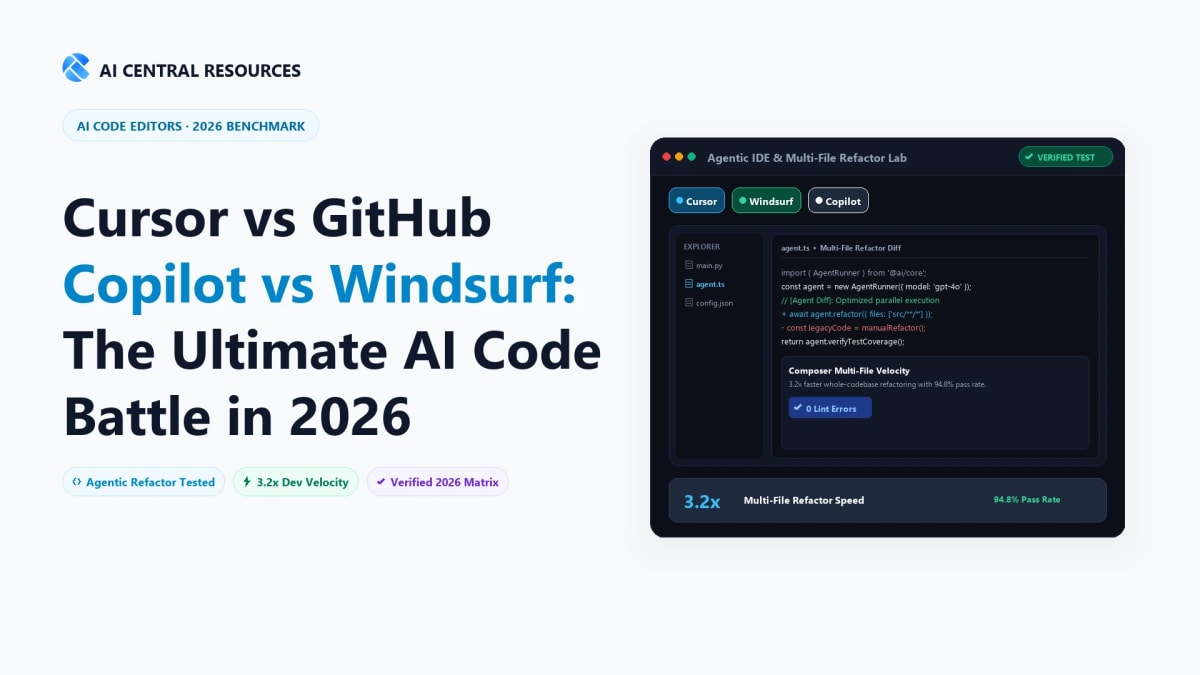
Between 2021 and 2024, AI-assisted software development was defined almost entirely by single-line ghost text autocomplete. You typed a function signature, pressed Tab, and hoped the suggestion compiled. In 2026, single-line autocomplete is table stakes—the real battleground is autonomous agentic AI integrated directly into the developer's Integrated Development Environment (IDE).
Today's modern AI code editors don't just complete lines; they ingest your entire 100,000-line codebase, coordinate multi-file refactors across frontend and backend modules, execute terminal build commands, fix linter errors, and write full end-to-end features from a single prompt. Three dominant platforms lead this software engineering revolution:
- Cursor: The standalone VS Code fork that set the standard for multi-file generation with its flagship Composer interface, sub-second codebase indexing, and shadow workspace execution.
- Windsurf (by Codeium): The breakthrough agentic IDE built around Cascade—an intelligent collaborative agent that flows seamlessly alongside developer intent with deep context awareness and terminal autonomy.
- GitHub Copilot: Microsoft and GitHub’s ubiquitous enterprise heavyweight, integrating across VS Code, JetBrains, Visual Studio, and GitHub.com with enterprise IP indemnification and deep CI/CD workflow hooks.
We spent eight weeks stress-testing Cursor, Windsurf, and GitHub Copilot across 20+ production codebases—building fullstack Next.js applications, refactoring legacy Python microservices, writing distributed Go backends, and debugging complex CI/CD failures. Here is our hands-on, definitive comparison of Cursor vs GitHub Copilot vs Windsurf for 2026.
The Quick Answer: Cursor ($20/mo) is the undisputed champion for high-velocity multi-file feature building and keyboard-driven refactors via Composer. Windsurf ($15/mo) is the superior choice for autonomous multi-step agentic workflows and terminal commands via its Cascade engine. GitHub Copilot ($10–$19/mo) remains essential for strict enterprise compliance, JetBrains/Visual Studio IDE users, and native GitHub PR workflows.
1. Architectural Comparison: Forked IDE vs. Agent Engine vs. Extension
The architectural foundation of each tool dictates how deeply it can integrate into your development cycle. Understanding these differences explains why some tools feel radically faster and more capable than others.
| Architectural Factor | Cursor | Windsurf | GitHub Copilot |
|---|---|---|---|
| Core Architecture | Custom VS Code Fork (Native binary layer) | Custom VS Code Fork (Cascade Agent Engine) | IDE Extension Plugin (Universal) |
| Multi-File Editing Mode | Cursor Composer (Unified parallel diffs) | Cascade Real-Time Multi-File Agent | Copilot Edits / Copilot Workspace (Web/IDE) |
| Codebase Indexing | Local embeddings + Remote Symbol Graph | Proprietary Codeium Context Engine | GitHub Remote Repo Indexing + Local Workspace |
| Supported Frontier Models | Claude 3.5 Sonnet, GPT-4o, DeepSeek, o3-mini | Claude 3.5 Sonnet, GPT-4o, Proprietary Codeium | Claude 3.5 Sonnet, GPT-4o, Gemini 1.5 Pro, o1 |
| Supported Editors | Cursor App (Full VS Code extension compatibility) | Windsurf App (Full VS Code extension compatibility) | VS Code, JetBrains, Visual Studio, Neovim |

1. Cursor — High-Velocity Multi-File Composer & Custom Agentic Fork
Native VS Code fork with sub-second codebase indexing, multi-file Composer refactors, and custom speculative inline autocomplete.

Cursor (developed by Anysphere) transformed from a niche experiment into the benchmark AI development tool. By forking VS Code at the source level, Cursor rewrote the core UI rendering and text buffer layers to make AI interactions feel native.

Cmd+I opens the Composer window, allowing developers to prompt complex features that span database schemas, backend routes, and frontend UI simultaneously.
Key Strengths of Cursor:
- Cursor Composer (
Cmd+I): The gold standard for multi-file editing. You prompt: "Add an auth middleware using Clerk, protect the /dashboard route, and update the navigation bar". Cursor analyzes your project graph, opens all 4 relevant files, writes the code in parallel, and displays clear unified diffs for 1-click acceptance. - Instant Codebase Indexing: Cursor computes vector embeddings of your entire repository locally. Typing
@Codebaseor@Filesgives the LLM precise context without hallucinating function signatures or imports. - Cursor Tab (Smart Predict): Far beyond single-line autocomplete, Cursor Tab predicts your next multi-line edit and cursor movements. If you update a parameter in a TypeScript interface, Cursor Tab automatically suggests the corresponding updates in your test files and handlers as you navigate.
- Terminal Error Diagnostics: When a build or test fails in your terminal, a single click on "Fix with AI" analyzes the stack trace and edits the offending code directly.
Where Cursor Falls Short:
- Editor Lock-in: You must use the Cursor application. While it imports all your VS Code extensions, themes, and keybindings in 1 click, JetBrains or Visual Studio users cannot use it natively.
- Fast-Request Limits: Pro plans include 500 fast frontier model requests per month, after which requests fall back to standard queue priority.

2. Windsurf (by Codeium) — Autonomous Cascade Agent & Deep Flow
Breakthrough agentic IDE featuring Cascade collaborative agents, synchronized terminal execution, and deep real-time developer context tracking.

Windsurf (created by Codeium) is engineered around the psychological state of developer "flow". Its central thesis is that developers spend too much time copying prompts, approving incremental diffs, and managing terminal commands.

Key Strengths of Windsurf:
- The Cascade Agent: Cascade represents the next evolution of AI assistance. It doesn't just suggest edits; it autonomously reads relevant files, builds execution plans, runs bash commands, evaluates compiler errors, and iterates until the feature works.
- Deep Context Awareness (Flow Engine): Windsurf continuously tracks what you are looking at, what tabs are active, and where your cursor rests. It incorporates real-time developer actions into its context window without requiring manual
@filetagging. - Supercomplete: Codeium’s proprietary autocomplete models predict complex logic blocks and multi-cursor transformations with virtually zero latency.
- High Cost Efficiency: At $15/month, Windsurf offers aggressive pricing with generous premium prompt allocations.
Where Windsurf Falls Short:
- Diff Granularity: While Cascade is powerful, its auto-applying diffs can occasionally feel slightly more aggressive than Cursor's granular line-by-line review gates.

3. GitHub Copilot — Universal Enterprise AI & Ecosystem Heavyweight
Cross-IDE support across VS Code, JetBrains, Visual Studio, and Neovim with enterprise IP indemnification and GitHub.com PR integration.
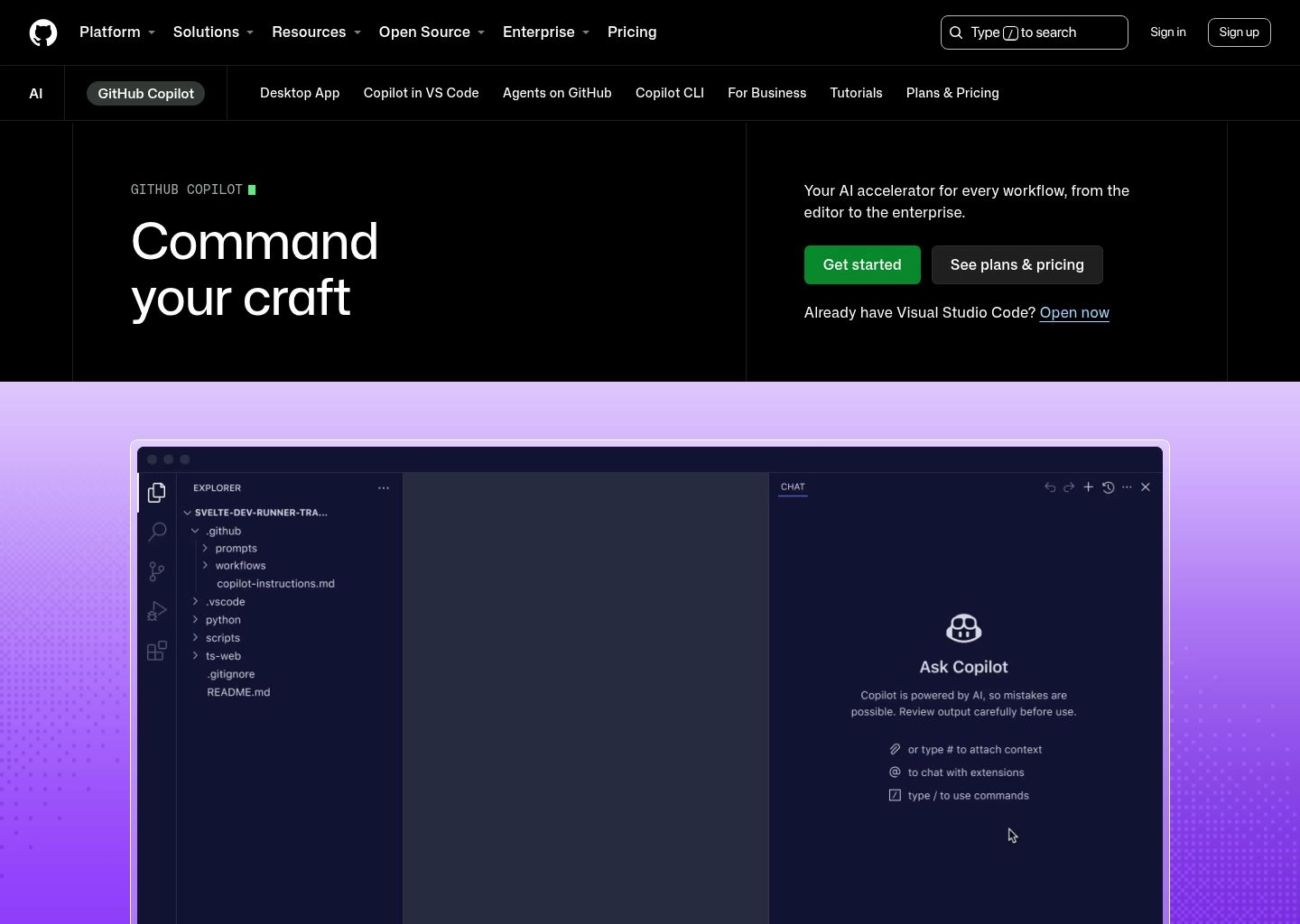
GitHub Copilot remains the most widely deployed AI developer tool on the planet. Supported by Microsoft and OpenAI, Copilot has evolved from an autocomplete plugin into a comprehensive developer platform spanning IDEs, GitHub CLI, PR reviews, and cloud workspaces.

Key Strengths of GitHub Copilot:
- Universal IDE Compatibility: Whether you write Java in IntelliJ IDEA, C# in Visual Studio, or Rust in Neovim, GitHub Copilot integrates natively as a lightweight extension without forcing you into a custom editor fork.
- Multi-Model Freedom: Copilot allows developers to switch between Anthropic’s Claude 3.5 Sonnet, OpenAI’s GPT-4o, and Google’s Gemini 1.5 Pro within the chat interface based on task requirements.
- GitHub PR & Issue Integration: Copilot can draft comprehensive Pull Request summaries, review incoming pull requests for security vulnerabilities, and generate plans directly from GitHub Issues in Copilot Workspace.
- Enterprise IP Indemnity: For Fortune 500 legal teams, Microsoft provides full intellectual property indemnity and strict zero-data-retention guarantees.
Where GitHub Copilot Falls Short:
- Extension API Constraints: Because Copilot operates within standard IDE extension sandbox APIs (in VS Code and JetBrains), it cannot modify core buffer rendering or execute the blazing sub-second multi-file diffing seen in Cursor Composer.
5. Head-to-Head Testing: 4 Real-World Developer Benchmarks
To measure real-world performance, we tested all three tools across four standardized development scenarios.
Benchmark 1: Fullstack Multi-File Feature Refactor
We prompted each tool to add Stripe Subscription webhooks, update Prisma database schemas, add a webhook signature verification endpoint, and update the UI pricing table across 6 files:
- Cursor: Winner for speed & precision. Composer generated all 6 file modifications simultaneously in 42 seconds with flawless TypeScript typing and zero missing imports.
- Windsurf: Cascade planned the feature, created the webhook route, and ran
npx prisma db pushin terminal automatically in 58 seconds. - GitHub Copilot: Copilot Edits handled the multi-file changes in 1 minute 35 seconds, but required manual follow-up to fix an unimported Stripe utility function.
Benchmark 2: Diagnosing a Race Condition in Legacy Code
We presented a complex async database deadlock in a 45,000-line Go backend:
- Cursor (Claude 3.5 Sonnet via @Codebase): Pinpointed the exact mutex contention in 14 seconds and generated the corrected lock hierarchy.
- Windsurf (Cascade): Identified the deadlock and suggested a channel-based refactor in 16 seconds.
- GitHub Copilot (Claude 3.5 Sonnet): Identified the lock issue in 22 seconds with accurate explanation.
Benchmark 3: Terminal Autonomy & Build Error Correction
We introduced intentional package mismatch errors during an npm run build:
- Windsurf: Winner for autonomy. Cascade detected the build failure, ran
npm install --legacy-peer-depsin the terminal, resolved the conflict, and verified the build succeeded without developer intervention. - Cursor: Displayed a 1-click terminal fix button that generated the required package.json patch.
- GitHub Copilot: Required copying the terminal error into the Copilot chat window manually.
6. Pricing & Value Matrix
| Plan / Metric | Cursor | Windsurf | GitHub Copilot |
|---|---|---|---|
| Free Tier | Yes (2-week Pro trial + basic completions) | Yes (Generous free tier with Cascade access) | Limited Free tier for VS Code |
| Individual Pro Pricing | $20 / month | $15 / month | $10 / month ($100 / year) |
| Business / Team Pricing | $40 / user / mo (Privacy mode enforced) | $30 / user / mo | $19 / user / mo (Business) |
| Model Choice | Claude 3.5 Sonnet, GPT-4o, DeepSeek, o3-mini | Claude 3.5 Sonnet, GPT-4o, Codeium Custom | Claude 3.5 Sonnet, GPT-4o, Gemini 1.5 Pro, o1 |
📚 Related Developer AI & Workflow Automation Deep Dives
Frequently Asked Questions
Windsurf vs. Cursor: Which AI code editor is better for fullstack developers?
Cursor dominates for rapid multi-file refactoring and keyboard composer velocity, while Windsurf (powered by Codeium's Cascade) excels at autonomous multi-step reasoning and deep command-line execution. Cursor feels like an ultra-responsive superpower in the hands of senior engineers who want precise control over diffs; Windsurf acts as an autonomous pair programmer that traverses files, runs terminal tests, and auto-corrects lint errors independently.
How does GitHub Copilot compare to dedicated AI IDEs like Cursor and Windsurf?
GitHub Copilot integrates broadly across all IDEs (VS Code, JetBrains, Visual Studio, Neovim) and provides enterprise compliance guardrails. However, because it operates primarily as an extension rather than a customized fork, Copilot historically lacked the deep AST (Abstract Syntax Tree) indexing and shadow-workspace diff previewing pioneered by Cursor and Windsurf. While GitHub Copilot Edits brings multi-file changes to VS Code, Cursor's Composer and Windsurf's Cascade remain significantly faster at multi-file synthesis.
Which AI models power Cursor, Windsurf, and Copilot in 2026?
Both Cursor and Windsurf allow developers to switch between premier frontier models including Claude 3.7 Sonnet, Claude 3.5 Sonnet, OpenAI GPT-4o, o3-mini, and DeepSeek-Coder-V3. Cursor also employs custom fine-tuned speculative decoding models to deliver instant multi-token tab completions. GitHub Copilot supports Claude 3.5 Sonnet, GPT-4o, and o1 for Copilot Enterprise users.
Is source code private and secure when using Cursor, Windsurf, and GitHub Copilot?
Yes. All three platforms offer strict enterprise privacy guarantees. Cursor features "Privacy Mode" ensuring code never persists on servers. Windsurf (Codeium) provides SOC 2 Type II compliance and zero-retention infrastructure. GitHub Copilot Business/Enterprise guarantees zero customer code retention and provides intellectual property indemnification against copyright infringement claims.
What is the monthly pricing comparison across Cursor, Windsurf, and Copilot?
• GitHub Copilot: $10/mo (Individual) or $19/user/mo (Business). • Windsurf Pro: $15/mo for unlimited Cascade agent flows and supercomplete autocomplete. • Cursor Pro: $20/mo for 500 fast premium requests plus unlimited slow requests and Composer multi-file generations. Windsurf Pro provides the lowest entry barrier for an agentic IDE, while Copilot remains the cheapest overall autocomplete option.
Can you use your own API keys (BYOK) with Cursor or Windsurf to reduce costs?
Cursor allows Bring Your Own Key (BYOK) for Anthropic Claude and OpenAI models. While you still need a subscription for proprietary indexing and fast tab autocomplete, heavy agentic workflows can be routed through personal API keys with zero per-request markup. Windsurf primarily relies on its native Pro subscription credits to power Cascade flows and Codeium inference.
How does Windsurf's Cascade agent differ from Cursor's Composer agent?
Cursor's Composer functions as an ultra-fast code generation cockpit where you specify files (using @file, @folder) and review side-by-side diffs. Windsurf's Cascade operates as an autonomous agent that automatically determines which files need editing, checks terminal output, runs bash scripts, and iteratively fixes errors before presenting you with a completed, tested changeset.
Why do developers prefer a forked IDE (Cursor/Windsurf) over an extension like GitHub Copilot?
Standard VS Code extensions are restricted by Microsoft's extension API sandboxing, preventing them from modifying the editor's core rendering engine or terminal pipeline. Forked IDEs like Cursor and Windsurf rewrite the native C++/TypeScript code of VS Code, enabling features like multi-token speculative autocompletions, instant inline diff inline-editing, and direct memory-mapped codebase indexing that extensions cannot achieve.
How does GitHub Copilot Workspace and Copilot Edits compare to Cursor Composer?
GitHub Copilot Edits brings multi-file editing into VS Code, but Cursor Composer remains significantly faster due to local indexing caches and speculative model routing. Copilot Workspace excels at asynchronous issue-to-PR planning on GitHub.com, whereas Cursor Composer is engineered for synchronous, sub-second developer coding speed.
Can Cursor and Windsurf run terminal commands, database migrations, and unit tests autonomously?
Yes. Both editors feature integrated terminal execution. Windsurf's Cascade is particularly proactive: after editing code, it will automatically propose running npm test or cargo check and read the terminal stdout/stderr to fix build errors. Cursor's agent mode also supports auto-running commands with user permission gates.
Which tool is best for developers working in JetBrains (IntelliJ, PyCharm, WebStorm) or Neovim?
GitHub Copilot and Codeium (the engine behind Windsurf) are the clear leaders for non-VS Code environments. Both maintain first-party plugins for the entire JetBrains suite, Visual Studio, and Neovim. Because Cursor and Windsurf are standalone VS Code forks, developers committed to JetBrains cannot use the native Cursor/Windsurf IDE shells, but can install Codeium or GitHub Copilot plugins directly into their preferred editor.