

Clean Email
Organize your inbox with powerful automation and cleaning tools.
Gallery
2 items

About Clean Email
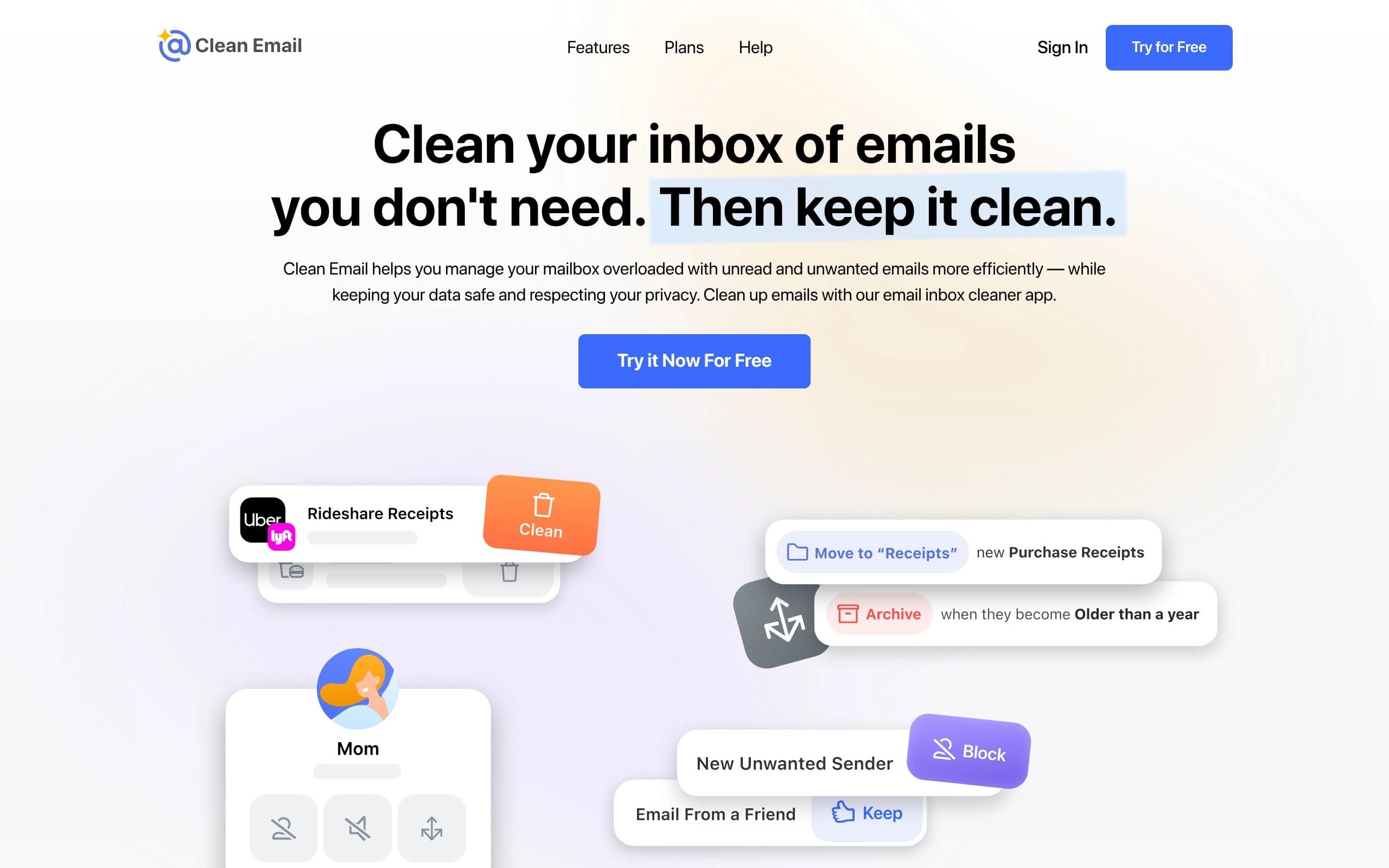
Clean Email tackles the problem of overloaded and unorganized email inboxes. It employs smart filters and automation to efficiently manage, clean, and organize emails, saving users time and reducing stress. The tool uses advanced algorithms to group similar emails, making it easy to unsubscribe, block senders, and apply actions in bulk. Clean Email is designed for anyone struggling with inbox clutter, from individuals managing personal email to professionals handling multiple accounts.
Key Features
- Email organization into smart folders
- Unsubscribe from unwanted emails in bulk
- Block unwanted senders
- Automated email cleaning rules
- Privacy monitoring for data breaches
- Screener to filter new senders
- Support for multiple email providers
- Cleaning Suggestions based on user preferences
Pros
- Saves time by automating email management
- Reduces stress associated with cluttered inboxes
- Enhances email privacy and security
- Works with all major email providers
- Offers a user-friendly interface
Cons
- Requires granting access to your email account
- Paid subscription required for full functionality
- May not perfectly categorize all emails
- Limited customization options for smart folders
- Dependent on consistent use for optimal results
Pricing
Offers monthly and yearly subscription plans. Pricing varies based on the number of accounts: 1 account/month, 5 accounts/month, and 10 accounts/month. Discounts available for education, non-profits, and bulk purchases.
Claim Verified Creator Badge
Are you the founder of Clean Email? Display this listing's verified badge on your website to show your customers that your product has been vetted and listed on AI Central Resources.
<a href="https://www.aicentralresources.com/tool/clean-email" target="_blank" rel="noopener">
  <img src="https://www.aicentralresources.com/badges/featured-badge-dark.svg" alt="Featured on AICentralResources" width="200" height="54" style="border: none;" />
</a>
* Place this HTML snippet in your website's footer, landing page, or press section. This creates a search-friendly backlink directly to your verification page.
Connect with Clean Email
Frequently Asked Questions
Clean Email only analyzes email headers and metadata, not the content of your emails. Access details are encrypted, and they do not sell or share your data.
Yes, Clean Email connects directly to your mailbox, allowing you to continue using your preferred email client while benefiting from Clean Email's features.
Clean Email supports all major email providers, including Gmail, Yahoo, AOL, iCloud, Outlook, and any provider using IMAP.
The Screener intercepts emails from new senders, quarantines them, and allows you to decide whether to allow or block the sender, preventing unwanted emails from reaching your inbox.
Yes, Clean Email offers a free trial to allow users to test the functionality before subscribing.
Similar AI Tools to Clean Email
View all alternatives of Clean Email


Fyxer
Get ahead of your inbox — AI that organizes email and drafts replies in your voice


Gemini in Gmail
AI-powered assistance for writing, organizing, and connecting in Gmail.
Compared with Clean Email
Direct head-to-head feature matrices, pricing, and category breakdowns