
Top 20 Best Veed.io Alternatives in 2026
Editorial analysis comparing key features, free tier limits, pricing spectrums, and real-world trade-offs.
Executive Summary & Buying Decision
We benchmarked 10+ leading alternative tools competing with Veed.io across feature depth, pricing transparency, and workflow efficiency. Options range from 19 free & freemium tools to paid solutions starting around $0 – $49.99/mo. Choose Veed.io for Content marketers, educators, and video creators who need browser-based AI video editing with accurate auto-subtitles, screen recording, AI avatars, and multilingual translation without desktop software, or select Canva AI for complementary capabilities.
Baseline Tool Overview

Veed.io
Online AI video editor with auto subtitles, templates, avatars, and full browser-based production

Content marketers, educators, and video creators who need browser-based AI video editing with accurate auto-subtitles, screen recording, AI avatars, and multilingual translation without desktop software
- Pricing Model:Freemium
- Starting Price:Free (10-min exports, watermark) — Basic $12/mo — Pro $24/mo — Business $59/mo
- Free Tier / Limits:Free plan with 10-minute max exports and Veed.io watermarks. No credit card required.
- Auto-subtitles — 98%+ accurate automatic subtitle generation in 100+ languages with styled caption templates and translation
- AI avatar videos — create videos with custom AI presenter avatars from a script, without a camera or studio
- Magic cut — automatically removes silences, filler words, and pauses from video recordings in one click
- Eye contact AI — AI corrects presenter's gaze to look directly at the camera even when reading a script off-screen
Top Recommendations by Use Case



Why Teams Migrate from Veed.io

Cost & Plan Scalability
Users evaluating alternatives to Veed.io to optimize subscription costs or access more flexible tiers.
Offers flexible entry pricing starting at $29/mo (Grow) or $79/mo (Scale).
Compare vs Chatfuel
Advanced Automation & Feature Depth
Teams seeking deeper automation and specialized functionality tailored to specific project requirements.
Delivers comprehensive capabilities designed for high-throughput workflows.
Compare vs Canva AI
Ecosystem & Integration Compatibility
Organizations requiring seamless integration with their existing software stack and team tools.
Features robust multi-platform compatibility and enterprise security standards.
Compare vs DescriptHead-to-Head Comparison Matrix
| Software Tool | Pricing Model | Free Tier Scope | Target Persona / Best For | Rating | Head-to-Head |
|---|---|---|---|---|---|
 Veed.ioBaseline | Freemium (Free (10-min exports, watermark) — Basic $12/mo — Pro $24/mo — Business $59/mo) | Free plan with 10-minute max exports and Veed.io watermarks. No credit card required. | Content marketers, educators, and video creators who need browser-based AI video editing with accurate auto-subtitles, screen recording, AI avatars, and multilingual translation without desktop software | 4.8 | Full Review |
Freemium ($15/user/mo (Canva Pro) or $30/user/mo (Canva for Teams)) | Free plan includes Magic Studio access (50 lifetime AI image credits), millions of free templates, basic photo editing, and 5GB cloud storage | Social media graphics, marketing presentations, logo design, print materials, and AI-assisted photo editing | 4.8 | Compare | |
Freemium ($29/mo (Grow) or $79/mo (Scale)) | Free trial with 50 conversation credits to test Instagram DM bots and automated responses | Instagram DM lead generation, comment-to-DM auto-replies, WhatsApp broadcast campaigns, and automated social customer support | 4.7 | Compare | |
Freemium ($12/user/mo (Creator) or $24/user/mo (Pro)) | Free plan includes 1 transcription hour/month, 1 watermark-free 720p export, and basic Studio Sound | Podcast recording and editing, YouTube video creation, corporate training clips, social media shorts repurposing, and voiceover overdubbing | 4.9 | Compare | |
Freemium ($29/mo (Creator) or $89/mo (Business)) | Free plan includes 1 free video credit (1 minute of video) with access to standard avatars | Personalized outbound sales videos, multi-language marketing video localization, YouTube content creation without cameras, and executive thought leadership videos | 4.8 | Compare |




Deep-Dive Alternative Profiles
Click any tool card to expand its complete interface & pricing evaluation
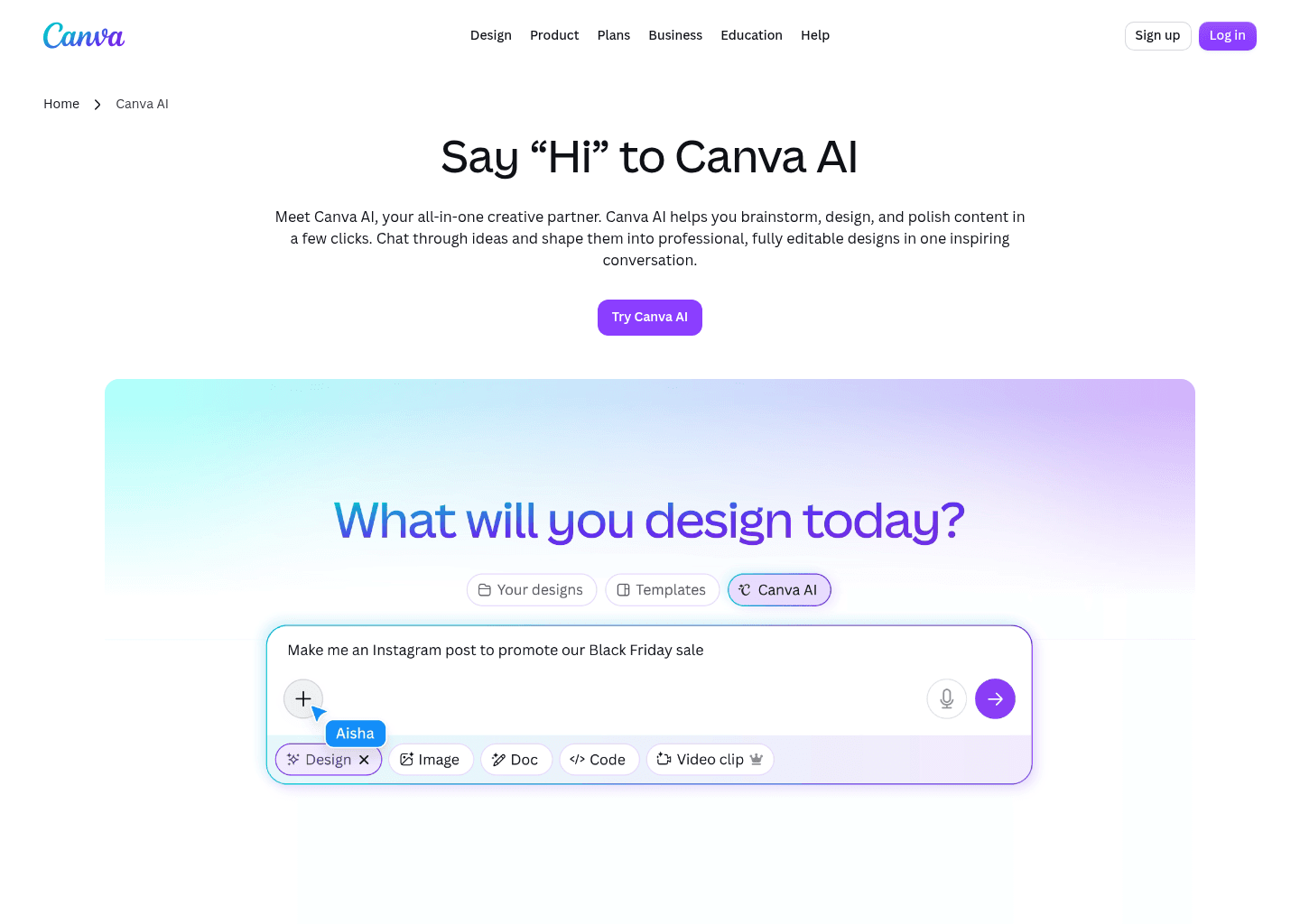
Canva AI focuses on "Your all-in-one AI assistant for creative design and content generation", providing an agile and dedicated approach compared to Veed.io.
Key Capabilities
- Conversational AI assistant with text and voice input
- AI-powered writing and content generation (Magic Write)
- Text-to-image generation from prompts
- Design generation for editable layouts
Pricing & Best Match

AI social media sales agent that handles clients, bookings, ads, and strategy — autonomously, 24/7
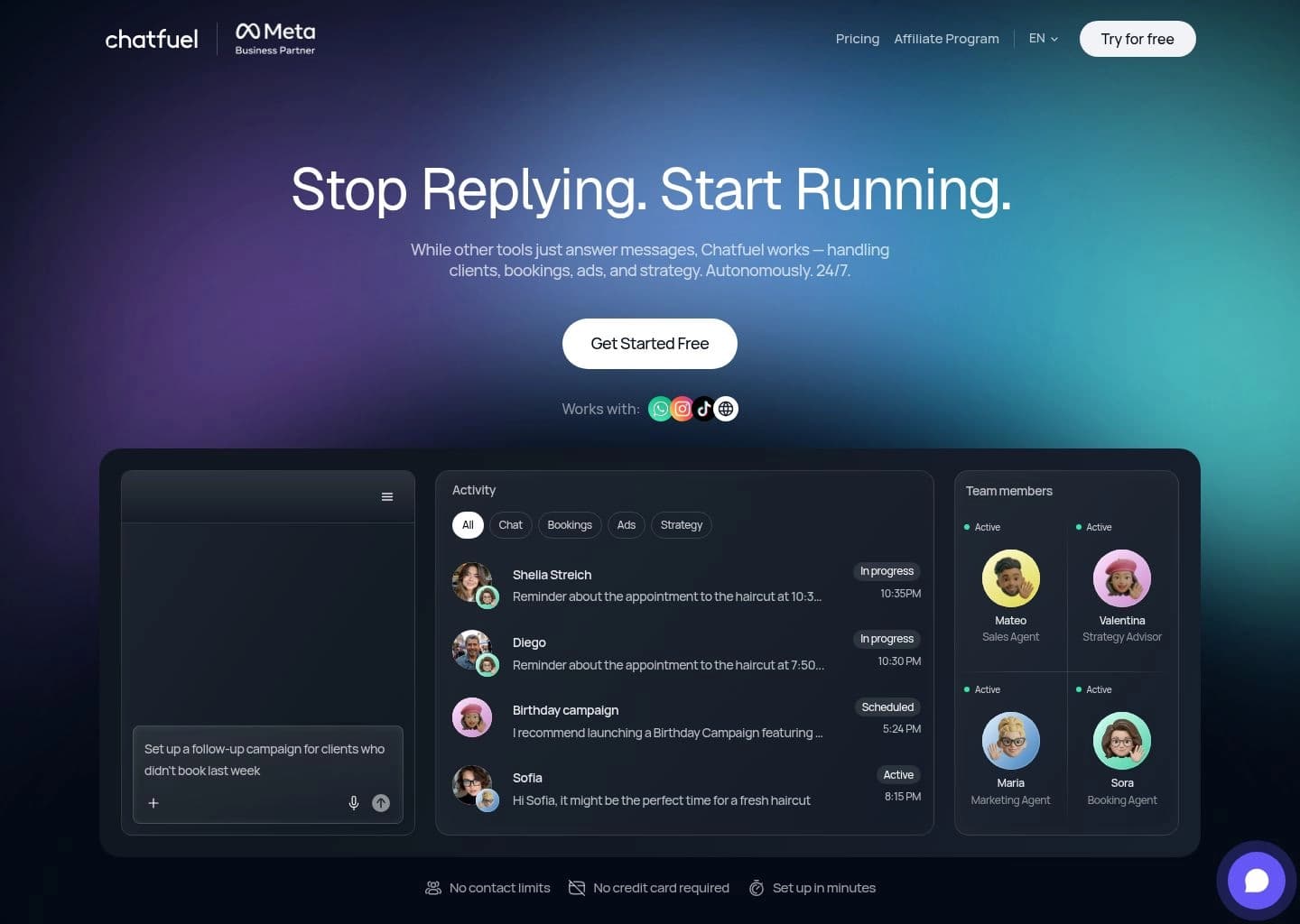
Chatfuel focuses on "AI social media sales agent that handles clients, bookings, ads, and strategy — autonomously, 24/7", providing an agile and dedicated approach compared to Veed.io.
Key Capabilities
- Four specialized AI coworkers: Mateo (Sales), Maria (Marketing), Sora (Booking), and Valentina (Strategy) — each working autonomously 24/7
- Voice-command interface — describe a task by voice and the AI executes it without any manual setup
- Auto-replies to DMs, comments, and story mentions across Instagram, WhatsApp, Facebook, and TikTok instantly
- AI sales manager that qualifies leads, answers inquiries, and sends booking links automatically
Pricing & Best Match






Beginner-friendly AI video editor for desktop and mobile with creative effects










Compare Veed.io Directly With Alternatives
Side-by-side feature comparisons, real pricing differences, and benchmark verdicts to help you choose the best replacement for Veed.io.


Frequently Asked Questions
Canva AI is one of the top alternatives to Veed.io, offering strong feature parity and active development.
Know another alternative to Veed.io?
Help the community by submitting other similar tools you've used. Your contribution helps others make better decisions.