Descript
Edit video and podcasts as easily as editing a text document
Gallery
7 items
About Descript
Having edited long-form interviews and video podcasts inside Descript, editing video simply by highlighting and deleting text on a transcript remains the most intuitive editing breakthrough in a decade. Its Studio Sound filter cleans up poor laptop microphone audio into studio-quality sound with one toggle. Complex timeline multitrack video layering can feel clunky compared to Premiere Pro, and large 4K projects occasionally suffer desktop lag. At $12 to $24/month, it is the indispensable video editor for creators, podcasters, and YouTube educators.
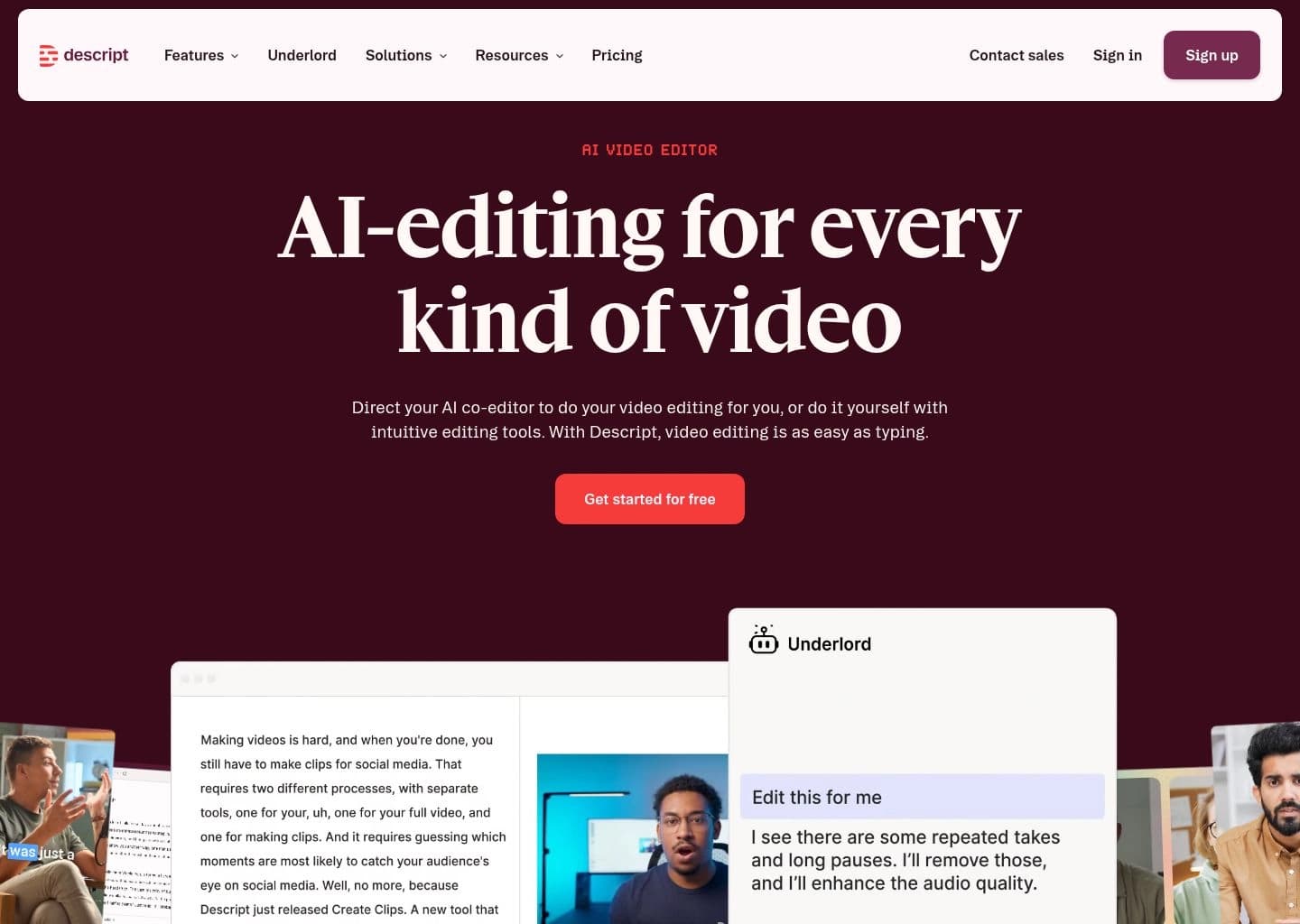
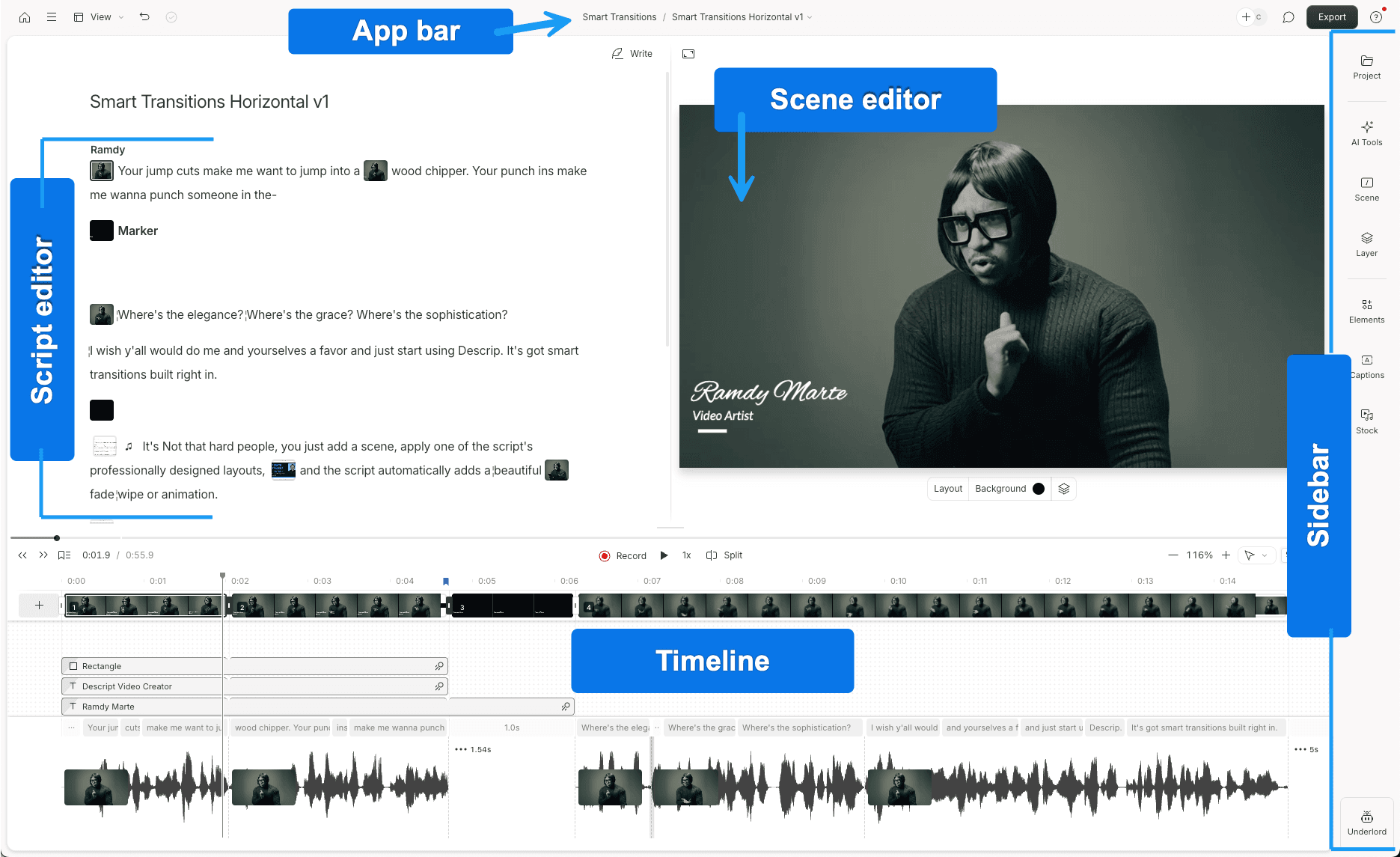
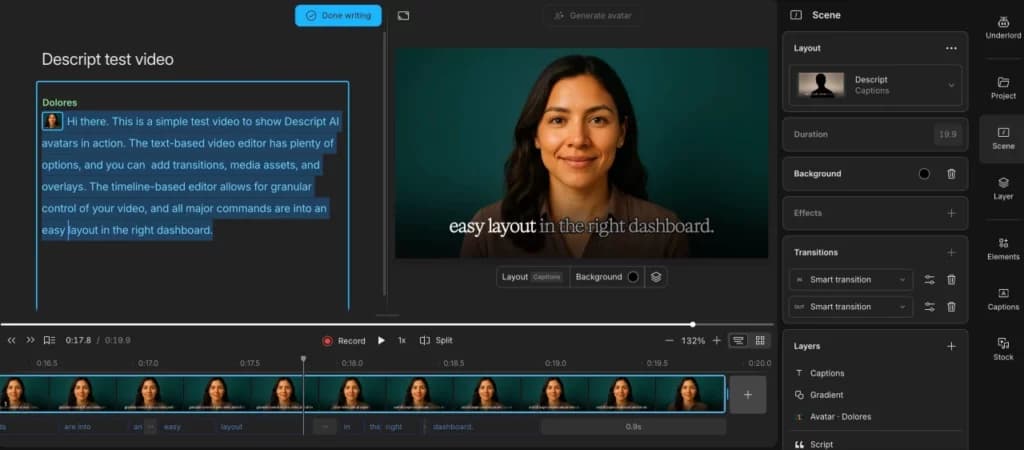
Descript is an all-in-one AI-powered video and podcast editor that replaces the traditional timeline with a text-based workflow: every recording is automatically transcribed, and editors cut, rearrange, and polish footage simply by editing that transcript like a Word document. This removes the steepest part of the learning curve found in tools like Premiere Pro or Final Cut, letting solo creators, podcasters, and marketing teams produce broadcast-ready content without formal editing training.
Beyond the transcript editor, Descript centers its workflow around Underlord, an AI co-editor that can write or rewrite scripts, apply layouts and B-roll automatically, generate custom video and images from prompts, and pick the most shareable moments from long recordings to turn into social clips. Companion AI tools handle the tedious parts of post-production: Studio Sound removes background noise and enhances voice quality, Remove Filler Words strips out ums and ahs, Eye Contact corrects on-camera gaze, Green Screen removes backgrounds without a physical green screen, and Regenerate lets users fix a flubbed word by retyping it with AI voice cloning.
Descript also functions as a recording and collaboration hub. Its Rooms feature records high-quality local audio and 4K video for remote interviews and podcast sessions, while cloud-based projects support commenting and live collaboration similar to a shared document. Finished projects can be published directly to YouTube or podcast hosts like Buzzsprout, Podbean, and Transistor, or exported to professional NLEs such as Premiere, Final Cut Pro, and Pro Tools for further refinement.
Key Features
- Text-based editing that lets users cut and rearrange video or audio by editing an auto-generated transcript
- Underlord AI co-editor for scripting, formatting, and generating custom video from prompts
- Studio Sound one-click background noise removal and voice enhancement
- Remove Filler Words and Remove Retakes to automatically clean up recordings
- Eye Contact AI gaze correction and Green Screen background removal without physical equipment
- Regenerate AI voice cloning to fix flubbed words by retyping the script
- Automatic multi-language transcription and caption/subtitle generation in dozens of languages
- Descript Rooms for high-quality local 4K remote recording with cloud backup
Pros
- Dramatically shortens editing time for dialogue-heavy video and podcast content
- Beginner-friendly text-based workflow requires no timeline editing experience
- Broad AI toolset covers noise removal, filler word cleanup, avatars, and voice cloning in one app
- Free plan available with no credit card required to start
- Direct publishing integrations to YouTube and major podcast hosts
- Strong collaboration features including comments and shareable web pages
Cons
- Media hours and AI credits on lower tiers can be limiting for high-volume creators
- Less suited to frame-accurate color grading or advanced VFX than dedicated NLEs like Premiere or DaVinci Resolve
- Some AI features such as Overdub voice cloning have been reported as buggy on long scripts
- Large or lengthy projects can slow down performance
- Advanced AI tools and higher export resolutions are gated behind paid tiers
Pricing
Free: $0/month with 1 media hour and 100 AI credits per month, 720p watermark-free export, and limited Underlord access.
Hobbyist: $16/person/month billed annually ($24 monthly) with 10 media hours and 400 AI credits/month, 1080p export, and full Underlord access.
Creator (most popular): $24/person/month billed annually ($35 monthly), scales to a team of 3, with 30 media hours and 800 AI credits/month, 4K export, generative video, and unlimited stock media library.
Business: $50/person/month billed annually ($65 monthly), scales to a team of 5, with 40 media hours, 1500 AI credits/month, Brand Studio, 30+ language dubbing, and priority support with SLA.
Enterprise: Custom pricing with advanced security, SSO/SCIM, custom AI credits and media minutes, and flexible billing.
Claim Verified Creator Badge
Are you the founder of Descript? Display this listing's verified badge on your website to show your customers that your product has been vetted and listed on AI Central Resources.
<a href="https://www.aicentralresources.com/tool/descript" target="_blank" rel="noopener">
  <img src="https://www.aicentralresources.com/badges/featured-badge-dark.svg" alt="Featured on AICentralResources" width="200" height="54" style="border: none;" />
</a>
* Place this HTML snippet in your website's footer, landing page, or press section. This creates a search-friendly backlink directly to your verification page.
Connect with Descript
Frequently Asked Questions
Descript replaces the timeline with a text-based editor: it automatically transcribes your recording, and you cut, reorder, or delete footage by editing that transcript like a document, instead of dragging clips on a timeline.
Yes, Descript has a free plan with 1 media hour and 100 AI credits per month, 720p watermark-free export, and limited access to its Underlord AI co-editor and other AI tools.
Yes, Descript's Remove Filler Words tool strips out ums, ahs, and repeated words with one click, and its Studio Sound feature removes background noise and enhances voice quality without professional recording equipment.
Yes, Descript can publish finished podcasts directly to hosting platforms including Buzzsprout, Podbean, Captivate, and Transistor, and can publish video podcasts directly to YouTube.
Underlord is Descript's built-in AI co-editor. It can write or revise scripts, apply layouts and B-roll automatically, generate custom video and images from text prompts, and select the most shareable moments from a recording to turn into clips.
Similar AI Tools to Descript
View all alternatives of Descript
Riverside
Studio-quality podcast and video recording, editing, and publishing powered by AI

Adobe Podcast
AI-powered audio recording, enhancement, and editing, all in the browser

Async
Record, edit, and generate podcasts and videos in one AI-powered creative studio

Auphonic
Automatic AI audio mastering for podcasts — noise reduction, loudness leveling, and transcription in one click

Cleanvoice AI
AI podcast editor that removes filler words, noise, and dead air in minutes

Compared with Descript
Direct head-to-head feature matrices, pricing breakdowns, and real-world performance benchmarks