Automate podcast cleanup with AI filler detection, silence trimming, and audio enhancement
Gallery
6 items



About Resound
For this directory assessment, I reviewed Resound's published pricing, workflow documentation, export formats, and enhancement controls rather than claiming a hands-on performance test. The product is deliberately narrow: it finds filler sounds and long silences, then gives the editor a review surface for accepting or rejecting each suggested cut. Its strongest practical advantage is the combination of speech-specific detection, manual trimming, multitrack support, and Enhance filters in one post-production workflow. The limits are equally clear: paid plans meter processed audio hours, unused time expires monthly, and the free allowance is not described consistently across the public pages. It also does not replace a full recording, hosting, or distribution stack. I would recommend Resound to podcasters and freelance editors who spend repeated time removing verbal hesitations and dead air from finished recordings. Teams needing remote guest recording, full video editing, or publishing should pair it with a broader studio platform rather than treating it as an all-in-one production suite.
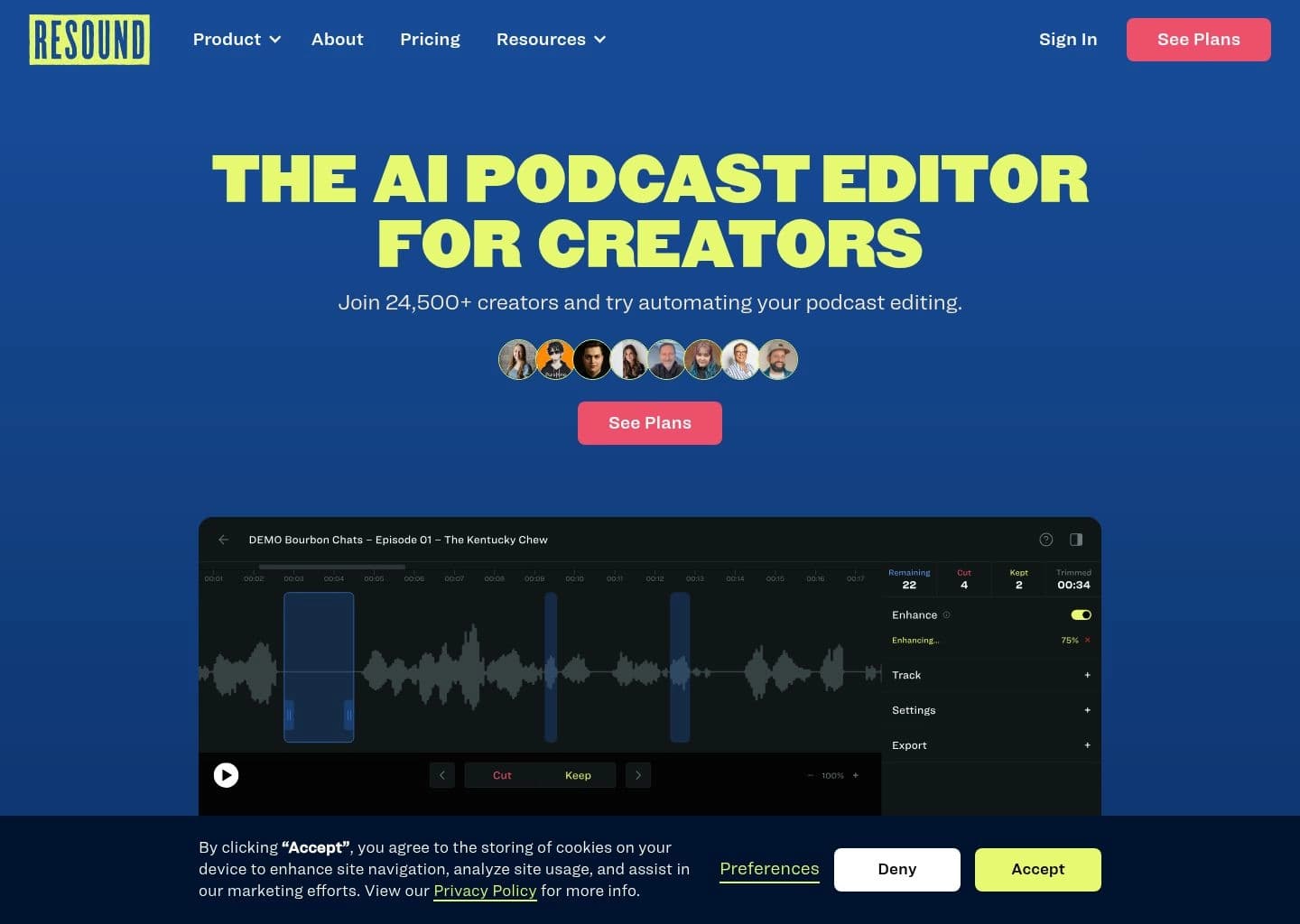
Resound is an AI-powered podcast post-production editor designed to reduce the repetitive work involved in cleaning spoken-word recordings. It analyzes podcast audio to identify filler sounds such as umms and ahhs, long silences, and other sections that creators may want to remove before publishing.
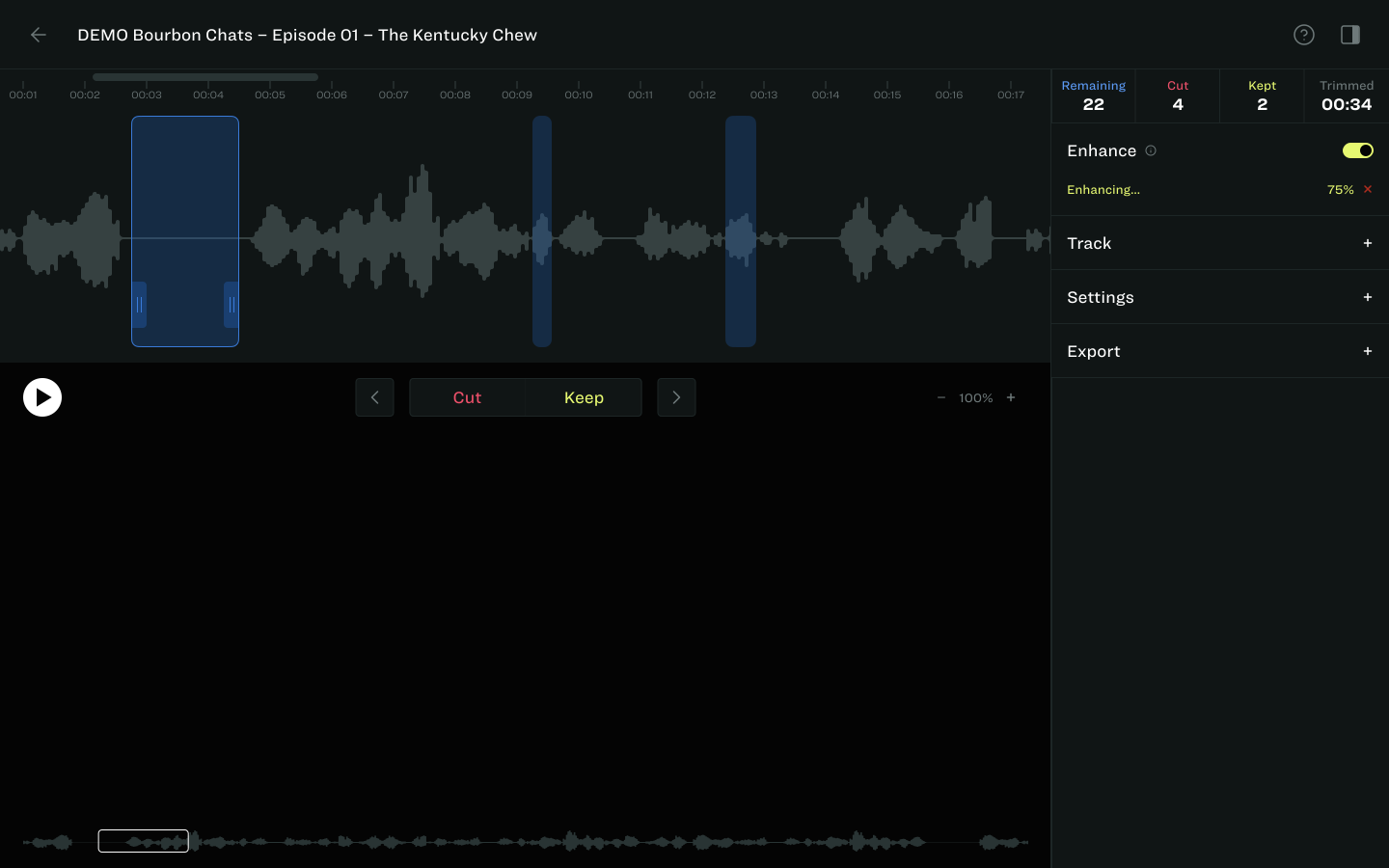
The workflow is review-first: upload a single-track or multitrack recording, let Resound detect potential edits, then choose which suggestions to keep or cut. Users can trim audio manually, apply Enhance filters for noise reduction and loudness control, and export MP3, WAV, AAF, or supported MP4 files; paid plans also support synchronized multitrack projects and API access at higher tiers.
Resound is best suited to independent podcasters, freelance editors, and small podcast teams that want faster cleanup without handing over every editorial decision to automatic editing. It is a focused post-production tool rather than a full remote-recording, hosting, or all-purpose video creation suite.
Key Features
- AI detection of filler sounds such as umms, ahhs, and other vocal hesitations
- Automatic detection of long or awkward silences
- Manual trim controls with a review-and-approve editing workflow
- Enhance tools for noise reduction, equalization, loudness normalization, and voice filters
- Multitrack editing with synchronized tracks on paid plans
- Exports to MP3, WAV, AAF, and supported MP4 workflows
- Project storage periods that vary by subscription tier
- API access and custom enterprise plans for integrating AI podcast edits
Pros
- Purpose-built workflow for podcast post-production rather than a general-purpose editor
- Detected edits remain reviewable so users retain control over what gets removed
- Supports multitrack sessions and AAF exports for Logic Pro and Pro Tools workflows
- Clear paid tiers based on monthly processed audio hours and track count
- Enterprise API and white-label options support integration into other products
Cons
- Not a full remote podcast recording, hosting, or distribution platform
- Monthly processing-hour limits and expiring unused hours can constrain irregular workloads
- The free allowance is not presented consistently across all public product information
- Video editing and MP4 export capabilities are more limited than dedicated video editors
Pricing & Plans
Resound offers a free account for trying its podcast editing workflow. The free allowance is described differently across public product information, so users should confirm the current monthly processing limit in the account or pricing page before relying on a specific number.
Paid plans are Creator at $15/month for 4 hours of processed audio and up to 2 tracks per project, Professional at $30/month for 10 hours and up to 4 tracks, and Studio at $60/month for 30 hours and up to 4 tracks. Project storage increases from 15 days on Creator to 30 days on Professional and 60 days on Studio; Enhance is included in paid plans.
Enterprise plans are quote-based and advertise 50+ hours of processed audio, API access, onboarding, priority support, and a private Slack channel. Processing time is calculated at the project level using the longest track, and unused monthly hours expire at the end of the billing period.
Claim Verified Creator Badge
Are you the founder of Resound? Display this listing's verified badge on your website to show your customers that your product has been vetted and listed on AI Central Resources.
<a href="https://www.aicentralresources.com/tool/resound" target="_blank" rel="noopener">
  <img src="https://www.aicentralresources.com/badges/featured-badge-dark.svg" alt="Featured on AICentralResources" width="200" height="54" style="border: none;" />
</a>
* Place this HTML snippet in your website's footer, landing page, or press section. This creates a search-friendly backlink directly to your verification page.
Connect with Resound
Frequently Asked Questions
Resound is an AI podcast editor that detects filler sounds and long silences, lets users review and trim suggested edits, and provides audio enhancement for podcast post-production.
The listed paid plans are Creator at $15/month, Professional at $30/month, and Studio at $60/month. They include 4, 10, and 30 processed audio hours respectively. Enterprise pricing is custom.
Yes. Resound detects filler sounds and highlights them for review. You choose which suggested edits to keep or cut rather than having every change applied without review.
Yes. Creator supports up to two tracks per project, while Professional and Studio support up to four synchronized tracks per project.
Yes. API access is included in the Studio plan and enterprise offering, allowing developers to request AI editing predictions and integrate Resound workflows into other products.
Similar AI Tools to Resound
View all alternatives of Resound

Riverside
Studio-quality podcast and video recording, editing, and publishing powered by AI

Auphonic
Automatic AI audio mastering for podcasts — noise reduction, loudness leveling, and transcription in one click

Async
Record, edit, and generate podcasts and videos in one AI-powered creative studio

Adobe Podcast
AI-powered audio recording, enhancement, and editing, all in the browser

Cleanvoice AI
AI podcast editor that removes filler words, noise, and dead air in minutes
Compared with Resound
Direct head-to-head feature matrices, pricing breakdowns, and real-world performance benchmarks