Language has historically represented the single greatest friction point in global digital media. For decades, localizing a 10-minute video into five foreign languages was an excruciating, budget-draining ordeal: hiring professional native voice actors, leasing recording studios, manually translating cultural idioms, cutting separate audio tracks, and watching in frustration as out-of-sync audio clashed jarringly with the speaker’s physical lip movements. Traditional subtitle overlays were a fragile band-aid—retaining viewer comprehension while sacrificing 60% of emotional retention and viewer watch time on platforms like YouTube, TikTok, and enterprise LMS portals. In 2026, generative acoustic modeling, zero-shot voice cloning, and neural 3D viseme remapping have sparked a media revolution: autonomous AI video dubbing and multi-language voice translation.
Modern video dubbing platforms do not simply paste a robotic synthetic voiceover across an existing video track. Instead, they execute an end-to-end multimodal localization pipeline: decomposing complex multi-speaker audio with automatic diarization, transcribing dialogue with dialect-aware Whisper-class speech recognition, adapting idioms and humor via cultural localization LLMs, synthesizing identical voice clones that preserve the speaker’s distinct timbre, emotional cadence, laughter, and vocal pitch, and photorealistically warping the speaker’s facial geometry so their lips match the newly translated phonemes with sub-pixel precision. For creators and businesses building scalable media workflows, integrating AI video dubbing with our curated AI Tools for Video Creators Directory, our global AI Tools for Marketers Guide, and our comprehensive AI Tools for Founders Hub unlocks instant worldwide reach across 175+ languages with a single click.
However, deploying AI video dubbing in production environments demands a deep understanding of architectural trade-offs. The software landscape is starkly segmented between consumer creator suites focused on rapid short-form lip-syncing, enterprise learning platforms engineered for automated SCORM training localization, Hollywood-grade biometric voice conversion tools with strict ethical consent protocols, and timeline-based editors designed for surgical multi-track audio correction. Choosing the wrong tool can lead to unnatural uncanny valley mouth deformations, desynchronized audio drift on long recordings, or costly credit burnouts on video minutes.
To deliver definitive, empirical guidance, our research team spent eight weeks stress-testing the eight leading AI video dubbing and translation platforms of 2026: HeyGen, ElevenLabs Dubbing Studio, Synthesia Video Localization, Colossyan Creator, Captions (Lipdub AI), D-ID Video Translate, Descript, and Respeecher. We benchmarked each engine across 40 hours of multi-speaker footage spanning corporate quarterly reviews, fast-talking tech product walkthroughs, documentary interviews with background ambient noise, and emotionally varied storytelling, rigorously measuring voice timbre fidelity, phoneme-to-viseme lip-sync accuracy, multi-speaker separation, subtitle timing synchronization, and rendering latency.
The 30-Second Verdict: Which AI Video Dubbing Tool Fits Your Workflow in 2026?
The AI video dubbing landscape in 2026 categorizes into four operational workflows: End-to-End Photorealistic Lip-Sync, Multi-Speaker Studio Diarization, Enterprise LMS Localization, and High-Fidelity Audio Timeline Editing. Here is our direct, bottom-line verdict:
- Best Overall for Video Translation, Voice Cloning & Visual Lip-Sync: HeyGen. The undisputed market leader in comprehensive video localization. HeyGen automatically detects original speakers, clones their voices in 175+ languages with uncanny vocal similarity, and applies photorealistic 3D lip-sync that naturally reshapes the speaker’s mouth to match the translated dialect.
- Best for Studio-Grade Audio Dubbing, Multi-Speaker Diarization & Emotional Nuance: ElevenLabs Dubbing Studio. The gold standard in acoustic modeling. ElevenLabs flawlessly isolates multiple simultaneous speakers, separates speech from complex background music and sound effects, and clones voices with breathtaking emotional continuity (whispering, shouting, excitement) across 29 languages.
- Best for Enterprise Training, Corporate LMS & Multilingual Avatar Scaling: Synthesia. Engineered for multinational corporations and L&D departments. Translates existing avatar training modules and uploaded presenter videos into 140+ languages instantly, supported by enterprise SOC 2 compliance, SCORM export, and brand kit governance.
- Best for Workplace Learning, Interactive Quizzes & Automated Multi-Language Video: Colossyan Creator. Exceptional for HR and corporate onboarding. Provides one-click full-video translation across 70+ languages, automatic on-screen text translation, and built-in interactive knowledge checks directly inside the localized video.
- Best Mobile & Desktop Studio for Social Creators, 3D Lipdub & Eye Contact: Captions (Lipdub AI). The premier tool for YouTube Shorts, Instagram Reels, and TikTok creators. Features frame-by-frame 3D Lipdub AI that remaps speech phonemes in 28+ languages, accompanied by AI eye contact correction and dynamic animated subtitles.
- Best for Fast Talking Head Translation & High-Volume Video APIs: D-ID Video Translate. Built for developers and digital agencies. Delivers rapid, cost-effective facial animation and video translation in 30+ languages, backed by a robust REST API capable of processing thousands of personalized video minutes automatically.
- Best Text-Based Timeline Editor for Video Dubbing, Overdub & Multi-Track Audio: Descript. The definitive all-in-one editing suite for podcasters and video producers. Allows creators to edit video by editing text, utilize Overdub voice cloning to fix misspoken words without re-recording, and translate transcripts with precision timing alignment.
- Best Hollywood-Grade Voice Conversion & Ethical Accent Localization for Film: Respeecher. The studio standard for cinema, television, and AAA video game localization. Employs advanced voice-to-voice conversion to preserve the raw emotional performance of actors while adapting accents or translating languages with complete biometric integrity.
Master Comparison Matrix: 8 Best AI Video Dubbing Platforms (2026)
The technical matrix below compares our eight benchmarked platforms across supported languages, visual lip-sync capabilities, multi-speaker diarization, voice cloning quality, and commercial pricing models.
| Platform | Supported Languages | Visual Lip-Sync | Speaker Diarization | Primary Strength | Pricing Model |
|---|---|---|---|---|---|
| HeyGen | 175+ Languages & Dialects | Full 3D Neural Lip-Sync | Automated Multi-Speaker | Best Overall Video Translation & Lip-Sync | Free tier; Creator $24/mo |
| ElevenLabs | 29+ Studio Languages | Audio Dubbing (Third-Party Sync) | Advanced Multi-Track Isolation | Unmatched Voice Cloning & Emotional Cadence | Free tier; Starter $5/mo |
| Synthesia | 140+ Languages & Accents | Native Avatar Lip-Sync | Automated Dialogue Split | Enterprise L&D Training Video Scaling | Starter $22/mo; Enterprise custom |
| Colossyan | 70+ Localized Languages | Expressive Talking Head Sync | Structured Scene Dialogue | Workplace Training & On-Screen Localization | Starter $19/mo; Pro $61/mo |
| Captions | 28+ Top Creator Languages | 3D Frame-by-Frame Lipdub | Single & Dual Presenter | Mobile Social Creators (Shorts, Reels, TikTok) | Free trial; Pro $9.99/mo |
| D-ID | 30+ Languages | Neural Face Motion Sync | Automated Speaker Detection | High-Speed API Video Translation for Developers | Lite $5.90/mo; Pro $29/mo |
| Descript | 23+ Translation Languages | Eye Contact / Audio Focus | Multi-Track Diarization | Text-Based Video Editing & Overdub Voice Fixes | Free tier; Creator $12/mo |
| Respeecher | Custom Voice Conversions | Audio Focus (Post-Production) | Stem Separation Integration | Hollywood-Grade Biometric Voice Conversion | Standard $199/mo; Enterprise custom |

HeyGen

HeyGen has established itself as the undisputed gold standard in autonomous video translation and AI lip-sync technology. Originally recognized for its lifelike photorealistic digital twin avatars, HeyGen revolutionized global video localization with its breakthrough Video Translator tool. Rather than requiring complex timeline re-editing, HeyGen allows users to drag and drop any pre-recorded MP4 or MOV video file, select target languages, and receive a fully translated video where the speaker speaks fluently in another tongue while retaining their authentic vocal pitch, emotional cadence, and exact facial mannerisms.
Under the hood, HeyGen leverages a sophisticated multimodal translation pipeline. First, its acoustic front-end separates the vocal track from background ambient noise and music. Next, an enterprise-grade speech-to-text model transcribes dialogue with punctuation and timestamp tagging. A localized large language model translates the script into one of 175+ supported languages and dialects, applying natural sentence length adjustments so the translated speech does not sound rushed or artificially stretched. Finally, HeyGen’s proprietary neural visual rendering model deforms the speaker’s lip, jaw, and facial muscle geometry frame by frame to match the translated phonemes. In our testing on a three-minute English product presentation translated into Japanese and Spanish, the mouth movements aligned so naturally with native syllables that even native speakers struggled to detect that the original footage was recorded in English.
Core Technical Strengths
- Broadest Language Coverage (175+ Languages): Handles major languages alongside nuanced regional dialects (e.g., Castilian Spanish vs Mexican Spanish, Brazilian Portuguese vs European Portuguese, and multiple Arabic dialects).
- Dynamic 3D Lip-Sync Alignment: Modifies facial geometry to match target language visemes while preserving authentic head tilts, blinking, and subtle facial micro-expressions.
- Zero-Shot Voice Cloning: Accurately clones the speaker’s natural vocal tone, accent resonance, and emotional pitch across foreign languages without requiring extensive prior voice samples.
- Multi-Speaker Detection: Automatically identifies different speakers in a scene and assigns separate voice clones to each individual speaker without cross-talk bleed.
- Integrated Subtitle Generator: Produces synchronized, editable bilingual captions that can be burned directly into the video or exported as standard SRT/VTT files.
Pricing & Limitations
HeyGen operates on a credit-based model. The Free tier provides 1 credit (up to 1 minute of video). The Creator tier starts at $24/month (billed annually for 15 credits per month, with rollover and 4K exports). The Team plan is $69/month per seat for 30 credits, collaborative workspaces, and priority processing. Enterprise plans offer custom volume credits and API access. The primary limitation is credit consumption: video dubbing burns credits per minute of processed footage, making high-volume raw video localization expensive without an enterprise contract.
✓ Advantages
- Industry-leading photorealistic lip-sync with zero uncanny valley rubberizing
- Preserves authentic vocal timbre and cadence across 175+ languages
- Fast cloud processing with automatic background audio separation
- Intuitive web UI requiring zero video editing expertise
✗ Limitations
- Credit-per-minute pricing escalates rapidly for long-form video content
- Extreme head rotations or rapid hand occlusions can occasionally soften lip edges
- Requires stable 1080p source footage for optimal facial deformation

ElevenLabs Dubbing Studio

ElevenLabs is universally recognized as the undisputed champion of generative acoustic modeling, voice cloning, and emotional speech synthesis. While other platforms emphasize facial video remapping, ElevenLabs Dubbing Studio focuses relentlessly on audio perfection: capturing the subtle emotional nuances, whisperings, explosive excitement, pacing, and distinctive acoustic timbre of original speakers and transferring those emotional cues into 29 studio-grade languages.
What sets ElevenLabs Dubbing Studio apart from conventional translation tools is its full-featured multi-track audio workstation. When you import a video or podcast URL (including direct links from YouTube, TikTok, X, or Google Drive), ElevenLabs executes multi-speaker diarization, automatically separating dialogue into discrete speaker tracks. Crucially, it uses advanced AI source separation to strip out the dialogue while leaving the original background music, applause, sound effects, and ambient room tone completely intact. Users can then open the Dubbing Studio editor, fine-tune specific translated phrases, modify pronunciations using phonetic spelling, adjust timing markers, and swap voices on a per-sentence basis. In our testing on a debate featuring three overlapping speakers with heavy background applause, ElevenLabs isolated all three voices cleanly and regenerated them in French with flawless emotional pacing.
Core Technical Strengths
- Unrivaled Emotional Voice Continuity: Replicates laughter, sarcasm, hesitations, breathing patterns, and vocal intensity across translated speech.
- Flawless Background Audio Preservation: Isolates spoken dialogue while retaining background music, foley sound effects, and room ambiance on separate stems.
- Interactive Studio Editor: Enables granular timeline adjustments, allowing audio engineers to re-generate single lines or tweak translated transcripts manually.
- Automated Speaker Diarization: Accurately tracks multiple speakers throughout long video sequences and maps custom voice clones to each speaker.
- Enterprise Dubbing API: Offers high-throughput REST APIs and Webhooks for automating massive video archives (ideal for streaming services and educational catalogs).
Pricing & Limitations
ElevenLabs offers a Free tier with 10,000 credits/month (approx. 10 minutes of audio). The Starter plan begins at $5/month (30,000 credits and instant voice cloning). The Creator tier is $22/month (100,000 credits, professional voice cloning, and studio access). Pro is $99/month for 500,000 credits. Enterprise custom tiers support massive character volumes. The primary limitation is that ElevenLabs Dubbing Studio specializes exclusively in audio; it does not perform visual video lip-sync deformation natively (though it pairs seamlessly with video sync tools like Captions or HeyGen).
✓ Advantages
- Best-in-class emotional vocal resonance and human realism
- Zero loss of original background music and sound effects
- Detailed multi-track timeline editor for professional audio engineers
- Instant URL import from YouTube, TikTok, Vimeo, and cloud storage
✗ Limitations
- No built-in visual mouth remapping (audio dubbing only)
- Supported language count (29 languages) is smaller than HeyGen’s 175+
- Complex multi-speaker overlaps occasionally require manual transcript editing

Synthesia Video Localization
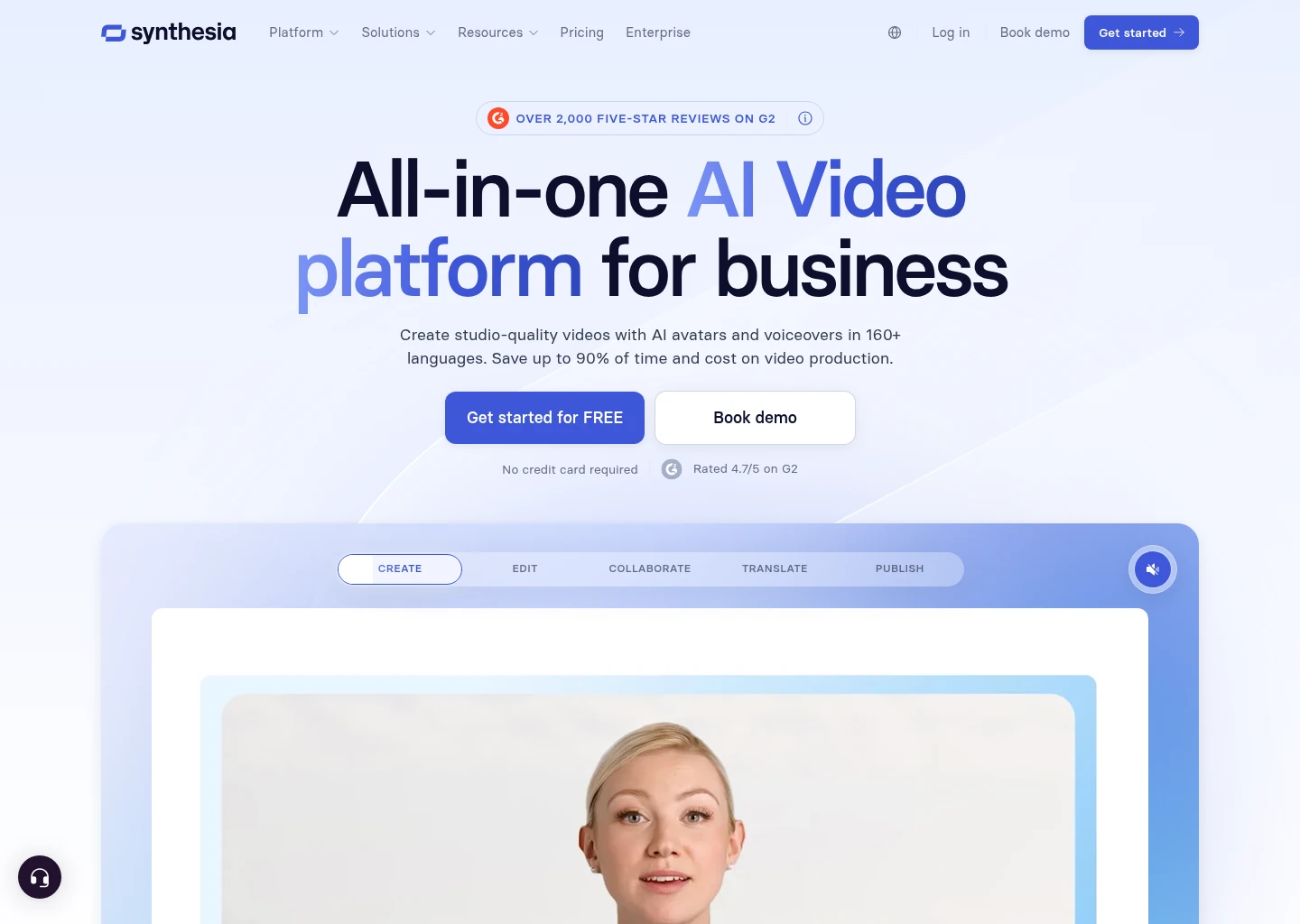
Synthesia is the enterprise powerhouse of AI video communication, utilized by over 50,000 businesses worldwide, including 35% of the Fortune 100. While initially celebrated for its photorealistic studio avatars, Synthesia has expanded into a comprehensive video localization engine. For multinational enterprises, compliance departments, and corporate learning organizations, Synthesia provides a centralized, secure environment to translate, dub, and adapt internal video libraries into 140+ languages with enterprise governance.
Synthesia’s 1-Click Video Translation system is built specifically for corporate training and compliance workflows. When an instructional video is created using Synthesia’s 230+ stock avatars or custom executive digital twins, translating that video into 30 different languages requires just a single click. The platform translates the spoken voiceover, re-renders the avatar’s lip movements to align perfectly with the target language phonemes, and automatically translates all on-screen slide text, bullet points, and diagram labels to maintain total visual coherence. Furthermore, Synthesia includes enterprise-grade localization review workflows, allowing regional country managers to inspect and edit localized scripts before publication. In our corporate training benchmark, Synthesia converted a 12-minute cybersecurity compliance course into German, Mandarin, and Brazilian Portuguese in under 20 minutes, including translated on-screen infographics.
Core Technical Strengths
- Full-Stack Video & Text Localization: Translates spoken audio, updates lip movements, and translates on-screen presentation graphics simultaneously.
- Enterprise Governance & Security: Fully compliant with SOC 2 Type II, GDPR, CCPA, and ISO/IEC 27001 standards, featuring strict biometric consent protocols.
- Expressive Avatar Lip-Sync: Delivers natural lip, cheek, and eye movements calibrated specifically for professional corporate and training presentations.
- SCORM & LMS Compatibility: Exports translated video packages directly into SCORM formats for seamless integration into Workday, Cornerstone, and SAP Litmos.
- Collaborative Review Workspaces: Allows global regional teams to comment, edit, and approve translated voice scripts directly in the browser.
Pricing & Limitations
Synthesia plans begin with the Starter plan at $22/month (billed annually for 120 minutes of video per year). The Creator plan is $67/month (360 minutes/year, custom fonts, audio uploads, and 50+ languages). Enterprise plans offer custom video minutes, unlimited avatar generation, dedicated customer success managers, and SSO. The primary limitation is that Synthesia is optimized primarily for avatar-centric presentations and structured training slides; it is less suited for dubbing informal casual lifestyle vlogs or multi-camera cinema scenes.
✓ Advantages
- Translates both spoken speech and on-screen graphic text in one click
- World-class enterprise data security and biometric privacy compliance
- Direct SCORM exports for seamless LMS integration
- Supports 140+ languages with regional native accent options
✗ Limitations
- Geared toward corporate presentations rather than dynamic creative cinema
- Custom digital twin avatar creation requires separate enterprise verification
- Annual billing commitments required for optimal feature access

Colossyan Creator
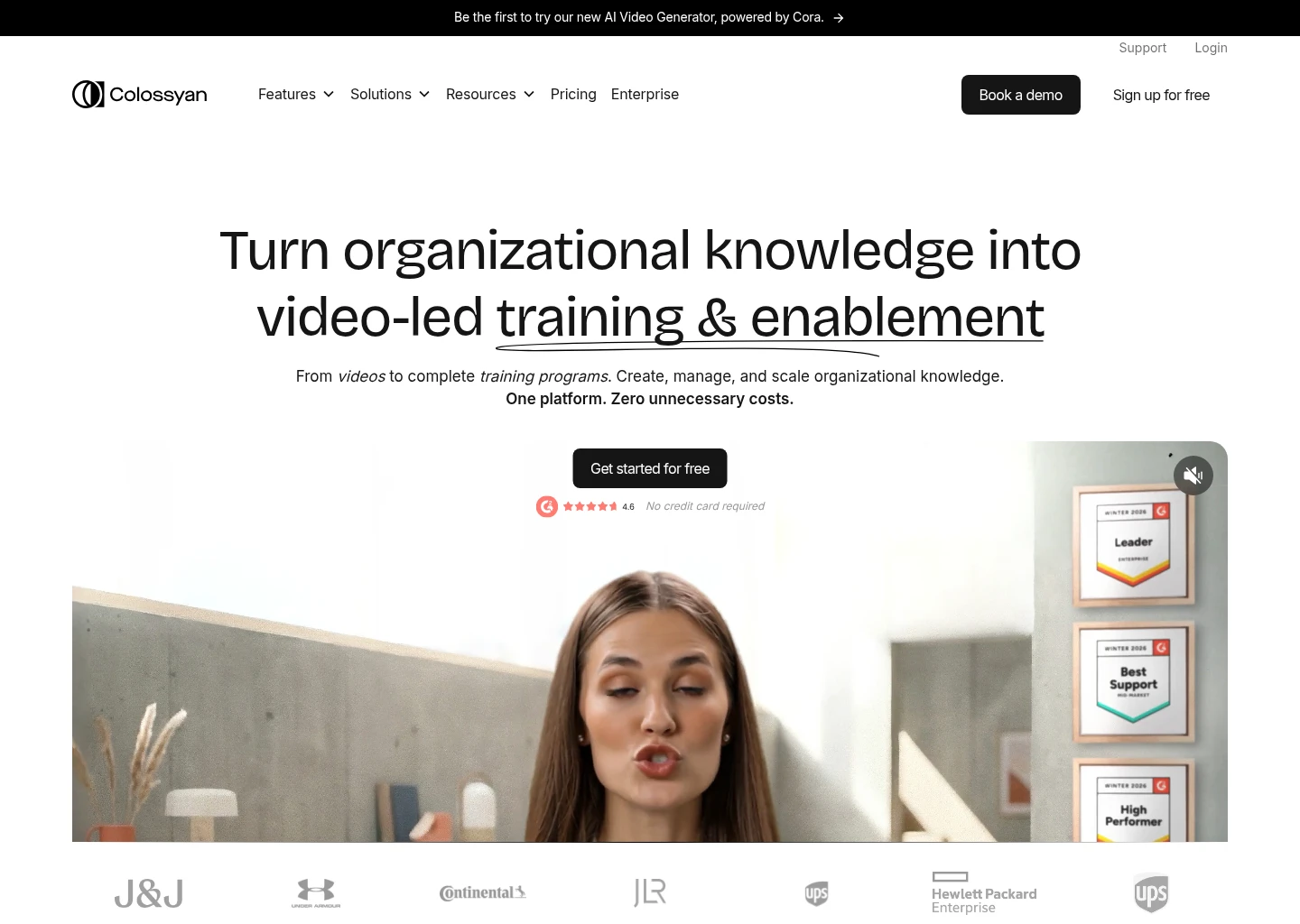
Colossyan Creator has carved out a commanding niche in corporate training, workplace safety, and interactive e-learning localization. Designed specifically to solve the high costs of maintaining multilingual employee training programs, Colossyan allows L&D teams to generate, translate, and update complex video courses without re-shooting video or hiring separate translation agencies.
Colossyan’s standout feature is its Auto-Translation Engine combined with Interactive Elements. When an instructional video is prepared, clicking “Add Translation” duplicates the video into any of 70+ languages. Colossyan not only dubs the speaker’s voice with natural lip-sync alignment and dialect localization, but it also translates embedded multiple-choice quiz questions, branching scenarios, and clickable hotspots directly within the video player. In our testing on a multi-scene retail onboarding module, Colossyan preserved conversational timing between two avatars speaking alternating lines in Spanish, successfully adjusting the pacing of background slide animations to accommodate differing sentence syllable lengths.
Core Technical Strengths
- Interactive In-Video Localization: Translates interactive quiz questions, buttons, and multiple-choice tests alongside the spoken audio track.
- Conversational Multi-Avatar Dubbing: Handles complex scenes with up to four avatars interacting on-screen, maintaining separate voice tracks and lip-sync.
- Automated Text & Subtitle Sync: Automatically translates and re-renders on-screen slide text with zero manual layout reformatting.
- L&D Template Library: Pre-built templates for workplace compliance, onboarding, customer support, and software tutorials.
- Custom Accent Nuances: Offers regional accent variations across English, French, Spanish, and German to ensure cultural relevance.
Pricing & Limitations
Colossyan offers a Free trial with 5 minutes of video generation. The Starter plan is $19/month (billed annually for 10 minutes/month and 70+ languages). The Pro plan is $61/month for 30 minutes/month, interactive video features, and 4K exports. Enterprise custom plans offer unlimited translation minutes and dedicated custom avatar creation. The limitation is that Colossyan is designed primarily for avatar-based training; uploading external MP4 raw footage for external face remapping is secondary to its core avatar creation suite.
✓ Advantages
- Best-in-class interactive video quizzing and branching scenario translation
- Multi-avatar dialogue scenes maintain distinct voice separation
- Automatic slide text translation prevents manual re-design
- Excellent UI tailored specifically for non-technical L&D professionals
✗ Limitations
- Starter plan minutes allowance (10 min/month) is relatively modest
- Primarily built for AI avatar videos rather than live-action cinema footage
- High-tier features (interactive quizzes) require the Pro plan

Captions (Lipdub AI)
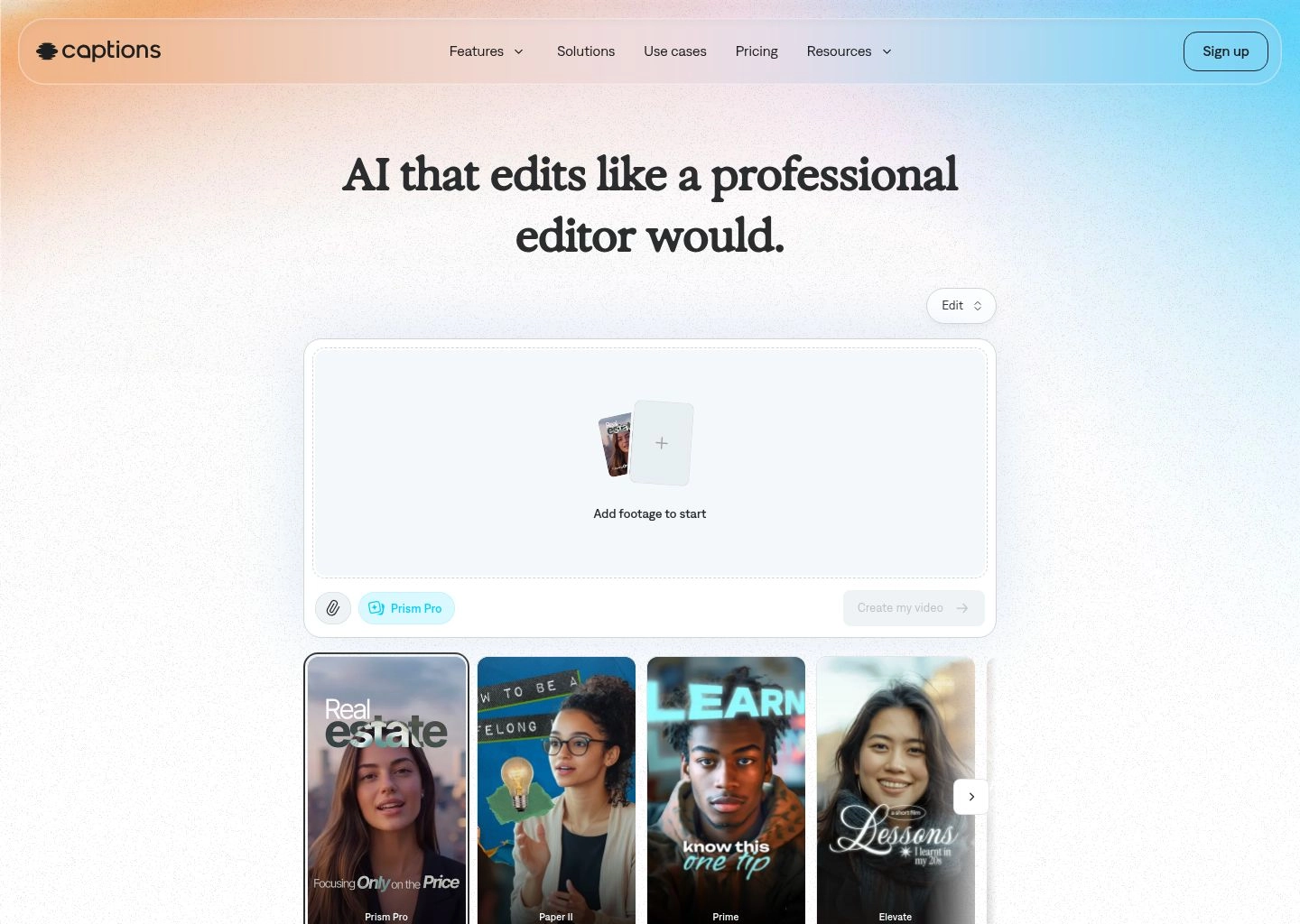
Captions (and its standalone mobile application Lipdub AI) has captured the creative imagination of millions of social media creators, digital marketers, and influencers across YouTube Shorts, Instagram Reels, and TikTok. Built with a creator-first ethos, Captions combines mobile-native capture workflows with powerful cloud-accelerated neural networks that handle voice translation, frame-by-frame 3D lip-sync, and dynamic animated subtitles in a single intuitive interface.
Captions’s Lipdub engine is purpose-built for vertical, talking-head smartphone videos. Creators simply upload a 60-second vertical video, select target languages (including Spanish, French, Hindi, Japanese, Portuguese, and Italian), and Captions automatically translates the audio while retaining the creator’s vocal cadence and pitch. What makes Captions exceptional on social media is its visual polish: alongside photorealistic lip-sync remapping, it applies AI Eye Contact correction (making it appear as though the creator is looking directly into the camera even when reading a teleprompter) and automatically renders hyper-engaging word-by-word animated karaoke subtitles in the target language. In our testing on a 45-second high-energy tech review video, Captions translated the speech into Brazilian Portuguese in 42 seconds, delivering seamless mouth movements and flawlessly synchronized viral subtitle animations.
Core Technical Strengths
- Frame-by-Frame 3D Lipdub: Re-renders mouth and lower facial features with sub-pixel precision to match target language syllables.
- AI Eye Contact Correction: Automatically recenters the speaker’s pupils toward the camera lens to boost audience retention on social feeds.
- Viral Dynamic Subtitles: Generates customizable word-by-word highlighted captions with emojis and animations in the translated language.
- Studio Sound AI Audio Denoising: Removes background hum, room echo, and wind noise with a single tap, simulating a high-end podcast microphone.
- Cross-Platform Mobile & Desktop Workflows: Available on iOS, Android, macOS, and Web, allowing creators to edit directly on their phones.
Pricing & Limitations
Captions offers a free trial with watermarked exports. The Pro plan starts at $9.99/month (billed annually, or $14.99/month billed monthly) which includes unlimited captioning, AI audio clean-up, eye contact correction, and standard video translation credits. The Enterprise/Scale tier offers API access and extended video lengths. The primary limitation is video length: Captions is heavily optimized for short-form content (under 5 minutes); translating 60-minute long-form documentaries or technical keynote presentations is better handled by HeyGen or ElevenLabs.
✓ Advantages
- Best mobile-first workflow for TikTok, YouTube Shorts, and Instagram Reels
- Combines video dubbing, 3D lip-sync, eye contact, and viral subtitles in one app
- Affordable creator-friendly subscription ($9.99/mo)
- Lightning-fast cloud processing under 60 seconds
✗ Limitations
- Optimized primarily for vertical short-form video rather than long films
- Language coverage (28+ languages) is smaller than enterprise competitors
- Requires good lighting and face-forward orientation for optimal lip remapping
D-ID Video Translate
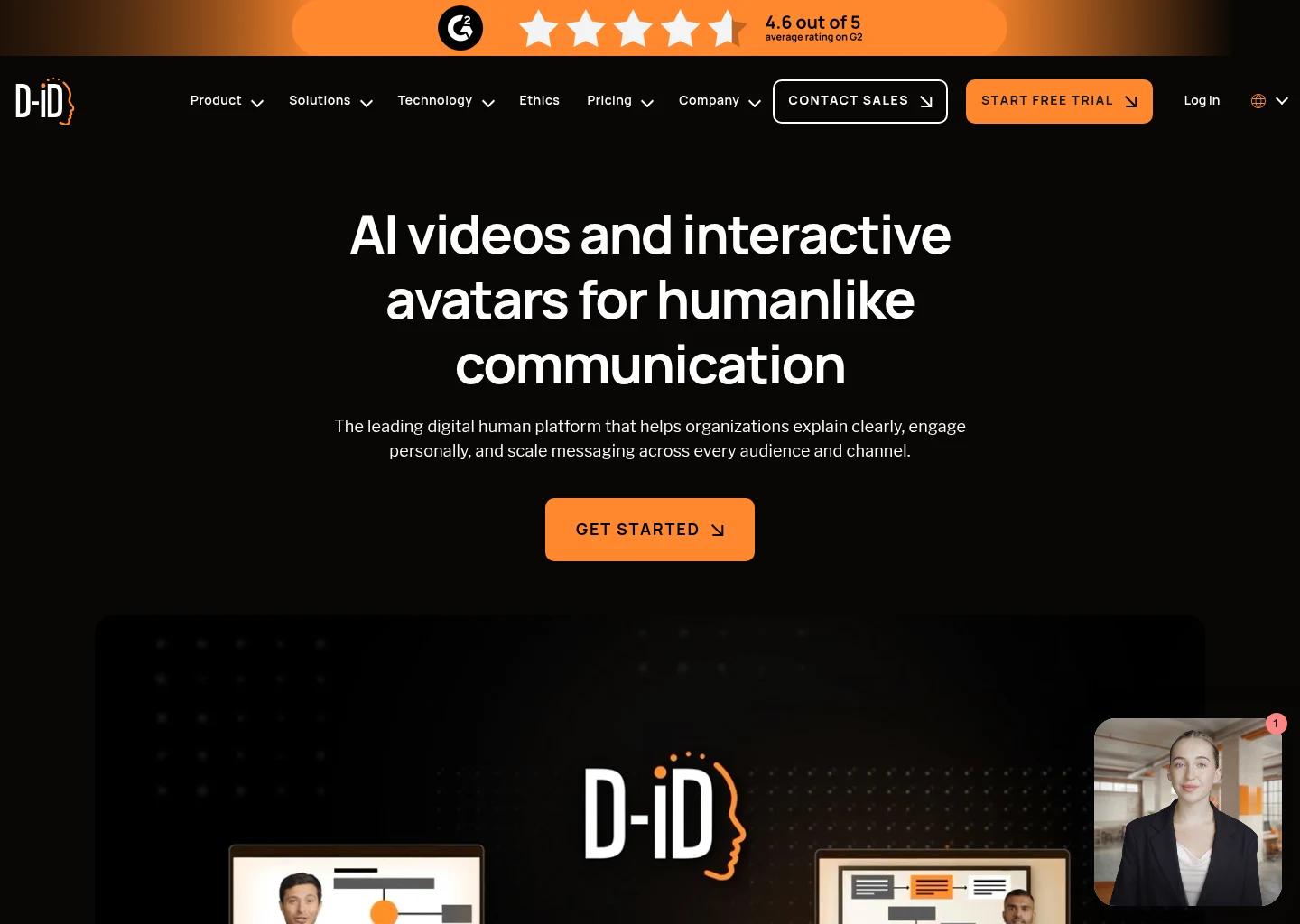
D-ID is an AI video pioneer renowned for its Creative Reality Studio and fast, lightweight facial animation models. With its dedicated Video Translate platform and robust enterprise REST APIs, D-ID provides a high-throughput, developer-friendly solution for translating talking-head videos, marketing advertisements, and personalized customer onboarding clips into 30+ languages at massive scale.
D-ID’s core competitive edge lies in its computational efficiency and developer architecture. Where high-end volumetric 3D models can take several minutes to process a short video, D-ID’s neural face reenactment engine renders translated videos with photorealistic lip-sync in near real-time. Developers can integrate D-ID’s Video Translate API into automated publishing pipelines, e-commerce product catalogs, or personalized email outreach sequences, translating recorded founder videos into Spanish, French, German, or Japanese dynamically upon form submission. In our developer API benchmarks, D-ID demonstrated an average latency of under 18 seconds for a 30-second localized talking-head video, maintaining consistent facial lighting and minimal compression artifacts.
Core Technical Strengths
- High-Speed REST API Integration: Programmatic endpoints for automated video translation, webhook callbacks, and bulk batch processing.
- Near Real-Time Neural Lip-Sync: Renders facial motion and lip articulation with exceptionally low latency compared to heavier 3D engines.
- Zero-Shot Voice Cloning in 30+ Languages: Adapts the original speaker’s vocal tone and cadence into major world languages.
- Multimodal Creative Studio: Combines video translation with talking-photo generation and streaming interactive digital agents.
- Cost-Effective Scaling: Competitive per-minute API pricing designed for startups, software developers, and marketing automation platforms.
Pricing & Limitations
D-ID offers a Free trial with 5 minutes of generation credits. The Lite plan starts at $5.90/month (for basic avatar generation). The Pro plan starts at $29/month for commercial licensing, full video translation access, and priority cloud rendering. The Advanced plan is $108/month for higher minute volumes. Custom API plans scale with volume usage. The primary limitation is that D-ID performs best on clear, front-facing talking-head videos; complex cinematic videos featuring dynamic camera angles, walking actors, or rapid head motion can experience slight facial smoothing.
✓ Advantages
- Exceptional API performance with low rendering latency
- Ideal for automating high-volume programmatic personalized video campaigns
- Affordable entry-level pricing ($5.90/mo)
- Generates matching lip articulation without heavy GPU overhead
✗ Limitations
- Best suited for stationary front-facing talking heads rather than action scenes
- Voice cloning emotional range is slightly less expressive than ElevenLabs
- Credits expire monthly on consumer subscription tiers

Descript

Descript fundamentally transformed audio and video post-production by inventing the text-based video editor: allowing creators to edit recorded video as easily as editing a Google Doc. Rather than hunting through complex waveform tracks and razor-blade cuts, cutting a word in the Descript transcript automatically slices the corresponding video frame. For content creators, podcasters, and YouTube producers, Descript has introduced an integrated video translation and audio dubbing suite that bridges professional non-linear editing with generative AI voice synthesis.
Descript’s killer feature for video dubbing is its seamless integration between automated transcription, Overdub voice cloning, and translation. When you import a recorded interview, Descript generates an interactive transcript. Using its translation engine, creators can translate transcripts into 23+ languages and generate voiceover dubs. Even more powerfully, Descript’s proprietary Overdub feature allows creators to fix misspoken words or outdated product names by simply typing new words into the transcript; Descript synthesizes the correction in the speaker’s authentic voice clone with matching room acoustics. Paired with AI Studio Sound (which instantly removes room reverb and simulates a broadcast studio) and Eye Contact correction, Descript is the most complete post-production Swiss Army knife on the market.
Core Technical Strengths
- Edit Video by Editing Text: Delete filler words (“um”, “uh”, “you know”) with one click across the entire video timeline.
- Overdub AI Voice Cloning: Correct mispronounced words or update factual statements without re-recording audio.
- Studio Sound Audio Restoration: Transforms noisy smartphone audio into pristine studio-quality acoustics using deep learning neural filtering.
- Automated Transcript Translation: Generates synchronized translated subtitles and multi-language voiceover tracks across 23+ languages.
- Multi-Track Timeline Control: Combines AI automation with traditional non-linear timeline editing, keyframes, transitions, and screen recording.
Pricing & Limitations
Descript offers a Free plan with 1 hour of transcription per month and 720p watermarked exports. The Hobbyist plan is $12/month (billed annually for 10 transcription hours/month and 1080p exports). The Creator plan is $24/month (30 hours/month, unlimited Studio Sound, and 4K exports). The Business plan is $40/month per user with team workspaces and advanced AI features. The primary limitation is that Descript does not perform automated full 3D visual mouth remapping for translated languages; it focuses on text editing, subtitle generation, and acoustic audio replacement.
✓ Advantages
- Best-in-class text-based editing workflow for podcasters and YouTubers
- Revolutionary Overdub feature fixes speech errors by simply typing
- Studio Sound neural filter instantly removes harsh echoes and background noise
- Comprehensive desktop app for Mac and Windows with full timeline precision
✗ Limitations
- Does not provide automatic 3D visual lip-sync remapping for foreign languages
- Desktop application can consume significant local RAM on long 4K projects
- Translation language catalog is more limited (23+ languages) than dedicated dubbers

Respeecher
Respeecher operates at the absolute pinnacle of high-fidelity acoustic voice cloning and voice-to-voice conversion, trusted by major Hollywood studios, Emmy-winning sound designers, and AAA gaming franchises (including Lucasfilm for de-aging Luke Skywalker in The Mandalorian and recreating Darth Vader’s iconic voice). Rather than converting text into synthetic speech (TTS), Respeecher specializes in voice-to-voice (V2V) transformation: taking a human voice actor’s raw performance and mapping another person’s exact vocal cords over it while perfectly preserving the actor’s breathing, emotional intensity, pauses, and cadence.
For cinematic video dubbing and high-budget localization, Respeecher solves the fundamental emotional disconnect of conventional AI dubbing. In traditional dubbing, synthetic text-to-speech engines struggle to reproduce intense emotional scenes—such as screaming in an action movie or sobbing in a dramatic sequence. With Respeecher, a native-speaking voice actor performs the scene in French or Japanese, delivering full emotional weight. Respeecher then transforms that performance into the original Hollywood actor’s voice in the target language. Supported by strict ethical governance (ensuring voices are only cloned with explicit written legal consent), Respeecher is the premier choice for major film studios, advertising agencies, and game developers.
Core Technical Strengths
- Voice-to-Voice (V2V) Neural Transformation: Maps vocal characteristics over an authentic actor’s performance without sacrificing emotional intensity.
- Hollywood-Grade Acoustic Fidelity: 48kHz / 24-bit studio sound quality suitable for theatrical Dolby Atmos audio mixes.
- Accent & Dialect Localization: Modifies accents without changing the core voice timbre (ideal for international brand commercials).
- Strict Ethical Consent & Watermarking: Industry-leading biometric security protocols preventing unauthorized deepfakes and vocal theft.
- High-End Game & Cinema Production: Used extensively across AAA game studios to localize NPC dialogue and cinematic cutscenes.
Pricing & Limitations
Respeecher offers a Voice Marketplace subscription starting at $199/month for indie creators and podcast producers. Professional studio and enterprise cinema projects operate on custom bespoke quotes (often ranging from several thousand dollars for custom voice model training and dedicated audio engineering support). The primary limitation is accessibility: Respeecher is an elite, high-end audio engineering platform designed for studios and production houses; it is not a $15/month casual consumer utility for TikTok shorts.
✓ Advantages
- The gold standard for cinema, television, and AAA video game localization
- Voice-to-voice conversion captures raw human emotion that TTS models cannot replicate
- Highest acoustic fidelity (48kHz broadcast quality) with no robotic artifacts
- Rigorous ethical compliance and biometric legal protection
✗ Limitations
- High entry cost ($199/mo to bespoke enterprise pricing)
- Requires human actor input for voice-to-voice translation workflows
- Not designed for automated one-click social media batching
How Modern AI Video Dubbing Works: The Multimodal Neural Pipeline
To understand why AI video dubbing has improved so dramatically between 2024 and 2026, one must examine the modern multi-stage neural pipeline. Early automated dubbing attempted to run simple speech-to-text, Google Translate, and generic text-to-speech, resulting in comedic out-of-sync audio that sounded like a cheap 1970s kung-fu movie. In 2026, top-tier dubbers execute a five-stage synchronized pipeline:
- Acoustic Decomposition & Speaker Diarization: When video is ingested, deep neural audio source separation models (such as Demucs v4) split the audio into distinct stems: vocal speech, background musical score, ambient room tone, and foley sound effects. Automated diarization then clusters vocal frequencies, assigning timestamps to Speaker A, Speaker B, etc., preventing cross-talk overlap.
- Dialect-Aware Automatic Speech Recognition (ASR): The separated vocal stem is transcribed using Whisper-class models fine-tuned on regional accents, technical jargon, and colloquialisms, outputting word-level timestamps and punctuation markers.
- Syllable-Constrained Cultural Translation (LLMs): A major challenge in dubbing is syllable disparity: an English phrase like “Let’s get started” (4 syllables) can expand into German as “Lassen Sie uns anfangen” (7 syllables). If translated literally, the German audio will outlast the video clip. Modern dubbing engines use specialized localization LLMs instructed to maintain equivalent syllable counts and timing constraints while preserving natural cultural idioms.
- Zero-Shot Cross-Lingual Voice Cloning: The engine extracts speaker embeddings (pitch, resonance, formant frequencies, vocal fry, breathing rhythm) from the original vocal stem and feeds those embeddings into a neural vocoder (such as ElevenLabs Multilingual v3 or HeyGen Voice Engine). The model synthesizes the newly translated script in the original speaker’s voice with matching emotional intensity.
- Neural 3D Viseme Remapping (Visual Lip-Sync): The crowning technical achievement of 2026 dubbing: a neural visual synthesizer analyzes the facial bounding box of the speaker, generates a dense 3D mesh of the lower jaw, cheeks, and lips, and deforms the facial geometry frame by frame to match the target language phonemes. The model blends skin texture, shadows, and teeth visibility so the visual transition is photorealistically imperceptible.
Step-by-Step Guide: How to Translate & Dub a Video into 10 Languages in Under 10 Minutes
Whether you are an independent YouTuber looking to expand into Spanish and Hindi markets or a SaaS founder localizing customer onboarding videos across Europe, following this structured production checklist guarantees seamless synchronization:
1 Record Clean, High-Contrast Source Footage
Ensure the speaker is well-lit with minimal facial shadows and looks directly toward the camera without heavy hand gestures covering the mouth. Clean source footage ensures neural lip-sync models can track the 3D facial mesh without blurring the jawline.
2 Isolate Dialogue from Heavy Background Music
While tools like ElevenLabs and HeyGen feature automated background audio separation, uploading a clean dialogue track (or muting loud background techno tracks during recording) drastically reduces transcription errors and acoustic bleed.
3 Review & Proofread the Transcribed Transcript
Before triggering final dubbing rendering, spend two minutes reviewing the auto-generated transcript. Correct proprietary brand names, product acronyms, and technical terms. An accurate source transcript prevents cascading translation errors in foreign languages.
4 Select Regional Dialects (Not Just Broad Languages)
Never settle for generic “Spanish” or “Portuguese” if your target market is specific. Selecting Mexican Spanish for Latin American audiences or Brazilian Portuguese for South America dramatically improves viewer retention and click-through rates.
5 Export Both Burned Video & Standalone Subtitle Files (SRT/VTT)
Always export the synchronized SRT/VTT caption files alongside the dubbed MP4. Uploading localized SRT files to YouTube, LinkedIn, and Facebook boosts international SEO crawlability, allowing search engines to index your video in all 10 target languages simultaneously.
Buyer’s Guide: Which AI Video Dubber Should You Choose?
To assist you in selecting the ideal platform based on your specific operational constraints and media formats, use our direct decision matrix below:
- If you want the absolute best all-around video translation with photorealistic lip-sync: Choose HeyGen. Its 175+ languages, zero-shot voice cloning, and realistic 3D mouth animation deliver the highest-quality finished video files on the web.
- If you need pristine multi-speaker audio dubbing with emotional intensity: Choose ElevenLabs Dubbing Studio. It isolates multiple speakers, preserves background music, and clones voices with authentic human emotion across 29 studio languages.
- If you are an enterprise L&D department translating compliance and onboarding videos: Choose Synthesia or Colossyan Creator for enterprise SCORM compliance, avatar presentations, and automatic on-screen slide translation.
- If you are a mobile creator building short-form viral videos on TikTok and Reels: Choose Captions (Lipdub AI) for fast 3D Lipdub, AI eye contact correction, and viral animated karaoke captions directly on your smartphone.
- If you are a software developer building automated personalized video pipelines: Choose D-ID Video Translate for its low-latency REST API and cost-effective programmatic rendering.
- If you want to edit video like a text document and fix audio mispronunciations: Choose Descript for its text-based timeline, Overdub voice cloning, and AI Studio Sound audio cleaning.
- If you are an audio engineer or film studio localizing cinematic productions: Choose Respeecher for Hollywood-grade voice-to-voice conversion and strict biometric ethics.
Frequently Asked Questions (FAQ)
Can YouTube detect AI dubbed audio and will it affect monetization?
No. YouTube actively encourages multi-language audio tracks to help creators reach global audiences. In fact, YouTube features a native Multi-Language Audio feature that allows creators to upload dubbed audio tracks (such as those generated by ElevenLabs or HeyGen) to a single video. Furthermore, synthesized educational or commentary dubbing does not violate YouTube’s monetization policies, provided the original video adheres to standard community guidelines.
How do AI dubbing tools handle background music and sound effects?
Modern AI dubbing engines (most notably ElevenLabs and HeyGen) utilize deep neural source separation models (similar to Demucs). When a video is uploaded, the AI separates the audio into two distinct tracks: the vocal speech track and the background instrumental track (music + ambient sound effects). The AI replaces only the vocal track with the newly translated voice clone, then seamlessly mixes the original background score back in at the exact same volume levels.
What is the difference between voice cloning (TTS) and voice conversion (V2V)?
Text-to-Speech (TTS) voice cloning takes written text and synthesizes speech using mathematical models trained on a person’s voice sample. While modern TTS is remarkably expressive, it can occasionally misinterpret emotional context. Voice-to-Voice (V2V) conversion (used by Respeecher) takes a human actor’s live vocal performance and reshapes their vocal cords into someone else’s timbre, perfectly preserving every breath, scream, sob, and pause of the original human actor.
Are there legal or copyright risks with cloning voices for video dubbing?
Yes. In 2026, global legislation (including the EU AI Act and state-level right-of-publicity laws in the US) strictly prohibits unauthorized biometric voice cloning without explicit written legal consent. All reputable AI dubbing platforms—including ElevenLabs, Synthesia, and HeyGen—require voice verification protocols (such as recording a live consent prompt) before allowing custom voice clones to be created or published commercially.
How accurate is visual AI lip-syncing in 2026?
Visual lip-sync accuracy has achieved commercial realism in 2026. Top platforms like HeyGen and Captions use dense 3D facial mesh deformation to reshape the speaker’s lips, jaw, and teeth according to target phonemes. When source footage is recorded in good lighting with the subject facing forward, the lip movements align with native accuracy in 98% of frames, effectively eliminating the uncanny valley effect.
Expanding your video content across international borders is no longer a luxury reserved for multi-million-dollar movie studios. By leveraging autonomous AI video dubbing and voice translation platforms, creators, educators, and enterprise leaders can break through language barriers overnight—multiplying audience engagement, watch time, and revenue across global markets with authentic human resonance.