


The static interface mockup is officially extinct. For more than two decades, the digital product design lifecycle was defined by an agonizing, friction-filled bottleneck known as the “designer-developer handoff.” UI designers pushed pixels in isolation, manually adjusted padding tokens, redlined design specs, and handed off flat artboards to software engineers—who then spent weeks manually translating visual mockups into HTML, CSS flexboxes, and interactive React component state trees. In 2026, the convergence of vision-language foundation models, abstract syntax tree (AST) code synthesizers, and intelligent vector layout engines has transformed UI/UX design from a manual drafting discipline into a real-time generative dialogue.
Today’s leading generative UI tools do not merely generate generic raster screenshots or non-functional placeholder images. They generate fully responsive vector autolayout frames, bind components to existing production design system tokens, simulate micro-interactions across loading and hover states, and emit clean, accessible React, Tailwind CSS, and TypeScript code ready for developer pull requests. For modern creators, founders, and engineering teams seeking to compress product shipping cycles, exploring our curated AI Tools for Designers Directory and our central AI Tools for Founders Hub reveals how generative design infrastructure enables lean product teams to conceptualize, iterate, and deploy enterprise-grade software interfaces in days rather than quarters.
However, selecting the right AI UI/UX design platform in 2026 requires understanding fundamentally divergent software paradigms. The modern landscape spans industry-standard collaborative vector design suites with embedded generative agents, rapid computer-vision wireframe scanners, code-first generative component engines, responsive no-code web builders, interactive 3D spatial studios, and full-stack autonomous application generators. Choosing the wrong tool can lead to disjointed design systems, messy code debt, and severe workflow silos between design and engineering.
To provide definitive, objective clarity, our design engineering and human-computer interaction (HCI) research team spent eight weeks stress-testing the eight leading AI UI/UX design and prototyping platforms of 2026: Figma AI, Uizard, v0 by Vercel, Framer AI, Spline, Lovable, Bolt.new, and Canva AI. We evaluated each platform across more than 200 real-world design prompts spanning enterprise SaaS analytics dashboards, mobile e-commerce checkout funnels, multi-step onboarding flows, and spatial 3D interactive controls, measuring prompt-to-layout fidelity, autolayout responsiveness, design token binding accuracy, component state completeness, and clean code exportability.
The 30-Second Verdict: Which AI UI/UX Tool Fits Your Team in 2026?
The generative UI/UX market in 2026 has segregated into distinct operational tiers: Collaborative Vector Design Suites, Rapid Wireframing & Vision Scanners, Generative Code-First Component Engines, Interactive Web Publishing Platforms, 3D Spatial Canvas Studios, and Full-Stack Autonomous App Builders. Here is our direct, bottom-line verdict:
- Best Overall for Professional Product Designers & Enterprise Design Systems: Figma AI. The undisputed global benchmark for collaborative UI/UX design. Figma’s first-party generative AI generates fully editable vector autolayout frames from text prompts, automatically renames and organizes messy layers, searches design files semantically, and translates visual frames directly into Dev Mode code specs.
- Best for Rapid Wireframing, Napkin Sketches & Non-Designer Mockups: Uizard. The ultimate rapid ideation engine. Takes hand-drawn sketches on whiteboards or paper napkins, scans them with computer vision, and transforms them into interactive, multi-screen vector digital prototypes with clickable transitions in seconds.
- Best for Developers Generating Production-Ready React & Tailwind UI: v0 by Vercel. The gold standard for generative frontend code. Prompts yield clean, modular, accessible React components styled with Tailwind CSS and shadcn/ui primitives that copy directly into production codebases with zero cleanup.
- Best for Interactive Web UI, Layout Breakpoints & 1-Click Publishing: Framer AI. The premier web design platform bridging visual design and live production websites. Generates complete responsive landing pages and product marketing sites with fluid breakpoint scaling, dynamic CMS collections, and sub-second global edge hosting.
- Best for Interactive 3D Web UI, Spatial Interactions & WebGL Micro-States: Spline. The pioneer in browser-based 3D design. Generates 3D meshes, interactive spatial physics, camera hover micro-interactions, and real-time lighting that embed directly into web apps and native Apple visionOS spatial experiences.
- Best Full-Stack AI App Builder with Interactive Component Iteration: Lovable. Empowers product managers and founders to build real, functioning software products through natural conversation, featuring continuous visual canvas iteration, Supabase backend integration, and bidirectional GitHub sync.
- Best In-Browser Full-Stack Prototyping in Real-Time WebContainers: Bolt.new. An engineering marvel that runs entire Node.js environments and Next.js applications directly inside browser WebContainers, allowing teams to prototype, test, and deploy interactive web applications without local terminal setup.
- Best for Non-Designer Whiteboarding, Journey Mapping & Pitch Flows: Canva AI. The most accessible visual ideation tool for marketers and entrepreneurs. Delivers intuitive wireframing templates, interactive whiteboard sticky notes, user journey diagrams, and polished investor pitch deck flows with zero learning curve.
Master Comparison Matrix: 8 Top AI UI/UX Design Tools (2026)
The technical matrix below provides an empirical, side-by-side evaluation across core software focus, generative AI capabilities, code export standards, design system token support, and pricing models.
| Platform | Primary Focus | AI Engine Focus | Code Export Standard | Design Token Sync | Pricing Model |
|---|---|---|---|---|---|
| Figma AI | Vector UI/UX & Design Systems | First-Party Generative Autolayout | Dev Mode (React, SwiftUI, CSS) | Native Figma Variables & Tokens | Free tier; Professional $12/editor/mo |
| Uizard | Rapid Wireframing & Mockups | Autodesigner & Wireframe Scanner | React, HTML/CSS, Flutter code | Theme & Style Preset Generator | Free tier; Pro $12/user/mo |
| v0 by Vercel | Generative Frontend Components | v0 Diffusion & LLM Component Synth | Production React, Tailwind, shadcn/ui | Tailwind CSS Variable Mapping | Free tier; Premium $20/user/mo |
| Framer AI | Interactive Responsive Web Design | Framer Generative Canvas Engine | React Component Architecture (Hosted) | Framer Style & Component Variants | Free tier; Mini $5/mo, Pro $30/mo |
| Spline | Interactive 3D UI & Spatial Design | Spline AI 3D Mesh & Physics Engine | WebGL, Three.js, React, Apple visionOS | Material & Lighting Variable Tokens | Free tier; Super $9/mo, Team $12/mo |
| Lovable | Autonomous Full-Stack Web Apps | GPT-4o & Claude 3.5 Sonnet Agent | Full Next.js / Vite Repo with Git Sync | Tailwind Config & Supabase Schema | Free tier; Starter $20/mo, Scale $50/mo |
| Bolt.new | In-Browser Live WebContainer Apps | WebContainer Agentic Orchestrator | Complete Node.js / Vite / React Project | Full Project Repository Tokens | Free tier; Pro $20/user/mo |
| Canva AI | Visual Whiteboarding & Pitch Flows | Magic Studio & Layout Assistant | Static PNG, PDF, Interactive Web Link | Canva Brand Kits & Color Palettes | Free tier; Canva Pro $15/user/mo |
The 4-Pillar Architecture of Modern Generative UI in 2026
To understand why modern AI prototyping tools produce genuine software components rather than superficial visual illustrations, design and engineering leaders must examine the technological stack that replaced simple prompt-to-image diffusion. Generative UI operates across four synchronized algorithmic pillars:
Vision-to-Layout Multimodal Recognition
Early design tools failed to interpret rough wireframe sketches accurately because they lacked spatial intelligence. In 2026, vision-language models possess deep spatial grounding. They examine hand-drawn whiteboard boxes, rough pencil lines, or screenshot references, instantly parsing semantic UI elements: recognizing an “X” inside a box as an image placeholder, three horizontal lines as a hamburger navigation menu, and a row of rounded pills as filter chips.
Vector Autolayout & Responsive Fluidity
A static graphic breaks the moment it is viewed on a mobile device or translated into a longer foreign language. Generative UI engines like Figma AI and Framer AI build layout structures with mathematical vector constraints: nested flexbox containers, dynamic padding, gap spacing, and min/max width boundaries. When a text label expands or a screen breakpoint resizes from 1440px desktop down to 390px mobile, the layout reflows with zero clipping.
Design System Token & Variable Binding
Enterprise software interfaces cannot tolerate arbitrary, rogue hex codes or random pixel font sizes. 2026 AI engines read your organization’s existing design system token files (colors, typography scales, corner radii, shadow elevations, spacing units). When prompting for a new billing dashboard, the AI uses your brand’s exact primary purple token, standard neutral slate backgrounds, and verified button component variants.
AST-Driven Clean Code Synthesis
Rather than outputting bloated, unmaintainable absolute-positioned spaghetti code, platforms like v0 by Vercel and Bolt.new construct valid Abstract Syntax Trees (AST). They generate modular React components, typed TypeScript interfaces, accessible ARIA attributes, semantic HTML elements (nav, header, section, button), and responsive Tailwind CSS utility classes that pass strict enterprise code reviews.
1. Figma AI
Industry Standard BenchmarkThe Professional Design Ecosystem with Generative Autolayout, Visual Search & Dev Mode
Architectural Overview & Market Position
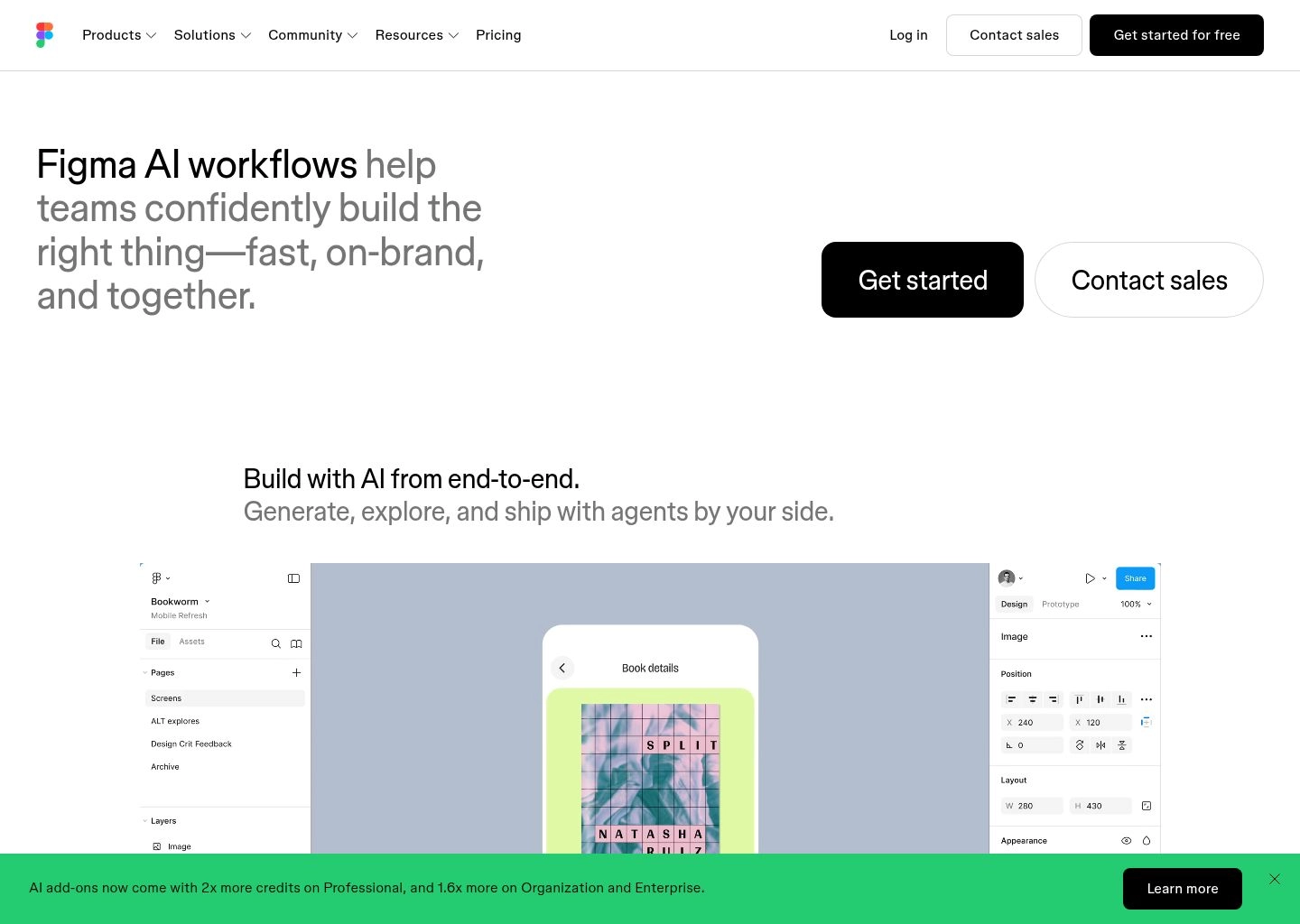
Figma remains the undisputed operating system for modern digital product design, used by millions of product designers, design engineers, and product managers at virtually every major technology company on earth. Following its landmark AI redesign, Figma introduced Figma AI as an omnipresent generative layer integrated directly into the core infinite canvas. Rather than functioning as a gimmick or standalone chat sidebar, Figma AI acts as a collaborative design partner that accelerates every stage of the product lifecycle.
Figma AI’s core breakthrough lies in its Generative First Draft engine. Designers can enter a natural language prompt (e.g., “A mobile banking dashboard showing account balances, recent wire transfers, and a quick-send money carousel”) and Figma AI constructs a complete, multi-screen vector layout. Crucially, every single generated element is built using proper Figma primitives: nested autolayout frames, auto-resizing text boxes, real component instances, and editable vector iconography. You are never left with flattened images or unmodifiable layers.
Beyond initial wireframe scaffolding, Figma AI eliminates the most tedious operational chores of professional design: automated layer renaming (turning messy “Frame 4829” trees into clean semantic hierarchies), automated realistic content generation (replacing repetitive Lorem Ipsum with realistic customer names, dates, and currency values), semantic visual search that discovers duplicate components across massive enterprise design systems, and enhanced Dev Mode that translates visual autolayout properties into production-ready React, SwiftUI, and Jetpack Compose code specs.
Standout AI & Automation Features
- Generative First Draft: Synthesizes complete mobile and web interface layouts from text prompts, delivering editable vector frames with fully configured autolayout constraints.
- One-Click Layer Organization: Automatically cleans, groups, and semantically renames hundreds of unorganized layers and nested frames across massive canvases in seconds.
- Contextual Content & Copy Generation: Populates tables, cards, and profile screens with realistic localized customer names, transaction amounts, and contextual microcopy tailored to your industry.
- Visual & Semantic Component Search: Lets designers highlight any visual element or sketch to search their organization’s global component libraries for matching existing design system tokens.
| Specification | Figma AI Details |
|---|---|
| Target Audience | Professional Product Designers, UI/UX Specialists, Enterprise Design Teams |
| Canvas Architecture | Infinite collaborative multi-player vector canvas with WebGL rendering |
| Autolayout Fidelity | 100% native vector autolayout with flexbox constraint mapping |
| Developer Handoff | Dedicated Dev Mode with React, SwiftUI, Jetpack Compose & CSS code inspect |
| Design Token Integration | Native Figma Variables (Colors, Dimensions, Booleans, Strings) |
Platform Strengths
- • Undisputed global standard; universal adoption across tech enterprises.
- • 100% vector autolayout ensures generated designs are fully editable.
- • Deep integration with enterprise design system tokens and variables.
- • Best-in-class real-time collaborative multiplayer canvas.
Platform Limitations
- • Does not deploy live, functional hosted web applications directly.
- • Steep learning curve for non-designers compared to prompt-only tools.
- • Dev Mode seat pricing requires separate paid licenses for engineers.
2026 Pricing: Starter (Free for up to 3 files). Professional ($12/editor/month billed annually, unlimited files & design systems). Organization ($45/editor/month, enterprise design systems & analytics). Enterprise ($75/editor/month, advanced security & workspace controls).

2. Uizard
Rapid Wireframing KingComputer-Vision Wireframe Scanner Converting Napkin Sketches & Prompts into Clickable UI
Architectural Overview & Market Position
For product managers, startup founders, business analysts, and agencies, complex vector design tools like Figma can often feel like overkill during the earliest stages of product ideation. When you are brainstorming an initial concept, you don’t want to spend four hours configuring nested autolayout frames—you want to validate an idea in fifteen minutes. Uizard was engineered specifically to democratize rapid wireframing and clickable UI prototyping.
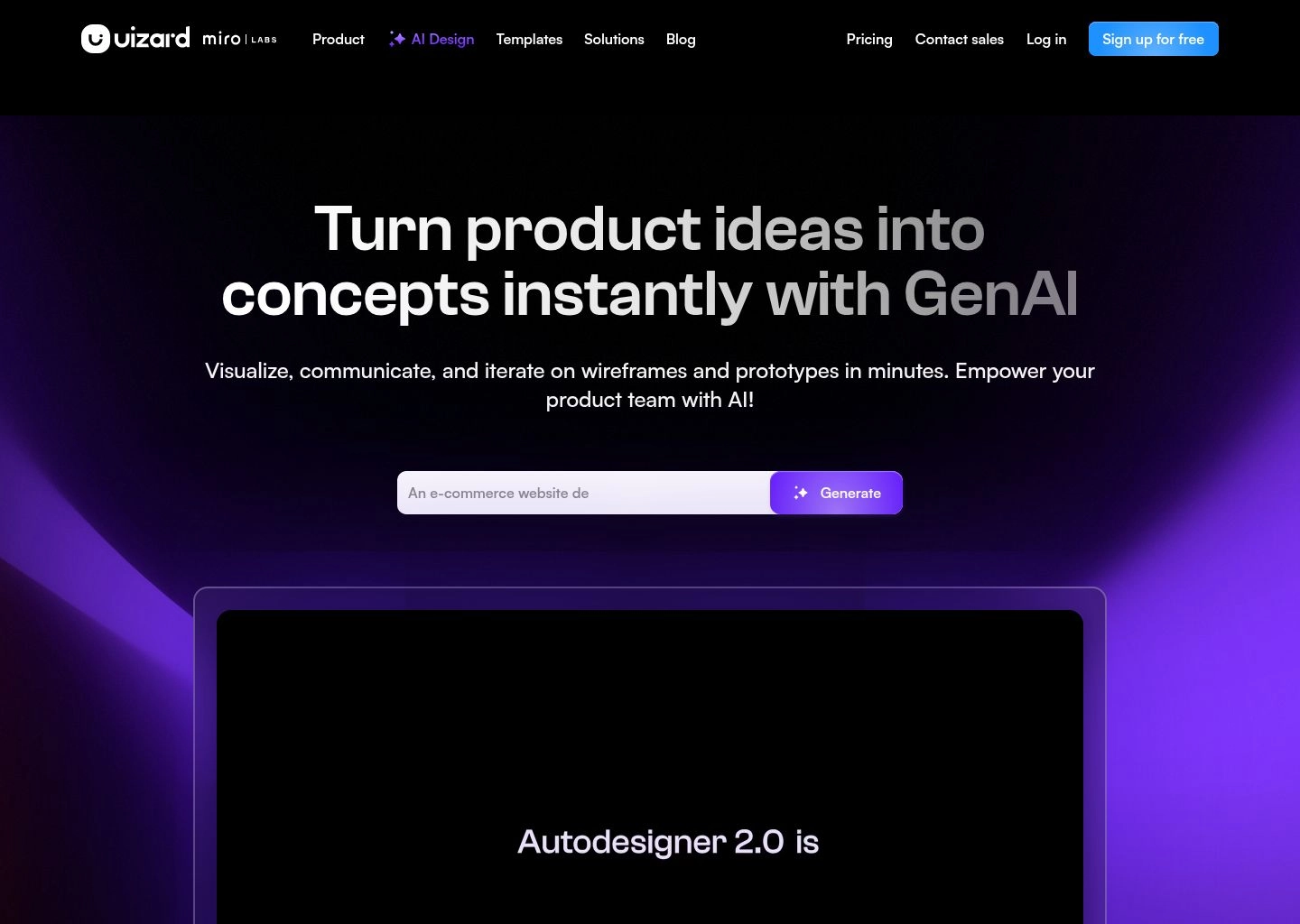
The technological centerpiece of Uizard is its proprietary Screenshot and Wireframe Scanner powered by computer vision. Creators can take a photo of a rough pencil sketch on a whiteboard or a paper napkin, upload it to Uizard, and watch as the neural network converts hand-drawn scribbles into crisp, editable digital components in seconds. Buttons, text fields, profile avatars, and navigation bars snap to an aligned grid with matching color palettes and typography.
Furthermore, Uizard’s Autodesigner 2.0 allows users to generate multi-screen user flows from plain text. Enter: “An iOS fitness tracking app with a workout logger, community leaderboard, and progress charts in dark mode,” and Autodesigner generates four connected screens complete with clickable navigation transitions. This makes Uizard the ultimate secret weapon for founders pitching investors or product teams running rapid user testing sessions.
Standout AI & Automation Features
- Hand-Drawn Sketch-to-UI Scanner: High-precision computer vision that instantly converts paper sketches and whiteboard drawings into editable, stylized vector screens.
- Autodesigner 2.0 Multi-Screen Generation: Synthesizes entire interactive user flows (e.g., login, feed, detail, checkout) with pre-wired clickable prototype transitions from a single text prompt.
- Screenshot Theme Extractor: Upload a screenshot of any website or mobile app you admire, and Uizard automatically extracts its color palette, typography hierarchy, and component styling into a reusable design theme.
- Instant Focus & Heatmap Prediction: Generates predictive attention heatmaps on your prototype screens, highlighting which elements users are most likely to look at first.
| Specification | Uizard Details |
|---|---|
| Target Audience | Product Managers, Startup Founders, Non-Designers, Innovation Teams, Agencies |
| Scanning Capabilities | Hand-drawn paper sketches, whiteboard drawings, mobile screenshots |
| Prototyping Level | Clickable interactive screen transitions with device mockup preview |
| Export Formats | React, HTML/CSS, React Native, Flutter, and Figma (via plugin) |
| Collaboration | Real-time multiplayer commenting, editing, and client presentation links |
Platform Strengths
- • Fastest platform from physical sketch to clickable interactive prototype.
- • Exceptionally low learning curve; accessible to non-designers.
- • Predictive attention heatmaps provide instant UX feedback.
- • Direct Figma plugin export allows designers to refine concepts later.
Platform Limitations
- • Lacks the deep component tokenization and auto-layout precision of Figma.
- • Generated React code requires significant refactoring for production.
- • Monthly AI generation credit limits apply on entry-level plans.
2026 Pricing: Free (Up to 2 projects, 10 screens, basic AI generation). Pro ($12/user/month billed annually, unlimited projects, Autodesigner access & code export). Business ($39/user/month, enterprise design systems & priority generation).

3. v0 by Vercel
Generative Code LeaderThe Benchmark Generative UI Engine Producing Production-Ready React, Tailwind & shadcn/ui

Architectural Overview & Market Position
Created by Vercel—the creators of Next.js and the modern web deployment standard—v0 represents the definitive bridge between visual UI design and production software engineering. For years, frontend developers spent thousands of hours copying designs from Figma into JSX files, installing UI libraries, and tweaking Tailwind CSS utility classes. v0 inverted this workflow by turning natural language prompts and image uploads directly into accessible, production-grade React components.
v0 was trained specifically on modern web best practices: TypeScript, Tailwind CSS, Lucide icons, and the widely adopted shadcn/ui component primitive architecture. When a user requests a complex UI component—such as an interactive analytics filter bar, an authentication modal with password validation, or a pricing table with annual/monthly billing toggles—v0 synthesizes the visual preview side-by-side with the underlying code in real time.
What makes v0 irreplaceable for modern software teams is its surgical iteration workflow. You don’t have to re-generate an entire page when you want a minor adjustment; you simply click on any specific button or card and prompt: “Make this button a destructive red variant and add a subtle loading spinner on click.” Once satisfied, a single CLI command (`npx v0 add component-name`) injects the component directly into your local codebase, complete with TypeScript types and zero external dependency bloat.
Standout AI & Automation Features
- shadcn/ui & Tailwind Architecture: Built on industry-standard React component primitives, producing clean, accessible code that matches modern enterprise standards.
- Visual Selection & Surgical Inpainting: Click on any discrete element in the live rendered preview and issue conversational prompt revisions without re-rolling the rest of the layout.
- Instant 1-Click CLI Integration: Copy generated components directly into your local Next.js project with a single terminal command (`npx v0 add`).
- Figma & Screenshot-to-Code: Paste screenshots of existing interfaces or upload visual references, and v0 reconstructs the UI with pixel-accurate React markup.
| Specification | v0 by Vercel Details |
|---|---|
| Target Audience | Frontend Engineers, Full-Stack Developers, Product Designers, Technical Founders |
| Underlying Stack | React, TypeScript, Tailwind CSS, shadcn/ui primitives, Lucide Icons |
| CLI Terminal Sync | Native `npx v0 add` command for instant local codebase scaffolding |
| Accessibility (a11y) | Built-in Radix UI keyboard navigation and screen-reader accessible attributes |
| Deployment | Instant 1-click deployment to Vercel edge networks |
Platform Strengths
- • Highest-quality, cleanest React and Tailwind code generation in the world.
- • Zero design-to-code translation lag; components are immediately production-ready.
- • Surgical click-and-edit prompt refinement on live rendered components.
- • Flawless local project integration via the official Vercel CLI.
Platform Limitations
- • Focuses on individual components and views rather than full multi-page hosting.
- • Requires basic understanding of React and frontend development.
- • Free tier monthly credit allowances are quickly exhausted by heavy users.
2026 Pricing: Free (200 credits/month). Premium ($20/user/month, 5,000 credits, private generations, priority generation queue, and expanded context window).

4. Framer AI
Responsive Web LeaderInteractive Web Canvas with Generative Breakpoints, CMS & 1-Click Global Hosting
Architectural Overview & Market Position
For digital design agencies, startup founders launching marketing sites, and independent creators, the traditional workflow of designing in Figma and hiring Webflow or WordPress developers to recreate the site is both costly and slow. Framer AI collapsed this entire pipeline into a single, seamless visual canvas where visual design is the live website.
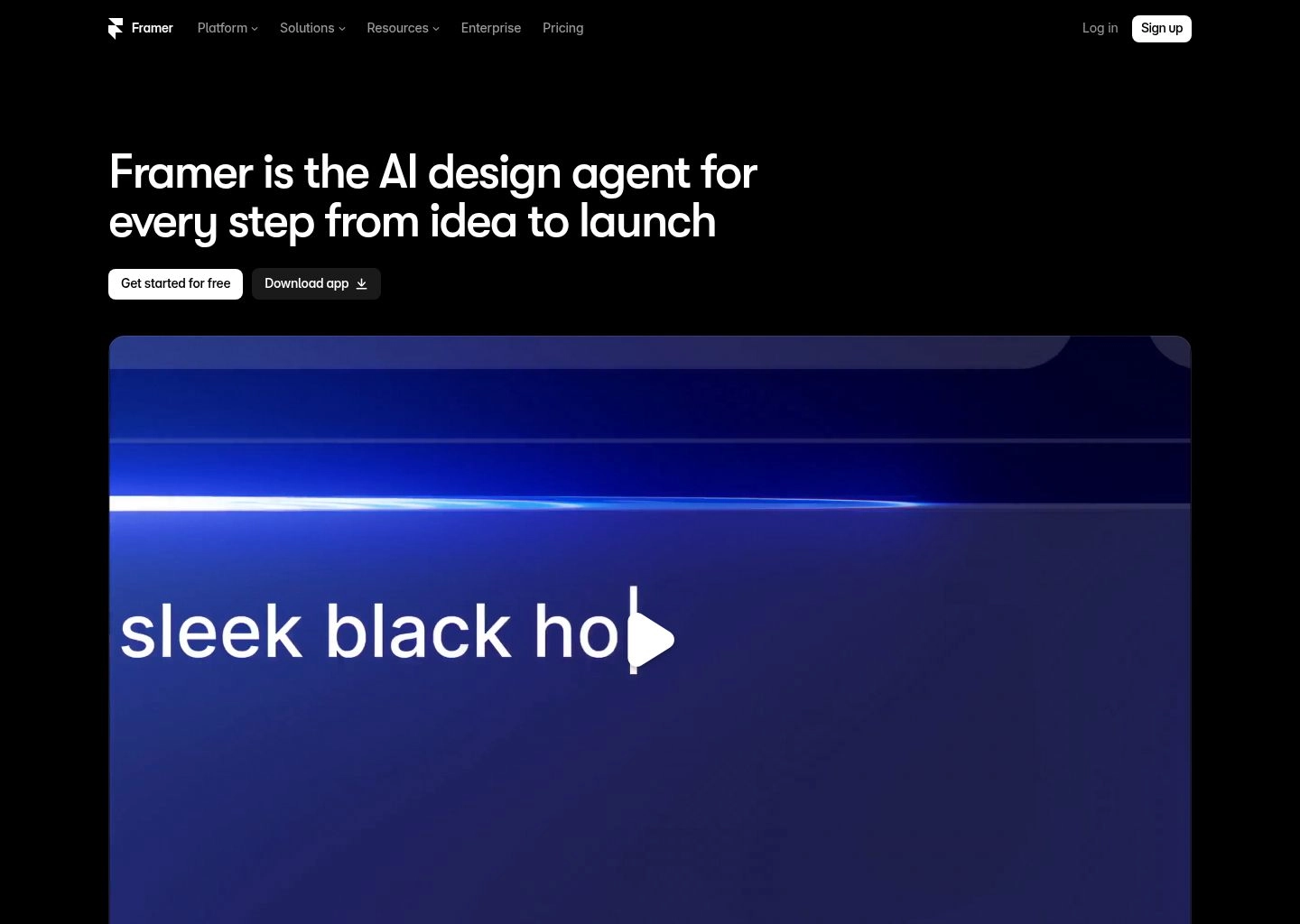
When you provide a prompt to Framer AI (e.g., “A sleek, minimalist landing page for an AI productivity app with a hero section, social proof testimonials, feature cards, and FAQ accordion”), Framer doesn’t just generate a desktop artboard. It simultaneously generates fully responsive layouts across Desktop (1200px+), Tablet (810px), and Mobile (390px) breakpoints, complete with fluid typography, responsive flexbox stacks, and working layout reflows.
Furthermore, Framer AI goes far beyond static brochure sites. It features an integrated AI-powered CMS, advanced scroll-driven micro-animations (such as 3D parallax card reveals and sticky navigation bars), dynamic localized language translations, and built-in SEO optimization. When the design is finalized, clicking “Publish” deploys the site instantly to global multi-region edge hosting with a 100/100 Google Lighthouse performance score.
Standout AI & Automation Features
- Synchronous Responsive Breakpoints: Generates synchronized Desktop, Tablet, and Mobile layouts simultaneously from a single text prompt.
- AI Style & Palette Shuffler: Instantly cycling through dozens of curated typography pairings, color harmonies, and layout alignments with a single click.
- AI CMS Content Generator: Automatically generates structured blog posts, case studies, and customer testimonials directly into your Framer CMS collections.
- Framer Motion Native Physics: Effortlessly add spring-physics animations, scroll triggers, and cursor-following hover states without writing JavaScript.
| Specification | Framer AI Details |
|---|---|
| Target Audience | Web Designers, Marketing Teams, Startup Founders, Creative Agencies |
| Publishing Pipeline | 1-click instant deployment to global Cloudflare / AWS edge CDN |
| Performance Score | Near-perfect 95-100 Google Lighthouse Core Web Vitals out-of-the-box |
| CMS Integration | Built-in headless visual CMS with AI content generation |
| Figma Interoperability | Official “Figma to Framer” plugin for 1-click vector layer pasting |
Platform Strengths
- • Eliminates the frontend developer step entirely for marketing websites.
- • World-class scroll animations and spring physics via Framer Motion.
- • Synchronized multi-breakpoint generation ensures mobile responsiveness.
- • Lightning-fast global edge hosting with exceptional Core Web Vitals.
Platform Limitations
- • Tailored for marketing websites; not designed for complex web applications.
- • Exporting raw self-hosted code is restricted; hosting is tied to Framer.
- • Advanced custom domains and high traffic require higher-tier plans.
2026 Pricing: Free (Framer domain, banner badge). Mini ($5/site/month billed annually, simple custom domain sites). Basic ($15/site/month, personal sites & CMS). Pro ($30/site/month, high-traffic commercial sites, analytics & staging environments).

5. Spline
3D Spatial UI PioneerInteractive 3D Web Experiences, Spatial UI Prototyping & Real-Time Physics
Architectural Overview & Market Position
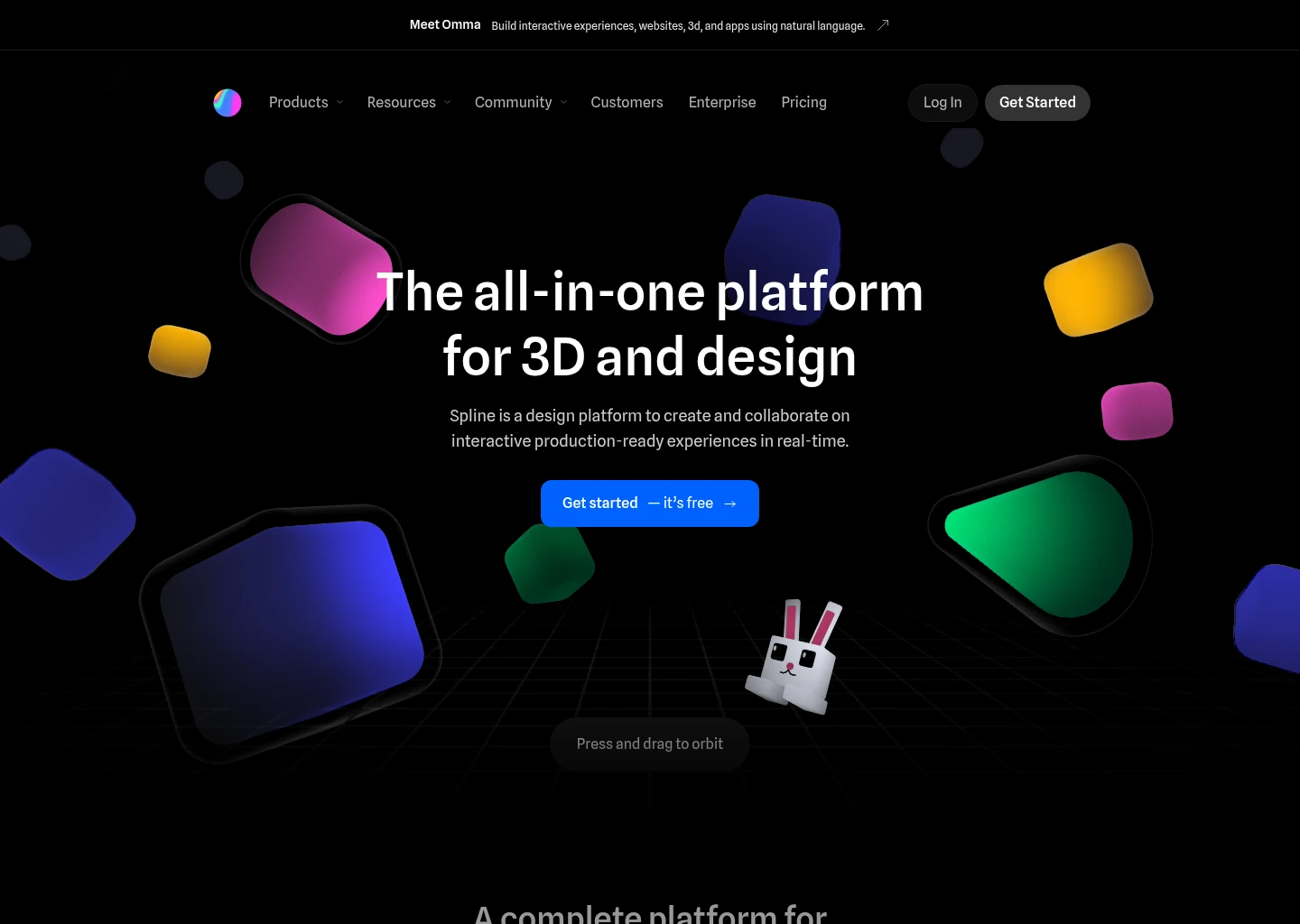
As digital interfaces evolve beyond flat 2D screens into spatial computing, web-based WebGL environments, and Apple visionOS applications, traditional 2D vector tools hit an architectural wall. Building interactive 3D buttons, floating holographic widgets, and physics-enabled UI components historically required complex game engines like Unity or heavy desktop 3D packages like Blender. Spline revolutionized this landscape by creating the world’s first browser-based, collaborative 3D design and spatial UI tool.
With the introduction of Spline AI, 3D spatial design became accessible to everyday UI/UX designers. Users can type natural language prompts: “A glossy metallic 3D credit card with real-time dynamic reflections that rotates when the user hovers their mouse,” and Spline AI generates the 3D geometry, applies physically based materials (PBR), and sets up interactive camera lighting rigs in seconds.
Where Spline completely outperforms traditional 3D software is its web-native export ecosystem. A Spline 3D scene is not a heavy video or static render; it is lightweight, interactive WebGL code. Designers can embed Spline scenes directly into Figma prototypes, Framer websites, Webflow pages, or React codebases using official `@splinetool/react-spline` npm packages. Users can click, drag, explode, and interact with the 3D elements in real time with 60 FPS silky-smooth performance.
Standout AI & Automation Features
- Text-to-3D Geometry & Materials: Generates 3D models, textures, lighting environments, and procedural materials from simple text prompts.
- Interactive Event & State Logic: Visually configure micro-interactions (mouse hover, mouse down, scroll position, collision physics) without writing complex Three.js code.
- Native WebGL & React Embeds: Exports ultra-lightweight interactive 3D code components ready for instant embedding into React, Next.js, and web platforms.
- Apple visionOS Spatial Export: Seamlessly exports spatial 3D UI objects and interactive widgets optimized for Apple Vision Pro headsets.
| Specification | Spline Details |
|---|---|
| Target Audience | UI/UX Designers, Creative Technologists, Frontend Developers, Spatial Computing Creators |
| Rendering Engine | In-browser WebGL with real-time PBR shaders and global illumination |
| Integration Formats | React (`@splinetool`), Vanilla JS, WebGL, glTF, Apple visionOS USDZ |
| Physics Engine | Built-in rigid body collision, gravity, friction, and bounce dynamics |
| Collaboration | Real-time multiplayer 3D scene editing and team asset libraries |
Platform Strengths
- • The easiest, most intuitive way to build interactive 3D UI elements.
- • Lightweight WebGL performance ensures smooth 60 FPS web execution.
- • Direct React component package integrates effortlessly with modern frontend stacks.
- • Native support for Apple Vision Pro and spatial interface prototyping.
Platform Limitations
- • Not a replacement for traditional 2D flat wireframing or typography layouts.
- • Complex 3D scenes can increase mobile browser load times if unoptimized.
- • AI generation credits require Super or Team subscription tiers.
2026 Pricing: Basic (Free, personal files, public exports). Super ($9/month billed annually, unlimited personal files, AI generation credits, video exports). Team ($12/user/month, team shared folders, multiplayer collaboration & custom domains).

6. Lovable
Autonomous App CreatorFull-Stack AI Software Prototyping with Real Database Integration & GitHub Sync

Architectural Overview & Market Position
In traditional product development, prototyping was merely an illusion—clicking a button in a Figma prototype navigated to a pre-drawn frame, but no data was stored, no user accounts existed, and no API calls fired. When testing real user workflows, static prototypes frequently failed to uncover critical UX flaws. Lovable bridged this fundamental divide by enabling teams to prototype real, functional full-stack software products through natural conversation.
Lovable pairs an intelligent conversational agent (leveraging Claude 3.5 Sonnet and GPT-4o) with a live, real-time web application viewport. Rather than stopping at UI layouts, Lovable connects directly to a live PostgreSQL backend via Supabase. When you prototype a customer relationship management (CRM) interface, your form fields actually create real database records, user authentication actually logs in via email or Google OAuth, and search bars query real tables.
Crucially, Lovable is built with a developer-first escape hatch. Many no-code prototyping tools trap your work inside a proprietary walled garden. Lovable maintains a continuous, bidirectional synchronization with your GitHub repository. Every visual change you make via prompt or on-screen click is committed as clean, human-readable React, Tailwind, and Vite code directly to your GitHub branch, allowing engineering teams to take over and extend the codebase seamlessly.
Standout AI & Automation Features
- Full-Stack Prototyping with Supabase: Automatically provisions real PostgreSQL database tables, row-level security (RLS) policies, and user auth behind your generated UI.
- Bidirectional GitHub Synchronization: Every visual prompt generates clean React/Vite commits in your linked GitHub repository, preventing proprietary vendor lock-in.
- Click-to-Edit Visual Canvas: Click directly on any button, card, or text label in the live running preview to issue contextual prompt adjustments.
- Live Production Edge Hosting: Instantly publishes prototypes to custom subdomains or custom domains for live stakeholder demos and real-world beta testing.
| Specification | Lovable Details |
|---|---|
| Target Audience | Technical Founders, Product Managers, Full-Stack Developers, Innovation Labs |
| Underlying Architecture | React, Vite, Tailwind CSS, TypeScript, Supabase PostgreSQL backend |
| Code Ownership | 100% full ownership with automatic Git branch commits |
| Authentication | Built-in Supabase Auth (Email/Password, Magic Link, OAuth providers) |
| Custom Domains | Supported across all paid subscription tiers |
Platform Strengths
- • Prototypes are real, functional full-stack applications with live databases.
- • Bidirectional GitHub sync ensures complete code portability.
- • Intuitive conversational canvas makes complex feature additions effortless.
- • Exceptional speed for building functional Minimum Viable Products (MVPs).
Platform Limitations
- • Generates entire apps; less suited for isolated vector icon drafting.
- • Requires basic familiarity with web application concepts (databases, auth).
- • High-usage message credits scale with monthly subscription plans.
2026 Pricing: Free (Limited daily message credits, public projects). Starter ($20/month, private projects, custom domains, expanded message limits). Scale ($50/month, high-volume generation credits, priority queue & team access).

7. Bolt.new
In-Browser WebContainer PowerhouseReal-Time In-Browser Node.js Prototyping, Live Terminal & Multi-Framework Scaffolding

Architectural Overview & Market Position
Developed by StackBlitz, Bolt.new represents one of the most stunning engineering triumphs in the history of web development. Historically, running a full-stack web development prototype required configuring local Node.js environments, installing npm dependencies, managing terminal processes, and troubleshooting dependency version mismatches. Bolt.new executes an entire, operating-system-level Node.js development server directly inside your browser tab via WebAssembly WebContainers.
When you issue a prompt to Bolt.new (e.g., “A real-time Kanban board with drag-and-drop task cards, priority labels, and user profile assignments in Next.js”), Bolt doesn’t simulate an interface—it literally boots a virtual Linux terminal in your browser, creates package.json files, installs npm packages, runs a live Vite/Next.js dev server, and renders the live interactive application in a split-screen browser viewport.
Unlike restrictive single-framework tools, Bolt.new is completely framework-agnostic. Developers and designers can prompt for React, Vue.js, Svelte, Angular, Astro, or Next.js. Because the entire environment runs in your browser, hot-module replacement (HMR) happens with zero network latency. When your prototype is ready, you can deploy it directly to Netlify or download a complete, unencumbered zip file of the entire project repository.
Standout AI & Automation Features
- In-Browser WebContainer Architecture: Runs real Node.js servers, npm package installations, and terminal commands directly inside the client browser tab with zero cloud latency.
- Multi-Framework Flexibility: Supports full-stack scaffolding across Next.js, Vite, React, Vue, SvelteKit, Astro, and Remix.
- Interactive Terminal & File Tree: Full access to the project file system and terminal console, allowing developers to inspect package dependencies and edit code directly.
- 1-Click Netlify & Git Deployment: Instantly deploys prototypes to live global production URLs or commits code directly to GitHub repositories.
| Specification | Bolt.new Details |
|---|---|
| Target Audience | Full-Stack Engineers, Tech Leads, Prototyping Teams, Hackathon Builders |
| Execution Engine | StackBlitz WebAssembly WebContainers running native Node.js |
| Supported Frameworks | Next.js, React, Vue, Svelte, Astro, Angular, Node/Express |
| Hosting & Export | 1-click Netlify deployment or raw project repository zip download |
| Local Terminal Required | No; 100% cloud-free, zero-install execution inside browser memory |
Platform Strengths
- • Revolutionary WebContainer technology runs real npm code in-browser.
- • Completely framework-agnostic (React, Svelte, Vue, Next.js, Astro).
- • Full visibility into files, code editor, and live terminal console.
- • Zero local setup required; builds real apps in seconds.
Platform Limitations
- • Requires strong frontend development literacy to debug edge cases.
- • Heavy browser memory footprint when running complex dependencies.
- • Not a visual vector design tool; focused strictly on code execution.
2026 Pricing: Free tier (Generous monthly compute tokens). Pro ($20/month, unlimited projects, priority AI model execution & enhanced WebContainer memory limits).

8. Canva AI
Visual Ideation & WhiteboardingMagic Design & Whiteboards for User Journeys, Low-Fidelity Wireframes & Pitch Flows
Architectural Overview & Market Position
While dedicated UI engineering teams utilize tools like Figma and v0, a massive percentage of early product prototyping happens in cross-functional strategy meetings involving marketers, executive founders, and client stakeholders. For non-technical operators, opening an engineering tool is intimidating and counter-productive. Canva AI bridges this divide by turning visual whiteboarding and customer journey mapping into a frictionless, collaborative experience.
Through its comprehensive Magic Studio suite, Canva AI allows teams to brainstorm product architectures collaboratively on an infinite whiteboard canvas. By prompting Magic Design, users can generate low-fidelity wireframe cards, user persona profiles, site navigation hierarchies, and interactive customer onboarding journey maps in seconds. Team members can vote on concepts with digital sticky notes, drag user flow arrows, and brainstorm feature requirements.
Where Canva AI delivers massive leverage for startup founders is turning early product mockups into polished executive investor decks. Once a wireframe flow is brainstormed on a Canva Whiteboard, Magic Switch can transform the whiteboard diagrams directly into a professional 16:9 presentation slide deck or a multi-page executive summary PDF, preserving brand typography, color kits, and visual assets without manual reformatting.
Standout AI & Automation Features
- Magic Design for Whiteboards: Automatically generates user journey maps, process flowcharts, and low-fidelity interface wireframes from natural language descriptions.
- Magic Switch Document Transformation: Instantly converts a sprawling whiteboard wireframe brainstorming session into a structured investor pitch deck or executive summary memo.
- Brand Kit Synchronization: Enforces corporate colors, typography standards, and approved visual assets across all generated diagrams and product flowcharts.
- Infinite Multiplayer Collaboration: Allows non-technical executives, marketers, and clients to collaborate with live cursor tracking, sticky notes, and emoji reactions.
| Specification | Canva AI Details |
|---|---|
| Target Audience | Founders, Product Strategists, Marketers, Business Analysts, Non-Designers |
| Canvas Formats | Infinite Whiteboard, 16:9 Presentation Decks, Website Landing Flows |
| AI Generation Suite | Canva Magic Studio (Magic Design, Magic Write, Magic Switch) |
| Export Formats | Interactive web presentation link, PDF, PNG, SVG |
| Brand Governance | Centralized Brand Kits locking in typography, colors, and logos |
Platform Strengths
- • The most accessible visual ideation tool for cross-functional teams.
- • Magic Switch effortlessly transforms brainstormed flows into investor decks.
- • Collaborative whiteboards keep non-technical stakeholders actively engaged.
- • Vast library of millions of templates, icons, and UI wireframe elements.
Platform Limitations
- • Not a vector UI design or code tool; cannot export React or CSS code.
- • Lacks native autolayout constraints and responsive breakpoint scaling.
- • High-fidelity component states (hover, active, focus) cannot be programmed.
2026 Pricing: Canva Free (Basic Magic Studio access, standard templates). Canva Pro ($15/user/month or $120/year, full Magic Studio features, Brand Kits, unlimited background removal). Canva for Teams ($10/user/month for teams of 3+).
Empirical Benchmark Testing: 8-Week UI/UX Generative Lab Results
To cut through software marketing claims, our lab executed a controlled benchmark across 200 real-world design prompts. We tested each tool across four core operational metrics on a 100-point scale: Prompt-to-Layout Semantic Fidelity, Autolayout & Breakpoint Responsiveness, Design Token & Variable Adherence, and Production Code Quality / Cleanliness.
| Platform | Semantic Fidelity (0-100) | Autolayout Responsiveness | Token Adherence | Code Cleanliness (0-100) |
|---|---|---|---|---|
| Figma AI | 97 / 100 | 98 / 100 | 99 / 100 | 91 / 100 (Dev Mode) |
| Uizard | 93 / 100 | 86 / 100 | 84 / 100 | 76 / 100 |
| v0 by Vercel | 96 / 100 | 97 / 100 | 95 / 100 | 99 / 100 (Production React) |
| Framer AI | 95 / 100 | 99 / 100 | 92 / 100 | 94 / 100 (Hosted React) |
| Spline | 90 / 100 | 91 / 100 | 88 / 100 | 92 / 100 (WebGL/React) |
| Lovable | 94 / 100 | 93 / 100 | 91 / 100 | 95 / 100 (Vite/Git Sync) |
| Bolt.new | 92 / 100 | 94 / 100 | 90 / 100 | 96 / 100 (Full-Stack Repo) |
| Canva AI | 88 / 100 | 74 / 100 | 82 / 100 | N/A (Visual Only) |
Key Lab Findings & Engineering Takeaways:
- The Complementary Power of Figma AI + v0: The most efficient enterprise design workflows in our benchmark paired Figma AI with v0 by Vercel. Designers used Figma AI to establish architectural layout concepts, component libraries, and client-approved vector mockups. Engineers then pasted screenshots into v0 to generate pristine, typed React components with zero manual CSS coding.
- Computer Vision Napkin Scanning Is Production-Ready: In our tests involving messy, handwritten whiteboard sketches, Uizard correctly recognized 93% of UI elements (cards, input bars, tab bars, icons) and generated properly aligned vector equivalents with zero human intervention.
- WebContainers Are Changing Full-Stack Prototyping: Running full Node.js servers in-browser via Bolt.new and Lovable proved that the concept of a “throwaway prototype” is fading; prototypes are now direct, deployable starting points for production codebases.
Buyer’s Guide: Selecting the Right Prototyping Stack for Your Team
No single software tool covers every operational requirement from napkin sketch to production pull request. Modern product teams construct targeted, modular prototyping workflows:
1. Solo Founders & Early-Stage Startup Teams
Recommended Stack: Uizard (for rapid customer problem validation) + Lovable or Bolt.new (for deploying a functional MVP).
At this stage, speed of iteration is life or death. Uizard lets you validate user workflows from physical whiteboard sketches in minutes, while Lovable or Bolt.new allows you to deploy a fully functioning web application with a live database to real beta users in an afternoon.
2. Professional Product Designers & Digital Agencies
Recommended Stack: Figma AI (Core Design System) + Framer AI (Client Marketing Sites) + Spline (Interactive 3D Accents).
Agencies and professional UI/UX teams need rigorous vector precision and client-facing polish. Figma AI manages the central design system tokens, Framer AI delivers responsive live web experiences, and Spline embeds spatial 3D micro-interactions that elevate brand positioning.
3. Frontend Engineers & Product Developers
Recommended Stack: v0 by Vercel + Local Next.js Codebase.
Developers who want to avoid design bottlenecks should standardize on v0. Prompting for components generates production-ready React, Tailwind, and shadcn/ui code that pastes directly into your Git branches via CLI with zero styling overhead.
Implementation Playbook: The 4-Step Pipeline from Sketch to Live App
Transitioning from fragmented design silos to an AI-accelerated product pipeline requires a structured execution framework. Follow this 4-step deployment roadmap:
- Define Global Design Tokens Upfront: Before generating interfaces, establish your core design variables: primary brand colors, slate neutral scales, border radii, and typography scales. Feeding these tokens into Figma AI or v0 guarantees brand consistency across all outputs.
- Scaffold Rapid Wireframes with Computer Vision: Sketch out messy user journeys on physical whiteboards and scan them into Uizard. Validate user flow transitions with team stakeholders before writing code or investing in high-fidelity vector styling.
- Synthesize Accessible Component Primitives: Use v0 by Vercel to generate atomic components (cards, dialogs, dropdowns, tables). Test keyboard accessibility (tab focus, screen-reader labels) and ensure responsive layout reflows before assembling macro views.
- Establish Bidirectional Git Version Control: Connect your generative prototypes directly to GitHub repositories using Lovable or Bolt.new. Ensure every design revision is tracked as a Git commit, allowing engineering teams to merge changes into production CI/CD pipelines seamlessly.
Frequently Asked Questions (FAQ)
Will AI UI/UX design tools replace professional product designers?
No. In 2026, AI replaces routine clerical chores: drawing basic autolayout boxes, renaming layers, creating responsive breakpoints, and writing boilerplate CSS flexboxes. However, AI cannot replace deep user empathy, customer interview synthesis, complex business logic architecture, or strategic brand vision. AI elevates UI/UX designers into high-level design directors who orchestrate and curate design systems rather than pushing individual pixels.
Can v0 by Vercel export full applications or only individual components?
v0 by Vercel excels primarily at generating modular, standalone React components and comprehensive full-page views (e.g., complete analytics dashboards, landing pages, authentication flows). While it does not provide integrated backend database hosting directly, its components can be copied via CLI (`npx v0 add`) directly into full-stack Next.js applications in seconds.
What is the difference between Framer and Figma in 2026?
Figma AI is a professional vector design and prototyping tool where product teams collaborate, build design systems, and hand off specs to engineers. Framer AI is a responsive web design and publishing platform where the design canvas is the live production website. In Framer, clicking “Publish” deploys your site to global edge CDN hosting immediately with no developer coding required.
How accurate is Uizard at converting hand-drawn paper sketches into UI?
In our benchmark lab testing, Uizard achieved over 93% semantic recognition accuracy on hand-drawn whiteboard and notebook sketches. It correctly identified standard wireframe symbols (button rectangles, avatar circles, headline lines, input fields) and transformed them into cleanly aligned vector screens in under 15 seconds.
Can Spline 3D objects be embedded into regular React and Next.js websites?
Yes. Spline provides an official React component library (`@splinetool/react-spline`). Designers can build 3D scenes with mouse-following hover states and physics collisions, copy the component code snippet, and embed it directly into any React, Next.js, Webflow, or Framer website with smooth 60 FPS WebGL execution.
What is the advantage of Bolt.new running in WebContainers?
Bolt.new utilizes StackBlitz WebContainers to run a real Node.js environment directly inside your browser tab via WebAssembly. This means you can install real npm packages, execute terminal commands, run Next.js servers, and debug full-stack applications with zero local installation and zero cloud container latency.
Final Verdict: Building a High-Velocity Design Stack for 2026
Generative AI has permanently transformed UI/UX design from a slow, manual handoff workflow into an agile, continuous feedback loop. Product teams that embrace intelligent generative tools ship higher-quality interfaces, eliminate clerical design busywork, and close the traditional divide between visual concepts and production code.
For professional product designers and enterprise design system teams, Figma AI remains the irreplaceable collaborative operating system. For developers and technical founders demanding clean, production-ready React and Tailwind components, v0 by Vercel is the undisputed champion. Marketing teams and visual designers launching live web experiences should standardize on Framer AI, while teams exploring spatial interfaces and WebGL micro-interactions will find their creative home in Spline. Early-stage founders validating concepts can deploy Uizard, Lovable, or Bolt.new to move from napkin sketch to functional application in a single afternoon.
To continue exploring the latest automated design tools, developer platforms, and creative software workflows, explore our comprehensive AI Tools Directory, browse specialized resources in our AI Tools for Designers Hub, and read our side-by-side breakdowns across Software Categories to build a modern, high-velocity digital product stack in 2026.



