

Open WebUI
A self-hosted AI interface for local models, external APIs, knowledge bases, and team workflows
Gallery
5 items
About Open WebUI
This review is based on Open WebUI's official feature documentation, deployment guides, license page, and published alternatives guide. The basic architecture is to deploy the interface on infrastructure you control, connect Ollama or another OpenAI-compatible provider, and configure users, models, tools, and knowledge sources. The official documentation explicitly positions it as a self-hosted control layer rather than a model runtime itself. Its strengths are provider flexibility, knowledge-base support, multi-model conversations, and a broad tool ecosystem. The main operational cost is ownership: administrators must manage deployment, authentication, storage, upgrades, and the security of connected tools. The newer branding-preservation clause also matters for larger deployments, so organizations should read the current license before rolling it out broadly. I would choose Open WebUI when a team wants one self-hosted interface across multiple local and cloud model providers. It is not a replacement for Ollama or LocalAI as an inference server, and users seeking a turnkey private document workspace may find AnythingLLM easier to configure.
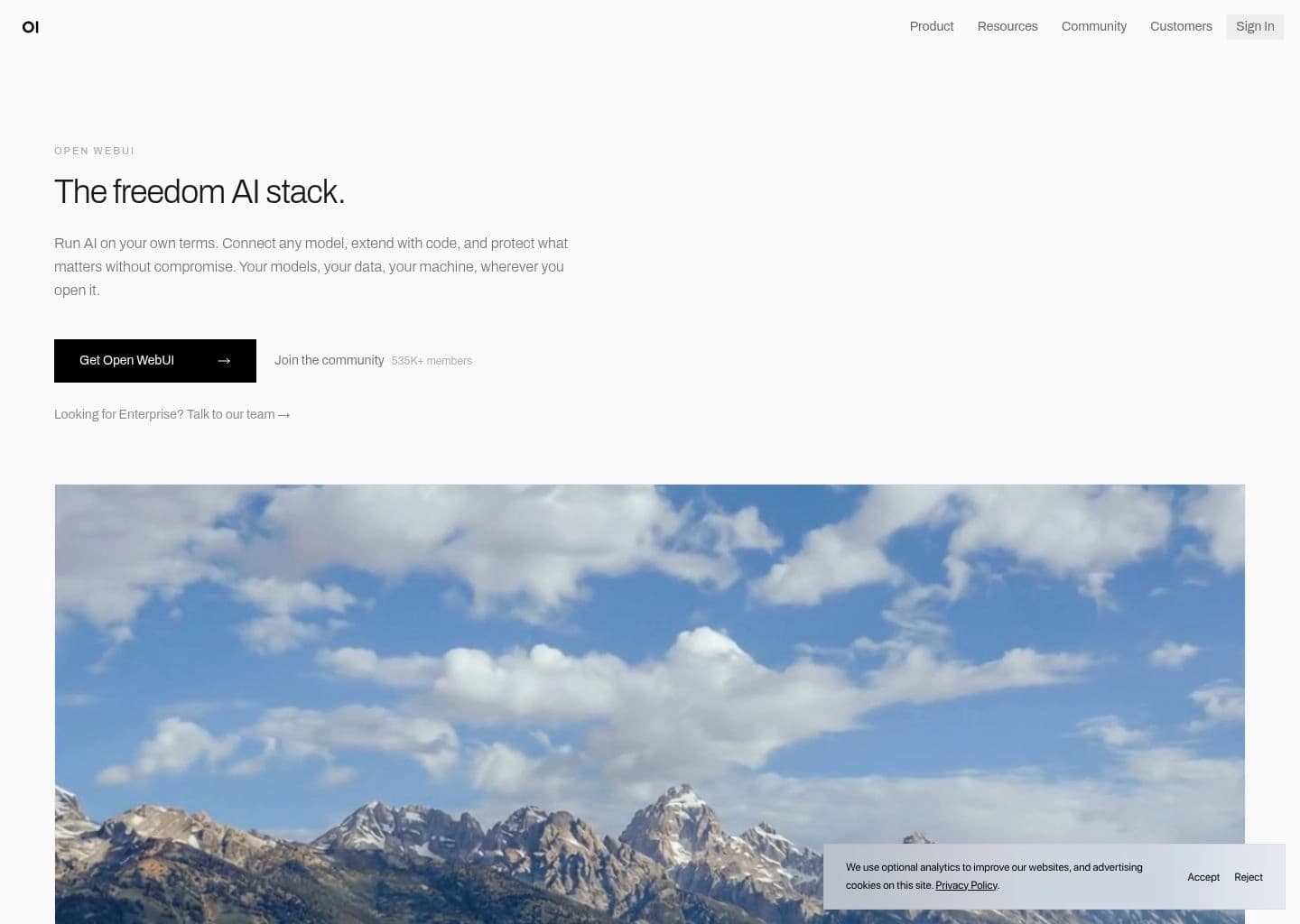
Open WebUI is a self-hosted AI interface and workspace designed to connect users with local and remote language models. It integrates natively with Ollama and supports OpenAI-compatible providers, allowing teams to use different models through a consistent browser-based chat experience.
Its feature set includes multi-model conversations, document knowledge bases and RAG, web search, tools and functions, image generation integrations, user and admin controls, usage analytics, and flexible storage backends. It can be deployed through Docker, Kubernetes, or Python-based installation, and can run in private or air-gapped environments.
Open WebUI is best for individuals and organizations that want control over their AI interface, model providers, user access, and data hosting rather than relying on a single hosted chatbot.
Key Features
- Native integration with Ollama and broad OpenAI-compatible API support
- Self-hosted browser interface for local and cloud models
- Knowledge bases and retrieval-augmented generation
- Web search, tools, functions, and extensible pipelines
- Multi-model conversations and model comparison
- User management, admin controls, and usage analytics
- Docker, Kubernetes, and private or air-gapped deployment options
Pros
- Broad provider compatibility with native Ollama support
- Free community edition for self-hosted deployments
- Rich knowledge, tool, and multi-model workflows
- Flexible deployment and storage choices for technical teams
Cons
- Self-hosting requires infrastructure, updates, and security administration
- License and branding terms need review for larger deployments
- Advanced capabilities may require configuration and maintenance
- Model quality, latency, and costs depend on connected providers or local hardware
Pricing & Plans
The Open WebUI community edition is free to self-host and is designed for unlimited users. It can be deployed on local hardware or private infrastructure using Docker, Kubernetes, pip, or supported desktop options.
Open WebUI also offers enterprise services and commercial licensing for organizations that need managed support, deployment assistance, and enterprise capabilities. Enterprise pricing is custom and should be confirmed with the vendor.
License terms require attention: versions from v0.6.6 onward include a branding-preservation clause for larger deployments, while internal deployments with 50 or fewer users may rebrand under the documented terms. Earlier v0.6.5 code remains available under its prior license terms.
Claim Verified Creator Badge
Are you the founder of Open WebUI? Display this listing's verified badge on your website to show your customers that your product has been vetted and listed on AI Central Resources.
<a href="https://www.aicentralresources.com/tool/open-webui" target="_blank" rel="noopener">
  <img src="https://www.aicentralresources.com/badges/featured-badge-dark.svg" alt="Featured on AICentralResources" width="200" height="54" style="border: none;" />
</a>
* Place this HTML snippet in your website's footer, landing page, or press section. This creates a search-friendly backlink directly to your verification page.
Connect with Open WebUI
Frequently Asked Questions
Yes. The community edition is free to self-host and supports unlimited users. Enterprise services and commercial licensing are separate.
Yes. It can run on private infrastructure and connect to local models such as Ollama, including air-gapped deployments.
Yes. Open WebUI has native Ollama integration and can also connect to many OpenAI-compatible APIs.
Yes. It supports knowledge bases and retrieval-augmented generation for document-grounded conversations.
Review the current license carefully. Newer versions include a branding-preservation clause for larger deployments; the project documents the exact terms and earlier license versions.
Similar AI Tools to Open WebUI
View all alternatives of Open WebUI
AnythingLLM
Build private AI workspaces that chat with your documents, connect models, and run agents

Jan
A private open-source AI desktop and agent workspace that runs local models or connects cloud providers

LM Studio
Discover, run, and serve local language models through a polished desktop and developer workflow

GPT4All
Run private language models on everyday desktops and chat with local documents

Ollama
Run, manage, and serve open-weight language models locally or through private cloud inference

LocalAI
Deploy a self-hosted, OpenAI-compatible inference server for text, image, audio, and multimodal models