
LM Studio
Discover, run, and serve local language models through a polished desktop and developer workflow
Gallery
5 items
About LM Studio
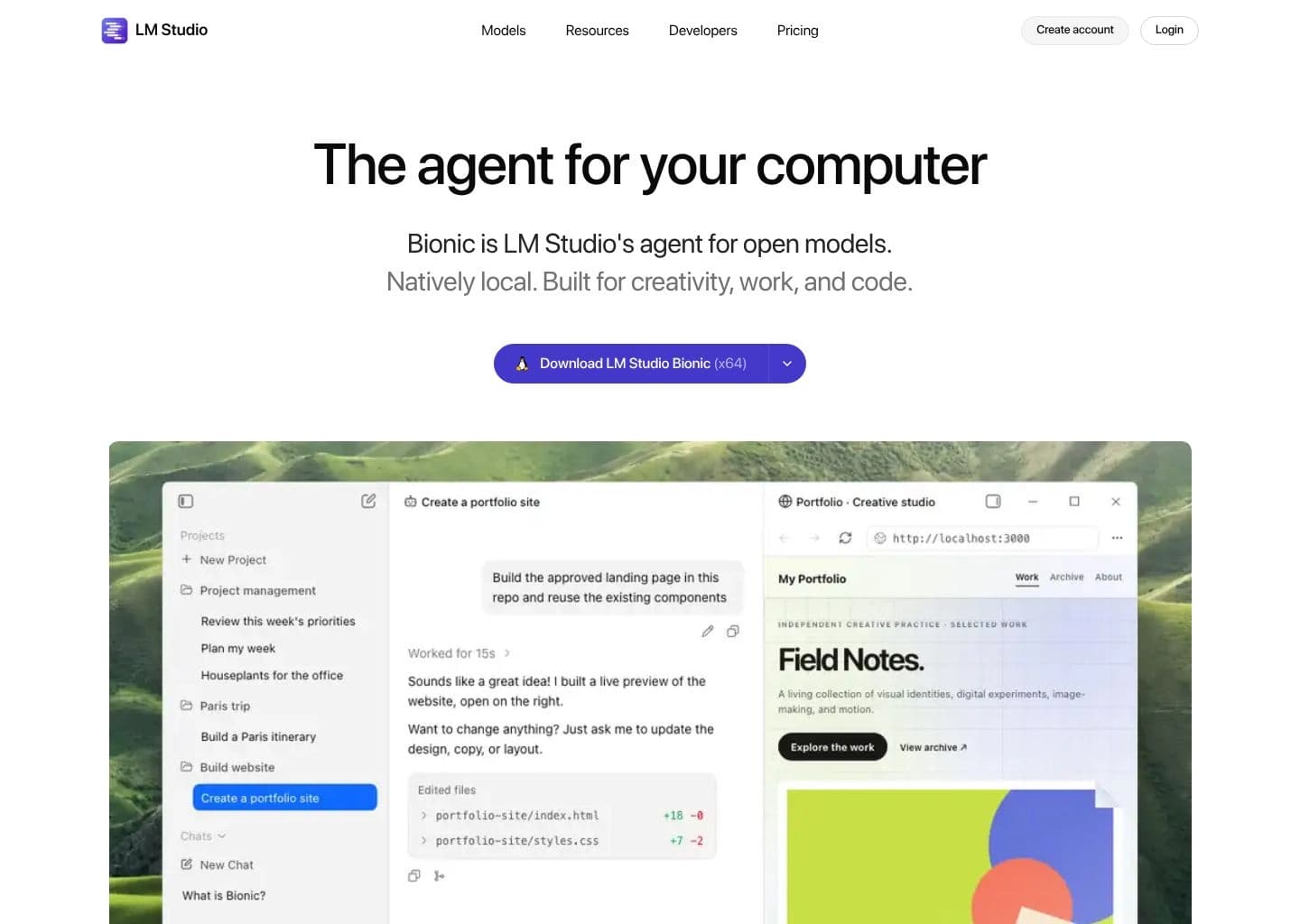
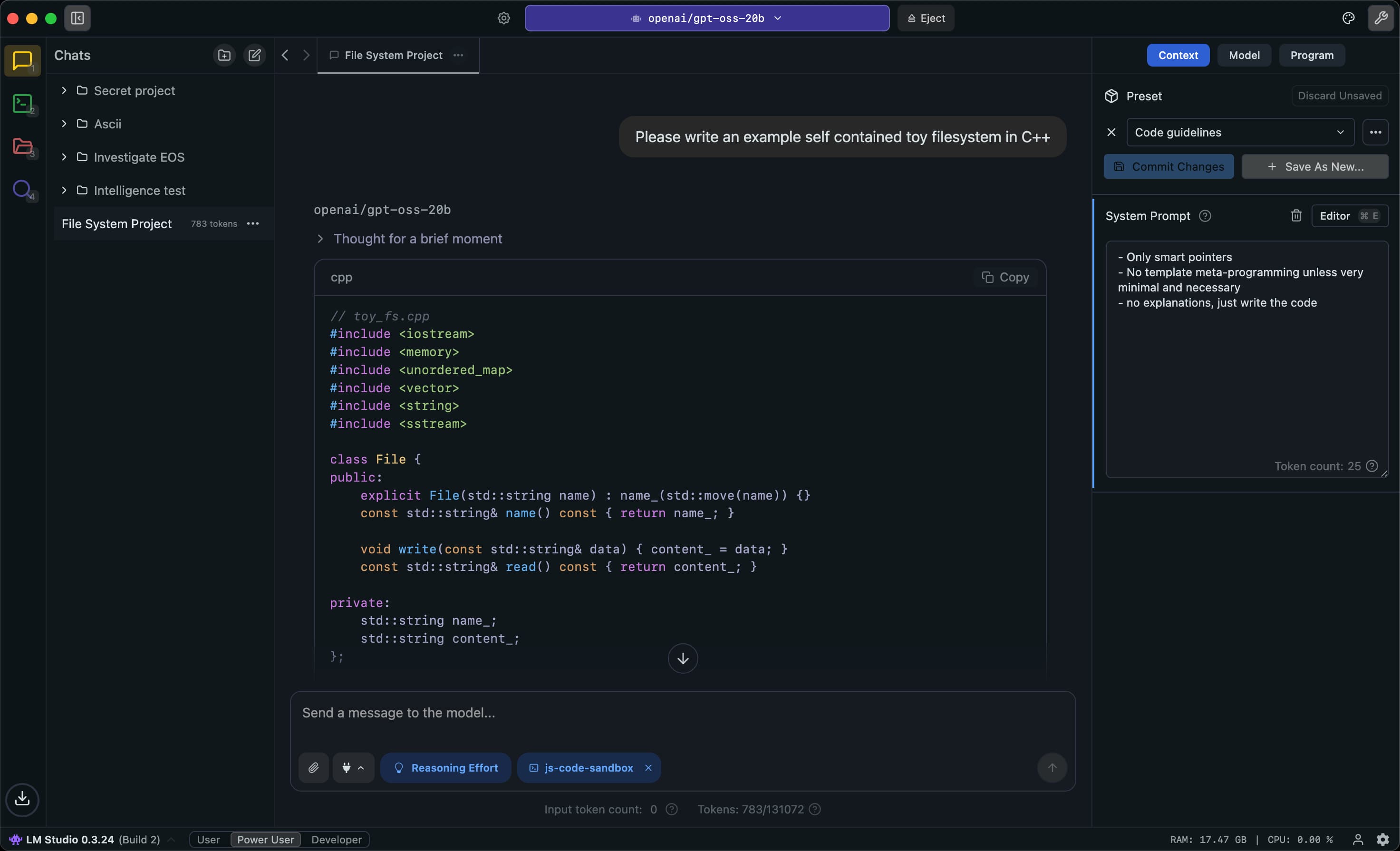
This review is based on LM Studio's current official desktop and Bionic documentation, system requirements, API references, and published pricing. The documented workflow is straightforward: install the desktop app, find a model in the Discover view, download a compatible quantization, load it into memory, and start chatting or enable the local server. Hardware fit is the key setup decision; the app's model picker and compatibility guidance help, but large models still require substantial memory. LM Studio stands out for combining a polished model manager with local document chat and developer endpoints. It can run offline and offers multiple API compatibility modes, but the application is proprietary and local performance is determined by the model and device. Buyers should also distinguish the classic local desktop app from Bionic, the newer agent and cloud offering with its own paid tiers. I would choose LM Studio when a visual interface, model browsing, and local API server matter more than open-source licensing. Developers who prefer a lightweight CLI runtime can use Ollama, while users who need a self-hosted multi-user interface should compare Open WebUI.
LM Studio is a desktop application for finding, downloading, configuring, and running large language models on a personal computer. It supports local inference through llama.cpp and Apple MLX, with model discovery, chat, document Q&A, and a local server for application development.
Its developer tools expose native and OpenAI-compatible APIs, a CLI, and SDKs for JavaScript and Python. LM Studio can operate offline after model files are downloaded; its newer Bionic experience adds agentic work and optional cloud inference under separate plans.
LM Studio suits developers, researchers, and power users who want a graphical model manager, local experimentation, and an easy path from desktop testing to local API integration.
Key Features
- Search, download, and manage local GGUF and MLX models
- Chat with local models on Windows, macOS, and Linux
- Local document chat and retrieval-augmented generation
- Local inference server with OpenAI-compatible and Anthropic-compatible endpoints
- Native REST API, CLI, JavaScript SDK, and Python SDK
- MCP support and configurable model parameters
- Optional Bionic agent and hosted cloud inference
Pros
- Strong graphical model discovery and download workflow
- Local chat and document Q&A can run fully offline
- Developer server and compatible APIs simplify integration
- Supports both llama.cpp and Apple MLX execution paths
Cons
- Local model performance is limited by device memory and compute
- The desktop app is proprietary rather than open source
- Bionic cloud plans and the classic local app are distinct offerings
- Some advanced workflows require users to understand model formats and hardware fit
Pricing & Plans
LM Studio's local desktop application is free to use for running downloaded models, chatting offline, and hosting a local inference server. The app itself is proprietary freeware rather than an open-source runtime.
The newer Bionic cloud and agent offering has a Free tier, Bionic+ at $20/month, and Pro at $100/month. Paid tiers add hosted open-source model access, cloud credits, web search and higher usage limits. The pricing page describes these as Bionic plans, a newer separate app and service within the LM Studio product family.
Organizations can use centralized billing with pooled credits or seat-based plans. Local inference remains available alongside optional cloud models, and cloud usage consumes the account's available credits.
Claim Verified Creator Badge
Are you the founder of LM Studio? Display this listing's verified badge on your website to show your customers that your product has been vetted and listed on AI Central Resources.
<a href="https://www.aicentralresources.com/tool/lm-studio" target="_blank" rel="noopener">
  <img src="https://www.aicentralresources.com/badges/featured-badge-dark.svg" alt="Featured on AICentralResources" width="200" height="54" style="border: none;" />
</a>
* Place this HTML snippet in your website's footer, landing page, or press section. This creates a search-friendly backlink directly to your verification page.
Connect with LM Studio
Frequently Asked Questions
The local desktop application is free. Optional Bionic cloud inference and agent features have Free, Bionic+, and Pro plans.
Yes. After downloading model files, local chat, document Q&A, and the local server can run without an internet connection.
Yes. It offers a local REST API, OpenAI-compatible endpoints, Anthropic-compatible endpoints, a CLI, and JavaScript and Python SDKs.
Requirements depend on the model. Its documentation recommends 16GB or more RAM for common setups and at least 4GB dedicated VRAM on Windows; Apple Silicon Macs are supported.
No. The LM Studio desktop application is free proprietary software. It runs open-weight models that have their own separate licenses.
Similar AI Tools to LM Studio
View all alternatives of LM Studio
Ollama
Run, manage, and serve open-weight language models locally or through private cloud inference

AnythingLLM
Build private AI workspaces that chat with your documents, connect models, and run agents

Jan
A private open-source AI desktop and agent workspace that runs local models or connects cloud providers

Open WebUI
A self-hosted AI interface for local models, external APIs, knowledge bases, and team workflows

GPT4All
Run private language models on everyday desktops and chat with local documents

LocalAI
Deploy a self-hosted, OpenAI-compatible inference server for text, image, audio, and multimodal models
Compared with LM Studio
Direct head-to-head feature matrices, pricing breakdowns, and real-world performance benchmarks