

Scribe
Turn captured workflows into visual step-by-step guides, SOPs and team training docs
Gallery
5 items


About Scribe
This product assessment uses Scribe's current documentation, pricing page and tutorial materials rather than a measured hands-on trial. The main workflow is straightforward: record a browser process, let Scribe create a sequence of steps and screenshots, then edit and share it. That cuts the mechanical effort of documenting routine software actions, especially for training and repetitive internal requests. Its strength is concrete, visual instruction rather than a broad AI writing surface. Paid tiers add desktop capture, redaction and export formats; enterprise policies matter when processes expose personal or operational data. Screenshot guides can also age rapidly after a UI redesign, so ownership and review cycles remain important. The free plan is attractive for occasional browser tutorials. A solo consultant needing client-ready branded exports may justify Pro Personal, while a team must account for the five-seat Pro Team minimum. Teams seeking codebase or API documentation should choose a developer-focused product instead.

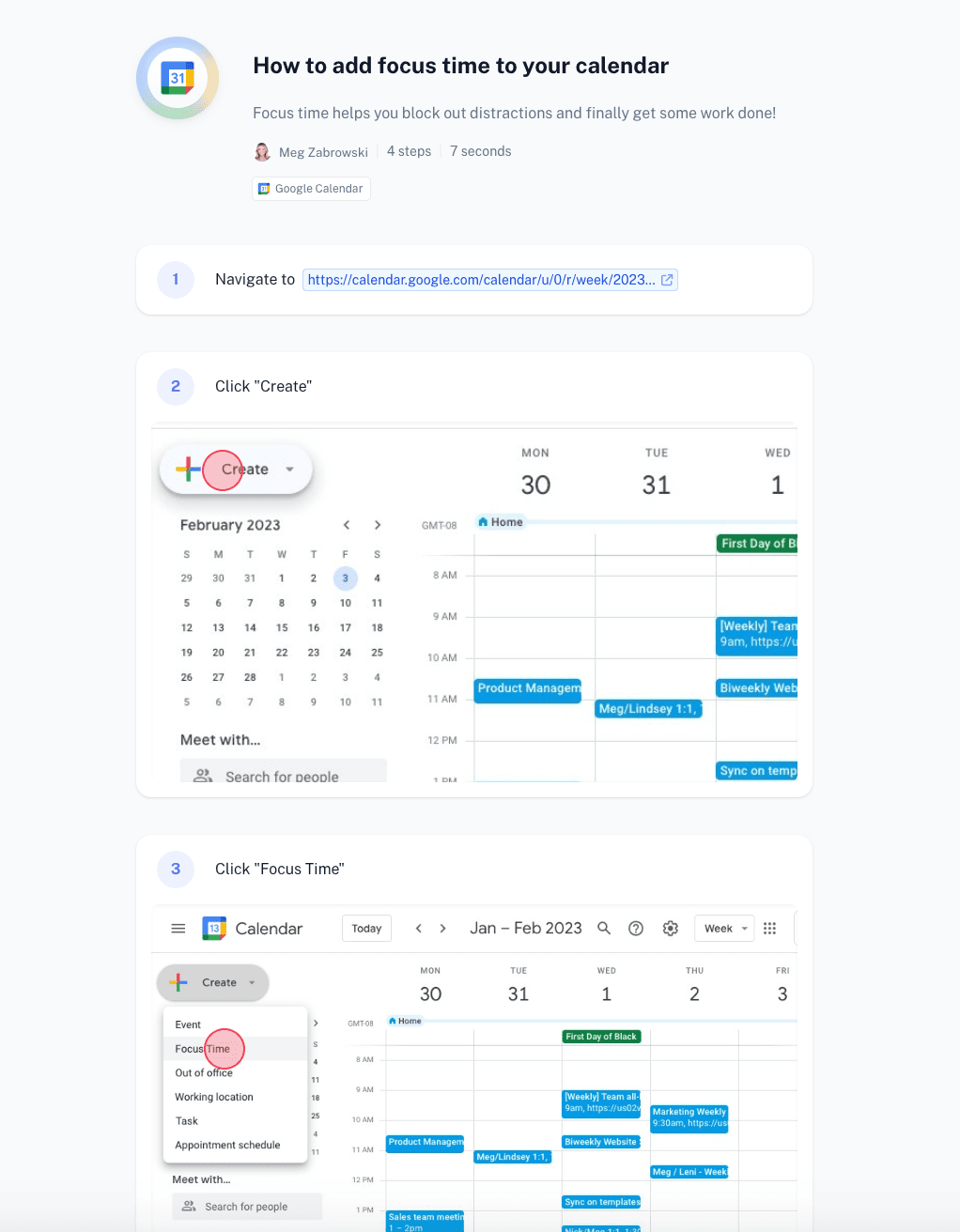
Scribe is a process-documentation platform that automatically creates illustrated step-by-step instructions as someone performs a workflow. Its capture features turn browser actions into editable guides for employees, customers and teammates without manually taking every screenshot.
Teams can combine guides into Pages, edit instructions, redact private information, embed training steps in existing knowledge systems, and export in several formats on paid plans. Scribe AI can assemble process documents from existing guides, while newer Autocapture and Optimize workflows focus on documenting and evaluating how teams actually work.
Scribe is aimed at operations, IT, support, HR and customer success teams creating standard operating procedures, onboarding material and software walkthroughs rather than source-code API references.
Key Features
- Automatic screenshot-based capture of web workflow steps
- AI-generated standard operating procedures and process documents
- Scribe Pages combine multiple guides with explanatory text
- Edit guide instructions, screenshots and annotations
- Share guides through links and embedded walkthroughs
- Paid desktop and mobile app process capture
- PDF, HTML and Markdown exports on Pro plans
- Autocapture, workflow insights and optional optimization features
Pros
- Very quick creation of software tutorials and visual SOPs
- Free browser-capture entry plan
- Guides are easier to update than manually composed screenshot documents
- Paid exports, branding and privacy redaction aid team rollout
- Useful for onboarding, support and repetitive process handoffs
Cons
- Desktop capture and richer exports require paid plans
- Pro Team requires a minimum five-seat commitment
- Capturing sensitive workflows requires careful permission and redaction checks
- Screenshot-based instructions need maintenance when interfaces change
- Not designed to generate API reference docs from source code
Pricing & Plans
Scribe Basic is free for creating and sharing browser-based step-by-step guides, with basic customization and link or embed sharing. The free plan does not include desktop application capture.
Pro Personal is advertised at $25 per seat per month with annual billing or $35 billed monthly, starting from one seat. Pro Team starts at five seats and is listed at $13 per seat per month billed annually or $17 billed monthly. Paid plans add desktop and mobile capture, custom branding, screenshot redaction, and PDF, HTML and Markdown exports.
Enterprise has custom pricing and additional governance options including SSO, admin controls, automated privacy redaction and translations. Some Autocapture and Optimize functions have separate eligibility or packaging, so check the relevant add-on terms before budgeting.
Claim Verified Creator Badge
Are you the founder of Scribe? Display this listing's verified badge on your website to show your customers that your product has been vetted and listed on AI Central Resources.
<a href="https://www.aicentralresources.com/tool/scribe" target="_blank" rel="noopener">
  <img src="https://www.aicentralresources.com/badges/featured-badge-dark.svg" alt="Featured on AICentralResources" width="200" height="54" style="border: none;" />
</a>
* Place this HTML snippet in your website's footer, landing page, or press section. This creates a search-friendly backlink directly to your verification page.
Frequently Asked Questions
Yes. Basic supports browser process capture, editing, links and embedding.
Pro Personal is $25/seat/month billed annually, or $35 monthly; Pro Team starts at five seats from $13/seat/month annually.
Yes, but desktop application capture is available on paid plans rather than Basic.
Yes. Scribe AI can build broader process documents using existing Scribe guides and written instructions.
Paid tiers include manual screenshot redaction; advanced enforced or automatic redaction is associated with higher plans.
Similar AI Tools to Scribe
View all alternatives of Scribe
Document360
AI-powered knowledge base software for self-service help centers and product docs

Slite
AI-powered knowledge base for instant answers and streamlined team collaboration.

GitBook
The AI-ready documentation and knowledge base platform for product and engineering teams

Archbee
AI documentation platform for product, API and internal knowledge portals


Confluence
AI-powered workspace for collaborative knowledge creation, sharing, and project acceleration.